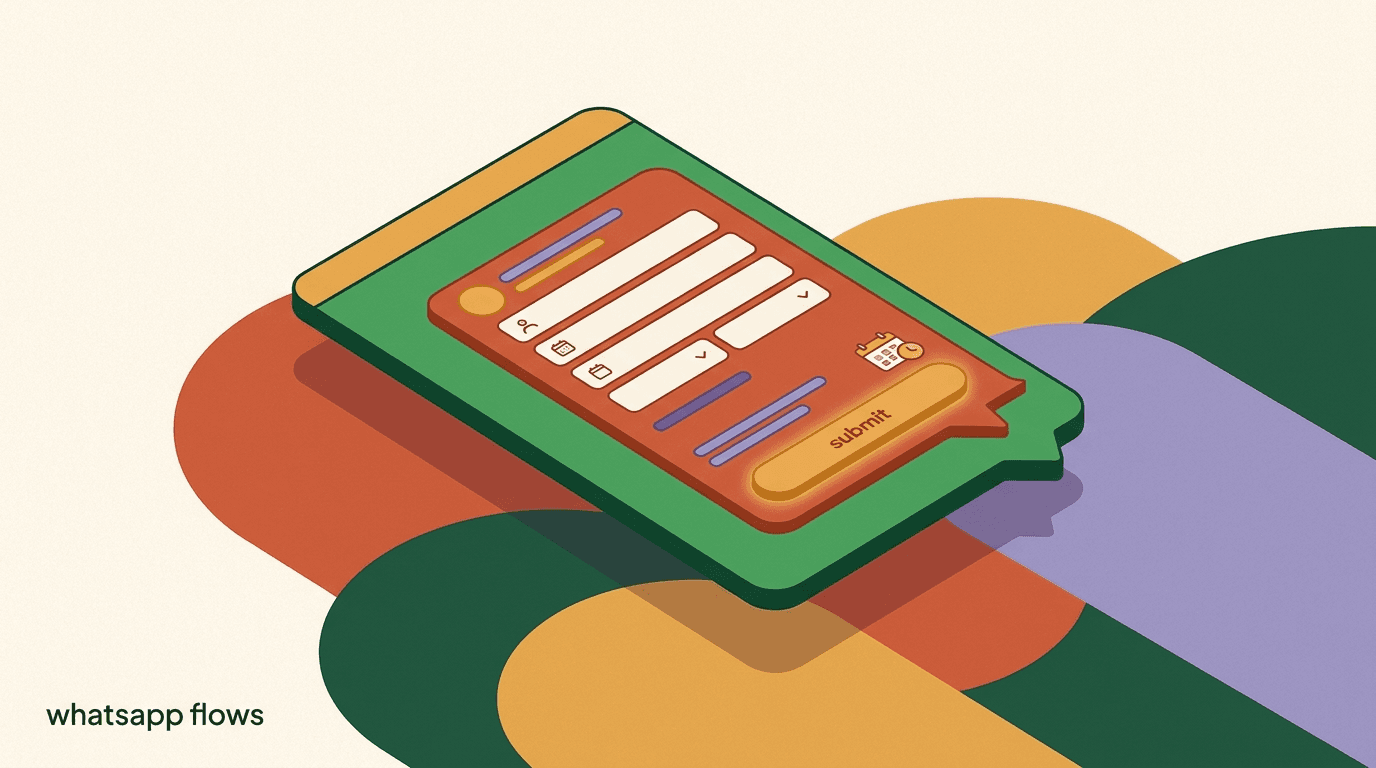
WhatsApp Flows are Meta's way of putting a real form inside a chat. Instead of sending someone a link to a landing page and hoping they leave the conversation to fill it in, you send them a structured set of screens — dropdowns, date pickers, text fields, radio buttons, and buttons — that they complete without ever leaving WhatsApp. It is the difference between saying 'reply with your preferred date and time' and handing the person a calendar they can tap.
For businesses, that shift matters. WhatsApp forms collect clean, structured data instead of free-text replies you have to parse. In-chat forms cut the drop-off that happens every time you push someone to a browser. And because the whole thing stays inside the app people already have open, appointment booking, lead capture, and lightweight checkout feel like part of the conversation rather than a detour.
This guide explains what WhatsApp Flows actually are, how they work, what you can realistically build with them, and — just as important — where the limits are. We build KlyoChat, a WhatsApp-capable inbox and automation tool, so we have a point of view. We will keep the Meta specifics accurate, flag what you need to verify on Meta's own docs, and be clear about one thing up front: Flows is a feature of the WhatsApp Business Platform, and it is not a payment processor.
What are WhatsApp Flows, exactly?
WhatsApp Flows are a native feature of the WhatsApp Business Platform that let a business present one or more structured screens inside a chat thread. A person taps a button on a message, a panel opens over the conversation, and they move through a short sequence of form fields — choosing options, entering text, picking a date — then submit. The data comes back to your business as a single structured response rather than a scatter of separate replies.
The key word is structured. A normal WhatsApp exchange is free text: someone types whatever they want, and you or your automation has to interpret it. A Flow constrains the input. If you need a date, you show a date picker. If you need one of three service types, you show three options and nothing else. That constraint is what makes Flows useful for anything transactional — you get answers in the shape you can actually act on.
Under the surface, Flows are defined as a set of screens with components, and they connect back to your systems so responses can be routed, stored, or acted on. Meta documents the full model — screens, components, data exchange, and endpoints — in the official WhatsApp Business Platform documentation. You do not have to be a developer to use Flows through a provider, but it helps to know that a Flow is a defined object, not just a fancy message. WhatsApp itself is a Meta-owned messaging app used by billions of people, as summarized in WhatsApp's background on Wikipedia — the reach is exactly why in-chat forms are worth the setup.
Flows is a WhatsApp Business Platform feature
WhatsApp Flows runs on the WhatsApp Business Platform (the API), not the consumer WhatsApp app or the basic WhatsApp Business app. If your setup is a personal number or the free Business app, Flows is not available to you until you are on the Business Platform through an approved provider.
How are WhatsApp Flows different from a normal chat message?
It is worth slowing down on this, because the difference is the whole value. A standard interactive message on WhatsApp can already do a little structure — reply buttons and list messages let people tap instead of type. Flows go much further. They render a multi-field form, can span multiple screens, and can carry logic between them, all inside the chat window.
Think of the spectrum this way. Plain text is the least structured and the hardest to act on automatically. Quick-reply buttons and list pickers add a bit of structure for single choices. Flows sit at the structured end: they are the closest thing to a web form that still lives natively in the conversation. That is why appointment booking, multi-field lead capture, and short applications are the natural fit — they are exactly the tasks that plain replies handle badly.
There is a quieter benefit that only shows up once you are running at volume: consistency. Free-text replies arrive in a hundred shapes — someone writes 'Tuesday afternoon', someone else writes '15th around 3', a third person sends a voice note. Your team or your automation has to normalize all of it before anything useful can happen. A Flow eliminates that work at the source, because the date picker returns a date and the dropdown returns one of your defined options every single time. Cleaner input at the top means less cleanup, fewer mistakes, and automations that fire reliably instead of guessing.
| Interaction type | Structure | Best for |
|---|---|---|
| Free-text reply | None — you parse the message | Open questions, support chat |
| Reply buttons | One tap, up to a few options | Yes/no, simple routing |
| List message | One choice from a longer list | Menus, category selection |
| WhatsApp Flow | Multi-field, multi-screen form | Booking, lead capture, surveys |
Is WhatsApp Flows available to my business right now?
This is the first question to answer honestly, because availability is not universal and it changes. Flows is part of the WhatsApp Business Platform, which means you access it through the API — either directly or, far more commonly, through a Business Solution Provider or a platform like ours. Rollout of specific Flows capabilities has expanded over time and can differ by region, provider, and account status. So the honest answer is: probably, if you are on the Business Platform, but you should confirm.
Before you plan a booking system around Flows, verify three things. First, that your number is on the WhatsApp Business Platform, not the consumer app or the free Business app. Second, that your provider supports Flows and has it enabled for your account. Third, that the specific components you want — a particular picker or screen type — are available to you, since Meta ships capabilities incrementally. The most reliable source is always Meta's own documentation and the WhatsApp for Business site, not a third-party summary that may be out of date.
- Flows requires the WhatsApp Business Platform (API) — not personal WhatsApp or the basic Business app.
- Access is usually through a provider; confirm your provider has Flows enabled for your account.
- Availability of specific components and regions changes over time — verify current status on Meta's docs.
- A WhatsApp Business Account (WABA) and an approved phone number are prerequisites.
Verify availability before you build around it
Do not commit a launch date to a Flows-based booking system until you have confirmed Flows is live on your specific account and region. Rollout is uneven and features arrive in stages. Check the official WhatsApp Business Platform docs and your provider's status page first.
What can you actually build with WhatsApp Flows?
The practical use cases cluster into a few families, and almost all of them share a shape: you need several pieces of structured information from someone, and you want them to give it without leaving the chat. Once you see that pattern, the use cases become obvious.
Booking and appointments are the flagship case. A clinic, salon, tutor, or repair service can present a service picker, a date, and a time, collect a name and phone number, and confirm — all in one panel. Lead capture and qualification are close behind: instead of a link to a form, you ask the three or four questions that qualify a lead and route them accordingly. Surveys, feedback, and quick applications round out the set. And with catalog-style selling, a Flow can gather the details around an order even when the payment itself happens elsewhere.
| Use case | What the Flow collects | What happens after submit |
|---|---|---|
| Appointment booking | Service, date, time, contact | Slot reserved, confirmation sent |
| Lead capture | Name, need, budget, timeline | Lead scored and routed to a rep |
| Survey / feedback | Ratings, multiple choice, comments | Responses stored for analysis |
| Order details | Product, quantity, delivery info | Handed to checkout or an agent |
| Application / signup | Personal details, preferences | Record created, follow-up triggered |
Start with your highest-friction form
Do not try to move every form into WhatsApp at once. Pick the single form where you lose the most people to a browser hand-off — usually booking or lead capture — and build that one Flow well. Prove the drop-off improvement before you expand.
How do WhatsApp Flows work under the hood?
You do not need to write code to use Flows through a good provider, but understanding the model helps you design better forms and debug them when something is off. A Flow is built from screens. Each screen contains components — a heading, some text, and input fields like a text box, a dropdown, a date picker, a radio group, or a checkbox. A footer button moves the person to the next screen or submits.
Flows come in two broad styles. In the simpler style, all the content is defined ahead of time and the Flow runs without calling back to your servers mid-way — good for a fixed survey or a static form. In the connected style, the Flow talks to an endpoint you control while the person is filling it in, so you can do things like show only the appointment slots that are genuinely free, or validate an entry before letting them continue. That dynamic version is more powerful and more work to set up, because it needs a live endpoint that responds correctly.
When someone submits, the response comes back to your business as structured data tied to the conversation. From there your system — or your provider's automation — decides what to do: create a booking, store a lead, send a confirmation, or hand the thread to a human. Meta's documentation covers the full lifecycle, including how data exchange and endpoints work, and it is the reference to trust over any secondhand explanation.
One practical implication of this model is worth internalizing early. Because the connected style depends on your endpoint answering in real time, the reliability of that endpoint becomes part of the customer experience. If it is fast and correct, the Flow feels instant and trustworthy. If it is slow, times out, or returns bad data, the person sees a stalled form and blames you, not the plumbing. That is the trade for the extra power of live data: you take on the responsibility of keeping the endpoint healthy. For a static Flow with no live data, that concern disappears — which is exactly why simple surveys and fixed forms are the easiest place to start.
Anatomy of a two-screen booking Flow
- Screen 1
- Heading, service dropdown, date picker, Next button
- Screen 2
- Time slot radio group, name field, phone field, Submit button
- On submit
- Structured response returns: service, date, time, name, phone
- Your system
- Reserves the slot and sends a confirmation message
How do you set up a WhatsApp Flow, step by step?
At a high level, setting up a Flow follows the same arc whether you build it directly on the API or through a platform. The mechanics differ — a provider hides most of the plumbing — but the decisions you make are the same. Here is the shape of it, kept deliberately general because the exact screens depend on your provider.
- Confirm you are on the Business Platform with Flows enabledCheck that your number is on the WhatsApp Business Platform and that your provider has Flows available for your account and region. Do this before designing anything.
- Map the form on paper firstList every field you truly need and group them into one or two screens. Cut anything that is nice-to-have. Every extra field costs you completions.
- Build the screens and componentsAdd your headings, inputs, and buttons. Choose the right component for each field — a date picker for dates, a dropdown for fixed choices — so the input is constrained and clean.
- Decide static or connectedIf your options never change, a static Flow is enough. If you need live data like real appointment availability, wire it to an endpoint that responds during the session.
- Attach the Flow to a trigger messageThe Flow opens from a button on a message. Set the entry point — a keyword, a menu option, or a step inside an automation — so people reach it at the right moment.
- Test end to end, then handle the responseSubmit a real test, confirm the structured data arrives, and make sure the next action fires: a booking is created, a confirmation goes out, or an agent is notified.
A provider does the heavy lifting
Building Flows directly on the API means managing the Flow definition, endpoints, and message templates yourself. Most businesses use a platform that handles the plumbing and exposes the design decisions. Either way, the honest prerequisite is the same: an approved WhatsApp Business Platform setup.
What does a booking Flow look like in practice?
Concrete beats abstract, so picture a small physiotherapy clinic. Today they take bookings by replying back and forth: someone messages 'do you have anything Thursday?', a receptionist checks, replies with two options, the patient picks one, the receptionist confirms. Four or five messages, a person in the loop, and plenty of room for a missed slot or a typo in the time.
With a Flow, the same booking becomes one panel. The patient taps 'Book appointment' on a message. Screen one shows a service dropdown — assessment, follow-up, or massage — and a date picker. Screen two shows only the time slots that are actually open for that date, pulled live from the clinic's calendar, plus fields for name and phone. They submit, the slot is reserved, and a confirmation lands in the chat. No receptionist required for the routine case, and the data is clean because every field was constrained.
The difference is not only speed. It is completion. Every time you send someone to a web form you lose a share of them at the browser hand-off, at the login wall, at the slow page. Keeping the whole booking inside WhatsApp removes those exit points. For a fuller picture of building conversational booking and qualification into WhatsApp, our guide to building a WhatsApp lead capture bot walks through the automation around the form itself.
Same booking, two ways
- Manual chat
- 5 messages, a receptionist in the loop, risk of a typo'd time
- WhatsApp Flow
- 1 panel, live availability, structured confirmation, no receptionist for routine slots
How do lead-capture Flows compare to linking a web form?
The default for most businesses is to drop a link in the chat: 'Fill out this form and we will get back to you.' It works, but it leaks. Every hand-off from an app to a browser sheds people — the page loads slowly, they get distracted, the form asks them to log in, or they simply lose the thread. A WhatsApp form removes the hand-off entirely, which is the single biggest reason to consider Flows for lead capture.
There are trade-offs both ways, and pretending otherwise would not help you. A web form can be arbitrarily long, styled to your brand, and wired into any tool you own. A Flow is more constrained: fewer field types, tighter length, and it lives inside Meta's rules. The right choice depends on the job. For a short, high-intent capture — the three or four questions that decide whether a lead is worth a call — the in-chat form usually wins on completion. For a long, complex intake, a web form is still the better tool.
| Factor | WhatsApp Flow | Linked web form |
|---|---|---|
| Hand-off drop-off | None — stays in chat | Loses people at the browser |
| Field variety | Limited component set | Anything you can build |
| Ideal length | Short, focused | Any length |
| Branding control | Constrained by Meta | Fully yours |
| Setup effort | Provider or API work | Standard web tooling |
Match the form to the intent
Use an in-chat Flow for short, high-intent capture where every dropped lead hurts. Keep the long, detailed intake on a web form. The mistake is forcing a fifteen-field application into a chat panel — that is where Flows stop helping.
Can WhatsApp Flows handle checkout and payments?
This is where honesty matters most, because it is the most misunderstood part. WhatsApp Flows can collect everything around a purchase — the product, the quantity, the delivery address, the contact details — in a clean, structured way. That is real value for commerce. But collecting order details is not the same as taking a payment, and a Flow by itself is not a payment processor.
What actually happens with money on WhatsApp varies by market. In some regions Meta has offered native payment capabilities; in others, payment is not available in-chat at all and businesses hand the customer off to a checkout link, a payment provider, or an invoice. The availability, the supported methods, and the rules change by country and over time. So the accurate framing is: use a Flow for the structured order-gathering step, then hand off to whatever payment method is approved and available in your market. Do not assume in-chat payment exists where you operate — verify it.
For the selling motion around a WhatsApp catalog — how products, carts, and order collection fit together — our piece on selling with the WhatsApp catalog covers the commerce side in more depth. Treat Flows as the form layer of that motion, not the checkout itself.
KlyoChat is not a payment processor
To be clear about our own product: KlyoChat helps you collect order details and route the conversation, but it does not process payments. For actual checkout you hand off to a payment provider or checkout link that is approved in your market. Any claim of in-chat payment should be verified against Meta's current, region-specific rules.
What are the limits and rules you need to know?
Flows is powerful within a fenced yard, and knowing where the fence is saves you from designing something that cannot ship. None of these limits are dealbreakers for the common use cases, but each one has caught a team that assumed a chat form worked exactly like a web page.
First, the component set is finite. You get the input types Meta provides — text, dropdowns, date pickers, radios, checkboxes, and similar — not arbitrary custom widgets. Second, messaging rules still apply. Whatever message carries the Flow is subject to WhatsApp's template and messaging-window policies, so a Flow you send outside an open conversation window generally needs an approved template. Third, the dynamic, connected style needs a reliable endpoint; if your server is slow or errors, the person's form stalls. Fourth, there are structural limits on screens, fields, and payload size that you should read on Meta's docs rather than guess at. And fifth, everything runs on the WhatsApp Business Platform, which carries Meta's per-conversation fees on top of any software subscription.
- Fixed component set — no arbitrary custom fields or widgets.
- Template and messaging-window rules apply to the message that carries the Flow.
- Connected Flows depend on a fast, reliable endpoint; downtime stalls the form.
- Limits on screens, fields, and payloads exist — read the current numbers on Meta's docs.
- WhatsApp Business Platform means Meta's per-conversation fees apply regardless of provider.
Handle the data you collect responsibly
In-chat forms often collect personal details — names, phone numbers, sometimes health or payment-adjacent context. Store it securely, collect only what you need, and follow the privacy rules for your market. A form that gathers sensitive data casually is a liability, not a convenience.
How do you design a Flow people actually finish?
A Flow that nobody completes is worse than no Flow, because you have spent effort to add friction. Completion is the metric that matters, and it is mostly a design problem, not a technical one. The teams that get high completion follow a few plain rules.
Keep it short. Every field you add is a chance for someone to bail, so cut anything you can collect later or infer. Use the right component for each answer so people tap instead of type. Front-load the easy questions and leave the sensitive ones — phone number, address — for the end, after the person is already committed. Write the headings as plain instructions, not marketing. And validate gently: catch a bad entry in the moment rather than letting someone submit and fail. The AI layer around the form matters too; a well-designed WhatsApp AI chatbot can answer the questions that make someone hesitate to start a form in the first place.
- Cut every non-essential fieldFor each field, ask whether you can collect it later or live without it. If yes, remove it. Short forms finish; long forms leak.
- Use constrained inputs over free textA dropdown or date picker is faster and cleaner than asking someone to type. Reserve free-text fields for genuinely open answers.
- Order fields easy-to-hardStart with low-effort choices to build momentum. Put the phone number and address last, once the person is invested in finishing.
- Validate in the momentCatch obvious errors before submit — a malformed number, a past date — so nobody completes the form only to be bounced back.
One screen beats two when you can manage it
Each additional screen is another place to lose people. If your fields fit comfortably on a single screen, keep them there. Only split into multiple screens when the content genuinely needs it, like showing time slots after a date is chosen.
How do you measure whether a Flow is working?
Because a Flow has a clear start and a clear submit, it is measurable in a way that free-text chat is not. The core number is completion rate: of the people who opened the Flow, how many submitted. Watch it obsessively, because it tells you exactly where your form is too long or too confusing. A sharp drop between two screens is a signal to simplify the second one.
Beyond completion, tie the Flow to the outcome you actually care about. For a booking Flow that is confirmed appointments and no-show rate. For a lead Flow it is qualified leads and the share that convert to a call or a sale. The form is a means, not the end, so a Flow with a high completion rate that produces junk leads is a Flow to rethink. Instrument the hand-off too: what happens after submit — the confirmation, the routing, the follow-up — is where completions turn into revenue or quietly evaporate.
| Metric | What it tells you | What to do about it |
|---|---|---|
| Open-to-submit rate | Whether the form is too long or unclear | Cut fields, split or merge screens |
| Per-screen drop-off | Which screen loses people | Simplify or reorder that screen |
| Downstream outcome | Whether submissions turn into results | Fix qualification or the follow-up |
| Post-submit handling | Whether the hand-off actually fires | Check confirmations and routing |
Which businesses get the most out of WhatsApp Flows?
Flows pay off most where two conditions overlap: your customers already live on WhatsApp, and the thing you need from them is a small, structured set of answers rather than a long open conversation. When both are true, moving the form into the chat removes real friction. When neither is true, Flows are a solution looking for a problem, and it is more honest to say so than to pretend every business needs one.
Local services are the clearest fit. Clinics, salons, tutors, gyms, and repair shops all run on appointments, and a booking form inside WhatsApp beats a phone-tag booking every time. Commerce is next: a store that already chats with customers can use a Flow to gather order details, sizes, or delivery information without pushing anyone to a browser. Then there is anyone running lead generation on Meta ads that click through to WhatsApp — a short qualification Flow turns a vague inbound into a scored lead. Restaurants take reservations, real-estate agents pre-qualify buyers, event organizers collect RSVPs. The pattern is always the same: a short form, high intent, and an audience that would rather not leave the app.
Who should think twice? Any business whose real need is a long, complex intake — a detailed insurance application, a multi-page onboarding — is usually better served by a web form linked from the chat, since Flows are deliberately constrained. And a business whose customers are not on WhatsApp in the first place should fix the channel question before worrying about the form. Flows amplify an existing WhatsApp habit; they do not create one.
| Business type | Typical Flow | Why it fits |
|---|---|---|
| Clinic or salon | Appointment booking | Runs on structured, repeat scheduling |
| Online store | Order and delivery details | Chat-led sales already happen there |
| Ad-driven lead gen | Short qualification form | Turns click-to-WhatsApp into scored leads |
| Restaurant or venue | Reservation or RSVP | Fixed fields, high booking intent |
| Complex intake | Better on a web form | Flows are constrained by design |
How do Flows fit into your wider WhatsApp strategy?
A Flow is one tool, not a strategy. On its own it is a form; its value shows up when it sits inside a larger motion that gets the right person to the form at the right moment, then does something useful with the answers. Treating Flows as a bolt-on usually disappoints; treating them as the structured-capture step inside a planned conversation usually works.
Picture the full arc. Someone clicks a Meta ad or messages your number after seeing a post. An AI agent greets them, answers the question that was holding them back, and recognizes intent to book or buy. At that point — and only then — the automation sends a Flow to capture the structured details. The response reserves a slot or creates a lead, a confirmation goes out, and the contact is tagged so you can re-engage them later with a broadcast that respects WhatsApp's rules. The Flow is the clean middle of that arc, wrapped in conversation on both sides.
This is also where the honest limits reassert themselves. The messaging window and template rules govern when you can reach someone, so the strategy has to account for them, not fight them. Meta's per-conversation fees mean you want each conversation to earn its keep, which is another argument for using Flows to convert intent rather than to interrogate cold contacts. And the payment step still lives outside the Flow, so your strategy needs a defined hand-off to checkout wherever money changes hands.
The form is the middle, not the whole
Design the conversation before the form. Decide how people arrive, what the AI answers before they start, when the Flow appears, and what happens the moment they submit. A great form dropped into a thin strategy still underperforms a modest form inside a well-planned one.
What is the difference between Meta's Flows and KlyoChat's flow builder?
This trips people up constantly, because two different things share the word flow. Meta's WhatsApp Flows is the in-chat form feature described throughout this guide — the structured screens that render inside a WhatsApp conversation. KlyoChat's no-code flow builder is a different thing: it is our automation canvas, where you design what your bot does across a whole conversation and across channels — triggers, conditions, replies, branches, hand-offs to a human, and yes, a step that can present a WhatsApp Flow when that is enabled for your account.
The clean mental model is that Meta Flows is a form inside one message, while KlyoChat's flow builder is the automation around the entire conversation. They are complementary, not competing. You use the KlyoChat builder to decide when to send the form, what to do with the answers, how to follow up, and how to route the person — and you use a Meta Flow as the structured collection step within that larger automation. Confusing the two leads to the wrong expectations, so we spell it out: they are named similarly and do different jobs.
Same word, different layer
When we say flow builder we mean KlyoChat's automation canvas. When we say WhatsApp Flows we mean Meta's in-chat form feature. Availability of the Meta feature is set by Meta and your provider; the automation around it is what KlyoChat provides.
Two different senses of the word flow
- Meta WhatsApp Flows
- In-chat form: screens, fields, submit — inside one message
- KlyoChat flow builder
- Cross-conversation automation: triggers, branches, hand-offs, and a step that can send a Meta Flow
How does KlyoChat fit into a WhatsApp Flows setup?
KlyoChat is an AI-native unified inbox that connects WhatsApp alongside Instagram, Facebook, Telegram, TikTok, and X, so every conversation lands in one place instead of scattered across apps. On top of that inbox sit a no-code flow builder, AI agents, and broadcasts. In a WhatsApp Flows context, our job is the automation and the people-work around the form: deciding when to offer it, answering the questions that make someone hesitate, catching the answers, routing them, and following up — with the option to hand a routine chat to a human on the unified inbox and channels whenever it needs a person.
Concretely, an AI agent can greet an inbound message, understand what the person wants, and then trigger the right automation in the no-code flow builder. That automation can send a WhatsApp Flow to collect a booking or a lead, take the structured response, and act on it — reserve the slot, tag the lead, send the confirmation. The AI handles the messy conversational parts; the Flow handles the clean structured capture. Broadcasts then let you re-engage those contacts later within WhatsApp's rules.
Now the honest limits, because you should not learn them after you have committed. WhatsApp Flows is Meta's feature, and its availability on your account is set by Meta and your provider — verify it before you plan around it. KlyoChat is not a payment processor, so real checkout hands off to an approved payment method in your market. We do not offer native SMS or email, so if those channels are core to you, factor that in. WhatsApp's per-conversation fees are charged by Meta and apply on any platform, KlyoChat included. And we are a newer, smaller product with a younger community than the largest incumbents — an advantage for focus and support responsiveness, a fair thing to weigh if you want the biggest template marketplace.
- AI agents plus the flow builder decide when to send a Flow and what to do with the answers.
- One inbox for WhatsApp, Instagram, Facebook, Telegram, TikTok, and X — no channel-switching.
- Pricing is flat: Basic $19, Pro $49 ($39 billed yearly), Business $129 — with a 7-day free trial, no card.
- Honest limits: Flows availability is Meta's call, no in-app payment processing, no native SMS or email, Meta fees apply, smaller community.
| Layer | What handles it | Notes |
|---|---|---|
| In-chat form | Meta WhatsApp Flows | Availability set by Meta and your provider |
| Automation around the form | KlyoChat flow builder | Triggers, branching, routing, follow-up |
| Conversational answers | KlyoChat AI agents | Answer questions, qualify, hand to a human |
| Payment | External provider | KlyoChat is not a payment processor |
Where KlyoChat earns its place
If your need is one clean booking form and nothing else, you may not need a platform at all. KlyoChat earns its keep when you want AI answering questions, automations routing people, and the same conversation history across every channel — with Flows as one structured step inside that. See the current plans on the pricing page.
The takeaway on WhatsApp Flows: they are Meta's structured in-chat forms, and they solve a real problem — the drop-off and the messy data that come from either free-text replies or sending people out to a browser. For booking, lead capture, surveys, and gathering order details, keeping the form inside the conversation genuinely lifts completion. The design rules are simple, the measurement is clean, and the payoff is a form people actually finish.
Just hold two honest facts alongside the promise. Flows is a WhatsApp Business Platform feature, so verify it is available on your account and region before you build around it. And it is not a payment processor — collect order details with a Flow, then hand off real checkout to an approved method in your market. Get those two things right, keep your forms short, and Flows becomes one of the more dependable tools in a WhatsApp strategy. If you want the automation and AI around the form, that is exactly the layer KlyoChat is built for.