Most teams who try to build a WhatsApp AI chatbot end up with something that frustrates customers: a bot that misreads simple questions, loops on a menu, or cheerfully answers the wrong thing with total confidence. The technology is not the problem. The order of operations is. A chatbot that genuinely works is built deliberately — API access first, then a tightly scoped conversation, then an AI agent trained on your actual answers, then the rules that keep WhatsApp itself happy.
This guide is the build, end to end. You will get WhatsApp Business API access through a provider, design a conversation that does one job well, train an AI agent on a knowledge base, handle the 24-hour customer service window and message templates correctly, set up a clean human handoff, and test and measure the thing before you point real traffic at it. It is concrete and opinionated, because vague advice is how you ship a bot nobody trusts.
Full disclosure: we build KlyoChat, an AI-native inbox with custom AI agents and WhatsApp included, so we have a point of view about what good looks like. We have kept the platform-neutral parts platform-neutral — the API access, the window rules, and the design principles apply no matter what tool you use — and flagged where pricing or specifics need verifying against Meta and your provider, because those numbers move.
What is a WhatsApp AI chatbot, and how is it different from a rules bot?
A WhatsApp AI chatbot is an automated agent that runs on the WhatsApp Business API and uses a language model to understand free-text messages and respond in natural language. The difference that matters is comprehension. A traditional rules-based chatbot matches keywords or makes you tap through a menu — if a customer phrases something the way a human actually would, it breaks. An AI agent reads intent. Someone can type whats my order status, where is my parcel, or i ordered tuesday and nothing came and the agent understands all three as the same question.
That distinction shapes everything downstream. A rules bot is a decision tree you maintain by hand; every new question is a new branch. An AI agent is trained once on a body of knowledge and generalizes from it, so it handles phrasings you never anticipated. The trade is that an AI agent needs guardrails — a clear scope, a knowledge base it can trust, and a handoff path — or it will improvise answers it should not.
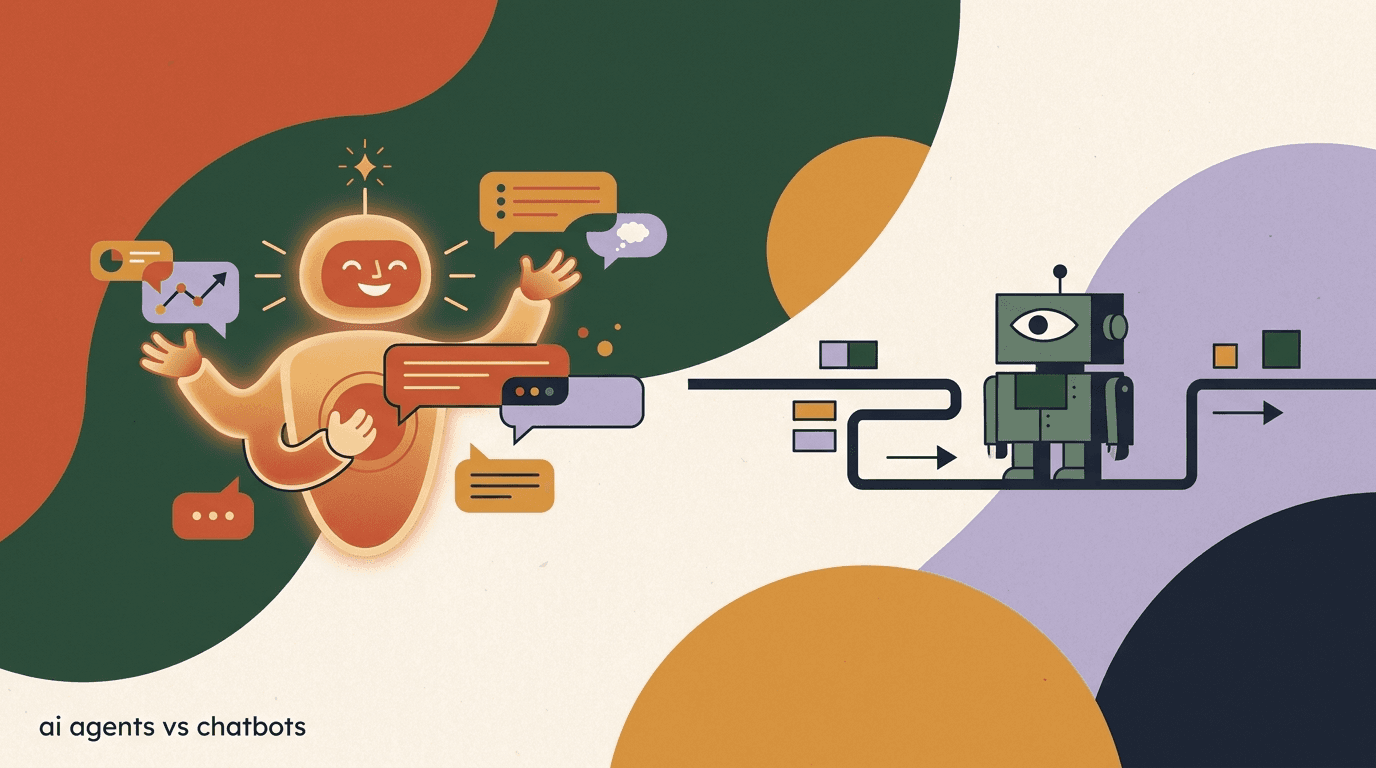
We dig into this comparison in depth in our piece on AI agents versus chatbots. For this guide, the short version is what you need: if you want a WhatsApp bot that handles real customer language instead of forcing customers into your menu, you want an AI agent, and the rest of this is how to build one responsibly.
Same question, two kinds of bot
- Customer types
- hey i think my order got lost?
- Rules bot
- Sorry, I didn't understand. Reply 1 for Orders, 2 for Returns, 3 for Support.
- AI agent
- I can help with that. What's the order number or the email you used? I'll check the status right away.
What do you need before you build anything?
Before you write a single conversation flow, line up the prerequisites. Skipping this is the most common reason a build stalls halfway — teams design a beautiful bot and then discover they cannot send a message because their number is not approved. Get these in place first.
- A WhatsApp Business Account (WABA) tied to a verified Meta Business account.
- A phone number you can dedicate to the bot — it cannot already be in use on the consumer WhatsApp or WhatsApp Business app.
- Access to the WhatsApp Business API, almost always through a Business Solution Provider (BSP) or a platform that bundles one.
- A display name and business profile that comply with WhatsApp's commerce and business policies.
- A first batch of message templates drafted and ready for approval (more on these later).
- Your knowledge base content — FAQs, policies, product info — gathered in one place, even if it is rough.
You almost never get API access directly
Meta does grant direct Cloud API access, but most businesses go through a BSP or a platform that wraps one, because it handles number hosting, template management, and billing for you. Whichever route you choose, WhatsApp API access is via Meta or a provider, templates need approval, and you must respect the 24-hour window. Those constraints are not negotiable and apply to every tool, KlyoChat included.
How do you get WhatsApp Business API access?
This is step zero, and it is the part people underestimate. The WhatsApp Business API is not a consumer app you download — it is access granted through Meta, typically brokered by a BSP. The path below is the common one. Exact screens change as Meta updates its tooling, so treat this as the shape of the process rather than a pixel-perfect walkthrough.
- Set up your Meta Business accountCreate or use an existing Meta Business Manager account and complete business verification. Verification can take anywhere from minutes to days, so start it early — nothing else proceeds without it.
- Choose a BSP or a platform that bundles oneDecide whether you go through a standalone BSP or a messaging platform that includes WhatsApp access in its plan. The bundled route is faster for most teams because the platform handles hosting and templates.
- Register and verify your phone numberPick a dedicated number not currently active on any WhatsApp app, add it to your WhatsApp Business Account, and complete the verification code step. This number becomes your bot's identity.
- Set your display name and business profileSubmit your display name for review (it must match your real business name and follow WhatsApp's naming rules) and fill out the profile — logo, description, website, address.
- Submit your first message templatesDraft and submit the templates you'll need for proactive and after-window messages. Approval typically takes minutes to a day. Have these ready so you are not blocked later.
- Connect the API to your platform and send a testWire the approved number into your chosen tool, then send a test message to your own phone to confirm delivery before building flows on top of it.
Budget for Meta's per-conversation fees from day one
WhatsApp is not free to message at scale. Meta charges per conversation, with rates that vary by country and message category (marketing, utility, authentication, and service). These fees apply on every platform — they are Meta's, not your vendor's. Verify the current rates for your countries in Meta's pricing documentation, and read our WhatsApp Business API cost breakdown before you forecast a budget.
How should you design the conversation before touching AI?
The instinct is to switch on the AI and let it figure things out. Resist it. The best WhatsApp AI chatbots are built around a clear, narrow job — answer order questions, qualify leads, book appointments — not a vague mandate to handle everything. Scope first, then let the AI be excellent inside that scope.
Start by writing down the three to five jobs the bot must do, the questions customers actually ask for each, and what a great answer looks like. Map the unhappy paths too: what happens when the bot does not know, when the customer is angry, when they ask for a human. Designing these on paper is faster and cheaper than discovering them in production.
- List the jobs to be doneWrite the specific outcomes the bot owns — track an order, answer shipping questions, qualify a lead. Anything outside this list either routes to a human or is explicitly out of scope.
- Collect the real questionsPull actual customer messages from your inbox, email, and reviews. Use their words, not your internal phrasing. This becomes both your test set and your knowledge base raw material.
- Write the greeting and the boundariesDraft a short opening that sets expectations — what the bot can do and how to reach a person. A bot that is honest about its limits earns more trust than one that pretends to be human.
- Define the escape hatchesDecide the exact triggers for handing off to a human: explicit requests, repeated failures to understand, high-value or sensitive topics, and detectable frustration.
- Plan the proactive messagesDecide which messages you'll send outside the 24-hour window (order updates, reminders) — these must be approved templates, so design them now.
Narrow beats broad every time
A bot that resolves 70 percent of order-status questions perfectly is worth far more than one that attempts everything and gets a third of it wrong. Ship a narrow, reliable bot, measure it, then expand its scope deliberately. Scope creep is how good bots become annoying ones.
How do you train an AI agent on a knowledge base?
This is the heart of a WhatsApp AI agent that works. The agent is only as good as what you give it. A knowledge base is the structured collection of facts the agent draws on — your FAQs, shipping and return policies, product details, hours, and any process the bot needs to explain. When you train an agent on this content, it answers from your truth instead of guessing.
Quality of source content matters more than quantity. A focused, accurate, well-organized knowledge base produces a reliable agent. A sprawling dump of outdated documents produces an agent that contradicts itself. Invest the time here; it is the single highest-leverage part of the build.
- Gather your source contentPull together FAQs, policy pages, help docs, product descriptions, and the canonical answers your team already gives. One organized place, current versions only.
- Clean and structure itRemove duplicates and stale information. Break long documents into clear question-and-answer chunks — agents retrieve focused passages far better than they parse a wall of text.
- Add the agent's persona and rulesTell the agent who it is, its tone, what it must never do (invent prices, promise refunds it can't authorize), and when to hand off. These instructions are guardrails, not decoration.
- Connect live data where it mattersFor dynamic answers like order status, link the agent to your store or order system so it pulls real data instead of stale text. Static knowledge plus live lookups is the strong combination.
- Test the agent against your real questionsRun the questions you collected during design through the agent. Where it answers wrong, the fix is usually the knowledge base, not the model — improve the source and re-test.
Tell the agent what it must not do
An AI agent will try to be helpful, which becomes a liability when the question touches money, legal terms, or account security. Put explicit do-not lines in the agent's instructions: do not quote prices not in the knowledge base, do not authorize refunds, do not give legal or medical advice, do not ask for full payment details in chat. Then verify the agent obeys them in testing.
How does the AI agent decide what to answer?
It helps to understand the loop the agent runs on every message, because it tells you where to intervene when something goes wrong. The agent reads the incoming message, holds the context of the conversation so far, decides whether it can answer from its knowledge base, and either responds or hands off. Each stage is a place you can tune behavior.
The practical implication is that when the bot gets something wrong, you can usually point to one stage and fix it there. If it misreads what the customer wants, the Understand stage needs more examples of how people phrase that request. If it has the right intent but answers with stale or missing facts, the problem is in Retrieve, and the cure is the knowledge base. If it answers when it should have escalated, your Decide rules are too loose. Resisting the urge to blame the model in general, and instead asking which stage failed, is what turns a flaky bot into a reliable one.
| Stage | What happens | Where you tune it |
|---|---|---|
| Understand | The agent interprets the customer's intent from free text | Better knowledge base coverage of how people phrase things |
| Retrieve | It pulls the most relevant facts from your knowledge base | Cleaner, well-chunked source content |
| Decide | It judges whether it can answer confidently or should escalate | Handoff rules and confidence thresholds in agent instructions |
| Respond | It writes a natural-language reply grounded in retrieved facts | Persona, tone, and do-not rules |
| Hand off | It routes to a human when the rules say so | Escalation triggers and team-inbox routing |
What jobs is a WhatsApp AI chatbot genuinely good at?
Not every task suits a bot, and a build that aims it at the right jobs will look far smarter than one pointed at the wrong ones. The sweet spot is high-volume, well-defined questions where the answer lives in your knowledge base or a system the agent can query. Pick from this list before you scope, and you start with a bot that wins instead of one that struggles.
Three patterns deserve special mention because they cover most real demand. Order and delivery status — high volume, clearly answerable from order data, and exactly the question customers most want answered instantly. Lead qualification — the bot asks a few questions, captures the answers, and routes a warm lead to sales with context. And FAQ deflection — shipping costs, hours, return policy, sizing — the long tail of repetitive questions that drains a support team.
| Use case | Why it fits a bot | What the agent needs |
|---|---|---|
| Order and delivery status | High volume, answerable from order data | Live link to your order or store system |
| FAQ deflection | Repetitive, stable answers | A clean FAQ knowledge base |
| Lead qualification | Structured questions, clear handoff | A short question set and routing rules |
| Appointment booking | Defined slots and confirmation | Calendar or booking integration |
| First-response triage | Sorts and routes before a human is free | Handoff rules and a team inbox |
Start with the question you get most
If you are unsure where to begin, look at your inbox and find the single question your team answers most often. Build the bot to handle that one perfectly first. It delivers value immediately, it is easy to measure, and it gives you a real-world feel for the build before you widen the scope.
Lead qualification in one exchange
- Customer
- Do you do bulk orders for events?
- Agent
- We do. Roughly how many units, and what date is the event?
- Customer
- Around 200, for the 14th.
- Agent
- Got it — I'm passing this to our events team with those details now; they'll confirm pricing shortly.
What is the 24-hour window, and why does it govern everything?
This is the rule that surprises every first-time WhatsApp builder. WhatsApp lets you send free-form messages to a customer only within a 24-hour window that opens each time they message you. Inside that window — the customer service window — your bot can reply with anything. Once 24 hours pass with no new message from them, the window closes, and you can only reach them with a pre-approved message template.
This single rule shapes how you architect the whole bot. Real-time conversation lives inside the window: the customer asks, the agent answers, freely. Anything proactive or delayed — an order shipped update sent six hours later, a reminder the next day, a re-engagement message — happens through templates, which Meta must approve in advance and which are billed by category.
| Situation | Window state | What you can send |
|---|---|---|
| Customer just messaged you | Open (resets to 24h) | Any free-form message — the AI agent replies normally |
| Within 24h of their last message | Open | Any free-form message |
| More than 24h since their last message | Closed | Only a pre-approved message template |
| You want to start the conversation | No window yet | Only a pre-approved template to open it |
Do not design flows that assume an always-open channel
If your bot relies on messaging customers whenever it wants, it will break against the window. Design every proactive touch as a template, and design the in-conversation experience to do as much as possible while the window is open. Respecting the 24-hour window is mandatory on every platform — there is no setting that turns it off.
How do message templates work, and how do you get them approved?
Templates are the pre-approved messages you use to reach customers outside the 24-hour window or to start a conversation. You submit them to Meta, Meta reviews them, and once approved you can send them with variables filled in (a name, an order number). They fall into categories — utility, marketing, and authentication — that affect both approval expectations and what Meta charges per conversation.
Approval is mostly about clarity and policy compliance. Templates get rejected for being vague, looking like spam, mixing categories, or containing content Meta restricts. Write them like a clear transactional message, label the category honestly, and they usually pass quickly.
- Utility templates: triggered by a customer action or transaction — order confirmations, shipping updates, appointment reminders.
- Marketing templates: promotional content — offers, launches, re-engagement. These carry the highest per-conversation rate.
- Authentication templates: one-time passcodes and verification.
- Use variables for personalization, but keep the structure fixed — that fixed structure is what Meta approves.
- Match the category to the actual purpose; mislabeling a marketing message as utility is a common rejection and policy risk.
Keep a small library of proven templates
Rather than writing a new template for every campaign, maintain a handful of approved, reusable ones with variables. It cuts approval delays and keeps your messaging consistent. Submit new ones a few days ahead of when you need them so review time never blocks a launch.
A utility template that gets approved
- Category
- Utility
- Body
- Hi {{1}}, your order {{2}} has shipped and should arrive by {{3}}. Reply here if you have any questions.
- Why it passes
- Specific, transactional, honestly categorized, no promotional language
When and how should the bot hand off to a human?
A WhatsApp AI chatbot that works is not one that never involves a human — it is one that knows exactly when to. The handoff is not a failure of the bot; it is a feature. The goal is for the agent to resolve what it can confidently handle and route everything else to a person before the customer gets frustrated, with full context attached so the human is not starting cold.
Define your triggers explicitly and test them. A good agent holds the conversation context and decides when to hand off — on an explicit request, on repeated misunderstanding, on sensitive or high-value topics, or on detected frustration. When it hands off, the human should see the whole thread, not a summary that lost the details.
- Trigger on explicit requestsIf a customer asks for a human, an agent, or to speak to someone, hand off immediately. Never trap them in a bot loop after a direct ask.
- Trigger on repeated failureIf the agent fails to understand or resolve after two attempts, escalate rather than try a third time. Persistence past two tries reads as a broken bot.
- Trigger on sensitive topicsMoney disputes, complaints, account security, legal questions — route these to a person by rule, regardless of whether the agent could attempt an answer.
- Pass full context to the humanThe agent should hand over the complete conversation and any data it gathered, so the team member continues smoothly instead of asking the customer to repeat everything.
- Hand back cleanly when resolvedAfter a human resolves the issue, the agent can resume for routine follow-ups. The transition in both directions should be invisible to the customer.
A team inbox is what makes handoff real
Handoff only works if there is somewhere for the conversation to land. You need a shared inbox where the human sees the WhatsApp thread alongside your other channels, with the AI's context intact. Without that, handoff means dumping the customer into a void — the architecture matters as much as the trigger logic.
How do you test a WhatsApp AI chatbot before going live?
Do not let real customers be your QA team. Before you point traffic at the bot, run it through a structured test pass using the real questions you collected during design, plus the awkward edge cases you can imagine. Testing a WhatsApp automation is less about code and more about behavior: does it understand, does it answer correctly, does it escalate when it should, does it respect the window.
- Run your real-question setFeed every question from your collected set through the live bot on a test number. Mark each answer correct, wrong, or escalated. Wrong answers point to knowledge base gaps.
- Try to break itSend typos, slang, multi-part questions, off-topic messages, and emotionally charged ones. A bot that only handles clean input is not ready for a real audience.
- Verify the handoff triggersExplicitly ask for a human, repeat a confusing message, and raise a sensitive topic. Confirm each routes to a person with full context attached.
- Test the window and templatesConfirm the bot replies freely inside the window and correctly falls back to an approved template after it closes. Send a proactive template and check it delivers.
- Check the do-not rules holdTry to make the agent quote a price it shouldn't, promise a refund, or give advice outside scope. It should decline or escalate every time.
Soft-launch to a slice of traffic first
Once it passes testing, route a small fraction of conversations to the bot before going all in. Read the real transcripts daily for the first week — they will surface phrasings and gaps no internal test anticipated. Fix the knowledge base, then widen the traffic.
How do you measure whether the bot actually works?
The wrong metric is message volume — a bot can send thousands of messages while resolving nothing. The right metrics tell you whether customers got what they came for. Track resolution, escalation, and satisfaction, and read transcripts regularly; numbers tell you what is happening, transcripts tell you why.
| Metric | What it tells you | What good looks like |
|---|---|---|
| Resolution rate | Share of conversations the bot fully handled without a human | Rising over time as you improve the knowledge base |
| Escalation rate | Share handed to a human | Stable and appropriate — not zero, not most |
| First-response time | How fast customers get a useful reply | Near-instant inside the window |
| Containment quality | Whether resolved conversations were resolved correctly | Spot-checked in transcripts, not assumed |
| Customer satisfaction | How customers rate the interaction | Trending up; flag dips fast |
A high resolution rate can hide bad answers
If the bot confidently answers wrong and the customer gives up, that can look like a resolved conversation. Always pair quantitative resolution with qualitative transcript review. A bot that resolves 80 percent but a tenth of those are wrong is worse than one that resolves 60 percent correctly and escalates the rest.
How do you get the tone and language right?
A WhatsApp AI chatbot lives in a channel people use to talk to friends and family, so tone is not cosmetic — it is part of whether the bot feels usable. Messages should be short, plain, and free of the corporate register that reads as cold on WhatsApp. The agent's persona and your knowledge base wording set this, and it is worth tuning deliberately rather than accepting the default.
Two practical points decide most of it. First, match your brand's actual voice: if your team is warm and casual, the bot should be too, and the way to achieve that is to write the knowledge base answers in that voice, because the agent echoes the style of what it is trained on. Second, be honest that it is a bot. Customers forgive a bot that says it is a bot and offers a human; they resent one that pretends to be a person and then fumbles. A short, clear opening line that names what it is and how to reach someone does more for trust than any amount of scripted friendliness.
Language is the other half. WhatsApp is global, and many audiences message in more than one language or mix languages in a single sentence. If you serve multilingual customers, decide upfront which languages the bot supports, make sure the knowledge base covers them, and test the awkward mixed-language messages real people send. A bot that handles your main language well and routes anything else to a human is more respectable than one that mangles a language it was never set up for.
- Keep replies short — long paragraphs feel out of place in a chat thread.
- Write knowledge base answers in your real brand voice; the agent mirrors it.
- Say plainly that it is a bot and offer the path to a human.
- Decide your supported languages deliberately and test mixed-language input.
- Avoid jargon and internal phrasing — customers do not speak in your team's shorthand.
Tone problems are usually content problems
If the bot sounds robotic, the fix is rarely a tone setting — it is the source content. Rewrite a handful of your most-used knowledge base answers the way a friendly teammate would say them out loud, re-test, and the whole bot warms up. The agent can only sound as human as the material it learned from.
What are the common mistakes that make a WhatsApp bot fail?
Most failed WhatsApp AI chatbots fail for the same handful of reasons. None are about the model being weak; they are about the build skipping a step. Avoiding these gets you most of the way to a bot people actually trust.
- Launching with a thin or stale knowledge base, so the agent guesses instead of knowing.
- Scoping too broad — asking one bot to do everything and excelling at nothing.
- Ignoring the 24-hour window and designing flows that assume you can message anytime.
- No handoff path, so frustrated customers get stuck talking to a bot with no exit.
- Pretending the bot is human, which backfires the moment it gets something wrong.
- Treating launch as the finish line instead of reading transcripts and improving weekly.
- Forgetting Meta's per-conversation fees in the budget, then being surprised by the bill.
The fix for most failures is the knowledge base
When a bot answers wrong, the reflex is to blame the AI. Nine times out of ten the real fix is the source content — a missing FAQ, an outdated policy, an answer phrased in internal jargon. Improving the knowledge base is the highest-return maintenance you can do, and it compounds.
How do you build a WhatsApp AI chatbot in KlyoChat?
Everything above is the work. The tool you pick decides how much of it you do by hand versus how much is handled for you. We built KlyoChat as an AI-native, mobile-first unified inbox precisely so the build sequence in this guide is mostly configuration, not engineering — and so the moving parts (API access, AI agent, handoff, team inbox) live in one place instead of stitched across vendors.
In KlyoChat, WhatsApp is one of the channels in a single inbox alongside Facebook, Instagram, Telegram, TikTok, and X. You create a custom AI agent, point it at a knowledge base, and it answers across whichever channels you connect. The agent holds conversation context and decides when to hand off to a human, who picks up the same thread in the team inbox — the handoff architecture this guide insists on is built in, not bolted on.
- AI agents with knowledge bases are included — there is no separate AI add-on to switch on.
- WhatsApp is included in the plan; Meta's per-conversation fees still apply, as they do everywhere.
- One inbox unifies WhatsApp with Facebook, Instagram, Telegram, TikTok, and X.
- Every plan starts with a 7-day free trial — no credit card, and there is no free plan.
- Honest limits: KlyoChat has no native SMS or email, and it is a newer, smaller community than the largest incumbents. If those matter to you, weigh them.
- Connect WhatsAppWhatsApp is included in KlyoChat. You still go through Meta or a BSP for API access and template approval — that requirement is universal — but the connection and template management live in one interface.
- Build the AI agent and its knowledge baseCreate a custom AI agent and give it your knowledge base — included, not a separate add-on. Add its persona, tone, and do-not rules. This is where the bulk of quality comes from.
- Set handoff and the team inboxDefine when the agent escalates; the conversation lands in the shared team inbox with full context, so a human continues smoothly across WhatsApp and your other channels.
- Add automation and broadcastsLayer no-code automation for routine flows and use broadcasts (via approved templates) for proactive outreach that respects the window.
- Test, soft-launch, and watch analyticsRun your real-question set, route a slice of traffic, and use built-in analytics plus transcript review to improve the knowledge base over time.
We build KlyoChat — and the WhatsApp rules still apply to us
We are not neutral about KlyoChat, and we will not pretend the platform constraints disappear. WhatsApp API access still goes through Meta or a BSP, templates still need approval, and the 24-hour window still governs free-form messaging. What a good tool changes is the effort of building around those rules, not the rules themselves. Always verify Meta's and any vendor's current pricing on their own pages.
KlyoChat plans at a glance
- Basic
- $19/mo — entry tier with an AI agent and core channels
- Pro
- $49/mo ($39 billed yearly) — all channels, 10,000 contacts, custom AI agents, 5,000 AI replies/mo
- Business
- $129/mo — higher limits, more seats, integrations
- Enterprise
- Custom — for larger teams and specific requirements
The bottom line: a WhatsApp AI chatbot that works is built in order, not all at once. Get API access through Meta or a BSP, scope the conversation to a clear job, train an AI agent on a clean knowledge base, respect the 24-hour window with approved templates, build a real handoff into a team inbox, then test against real questions and measure resolution rather than volume. Skip a step and the bot feels broken; follow them and it earns trust.
If you want to go deeper, price the channel honestly with our WhatsApp Business API cost breakdown, decide between an AI agent and a rules bot in AI agents versus chatbots, and if you sell online see how the pieces fit together in our Shopify WhatsApp integration guide. Then build the narrow, reliable version first — and expand it once the numbers and the transcripts say it works.