The phrase ai agents vs chatbots gets thrown around as if it were a marketing detail — two words for the same thing. It is not. The difference is real, it is technical, and in 2026 it decides whether the automated conversation a customer has with your business feels like talking to a helpful person or like being trapped in a phone menu from 2009.
This is an explainer, not a sales pitch. By the end you will be able to tell, in plain language, what separates a rule-based chatbot from an AI agent, why the distinction matters for support and sales, and which one is the right tool for a given job. We will define every piece of jargon as it comes up — LLM, knowledge base, RAG, context — because you should not need a computer science degree to make this decision.
One disclosure up front: we build KlyoChat, a platform with AI agents in it. We mention it once, briefly, near the end. Everything before that is meant to be useful whether you ever look at our product or not. The goal here is to teach the concept clearly, because a confident buyer makes a better decision than a confused one.
What is a chatbot, really?
A chatbot, in the classic sense, is software that follows a script. Someone — usually a marketer or a support lead — sits down and maps out a conversation in advance, like a flowchart. If the customer says this, reply with that. If they click button A, send them down path A. If they click button B, send them down path B.
This is called a rule-based chatbot, because it runs on rules that a human wrote ahead of time. It does not understand language in any meaningful sense. It matches keywords, reads button clicks, and follows the branches its builder drew. When everything goes to plan, it works well and it is completely predictable. You know exactly what it will say, because you wrote every line.
You have met thousands of these. The pop-up that asks 'What can I help you with today?' and gives you three buttons. The pizza-ordering bot that walks you through size, then toppings, then address. The support widget that offers a menu of FAQs. None of them are thinking. They are following a map.
- Built from a flowchart of if-this-then-that branches, drawn by a human in advance.
- Understands button clicks and matched keywords, not the meaning of a sentence.
- Completely predictable — it can only ever say the lines you wrote for it.
- Cheap to run and easy to reason about, which is part of why they are everywhere.
Rule-based is not an insult
A well-built rule-based chatbot is a genuinely good tool for narrow, predictable tasks. The criticism is not that rules are bad — it is that rules break the moment a customer says something the builder did not anticipate. And customers always say something unanticipated.
A rule-based chatbot conversation
- Bot
- Hi! What can I help with? [Track order] [Returns] [Talk to human]
- Customer
- my package says delivered but it's not here
- Bot
- Sorry, I didn't get that. Please choose: [Track order] [Returns] [Talk to human]
- What went wrong
- The customer typed a real problem; the bot only understands button clicks.
Where did chatbots come from, and why are they so common?
It helps to know why rule-based chatbots are everywhere, because their ubiquity shapes how people expect all automated chat to behave. For most of the last decade, scripted bots were the only practical option. The technology to understand free-form language reliably and affordably simply was not available to ordinary businesses, so the tools that existed worked the only way they could: by following maps that humans drew.
That history left a mark. A lot of people's mental model of 'a chatbot' is the frustrating menu bot, because that is what the technology of the time allowed. When those same people hear 'AI agent,' they often picture a slightly better menu bot rather than a fundamentally different kind of software. Part of the reason the distinction matters in 2026 is that the underlying technology genuinely changed, and the old mental model no longer fits.
Scripted bots also became common because they are easy to sell and easy to demo. A flowchart is visual and reassuring; you can see exactly what it will do. That predictability is a real virtue for the right job. The trouble starts when a scripted bot is pointed at a job that is too varied for any flowchart — a busy support inbox, say — and the cracks show immediately.
The mental model is the trap
If your only experience of automated chat is being bounced around a button menu, it is reasonable to be skeptical of all of it. Just keep in mind that the thing that frustrated you was a specific, older approach — not the whole category. An agent that reasons over your knowledge base behaves differently enough that it is worth judging on its own terms.
What is an AI agent, in plain language?
An AI agent is software that reads a customer's message in plain language, works out what they actually want, and decides how to respond — without a human having scripted that exact exchange in advance. Instead of matching the message against a list of pre-written rules, it reasons about the meaning.
Underneath, an AI agent is powered by an LLM. LLM stands for large language model — think of it as the same kind of technology behind tools like ChatGPT or Claude. A large language model has read an enormous amount of text and, as a result, is very good at understanding what a sentence means and producing a fluent, relevant reply. It is not looking up your customer's exact words in a table; it is interpreting them the way a person would.
But raw language ability is not enough for business. A model on its own does not know your refund policy, your shipping times, or your product catalogue. So an AI agent is given a knowledge base — a collection of your real information (help docs, FAQs, policies, product details) that the agent reads from when it answers. That combination is the key: the language model supplies the understanding, the knowledge base supplies the facts. The agent grounds its answers in your information instead of guessing.
Take the same 'delivered but not here' message from the example above. An AI agent reads it, recognises it as a missing-package problem, checks your knowledge base for your policy on that, and replies with the actual next steps — file a claim, wait a day for late scans, contact the carrier — in a normal sentence. No buttons required, no script for that exact phrasing.
- Understanding comes from the language model — it reads meaning, not just keywords.
- Facts come from your knowledge base — it answers with your real policy, not a guess.
- No script was written for that exact sentence; the agent worked it out in the moment.
- The reply is phrased fresh each time, in a normal sentence, rather than a canned line.
An agent is two parts working together
It is worth fixing this in your head: an AI agent is a language model (the understanding) plus a knowledge base (your facts), joined so the agent reasons over your information. Drop either half and it stops being useful. A model with no knowledge base gives fluent, generic answers; a knowledge base with no model is just a document nobody can have a conversation with.
The same problem, handled by an AI agent
- Customer
- my package says delivered but it's not here
- Agent
- That's frustrating — let's sort it out. Sometimes carriers mark a parcel delivered a day early, so it may still arrive tomorrow. If it doesn't, I can start a missing-package claim. Can you confirm the order number?
- Why it worked
- It understood the plain-language problem and pulled the right policy from the knowledge base.
So what is the actual difference between an AI agent and a chatbot?
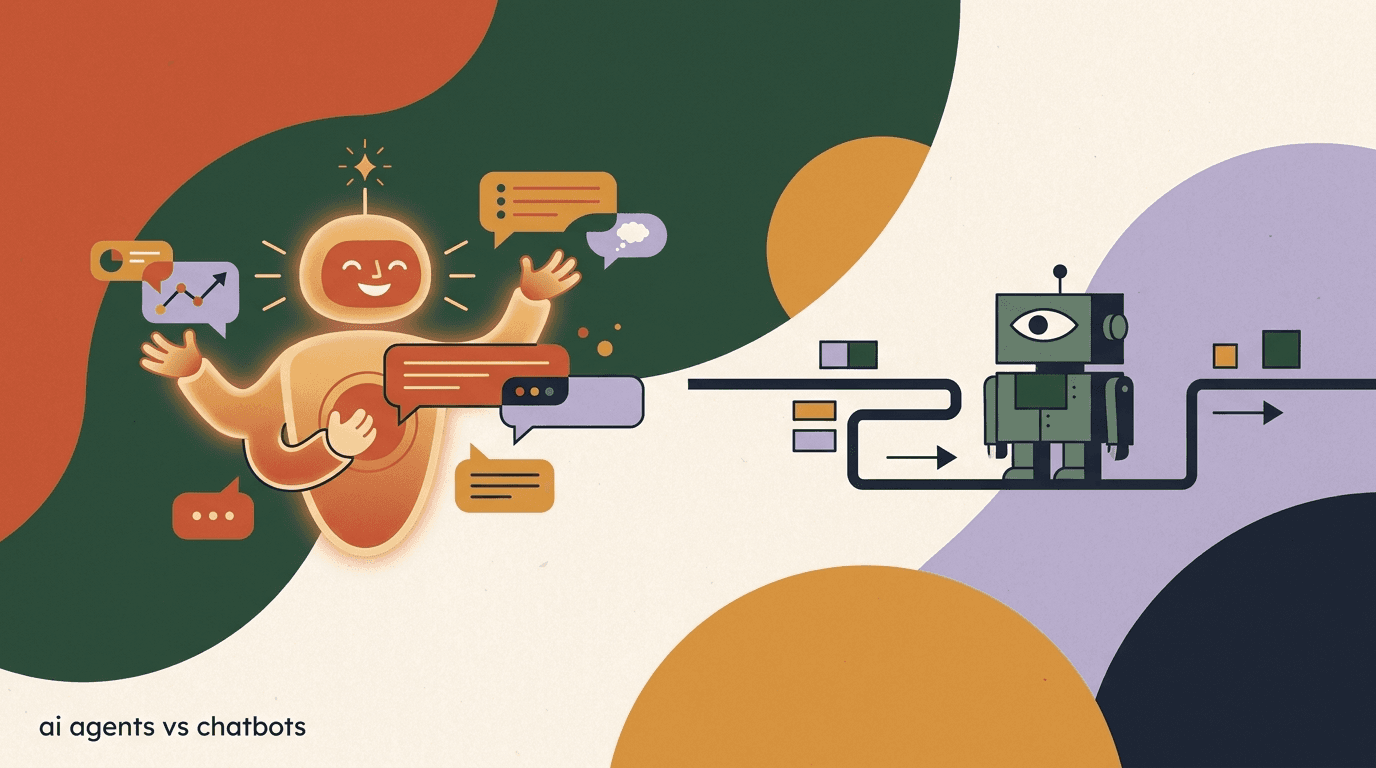
Here is the cleanest way to hold the two apart in your head. A chatbot follows instructions someone wrote ahead of time. An AI agent figures out what to do in the moment. One reacts to triggers; the other reasons about intent.
Everything else flows from that one distinction. Because a chatbot follows a fixed map, it is predictable but rigid. Because an agent reasons, it is flexible but needs guardrails. Neither is universally better — they are different tools with different strengths. The comparison table below lays out the differences that matter day to day.
| Dimension | Rule-based chatbot | AI agent |
|---|---|---|
| How it decides | Follows pre-written rules and decision trees | Reasons over the message using a language model |
| Input it understands | Keywords and button clicks | Natural, plain-language sentences |
| Answers come from | Scripted, hard-coded replies | Your knowledge base, phrased fresh each time |
| Off-script questions | Breaks or falls back to a menu | Attempts a grounded answer or hands off |
| Memory in a chat | Usually single-turn, forgets context | Holds context across the whole conversation |
| Taking actions | Only what the flow explicitly wires up | Can use tools — look up an order, book a slot |
| Setup effort | Build every branch by hand | Supply a good knowledge base, set guardrails |
| Predictability | Very high — you wrote every line | High with good setup, but not word-for-word fixed |
| Best at | Narrow, repetitive, button-friendly tasks | Open-ended questions and varied phrasing |
The one-line test
Ask: 'What happens when a customer phrases their question in a way nobody planned for?' A chatbot stumbles or shows a menu. An AI agent takes a real attempt at an answer. That single behaviour is the heart of the difference.
Why does decision trees vs reasoning matter so much?
A decision tree is exactly what it sounds like: a branching map of if-this-then-that choices. It is the engine inside a rule-based chatbot. Decision trees are wonderful when the world behaves the way you predicted. They are brittle when it does not, and customer conversations rarely behave.
Think about how many ways a person can ask a single question. 'Where's my order?' 'hasn't arrived yet' 'tracking hasn't moved in 3 days' 'did my thing ship???' A decision tree needs a rule or keyword for each of those, and it will still miss the next phrasing you did not think of. Every gap in the map is a dead end for the customer.
Reasoning works differently. An AI agent does not need a separate branch for each wording, because it is interpreting meaning rather than matching text. All four of those messages mean 'I want to know where my order is,' and the agent treats them the same way a human reading them would. That is why agents handle the messy variety of real conversations far better than trees do — and why building one is less about anticipating every phrase and more about giving it good information to reason from.
- Decision trees scale badly with variety — every new phrasing is a new branch to build and maintain.
- Reasoning generalises — one well-grounded agent covers phrasings you never explicitly listed.
- Trees fail silently into dead ends; agents tend to fail into 'let me get a human,' which is recoverable.
- A tree is only as smart as the person who drew it; an agent is as reliable as the knowledge base behind it.
How does the maintenance work differ between the two?
People focus on how the two tools answer, but the bigger long-term difference is often how you maintain them. The work is genuinely different in kind, and it shapes who on your team owns it.
Maintaining a rule-based chatbot means editing the flowchart. Every time customers start asking something new, or you launch a product, or a policy changes, someone has to find the right branch, add or rewire a path, and test that they did not break a neighbouring branch. As the bot grows, the flowchart grows, and large flowcharts become tangled and fragile. The maintenance burden rises with the number of paths you have built.
Maintaining an AI agent means editing the knowledge base. When a policy changes, you update the document; the agent reasons from the new version next time. You are not rewiring logic, you are keeping content accurate — which is closer to writing a good help article than to programming a flowchart. That work is often something a support or content person can own without touching a builder. The catch is that the content has to be genuinely good, because the agent will faithfully reflect whatever you give it.
| Maintenance task | Rule-based chatbot | AI agent |
|---|---|---|
| New type of question | Add a new branch and keywords by hand | Often already handled if the knowledge base covers it |
| Policy change | Find and rewire the affected paths | Update the relevant document once |
| Risk when editing | Breaking a nearby branch | Stale or contradictory content |
| Who usually owns it | Whoever builds the flows | Support or content, keeping docs current |
| How it scales | Flowchart grows tangled over time | Knowledge base grows like a help centre |
If you build an agent, you are really building a knowledge base
The most useful reframe for anyone considering an agent: the project is mostly writing clear, accurate, well-organised documentation. That work is valuable on its own — your human team and your customers benefit from it too — and it is the part that determines whether the agent is any good.
What does it mean that an agent holds context across a conversation?
Context is just memory within a single conversation — keeping track of what was already said so you do not have to repeat yourself. It is one of the most underrated differences between the two tools, because it is the thing customers feel most.
Most rule-based chatbots are single-turn. Each message is handled on its own, with little awareness of what came before. You tell the bot your order number, it answers one question, and three messages later it asks for your order number again as if you had never met. That stop-start, goldfish-memory experience is the classic chatbot frustration.
An AI agent carries context forward. If you mentioned your order number at the start, it still has it later. If you said you were asking about the blue jacket, it knows 'the smaller size' refers to that jacket. The conversation builds on itself the way a human conversation does. You can be brief, use 'it' and 'that one,' change direction mid-chat — and the agent keeps up.
Context is finite, not infinite
An agent remembers within a conversation, but it is not magic memory. Very long chats can lose early detail, and most agents do not silently retain everything about you across separate sessions unless connected to a customer record. Treat in-conversation memory as the realistic, useful capability it is.
Context across turns, in practice
- Customer
- do you have the blue running jacket in medium?
- Agent
- Yes, the blue running jacket is in stock in medium.
- Customer
- what about a small?
- Agent
- The small is in stock too — want me to hold one for you?
- The point
- 'a small' only makes sense because the agent remembered the jacket from earlier.
Where does 'conversational AI' fit into all this?
You will see the term conversational AI used a lot, and it is easy to assume it is a synonym for 'AI agent.' It is not quite. Conversational AI is the umbrella term for any software that can hold a conversation in natural language — it covers a spectrum, from older scripted bots all the way to modern reasoning agents. Both ends of our comparison sit somewhere under that umbrella.
The reason this matters is marketing. Because conversational AI is a broad term, a vendor can truthfully call a fairly basic scripted bot 'conversational AI' while you picture a reasoning agent. The label alone tells you very little. When you see it, the useful follow-up questions are the ones from this article: does it reason or follow rules, does it ground answers in a knowledge base, does it hold context, can it take actions.
So treat 'conversational AI' as a category, not a capability. It tells you the software talks; it does not tell you how smart the talking is. The agent-versus-chatbot distinction is the more precise way to describe what you are actually getting, which is why it is worth understanding rather than relying on the umbrella term.
- Conversational AI is the broad category for any software that converses in natural language.
- It spans both simple scripted bots and modern reasoning agents.
- The label alone does not tell you whether something reasons or just follows rules.
- Judge a 'conversational AI' product by reasoning, grounding, context, and tool use — not the name.
What is RAG, and why do people keep mentioning it?
RAG comes up constantly in AI agent conversations, and it sounds more intimidating than it is. RAG stands for retrieval-augmented generation. Break it into plain words: retrieval means looking something up, generation means writing an answer, and augmented means the writing is improved by the looking-up. So RAG is simply: look up the relevant facts first, then write the answer using them.
Here is why it matters. A language model on its own can sound confident while being wrong, because it is generating fluent text without checking anything. That is where the word 'hallucination' comes from — the model inventing a plausible-sounding answer. RAG is the standard fix. Before the agent answers, it retrieves the most relevant pieces from your knowledge base, then writes its reply grounded in those real passages. The facts come from your documents, not from the model's imagination.
In practice, RAG is the mechanism that turns a general language model into a reliable agent for your specific business. It is why a well-built AI agent can answer 'what's your return window?' with your actual 30-day policy instead of a generic guess. When a vendor says their agent is 'grounded in your knowledge base,' RAG is usually what they mean.
- Customer asks a questionIn plain language — 'can I return something after 3 weeks?'
- The agent retrievesIt searches your knowledge base for the most relevant passages — here, your returns policy.
- The agent generatesIt writes a natural reply using those retrieved facts, so the answer reflects your real policy.
- The customer gets a grounded answer'Yes — our return window is 30 days, so 3 weeks is fine. Here's how to start it.'
RAG is only as good as your documents
If your knowledge base is thin, outdated, or contradictory, RAG faithfully retrieves bad information and the agent gives bad answers. The single highest-leverage thing you can do for any AI agent is keep its knowledge base accurate and current. The agent is not the hard part — the content is.
What does 'tool use' mean, and why is it the real dividing line?
So far we have talked about agents that answer questions. The thing that makes something a true agent rather than a very good question-answerer is tool use — the ability to take an action, not just produce a reply.
A tool, in this sense, is any external function the agent can call: look up an order in your system, check live inventory, book a calendar slot, create a support ticket, tag a contact, or hand the conversation to a human. The agent decides, in the moment, that it needs to do one of those things, does it, reads the result, and continues the conversation informed by what it found.
This is the leap from talking to doing. A chatbot can be wired to perform a fixed action at a fixed point in a flow. An agent can choose which action fits the situation. Asked 'where's my order?', it can actually fetch the live tracking status rather than reciting your generic shipping policy. Tool use is what lets an agent resolve a request end to end instead of just describing how the customer could resolve it themselves.
- Look up live data — order status, account details, current stock.
- Create or update records — open a ticket, tag a lead, log a request.
- Schedule things — book a demo, reserve an appointment, set a reminder.
- Escalate cleanly — hand off to a human with the full conversation attached.
Answering vs acting
- Question-answerer
- 'You can track your order using the link in your confirmation email.'
- Agent with tool use
- 'I checked — order 4471 is out for delivery today and should arrive by 6pm.'
Are AI agents autonomous, and how much control do you keep?
Autonomy is the part people worry about, and reasonably so. The word 'agent' can suggest something running loose, making decisions you cannot see or stop. In a well-designed system, that is not how it works. Autonomy and control are dials you set, not an all-or-nothing switch.
On one end, you can run an agent in a suggest-only mode, where it drafts replies for a human to approve before anything sends. In the middle, it handles routine questions on its own and escalates anything sensitive, uncertain, or explicitly asked-for to a person. On the far end, it resolves common requests fully without a human in the loop. Most businesses live in the middle, and that is the sensible place to be.
Good agents come with guardrails: topics they will not touch, a confidence threshold below which they hand off, and a clean handoff to a human that brings the whole conversation along so the customer never has to repeat themselves. The point is not to remove humans — it is to let the agent absorb the repetitive volume so humans spend their time on the conversations that actually need a person.
Autonomy without oversight is a mistake
Pointing an AI agent at customers with no guardrails, no escalation path, and no review is how you get confident wrong answers at scale. Start supervised, watch real transcripts, fix the knowledge base where it stumbles, then widen its autonomy as you earn trust in it. An agent is a tool that needs an owner, not a fire-and-forget appliance.
What does this look like in a real support inbox?
Abstract definitions only get you so far. Picture a small online store on a busy Monday. Overnight, dozens of messages arrived across Instagram, WhatsApp, and Facebook. They are the usual mix: where is my order, do you ship to my country, is this in stock, can I change my address, the size ran small, do you do gift wrapping. Some are two words, some are paragraphs, and they arrive in every phrasing imaginable.
Run that through a rule-based chatbot and the predictable questions that map to buttons get handled, but a large slice of the messages — the specific, free-text ones — hit a dead end and pile up for the human team to clear in the morning. The bot did some work, but the inbox is still full when the team logs on.
Run the same inbox through an AI agent and the dynamic changes. The agent reads each message in plain language, answers the order-status questions by pulling live tracking, quotes the real shipping and returns policies from the knowledge base, and flags the genuinely tricky ones — a damaged item, an unusual refund request — to a human with the full conversation attached. By morning, the routine volume is already handled and the team opens the inbox to a short list of conversations that actually need a person. That is the practical difference: not that the agent replaces the team, but that it changes what the team walks into.
Volume handled is not the same as volume handled well
An agent that answers fast but inaccurately is worse than a slower human, because wrong answers at scale erode trust quickly. Measure an agent on resolution quality and escalation accuracy, not just on how many messages it touched. Speed only counts when the answers are right.
Monday morning, two scenarios
- With a scripted chatbot
- Button-matched questions handled; dozens of free-text messages waiting for a human
- With an AI agent
- Routine volume already resolved; a short queue of genuinely hard cases for the team
When is a rule-based chatbot actually the better choice?
It would be dishonest to claim agents win every time. For some jobs, a plain rule-based chatbot is genuinely the right call — and often cheaper and more predictable. The skill is matching the tool to the task.
Reach for a rule-based chatbot when the interaction is narrow, repetitive, and naturally fits buttons. If there are only a handful of paths and you want to guarantee the exact wording every time — for compliance, for brand control, for a tightly-scoped transaction — a decision tree gives you that certainty. Reasoning is overkill when there is genuinely nothing to reason about.
- A simple, fixed menu: 'Hours? Location? Book a table?' — three buttons, done.
- A linear transaction where every step is mandatory and ordered, like a basic booking.
- Compliance-sensitive flows where replies must be word-for-word approved every time.
- Lead capture that is really just a form in conversational clothing.
Many real setups use both
It is not a religious war. A common, effective pattern is a simple rule-based flow for the predictable front door — a few buttons for the most common requests — with an AI agent behind it to catch everyone who types a real question instead of clicking. You do not have to choose only one.
When is an AI agent clearly the right tool?
On the other side, there are situations where a rule-based chatbot will frustrate everyone and an AI agent is the obvious fit. The common thread is variety: lots of different questions, asked in lots of different ways, where you cannot realistically pre-script every path.
If your support inbox is full of long, specific, plain-language questions; if customers expect a reply at 2am across several channels; if the same question arrives in twenty different phrasings; if you want first response to be instant but accurate — that is agent territory. The agent absorbs the open-ended volume, grounds its answers in your knowledge base, and escalates what it should.
- High volume of varied, free-text questions that no menu could cover.
- Customers across multiple channels expecting fast, accurate first response.
- Sales and qualifying conversations where you want to ask follow-ups and adapt.
- Support where most questions are answerable from existing docs and policies.
Picking the tool by the job
- 'Book a table for tonight' (3 fixed steps)
- Rule-based chatbot is plenty
- 'Is this jacket warm enough for winter hiking?' (open-ended)
- AI agent, grounded in product knowledge
How do you choose between an AI agent and a chatbot?
You do not need a framework with twelve criteria. A short, honest walk-through gets you to the right answer in a few minutes. Run your real use case through these steps.
- List your top 10 incoming messagesPull the questions customers actually send. Real wording, not idealised versions.
- Count how many fit neat buttonsIf most collapse cleanly into a few menu choices, a rule-based chatbot may be enough.
- Count how many are open-endedIf many are specific, free-text questions answerable from your docs, you want an AI agent.
- Check whether you have the knowledge to feed itAn agent needs a decent knowledge base. If your docs are thin, plan to write them first — that work pays off regardless.
- Decide your autonomy comfort levelStart supervised: agent drafts or handles routine questions and escalates the rest. Widen autonomy as trust grows.
Let the questions decide, not the hype
The most reliable signal is your own inbox. If customers mostly click, a chatbot fits. If they mostly type real sentences, an agent fits. The data you need is already sitting in your message history.
What are the honest limits of AI agents in 2026?
An AI agent is a strong tool, not a miracle, and anyone telling you otherwise is selling. Going in with clear eyes is how you get a good outcome instead of a disappointed one.
First, an agent is only as good as its knowledge base — feed it thin or stale information and it will answer thinly or wrongly, confidently. Second, it can still occasionally get something wrong or misread an unusual request, which is exactly why a working escalation path to a human is non-negotiable, not optional. Third, it needs oversight: someone reading transcripts, spotting where it stumbles, and improving the underlying content. The setup is light, but it is not zero.
None of this argues against agents. It argues for treating one like the capable-but-supervised teammate it is. The businesses that get the most from AI agents are the ones that invest in a good knowledge base and keep a human in the loop, not the ones expecting to switch it on and walk away.
- An agent reflects your knowledge base — garbage in, confident garbage out.
- It can be wrong, so a clean human handoff must always exist.
- It needs an owner reviewing real conversations and tightening the content over time.
- It is not a replacement for your team — it absorbs repetitive volume so people handle the hard cases.
Where does KlyoChat fit into this?
Since we have been explaining how AI agents work, here is the one-paragraph note on what we build, so the disclosure is honest. KlyoChat is an AI-native, mobile-first platform that pulls Facebook, Instagram, Telegram, WhatsApp, TikTok, and X into one inbox, and lets you create custom AI agents that read from a knowledge base, hold context across a conversation, and hand off to a human when they should. The knowledge base is included rather than a bolt-on, automation is no-code, and it is built for teams to share an inbox. Our Pro plan is $49/month ($39 billed yearly) with custom AI agents included, and there is a 7-day free trial with no card required.
In the spirit of teaching honestly: KlyoChat does not do native SMS or email, and we are a newer, smaller community than the long-established players. And the broader point from this whole article applies to us as much as anyone — our agents are not magic. They need a good knowledge base and human oversight to be reliable. If that matches how you want to work, our AI agents page goes deeper; if not, the concepts above still hold whatever tool you choose.
Teach first, decide later
You can apply everything in this article without ever touching KlyoChat. The agent-versus-chatbot distinction, the role of a knowledge base, RAG, context, tool use, and guardrails are industry concepts. Use them to evaluate any vendor — including us — on the same honest terms.
The short version of ai agents vs chatbots: a chatbot follows a script someone wrote in advance, which makes it predictable and great for narrow, button-shaped tasks. An AI agent reads plain language, reasons over a knowledge base, remembers the conversation, and can take actions, which makes it far better for the open-ended variety of real customer messages. Neither wins everywhere.
Choose by the job, not the buzzword. Look at the questions your customers actually send, count how many fit buttons versus free text, and make sure you have the knowledge to ground an agent before you reach for one. Whatever you pick, keep a human in the loop and keep your documentation accurate — that, more than the technology, is what makes automated conversations actually good.