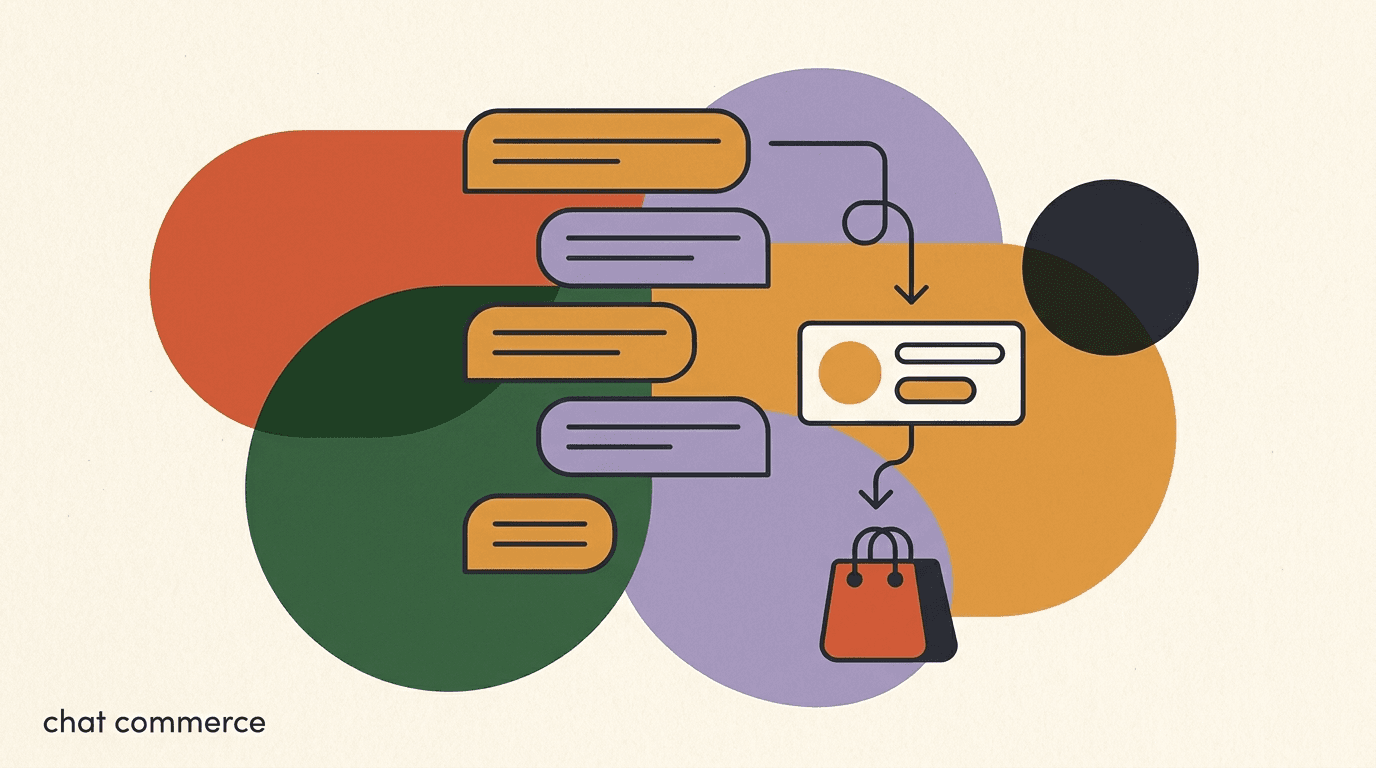
The WhatsApp catalog turns a chat thread into a storefront. Instead of pasting a website link and hoping a buyer clicks, taps through, and finds the right product, you show the product right inside the conversation — image, title, price, and description — so the shopper can browse, ask a question, and move toward buying without ever leaving WhatsApp. For businesses that already do most of their selling in DMs, this is the difference between a scattered back-and-forth and a tidy, visual path to purchase.
This guide is practical. We will walk through what the catalog actually is, how to set it up, how to structure products so they convert, how to share items mid-chat, how to pair the catalog with an AI agent that recommends and answers, and — importantly — how the handoff to checkout works. We will be honest about the boundaries too: WhatsApp is where the conversation and the browsing happen, but for most businesses the payment and final checkout still happen on your own store.
Full disclosure: we build KlyoChat, an AI-native inbox that includes WhatsApp, so we have a point of view about how chat and AI fit together. We have kept the WhatsApp platform details to how the feature works for everyone, and we flag clearly where KlyoChat helps and where it deliberately does not (we do not process payments). The goal is a guide you could follow even if you never touch our product.
What is the WhatsApp catalog, and how does it work?
The WhatsApp catalog is a built-in storefront attached to your WhatsApp Business account. It holds a list of products or services — each with an image, a name, a price, an optional description, and a link — that customers can browse from your business profile or that you can send into a chat. Think of it as a lightweight product feed that lives inside the messaging app, so a buyer never has to bounce out to a browser just to see what you sell.
There are two ways a customer meets your catalog. The first is passive: they open your business profile, tap to view the catalog, and scroll through items at their own pace. The second is active and far more powerful for selling: you, or an AI agent on your behalf, send a specific product card straight into the conversation at the exact moment it is relevant. A shopper asks about a blue dress, and a card for the blue dress appears in the thread with a photo, the price, and a tap-to-view button.
The catalog also feeds the WhatsApp cart in markets and accounts where that feature is available. A customer can add several catalog items to a cart and send the whole order to you as a single message, which you then confirm and fulfil. Cart availability varies by region and account type, so treat it as a bonus rather than a guarantee — and read the next section carefully, because the cart is not the same thing as a checkout.
Why does showing products in chat matter so much? Because friction is where sales leak. Every extra tap, every jump to a new app, every moment a buyer has to re-explain what they want is a chance for them to drift off. The catalog removes most of that friction by keeping discovery inside the same thread where the conversation is already happening. The shopper never loses their place, and you never lose the context of what they have asked. For a business that lives in DMs, that continuity is the whole point.
Catalog, cart, and checkout are three different things
The catalog shows products. The cart lets a buyer bundle items into one order message. Checkout — taking payment — is a separate step that, for most businesses outside a few markets, happens on your own store. Keeping these three straight will save you a lot of confusion when you plan your funnel.
Where does the catalog actually live, and who manages it?
This is the question that trips up most newcomers, so let's answer it plainly. The catalog is a Meta product. It is stored and managed in Meta's systems — typically through the WhatsApp Business app for very small operations, or through Meta Business Suite and the Commerce Manager / WhatsApp Manager for anything more serious. Your products, images, and prices are entered and edited there.
If you sell through an ecommerce platform like Shopify or WooCommerce, you usually do not type products into the catalog by hand. Instead, you connect your store's product feed to Meta's commerce system once, and your catalog populates and stays in sync from your existing product data. That connection is the single biggest time-saver for any store with more than a handful of SKUs, because you maintain one source of truth — your store — and the WhatsApp catalog mirrors it.
Where does a tool like KlyoChat fit? KlyoChat is the inbox and AI layer on top. It connects to your WhatsApp Business account so your team and your AI agents can read messages, send catalog items into chats, run broadcasts, and manage the whole conversation in one place alongside your other channels. KlyoChat does not replace WhatsApp Manager as the place your catalog is defined — catalog management lives in WhatsApp Manager or in your commerce integration. KlyoChat is where you use the catalog to actually sell.
| Job | Where it happens | What KlyoChat does |
|---|---|---|
| Define and edit products | WhatsApp Manager / Commerce Manager, or your store feed | Reads and sends catalog items; does not own the catalog |
| Sync products from your store | Shopify / WooCommerce to Meta commerce | Surfaces synced products to agents and AI |
| Talk to buyers and send products in chat | WhatsApp conversation | Unified inbox plus AI agents that recommend and answer |
| Take payment / checkout | Your store checkout (most businesses) | Hands off with a link; does not process payments |
Pick one source of truth for products
If you run a store, sync your catalog from Shopify or WooCommerce rather than editing products in two places. One feed, one set of prices, one place to update stock. Manual catalog entry is fine for a dozen items and painful for two hundred.
How do you set up a WhatsApp catalog?
Setting up the catalog is straightforward, but the exact path depends on whether you are a solo seller using the WhatsApp Business app or a store connecting a product feed. Below is the general flow. Wherever screens or labels differ from what you see, follow Meta's current in-app prompts — they update the interface periodically.
- Confirm you have a WhatsApp Business accountThe catalog is a WhatsApp Business feature, not a feature of a personal WhatsApp account. Set up a Business account (and, for serious selling, a WhatsApp Business Platform / API setup) before anything else.
- Open catalog managementIn the WhatsApp Business app, go to Settings, then Business tools, then Catalog. For larger operations, open Commerce Manager or WhatsApp Manager in Meta Business Suite where the catalog is managed centrally.
- Add your first products manually or connect a feedFor a few items, add each product with a name, price, image, description, and link. For a real store, connect your Shopify or WooCommerce product feed so the catalog fills and stays in sync automatically.
- Set product details that buyers will actually readUse a clear name, an accurate price, a clean image on a plain background, and a one-line description that answers the obvious question. Add the product URL so a buyer can reach your store page.
- Connect the account to your inbox and AI layerLink the WhatsApp Business account to KlyoChat so your team and AI agents can send catalog items in chat, run broadcasts, and handle every conversation in one inbox alongside Instagram, Messenger, and the rest.
A WhatsApp Business account is required
You cannot build a catalog on a personal WhatsApp account. If you are still selling from a personal number, migrating to a Business account is step zero — and it unlocks the catalog, business profile, labels, and the API path you will need as you grow.
How should you structure products so they sell?
A catalog is only as good as the products inside it. A buyer scrolling a chat decides in a second or two whether a card is worth tapping, so every field has to earn its place. The catalog is small real estate — a thumbnail, a line of text, a price — which means clarity beats cleverness every time.
Start with the image, because it carries the most weight. A clean photo of the product on a plain background, well lit, with the item filling most of the frame, will out-convert a busy lifestyle shot in a tiny thumbnail nearly every time. Save the moody hero photography for your website; the catalog wants instantly legible.
Then the name. Write it the way a customer would search for it, not the way your warehouse labels it. Lead with the thing the buyer cares about — color, size, model — and skip internal SKU codes. The price should be current and accurate; nothing erodes trust faster than a catalog price that does not match the checkout. The short description is your one chance to answer the obvious follow-up before it is asked: material, fit, what is included.
There is a second reason to get these fields right, beyond human readability: an AI agent reads the same data you do. When the agent recommends products from your catalog, it works from the names, descriptions, and prices you entered. A vague name and a blank description give the agent nothing to match against, so its recommendations get fuzzy. A clear, specific catalog makes the AI sharper, because it has real attributes to reason about. In other words, the work you do to make products legible to a human pays off twice over when you put an AI in front of them.
- One clear image per product, item filling the frame, plain background.
- Names written the way buyers describe the product, not internal codes.
- Accurate, current prices that match your store checkout exactly.
- A one-line description that answers the most common question up front.
- A working product URL so buyers can reach the full store page.
Weak product card vs strong product card
- Weak
- Name: SKU-4471-BL. Image: cluttered desk shot. Description: blank. Price: outdated.
- Strong
- Name: Linen Shirt - Sky Blue (M). Image: shirt on plain background. Description: 100% linen, relaxed fit, ships in 2 days. Price: current.
How do you organize a large catalog into sets?
Once you pass a few dozen products, a single flat list becomes hard for both you and your buyers. Meta's commerce tools let you group products into sets — collections you can reference and send as a unit. A clothing store might have sets for shirts, trousers, and accessories; a restaurant might split starters, mains, and drinks. Sets make it faster to send the right cluster of items into a chat and easier to keep the catalog tidy as it grows.
Sets also pair well with automation and AI. When an agent knows a customer is asking about footwear, it can pull from the footwear set rather than the whole inventory, which keeps recommendations tight and relevant. The structure you build in your commerce system flows through to how cleanly you can sell in chat.
Keep the organization shallow and obvious. Buyers and agents both do better with a handful of clear sets than with a deep tree of sub-sub-categories. If you find yourself needing five levels of nesting, that is usually a sign the top-level categories need rethinking, not more depth.
Mirror the categories your customers already use
Name your product sets after the words customers say, not your internal taxonomy. If shoppers ask for gifts under twenty dollars, a set called exactly that will outperform a clever internal label every time.
How do you share catalog items in a chat?
This is where the catalog stops being a static list and starts being a sales tool. Inside an active conversation, you can attach a product or a set directly into the thread, and it appears as a rich card the buyer can tap to view in full. The moment matters: a product card sent right after a customer describes what they want feels like service, while the same card sent unprompted feels like spam.
In practice the flow is simple. A customer messages asking whether you have a particular item. Your agent — human or AI — confirms, then sends the matching product card straight into the chat. The buyer sees the photo and price without leaving the conversation, asks any follow-up questions, and you guide them toward the next step. Because everything stays in one thread, the context is never lost the way it is when you fling someone out to a website mid-conversation.
If the WhatsApp cart is available for your account and market, the buyer can add several shared items into a cart and send the whole bundle back to you as one order message. You confirm availability and totals, then move to payment. Where the cart is not available, you simply confirm the selection in chat and send a checkout link. Either way, the catalog is doing its job: turning a question into a concrete, visual selection.
- Listen for buying intentWatch for a customer naming a product, a category, or a need. That is the cue to send a relevant card, not a generic link.
- Send the matching product or setAttach the exact item or the closest set from your catalog so the buyer sees image, name, and price inside the chat.
- Answer questions in the threadHandle sizing, stock, shipping, and bundle questions right there. Keeping it in one conversation preserves all the context.
- Confirm the selection and hand off to checkoutOnce the buyer has chosen, confirm items and totals, then send your store checkout link (or use the WhatsApp cart where available) to take payment.
Sharing a product mid-chat
- Customer
- Do you have the linen shirt in medium?
- Agent / AI
- Yes — here it is.
- Catalog card
- Linen Shirt - Sky Blue (M), with photo and price, tap to view
- Result
- Buyer sees the product without leaving the chat and replies to confirm
How do you pair the catalog with an AI agent?
A catalog you have to operate by hand is fine until you get busy. The moment you have more conversations than your team can answer in real time, the catalog's value depends on something that can recommend and respond instantly, around the clock. That something is an AI agent — and this is where the catalog goes from a nice feature to a genuine sales channel.
A KlyoChat AI agent connected to your WhatsApp account can read what a customer is asking for, understand the intent, and recommend the right products from your catalog inside the conversation. Ask for a gift under thirty dollars and the agent narrows the catalog to fitting items and sends the best matches as cards. Ask whether something comes in blue, and the agent answers from your product data instead of leaving the customer waiting for a human. The agent works from a knowledge base you give it — your products, policies, shipping details — so its answers stay grounded in your actual business.
The agent does not have to do everything alone. The pattern that works best is AI for first response and routine recommendations, with a clean handoff to a human for anything sensitive, high-value, or ambiguous. The customer gets an instant, relevant reply at any hour, your team only steps in where they add real value, and every conversation lives in the same unified inbox so nothing falls through the cracks.
It helps to think of the AI as the front of house and your team as the specialists in the back. The front of house greets everyone instantly, answers the routine questions, and sends the right product cards so no warm lead waits. When a conversation needs judgment — a custom order, a complaint, a big-ticket decision — it gets passed to a person with the full thread already in front of them, so the customer never has to repeat themselves. This split is what lets a small team handle a large volume of WhatsApp conversations without either burning out or leaving buyers on read.
- AI reads intent and recommends matching catalog products inside the chat.
- It answers product questions from a knowledge base you control.
- It works across every connected channel from one inbox, not just WhatsApp.
- It hands off to a human for complex, high-value, or sensitive conversations.
- It is available around the clock, so after-hours buyers still get answers.
The AI recommends; it does not invent
A grounded AI agent answers from your real product data and policies. Give it an accurate, well-structured catalog and a clear knowledge base, and its recommendations stay honest. Feed it a messy catalog with wrong prices, and no AI can fix that — clean product data is the foundation.
How does the handoff to checkout actually work?
Here is the honest part that a lot of WhatsApp selling guides skip. For most businesses, the actual payment does not happen inside WhatsApp. The catalog shows products, the chat handles the conversation and the selection, and then the buyer is handed off to a checkout — and that checkout almost always lives on your own store.
The clean pattern is this: the buyer browses the catalog and picks items in chat, the agent or AI confirms the selection and the total, and then you send a checkout link that drops the customer onto your store's secure payment page with the right items already in the cart. The customer pays on your store, your store handles the order, and the confirmation can flow back into the chat. WhatsApp did the discovery and the conversation; your store did the money.
Some markets and account types do support more native payment options inside WhatsApp, and those continue to expand. But you should design your funnel around the option that works everywhere — a handoff to your store checkout — and treat in-app payment as a regional bonus where it exists. KlyoChat is explicit about its role here: it is not a checkout or payment processor. It manages the conversation, sends the catalog, runs the AI, and hands the buyer off with a link. The payment is your store's job.
| Stage | Where it happens | Who handles it |
|---|---|---|
| Browse products | WhatsApp chat / business profile | Catalog (Meta) |
| Get recommendations and answers | WhatsApp chat | AI agent or human in KlyoChat |
| Select items and confirm total | WhatsApp chat | Agent / AI plus the buyer |
| Pay and place order | Your store checkout | Your ecommerce platform |
KlyoChat does not process payments
To be clear so you plan correctly: KlyoChat does not take payment or run a checkout. It hands off to your store's checkout with a link. WhatsApp's own native payment availability varies by market. Build your funnel around a store-checkout handoff and treat any in-app payment as a regional extra.
How do you connect your store catalog to WhatsApp?
If you run on Shopify or WooCommerce, you almost certainly do not want to maintain products twice. The right move is to sync your store's product feed into Meta's commerce system so your WhatsApp catalog mirrors your store automatically — same products, same prices, same images, kept in step as you update stock.
The connection happens through Meta's commerce tools, where you link your store's catalog feed to your WhatsApp Business account. Once connected, new products and price changes flow through without manual re-entry. This is the difference between a catalog you dread updating and one that quietly stays correct because your store is the single source of truth.
KlyoChat's role sits on top of that synced data. On the Business plan, KlyoChat connects with Shopify and WooCommerce, so your agents and AI can work with your store's products and context inside the inbox while the catalog itself stays synced through Meta's commerce system. You keep one product source; KlyoChat gives your team and AI a place to sell from it.
- Sync Shopify or WooCommerce products into Meta commerce so the catalog mirrors your store.
- Update products once in your store; the catalog stays in step.
- KlyoChat connects with Shopify and WooCommerce on the Business plan.
- Catalog definition still lives in WhatsApp Manager / commerce integration, not in KlyoChat.
Sync first, then sell
Get your store feed syncing into the catalog before you build your chat and AI flows. Selling from a stale or half-populated catalog frustrates buyers and your agents. A clean, synced catalog makes every later step easier.
How do you drive traffic to your WhatsApp catalog?
A catalog with no one looking at it sells nothing. The good news is that WhatsApp gives you several natural ways to point people at it, and the best businesses use a mix. The aim is to make starting a chat — and therefore reaching your catalog — as low-friction as possible from everywhere your audience already is.
Click-to-WhatsApp ads on Facebook and Instagram are the most direct paid route: a customer taps an ad and lands straight in a conversation with your business, where an agent or AI can immediately send relevant catalog items. Organic routes matter just as much. Put a WhatsApp link or QR code on your website, in your Instagram bio, on packaging, and on receipts so any touchpoint can become a chat.
Broadcasts are the other half of the equation. With KlyoChat you can send broadcasts to customers who have opted in, announcing new products, restocks, or promotions, and each broadcast can lead the recipient back into a conversation where catalog items get shared. The pattern is a loop: attract people into a chat, sell from the catalog, then re-engage opted-in customers with broadcasts that pull them back in.
- Run click-to-WhatsApp ads that drop buyers into a chat ready to browse.
- Add WhatsApp links and QR codes on your site, bio, packaging, and receipts.
- Use broadcasts to opted-in customers to announce launches and restocks.
- Reply fast — the value of landing someone in chat collapses if no one answers, which is where an AI agent earns its keep.
Only broadcast to people who opted in
WhatsApp takes consent seriously. Broadcast only to customers who have opted in, keep messages relevant, and make opting out easy. Respecting consent protects your number's standing and keeps your messaging deliverable over the long run.
What does WhatsApp catalog selling cost?
There are two cost layers to understand, and they are separate. The first is Meta's. WhatsApp's catalog feature itself is part of the WhatsApp Business toolkit, but sending business-initiated messages — and conversations in general on the WhatsApp Business Platform — carries Meta's per-conversation fees, which vary by country and message category. These fees apply on any platform you use to manage WhatsApp, because they are charged by Meta, not by your software vendor.
The second layer is the software you use to run the conversations, the AI, and the broadcasts. That is where KlyoChat sits. Below is how KlyoChat prices, so you can see the subscription cost on top of Meta's unavoidable fees. As always, verify Meta's current conversation rates on their own pricing materials, because they change and vary by region.
- Meta charges per-conversation WhatsApp fees that apply on any platform.
- KlyoChat is the subscription layer for inbox, AI agents, and broadcasts on top.
- Shopify and WooCommerce connections are on the Business plan.
- Every plan starts with a 7-day free trial, no credit card required.
| KlyoChat plan | Price | Good for |
|---|---|---|
| Basic | $19/mo | Solo sellers getting started with chat selling |
| Pro | $49/mo ($39 yearly) | Growing stores wanting custom AI agents and all channels |
| Business | $129/mo | Stores needing Shopify/WooCommerce, more seats, higher volume |
Two bills, not one
Budget for both layers: Meta's per-conversation fees and your software subscription. They are independent. A precise total depends on your conversation volume and country, so model your expected WhatsApp volume against Meta's current rates and add the plan that fits.
What are the common mistakes to avoid?
Most failed WhatsApp catalog setups fail for the same handful of reasons, and all of them are avoidable. Knowing them in advance is cheaper than learning them from lost sales.
The biggest is treating the catalog as set-and-forget. Prices drift, stock runs out, and a catalog that contradicts your store erodes trust fast. The second is sending product cards before the customer has shown any intent, which reads as spam. The third is landing buyers in chat through ads and then leaving them waiting because no one — and no AI — is there to respond.
- Letting the catalog drift out of sync with your store's prices and stock.
- Pushing product cards before the buyer has signalled what they want.
- Driving traffic into chat with no fast response, so warm leads go cold.
- Cluttered product images that are unreadable as small thumbnails.
- Broadcasting to people who never opted in, risking your number's standing.
- Assuming payment happens in WhatsApp everywhere — plan for a store-checkout handoff.
Speed of reply is the quiet conversion killer
You can do everything else right and still lose sales if customers wait hours for an answer. A catalog turns interest into a question; if the question sits unanswered, the interest cools. This is the single strongest argument for an always-on AI agent handling first response.
How KlyoChat helps you sell with the WhatsApp catalog
We built KlyoChat as an AI-native unified inbox, and WhatsApp is one of the channels it brings together — alongside Instagram, Messenger, and the rest — so you run every conversation from one place instead of juggling apps. For catalog selling specifically, that means your team and your AI agents can read messages, send catalog products into chats, answer questions, and run broadcasts without switching tools.
The AI agents are the part that makes the catalog scale. Connect an agent to your WhatsApp account and it recommends products from your catalog based on what each customer is actually asking for, answers questions from a knowledge base you control, and works around the clock — handing off to a human whenever a conversation needs one. On the Business plan, KlyoChat connects with Shopify and WooCommerce so your AI and your team work with your real store products and context.
We want to be straight about the boundaries, because that is more useful than overclaiming. KlyoChat does not process payments or run a checkout — it hands buyers off to your store checkout with a link. The catalog itself is defined and synced through WhatsApp Manager or your commerce integration, not inside KlyoChat. Meta's per-conversation WhatsApp fees apply on top of your subscription, as they do on any platform. And we are a newer, smaller community than the oldest names in the category — which means a focused product and direct support, but a smaller marketplace of third-party templates. If those trade-offs fit how you sell, KlyoChat is a strong fit.
- AI agents recommend catalog products and answer questions inside chat.
- Unified inbox for WhatsApp plus your other channels in one place.
- Broadcasts to opted-in customers to drive repeat conversations.
- 7-day free trial, no credit card; honest limit: not a checkout or payment processor.
| What you need | How KlyoChat helps | Honest boundary |
|---|---|---|
| Manage WhatsApp plus other channels | One unified inbox for every channel | WhatsApp account and Meta fees are still on Meta |
| Recommend products and answer fast | AI agents recommend from your catalog and answer from your knowledge base | AI answers from data you provide; clean catalog required |
| Use your store's products | Shopify and WooCommerce connections on Business | Catalog is defined in WhatsApp Manager / commerce integration |
| Take payment | Hands off to your store checkout with a link | KlyoChat does not process payments |
Try it against your real catalog
The fastest way to judge fit is to connect your WhatsApp account, point an AI agent at your real catalog and knowledge base, and watch how it recommends. The 7-day trial needs no card, so you can test with your actual products before deciding.
KlyoChat plans at a glance
- Basic
- $19/mo — solo sellers starting with chat selling
- Pro
- $49/mo ($39 yearly) — all channels and custom AI agents for growing stores
- Business
- $129/mo — Shopify/WooCommerce, more seats, higher volume
The WhatsApp catalog earns its keep when it stops being a static list and becomes the visual backbone of a real conversation: a buyer asks, the right product appears in the thread, an AI agent or a human answers instantly, and the buyer moves cleanly toward checkout. Set it up properly, structure your products for clarity, sync from your store, and pair it with an AI agent for recommendations, and you turn DMs into a tidy path to purchase.
Keep the honest boundaries in view as you build. The catalog is defined in WhatsApp Manager or your commerce integration, Meta charges per-conversation fees on top of any software, and for most businesses the payment happens on your store, not inside WhatsApp. Plan your funnel around a clean handoff to checkout, and the catalog does exactly what it is good at — discovery and conversation — while your store does the money. For deeper setup detail see our Shopify and WhatsApp integration guide, our guide to building a WhatsApp AI chatbot, and our overview of conversational commerce.