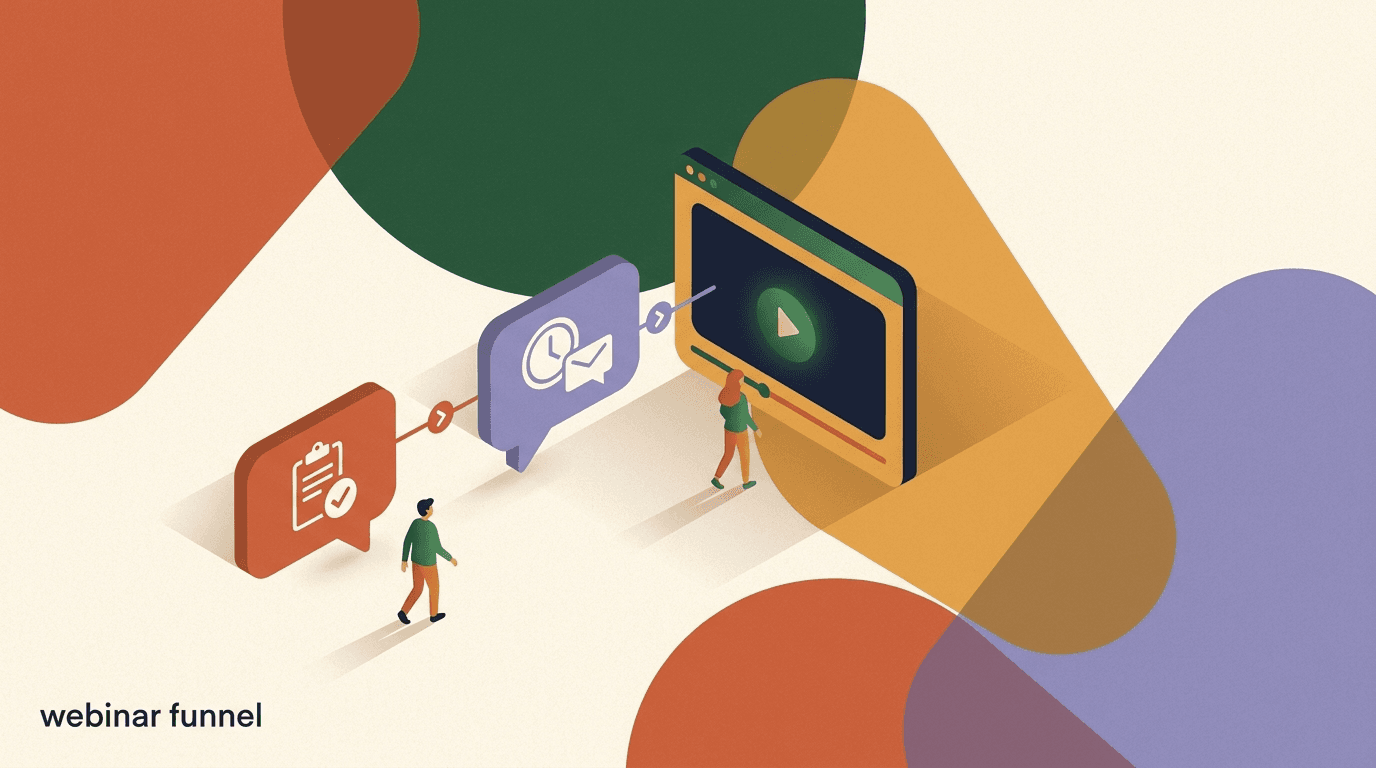
A webinar funnel DM is the path that takes someone from scrolling past your post to sitting in your live masterclass — and it runs almost entirely inside direct messages instead of a landing page. Someone comments a keyword, a DM replies with a one-tap registration, timed reminders nudge them to actually show up, the join link lands the moment you go live, and an honest follow-up converts attendees and no-shows into buyers. The whole sequence happens in the channel people already check dozens of times a day.
Most webinar advice still assumes the old shape: an ad drives a click, the click hits a registration page, an email confirms, and a string of emails tries to drag people back at go-time. That funnel still works, but it leaks at every step. Forms get abandoned, confirmation emails sit unopened, and by the time the broadcast starts, a large share of registrants have forgotten the event exists. The DM-first version removes the page, removes the form friction, and replaces email — a channel with declining open rates for many creators — with a thread the person opted into and can see at a glance.
This guide walks through the full sequence: how to promote the webinar, how to register people from a comment, how to structure reminders that genuinely raise show-up, how to deliver the join link reliably, and how to follow up without overpromising. We will be specific, including sample copy you can adapt. And we will be honest about the constraints — the platform rules you have to respect, the things DMs cannot do, and the fact that no funnel guarantees income. We build KlyoChat, an AI-native tool for running exactly these flows, so we have a point of view; we will say where it fits and where it does not.
What is a webinar funnel in the DMs, and why run it there?
A webinar funnel is the sequence of touchpoints that turns attention into a registered, reminded, and ultimately converted attendee for a live or evergreen webinar, masterclass, or workshop. Running it in the DMs means each of those touchpoints — the registration, the confirmation, the reminders, the join link, and the follow-up — happens as a message in a one-to-one thread rather than as a web form and a chain of emails.
The reason to run it there is friction and visibility. A landing page asks for a name and an email, then hopes the person checks that inbox at the right moment. A DM funnel asks for almost nothing — the person is already identified by their social account — and delivers every message into a surface they open habitually. For creators and coaches whose audience lives on Instagram, Facebook, or Telegram, the DM is simply closer to where attention already is.
It is worth being clear about scope. The DM funnel handles promotion, registration, reminders, link delivery, and follow-up. It does not host the webinar. You still run the live session on Zoom, Google Meet, StreamYard, YouTube Live, or whatever platform you prefer; the DM funnel's job is to fill that room and work the conversation around it. Thinking of the two as separate layers — hosting versus funnel — keeps expectations realistic.
Landing-page funnel vs DM funnel, step by step
- Discover
- Both: a post, Reel, or ad drives interest
- Register
- Page: form with name + email. DM: one tap to confirm
- Confirm
- Page: email that may go to spam. DM: instant in-thread reply
- Remind
- Page: email sequence with falling opens. DM: reminders in a checked surface
- Join
- Page: dig through email for link. DM: link delivered at go-time
- Follow up
- Page: more email. DM: a thread the person already replied in
How does someone register for your webinar from a DM?
The entry point is comment-to-DM. You publish a post or Reel promoting the webinar and invite people to comment a specific keyword — something simple like LIVE, MASTERCLASS, or the name of the session. When someone comments that word, an automation sends them a DM that opens the registration conversation. This works because it is public and social: the comments themselves become proof that people want in, which pulls more comments, which feeds the funnel.
From there, registration is a short exchange rather than a form. The first DM confirms what they are signing up for, restates the value and the time, and asks them to tap a button or reply to lock in their spot. Because the person is already in a thread with you, you are not asking them to retype their identity — you are asking them to say yes. That single reduction in friction is the core advantage of registering in the DMs.
Capturing intent in the reply also lets you segment from the very first message. If your registration prompt offers two reasons to attend — say, beginners versus people already running ads — you can branch the thread and tailor every reminder that follows. The registration step is not just a yes; it is the first piece of qualification.
- Post with a clear comment triggerPromote the webinar and tell people exactly which word to comment. Keep it to one word so the trigger is unambiguous and the automation fires cleanly.
- Auto-DM the registration openerWhen the keyword is detected, send a DM that names the session, the date and time (with time zone), and the single action needed to register.
- Confirm the spot in-threadWhen they tap or reply, send an immediate confirmation. No waiting on an email — the yes and the confirmation happen seconds apart in the same place.
- Tag and segmentApply a tag like webinar-registered plus any intent tag from their reply, so reminders and follow-up can be tailored to why they signed up.
Always include the time zone
The single most common reason people miss a webinar is a time-zone mix-up. State the time with an explicit zone in the registration message and again in every reminder. It is a tiny detail that quietly protects your show-up rate.
Why does comment-to-DM beat sending people to a registration page?
The honest answer is not that landing pages are bad — they are not — but that for social-first audiences the comment-to-DM path removes steps where people drop. A landing page requires leaving the app, loading a page, reading a form, typing an email correctly, and trusting that a confirmation will arrive. Every one of those is a chance to abandon. Comment-to-DM collapses the whole thing into commenting a word and tapping a button.
There is also a social-proof engine built into the comment approach that a page cannot replicate. When dozens of people comment the keyword, the comment count and the visible names signal that the event is worth attending. That public momentum feeds the algorithm, which shows the post to more people, which produces more comments and more registrations. A landing page conversion is invisible; a comment is a tiny public endorsement.
None of this means you should never use a page. If you are running cold paid traffic, a landing page with a pixel and clear tracking may still be the right top of funnel. The strongest setups often use both: a page for cold ad traffic and comment-to-DM for warm organic audiences who are already following you. The point is to match the entry point to the traffic, not to declare one universally superior.
| Factor | Registration page | Comment-to-DM |
|---|---|---|
| Friction to register | Form fields, app switch | One word + one tap |
| Social proof | Hidden conversions | Visible comments build momentum |
| Best traffic type | Cold paid traffic | Warm organic followers |
| Confirmation speed | Email, may be delayed | Instant in-thread |
| Reminder channel | Email open rates vary | DM the person already replied in |
Use the right entry point for the traffic
Comment-to-DM shines for warm, organic audiences. For cold paid traffic where you need pixels and conversion tracking, a landing page often still earns its place. Many creators run both and route each audience to the path that fits it.
How do you write a registration message that actually converts?
The registration DM has one job: get a yes without making the person think. That means leading with what they get, naming the specifics, and giving them a single obvious action. Long preambles, multiple links, and three different calls to action all reduce the chance of a tap. Treat the message like a door, not a sales letter.
A reliable structure is: a one-line hook that restates the promise, the concrete details (what, when, time zone, where it happens), one sentence on who it is for, and a single button or reply prompt. Keep the tone the way you actually talk. People can feel a templated marketing voice, and in a DM that breaks the illusion of a real conversation.
Avoid two common mistakes. First, do not bury the time and date — they are the information the person most needs to decide. Second, do not overpromise the outcome. A webinar can teach, demonstrate, and make an offer; it cannot guarantee a result. Honest framing in the registration message sets the tone for a follow-up that you can actually stand behind.
- Lead with the benefit, not the logistics — but include the logistics.
- One action per message; never make them choose between two buttons.
- Write in your real voice so the thread feels like a person, not a broadcast.
- State the time zone and the hosting platform so there are no surprises at go-time.
Sample registration DM
- Hook
- You are in. Here is everything for the live masterclass.
- What
- Topic: building a 3-email welcome sequence that converts
- When
- Thursday, 6 March, 1:00 PM ET (10:00 AM PT)
- Where
- Live on Zoom — I will send the join link here at go-time
- Who for
- Creators with a list who are not selling from it yet
- Action
- Tap Confirm my spot and I will send reminders right here
What reminder sequence raises your show-up rate?
Registration is only half the battle; show-up is where most webinars lose their audience. People sign up with genuine intent and then life happens — they forget, they double-book, the time slips their mind. A reminder sequence exists to fight that decay, and in the DMs it has a real advantage because the reminders arrive where the person already looks.
A workable cadence has a few well-spaced touches rather than a barrage. The day before, a reminder re-confirms the time and rebuilds anticipation. An hour before, a nudge tells people to wrap up what they are doing. And right at go-time, the message that carries the join link is itself the final, most important reminder. Each touch should add something — a reason to attend, a teaser of what they will learn, the link — not just repeat earlier.
Timing matters more than volume. Two or three thoughtful reminders usually beat five repetitive ones, which start to feel like spam and invite the person to mute or block. Use timed delays in your flow so each reminder fires relative to the event, and let the person's segment shape the message — a beginner and an advanced attendee can get the same schedule with different framing.
| Timing | Goal | What the message does |
|---|---|---|
| At registration | Confirm and anchor | Restates time, time zone, and what they will learn |
| 24 hours before | Rebuild intent | Teases one specific takeaway; asks them to add it to their calendar |
| 1 hour before | Trigger action | Short nudge to wrap up and get ready; restates the time |
| At go-time | Deliver the link | Sends the join link with a one-line 'we are starting now' |
Respect the 24-hour messaging window
On Meta platforms, you can freely message someone within 24 hours of their last interaction. Outside that window you must use approved message templates or risk delivery issues and policy problems. Plan reminders so the time-sensitive ones land inside the window, and use compliant templates for anything outside it.
Sample 1-hour reminder DM
- Open
- We go live in one hour — quick heads up.
- Anchor
- 1:00 PM ET / 10:00 AM PT. Grab a notebook.
- Teaser
- First thing I am covering: the subject line formula I use every send.
- Close
- The join link lands right here at 1:00. See you there.
How do you deliver the join link without it getting lost?
The join link is the most important message in the entire funnel, because every prior step exists to get the person to click it at the right moment. Delivering it by email and hoping the person finds it among other mail is exactly the failure mode the DM funnel is built to avoid. In the DMs, the link arrives in a thread the person has been actively using to register and read reminders, so it is far easier to find.
Send the link as its own message at go-time, not buried inside a longer paragraph. A short line — we are live, here is your link — followed by the URL is enough. If your hosting platform supports it, a per-registrant link can also help you see who actually showed up, which makes the post-event segmentation in the next step far more accurate.
Have a small contingency plan. If someone replies that the link is not working, an automated branch or a quick human reply that re-sends it can save an attendee who would otherwise give up. Because the conversation is already open, recovering a confused registrant is a single message away rather than a support ticket.
- Send the link as a standalone messageAt go-time, one short message: we are starting, here is your join link. Do not bury it in a paragraph or stack it with other asks.
- Use per-registrant links if you canIf your webinar platform supports unique links, use them. They make attendance tracking — and therefore follow-up segmentation — much cleaner.
- Build a re-send fallbackAdd a branch or keyword (like LINK) that re-sends the URL instantly if someone says theirs is not working.
- Tag attendance after the eventMark who showed up versus who registered but did not. This split drives two different follow-up paths in the next stage.
Make 'LINK' a self-serve keyword
Set a keyword so anyone can text LINK and get the join URL back instantly. It removes a whole category of go-time panic and frees you to focus on the session instead of fielding 'where is the link' replies.
How do you follow up to convert attendees after the webinar?
The webinar itself is usually where you make your offer, but the conversion often happens in the hours and days afterward, in the follow-up. People watch, get interested, and then need a nudge — a reminder of the offer, an answer to a lingering objection, a deadline. Running this in the DMs means the follow-up lands in the same thread where they registered and showed up, which carries more context and trust than a cold email.
Segment the follow-up by behavior. People who attended and stayed to the offer get one message; people who attended but left early get another; people who registered but never showed get a third. The attendee who saw your offer needs a recap and a reason to act now; the no-show needs the replay and a second chance. Sending all three the same message wastes the segmentation you built earlier.
Keep the conversion ask honest. You can share the offer, restate the value, name a genuine deadline, and answer objections. You cannot promise that buying will produce a specific income or result, and you should not manufacture fake scarcity. An honest follow-up converts fewer people than a manipulative one in the short term, but it protects the relationship and the replies that drive your next funnel.
No income or outcome guarantees
A webinar funnel can teach, demonstrate, and make an offer. It cannot promise a specific income, result, or transformation. Keep follow-up copy honest — describe what people get, not what they are guaranteed to achieve. It is both the ethical choice and, on most platforms, the compliant one.
Sample attendee follow-up DM
- Open
- Thanks for joining live today — great questions in the chat.
- Recap
- As promised, here is the offer I mentioned at the end.
- Value
- The full template pack plus the two bonus walkthroughs.
- Deadline
- The webinar price holds until Sunday at midnight ET.
- Ask
- Want me to send the checkout link? Reply YES and I will.
How do you re-engage no-shows without annoying them?
No-shows are not lost — many of them genuinely wanted to attend and simply could not. The mistake is treating them like attendees and pitching the offer they never saw. The right move is to deliver the value they missed first: the replay, the key takeaways, or a short recap. Lead with generosity, and the offer can follow once they have re-engaged.
Because they registered in the DMs, you already have a live thread and, ideally, an intent tag from registration. Use it. A no-show who signed up to learn about ads should get the replay framed around ads, not a generic blast. This is where the earlier segmentation pays off — the same replay can be introduced three different ways for three different reasons people signed up.
Be mindful of the messaging window again. If your follow-up to a no-show falls outside the 24-hour window after their last interaction, you will need an approved template to reach them, or you wait for them to re-engage. Designing the replay message to land soon after the event keeps most of these sends inside the free window.
- Lead with the replay or recap — value first, offer second.
- Use the registration intent tag to frame the replay around why they signed up.
- Keep the cadence light: one replay message, then one offer message, then stop.
- Mind the 24-hour window; use approved templates for anything outside it.
Sample no-show re-engagement DM
- Open
- Missed you live today — no worries, life happens.
- Value
- Here is the full replay while it is fresh.
- Highlight
- Jump to 14:00 for the welcome-sequence breakdown you signed up for.
- Soft ask
- I will share the offer details tomorrow — for now, just watch.
What should you measure to know the funnel is working?
A webinar funnel has clear stages, and each stage has a number that tells you where it leaks. Tracking them turns a vague sense of how it went into a specific diagnosis of what to fix. You do not need a complex dashboard — a handful of rates across the funnel will point you at the weakest step.
The core metrics are registration rate (of people who saw the post or comment trigger, how many registered), show-up rate (of registrants, how many joined live), and conversion rate (of attendees, how many took the offer). A low registration rate points at the post or the registration message; a low show-up rate points at reminders or timing; a low conversion rate points at the offer or the follow-up.
Watch reply quality too, not just volume. DMs are a conversation, and the replies people send — questions, objections, enthusiasm — are signal you can read and act on. A funnel that produces lots of registrations but flat, one-word replies is telling you something different from one with fewer registrations and rich back-and-forth. Use both the rates and the texture of the conversation.
Compare each event against your own past events rather than against someone else's published numbers. Show-up and conversion rates vary enormously by niche, audience temperature, offer price, and the day and time you run the session. A figure that looks low next to a guru's screenshot might be perfectly healthy for your audience and offer. The number that matters is whether this event beat your last one after you changed one thing — that is the only benchmark you fully control.
| Metric | What it tells you | If it is low, look at |
|---|---|---|
| Registration rate | Post and opener appeal | The post hook and registration DM |
| Show-up rate | Reminder effectiveness | Reminder cadence, timing, time-zone clarity |
| Attendee conversion | Offer and follow-up strength | The offer, deadline, and follow-up copy |
| No-show recovery | Replay re-engagement | Replay framing and send timing |
Fix the weakest stage first
Resist the urge to tweak everything at once. Find the stage with the steepest drop, fix that one thing, run the funnel again, and re-measure. Sequential changes tell you what actually moved the number; simultaneous changes hide it.
What are the honest limits of running a webinar funnel in DMs?
A DM-first webinar funnel is effective, but it is not magic, and pretending otherwise sets you up to be disappointed. The biggest constraint is the platform rules. Meta's 24-hour messaging window governs when you can freely message someone; outside it, you are limited to approved templates. Build your reminder timing around that window rather than against it, and treat template approval as part of your setup, not an afterthought.
The DM funnel also does not host your event. You still need Zoom, Meet, StreamYard, or a similar tool to run the actual webinar; the funnel fills the room and works the conversation. And DMs are not email or SMS. If your strategy depends on reaching people who are not active on social, or on channels the DM funnel does not cover, you will need those tools alongside it. Some platforms — KlyoChat included — do not offer native SMS or email, so plan around that gap.
Finally, every conversion claim has to stay honest. A funnel can improve registration, show-up, and follow-up; it cannot guarantee income, and audience size, offer quality, and timing all matter enormously. Treat the funnel as a way to remove friction and stay in front of people who already opted in — not as a promise of a number.
- Meta's 24-hour window and template rules constrain when and how you can message.
- The funnel fills the room; it does not host the webinar — you still need a hosting platform.
- DMs are not email or SMS; some tools, KlyoChat included, do not offer those natively.
- No funnel guarantees income or a specific result — keep claims honest.
Compliance is a feature, not a hurdle
Respecting the messaging window and avoiding outcome guarantees is not just about avoiding bans. People can feel the difference between a funnel that respects them and one that does not, and that difference shows up in reply rates and repeat attendance.
How do you promote the webinar so the comment trigger actually fires?
The whole funnel starts with a post, and a registration flow is only as good as the promotion that feeds it. A flawless comment-to-DM automation does nothing if nobody comments the keyword. So the promotion has to do two jobs at once: make the webinar genuinely appealing, and make the action — comment this word — unmistakable. Creators often nail the first and fumble the second, telling people to register without saying exactly how.
Lead the post with a specific, concrete promise rather than a vague topic. People decide whether to attend a live session based on what they will walk away able to do, not on the subject line alone. Will they leave with a template, a framework, a teardown of a real example? Name it. Then make the call to action a single, repeated instruction: comment the keyword. Say it in the caption, say it again at the end, and if it is a Reel, say it out loud. Repetition here is not padding; it is what gets the trigger to fire.
Spread the promotion across the formats your audience actually watches. A feed post, a Reel, and a few stories pointing at the same keyword will out-register a single post every time, because they catch people in different moods and moments. Stories in particular are useful for the final push in the day or two before the event, when intent is highest and the reminder cost of a quick swipe-up nudge is lowest. The keyword stays the same across all of them so the automation has one clean trigger to listen for.
- Lead with a concrete takeaway, not just the topic — name what people leave with.
- Repeat the comment instruction: in the caption, at the end, and out loud in video.
- Use multiple formats — feed, Reels, stories — all pointing at one keyword.
- Push hardest in the 24-48 hours before the event when intent peaks.
One keyword, everywhere
Keep the trigger word identical across every post, Reel, and story. The moment you use two variants, you split your registrations across two automations or miss some entirely. A single, simple keyword is easier for the automation to catch and easier for people to remember.
Should you run a live webinar or an evergreen one through DMs?
The same DM funnel can power two very different kinds of webinar, and the choice shapes how the reminders and follow-up behave. A live webinar happens at a fixed date and time for everyone; an evergreen webinar runs on a recurring or just-in-time schedule so a new registrant can attend soon after they sign up. Both register, remind, deliver, and follow up — but the timing logic differs.
Live webinars carry more urgency and tend to produce higher show-up because everyone is anticipating the same moment, and the social proof of a real crowd is powerful. The trade-off is that you do the work of filling a room each time, and people in the wrong time zone or with a conflict are simply out. The reminder sequence here is anchored to one absolute time for the whole cohort.
Evergreen webinars trade some urgency for scale and convenience. Because each registrant's event time is relative to when they signed up, the reminder flow has to fire relative to their individual registration rather than a fixed clock. That is harder to do by hand and is exactly the kind of per-person timing a flow builder with relative delays handles well. Many creators start with live webinars to learn what converts, then turn the winning session into an evergreen funnel once the offer and the copy are proven.
Prove it live, then make it evergreen
Run the session live a few times until the registration, show-up, and conversion numbers are solid. Only then convert it to evergreen. Automating a funnel before you know it converts just scales a problem.
Live vs evergreen webinar funnels
- Schedule
- Live: one fixed time. Evergreen: relative to each signup
- Urgency
- Live: high, shared moment. Evergreen: lower, more convenient
- Reminders
- Live: anchored to absolute time. Evergreen: relative delays per person
- Best for
- Live: proving an offer. Evergreen: scaling a proven one
How does KlyoChat help you run a webinar funnel in the DMs?
Everything in this guide can, in principle, be done by hand — but at any real scale, manual registration, reminders, link delivery, and follow-up break down fast. KlyoChat is built to run these flows for you. We make it because we wanted a single tool that handled comment-to-DM registration, timed reminders, and segmented follow-up without stitching together three products. Here is where it fits in the funnel above.
Comment-to-DM captures registrations the moment someone comments your keyword, across Facebook, Instagram, Telegram, WhatsApp, TikTok, and X. Flows with timed reminders let you build the 24-hour, 1-hour, and go-time sequence once and have it fire relative to each registrant. Broadcasts handle replay sends and offer follow-ups to segments. AI agents can answer the predictable questions — what time, what platform, can I get the replay — so you are not fielding every one by hand. And analytics give you the registration, show-up, and conversion rates to find the leaking stage. It is all in one unified inbox.
We are honest about what KlyoChat is not. It does not host your webinar — connect Zoom or your platform of choice and deliver the link through the DM flow. It respects Meta's 24-hour window and template rules rather than working around them. It has no native SMS or email, so if those channels are core to you, factor that in. And it is a newer, smaller community than the largest incumbents, which means fewer third-party templates and tutorials. Pricing is flat: Basic at $19/mo, Pro at $49/mo ($39 billed yearly), and Business at $129/mo, each with a 7-day free trial and no credit card required.
- One unified inbox across Facebook, Instagram, Telegram, WhatsApp, TikTok, and X.
- Flat pricing — Basic $19, Pro $49 ($39 yearly), Business $129 — with a 7-day free trial, no card.
- Honest limits: no native SMS or email, does not host webinars, respects Meta's 24-hour window.
- Newer and smaller community than the incumbents — fewer third-party templates, but a focused tool.
| Funnel stage | KlyoChat feature | What it does |
|---|---|---|
| Register | Comment-to-DM | Auto-DMs the registration opener when someone comments the keyword |
| Remind | Flows + timed reminders | Fires 24-hour, 1-hour, and go-time reminders per registrant |
| Deliver link | Flows | Sends the standalone join link at go-time, with a LINK re-send keyword |
| Follow up | Broadcasts + segments | Sends replays to no-shows and offers to attendees, by tag |
| Answer questions | AI agents | Handles predictable FAQs across every connected channel |
| Measure | Analytics | Shows registration, show-up, and conversion rates |
Try it on one webinar first
You do not need to migrate your whole stack to test this. Run a single masterclass with comment-to-DM registration and a three-touch reminder flow, measure the show-up rate against your usual, and decide from there. The 7-day trial covers a full event cycle.
A webinar funnel in the DMs works because it meets people where they already are and removes friction at every stage that normally leaks. Registration becomes a tap instead of a form, confirmation is instant instead of an email that might get filtered, reminders arrive in a surface people check, the join link is impossible to lose, and the follow-up happens in a thread with real context. None of it replaces a good webinar or a strong offer — it just makes sure more of the people who said they wanted in actually show up and hear what you have to say.
Start small and honest. Pick one webinar, build the comment-to-DM registration and a three-touch reminder sequence, deliver the link cleanly at go-time, and follow up with attendees and no-shows differently. Measure the show-up and conversion rates, fix the weakest stage, and run it again. Respect the messaging window, keep your claims grounded, and let the conversation — not hype — do the work. For the surrounding strategy, see our guides on building an Instagram course sales funnel, structuring a coaching DM sequence, and automating DM funnels end to end.