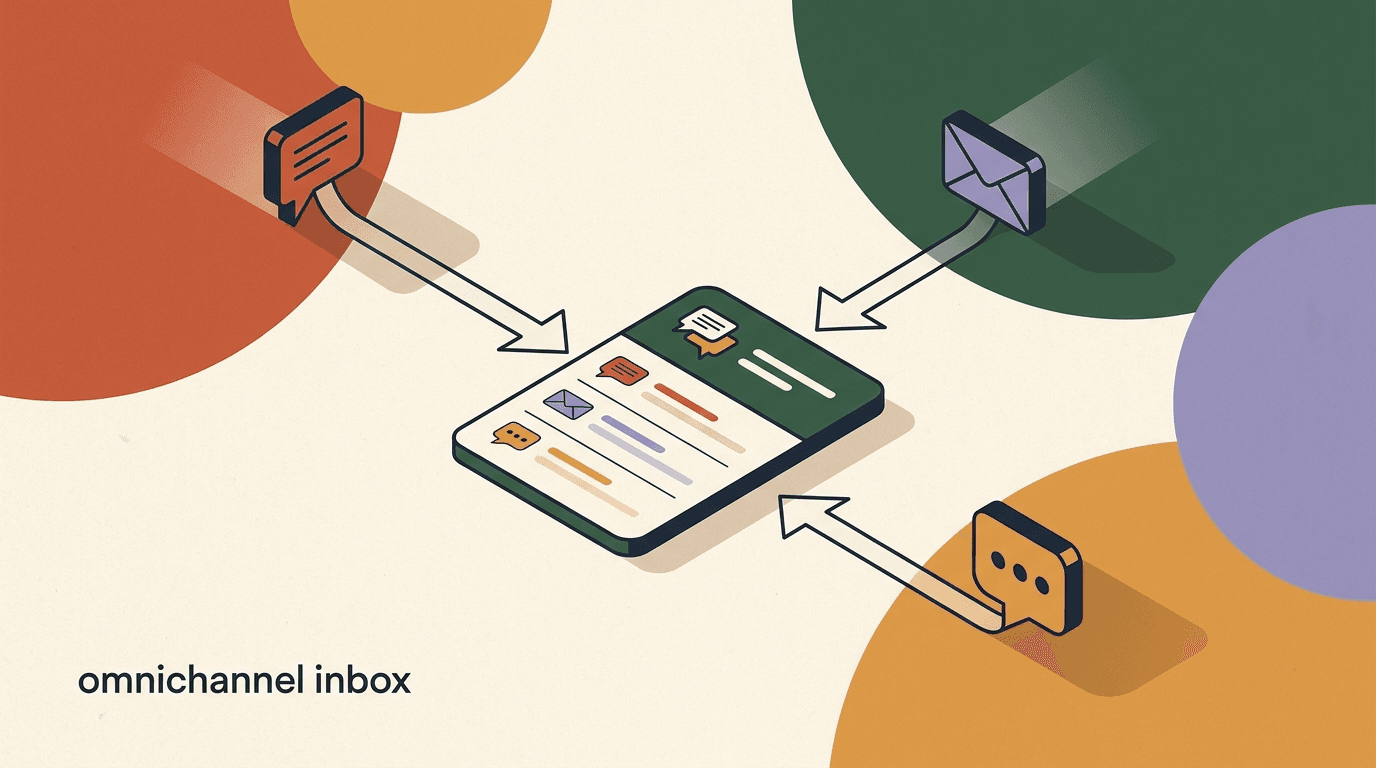
A unified inbox for Instagram and WhatsApp is a single screen that pulls every direct message, comment reply, and story mention from both apps into one place, organized by the person messaging you rather than by the app they used. Instead of one browser tab for Instagram, a phone for WhatsApp, and a private hope that nobody falls through the cracks, your team works one queue. When the same customer messages you on Instagram on Monday and WhatsApp on Thursday, both messages sit in one thread with one history.
That sounds small until you have lived without it. Most growing brands do not start with a plan to spread conversations across five apps; it happens one channel at a time. You open an Instagram business account, then a WhatsApp Business number, then someone runs a TikTok, and suddenly customer conversations live in a handful of disconnected apps that do not talk to each other. Leads wait. Replies get missed. Two teammates answer the same person differently.
This guide is written for the buyer weighing that problem. We will define what a unified inbox actually is, explain why one thread per customer beats juggling apps, lay out exactly what to look for before you pay, and give a fair, neutral rundown of the category — real tools included. We build one of those tools, KlyoChat, so we have a point of view, and we will be plain about where our approach fits and where it does not.
What is a unified inbox for Instagram and WhatsApp?
A unified inbox is software that connects to your messaging accounts through official APIs and mirrors every incoming and outgoing message into one interface. For Instagram, that means DMs, comment-to-DM replies, story replies, and mentions. For WhatsApp, it means conversations on your WhatsApp Business number. The inbox becomes the place your team lives; the underlying apps become plumbing.
The important word is unified. A shared inbox that only handles one channel is not unified — it is just a team inbox. A unified inbox for Instagram and WhatsApp specifically joins those two channels, and usually more, so that a conversation is defined by the customer, not the app. When a person reaches you on Instagram and later on WhatsApp, a genuinely unified tool recognizes them as one contact and stitches the two threads together. A weaker tool shows you two separate conversations and leaves the stitching to you.
Under the hood, this is built on the platform APIs. Instagram messaging runs on the Meta Messenger platform, and the capabilities a tool can offer — what message types it can send, how long it has to reply, what triggers it can listen for — are set by those APIs, not invented by the vendor. WhatsApp works through the WhatsApp Business Platform, with its own rules around templates and session windows. A good unified inbox hides that complexity from your team while respecting the limits underneath.
So the short definition: a unified inbox for Instagram and WhatsApp is one screen, keyed to the customer, that lets a team read and reply to messages from both apps — and ideally Messenger, Telegram, TikTok, and X as well — without ever opening the native apps. Everything else in this guide is about why that matters and how to pick a good one.
Unified inbox vs. social media scheduler
A unified inbox handles one-to-one conversations — the DMs and replies where a real person expects an answer. A scheduler handles one-to-many publishing — posts and stories going out to everyone. Some suites do both; many do one well and the other poorly. Be clear which job you are actually buying for.
Why does juggling separate apps cost you leads?
The case against juggling apps is not aesthetic. It is that switching between Instagram, WhatsApp, and everything else has real, measurable costs, and those costs land hardest exactly where money is made: the first reply to a new lead.
Start with attention. Every app is a separate surface with a separate notification badge, a separate login, and a separate mental model. A teammate who is heads-down answering WhatsApp does not see the Instagram DM that just arrived. By the time they tab over, minutes or hours have passed. In messaging, where people expect near-instant replies, that gap is the difference between a booked call and a cold lead who already messaged a competitor.
Then there is context loss. When channels are separate, so is history. The person who asked about pricing on Instagram last week is a stranger when they message WhatsApp today, because the WhatsApp app has no memory of the Instagram thread. Your teammate re-asks questions the customer already answered, which reads as disorganized and erodes trust. Managing Instagram and WhatsApp in one inbox is the only way that history travels with the person.
Finally, there is coverage risk — the quiet killer. With separate apps, nobody actually owns the whole surface. Instagram might be one person's job and WhatsApp another's, so a message that arrives while someone is on holiday simply sits unread. There is no shared queue showing what is unanswered, no way to see that a lead has been waiting six hours. Missed leads are rarely a decision; they are a byproduct of a workflow with too many blind spots. A cross-channel inbox exists to remove those blind spots.
Same lead, two workflows
- Juggling apps
- DM lands on Instagram at 9:02, teammate is in WhatsApp, sees it at 11:40 — lead already booked elsewhere
- Unified inbox
- Same DM lands in the shared queue, next available teammate replies at 9:04 with full context
What does one conversation per customer actually mean?
One conversation per customer is the core promise of a unified inbox, and it is worth unpacking because tools mean different things by it. At the strong end, the inbox maintains a single contact record for each person and attaches every message from every channel to that record. Instagram DMs, WhatsApp chats, a Telegram question, a reply to a TikTok comment — all of it hangs off one profile with one running timeline.
That single timeline is what makes a reply feel personal at scale. When a teammate opens a conversation, they see not just the latest message but the whole relationship: what this person asked before, what they bought, which channel they prefer, what tags or notes the team has added. They answer as if they remember the customer, because the tool remembers for them. This is the practical meaning of an instagram whatsapp messenger inbox that treats people as people rather than as a pile of disconnected pings.
Contrast that with the weak version, where each channel produces its own thread and the tool never links them. You get a tidier layout than five apps, but you still have three separate conversations with the same buyer and no shared memory between them. That is a shared inbox, not a unified one, and the distinction matters more than the marketing pages admit. When you evaluate tools, this is the first thing to test: message yourself from two channels and see whether the tool recognizes you as one person.
There is a governance benefit too. One conversation per customer means one place to add internal notes, one place to see who replied last, and one place to resolve or reopen. Ownership is unambiguous. Nobody double-replies because the thread shows the whole team what has already been said. For anything beyond a solo operator, that shared context is the difference between a calm queue and a scramble.
How much faster can a unified inbox make your responses?
Speed is the headline benefit, so it deserves a clear-eyed look rather than a made-up statistic. We will not quote a precise industry number, because response-time studies vary widely and depend on business type; treat any single figure you see with suspicion. What we can describe is the mechanism, which is concrete.
A unified inbox removes three separate delays. The first is switching delay — the seconds and minutes lost tabbing between apps and logging in. When everything is in one queue, that delay goes to zero; the next message is simply the next item. The second is triage delay — the time spent deciding who should handle what. Routing rules and assignment turn that into an automatic step. The third is drafting delay — the time spent writing the same answer again. Saved replies, snippets, and an AI co-pilot cut it down.
Stack those together and the effect compounds. A team that was answering in hours because messages sat unseen in a neglected app can answer in minutes when every message lands in a monitored shared queue. The gain is not magic; it is the removal of friction that never needed to exist. Faster first replies matter because response time is one of the few things a customer notices immediately and rewards with attention.
It is worth being honest about the ceiling, though. A unified inbox makes it possible to respond fast; it does not guarantee you will. If nobody is watching the queue, or if you are understaffed for your volume, the tool cannot save you. The software removes the structural excuses for slowness — the missed notification, the wrong app, the lost context — and leaves the human part to you. For more on how the interface itself shapes speed, our piece on modern chat inbox UX goes deeper on the design details that make a queue fast or slow to work.
Measure your baseline before you switch
Before adopting any unified inbox, spend a week noting roughly how long your first replies take on each app. It is a rough number, but it turns the decision from a vibe into a comparison. After you switch, measure again. If the tool is doing its job, the gap between your channels should shrink toward zero.
Which channels should a unified social inbox cover?
The obvious answer is Instagram and WhatsApp, since that pairing is why most people start looking. But the channels a unified social inbox covers determine how much value you actually get, so it is worth thinking past the headline two.
Meta's ecosystem is the anchor for most brands: Instagram, Facebook Messenger, and WhatsApp all run on Meta's messaging infrastructure, and covering the three together is table stakes for a serious tool. If you run Facebook Page conversations alongside Instagram, an inbox that handles Messenger and Instagram in one thread is a real convenience. Beyond Meta, Telegram is popular in many regions and among certain communities, TikTok messaging matters if your audience lives there, and X (formerly Twitter) DMs still carry support and sales conversations for some brands.
The question to ask is not which channels a tool could theoretically add, but which ones your customers actually use to reach you. There is no prize for connecting a channel nobody messages you on. Map your real inbound: where do leads and questions come from today, and where are they trending? Buy coverage for that reality plus a little headroom, not for a feature-list bingo card.
One honest caveat that shapes this whole category: most social-DM inboxes cover messaging channels — the chat apps — and do not natively handle SMS, email, or phone. That is a real line. If your support strategy leans heavily on email tickets or an SMS shortcode, a social-DM unified inbox is one part of your stack, not the whole thing. We will return to this when we talk about limits, because pretending otherwise would not help you buy well.
- Meta core: Instagram DMs, Facebook Messenger, and WhatsApp — the baseline most brands need.
- Regional and community reach: Telegram, where large audiences and groups often live.
- Emerging social: TikTok messaging and X DMs, valuable only if your audience is actually there.
- Not the same thing: SMS, email, and voice are separate categories most social-DM inboxes do not natively cover.
What should you look for when choosing a unified inbox?
Buying a unified inbox is easy to get wrong because every product demos well for ten minutes. The differences show up in week three, when your volume is real and your edge cases start appearing. Use the checklist below to pressure-test any tool before you commit, and weight it toward the rows that match how your team actually works.
Read the table as a set of questions to ask on a sales call or during a trial, not as a scorecard where more checkmarks always win. A solo creator and a ten-person support team will care about different rows. What matters is that you have decided, deliberately, which capabilities are must-haves and which are nice-to-haves before a vendor decides for you.
| What to look for | Why it matters | How to test it |
|---|---|---|
| True per-contact threading | One customer equals one thread across every channel, not one thread per app | Message yourself from Instagram and WhatsApp — does it show as one contact? |
| Real channel coverage | The channels your customers use must be officially supported, not on a roadmap | Confirm each channel connects via official API during the trial, not a beta waitlist |
| Routing and assignment | Messages should reach the right person automatically, with clear ownership | Set up a rule and watch a test message land with the correct teammate |
| Shared context tools | Notes, tags, assignment, and mentions keep a team aligned on one thread | Add a note and mention a teammate — does it notify and persist? |
| AI assistance | Drafting and first-response help cut repetitive typing without losing control | Ask the AI to draft a reply and check you can edit before sending |
| Honest, predictable pricing | Per-contact or per-seat creep can multiply the sticker price at scale | Model your real volume for next year, not this month, against the plan |
| Mobile access | Conversations do not stop when you leave your desk | Try to read and reply from a phone during the trial, not just desktop |
Beware the demo that only shows one channel
The most common way a unified inbox disappoints is that it is excellent at one channel and merely connected to the rest. Insist on seeing a live, two-channel conversation stitched into one thread during your evaluation. If the vendor only ever demos Instagram, assume WhatsApp is the weaker half until proven otherwise.
How do the main unified inbox tools compare?
The category is crowded, and the tools cluster into a few types with different origins and strengths. Below is a fair, neutral map of those types with real examples in each. It is a category rundown, not a ranking — the right pick depends entirely on your job to be done. We have deliberately not listed prices, because vendors change them often and a stale number would mislead you more than help; always verify current pricing on each vendor's own page.
One note on honesty before the table: we make KlyoChat, which sits in the social-DM row. We have tried to describe every category as its own users would, and we flag our own limits as plainly as anyone else's later in this guide. Treat the descriptions as starting points for your own trial, not as final verdicts.
| Category | Real examples | Best when | Watch for |
|---|---|---|---|
| Social DM / chat marketing | ManyChat, KlyoChat, Trengo | Instagram, WhatsApp, and other chat apps are your main channels | May not cover native SMS, email, or voice |
| Omnichannel support desks | Zendesk, Intercom, Freshdesk | You need email, chat, and social in one ticketing system | Social DM depth and per-contact stitching can be shallower |
| Social media suites | Sprout Social, Hootsuite | You want publishing and inbox in one place for many accounts | Conversation tooling can trail dedicated inboxes |
| Open-source / self-hosted | Chatwoot | You want control, data ownership, and are willing to self-manage | Setup and maintenance are on you or your team |
| E-commerce-focused desks | Gorgias, Tidio | You run a store and want order context beside conversations | Fit is tightest for commerce, looser for pure social |
Prices and features change — verify before you buy
Every tool named here adjusts pricing and capabilities regularly, and availability of specific channels varies by plan and region. Use this map to build a shortlist, then confirm the current details on each vendor's own site and in a live trial. Never budget or commit around a figure you read in a blog post, including this one.
How do you set up a unified inbox for Instagram and WhatsApp?
Setup is more straightforward than most people fear, because the connections run through official channel APIs and standard sign-in flows rather than fragile workarounds. The sequence below is the common shape across tools; the exact clicks differ, but the order rarely does. Budget an afternoon for a clean start, less if you only need the two headline channels.
The one part worth patience is WhatsApp. Because it runs on the WhatsApp Business Platform, connecting a number involves Meta's verification and, for many use cases, message templates that Meta approves. That is a platform rule, not a quirk of any one tool, so plan for it rather than being surprised by it.
- Connect your Instagram accountSign in through the tool's official Instagram connection, granting messaging permissions to your business or creator account per the Instagram Help Center. This links DMs, comment replies, and story mentions into the inbox.
- Connect your WhatsApp Business numberLink your WhatsApp Business number through the platform's verification flow. Expect a Meta verification step and, for proactive messages, template approval — both are WhatsApp Business Platform requirements.
- Add any other channels you useConnect Facebook Messenger, Telegram, TikTok, or X if your customers reach you there. Only add channels you genuinely receive messages on so the queue stays meaningful.
- Invite your team and set rolesAdd teammates as seats, assign permissions, and decide who owns which channels or segments. Clear ownership from day one prevents the double-reply chaos a shared queue is meant to end.
- Build routing, tags, and saved repliesCreate rules that send messages to the right person, tags that segment conversations, and saved replies for your most common answers. This is where a raw inbox becomes a fast one.
- Test with real messages before going liveMessage your accounts from a personal device on each channel, confirm they land as one contact, route correctly, and notify the right teammate. Fix gaps now, not during a busy launch day.
How do you route and assign conversations across a team?
For a solo operator, routing is trivial — every message is yours. The moment a second person joins, routing becomes the feature that decides whether the inbox feels calm or chaotic. Good routing answers one question automatically: who owns this conversation right now?
Most tools offer a few routing models, and the best inboxes let you combine them. Round-robin distributes new conversations evenly across available agents, which suits general queues. Channel-based routing sends all Instagram to one person and all WhatsApp to another, useful when specialists differ by platform. Skill or tag-based routing directs sales questions to sales and support questions to support. Load-based routing balances by who is least busy. The right mix depends on your team shape, and you will likely tune it over the first few weeks.
Assignment is the companion to routing. Once a conversation is owned, the whole team should see that ownership, so nobody steps on the reply. Strong inboxes make ownership visible at a glance, let owners reassign with a click, and support internal notes and mentions so a teammate can pull in help without leaving the thread. The private note and the mention are quietly among the most valuable features in the whole category, because they turn a lone reply into a team effort the customer never sees.
Snoozing rounds it out. Not every message needs an answer this minute; some are waiting on the customer, a shipment, or a decision. Being able to snooze a conversation until a set time keeps the live queue honest — it shows only what actually needs attention now — instead of drowning real work under items that are simply parked. Together, routing, assignment, notes, mentions, and snooze are what let one inbox scale from one person to a full team without losing the plot.
How one message moves through a team
- Arrives
- WhatsApp message tagged as a pricing question by a rule
- Routes
- Sent automatically to the sales queue, assigned to the next available rep
- Collaborates
- Rep adds a private note and mentions a teammate for a discount check
- Resolves
- Rep replies with full context, snoozes for follow-up in two days
What role does AI play in a unified inbox?
AI has moved from a bolt-on to a core part of how modern inboxes work, but the useful version is narrower and more practical than the hype suggests. In a unified inbox, AI earns its place by doing three concrete jobs: drafting replies, handling first response, and summarizing context.
Drafting is the everyday win. An AI co-pilot reads the conversation and proposes a reply the agent can accept, edit, or discard. It does not replace judgment; it removes the blank-page moment and the repetitive typing. For the questions you answer fifty times a week — hours, shipping, availability — a good draft is nearly always right and takes a second to confirm. The control matters: the agent stays in the loop, so the customer never receives an answer nobody reviewed unless you deliberately choose full automation.
First response is the higher-leverage job. An AI agent trained on your own knowledge base — your FAQs, policies, and product details — can answer common questions instantly, at any hour, across every connected channel. That means the lead who messages at midnight gets a real answer instead of silence, and your team wakes up to a queue of genuine conversations rather than a pile of repeated basics. The honest framing is that AI should handle the predictable and hand the rest to a human, cleanly, with the full thread attached.
Summarization is the underrated third job. When a conversation is long, or a teammate is picking it up cold, an AI summary of what has happened saves the minutes it would take to read the whole history. Multiply that across a busy queue and it is real time back. None of this is about replacing your team; it is about spending their attention on the conversations that need a human, which is the whole point of a unified queue in the first place.
Keep a human in the loop by default
The safest way to adopt AI in an inbox is co-pilot first, autopilot later. Start with AI drafting replies your team approves, learn where it is reliable, then let it handle first response on the narrow set of questions it answers well. Earning trust in stages beats switching on full automation and hoping.
How do you measure whether a unified inbox is working?
A tool that feels better is nice; a tool you can prove is working is better. Once you have adopted a unified inbox, a small set of metrics tells you whether it is actually earning its place, and they are worth tracking from the start so you have a before-and-after.
First-response time is the headline. How long, on average, does a new message wait for its first human or AI reply? This is the number a unified inbox should move the most, because removing app-switching and adding routing attacks response delay directly. Track it per channel, too — if Instagram is fast and WhatsApp is slow, you have found where your workflow still leaks. Resolution time, the span from first message to closed conversation, tells a slower but related story about how efficiently the whole thread gets handled.
Missed or unanswered rate is the metric that justifies the purchase for many teams. Before a unified inbox, the answer to how many messages go unanswered is usually nobody knows, which is precisely the problem. After, you should be able to see the count of conversations with no reply and drive it toward zero. If the tool cannot show you what is unanswered, it is not doing the one job that most reduces missed leads.
Beyond speed, watch volume by channel and by tag to understand where conversations actually come from and what they are about. That data reshapes your staffing and your automation — you might discover WhatsApp carries most of your sales questions, or that a single FAQ drives a third of your inbound and deserves an AI first response. The point of measurement is not a dashboard for its own sake; it is deciding where to point your team's limited attention next.
- First-response time, tracked overall and per channel, to catch a slow channel.
- Resolution time, to see how efficiently whole conversations get closed.
- Missed or unanswered rate, driven toward zero — the metric that proves fewer lost leads.
- Volume by channel and tag, to guide staffing and where AI first response pays off.
What are the honest limits and trade-offs?
No tool is the answer to every question, and a unified inbox is no exception. Being clear about the trade-offs upfront saves you from buying the wrong category and blaming the tool for a mismatch you chose.
The biggest boundary in this space is channel type. Social-DM unified inboxes — the category that best serves an Instagram-and-WhatsApp need — generally cover messaging apps and not native SMS, email, or phone. A true omnichannel strategy that spans email tickets and a phone line is a different, wider job. If a large share of your customer contact runs through those, a social-DM inbox is one instrument in your stack, not the whole orchestra. An omnichannel support desk may fit better, at the cost of shallower social-DM depth. Neither is wrong; they are built for different jobs. Our broader take on this lives in the omnichannel inbox guide, which maps the wider set of channels a business might unify.
The second trade-off is platform rules you do not control. What any inbox can do on Instagram or WhatsApp is bounded by Meta's APIs — reply windows, message types, template approvals, and rate limits are set by the platform. A vendor can present these gracefully, but cannot remove them. If a tool promises to sidestep WhatsApp's session rules or Instagram's messaging policies, treat the claim with heavy skepticism; the honest tools work within the rules because the alternative risks your accounts.
The third is the gap between capability and habit. A unified inbox makes fast, organized, low-miss customer conversation possible. It does not make it happen on its own. If the queue goes unwatched, if routing is never configured, or if the team keeps drifting back to the native apps out of habit, the tool cannot save you. The most common reason a unified inbox underdelivers is not the software; it is a half-finished rollout. Budget time for the change, not just the subscription. The wider reality of running multiple channels well is the subject of our piece on the reality of omnichannel marketing.
A unified inbox is a workflow, not just a login
The teams that get the most from a unified inbox treat adoption as a change to how they work, not a new tab to open occasionally. Set the expectation that the native apps are for exceptions only, agree on where conversations live, and check the queue is being worked. The software is necessary; the habit is what makes it pay.
How does a cross-channel inbox change day-to-day work?
The abstract benefits — speed, context, coverage — become concrete in the small moments of a working day. Two short scenarios make the shift easier to picture than any feature list.
Consider a small skincare brand. Before, a customer asks about a product on Instagram, then a week later messages the WhatsApp number to actually order. Two apps, two teammates, zero shared memory. The WhatsApp rep re-asks what the Instagram rep already knew, the customer repeats themselves, and the moment of momentum from the first chat is gone. With one inbox for all DMs, the WhatsApp rep opens the thread and sees the Instagram conversation, the product the customer liked, and a note from the first rep. The order takes two messages instead of ten, and the customer feels remembered.
Or take a solo coach running Instagram, WhatsApp, and Telegram. Before, mornings meant opening three apps and reconstructing where every conversation stood, usually missing at least one overnight message. After, there is one queue. Overnight messages sit together, an AI first response has already answered the basic questions, and the coach spends the morning on the handful of conversations that actually need judgment instead of triaging across apps. The work did not get bigger; the friction around it got smaller.
That is the real day-to-day change of a cross-channel inbox: fewer places to look, fewer things to remember, fewer chances to drop someone. It does not add hours to your day, but it stops the leaks that quietly waste the hours you have. For a business where conversations are how deals happen, removing those leaks is not a convenience — it is the difference between a lead answered and a lead lost.
Before and after, one skincare brand
- Before
- Instagram question and WhatsApp order handled by two people with no shared history — customer repeats everything
- After
- One thread, full context, order closed in two messages by whoever is free
How do you migrate from separate apps to one inbox?
Moving from a pile of apps to one inbox sounds like a project and behaves like an afternoon. Because everything connects through official sign-in flows rather than data exports and imports, most of the work is reconnecting channels and agreeing on how the team will work. You can run the old way and the new way in parallel for a day or two, so there is no risky big-bang cutover.
The steps below are the calm version of the move. The goal is not to switch everything at once but to prove the new inbox handles a live channel well, then fold the rest in once the team trusts it.
- Start with your busiest channelConnect the one channel that carries the most conversations first — often Instagram or WhatsApp. Prove the inbox handles your real volume before adding the rest.
- Bring the team into the new queueInvite teammates, set ownership, and agree that the native app is now for exceptions only. The migration fails if half the team keeps working the old way out of habit.
- Recreate your common replies and tagsMove your most-used answers into saved replies and set up the tags you will route and report on. This is a short task that makes the new inbox immediately faster than the old apps.
- Add the remaining channelsOnce the first channel is running smoothly, connect the others one at a time. Test each with a real message so you catch any per-channel quirks before customers do.
- Turn on routing and AI, then reviewSwitch on your routing rules and, if you use it, AI first response for common questions. Watch the queue for a few days, adjust, and only then retire the old apps from daily use.
Run parallel for a day, not a month
Keep the native apps open alongside the new inbox for a day or two so nothing slips during the handover, then commit. Dragging out a parallel period for weeks is where migrations stall — the team never fully moves, and you pay for two ways of working at once.
How does KlyoChat approach the unified inbox?
We built KlyoChat as an AI-native unified inbox for exactly the Instagram-and-WhatsApp need this guide is about, so here is our approach stated plainly, limits and all. KlyoChat connects Facebook, Instagram, Telegram, WhatsApp, TikTok, and X into one inbox, and keys every conversation to a single contact — one thread, one context per person, across whichever of those channels they use to reach you.
On top of that shared queue sit the tools a team needs to work it: assign, snooze, private notes, and @mentions for collaboration; tags and segments to organize and route; and an AI co-pilot that drafts replies and can handle first response from your knowledge base while a human stays in control. The aim is the calm queue this guide describes — fast first replies, shared context, and nothing slipping between apps — with AI doing the repetitive part rather than replacing judgment. You can see how the queue itself works on the inbox page and which platforms connect on the channels page.
Pricing is flat rather than metered on your audience, which matters if your growth is spiky. Basic is nineteen dollars a month, Pro is forty-nine dollars a month (thirty-nine billed yearly), and Business is one hundred twenty-nine dollars a month, each with a set of seats, channels, and contacts bundled in. Every plan starts with a seven-day free trial and no credit card, so you test the real product rather than a limited slice. The full breakdown lives on the pricing page, and we would rather you verify it there than trust a number in a blog post.
Now the honest limit, because a fair guide owes you the boundary as clearly as the pitch: KlyoChat unifies messaging channels only. It does not do native SMS, email, or voice. If your customer contact runs heavily through email tickets or a phone line, KlyoChat is one part of your stack and you should pair it with a tool built for those. We are also a newer product with a smaller community than the largest incumbents — that means a leaner ecosystem today, though it is also why the tool is built around AI rather than retrofitted with it. If your need is Instagram, WhatsApp, and the other chat apps, unified with AI and flat pricing, that is precisely the job we built for.
- Six messaging channels in one inbox: Facebook, Instagram, Telegram, WhatsApp, TikTok, X.
- One thread and one context per contact, with assign, snooze, notes, and @mentions.
- AI co-pilot for drafting and first response, with a human in the loop by default.
- Flat pricing that does not climb with your audience — and an honest limit: messaging channels only, no native SMS, email, or voice.
KlyoChat plans at a glance
- Basic
- $19/mo — smaller teams getting started with a unified DM queue
- Pro
- $49/mo ($39 yearly) — all channels, custom AI agents, growing teams
- Business
- $129/mo — larger teams, more seats, contacts, and AI volume
- Trial
- 7 days free on any plan, no credit card required
A unified inbox for Instagram and WhatsApp is, at heart, a simple idea with an outsized payoff: put every conversation in one place, keyed to the customer, so your team answers faster, remembers more, and misses less. The value comes not from any single feature but from removing the friction of juggling apps — the switching, the lost context, the unwatched channel where leads quietly go cold.
When you evaluate tools, test the promises rather than trust them. Message yourself from two channels and confirm you appear as one contact. Insist on seeing a live cross-channel thread, not a single-channel demo. Model your real volume against honest pricing, and be clear-eyed about the one boundary that matters most in this category: whether you need only messaging channels, or SMS, email, and voice as well. Decide that first, and the shortlist writes itself.
If your need is the chat channels — Instagram, WhatsApp, and the rest — unified with AI and flat pricing, KlyoChat is built for exactly that, and the trial costs you nothing but an afternoon. Whichever tool you choose, the goal is the same: a calm, single queue where no customer waits in a tab nobody is watching.