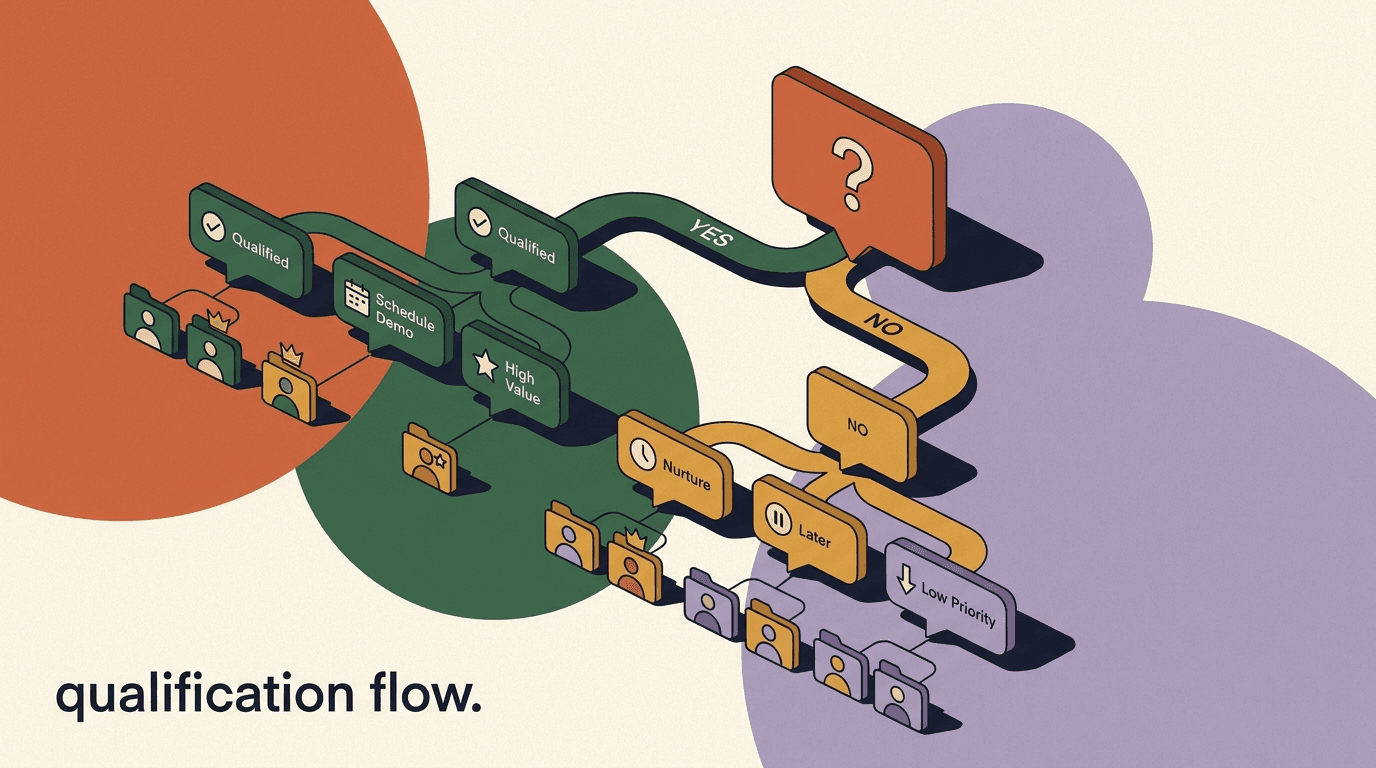
A survey feedback flow in chat is the fastest way to learn what customers actually think, because it meets them where they already are: the same DM thread where they bought, asked a question, or got help. Instead of emailing a link to a long form that most people ignore, you ask one short question inside the conversation and get an answer in seconds. This guide is a build tutorial. By the end you will know how to choose between CSAT, NPS, and open-ended questions, when to trigger the survey, how to keep it short, where to store the responses, how to branch on the score to recover unhappy customers and turn happy ones into reviews, and how to act on what you learn.
We will keep this honest. A chat survey is not a replacement for a dedicated research platform, response rates depend heavily on timing and tone, and there are consent rules you must respect. We build KlyoChat, so we will show how the pieces map to a real tool near the end — but most of this guide is platform-agnostic and works wherever you can build a flow.
If you have ever sent a feedback request that nobody answered, the problem was almost certainly the channel, the length, or the timing — not the question. Chat fixes the channel. This tutorial fixes the rest.
A quick note on who this is for. If you run a creator business, a small online store, an agency, or a support team that already talks to customers in DMs, this maps directly to your day. You do not need a research budget or a data team. You need a flow builder, a clear idea of the one thing you want to learn, and the patience to keep the survey shorter than feels comfortable. We will go slowly through each decision so you can copy the structure and adapt the wording to your own voice.
We will also keep returning to one theme: a survey is a conversation, not a form. The moment it starts to feel like a form — too many questions, robotic phrasing, no acknowledgement of the answer — people stop replying and the data dries up. Everything in this guide bends toward keeping the exchange human and short.
What is a survey feedback flow, and why run it in chat?
A survey feedback flow is an automated sequence that asks a customer one or more questions, captures their answers, and then does something useful with the result — tags the contact, routes the conversation, or fires a follow-up. In chat, the whole exchange happens inside a single DM thread on Instagram, WhatsApp, Messenger, Telegram, or wherever you talk to customers.
The reason chat beats email and web forms for feedback is friction. An emailed survey asks someone to leave their inbox, click a link, load a page, and fill in fields. Every step loses people. A chat survey is a reply to a message they were already reading. Tapping a rating button takes one second, and because the conversation is two-way, you can immediately ask a follow-up or hand off to a human when the answer warrants it.
The trade-off is length. Chat rewards brevity and punishes anything that feels like a form. You cannot ask twelve questions in a DM the way you might in a typed survey. That constraint is a feature: it forces you to ask only what you will actually act on.
There is a second, quieter advantage that teams underestimate: context. When the survey fires inside the same thread where the customer just bought or got help, you already know who they are, what they did, and when. You do not have to ask them to identify the order or describe the problem — the flow can carry that context forward, attach the score to the right contact, and route based on what already happened. An emailed survey starts cold; a chat survey starts with the whole history one scroll away.
The flip side of running feedback inside a live channel is that you are subject to that channel's rules. Email surveys can be sent any time; chat surveys must respect messaging windows and consent. We will cover that in detail later, but keep it in mind as you choose where to run things — the lowest-friction channel is also the most regulated one.
| Channel | Typical friction | Best for |
|---|---|---|
| Chat / DM | One tap to answer | 1–2 questions, post-event timing |
| Email survey | Leave inbox, click, load form | Longer surveys, slower cadence |
| Web pop-up | Interrupts the session | On-site moments, NPS sampling |
Pick the channel by question count
If you have one or two questions tied to a moment that just happened, run it in chat. If you genuinely need ten questions, send a link to a real survey tool from inside the chat instead of cramming it into the thread.
Which survey type should you use: CSAT, NPS, or open-ended?
Before you build anything, decide what you are measuring. The three common formats answer different questions, and choosing the wrong one is the most frequent mistake teams make. You can mix them, but each flow should have one primary metric.
CSAT (Customer Satisfaction) measures how satisfied someone was with a specific interaction. It is best right after an event — a purchase, a support resolution, an onboarding step. NPS (Net Promoter Score) measures overall loyalty and likelihood to recommend, and it is a relationship metric you sample periodically rather than after every event. Open-ended questions capture the why behind a score and surface things you did not think to ask about.
It helps to think about what each number is good and bad at. CSAT is sensitive and immediate — it tells you whether the thing that just happened landed well, which makes it perfect for catching a bad support interaction while you can still fix it. Its weakness is that it is narrow; a high CSAT on one ticket tells you nothing about whether the customer will stay. NPS is the opposite: it is a blunt, slow-moving relationship gauge that is useless after a single event but valuable as a trend over months. Open text is the richest and the hardest to act on at scale, because someone has to read it.
A third consideration is effort versus insight. CSAT and NPS give you a number you can chart with almost zero analysis effort, which is why they scale. Open text gives you the deepest insight per response but costs human reading time, so you ration it. The practical pattern most teams land on is a button-based score as the backbone, with open text reserved for the scores that most need explaining.
- Use CSAT for support and post-purchase moments — it is event-specific and fast.
- Use NPS quarterly or after a milestone, not after every order, or you will annoy people.
- Add one open-ended follow-up only to scores that need explaining (very high or very low).
| Type | Question | Scale | Use when |
|---|---|---|---|
| CSAT | How satisfied were you? | 1–5 or thumbs | Right after a specific interaction |
| NPS | How likely are you to recommend us? | 0–10 | Periodic relationship check |
| Open-ended | What could we do better? | Free text | After a score, to learn the why |
One primary metric per flow
Do not try to capture CSAT, NPS, and free text all in one blast. Pick a primary number, then optionally branch into one follow-up. A flow that asks for three different things feels like a form and gets abandoned.
When should the survey fire? Timing beats everything
The single biggest lever on response rate and data quality is timing. Ask at the moment the experience is fresh and the customer has a reason to reply. Ask too early and they have nothing to evaluate; ask too late and the memory has faded and the goodwill is gone.
There are a few reliable trigger moments. Post-purchase works because the customer just made a decision and is paying attention. Post-support works because they just had a problem solved (or not) and the feeling is vivid. A milestone trigger — first week of use, tenth order — works for relationship metrics like NPS. The wrong time is a random broadcast to your whole list with no event behind it.
Within each trigger there is also a question of delay. For a post-purchase CSAT, firing the instant the order is marked delivered can be premature — the box may be on the doorstep but the customer has not opened it. A short delay, a few hours to a day, often lands better because the person has actually experienced the product. For post-support, the opposite is true: ask immediately, while the resolution is fresh and the agent's help is still top of mind. There is no universal delay; the rule is to ask once the customer has something real to evaluate, not a second before and not a week after.
Be deliberate about not stacking triggers either. If a customer buys, contacts support, and hits an onboarding milestone in the same week, three separate survey flows could all fire and bury them. Decide which moment matters most for that customer and suppress the others, or you will train them to mute you. A simple frequency guard — do not survey anyone who was surveyed in the last N days — prevents most of this.
| Trigger | What to ask | Why it works |
|---|---|---|
| Order delivered | CSAT on the purchase | Decision is fresh, product just arrived |
| Support ticket closed | CSAT on the resolution | Outcome just happened, feeling is vivid |
| Onboarding day 7 | Quick satisfaction check | Enough use to have an opinion |
| Quarterly / milestone | NPS | Measures the relationship, not one event |
Mind the messaging window
On most chat channels you can only send a free-form message inside a limited window after the customer last messaged you — on WhatsApp it is the 24-hour window. If your trigger fires outside that window you may need an approved template, and a marketing-category survey may not be permitted. Plan triggers around the window, not against it.
How short is short enough? Keeping the flow tight
The fastest way to kill a chat survey is to make it feel like work. The target is one question, with an optional second only when the first answer earns it. Every additional required question drops your completion rate, and the marginal data is rarely worth the marginal abandonment.
Brevity also shapes the format. Buttons beat typing. A one-to-five rating or a thumbs-up/thumbs-down lets someone answer with a single tap and no thought about wording. Reserve free text for the optional follow-up, and make even that skippable. The goal is that a busy person can finish the whole thing while standing in a queue.
The opening line does a surprising amount of work. "Quick one — got 5 seconds?" or "How did we do today? Tap a number" sets an expectation of brevity, which lowers the bar to start. Compare that to "We value your feedback and would love to hear your thoughts in our short survey," which reads like the preamble to a ten-minute form and gets ignored. Write the first message the way you would text a friend, not the way a corporate email opens.
Word the scale clearly too. Numbers alone (1 to 5) can be ambiguous — does 1 mean best or worst? Label the ends if there is any doubt: "1 = not great, 5 = loved it." The half-second of clarity you add prevents the noisy responses where someone taps 1 meaning first place. With NPS the 0-to-10 scale is conventional enough that most people read it correctly, but a one-word anchor still helps.
- Default to one question. Add a second only by branching on the first answer.
- Use tappable buttons for the score, not open text, so answering is one tap.
- Make any free-text question optional with a clear skip path.
- Set an expectation up front: "Quick one — got 5 seconds?" tells people it is short.
Sample CSAT survey message (post-support)
- Bot
- Glad we could help! Quick one — how was that experience? Tap a number.
- Buttons
- [1] [2] [3] [4] [5]
- Customer
- 5
- Bot
- Thank you! That means a lot.
How do you write a survey question that actually gets answered?
The wording of the question matters as much as the timing. A good chat survey question is specific, neutral, and answerable in one tap. Vague questions get vague answers, leading questions get flattering answers you cannot trust, and broad questions get no answers at all because the customer does not know where to start.
Specificity is the first rule. "How was your experience?" is too broad — experience of what? "How was the help you just got?" or "How happy are you with your order?" tells the customer exactly what to evaluate, which makes the response both faster and more reliable. Tie the question to the event that triggered it.
Neutrality is the second rule. Avoid wording that nudges toward a high score. "How great was our amazing support?" is leading and produces inflated numbers that hide the problems you are trying to find. "How would you rate the support you received?" is neutral and gives you usable data. The point of a survey is to find the truth, not to manufacture a good-looking average.
Finally, ask one thing per message. A question like "How was the product and the delivery?" is two questions wearing one coat; a customer who loved the product but hated the slow delivery cannot answer honestly with a single tap. If both matter, ask them as two separate, sequential questions — or pick the one that matters more and drop the other.
- Be specific: name the thing you are asking about, tied to the trigger event.
- Stay neutral: no adjectives that fish for a high score.
- One idea per question: never bundle two topics into one rating.
- Match the scale to the question: satisfaction for CSAT, recommendation for NPS.
Weak question vs strong question
- Weak
- How was your experience with our awesome team today?
- Strong
- How would you rate the help you just got? [1]–[5]
How do you store survey responses so they are useful later?
A survey is only worth running if you can do something with the answers, and that means storing them in a structured way — not letting them vanish into the chat scroll. The two workhorses are tags and custom fields. A tag is a label on a contact (for example, csat-detractor or nps-promoter). A custom field stores a value against the contact (for example, last_csat_score = 4).
Tags are best for segmentation and triggering follow-up flows: you can broadcast to everyone tagged nps-promoter, or start a recovery flow whenever someone gets tagged csat-detractor. Fields are best when you want the actual number for reporting or for comparing a contact over time. Most good survey flows write both: a field for the score and a tag for the bucket.
Storing the score as you capture it also lets you branch immediately, which is the whole point of doing this in chat rather than a spreadsheet you review next week.
| Store as | Example | Best for |
|---|---|---|
| Tag | csat-detractor, nps-promoter | Segmentation and triggering follow-ups |
| Custom field | last_csat_score = 4 | Reporting and tracking change over time |
| Both | field for value + tag for bucket | Most survey flows — flexibility later |
Name tags and fields before you build
Decide your tag and field naming up front — consistent, lowercase, hyphenated. A survey flow that writes csat_detractor in one place and CSAT-Detractor in another becomes impossible to segment on. Five minutes of naming discipline saves hours later.
Step-by-step: build a CSAT survey flow
Here is the core build. This is a post-support CSAT flow that asks one rating question, stores the result, and branches on the score. You can adapt the same skeleton for NPS by swapping the scale and the buckets.
- Set the triggerStart the flow when a support conversation is marked resolved or closed. Confirm the trigger fires inside the channel's messaging window so the message can send.
- Ask one rating question with buttonsSend a short message with 1–5 (or thumbs) buttons. Keep the copy to one line and tell them it is quick.
- Capture the answer to a field and a tagWrite the number to a custom field like last_csat_score, then add a bucket tag based on the value — promoter, passive, or detractor.
- Branch on the scoreRoute 1–2 ratings to a recovery path (apology plus human handoff), 3 to a light follow-up, and 4–5 to a review-ask path.
- Close the loopSend a short thank-you on every path so the customer feels heard. Even a one-line acknowledgement raises the odds they answer again next time.
Branching is what makes chat surveys worth it
A static survey collects numbers. A branching survey acts on them in the same breath — apologizing to an unhappy customer before they churn and asking a happy one for a review while they are still glowing. The branch is the value.
How do you adapt the flow for NPS?
NPS uses the same skeleton as the CSAT build — trigger, question, store, branch — but the scale and the buckets differ, and the timing is looser. Instead of a 1-to-5 satisfaction rating tied to an event, you ask a 0-to-10 likelihood-to-recommend question on a periodic or milestone basis, then sort respondents into three groups: promoters (9–10), passives (7–8), and detractors (0–6).
The buckets are not symmetrical, and that surprises people. A 6 out of 10 feels like a passing grade in school, but in NPS it is a detractor. That is deliberate: NPS is a demanding, loyalty-focused metric, and anything below a 9 signals that the customer is not actively enthusiastic. When you set up your branching, map the ranges carefully or your follow-ups will go to the wrong people.
Because NPS measures the relationship rather than a single event, the branching follow-up shifts too. A detractor here is not necessarily reacting to one bad ticket; something broader is off, so the open-text follow-up ("What is the main reason for your score?") matters more than a quick apology. Promoters, meanwhile, are your warmest possible referral audience, which makes the review-or-refer ask especially valuable on this flow.
| NPS bucket | Score range | Follow-up |
|---|---|---|
| Detractor | 0–6 | Open-text "why" + human follow-up |
| Passive | 7–8 | Optional "what would make it a 9?" |
| Promoter | 9–10 | Review or referral ask |
Do not run NPS after every interaction
NPS is a relationship metric. Asking it after every order or ticket both annoys customers and produces noisy data tied to single moments rather than the overall relationship. Sample it periodically — quarterly, or at a meaningful milestone — and let CSAT handle the event-level feedback.
How do you turn responses into a score you can track?
Capturing answers is half the job; the other half is rolling them up into a number you can watch over time. Both CSAT and NPS have standard calculations, and knowing them helps you read your own data and set targets that mean something.
CSAT is usually expressed as the percentage of positive responses. If you use a 1-to-5 scale, count the 4s and 5s as satisfied, divide by the total number of responses, and multiply by 100. So 80 satisfied responses out of 100 is a CSAT of 80 percent. Some teams report the simple average rating instead, which is fine as long as you stay consistent — do not switch between average and percentage month to month or your trend becomes meaningless.
NPS is calculated differently. Take the percentage of promoters and subtract the percentage of detractors; passives are ignored in the math. If 50 percent are promoters and 20 percent are detractors, your NPS is 30. The score ranges from -100 to +100, which is why a number like 30 can be perfectly healthy — it is not a percentage. Track the trend rather than obsessing over the absolute value, because what counts as a good NPS varies wildly by industry.
Whichever metric you use, response rate is the silent third number you must watch. A glowing average from a 3 percent response rate is not reassuring — it usually means only your biggest fans bothered to answer, while the unhappy majority stayed silent. A falling response rate is an early warning that your survey has gotten too long, too frequent, or badly timed.
Quick score math
- CSAT
- (satisfied responses ÷ total responses) × 100
- NPS
- % promoters − % detractors (passives ignored)
- Watch
- response rate — a high score on few replies hides the silent unhappy
How do you branch on the score to recover detractors?
A low score is not a data point to file away — it is a customer about to leave, telling you so for free. The recovery path should do two things fast: acknowledge the problem genuinely, and get a human involved before the moment passes. Automation is great for capturing the score, but a detractor wants to feel that a person cares.
Resist the urge to defend or explain in the automated message. A short, sincere apology plus a promise that someone will reach out beats a paragraph of justification. Then tag the contact so the right person picks it up, and if your tool supports it, route the conversation into a human's queue immediately.
Speed is the variable that decides whether recovery works. Research on service recovery consistently points to the same intuition most of us have as customers: a problem addressed quickly and personally often leaves the customer more loyal than if nothing had gone wrong at all, while a complaint that sits unanswered cements the decision to leave. Your survey flow has handed you a churn signal in real time — the worst thing you can do with it is let it wait in a queue until next week.
Decide in advance what "a human follows up" actually means so the promise is not empty. Who owns detractor recovery? What is the target response time — same day, within an hour during business hours? What does the follow-up cover: an apology, a fix, a goodwill gesture? Writing this down before you launch turns the recovery branch from a nice-sounding message into an accountable process.
- Apologize first, explain never — or at least not in the automated reply.
- Hand off to a human quickly; a detractor is a churn risk, not a survey row.
- Tag the contact so the recovery is trackable and nothing slips.
Sample detractor recovery message (score 1–2)
- Customer
- 2
- Bot
- I am sorry that fell short — that is not the experience we want.
- Bot
- I am flagging this to a teammate now, and someone will follow up personally.
- Action
- tag: csat-detractor → assign conversation to human
How do you ask promoters for a review or referral?
The mirror image of recovering detractors is harvesting promoters. Someone who just gave you a 5 or a 9-to-10 NPS is at peak goodwill, and that is the moment — not a week later — to ask for a public review, a testimonial, or a referral. Most businesses never ask, and that silence is a missed compounding asset.
Make the ask easy and specific. Give a direct link to the exact place you want the review (Google, the app store, a product page), keep it to one tap, and thank them whether or not they follow through. Do not chain three asks together; one clear request converts better than a menu.
Be aware of one important line you must not cross: do not gate the review by score in a way that filters out unhappy customers from public review platforms. Asking everyone for feedback and then only inviting your happiest customers to post a public review is a practice that several review platforms explicitly prohibit, and app stores and Google have rules about review solicitation too. The honest version is fine — you survey everyone, you act on low scores privately, and you invite satisfied customers to share their genuine experience publicly. Just make sure you understand each platform's policy before you build the ask, because the rules differ and they change.
There is also a softer, equally valuable version of the promoter ask: the testimonial or referral. Not everyone wants to write a public review, but a happy customer might be glad to refer a friend or let you quote them. Offering a low-effort option — "mind if we share what you said?" or a referral link — captures value from promoters who would not have gone to a review site, and it keeps the relationship warm.
Ask once, at the peak
The review ask works because it rides the moment of a high score. If they do not click, do not nag in-thread. Tag them as a promoter and include them in a gentler campaign later. The tag turns a single happy reply into a reusable audience.
Sample promoter review-ask (score 4–5 / NPS 9–10)
- Customer
- 5
- Bot
- Love to hear it! Would you mind leaving a quick review? It really helps us.
- Button
- [Leave a review →]
- Action
- tag: csat-promoter for later referral campaigns
What about the customers in the middle?
Detractors and promoters get the attention, but the passives — the 3s on a CSAT scale, the 7s and 8s on NPS — are where a lot of quiet truth lives. They are satisfied enough not to complain and not impressed enough to advocate. Ignoring them wastes the one chance you have to learn why they are lukewarm.
For passives, a single optional open-ended follow-up is the right move. Ask what would have made it a top score. Keep it skippable, keep it to one line, and read the answers in batches looking for patterns. You will not get a flood of responses, but the ones you get are often the most actionable, because they describe a fixable gap rather than a disaster or a delight.
- Send passives one optional question: "What would have made it a 5?"
- Make it skippable — a forced question to a lukewarm customer drops completion.
- Read passive free-text in batches; look for repeated phrases, not one-offs.
How do you act on the results once they are in?
Collecting feedback you never act on is worse than not collecting it, because it trains customers that answering is pointless and burns the goodwill you will want next time. The flow captures and routes in real time; the analysis is what turns a pile of scores into decisions.
Build a simple rhythm. Weekly, scan your detractor tags and confirm every one got a human follow-up. Monthly, look at the trend in your average score and read the open-text responses for themes. Quarterly, tie the numbers to a change you actually shipped, so you can see whether satisfaction moved. The point is a loop: ask, learn, change, measure again.
- Watch the real-time tagsMake sure detractors are being picked up by humans as they come in. This is the urgent, can-not-wait part.
- Review trends on a cadenceWeekly or monthly, look at average score and response rate. A falling response rate often means the survey is too long or badly timed.
- Mine the open text for themesGroup free-text answers into recurring issues. Three customers naming the same friction is a roadmap item, not a coincidence.
- Close the loop publiclyWhen you fix something customers flagged, tell them. "You asked, we changed it" is one of the highest-trust messages you can send.
Do not survey what you will not act on
Every question implies a promise that the answer matters. If you have no intention of changing anything based on a question, cut it. A short survey you act on beats a thorough one you ignore.
Respecting consent and the rules of chat
Surveys live under the same consent and messaging rules as any other chat outreach, and getting this wrong risks both your account and your customer relationships. The customer opted in to talk to you — they did not necessarily opt in to be surveyed repeatedly, and platforms enforce limits on what you can send and when.
Two rules matter most. First, the messaging window: on channels like WhatsApp you generally must reach people inside the 24-hour window after their last message, or use an approved template — and marketing-category messages, which a survey can count as, have their own restrictions. Second, frequency and opt-out: do not survey the same person constantly, and always honor a request to stop. A survey that ignores consent is not feedback collection, it is spam with a rating scale.
- Trigger inside the channel's messaging window, or use an approved template.
- Cap how often any one contact is surveyed — relationship surveys are periodic, not constant.
- Always provide and honor an opt-out; never re-survey someone who declined.
- Treat survey responses as data you are responsible for storing and protecting.
Consent is not a checkbox you skip
Platforms can restrict or ban accounts that send unsolicited messages outside the rules. Beyond compliance, over-surveying erodes the exact trust the survey is meant to measure. Ask less often than you are tempted to.
Can AI help with surveys, and where should it stay out?
An AI agent can make a chat survey feel more natural and do more with the answers, but it is also where teams overreach. Used well, AI handles the parts that benefit from language understanding and stays out of the parts that need a human touch or a hard number.
The good uses are real. An AI agent can read an open-text response and tag it by theme — "shipping," "pricing," "bug" — so you are not sorting free text by hand. It can summarize a week of detractor comments into the three issues that came up most. It can phrase a follow-up question conversationally based on what the customer just said, rather than firing a canned line. And it can triage: deciding that a particular open-text complaint is urgent enough to escalate to a human immediately.
The places AI should stay out are just as important. Do not let an AI invent or smooth over the score itself — the number must come straight from the customer's tap, untouched. Do not have a bot argue with a detractor or talk them out of a low rating; that destroys trust faster than the original problem. And do not use AI to generate fake-sounding empathy at scale — a customer can tell the difference between a real apology and a generated one, and the second one stings.
- Good: auto-tagging open text by theme so analysis scales.
- Good: summarizing detractor comments into recurring issues.
- Good: phrasing a follow-up conversationally based on the reply.
- Avoid: letting AI alter the captured score — it must be the customer's raw answer.
- Avoid: having a bot debate a detractor or simulate hollow empathy.
Let AI read, let humans respond
The reliable division of labor is to use AI to organize and summarize what customers said, and to use humans to respond when the answer is emotional or unhappy. AI scales the analysis; people keep the recovery genuine.
How do surveys connect to your other chat flows?
A survey flow is most powerful when it is wired into the rest of your automation rather than living as an island. The tags and fields it writes become triggers and filters for everything downstream, which is how a one-tap rating compounds into ongoing value.
Think about what each survey outcome enables. A csat-promoter tag can feed a referral campaign, an early-access invite for new products, or a request for a case study. A csat-detractor tag can pause a customer out of upsell broadcasts — the last thing an unhappy customer wants is a promotion — and instead route them into a win-back sequence after the issue is resolved. The score field can personalize future messages, opening differently for someone who recently rated you highly versus someone you are trying to win back.
This is also where surveys connect to qualification and support flows. A qualification flow that captures a lead's needs can hand off to a survey after the sale to check whether you delivered on them. A support flow naturally ends in a CSAT survey. Designing these as a connected system, rather than separate one-off flows, is what turns scattered automation into a real lifecycle.
| Survey outcome | Tag written | Downstream flow |
|---|---|---|
| High score | csat-promoter | Referral or review campaign |
| Low score | csat-detractor | Win-back after resolution; suppress upsells |
| No response | survey-no-reply | Single gentle re-ask, then stop |
Treat surveys as part of the lifecycle
The score is not the end of the flow — it is a fork in the customer journey. Promoters branch toward advocacy, detractors toward recovery. Wiring those branches into your existing campaigns is where the feedback loop pays off.
Common mistakes that sink chat surveys
Most failed survey flows fail for the same handful of reasons. Knowing them in advance is cheaper than learning them from a low response rate.
| Mistake | Why it hurts | Fix |
|---|---|---|
| Too many questions | Feels like a form, gets abandoned | One question, optional second |
| Bad timing | Asked too early or too late | Trigger on the event, not a blast |
| No branching | Numbers collected, nothing done | Route detractors and promoters |
| Storing as plain text | Cannot segment or report | Write tags and fields |
| Never acting on it | Trains customers to ignore you | Build a review cadence |
The fix is almost always less, not more
When a survey underperforms, the instinct is to add more questions or send more reminders. Usually the answer is the opposite: fewer questions, better timing, and a genuine follow-up. Subtract before you add.
Building a survey feedback flow in KlyoChat
Everything above is platform-agnostic, but since we build KlyoChat, here is how the pieces map to a real tool. KlyoChat is an AI-native unified inbox with a no-code flow builder, so you assemble the survey by dragging blocks: a trigger, a question with buttons, a step that writes a tag and a custom field, and branches off the score. Detractor branches can assign the conversation to a human in the same shared inbox, and promoter branches can drop a review link. Tags and custom fields store the responses, and you can broadcast later to any segment you have tagged.
Being honest about the limits: KlyoChat is not a dedicated survey or analytics suite. You can capture, segment, and trigger on responses, and the built-in analytics show you the shape of things, but for deep statistical analysis you will want to export your data to a spreadsheet or BI tool. KlyoChat also does not do native SMS or email, so a survey flow runs on the chat channels you have connected. And we are a newer, smaller product with a smaller community than the incumbents — fewer templates floating around, though the builder is straightforward enough that you will not need many.
On pricing: plans are Basic at $19/month, Pro at $49/month ($39 billed yearly), and Business at $129/month, and every plan starts with a 7-day free trial with no credit card required. If you want to try a survey flow end to end, the trial is enough to build it, fire it on real conversations, and see the tags land.
- No-code flow builder: trigger, question, store, branch — no developer needed.
- Tags and custom fields store every response for later segmentation and broadcasts.
- Detractor branches hand off to a human in the same unified inbox.
- Honest limit: export for deep analysis; no native SMS or email; newer, smaller community.
Start with one flow on one channel
Do not try to instrument every touchpoint at once. Build a single post-support CSAT flow on your busiest channel during the trial, watch the tags come in for a week, then expand. One working loop teaches more than five half-built ones.
KlyoChat survey flow, block by block
- Trigger
- Conversation marked resolved
- Question
- CSAT message with [1]–[5] buttons
- Store
- field last_csat_score + bucket tag
- Branch low
- Apology → assign to human
- Branch high
- Thank-you → review link
A survey feedback flow in chat works because it removes the friction that kills email and web surveys: it asks one short question at the moment that matters, inside a thread the customer is already reading. Pick one metric — CSAT for events, NPS for the relationship — keep it to a tap, store the answer as a tag and a field, and branch immediately to recover the unhappy and reward the happy. Then actually act on what you learn, and ask less often than you are tempted to.
If you want to see the build in practice, the related flow tutorials on qualification and conversational support pair naturally with this one, and the analytics and flows docs show where the responses land. The hardest part is not the technology — it is the discipline to keep it short and to close the loop. Get those right and a single rating button becomes one of the most useful signals your business collects.