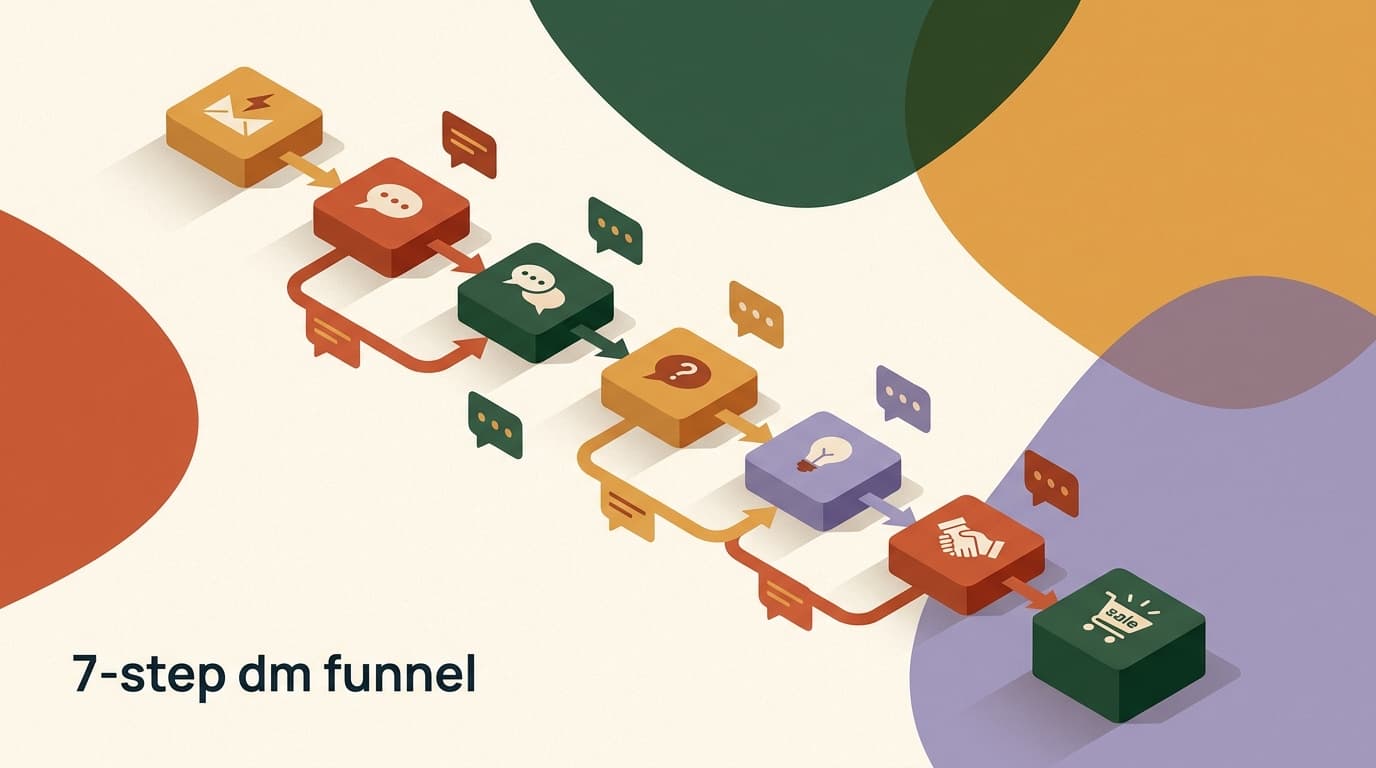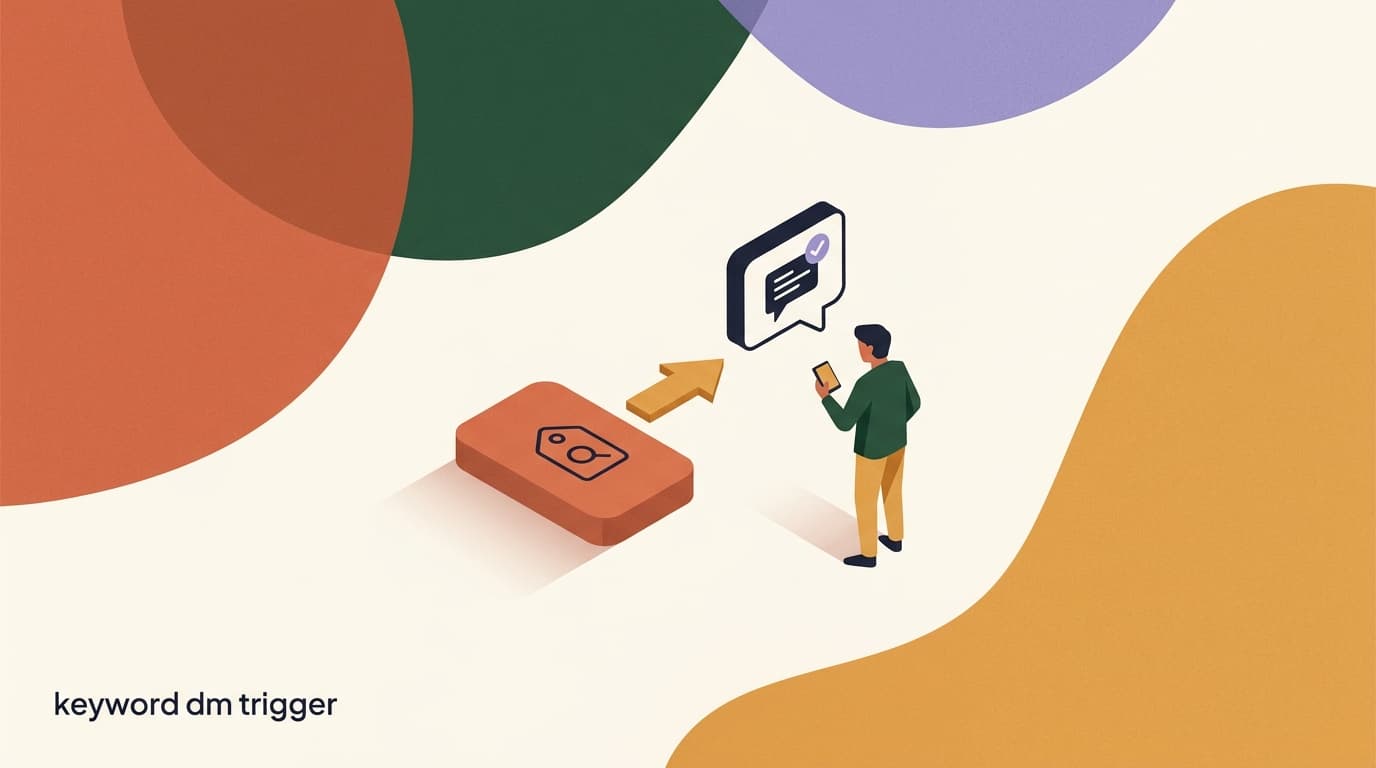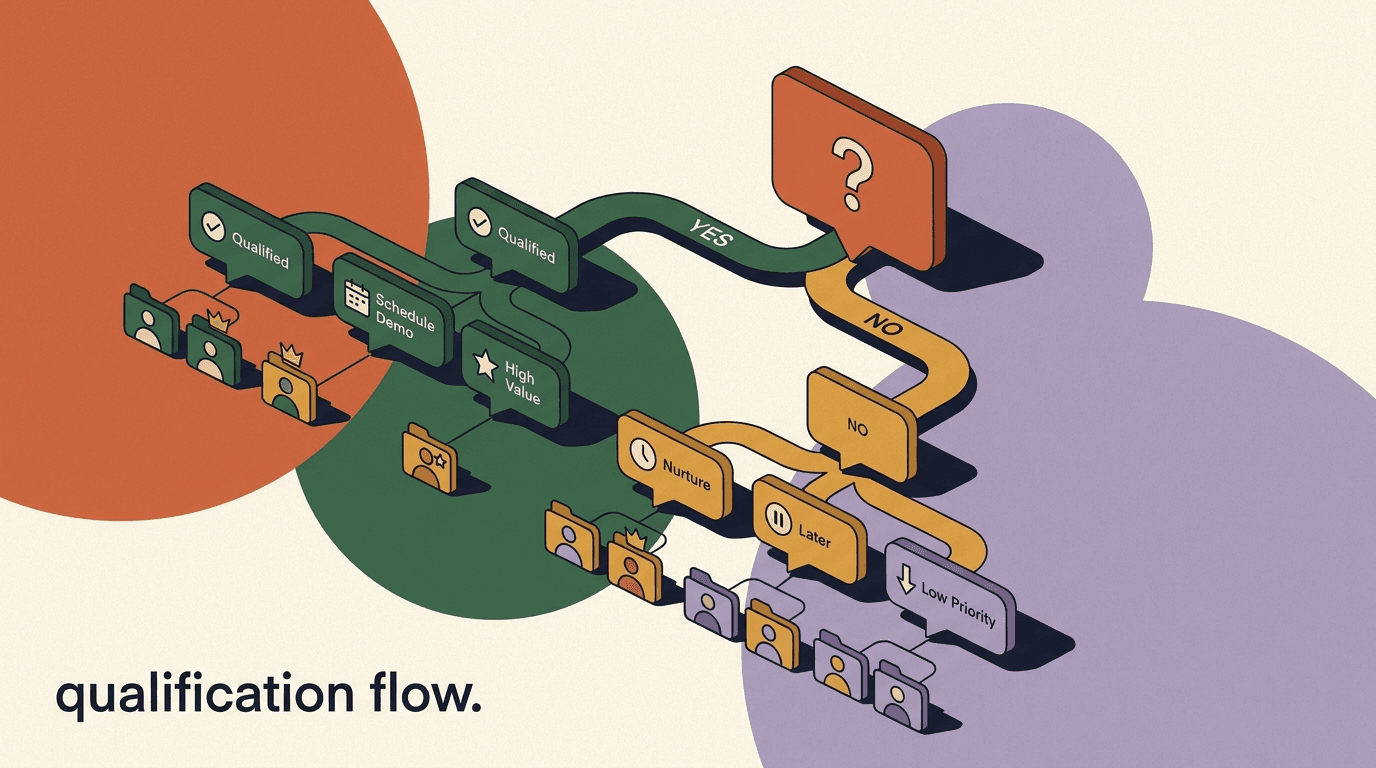
A DM qualification flow is an automated conversation that runs inside your direct messages, asks a short sequence of questions, and sorts each person into the right next step based on how they answer. Instead of every inbound DM landing in one undifferentiated pile, the flow figures out — in three or four messages — whether someone is a ready-to-buy lead, a maybe, or a tire-kicker, and then routes them accordingly. Done well, it turns a noisy inbox into a sorted queue where your time goes only to the people worth your time.
This is a build guide, not a strategy essay. We are going to construct the flow piece by piece: the trigger that starts it, the qualifying questions, the conditional branching that reacts to each answer, the tags and the score that capture what you learned, and the routing logic that sends hot leads to a booking link and cold leads to a nurture path. You will see the actual branch logic and sample questions, not just the theory.
If you want the framework behind qualification — which questions to ask, how to think about lead quality — that lives in our chat lead qualification piece. This article assumes you already know roughly what to ask and want to know how to assemble the machine that asks it. Full disclosure: we build KlyoChat, a no-code flow builder, so the mechanics here map directly to how our builder works. The logic itself is portable to any decent flow tool.
What is a DM qualification flow, and why build one?
A DM qualification flow is a branching automation that lives inside a single conversation thread. It greets the person, asks one question, waits for the reply, and uses that reply to decide what to ask or do next. Repeat that two to four times and you have enough signal to label the lead and route them. The output is not a sale — it is a clean decision about where this person should go.
The reason to build one is leverage. A human can qualify a lead in a five-minute chat, but a human cannot be awake at 2am when a DM arrives, cannot answer fifty inbound messages in the same hour, and cannot reliably tag every conversation for later. The flow does the repetitive front half of the conversation so your team only steps in when the lead is worth a real reply.
There is a second, quieter benefit: consistency. When qualification is automated, every lead gets the same questions in the same order, which means your data is clean. You can actually trust your tags and scores because they were applied by the same logic every time, not by whoever happened to pick up the conversation.
Think about what usually happens without one. A DM comes in. Someone on your team reads it, maybe replies, maybe forgets. If they reply, they ask whatever questions occur to them in the moment, which differ from what a colleague would ask. Some leads get five questions, some get none. Nobody tags anything consistently, so a week later you cannot tell who was a serious buyer and who was idly curious. The good leads cool off while they wait, and the weak ones eat the same amount of attention as the strong ones. A qualification flow removes that variance entirely.
It also changes the economics of going wide. The moment you trust a flow to sort your inbound, you can afford to drive far more DMs into it — from ads, from comment-to-DM posts, from story prompts — without that volume drowning your team. The flow scales linearly where a human does not, so the same headcount can handle ten times the inbound as long as the flow does the first pass.
- Sorts inbound DMs into hot, warm, and cold without a human reading each one first.
- Runs instantly and around the clock, so leads are qualified while interest is high.
- Applies the same questions and scoring to everyone, producing clean, trustworthy data.
- Frees your team to spend time only on conversations the flow has already flagged as worth it.
Qualification is sorting, not selling
The job of this flow is to decide where a lead should go, not to close them. Keep that boundary clear. The moment you try to make the flow do the selling too, the questions get pushy and reply rates fall. Sort first; sell in the routed step.
What do you need before you start building?
Before opening the builder, get four things straight. Skipping this is the most common reason a qualification flow produces messy data: people build the questions before they have decided what the answers are for.
First, your qualifying criteria — the two or three things that actually predict whether someone is a good lead for you. Budget, timeline, role, use case, fit. Second, your tags — the labels you will apply based on answers. Third, your custom fields — where you will store structured data like a score or a chosen plan. Fourth, your routing destinations — the booking link, the human handoff, the nurture sequence each outcome leads to.
A useful exercise here is to picture your single best customer and your single worst-fit inquiry, then ask what two or three facts would have told them apart in the first thirty seconds of a conversation. Those facts are your criteria. Everything else is curiosity, and curiosity does not belong in a qualification flow. If a question feels interesting but you cannot say what you would do differently based on the answer, leave it out — you can always learn it later in a human conversation with a lead you have already decided is worth one.
- List your three qualifying criteriaWrite down the two or three things that genuinely predict a good lead for your business. If a question does not change what you do next, cut it.
- Define your tag vocabularyDecide the labels in advance — for example hot-lead, warm-lead, cold-lead, plus topic tags like wants-demo or budget-low. Consistent names keep segments usable later.
- Create the custom fields you will write toAt minimum a numeric lead_score field. Add fields like chosen_plan or timeline if you want to store the specific answers for later personalization.
- Confirm your routing destinationsHave the real booking link, the team-inbox handoff path, and the nurture flow ready before you build, so each branch has somewhere concrete to point.
Three questions is usually the ceiling
Every question you add costs you some drop-off. Two to four questions is the sweet spot for a DM qualification flow. If you think you need six, you are probably trying to do discovery the flow should hand to a human.
Step 1: Choose the trigger that starts the flow
Every flow needs an entry point. The trigger decides who enters the qualification flow and when. Picking the right one matters because a qualification flow aimed at the wrong audience just annoys people — you do not want to interrogate someone who only said thanks.
The most common triggers for a qualification flow are a keyword in a DM, a reply to a story, a comment-to-DM handoff from a post, or an ad click that opens a conversation. Each one tells you something different about intent, which is useful: someone who DMs the word pricing is already further along than someone who just replied to a story poll.
You can also run the same qualification flow off several triggers at once, which is how most established accounts do it. A keyword trigger catches people who came looking, a comment-to-DM trigger catches people who engaged with a specific post, and an ad-click trigger catches paid traffic. They all feed the same questions, so your qualification logic stays in one place, but the opening message references where they came from so the conversation does not feel generic. The trigger is also your first, free data point — it is worth giving the highest-intent triggers a small head start in your scoring, since someone who typed a buying word has already shown more than someone who tapped a poll.
| Trigger type | Intent signal | Good for |
|---|---|---|
| DM keyword (e.g. pricing, info) | High — they typed a buying word | Catalog, services, demand-gen posts |
| Comment-to-DM on a post | Medium-high — engaged with content | Lead magnets, viral Reels, launches |
| Story reply / mention | Medium — reacting in the moment | Polls, behind-the-scenes, soft offers |
| Ad click to message | High — paid, deliberate | Cold-traffic campaigns, retargeting |
Match the opener to the trigger
A flow triggered by the keyword pricing should open differently than one triggered by a story reply. The pricing lead expects you to get to the point; the story replier needs a softer lead-in. One flow, but reference the trigger in your first message so it feels like a real reply.
Step 2: Write the opening message
The first message sets the tone and earns the right to ask a question. It should acknowledge why they are here, set a tiny expectation, and ask permission to proceed. A cold jump straight into question one feels like a form; a short human opener feels like a conversation.
Keep it to two short lines. Confirm you got their message, hint that you will ask a couple of quick things to point them in the right direction, and make the first ask feel light. The goal is the first reply — once someone answers once, they are far more likely to answer again.
Always give an easy yes first
Opening with a low-stakes yes/no question (cool? mind if I ask?) gets the first reply cheaply. That first interaction is the hardest one to earn. Once you have it, the qualifying questions land far better.
Opening message, two trigger versions
- Keyword 'pricing'
- Happy to help with pricing. Quick question or two so I send the right plan, not a wall of options. Cool?
- Story reply
- Thanks for the reply! Mind if I ask two quick things so I can point you to the right thing?
Step 3: Ask your first qualifying question with buttons
The first real question should be the one that splits your audience most cleanly. Lead with the criterion that most determines routing — often budget, timeline, or use case. And wherever you can, offer button replies instead of open text. Buttons give you clean, predictable answers your conditional logic can branch on without guessing.
Open-ended text answers are friendlier but harder to automate, because a person might type anything. Buttons constrain the answer to a known set, which is exactly what branching logic needs. Use buttons for the questions that drive routing, and save free text for the one detail you genuinely want in their own words.
- Lead with the question that most cleanly separates good leads from poor ones.
- Use button replies for anything that drives a branch — they keep answers machine-readable.
- Reserve one optional free-text question for a detail you want in the lead's own words.
- Never ask a question whose answer does not change a tag, a score, or the next step.
Sample qualifying questions (button-based)
- Q1 — Use case
- What brings you in today? [Buying for myself] [Buying for a team] [Just browsing]
- Q2 — Timeline
- When are you hoping to start? [This week] [This month] [Just researching]
- Q3 — Budget band
- What range fits your budget? [Under $50] [$50-150] [$150+]
Step 4: Add conditional branching on the answer
This is the heart of a conditional DM flow. After each question, the flow checks the answer and chooses a path. In a no-code builder this is a condition block: if the answer equals X, go down branch A; otherwise go down branch B. Chain these and you get branching DM logic that adapts the conversation to each person.
The key discipline is that every branch must converge again or end cleanly. A common beginner mistake is creating branches that dead-end — the lead answers, and nothing happens. Map your branches so that no matter which buttons someone presses, they always land on a tag, a score change, and an exit. Think of it as a tree where every leaf is a destination, never a void.
There are two broad branching shapes worth knowing. In a converging tree, the branches handle different answers but rejoin the main path to ask the next shared question — useful when you want everyone to answer the same set of questions regardless of earlier answers. In a diverging tree, an early answer sends someone down a path they never leave — useful when a single answer is disqualifying, like just browsing, where there is no point asking the remaining questions. Most real flows mix both: they converge on the questions that apply to everyone and diverge the moment an answer makes the rest irrelevant. Drawing this on paper before you build it in the tool saves an enormous amount of rework, because the structure is far easier to see as boxes and arrows than as a list of condition blocks.
No branch may dead-end
The fastest way to lose a lead is a branch that asks a question and then goes silent. Before you publish, walk every path: every button combination must arrive at a tag, a score update, and a clear exit. If a path leads nowhere, the flow is broken even if it never throws an error.
Branch logic on Q1 (Use case)
- IF 'Buying for a team'
- tag team-lead, +20 score, continue to Q2 (timeline)
- IF 'Buying for myself'
- tag self-serve, +10 score, continue to Q2 (timeline)
- IF 'Just browsing'
- tag cold, +0 score, skip to nurture exit
Step 5: Tag and score as the conversation goes
Tags and scores are how the flow remembers what it learned. A tag is a label — wants-demo, budget-low, team-lead. A score is a running number you add to with each answer, so that by the end of the flow you have a single figure that summarizes lead quality. Together they turn a conversation into structured, segmentable data.
Apply tags inline, right after the relevant answer, not all at once at the end. That way even if someone abandons the flow halfway, you still captured what they told you up to that point. A lead who answered the first two questions and then ghosted is still more qualified than one who never started — and your tags should reflect that.
For scoring, assign point values that reflect how much each answer predicts a good fit. High-intent answers add more; disqualifying answers add nothing or subtract. By the final step, the accumulated score is your routing signal: above a threshold is hot, below it is cold, the middle is warm.
A small but important detail: tags and scores answer different questions, and you want both. The score answers how good is this lead overall in one number, which is what routing needs. The tags answer what specifically is true about this lead, which is what your follow-up needs. A lead scoring 70 tells the routing logic to send them to a human; the tags team-lead and ready-now tell that human how to open the conversation. If you only kept the score you would lose the texture; if you only kept tags you would have no clean way to route. Keep both, and keep them in sync — every scoring event should usually correspond to a tag, and vice versa.
| Answer | Tag applied | Score change |
|---|---|---|
| Buying for a team | team-lead | +20 |
| Timeline: this week | ready-now | +25 |
| Budget: $150+ | budget-fit | +25 |
| Just browsing | cold | +0 |
| Timeline: just researching | low-intent | -10 |
Tag inline, score cumulatively
Apply each tag the instant you learn the fact, so partial completions still produce data. Let the score build across the whole flow, so the final number reflects the full picture. The two work together: tags tell you what, the score tells you how much.
Step 6: Set your hot, warm, and cold thresholds
With a score accumulating through the flow, you need cutoffs that turn the number into a decision. This is a single condition block at the end of the flow that reads lead_score and chooses the routing branch. Set the thresholds deliberately — too high and you starve your sales path of leads, too low and you waste human time on weak ones.
There is no universal right number; it depends on your point values and your appetite for follow-up. The example below uses a 100-point scale built from the scoring table above. Start with a guess, watch where real leads land for a week or two, then adjust the cutoffs so the hot bucket matches the leads your team actually wants to talk to.
| Score range | Segment | Route to |
|---|---|---|
| 60 and above | Hot | Booking link or live human handoff |
| 30 to 59 | Warm | Short nurture, then re-offer the booking link |
| Below 30 | Cold | Long nurture sequence, no human time |
Thresholds are dials, not laws
Your first cutoffs are a hypothesis. After a couple of weeks, look at where booked calls actually scored and slide the thresholds to match. The right hot threshold is the lowest score that still reliably produces good conversations.
Step 7: Route hot leads to a booking or handoff
Hot leads have earned a fast, human-grade response. The worst thing you can do after qualifying someone as hot is drop them into a generic nurture drip — you have just proven they are ready, so act like it. Route them straight to a booking link, a checkout, or a live human in your team inbox.
If you route to a human, the handoff should carry context. Pass the tags and score along so whoever picks up the conversation sees at a glance that this is a team-lead, ready-now, budget-fit person scoring 70 — not a cold start. A handoff without context just makes the human re-ask everything the flow already asked, which wastes the lead's patience.
- Send hot leads a direct booking link or a checkout link while intent is peak.
- If handing to a human, transfer the tags and score so they open with full context.
- Notify the team in the inbox so a hot lead never sits unanswered.
- Keep the hot path short — every extra step between hot and human leaks conversions.
Hot-lead routing message
- Message
- You are exactly who this is built for. Grab a time here and we'll get you set up: [booking link]
- Behind the scenes
- Notify team inbox, assign to sales, attach tags team-lead + ready-now + score 70
Step 8: Route warm and cold leads to nurture
Warm and cold leads are not failures — they are future pipeline that is not ready yet. The mistake is treating them identically to hot leads or, worse, ignoring them. Warm leads need a light nudge and a second chance to convert; cold leads need patient, low-touch nurture that keeps you in mind without demanding their attention.
For warm leads, a good pattern is a short value message now, then a re-offer of the booking link a day or two later. For cold leads, drop them into a longer educational sequence and let them raise their hand again when timing changes. Tag both so you can broadcast to them later — a cold lead today is a hot lead the month their budget frees up.
The single most valuable habit here is treating cold leads as an asset rather than a write-off. Most of the pipeline value in a qualification flow is not the hot leads you route today; it is the warm and cold leads you tagged correctly and can re-engage in three months with a single targeted broadcast. The flow that captures and labels those leads cleanly is quietly building a list you can sell to again and again, which is worth far more over a year than the handful of immediate bookings everyone fixates on. So resist the urge to skimp on the cold path — the tags you apply there are the seeds of next quarter's hot leads.
- Warm: send value, then re-offerGive one genuinely useful resource now, then re-present the booking link after a short delay while you are still fresh in their mind.
- Cold: enroll in long nurtureAdd the cold tag and route into an educational sequence that stays in touch without pressure, so they convert when timing changes.
- Tag everyone for future broadcastsBoth warm and cold leads should carry segment tags so you can re-engage them later with a targeted broadcast, not a cold restart.
Respect Meta's 24-hour messaging window
On Instagram, Facebook, and WhatsApp, Meta restricts standard messages to a 24-hour window after the user's last interaction. Your delayed nurture sends have to respect that window or use approved message templates. Build delays and re-engagement around this rule, not against it, or your messages will not send.
Step 9: Handle no-reply and unexpected answers
Real conversations are messy. People stop replying mid-flow, type a sentence where you expected a button, or answer a question you did not ask. A robust DM qualification flow plans for these instead of breaking on them. Two safeguards cover most cases: a timeout path and a fallback branch.
A timeout path fires when someone goes quiet for a set period — say, an hour or a day — and sends a gentle nudge to bring them back, or tags them as abandoned and exits. A fallback branch catches answers that do not match any of your expected buttons, usually by re-asking the question once or routing the free text to a human. Without these, a single unexpected reply can strand a lead forever.
It helps to remember that people on social channels behave nothing like people filling out a web form. They tap a button and then get distracted by another notification. They type a paragraph when you offered two buttons. They reply with a single emoji, or a voice note, or a question of their own that ignores yours entirely. A web form rejects all of that with a red error; a DM flow cannot, because there is a real person on the other end who will simply leave if the conversation feels broken. Your safeguards are what make the flow feel human enough to survive contact with real behavior. Build them in from the start rather than bolting them on after you notice leads disappearing.
- Add a timeout that nudges quiet leads once, then tags them abandoned and exits cleanly.
- Add a fallback branch for off-script answers — re-ask once, then hand to a human.
- Cap re-asks at one so the flow never loops a confused person in circles.
- Log abandoned and confused leads with tags so you can review and fix weak steps.
An AI agent can absorb the messy answers
Button logic handles tidy answers; free text is where rule-based flows struggle. An AI agent in the fallback branch can read an unexpected reply, infer what the person meant, and continue the qualification — covering the long tail that pure conditional logic cannot.
Step 10: Test every path before you publish
A qualification flow has many paths, and the only way to know they all work is to walk each one. Before you turn it on for real traffic, run yourself through the flow as a hot lead, a warm lead, and a cold lead, plus an abandon and an off-script reply. You are checking that every path tags correctly, scores correctly, and exits somewhere real.
Pay special attention to the seams: the moment a branch rejoins the main path, the moment the score crosses a threshold, the handoff to a human. These joins are where logic errors hide. It is far cheaper to find a dead-end branch in a test run than to discover it three weeks later in a pile of leads who never got a reply.
- Run the hot path end to endAnswer with high-intent buttons, confirm the score crosses your hot threshold, and verify you reach the booking link with tags attached.
- Run the warm and cold pathsAnswer with mixed and low-intent buttons, confirm each lands in the right segment and nurture exit with correct tags.
- Trigger a timeout and an off-script replyGo quiet to test the timeout, then type random text to test the fallback. Both should resolve cleanly, never strand you.
- Check the data after each runOpen the contact record and confirm the tags and lead_score match what you expected. If the data is wrong, the routing will be too.
What does a complete flow look like end to end?
Pulling the pieces together, here is the shape of a finished multi-step DM flow. Reading it as one map makes the structure clear: a single entry, a handful of questions each followed by a branch, scoring and tagging throughout, and three clean exits at the bottom.
Notice that the flow stays narrow — two to four questions — and that every path is accounted for, including the messy ones. That completeness is what separates a flow that quietly loses leads from one you can trust to run unattended.
Flow map, top to bottom
- Trigger
- Keyword 'pricing' or comment-to-DM
- Opener
- Acknowledge + ask permission (easy yes)
- Q1 use case
- Branch: team / self / browsing -> tag + score
- Q2 timeline
- Branch: this week / month / researching -> tag + score
- Q3 budget
- Branch: bands -> tag + score
- Threshold check
- Read lead_score, pick segment
- Exit A (hot)
- Booking link + human handoff with context
- Exit B (warm)
- Value + delayed re-offer
- Exit C (cold)
- Long nurture sequence
- Safeguards
- Timeout nudge + fallback to AI/human
Common mistakes that quietly kill qualification flows
Most failing qualification flows are not broken in an obvious way — they run, they just leak. The leaks come from a handful of recurring mistakes. Knowing them in advance saves you from learning each one through lost leads.
The throughline is that a qualification flow is a system, and systems fail at the edges: too many questions, branches that dead-end, scoring nobody tuned, and routing that treats hot leads like cold ones. Fix the edges and the core takes care of itself.
- Too many questions: every extra step sheds replies. Stop at the point where you can route confidently.
- Dead-end branches: an answer that leads nowhere strands the lead silently. Every path needs an exit.
- Untuned scoring: thresholds set once and never reviewed drift out of line with reality. Revisit them.
- Slow hot routing: making a hot lead wait or re-answer is the most expensive mistake in the whole flow.
- Ignoring the 24-hour window: delayed sends that violate Meta's rule simply do not deliver.
- No fallback for free text: one unexpected reply should never be able to break the flow.
Silence is the failure mode to fear
Flows rarely crash loudly. They fail by going quiet — a branch with no exit, a timeout that never fires, a hot lead waiting on a human who was never notified. Audit for silence, not just for errors. The lead who got no reply is the one you lost.
When should you add an AI agent to the flow?
Rule-based branching is perfect for structured, button-driven qualification. It starts to strain the moment leads go off-script, ask questions back, or need answers your buttons cannot cover. That is the signal to add an AI agent — not to replace the flow, but to handle the parts pure logic handles badly.
A good pattern is a hybrid: the conditional flow drives the structured questions and routing, and an AI agent sits in the fallback branch and at the end of the flow to field free-text questions, answer FAQs from your knowledge base, and keep qualifying when someone types instead of tapping. The flow gives you control and clean data; the AI gives you coverage of the long tail.
- Add AI when free-text answers and questions-back become common in your DMs.
- Use it in the fallback branch to interpret off-script replies and continue qualifying.
- Let it answer FAQs from a knowledge base so leads do not stall waiting on a human.
- Keep the rule-based branches for the core questions where predictability matters most.
Hybrid beats either extreme
Pure rules are rigid; pure AI is hard to keep on-script for routing. The reliable build is structured branching for the qualifying questions and an AI agent for the messy edges. You get clean routing data and graceful handling of anything unexpected.
How does this work in KlyoChat?
Everything in this guide maps to features in KlyoChat, so here is the honest version of how you would build it with us. KlyoChat is an AI-native unified inbox with a no-code flow builder. The builder supports the conditional logic, tags, and custom fields this flow needs, so the trigger, branching, scoring, and routing are all assembled visually — no code.
The trigger can be a DM keyword or a comment-to-DM handoff. Question steps support button replies that feed condition blocks directly. Tags and custom fields — including a numeric score — are applied inline as the conversation runs. For the messy edges, a KlyoChat AI agent can sit in the fallback branch and qualify free-text answers from a knowledge base. When a lead routes hot, the team inbox notifies a human and carries the tags and score into the handoff.
Being straight about the limits: KlyoChat has no native SMS or email, so if your nurture relies on those channels you will need another tool for that leg. We are also a newer product with a smaller community than the incumbents, so there are fewer third-party templates floating around. And like every platform on Meta's channels, your sends must respect the 24-hour window. None of that changes how the flow is built — it just shapes where KlyoChat fits.
- No-code flow builder with conditional branching, tags, and custom fields — the full toolkit this flow needs.
- AI agents can sit in the fallback branch and qualify free-text replies from a knowledge base.
- Team inbox carries tags and score into the human handoff on hot leads.
- Honest limits: no native SMS or email, a smaller community, and Meta's 24-hour window applies.
Start with one flow on your busiest channel
Do not build for every channel at once. Pick the channel where most of your DMs already land, build this one qualification flow, tune the thresholds for a couple of weeks, then copy the pattern to your other channels. One working flow beats five half-built ones.
KlyoChat plans (7-day free trial, no card)
- Basic
- $19/mo — flow builder, tags, custom fields, 1 AI agent
- Pro
- $49/mo ($39 yearly) — all channels, custom AI agents, team inbox
- Business
- $129/mo — higher limits, API, integrations
A DM qualification flow is, at its core, four moving parts: a trigger that brings the right people in, branching questions that learn what you need to know, tags and a score that capture it as clean data, and routing that sends each segment to the right next step. Keep it to two to four questions, make sure no branch dead-ends, tune your thresholds against real leads, and respect Meta's 24-hour window, and you have an unattended system you can actually trust.
If you want the thinking behind which questions to ask, read our chat lead qualification framework; for the wider funnel this flow sits inside, see DM funnel automation; and to get more leads into the top of it, the Instagram keyword DM trigger guide pairs well. When you are ready to build, the flows and AI agents docs cover the mechanics, and the pricing page shows where it fits.