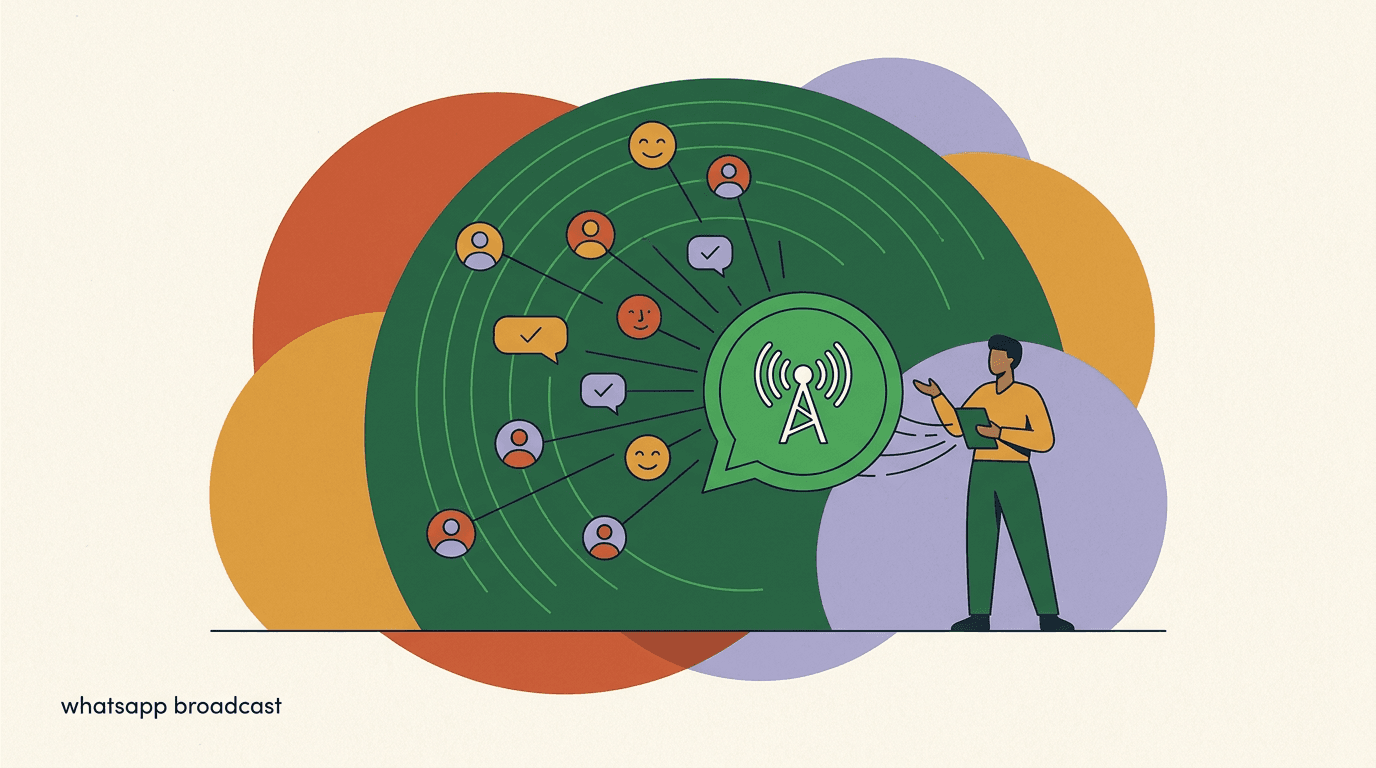
A WhatsApp broadcast in 2026 is, at its simplest, one message sent to many people at once. But the word hides two very different products with very different rules. The consumer WhatsApp Business app has "broadcast lists" — a manual feature with hard caps and a quirky requirement that every recipient must have saved your number. The WhatsApp Business Platform (the API) has true broadcasting: you push approved message templates to opt-in segments of thousands, Meta charges you per conversation, and a behind-the-scenes quality rating decides how many people you are allowed to reach.
Getting these two confused is the most common reason a WhatsApp broadcast underperforms or, worse, gets an account flagged. The free app feels like the obvious starting point, and it is — but the moment a business tries to scale broadcast lists the way it would scale an email list, it hits a wall: the save-the-contact rule, the per-list cap, and the manual sending that does not survive contact with a real audience. The API removes those walls but adds its own structure: consent, templates, fees, and a quality system that quietly governs everything.
This guide separates the two cleanly, then walks through the parts that trip teams up: opt-in and how to collect it, the marketing-versus-utility template split, quality ratings and messaging-limit tiers, segmentation strategy, timing and frequency, the practices that keep your number out of trouble, the costs, and a full illustrative campaign walkthrough you can adapt. The aim is that by the end you can plan a WhatsApp broadcast that reaches the right people, stays compliant, and protects the reputation of your number.
Full disclosure: we build KlyoChat, an AI-native inbox that includes WhatsApp broadcasting, so we have a point of view. We have kept the rules here to what Meta publishes, and because Meta revises its policies and numbers regularly — tier thresholds, conversation pricing, and quality mechanics have all changed more than once — we tell you to verify the live limits and quality policy on Meta's own documentation rather than treating any figure here as permanent.
What is a WhatsApp broadcast, exactly?
A broadcast is a one-to-many message where each recipient receives it as a private, individual chat — not a group thread. Nobody sees who else got the message, and replies come back to you privately. That is the appeal: the reach of a campaign with the feel of a personal message. Because WhatsApp open and read rates tend to run far above email, a well-targeted broadcast can be one of the highest-engagement touches a business has — which is exactly why Meta wraps it in so many rules.
Where it gets confusing is that "broadcast" describes two completely separate tools depending on which WhatsApp product you use. One is a manual feature inside the free consumer app. The other is programmatic sending through the Business Platform API. They share a name and almost nothing else — different caps, different costs, different consent rules, and different ceilings on how far you can scale. The rest of this guide treats them as the distinct products they are, because the single biggest planning mistake is assuming a tactic that works on one will work on the other.
| Aspect | Business app broadcast list | Business Platform (API) broadcast |
|---|---|---|
| Who it is for | Solo and very small businesses | Growing brands, agencies, software |
| Recipient cap | Small per-list limit (see Meta) | Large segments, gated by messaging limit |
| Save-contact rule | Recipients must save your number | No save required if they opted in |
| Message format | Free-form text and media | Approved templates for outbound |
| Cost | Free | Meta per-conversation fees |
| Personalization | Manual | Dynamic variables and segments |
Two tools, one name
When someone says "WhatsApp broadcast," ask which one they mean. The consumer app's broadcast lists and API broadcasts have different caps, costs, and rules. Almost every scaling problem comes from applying one tool's expectations to the other.
How do broadcast lists work in the WhatsApp Business app?
The free WhatsApp Business app lets you create a broadcast list — a saved group of recipients you can message in one action. Each person receives the message as a normal one-to-one chat. It is genuinely useful for a freelancer or a corner shop with a small, loyal customer base: a salon confirming the week's appointments, a tutor sending a class reminder, a market stall announcing what is fresh today. For that scale, it is free and it works.
The catch is the rule that surprises everyone: a broadcast list message only reaches people who have saved your business number in their phone contacts. If a customer messaged you once but never saved you, your broadcast simply will not land in their chat — no error, no notice, it just silently does not arrive. This makes the feature fine for repeat, relationship-based customers and effectively useless for cold lists, one-time leads, or anyone you acquired through ads or forms who never thought to add you as a contact.
There is a second, quieter limitation: broadcast lists give you no real visibility. You cannot segment, you cannot personalize beyond what you type by hand, you cannot schedule, and you get nothing resembling campaign analytics. Every send is a manual act. For a business with dozens of contacts that is fine. For a business with thousands, it is a part-time job that produces no data — and that combination is the signal you have outgrown the app.
- Recipients must have your number saved, or the message does not deliver to them.
- Lists have a modest per-list size cap — check the current number in the app.
- Sending is manual: you compose and send each broadcast yourself.
- No segmentation, no automation, no dynamic personalization beyond what you type.
- Free, with no per-message fees, because it rides the consumer app.
The save-the-contact trap
Many small businesses assume a broadcast list reaches everyone who has ever messaged them. It does not. It reaches only contacts who saved your number. If reach matters, you have outgrown broadcast lists and need the API.
How do API broadcasts differ, and when do you need them?
The WhatsApp Business Platform — the API — is the real broadcasting engine. Instead of manually messaging contacts who saved your number, you send approved message templates to opted-in segments programmatically, through a provider or a tool built on the API. There is no save-the-contact requirement: if a person opted in, they receive your message, full stop. That single difference is what turns WhatsApp from a customer-service inbox into a marketing channel.
The trade-offs are structure and cost. Outbound, business-initiated broadcasts must use a pre-approved template, Meta charges a per-conversation fee, and your reach is governed by a messaging limit tied to your quality rating. In exchange you get scale, segmentation, dynamic variables, automation, scheduling, and analytics — none of which the consumer app offers. You also get the 24-hour customer service window: once a person replies, you can message them freely with non-template content for 24 hours, which is where the real conversation (and conversion) happens.
You have outgrown broadcast lists and need the API the moment any of the following is true: you want to reach people who have not saved your number, your list is in the thousands, you need to segment and personalize at scale, you need scheduling or automation, or you need data on what each broadcast actually achieved. If two or more of those are true, the migration is overdue.
When to move from app to API
- You message 30 repeat customers who saved you
- Broadcast lists are fine
- You need to reach 3,000 opted-in leads who never saved you
- You need the API
Broadcast lists vs API broadcasts: which should you choose?
The choice is rarely about preference — it is about scale, audience source, and whether you need data. Most businesses start on the app because it is free and instant, then hit a ceiling and move to the API. Knowing the ceiling in advance saves you from rebuilding your process under pressure during a campaign.
The honest framing: broadcast lists are a relationship tool for a known, saved audience; the API is a marketing-and-lifecycle tool for an opted-in audience at scale. Neither is strictly better. A business with 200 loyal regulars who all saved its number may never need the API. A business growing through click-to-WhatsApp ads needs it on day one, because almost none of those leads will save the number.
| Decision factor | Stay on broadcast lists if… | Move to the API if… |
|---|---|---|
| Audience size | Tens to low hundreds | Thousands and growing |
| How they reached you | They saved your number | Ads, forms, checkout — no save |
| Personalization | A name typed by hand is enough | Dynamic variables across segments |
| Automation | Manual sending is acceptable | Scheduled or triggered sends needed |
| Analytics | You do not need delivery data | You need delivery, read, reply data |
| Budget | Free is a hard requirement | Per-conversation fees are acceptable |
Plan the migration before you need it
If you can see your list crossing into the thousands or your acquisition shifting to ads and forms, set up the API path before a big campaign forces it. Migrating mid-campaign — re-collecting consent, getting templates approved — under a deadline is how compliance corners get cut.
Why is opt-in the single most important broadcast rule?
Meta's WhatsApp Business policy is unambiguous: you may only send business-initiated messages to people who have opted in to hear from you. Opt-in is not a nicety — it is the legal and platform basis for the entire broadcast channel. Send to people who did not opt in and you invite blocks, which drag down your quality rating, which cuts your messaging limit, which can ultimately get your number restricted. The whole chain of consequences starts with consent, which is why everything else in this guide is downstream of getting opt-in right.
Valid opt-in means the person actively and knowingly agreed to receive WhatsApp messages from your business, with your business name clear and the channel (WhatsApp specifically) named. A buried checkbox, a pre-ticked box, or a scraped phone list does not count. The consent must be specific enough that the person understood they were signing up for WhatsApp messages from you — not generic marketing, not email, not SMS. Keep a record of when, where, and how each contact opted in, because if Meta ever reviews your account, that record is your defense.
It also helps to think of consent as something that can lapse. A person who opted in two years ago and has ignored every message since is, in practice, no longer interested — and continuing to broadcast to them generates the exact silence-then-block pattern that hurts quality. Treating opt-in as a living signal rather than a permanent checkbox is both more respectful and better for your number's health.
- Opt-in must be explicit, name your business, and name WhatsApp as the channel.
- Common valid sources: a website form, a checkout checkbox, a click-to-WhatsApp ad, an in-chat keyword.
- Never buy or scrape phone lists — that is the fastest route to a banned number.
- Store proof of opt-in (timestamp, source) in case of review.
- Make opt-out easy; honoring it protects your quality rating.
Opt-in is your quality firewall
Every broadcast you send to a non-opted-in number is a block waiting to happen, and blocks are the main thing that lowers your quality rating. A clean, consented list is not just compliant — it is the cheapest way to protect your messaging limit.
How do you actually collect WhatsApp opt-in?
Knowing you need opt-in is the easy part; building a steady flow of it is the work. The good news is that the best opt-in sources are also the highest-intent ones, so a clean list tends to be a more engaged list. The goal is to make saying yes to WhatsApp easy and obvious at moments when the person already wants to hear from you.
Spread your collection across several touchpoints rather than relying on one. Each source below produces consent that is specific to WhatsApp and easy to document — which is exactly what Meta's policy wants and what protects you in a review.
- Website forms and pop-ups with an explicit, unticked WhatsApp opt-in checkbox and your business name.
- Checkout opt-in: a clear choice at purchase to receive order updates and offers on WhatsApp.
- Click-to-WhatsApp ads on Facebook and Instagram, where tapping the ad starts a conversation and consent.
- WhatsApp QR codes and short links on packaging, receipts, in-store signage, and email footers.
- In-chat keyword opt-in: the user messages a keyword (for example, JOIN) to confirm they want broadcasts.
- Account or profile settings where existing customers can switch WhatsApp updates on.
Capture the proof at the moment of consent
Whatever method you use, log the source and timestamp alongside the contact. "They opted in via the checkout box on this date" is the kind of record that ends a Meta review quickly. Consent you cannot prove is consent you may have to defend.
Weak opt-in vs strong opt-in
- Pre-ticked box buried in terms, no channel named
- Not valid — invites blocks and review risk
- Unticked box: "Send me WhatsApp updates from [Brand]"
- Valid, specific, documentable
What is the difference between marketing and utility templates?
Outbound, business-initiated broadcasts on the API must use a message template that Meta has reviewed and approved in advance. You cannot send a free-form promotional message cold; it has to be a template. Templates fall into categories, and the category drives both what you are allowed to say and how much you pay. The two categories that matter most for broadcasting are marketing and utility.
Marketing templates are promotional: offers, launches, re-engagement, newsletters, anything designed to drive a sale or bring someone back. Utility templates are tied to a specific transaction or account the user already has: order updates, shipping notifications, appointment reminders, payment confirmations. Authentication templates (one-time passcodes) are a third category with their own rules. Meta prices these categories differently and judges them by different standards, so picking the right one is both a compliance and a cost decision.
Templates also support variables — placeholders such as a name, an order number, or an appointment time that get filled in per recipient at send time. This is how an API broadcast stays personal at scale: the same approved template reaches thousands of people, but each person sees their own details. Approval is not instant; templates go through a review that can reject vague, spammy, or miscategorized content, so build approval time into any campaign timeline. Our companion guide on WhatsApp template approval covers how to get templates through cleanly.
| Category | What it covers | Typical use in a broadcast |
|---|---|---|
| Marketing | Promotions, offers, launches, re-engagement | Sale announcements, new product drops |
| Utility | Transaction or account-specific updates | Order shipped, appointment reminder |
| Authentication | One-time passcodes and verification | Login codes (not promotional sends) |
Do not dress up marketing as utility
Meta classifies templates by their actual content, not the category you select. Labeling a promotional blast as "utility" to save on fees gets the template rejected or re-categorized, and repeated attempts hurt your standing. Match the category to what the message really is.
How does the quality rating work, and why does it gate your reach?
Every WhatsApp Business phone number carries a quality rating that Meta calculates from how recipients react to your messages over a rolling window. It is shown as a simple status — typically green (high), yellow (medium), and red (low). The rating is the platform's read on whether people want your messages, inferred from how they behave when they receive them.
It matters because it is wired directly to your messaging limit. A healthy rating lets you climb to higher limit tiers and reach more people; a poor rating freezes or lowers your limit and, if it stays low, can lead to your number being restricted or flagged. Negative signals — blocks, "report" taps, and to a lesser degree people muting or simply never engaging — pull the rating down. Positive engagement, replies, and low block rates keep it up. Crucially, it is the recipients' reactions Meta measures, not your intent: a perfectly legal message sent to people who did not really want it will still hurt you if they block.
The rating is per phone number, so it cannot be reset by switching campaigns, and it moves over a recent rolling window, which cuts both ways. A bad week can drag you down quickly, but it also means you can recover by sending better — fewer, more wanted messages — for a stretch. Many teams treat the rating as a real-time scoreboard: if it drops to yellow after a send, that is feedback to slow down and tighten targeting before the next one, not a problem to push through.
- Quality is driven mostly by blocks and reports, so relevance and consent are everything.
- Ratings are per phone number and move over a rolling recent window, not forever.
- A drop to a low rating can pause your ability to raise your messaging limit.
- You can usually recover by sending fewer, more wanted messages for a stretch.
- Monitor the rating in your WhatsApp Manager / Business account dashboard.
Treat quality rating like a deliverability score
Think of it the way email marketers think of sender reputation. You protect it by mailing people who want to hear from you, at a sane frequency, with content that earns replies instead of reports. Everything in this guide ladders up to that.
What are WhatsApp's messaging limits and tiers?
Messaging limits cap how many unique customers your number can start business-initiated conversations with in a rolling 24-hour period. They apply to outbound broadcasts, not to replies inside an open conversation window. New numbers start in a low tier and earn their way up by sending quality, opted-in messages while keeping a good rating. As you reliably hit your current ceiling with healthy quality, Meta moves you to the next tier — and the jumps between tiers are large, often multiplying your reach rather than nudging it.
Two things commonly surprise teams. First, the limit is on unique customers initiated, so a campaign to a huge list cannot all go out in one burst if it exceeds your tier — you may need to spread it or grow your tier first. Second, the path up is gated by quality, not just volume: blasting hard to climb faster backfires if it generates blocks, because a falling rating freezes your progression. The system is deliberately designed so that the only sustainable way to reach more people is to be the kind of sender people want to hear from.
The exact tier thresholds, the size of each jump, and the precise rolling-window mechanics are set and revised by Meta, and they have changed more than once. Because of that, we are not going to print specific numbers that could be stale by the time you read this. The mechanism is what matters: limits scale up with volume plus quality, and they scale down or freeze if quality drops. For the current tier figures, check Meta's official messaging limits documentation before you plan a large send.
- Start in the entry tierA new number can initiate conversations with a limited number of unique customers per rolling day. Verify the current entry cap on Meta's docs.
- Send quality, opted-in messagesReach your current limit consistently while keeping blocks and reports low and your quality rating healthy.
- Earn an upgrade to the next tierMeta automatically raises your limit when your volume and quality justify it. The jumps are large, but quality must hold.
- Defend the limitIf your rating falls, your limit can freeze or drop. Cut frequency, tighten targeting, and let quality recover before pushing volume again.
Numbers change — verify on Meta
Specific tier thresholds, the size of each jump, and the rolling-window mechanics are all set by Meta and revised periodically. We deliberately avoid quoting figures that go stale. Confirm the live messaging limits and quality policy in Meta's current documentation before you plan a campaign.
How should you segment a WhatsApp broadcast?
Blasting your entire list with the same message is the surest way to rack up blocks and reports, because most of the list did not want that particular message. Segmentation is the antidote: send each message only to the people for whom it is relevant. Smaller, sharper broadcasts almost always beat one giant one — better engagement, fewer blocks, a healthier quality rating, and often a lower bill because you are not paying to message people who will never convert.
Useful segments are built from what you already know about contacts: how they opted in, what they bought, where they are, what language they speak, how recently they engaged, and what they have responded to before. The more your message reads like it was meant for that specific person, the more replies and the fewer reports you get. Segmentation is not just a relevance tactic; on WhatsApp it is a quality-protection tactic, because every irrelevant send is a candidate for a block.
A practical principle is to suppress as deliberately as you target. Deciding who not to send to — recent non-engagers, people who just received a different message, customers who already bought the thing you are promoting — protects your rating as much as choosing the right audience does. The best WhatsApp marketers send to fewer people more often than they would on email, and they treat the right to a contact's attention as something to spend carefully.
- Segment by lifecycle: new opt-ins, active buyers, lapsed customers.
- Segment by behavior: clicked a previous broadcast, abandoned a cart, browsed a category.
- Segment by attributes: location, language, product interest, plan tier.
- Suppress recent non-engagers from promotional sends to protect quality.
- Use dynamic variables (name, order, appointment) so each message feels personal.
Broad blast vs segmented send
- One offer to all 10,000 contacts
- High block rate, many irrelevant recipients, quality drops
- The offer to the 2,200 who bought that category
- Higher reply rate, lower blocks, quality holds
When is the best time to send a broadcast?
WhatsApp is an intimate channel — it sits in the same app where people talk to family and close friends. That makes timing and frequency far more sensitive than email. A message at the wrong hour, or one too many in a week, reads as intrusive in a way an extra email never would, and intrusion on WhatsApp turns into blocks fast. The notification buzz in a personal space carries a higher bar; clear it and engagement is excellent, miss it and the block is a tap away.
There is no universal best time; the right answer depends on your audience's timezone, habits, and your own data. But there are reliable principles: respect local waking hours, avoid early mornings and late nights, lean toward moments when people are receptive, and keep promotional frequency conservative. Frequency is usually the bigger lever than time-of-day — sending the right message too often does more damage than sending a good message an hour early. Let your own open and reply data refine the rest, and when in doubt, send less.
- Send within local daytime hours; honor each contact's timezone where you can.
- Avoid very early mornings and late nights — they feel invasive and trigger blocks.
- Keep promotional frequency conservative; WhatsApp tolerates far fewer sends than email.
- Tie utility messages to the event (order, appointment) rather than a fixed marketing schedule.
- Test send windows on a small segment, then roll the winner out.
Frequency is a quality lever
The fastest way to tank a quality rating is to message too often. If reply rates fall and blocks rise, cut frequency before you change anything else. On WhatsApp, restraint is a growth strategy.
What best practices keep your number from getting blocked?
Most blocks and restrictions are avoidable. They come from sending unwanted messages to people who did not clearly ask for them, too often, with the wrong category. Tighten those and your quality rating — and therefore your reach — takes care of itself.
Here is the short, durable checklist. None of it is clever; all of it is the difference between a broadcast channel that scales and one that gets throttled.
- Send only to clear opt-insEvery recipient should have knowingly agreed to WhatsApp messages from you. Keep proof. Never use bought or scraped lists.
- Match the template to the messageUse marketing templates for promotions and utility templates for transactional updates. Do not mislabel to cut fees.
- Segment and personalizeSend relevant messages to the right slice of your list. Relevance is what keeps blocks low and quality high.
- Control frequency and timingMessage during local daytime, keep promotional cadence light, and watch reply rates as your early-warning signal.
- Make opt-out easyOffer a simple way to stop, and honor it immediately. A clean opt-out is far better for quality than a forced one (a block).
- Monitor quality and adjustWatch your quality rating and messaging limit. If quality dips, reduce volume and tighten targeting until it recovers.
Blocks are the metric to fear
Recipient blocks and reports are the dominant input to your quality rating. Optimize everything else, but if blocks rise you are losing. Lower-volume, higher-relevance sending beats high-volume blasting on every measure that matters.
What does a well-run broadcast campaign look like, end to end?
Principles are easier to apply against a concrete example, so here is an illustrative walkthrough — a small e-commerce brand running a weekend sale to its opted-in WhatsApp list. The figures are made up to show the shape of a good campaign, not a benchmark; your numbers will differ. Notice how every step is really a quality-protection decision in disguise.
The brand has 8,000 opted-in contacts. Instead of one blast to all 8,000, it builds the campaign around segments, an approved template, careful timing, and a plan for the replies the broadcast will generate. The whole point is to send the sale to people likely to want it and to spare everyone else.
- Confirm consent and clean the listFilter to contacts with valid, recent opt-in and remove anyone who opted out or has ignored the last several sends. Say 8,000 drops to 6,500 truly active contacts.
- Build the segmentsSplit into past buyers of the on-sale category (about 2,400), recent browsers who never bought (about 1,800), and the rest of the active list (about 2,300). Each gets a slightly different angle.
- Get the marketing template approvedSubmit a marketing template with variables for first name and a personalized offer line, built and sent a few days ahead so approval lands before launch.
- Schedule by timezone within daytime hoursSend to each segment during its local late-morning window, not all at once at midnight UTC, so messages arrive when people are awake and receptive.
- Send the highest-intent segment firstBroadcast to past buyers first, watch the quality rating and block rate, and only then roll out to the broader segments. If quality dips, pause and reassess before continuing.
- Handle the replies, fastA good broadcast generates inbound questions. Have AI or staff ready to answer within the 24-hour window — this is where replies turn into sales and where ignored messages turn into blocks.
- Measure and learnCompare read, reply, click, and block rates by segment. The segment that blocked most tells you what to suppress next time; the one that converted most tells you where to invest.
Stagger the rollout as a safety valve
Sending your highest-intent segment first turns each broadcast into a live test. If blocks spike on the safest audience, that is your signal to fix the message before it reaches the larger, riskier segments — not after.
One blast vs the segmented campaign
- 8,000-contact single blast
- Many irrelevant recipients, spike in blocks, rating drops to yellow
- 6,500 cleaned, sent in 3 timed segments
- Higher reply and conversion rates, rating stays green
What does a WhatsApp broadcast cost in 2026?
On the consumer app, broadcast lists are free. On the API, Meta charges per conversation, and the price depends on the template category and the recipient's country. Marketing conversations generally cost more than utility ones, and rates vary widely by market — reaching a contact in one country can cost a multiple of reaching one in another. These per-conversation fees are set by Meta and apply on any platform you use to send; they are not a charge from your software vendor, and switching tools does not change them.
This is why segmentation pays for itself twice: a tighter audience means fewer wasted conversations and a lower bill, on top of the quality benefits. It also means the most expensive broadcast is the irrelevant one — you pay Meta to deliver a message and pay again in quality when the recipient blocks. Meta has also revised its pricing model itself, not just the rates, shifting how conversations are counted, so a number you memorized last year may no longer describe how billing works.
Meta revises its conversation pricing model and rates over time, so we will not print a rate card that could mislead you. Budget the way you would for any usage-based channel: estimate conversations per broadcast, multiply by your countries' current rates and categories, add a margin, and confirm the live numbers in Meta's pricing documentation. For a fuller treatment of the economics at scale, see our companion guide on WhatsApp Business API cost.
- Broadcast lists in the app: no per-message fee.
- API broadcasts: Meta per-conversation fees, set by category and country.
- Marketing conversations typically cost more than utility conversations.
- These fees are Meta's and apply regardless of which sending tool you use.
- Verify current rates on Meta's pricing page — they change.
Separate Meta's fees from your software bill
Whatever tool you broadcast through, Meta's per-conversation fees are the same underlying cost. What differs between tools is the subscription wrapped around it. Compare software on the subscription, not on the Meta fees, which you will pay either way.
The honest summary of WhatsApp broadcasting in 2026: there are two products wearing one name. Broadcast lists in the consumer app are free, manual, capped, and only reach people who saved your number — fine for a tiny business, a dead end for growth. The Business API is the real broadcast channel, but it runs on opt-in, approved template categories, per-conversation fees, and a quality rating that decides how far you can reach.
Get the fundamentals right — explicit consent, the correct template category, tight segments, sane frequency, and a watchful eye on your quality rating and messaging limit — and broadcasting becomes one of the highest-engagement channels you have. Get them wrong and you throttle yourself. And because Meta keeps revising the limits and rates, build the habit of checking its current documentation before every major campaign.
How KlyoChat handles WhatsApp broadcasts
We built KlyoChat as an AI-native, mobile-first unified inbox that brings Facebook, Instagram, Telegram, WhatsApp, TikTok, and X into one place. WhatsApp broadcasting is built in, on top of the Business API, so you send to dynamic segments with approved templates rather than manually messaging contacts who happened to save your number.
The point is to make the best practices in this guide the default. You build segments from contact attributes and behavior, send approved templates to opted-in audiences, and let custom AI agents — included in your plan — handle the replies a broadcast generates across every channel, not just WhatsApp. Analytics show you what landed so you can keep blocks low and quality high.
- Broadcasts to dynamic segments, so each message reaches the right slice of your list.
- WhatsApp included alongside Instagram, Facebook, Telegram, TikTok, and X in one inbox.
- Custom AI agents included — they answer the inbound a broadcast creates, included in your plan.
- Mobile-first: build and review broadcasts from your phone, not just a desktop.
- Analytics to watch engagement and protect your quality rating.
Honest limits worth stating
KlyoChat has no native SMS or email, and we are a newer, smaller community than the incumbents. Broadcasts still require opt-in and approved templates, and Meta — not us — sets the messaging limits, quality rules, and per-conversation fees that apply to everyone. We bundle the software around those rules; we cannot change the rules.
KlyoChat plans at a glance
- Basic
- $19/mo — unified inbox, broadcasts, AI agent included
- Pro
- $49/mo ($39 billed yearly) — all channels, dynamic segments, custom AI agents
- Business
- $129/mo — higher volume, more seats, advanced needs