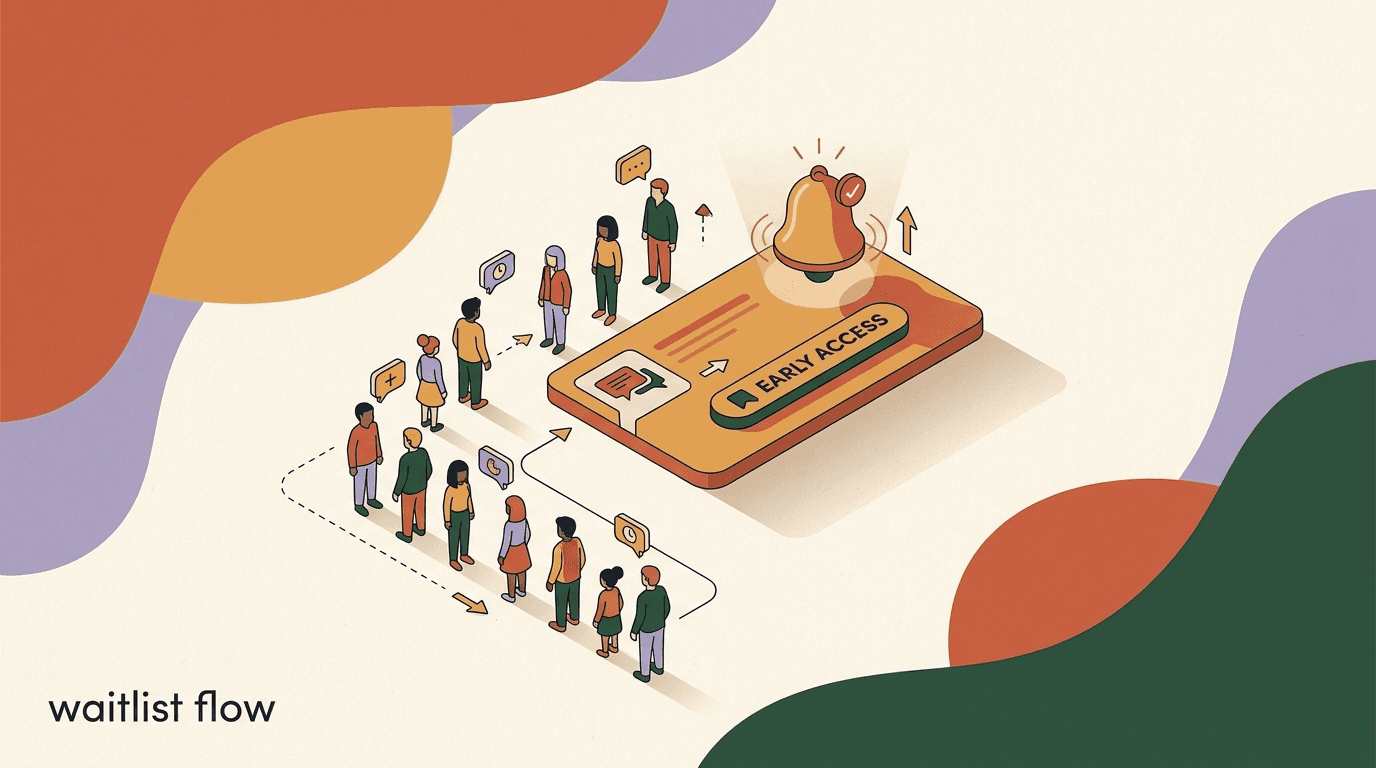
A waitlist flow is the chat version of a launch list: someone comments a keyword or sends a DM, your automation confirms their spot, keeps them warm until launch day, and then notifies them the moment early access opens. Instead of a static signup page that collects an email and goes quiet, the whole thing happens inside the conversation people already use — Instagram, WhatsApp, Telegram, or Facebook Messenger. The result is a launch waitlist that feels like a personal reply rather than a form submission, and a pre-launch flow you can build once and reuse for every drop.
This is a build tutorial, not a pep talk. We will go from a cold audience to a live launch broadcast, step by step, with sample copy you can adapt. You will set up the keyword trigger, write the join-the-waitlist DM, decide what to collect, design the nurture that runs while people wait, segment your list, and send the notify broadcast on launch day. We will also be honest about the parts vendors gloss over: opt-in requirements, the 24-hour messaging window, template approval, and the per-conversation fees Meta charges on WhatsApp. Those rules shape how a waitlist funnel actually behaves, so we treat them as part of the build, not fine print.
We build KlyoChat, so we have a point of view about how this should feel. But most of what follows is platform-agnostic: the flow logic, the copy patterns, and the launch mechanics apply whether you run this on our tool or someone else's. Where a rule comes from Meta rather than from us, we say so, and we point you to the source instead of paraphrasing it into something that sounds more convenient than it is.
What is a waitlist flow, and why build it in chat?
A waitlist flow is an automated conversation that turns interest into a confirmed early-access signup and then carries that person all the way to launch. It has four jobs, and they happen in order: capture the signup, confirm it, nurture the wait, and notify at launch. Each job is a small, boring piece of automation on its own. Strung together, they replace the manual scramble most teams do around a launch — the spreadsheet of names, the copy-pasted DMs, the frantic day-of broadcast that half the list never sees.
The reason to run it in chat rather than on a landing page is reach and reply rate. A DM lands in the same inbox as messages from friends, so it gets opened. A conversation lets you ask a follow-up question and get an answer, which a form cannot. And because the person messaged you first, you have a warmer relationship and, on most channels, a permission window to keep talking. A launch waitlist built this way tends to convert better at the moment of launch precisely because the audience never went cold — they were in a conversation the whole time.
None of this makes chat a magic channel. It is a good fit when your audience already lives on social platforms, when your offer benefits from a short back-and-forth, and when you can respect the messaging rules that keep your account in good standing. It is a worse fit if your buyers do not use these apps, or if you need to reach a purchased list of strangers — chat platforms are built for people who opted in, and trying to bend them into cold outreach is how accounts get restricted.
| Stage | What happens | Trigger or action |
|---|---|---|
| Capture | Interest becomes a signup | Keyword comment or DM opt-in |
| Confirm | Signup is acknowledged | Automated confirmation message |
| Nurture | Interest stays warm | Timed nurture sequence |
| Notify | Launch is announced | Segmented launch broadcast |
The four stages are the whole tutorial
Capture, confirm, nurture, notify. Every section below maps to one of these stages. If you only build capture and notify, you have a list and a blast. The confirm and nurture stages are what make the launch land, so do not skip them.
What do you need before you build a waitlist flow?
Before you touch the flow builder, get four things in place. None of them take long, but skipping them is the most common reason a waitlist funnel stalls halfway through the build. Think of this as the mise en place: gather it now so you are not context-switching later.
First, a connected channel. Decide whether this waitlist lives on Instagram, WhatsApp, Telegram, or Messenger — or several at once — and make sure that account is connected to your automation tool. Each channel has its own rules, and WhatsApp in particular requires a Business account and has stricter messaging windows, which we cover below.
Second, a single clear offer. A waitlist works because it promises one specific thing: early access to a product, a course cohort, a limited drop, a beta. If you cannot say in one sentence what someone is joining, the copy will wander and the signup rate will suffer. Write that sentence first.
Third, a keyword and a hook. The keyword is the word people comment or send to join — something short and on-brand like EARLY, WAITLIST, or the product name. The hook is the post, Reel, story, or ad that tells them to send it. The flow cannot start without a hook driving traffic to it.
Fourth, a rough launch date and a nurture plan. You do not need the exact hour yet, but you need to know whether the wait is three days or three weeks, because that determines how many nurture messages to write. A three-week wait with a single confirmation message will go cold; a three-day wait with six nurture messages will feel like spam.
- A connected channel (Instagram, WhatsApp, Telegram, or Messenger).
- One clear early-access offer, stated in a single sentence.
- A join keyword plus a hook post, Reel, story, or ad to drive it.
- A launch date estimate so you can size the nurture sequence.
- Opt-in language ready, because the person must agree to be messaged.
Pick a keyword you will not regret
Use a keyword that is unlikely to appear in normal comments. If you sell coffee and your keyword is COFFEE, every casual mention triggers the flow. Something like EARLY2026 or a product codename keeps your captures clean and your reporting honest.
How do you capture signups with keyword-to-DM?
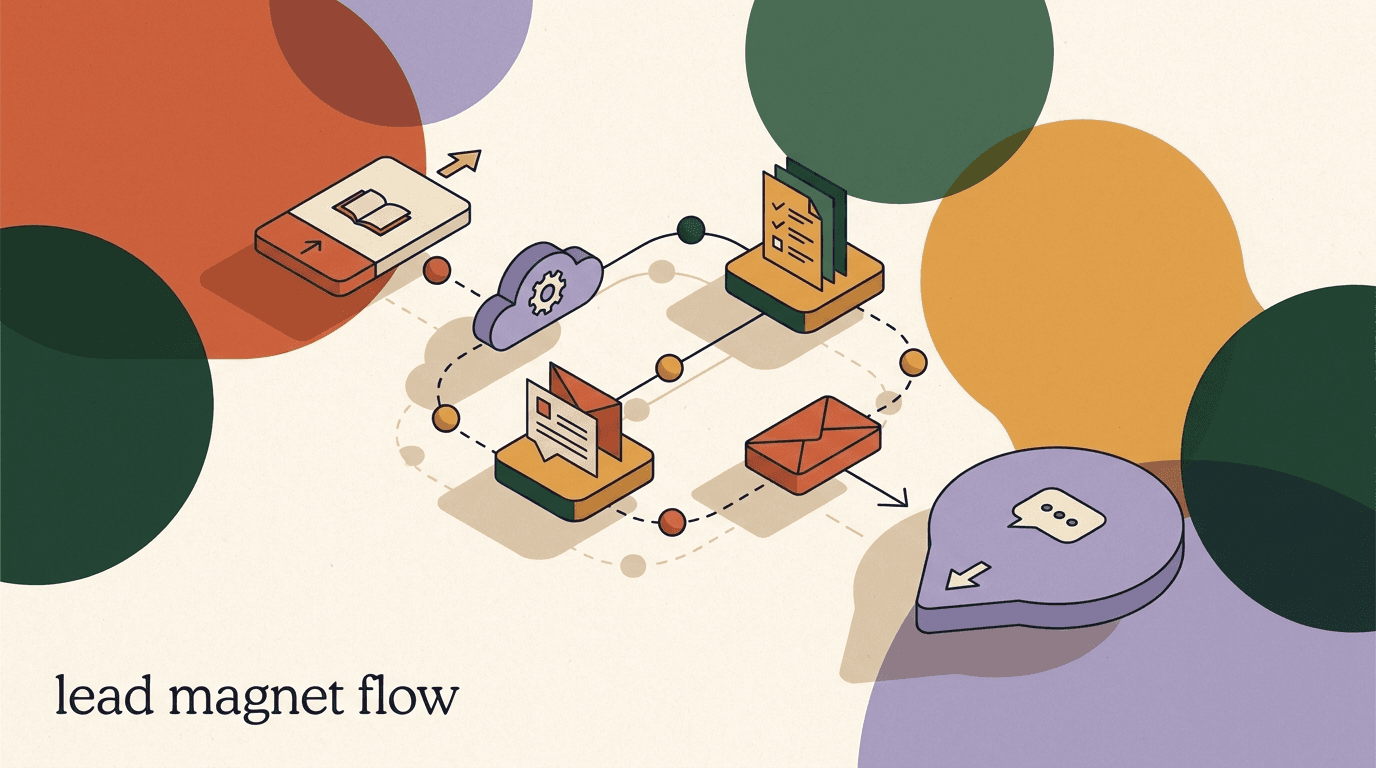
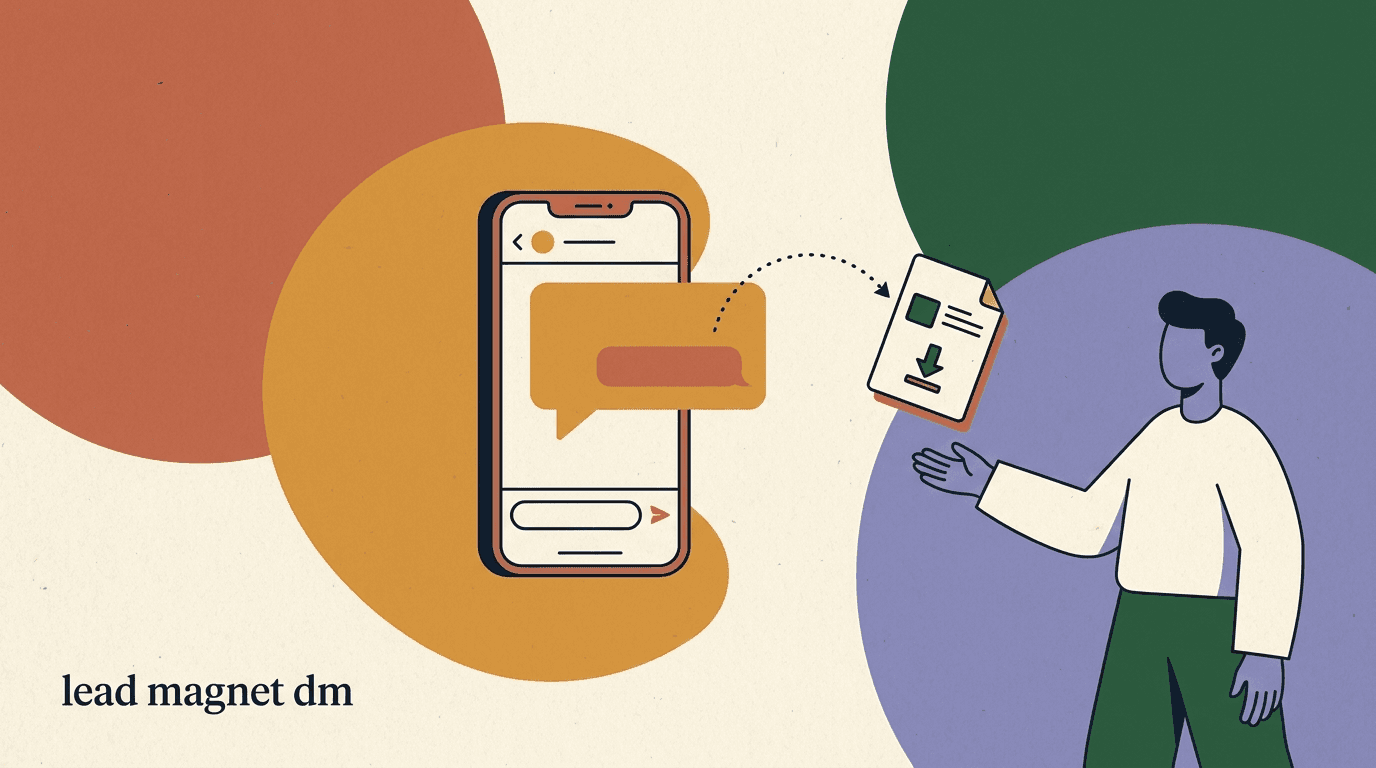
Capture is where the waitlist starts, and the cleanest way to do it in chat is keyword-to-DM. Someone comments your keyword on a post, or sends it as a direct message, and the automation opens a private conversation with them. This is the same mechanism behind a good lead magnet delivery flow, and if you have built one of those, this will feel familiar. The difference is the payload: instead of delivering a file, you are recording a signup.
There are two capture paths, and you can run both. The comment path is public and viral — the comment itself is social proof, and the platform often shows your reply, which pulls in more people. The DM path is private and higher-intent — someone who takes the time to open your inbox and type a keyword is further along. For a launch waitlist, the comment path usually drives volume and the DM path drives quality. Build the comment trigger first because it compounds, then add the DM keyword as a second door.
Here is the build, using a flow with a keyword trigger. Keep it minimal at capture — the goal is to get them into the conversation and confirmed, not to interrogate them. Every extra step at this stage is a place to lose people.
- Create the flow and set the triggerStart a new flow, choose a keyword trigger, and enter your join word (for example EARLY). Set it to fire on both comments and direct messages so either door works.
- Add the opt-in acknowledgementThe first automated message should confirm what they are joining and make the opt-in explicit — something like Reply YES to save your early-access spot. This gives you a clear, logged agreement to keep messaging them.
- Tag the contact as a waitlist memberOn opt-in, apply a tag such as waitlist-spring-drop. This tag is what your launch broadcast will target later, so name it clearly and use it consistently.
- Send the confirmation and set expectationsReply immediately with the confirmation message that tells them they are in, roughly when launch happens, and what to expect between now and then.
- Test with a real accountComment and DM the keyword from a separate account, walk the whole path, and check that the tag applied and the confirmation arrived. Fix anything before you drive traffic.
Opt-in is not optional
On every major channel, you may only send follow-up messages to people who have opted in to hear from you. The keyword itself is a strong signal, but make the agreement explicit in your first reply and keep the record. This protects your account and keeps your launch broadcast deliverable.
How should the confirmation message work?
The confirmation message is small but load-bearing. It is the moment the signup becomes real in the person's mind, and it sets every expectation for the wait that follows. A weak confirmation — a bare Thanks, you are on the list — wastes the highest-attention second you will get from this person. A strong one confirms the spot, states the payoff, gives a rough timeframe, and tells them what happens next, all in a few short lines.
Four things belong in it. One, unambiguous confirmation that they are in, so there is no doubt. Two, a restatement of the offer, so the value is fresh. Three, a timeframe, even a rough one, so the wait feels bounded. Four, a small next step or expectation, so the conversation has somewhere to go. Keep it warm and short; a confirmation that reads like terms and conditions kills the momentum you just built.
Here is sample copy for a join-the-waitlist DM confirmation. Adapt the specifics, keep the structure.
Give the wait a job
The REMIND reply in the example is doing double duty. It gives the person a small action so the conversation stays two-way, and it gives you a second opt-in signal and a segment of your most eager members. Small interactive steps like this keep the thread alive through the wait.
Sample waitlist confirmation DM
- Opening
- You are in. Your early-access spot for the spring drop is saved.
- Offer restated
- Waitlist members get first pick and a 48-hour head start before public launch.
- Timeframe
- We open early access the week of April 14 — I will message you here the moment it is live.
- Next step
- Want a reminder the day before? Reply REMIND and I will ping you.
- Reassurance
- That is all you need to do for now. Talk soon.
What data should a waitlist funnel collect?
The temptation is to collect everything — email, size, budget, use case — while you have the person's attention. Resist it at capture. Every question you ask before someone is confirmed is a chance for them to drop. The rule of thumb: collect only what changes what you send them, and collect it after the confirmation, not before.
For most launches, the confirmation plus a tag is enough to run the whole flow. If your launch genuinely needs more — say you are launching in multiple regions and shipping differs, or you have distinct product lines — ask one qualifying question, framed as a benefit to them. Which city are you in, so I send you the right launch link is a fair question. What is your annual revenue is not, at least not here.
Think of the data you collect as segments you will use in the launch broadcast. If a field will not change who gets which message, do not ask for it. This keeps your waitlist funnel fast to join and your data clean enough to actually use on launch day.
- Confirm first, ask second — never gate the signup behind a form.
- Every field should map to a segment you will actually send to.
- Frame each question as a benefit to the person, not a data grab.
- One optional question is fine; three required ones will cost you signups.
| Data point | Collect it? | Why |
|---|---|---|
| Waitlist tag | Always | Targets the launch broadcast |
| Region or timezone | If launch differs by region | Sends the right link or time |
| Product interest | If you launch multiple lines | Segments the announcement |
| Email address | Optional, after confirm | Backup channel beyond chat |
| Budget or revenue | Rarely | Usually too much friction here |
How do you keep people warm while they wait?
The gap between signup and launch is where most waitlists quietly die. Someone joins, hears nothing for two weeks, and by launch day they have forgotten who you are and why they were excited. The nurture stage exists to prevent that. It is a short sequence of timed messages that keeps the offer top of mind, builds anticipation, and gives people reasons to stay opted in rather than mute the thread.
The nurture is not a newsletter and it is not a drip of unrelated content. Every message should point at the launch. Good nurture messages do one of a few jobs: reveal a detail about what is coming, share proof or a story that raises desire, answer a common question so it is not a blocker on launch day, or give a small perk that rewards being on the list. Anticipation is a legitimate part of any product launch, and a well-paced nurture is how you build it without becoming annoying.
Match the number of messages to the length of the wait. A rough guide: one nurture message every two to four days, never more than one a day, and always with a clear reason to exist. If you cannot think of a reason to send a message, do not send it — silence is better than filler on a channel where people can mute or block you in one tap.
- Message 1 — the reveal (day 2 to 3)Share one concrete detail about what is launching. A photo, a feature, a name. Enough to make the offer feel real and specific rather than a vague coming soon.
- Message 2 — the proof (mid-wait)Share a story, a result, a behind-the-scenes note, or early feedback. This raises desire and reassures people the wait is worth it.
- Message 3 — the FAQ (a few days before)Answer the one question that most often blocks a purchase. Price range, shipping, how early access works. Remove the objection before launch day.
- Message 4 — the heads-up (day before launch)Tell them launch is tomorrow, restate the perk they get for being on the list, and confirm you will message them the moment it opens.
Do not over-message the wait
On chat channels, over-messaging is punished harder than on email. Mutes, blocks, and reports hurt your account standing and your deliverability for the launch broadcast that actually matters. When in doubt, send fewer, better messages. One great heads-up beats five forgettable teasers.
What does a pre-launch nurture sequence look like end to end?
It helps to see the whole pre-launch flow laid out on a timeline, because the pacing is the part people get wrong. Below is a two-week nurture for a spring drop, from the confirmation on day zero to the launch broadcast on day fourteen. Compress or stretch it to fit your own wait — the shape matters more than the exact days.
Notice that the sequence front-loads a little value, goes quiet in the middle, and then ramps up as launch approaches. That quiet middle is deliberate. It gives people room to breathe so the pre-launch messages near the end feel like an event rather than the continuation of a constant stream. A waitlist that messages every single day flattens the launch into background noise.
| Day | Message | Job |
|---|---|---|
| Day 0 | Confirmation DM | Confirm the spot, set expectations |
| Day 2 | The reveal | Make the offer concrete |
| Day 6 | The proof | Raise desire with a story or result |
| Day 11 | The FAQ | Remove the top objection |
| Day 13 | The heads-up | Launch is tomorrow, restate the perk |
| Day 14 | Launch broadcast | Early access is live, here is the link |
The gap is a feature
The five-day silence between day 6 and day 11 is intentional. Constant contact trains people to mute you. A deliberate gap makes the final messages feel like news. Resist the urge to fill every day just because the tool lets you.
How do you segment your waitlist before launch?
By launch day your list is not one audience — it is several. Some people joined a week ago and engaged with every nurture message; some joined an hour before launch; some replied REMIND and are clearly hot; some never opened a single message. Sending all of them the identical broadcast wastes your best segment and annoys your coldest one. Light segmentation, using the tags and replies you collected along the way, makes the launch broadcast land harder.
You do not need complex logic. Three segments cover most launches. The hot segment is people who engaged with the nurture or opted into a reminder — they get the earliest, most direct notify. The warm segment is everyone else on the list who is still opted in — they get the standard launch message. The cold or unengaged segment, if it is large, can get a slightly different re-hook that reminds them what they signed up for before the offer. If you run a re-engagement message like a back-in-stock alert, you already know this pattern — surface the reason to care before the call to action.
Segment on data you actually captured. If everyone has the same tag and no engagement signal, you have one segment, and that is fine — do not invent fields you never collected. The point of segmentation is to use real signals, not to build a taxonomy for its own sake.
- Hot: engaged with nurture or opted into a reminder — notify first.
- Warm: opted in, low engagement — send the standard launch message.
- Cold: never engaged — lead with a re-hook before the offer, if at all.
- Region or product segments only if you actually collected that data.
Your reminder-opt-ins are gold
The people who replied REMIND during the confirmation are your highest-intent segment. Message them first, a few minutes before the wider broadcast, so they get a genuine head start. Rewarding the most eager members is what makes a waitlist worth joining next time.
How do you send the launch-day notify broadcast?
This is the payoff, and it is also where the platform rules bite hardest. A launch broadcast is a message sent to many contacts at once — your whole waitlist, or a segment of it — announcing that early access is live. You build it as a broadcast targeted by your waitlist tag, with the segments from the previous section, and you fire it the moment the offer opens.
The mechanics are simple. Pick the segment, write the message, attach the launch link, and send — ideally staggering the hot segment slightly ahead of the warm one so your most engaged members get the promised head start. Include a clear call to action and the link, and keep it short: people who have been waiting do not need a long pitch, they need the door to be open.
The catch is that you cannot always just send. On WhatsApp especially, whether your launch message goes through, and whether it costs you anything, depends on the messaging window and the message type. This is not a KlyoChat rule or a competitor's rule — it is Meta's, and it applies to every tool built on the WhatsApp Business Platform. The next section is the honest version of how that works, because a waitlist funnel that ignores it will fail on the one day it matters.
- Build the broadcast and select the segmentCreate a broadcast, target your waitlist tag, and split by the hot, warm, and cold segments you defined.
- Write the launch message with a single clear actionState that early access is live, restate the waitlist perk, and give one link. Do not bury the call to action.
- Stagger the sendSend to the hot segment a few minutes before the warm segment so reminder-opt-ins get a real head start.
- Check the messaging window and message typeFor WhatsApp, confirm whether each contact is inside the 24-hour window or whether you need an approved template. More on this next.
- Send, then watch repliesHave a person ready to handle the replies that come back. A launch broadcast opens conversations; someone needs to answer them.
The launch send is not a free-for-all
You cannot message an arbitrary list of strangers, and on WhatsApp you often cannot freely message even opted-in contacts outside a 24-hour window without an approved template. Plan the send around these rules, not around what you wish the rules were.
What are the rules for the launch broadcast on WhatsApp and Instagram?
Here is the part vendors tend to soften. Meta governs messaging on WhatsApp, Instagram, and Messenger, and the rules directly shape when and how your launch broadcast can go out. Understanding them is not optional if your waitlist lives on these channels — it is the difference between a launch that reaches your list and one that gets throttled or blocked.
On WhatsApp, the central concept is the 24-hour customer service window. When a person messages you, a 24-hour window opens during which you can reply with free-form messages. Outside that window, you can only reach them with a pre-approved message template, and template messages in the marketing category carry a per-conversation fee that Meta charges — the amount varies by country and category. So if your waitlist member last messaged you three days before launch, your launch broadcast to them is a template message, it must be approved in advance, and it is billed. The exact behaviors and categories are documented in the official WhatsApp Business Platform docs, and you should read them rather than trust any vendor's paraphrase, including ours.
On Instagram and Messenger, the model is different but the spirit is the same: there are messaging windows and policy limits on what you can send outside them, and promotional messaging is more restricted than customer-service replies. Instagram's own guidance in the Instagram Help Center is the source of record. The practical upshot across all of these is that your nurture sequence is doing quiet double duty — by keeping people gently engaged, it keeps more of them inside a messageable window and can reduce how much of your launch send falls back to paid templates.
The table below summarizes the shape of it. Treat it as an orientation, not a substitute for the official documentation, because Meta updates these rules and the fee categories periodically.
| Channel | Free-form window | Outside the window | Fees |
|---|---|---|---|
| 24 hours after their last message | Approved template required | Per-conversation, set by Meta | |
| Messaging window applies | Policy limits on promo content | Per Meta policy | |
| Messenger | Messaging window applies | Policy limits on promo content | Per Meta policy |
Templates and fees are Meta's, not the tool's
No chat platform can waive the 24-hour window, template approval, or WhatsApp's per-conversation fees — those come from Meta and apply to everyone. Any vendor that implies otherwise is misleading you. Budget for template fees on your launch send and get your templates approved well before launch day.
How do you write the launch broadcast copy?
The launch message has one job: get the waiting person to click through to early access before the general public. It is not the place for a long story — you told the stories during the nurture. It is the place for a clear announcement, the promised perk, and the link. Short, direct, and unmistakably the thing they signed up for.
Four elements make a launch broadcast work. A subject-line-style opener that signals this is the moment. A restatement of the exclusive perk, so the reward for waiting is front and center. A single, obvious call to action with the link. And a light scarcity or timing cue — the head start is 48 hours, or stock is limited — that is true. Never invent scarcity; a fake countdown teaches people to ignore the next one.
Here is sample launch-day copy for a join-the-waitlist audience. Note how it opens the window and gets out of the way.
One link, one action
Do not give the launch message two calls to action. If you want them to shop, do not also ask them to follow, share, and reply. One clear door converts better than three half-open ones. Everything else can wait for a follow-up.
Sample launch-day broadcast
- Opener
- It is live. Early access to the spring drop just opened for waitlist members.
- Perk restated
- You have a 48-hour head start before we open it to everyone else.
- Call to action
- Shop your early access here: [link]
- Timing cue
- Public launch is Thursday. First pick is yours until then.
- Close
- Reply here if you have any questions, I am around all day.
How do you measure whether the waitlist worked?
A waitlist flow is measurable at every stage, which is one of the quiet advantages of running it in chat instead of on a page you check once. Track the numbers that map to the four stages, and you will know exactly where to improve for the next launch — whether the problem was capture, confirmation, nurture, or the notify itself.
The core metrics are simple. Signups tell you how well the hook and keyword worked. Confirmation rate — how many who triggered the keyword actually opted in — tells you whether your first message was clear. Nurture engagement tells you whether people stayed warm. And the launch conversion rate — how many waitlist members took the launch action — is the number that matters most, because it is the whole reason the flow exists.
Watch the drop-off between stages more than any single number. A high signup count with a low confirmation rate points at a confusing opt-in message. Good confirmation with low launch conversion points at either a weak nurture or a launch send that never reached people — often because too much of it fell outside the messaging window and got throttled. The stage-to-stage view is what turns a launch into a repeatable system instead of a one-off.
- Track each stage, not just the final sale — the drop-off shows the fix.
- Low confirmation usually means a confusing opt-in message.
- Low launch conversion often means the send fell outside the window.
- Compare launches over time; the waitlist gets better each drop.
| Metric | What it tells you | Fix if low |
|---|---|---|
| Signups | Hook and keyword strength | Improve the hook post or keyword clarity |
| Confirmation rate | Opt-in message clarity | Rewrite the first reply and CTA |
| Nurture engagement | How warm the list stays | Send fewer, better nurture messages |
| Launch conversion | Whether the flow paid off | Check window rules, segment, and offer |
What are the most common waitlist flow mistakes?
Most waitlist flows fail for the same handful of reasons, and all of them are avoidable once you know to look for them. These are the patterns we see most often when a launch waitlist underperforms — none are subtle, but each one quietly caps your results.
The biggest is treating the waitlist as capture-and-blast: collect signups, go silent, then fire a single launch message into a cold audience. Without the nurture, the launch broadcast reaches people who forgot they signed up, and conversion craters. The second is over-messaging in the other direction — daily teasers that train people to mute you before launch day. The third is ignoring the window rules, so the launch send that took weeks to build gets throttled because half the list was outside the 24-hour window and no templates were approved. The fourth is asking for too much data at signup, which strangles capture. And the fifth is inventing urgency — fake countdowns and phantom scarcity that work once and poison every launch after.
There is also a subtler mistake: not connecting the waitlist to the rest of your funnel. A person who joined your waitlist and did not convert at launch is still a warm contact who told you exactly what they want. Fold them into your ongoing flows — a follow-up offer, a related Instagram lead magnet DM, or a future drop's waitlist — rather than letting them go cold. The waitlist is not a one-time event; it is a segment you keep.
- Capture-and-blast with no nurture — the launch lands on a cold list.
- Daily teasers that get you muted before the launch send.
- Ignoring the 24-hour window and template rules on the launch broadcast.
- Gating signup behind a long form and losing people at capture.
- Fake scarcity that works once and erodes trust for every future launch.
The waitlist is a segment, not an event
People who joined but did not buy are still your warmest audience. Keep the tag, fold them into your ongoing flows, and invite them to the next drop first. The value of a waitlist compounds across launches when you treat the list as an asset, not a one-time blast.
How does KlyoChat help you build a waitlist flow?
If you are choosing a tool to build this on, here is where KlyoChat fits — and where it does not. KlyoChat is an AI-native unified inbox with no-code flows, comment-to-DM and keyword triggers, and broadcasts with segments. That maps almost one-to-one onto the four stages of a waitlist flow: the keyword trigger handles capture, the flow builder handles confirmation and nurture, and segmented broadcasts handle the launch notify. You build the whole thing in one place instead of stitching a form tool to an email tool to a chat tool.
The parts that matter for a launch specifically: comment-to-DM captures signups from a viral post without you touching a keyboard, tags carry each contact through the nurture, and broadcasts target those tags with the hot, warm, and cold segments we described. Because the inbox is unified across Facebook, Instagram, Telegram, WhatsApp, TikTok, and X, a single waitlist can span the channels your audience actually uses, and the AI can handle first-response on the replies your launch broadcast kicks off, so a launch does not require you to sit in the inbox all day.
Now the honest limits, because a launch is the wrong time to discover them. KlyoChat cannot waive Meta's rules: the 24-hour window, WhatsApp message templates for out-of-window sends, and Meta's per-conversation fees all apply here exactly as they do on any other platform, and you should budget for template fees on your launch send. KlyoChat also does not do native SMS or email, so if your waitlist strategy depends on those channels as a backup to chat, you will need a separate tool for them. And we are a newer, smaller product than the largest incumbents, which means a smaller template community and fewer third-party tutorials — you will lean on our own docs more than on a giant forum. If those trade-offs are acceptable, the build above takes an afternoon on KlyoChat.
- Keyword and comment-to-DM triggers cover the capture stage directly.
- No-code flows handle confirmation and the timed nurture sequence.
- Segmented broadcasts fire the launch notify to your waitlist tag.
- Honest limits: Meta window, templates, and fees apply; no native SMS or email; smaller community.
Try the build before you commit to it
The 7-day free trial (no credit card) is enough time to build the full capture-confirm-nurture-notify flow and run it on a small launch. Test the mechanics on a low-stakes drop before you point your biggest launch at it. See the current plans on our pricing page.
KlyoChat plans at a glance
- Basic
- $19/mo — a small waitlist on one or two channels
- Pro
- $49/mo ($39 billed yearly) — all channels, custom AI, larger launches
- Business
- $129/mo — higher volume, more seats, integrations
- Trial
- 7-day free trial, no credit card required
A waitlist flow is not complicated once you see it as four small jobs done in order: capture the signup with a keyword-to-DM, confirm it clearly, nurture the wait with a short and well-paced sequence, and notify with a segmented launch broadcast. Build each stage deliberately, and you turn a launch from a stressful day-of scramble into a system you reuse for every drop — one that gets a little better each time because you can measure where it leaks.
The honest parts are part of the build, not caveats to it. Opt-in is required, the 24-hour window and message templates govern your launch send on WhatsApp, and Meta's per-conversation fees are real — plan around them and your launch reaches the list you worked to build. If you want to go deeper on the pieces, our lead magnet delivery flow guide covers the capture mechanics in detail, the back-in-stock alert guide covers the re-engagement send, and the flow builder is where you assemble the whole thing.