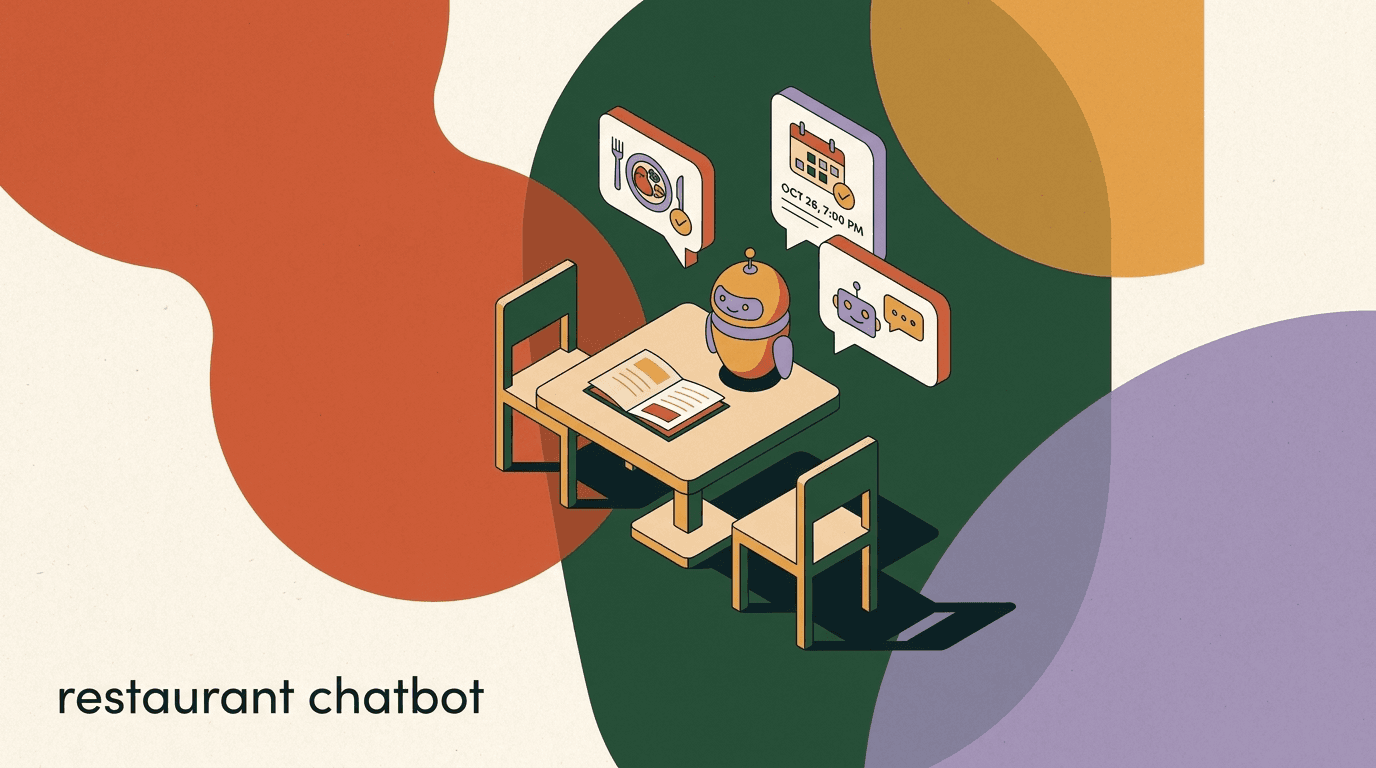
Restaurant chatbot automation is the quiet fix for a problem every busy kitchen already knows: the phone rings during the dinner rush, the Instagram DM about whether you take walk-ins sits unread for three hours, and a table-of-six request lands at 11pm when nobody is at the host stand. A chatbot answers the predictable questions and captures the high-intent requests the moment they arrive, on the channels your guests already use, so your staff can focus on the people in front of them.
This is a vertical playbook written specifically for restaurants, cafes, and food trucks. We will cover taking orders and reservations through WhatsApp and Instagram DM, answering the hours, menu, and location questions that flood every account, sending booking reminders to cut no-shows, and asking satisfied diners for a review at the right moment. Every flow comes with sample copy you can adapt.
Full disclosure: we build KlyoChat, a chat automation platform for small businesses, so we have a point of view. We have kept the advice tool-agnostic where it matters and been honest about what a chatbot can and cannot do for a restaurant — including the things ours does not handle, like processing payment or sending SMS. The goal is a setup that actually reduces phone interruptions, not a gimmick that frustrates guests.
What does restaurant chatbot automation actually do?
Strip away the jargon and a restaurant chatbot does three concrete jobs: it answers, it captures, and it follows up. It answers the dozens of identical questions guests ask every day. It captures structured requests — a reservation for four at 7:30, a takeaway order, a private-event inquiry — and routes them to a human or a system that can fulfil them. And it follows up after the visit, with a reminder before a booking or a review request after a meal.
What it does not do is replace your kitchen, your host, or your ordering system. A good restaurant chatbot is a front door, not the whole restaurant. It triages, qualifies, and hands off. The reservation it captures still needs a table; the order it takes still needs a payment step in your real ordering or POS system. Knowing where the chatbot stops is what keeps guests happy rather than trapped in a menu tree.
- Answer FAQs: hours, location, parking, menu, dietary options, booking policy.
- Capture reservations and takeaway orders as structured, routable requests.
- Send reminders before a booking to reduce no-shows.
- Request reviews from guests who had a good experience.
- Hand off to a human the moment a request gets complex or unhappy.
A chatbot is a front door, not the restaurant
The most common mistake is asking a chatbot to do everything. It should answer, capture, and hand off. Payment, table allocation, and kitchen timing belong to your ordering system and your team. Design the bot to triage well and escalate fast.
Why answer guests on WhatsApp and Instagram DM at all?
Your guests are already messaging you. The question is whether anyone is answering quickly. Restaurants get a steady stream of DMs on Instagram from people who found a food photo, and a parallel stream on WhatsApp from locals who saved your number. These are warm, high-intent contacts — someone asking about your weekend hours is usually deciding where to eat tonight.
The trouble is timing. The window to convert a hungry person is short. A reply two hours later, when they have already booked somewhere else, is worse than no reply because it signals a restaurant that does not keep up. Automation closes that gap: the instant answer arrives while the decision is still live, and the booking or order is captured before the moment passes.
| Channel | Typical guest | Best for |
|---|---|---|
| Instagram DM | Discovered you via a photo or Reel | Menu questions, vibe checks, first-time bookings |
| Local or returning guest with your number | Reservations, takeaway orders, reminders | |
| Searched your page or saw an event | Event inquiries, hours, group bookings | |
| Comments to DM | Engaged with a post or promo | Turning a 'price?' comment into a private order |
Reply speed beats reply polish
A guest deciding where to eat tonight will pick the place that answers in seconds over the one that answers perfectly in an hour. An automated first reply that captures the request and promises a quick human follow-up almost always wins the booking.
How do you take reservations through a chatbot?
Reservation automation is the highest-value flow for most full-service restaurants, because every captured booking is real revenue and every missed DM is a lost table. The chatbot's job is to collect the four facts a host needs — date, time, party size, and name with a contact number — and then either confirm against your availability or route the request to whoever manages the book.
Keep the flow short. Each extra question is a chance for the guest to drop off. Ask for the essentials, confirm what you captured, and set a clear expectation about confirmation. If you do not have live table availability connected, be honest: capture the request and tell the guest a human will confirm shortly, rather than pretending to book a table the system cannot actually hold.
- Greet and detect intentWhen a guest mentions booking, a table, or a reservation, the bot recognises it and starts the reservation flow instead of a generic reply.
- Collect date and timeAsk for the date and preferred time together. Offer a couple of buttons for common slots to speed things up.
- Collect party sizeAsk how many guests. Flag large parties (e.g. 8+) for a human, since they often need a deposit or a set menu.
- Collect name and contactCapture a name and a phone number or WhatsApp contact so you can confirm and send a reminder.
- Confirm and routeEcho back the details, state whether it is confirmed or pending human confirmation, and notify your host or booking system.
Never confirm a table the system cannot hold
If your chatbot is not connected to live availability, do not let it say 'booked.' Say 'requested' and confirm with a human. A double-booked table on a Saturday night does more damage than a slightly slower confirmation.
Sample reservation flow copy
- Bot
- Happy to help with a table! What date were you thinking?
- Guest
- Friday
- Bot
- Great — Friday the 10th. What time, and how many guests?
- Guest
- 7:30, four of us
- Bot
- Perfect. Can I get a name and a number to confirm?
- Guest
- Sam, 555-0142
- Bot
- Thanks Sam! I've sent your request for 4 on Fri the 10th at 7:30 to our team. You'll get a confirmation within the hour. 🍽️
How do you take food orders without a POS?
A food ordering chatbot can do a lot of useful work even when it is not a payment system. It can present your menu, take the items a guest wants, capture pickup-versus-delivery and a time, and collect contact details — then hand the order to your actual ordering or payment flow to close. Think of it as the order-taking conversation, with checkout living wherever it already lives.
This is the honest boundary worth being clear about: a chat platform like KlyoChat is not a POS and does not process card payments. What it does well is capture the order intent and route it. For many small operations, the cleanest pattern is: the bot collects the order, then drops a payment link to your existing ordering provider, or tells the guest the total to pay on pickup. The chatbot removes the back-and-forth; your payment system removes the friction at the end.
- Share the menuSend a short menu, a link to the full menu, or a few popular items as quick-reply buttons.
- Capture the orderLet the guest list what they want. The bot confirms each item and quantity back to them.
- Set pickup or deliveryAsk pickup or delivery, and the time. Capture an address if delivery.
- Hand off to paymentSend your ordering or payment link, or state the total to pay on collection, and notify the kitchen.
| The chatbot handles | Your ordering/POS handles |
|---|---|
| Showing the menu and specials | Card payment and receipts |
| Capturing items and quantities | Inventory and stock counts |
| Pickup vs delivery and timing | Kitchen ticket and timing |
| Name and contact details | Refunds and disputes |
Keep payment in a system built for it
Do not try to collect card numbers in a chat thread — it is unsafe and non-compliant. Capture the order in chat, then hand off to a payment provider or take payment on pickup. The chatbot's job ends where money begins.
Which FAQs should the chatbot answer automatically?
The fastest win in restaurant chatbot automation is FAQ deflection. A large share of every restaurant's inbound messages are the same handful of questions, and answering them instantly frees your team while giving guests a better experience than waiting for a human to type the same reply for the hundredth time.
Start by reading your last two weeks of DMs and jotting down every repeated question. You will see a pattern fast. Build answers for the top ten, write them in your restaurant's voice, and let the bot handle them. Everything outside that list escalates to a person. The aim is not to automate every conversation — it is to automate the boring 70% so humans can own the interesting 30%.
- Hours: today's hours, weekend hours, holiday hours.
- Location and parking: address, map link, nearest parking.
- Menu: link to the menu, vegetarian/vegan options, allergens.
- Booking policy: do you take reservations, walk-ins, large groups.
- Practicalities: do you have outdoor seating, is it kid-friendly, is it dog-friendly.
- Payment and delivery: which methods, which delivery apps, minimum spend.
Mine your own inbox for the FAQ list
Do not guess your top questions. Scroll your last 50 DMs and tally them. Most restaurants find five questions make up the bulk of inbound chat. Automate those first and you have already won back hours a week.
Sample FAQ replies
- Guest
- are you open tonight?
- Bot
- Yes! We're open until 10pm tonight. Last kitchen orders at 9:15. Want me to hold a table?
- Guest
- do you have vegan options
- Bot
- We do — a few vegan mains and sides, all marked on the menu here: [link]. Anything else I can check?
How do reminders cut down on no-shows?
No-shows are a tax on every restaurant that takes bookings. A table held for guests who never arrive is lost revenue you cannot recover, especially on a busy weekend. A simple reminder the day before, with an easy way to confirm or cancel, recovers a meaningful slice of that lost capacity by giving people a low-friction nudge and a chance to free the table if plans changed.
The honest note here: KlyoChat sends reminders through chat channels — WhatsApp and the messaging apps your guest booked on — not through native SMS or email, which we do not offer. For most restaurants that is a good fit, because the guest booked in WhatsApp and a WhatsApp reminder lands in the same thread. If your guests expect SMS specifically, factor that in. Also note that WhatsApp's per-conversation fees from Meta apply to outbound template messages like reminders.
- Confirm at bookingSend an immediate confirmation when the reservation is captured, so the guest has it in writing.
- Remind the day beforeA short message the day before with the date, time, and party size, and a one-tap confirm or cancel.
- Make cancelling easyAn easy cancel is a feature, not a risk. A freed table you can rebook beats a no-show you cannot.
- Follow up on no-repliesIf they do not respond, a gentle same-day nudge a few hours before keeps the booking top of mind.
Reminders go through chat, not SMS
KlyoChat sends reminders via WhatsApp and your other connected chat channels, not native SMS or email. Since the guest booked in chat, the reminder lands in the same thread. WhatsApp's Meta conversation fees apply to outbound reminders.
When and how should you ask for reviews?
Reviews are the lifeblood of restaurant discovery, and the single biggest reason restaurants get fewer than they deserve is that they never ask — or they ask everyone, including the unhappy guest who will leave a one-star. The smart approach is to ask at the right moment, of the right guest, with the lightest possible friction to leave a review on the platform that matters to you.
Timing is everything. The window is a few hours after the meal, while the experience is fresh and positive. A chatbot can trigger this automatically after a completed booking or order. To protect your rating, gate the ask: check whether the guest had a good experience first, send the public-review link to the happy ones, and route the unhappy ones to a private conversation with a manager who can fix it.
Gate the public ask, and never buy reviews
Send the public-review link only to guests who signalled a good experience, and route unhappy guests to a private fix. Do not incentivise or pay for reviews — it violates platform policies and erodes trust. The goal is more honest reviews, not fake ones.
Sample review-request flow
- Bot
- Hi Sam, thanks for dining with us last night! How was everything? 🌟 Tap a rating below.
- Happy guest
- [taps 5 stars]
- Bot
- So glad you enjoyed it! Would you mind sharing that on Google? It really helps us: [review link]
- Unhappy guest
- [taps 2 stars]
- Bot
- Sorry to hear that — that's not the experience we want. Let me get our manager to make it right.
How do you turn post comments into orders?
Some of your warmest leads are sitting in your comment sections. When you post a Friday special on Instagram and someone comments 'price?' or 'do you deliver?', that is a guest reaching for their wallet. Comment-to-DM automation turns that public comment into a private conversation automatically, so the interested guest gets an instant DM with the answer and a path to order or book.
This is one of the highest-converting flows for restaurants because it catches people at peak interest — they just saw the food and reacted. The bot replies publicly to keep the post engaging, then slides into their DMs with the menu, the price, or the order flow. Done well, a single special post can fill a quiet Tuesday.
- Pick a trigger wordChoose a keyword for the post, like 'MENU' or 'ORDER', and tell people to comment it.
- Auto-reply in the commentsWhen someone comments the word, the bot replies publicly and tells them to check their DMs.
- Send the DMThe bot opens a DM with the offer — menu link, today's special, or the order flow.
- Capture the order or bookingFrom the DM, run your order or reservation flow and hand off to payment or your host.
Put the keyword in the caption
Spell out the action in your post caption: 'Comment MENU and we'll DM you tonight's specials.' The clearer the instruction, the more comments you get, and every comment becomes a DM you can convert.
How do you keep the bot from frustrating guests?
The fastest way to ruin restaurant chatbot automation is to trap a guest in a loop with no way out. People are far more forgiving of a bot that hands off quickly than one that keeps replying 'I didn't understand that.' The single most important design rule is a fast, obvious escape hatch to a human, especially for anything emotional — a complaint, an allergy concern, a special occasion.
Set the tone honestly from the first message. Let guests know they are chatting with an assistant and that a human is available. Keep replies short and human-sounding. And build clear triggers that escalate: certain keywords (allergy, complaint, manager), repeated confusion, or simply the guest typing 'talk to a person' should all route straight to your team inbox.
- Always offer 'talk to a human' as a visible option.
- Escalate complaints and allergy questions to a person immediately.
- Keep replies short — long bot paragraphs feel robotic.
- Set expectations: tell guests when a human will follow up.
- Review escalations weekly to find new FAQs to automate.
The handoff is the product
Guests judge a restaurant chatbot by how gracefully it gives up. A bot that hands a complex or unhappy conversation to a real person within one message feels helpful. One that refuses to let go feels like a wall. Optimise for the handoff.
How do you fill quiet shifts with broadcasts?
Reservations and FAQs are reactive — they wait for a guest to reach out. Broadcasts flip that around: they let you reach the guests who already opted in to your chat channels with a timely, relevant message. For a restaurant, that is a direct line to fill a slow Tuesday, push a weekend special, or announce a one-off event to the people most likely to come. Used sparingly, it is one of the highest-return things a restaurant can do with its messaging list.
The key word is sparingly. A messaging audience is more intimate than an email list, and guests will mute or block a restaurant that messages too often or with nothing useful to say. The discipline is to broadcast only when you genuinely have something a guest would be glad to hear: a new menu drop, a holiday booking window opening, a limited-availability event, a weather-driven 'patio is open tonight' nudge. Tie every broadcast to a clear action — book now, reply to reserve, comment to claim — so it does real work rather than just adding noise.
Be mindful of the channel rules and costs. On WhatsApp specifically, outbound broadcasts are template messages that Meta charges per conversation, so a blast to a large list has a real cost attached, and the templates have to fit Meta's categories. That is not a reason to avoid broadcasts — a single message that fills ten tables pays for itself many times over — but it is a reason to be deliberate about who you send to and why. Segment where you can, and prioritise your most engaged guests.
- Use broadcasts to fill quiet shifts and announce events to opted-in guests.
- Send only when the message is genuinely useful — specials, events, booking windows.
- Tie every broadcast to a clear action so it drives bookings, not just opens.
- Segment to your most engaged guests rather than blasting the whole list.
- Remember WhatsApp template broadcasts carry Meta's per-conversation fees.
Restraint protects your messaging list
A chat audience punishes over-messaging faster than email does. One thoughtful, action-driven broadcast a week or less keeps guests glad to hear from you. Spam them and they mute you — and you lose the channel entirely.
What does a week-one rollout look like?
You do not need to automate everything on day one. The restaurants that get the most from chatbot automation start with one high-value flow, prove it works, and add the next. A focused rollout over a week beats a sprawling build you never finish, and it lets your team get comfortable with the handoffs before volume scales.
Here is a realistic order of operations. Each step is something a non-technical owner or manager can do, and each delivers value on its own so you are never building toward a far-off payoff.
- Day 1: Connect channels and FAQsConnect WhatsApp and Instagram, then load your top ten FAQs. This alone deflects a chunk of inbound chat.
- Day 2: Build the reservation flowSet up the booking capture flow and route requests to your host or booking system.
- Day 3: Add remindersTurn on day-before reminders for captured reservations to start cutting no-shows.
- Day 4: Set up comment-to-DMPick a keyword and wire a special post to your menu or order flow.
- Day 5: Add the review requestTrigger a gated review ask after completed bookings, with the public link for happy guests only.
- Day 6-7: Watch, tune, escalateRead the conversations, fix awkward replies, and add any new repeated questions to the FAQ set.
Ship one flow, then expand
Resist the urge to launch everything at once. FAQs plus reservations in week one will already pay for the tool. Add ordering, comment-to-DM, and reviews once the basics run smoothly and your team trusts the handoffs.
How do you measure whether it's working?
Restaurant chatbot automation is easy to feel good about and harder to measure, so pick a few honest numbers and watch them over the first month. You are looking for two things: time saved for your team, and revenue captured that would otherwise have leaked away. Both show up quickly if the bot is doing real work.
Do not over-instrument. A handful of simple metrics, checked weekly, tells you everything you need to decide whether to expand the automation or rein it in. If the numbers are not moving, the usual culprit is a clumsy flow or a missing handoff, not the idea itself.
| Metric | What it tells you |
|---|---|
| FAQs answered automatically | How much repetitive chat the team no longer handles |
| Reservations captured via chat | Bookings that came in outside phone hours |
| No-show rate after reminders | Whether reminders are recovering tables |
| Review link clicks from happy guests | Whether the review flow is growing your rating |
| Escalations to a human | Where the bot is falling short and what to fix |
What good looks like after a month
- Before
- DMs answered when staff had time, bookings only by phone, sporadic reviews
- After
- Instant FAQ replies, bookings captured 24/7, reminders cutting no-shows, steady review flow
How KlyoChat fits restaurant automation
We built KlyoChat for exactly this kind of small-business chat work, so here is an honest picture of where it fits and where it does not. KlyoChat is an AI-native unified inbox that pulls Facebook, Instagram, Telegram, WhatsApp, TikTok, and X into one place, with AI agents that answer FAQs and help with booking and reminders, plus comment-to-DM, broadcasts, and a shared team inbox. For a restaurant, that maps cleanly onto the flows in this guide: FAQs, reservations, reminders, comment-to-DM, and review requests, all from one screen.
What KlyoChat is not: it is not a POS or a payment processor. It captures orders and reservations and hands payment off to your existing ordering or payment system. It does not send native SMS or email — reminders and review asks go through chat channels like WhatsApp, where your guests already booked. And we are a newer, smaller platform with a smaller community than the biggest incumbents, so if a vast template marketplace is a hard requirement, weigh that. WhatsApp's per-conversation fees from Meta apply on any platform, including ours.
- One inbox for Instagram, WhatsApp, Facebook, Telegram, TikTok, and X.
- AI agents handle FAQs and help with booking and reminders out of the box.
- Comment-to-DM turns specials posts into private order conversations.
- Team inbox so your host or manager can take over any thread.
- Honest limits: not a POS, no native SMS/email, smaller community, Meta WhatsApp fees apply.
| Restaurant need | KlyoChat | Note |
|---|---|---|
| FAQs across channels | AI agents in a unified inbox | Hours, menu, location answered instantly |
| Reservations | Capture and route via flows | Hands off to your host or booking system |
| Food orders | Capture order intent | Not a POS — hands off to payment |
| Reminders | Via WhatsApp / chat | No native SMS or email; Meta fees apply |
| Reviews | Gated review request flow | Public link to happy guests only |
Try it on one flow first
Start a free 7-day trial, connect Instagram and WhatsApp, and turn on FAQs plus reservation capture. If it saves your team time in the first week, expand to reminders, comment-to-DM, and reviews. If it does not, you have lost nothing.
KlyoChat plans at a glance
- Basic
- $19/mo — for a single location getting started with FAQs and bookings
- Pro
- $49/mo ($39 billed yearly) — all channels, custom AI agents, comment-to-DM
- Business
- $129/mo — for multi-location groups and bigger teams
- Trial
- 7-day free trial, no credit card required
How does automation handle dietary and allergy questions?
Dietary and allergy questions are a special category that deserves its own thinking, because getting them wrong is not a minor inconvenience — it can be a safety issue. Guests ask constantly about gluten, nuts, dairy, vegan options, and cross-contamination, and a chatbot can genuinely help by surfacing the right information fast. But there is a clear line between answering a general menu question and giving medical-grade assurances the kitchen has to stand behind.
The safe pattern is for the bot to answer the easy, factual part and escalate the high-stakes part. It can confidently say which dishes are marked vegetarian or vegan, point to the allergen information on your menu, and list the options a guest has. What it should not do is promise a dish is safe for a severe allergy without a human in the loop, because kitchens change recipes, prep surfaces are shared, and the stakes are too high for an automated guess. Build an explicit escalation: any message mentioning an allergy routes to a person who can speak for the kitchen.
Handled well, this is a trust-builder. A guest with coeliac disease who gets a fast, honest answer — here are our gluten-free options, and let me connect you with the kitchen to confirm prep for your needs — leaves the conversation feeling cared for. The chatbot did the fast work of surfacing options and the important work of getting a human involved where it mattered. That balance is the whole craft of restaurant automation in miniature.
- Let the bot answer factual menu questions: which dishes are vegan, vegetarian, or marked for allergens.
- Escalate any severe-allergy question to a human who can speak for the kitchen.
- Never have the bot promise a dish is 'safe' for an allergy on its own.
- Point guests to your menu's allergen information when it exists.
- Treat a fast, honest allergy reply as a trust-builder, not just a deflection.
Allergy questions always reach a human
An automated assurance about a severe allergy is a risk no restaurant should take. Configure the bot to recognise allergy keywords and route them straight to a person. Surface the options automatically; let a human confirm safety.
How should the chatbot sound like your restaurant?
A generic, corporate chatbot voice does a restaurant no favours. Your guests chose you for a feeling — a neighbourhood trattoria, a sharp wine bar, a buzzing taco joint — and the chatbot is part of that experience the moment someone DMs you. If the bot reads like an airline phone tree, it undercuts the warmth that brought the guest to your door in the first place. The voice is not a cosmetic detail; it is brand work that happens to live in a chat thread.
Getting the tone right is mostly about a few small decisions made consistently. Decide how formal you are, whether you use the guest's name, whether emoji fit your brand, and how you handle the awkward moments — a fully booked Saturday, a dish that sold out, a complaint. Write a handful of example exchanges in your own words before you build anything, and use them as the reference every reply is measured against. The aim is a guest who finishes the chat thinking the conversation felt like your restaurant, not like software.
Be careful not to over-engineer personality at the expense of clarity. A guest trying to book a table at 6pm on a Friday wants a fast, clear answer, not a paragraph of jokes. The best restaurant chatbot voice is warm but efficient: a friendly greeting, a quick question, a clear confirmation. Save the personality for the edges — the sign-off, the small touches — and keep the core of every transactional flow short and unmistakable.
- Pick a formality level and stick to it across every flow.
- Use the guest's name once you have it — it reads as attentive.
- Match emoji use to your brand; a fine-dining room may want none.
- Write your awkward-moment replies in advance: sold out, fully booked, complaints.
- Keep transactional steps short; reserve personality for greetings and sign-offs.
Write five example chats before you build
The fastest way to a consistent voice is to draft five real exchanges in your own words — a booking, a menu question, a sold-out item, a complaint, a review thank-you. Those become the template the whole automation copies. Voice first, flows second.
How do you handle multiple locations or a busy week?
A single cafe and a five-location group have very different automation needs, and pretending otherwise leads to a setup that breaks the first time a guest asks the wrong location about the wrong thing. If you run more than one venue, the chatbot has to know which location it is speaking for, route reservations to the right host stand, and answer location-specific questions — hours, address, parking — without mixing them up. Get this wrong and a guest shows up at the branch across town.
The cleanest approach for a group is to keep each location's channels distinct where you can, and to make the first job of any cross-location flow a clear 'which location?' question. From there, the reservation, the FAQ answer, and the reminder all carry the right location's details. A shared team inbox helps here, because managers at each venue can see and take over the threads that belong to them while head office keeps an overview.
Busy weeks bring a different challenge: volume. During a holiday rush or a big local event, inbound chat can spike to several times the normal load, and that is exactly when your team has the least time to answer. This is where automation earns its keep — the FAQ deflection and reservation capture that felt like a nice-to-have on a quiet Tuesday become the thing keeping your inbox from drowning on a packed Saturday. Plan your flows for the busy week, not the slow one.
| Scenario | Setup choice | Why |
|---|---|---|
| Single location | One channel set, one flow | Simplest to manage and tune |
| Multi-location group | Location question first, then route | Keeps hours, address, and bookings correct |
| Holiday or event rush | Lean on FAQ and reservation capture | Absorbs the spike your team cannot |
| Seasonal pop-up | Temporary flow with clear end date | Captures interest without long-term overhead |
Never let the bot mix up locations
For groups, the first question in any cross-location flow should establish which venue the guest means. A reminder or address for the wrong branch is worse than no message — it actively sends a guest to the wrong place.
What mistakes do restaurants make with chatbots?
Most failed restaurant chatbot projects fail for the same handful of reasons, and every one of them is avoidable. The patterns repeat across cafes, full-service rooms, and food trucks, so learning them up front saves you the frustration of discovering them the hard way. The common thread is treating the chatbot as a wall to hide behind rather than a tool to serve guests faster.
The first mistake is automating too much too soon — trying to script every possible conversation instead of nailing the handful that matter. The second is a missing or buried human handoff, which turns a minor question into a frustrated guest. The third is letting the bot make promises the restaurant cannot keep, like confirming a table without checking availability. The fourth is forgetting the bot exists: a chatbot is not set-and-forget. It needs a weekly read-through to catch awkward replies and add new FAQs.
A quieter mistake is neglecting the off-hours experience. A lot of the value in restaurant automation comes from the messages that arrive when nobody is working — late at night, on a closed Monday, in the gap between lunch and dinner service. If the bot only feels designed for staffed hours, you are missing the bookings and orders that arrive precisely when a human cannot answer. Design the after-hours reply with as much care as the daytime one.
- Automating everything instead of the few flows that drive value.
- Hiding or omitting the human handoff option.
- Letting the bot confirm tables or orders it cannot actually fulfil.
- Treating it as set-and-forget instead of reviewing it weekly.
- Ignoring the after-hours experience where much of the value lives.
A frustrating bot vs a helpful one
- Frustrating
- Loops on 'I didn't understand', no way to reach a person, confirms a table it cannot hold
- Helpful
- Answers fast, captures the request, offers a human in one tap, says 'requested' not 'booked'
The bottom line on restaurant chatbot automation: it will not cook the food or run the floor, but it will answer the same questions your team types fifty times a day, capture the bookings that arrive after hours, nudge guests so fewer tables sit empty, and ask happy diners for the reviews that bring the next ones in. Start narrow with FAQs and reservations, prove the time saved, then layer in ordering capture, comment-to-DM, and review requests.
If you want to see how this maps to a real setup, our companion guides on salon booking chatbots and AI agents for booking appointments cover the booking mechanics in depth, and our WhatsApp AI chatbot guide goes deeper on the channel most restaurants lean on. Whatever tool you choose, design for the handoff, keep payment in a system built for it, and measure the few numbers that prove it is working.