Most appointment-based businesses lose bookings in the gap between a customer asking and a human replying. Someone DMs your salon at 9pm asking if you have a slot Saturday, and by the time you answer the next morning they have booked somewhere else. A patient wants to reschedule, gets no reply for hours, and simply does not show. The demand was there. The response was not.
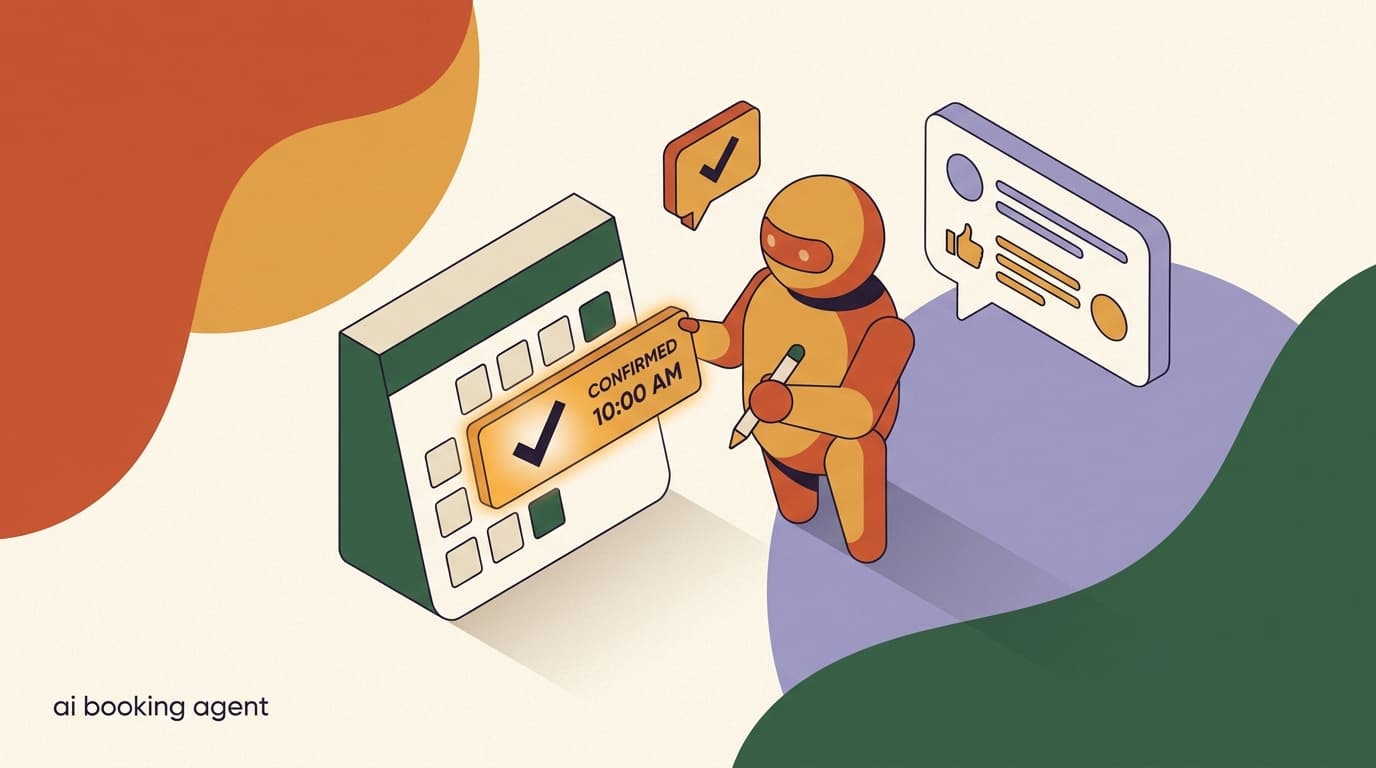
An AI agent booking appointments closes that gap. Instead of a static link or a form, it holds a real conversation: it asks what the person needs, offers times that are actually free, confirms the booking, and follows up with a reminder so they turn up. It works at 9pm, at 2am, and during your busiest hour when no human can get to the inbox.
This is a practical, step-heavy guide to setting one up — what to collect, how to check availability, how to confirm and remind, how to handle reschedules and cancellations, and where a human still needs to take over. It is written for clinics, salons, coaches, and service businesses. We build KlyoChat, an AI-native platform with custom AI agents and a unified inbox, so we will show how it maps to a real tool near the end. Everything before that is vendor-neutral and useful no matter what you run.
What is an AI agent for booking appointments, and how is it different from a booking link?
A booking link drops a calendar widget in front of a customer and asks them to do the work: pick a service, scroll a calendar, choose a slot, fill in their details. It works when the customer is motivated and knows exactly what they want. It fails the moment they have a question, want a time that is not obviously open, or are messaging you from a phone where the widget is fiddly.
An AI agent booking appointments is a conversational layer on top of your calendar. It chats the way a good receptionist would. It answers the question first — "do you have anything Saturday morning?" — then guides the person to a confirmed slot. It can clarify which service they need, explain how long it takes, quote a price, and only then lock in a time. The booking link is a destination; the agent is a conversation that ends in a booking.
The difference matters most for the people who would otherwise leak away. Motivated, decisive customers will use a link fine. The ones who hesitate, ask, or message at odd hours are exactly the bookings you are losing today, and they are the ones an agent recovers.
There is also a subtler point about where the conversation happens. Most of your inbound today arrives in a chat thread — an Instagram DM, a WhatsApp message, a Telegram ping. Asking someone to leave that thread, open a browser, load a widget, and start over is friction, and friction is where bookings die. An agent that books inside the same thread the customer started in removes that hand-off entirely. They never leave the conversation, which means there is no moment where they can drift away.
Finally, a link cannot recover a lost intent. If a customer opens your widget, finds nothing they like, and closes it, you never know they were there. An agent, by contrast, sees the question, and even when it cannot offer the exact time requested, it can counter-offer, capture the lead, or pass them to a human. The booking link is silent about the people it loses; the agent turns near-misses into conversations.
Booking link vs AI agent, same customer
- Booking link
- Customer opens widget, sees no obvious Saturday slot, closes it, books elsewhere
- AI agent
- Customer asks, agent offers the nearest Saturday opening plus a Friday evening, customer takes Friday
What can an AI booking agent actually do for your business?
Before you build one, it helps to be clear about the jobs it can take off your plate. A well-scoped booking agent is not trying to replace your judgment — it is handling the repetitive, time-bound parts of scheduling that do not need a human.
- Answer availability questions instantly, day or night, in the customer's own words.
- Collect the details you need to book correctly — service, name, contact, any prep notes.
- Offer real open slots and lock one in, rather than promising a time you cannot honor.
- Send a confirmation immediately so the customer has a record.
- Send reminders ahead of the appointment to reduce no-shows.
- Handle reschedules and cancellations without a back-and-forth.
- Hand off to a human the moment the request is unusual, sensitive, or high-value.
Scope it to one job first
The agents that work are narrow. Start with new bookings for your most common service, get that flawless, then add reschedules, cancellations, and edge cases. An agent that tries to do everything on day one tends to do nothing well.
What details should the agent collect before booking?
The quality of a booking is decided by what you collect up front. Too little and your calendar fills with vague slots a human has to chase. Too much and you create a form-like interrogation that customers abandon. The skill is collecting the minimum that lets the appointment happen cleanly, and nothing more.
Map your fields to the decisions the appointment requires. A salon needs to know which service so it can block the right amount of time. A clinic needs to know whether the patient is new or returning. A coach needs to know the topic so the session is not wasted on discovery. Write down, for your business, the three to five facts that change how the appointment is run, and collect exactly those.
A useful test for any field is to ask: does the appointment go wrong if I do not have this? If the answer is no, it is probably a nice-to-have you can collect later or skip entirely. The service type usually passes this test — book the wrong duration and your whole day shifts. A customer's birthday usually fails it — pleasant to know, but the haircut happens fine without it. Be ruthless, because every extra question is a chance for the customer to lose patience and leave.
There is one more dimension to the order of collection: trust. A first-time customer is wary of handing over a phone number to a bot before they know it can actually deliver what they want. By the time the agent has understood their need, offered a real slot, and earned a little confidence, that same customer gives their details without a second thought. Collecting contact information after the customer has chosen a time, rather than before, is not just good UX — it is a trust sequence that materially raises completion rates.
| Field | Why it matters | When to ask |
|---|---|---|
| Service / appointment type | Sets duration and which staff or room is needed | First — it drives everything else |
| New or returning customer | Routes to the right intake and time block | Early, before offering slots |
| Name and contact | Confirmation, reminders, and records | Once they have chosen a time |
| Preferred day or time window | Lets the agent offer relevant slots, not all of them | After the service is clear |
| Notes / prep details | Allergies, goals, symptoms, anything staff must know | Last, kept optional where possible |
Collect in the order a person would ask
Ask service first, then a rough time window, then lock the slot, then take contact details. Front-loading personal details before the customer is committed is the fastest way to lose them. Mirror how a thoughtful receptionist sequences the conversation.
How does the agent check availability and connect to your calendar?
An agent that offers times it cannot actually deliver is worse than no agent at all — it creates double-bookings and broken trust. So the availability step is the technical heart of the setup. The agent needs a source of truth for what is open, and it needs to write a confirmed booking back to that source.
There are a few common patterns, and which one you use depends on how your business already runs its calendar. Be honest with yourself about where your real availability lives today, because that is what the agent has to read from.
Whatever pattern you choose, two properties make or break it. The first is freshness: the agent's view of availability has to reflect reality at the moment it offers a slot, not the calendar as it looked an hour ago. The second is write-back: when the customer accepts, the booking has to land in the same calendar everyone else looks at, immediately, so nobody else can grab the slot. A system that reads stale data or fails to write back is the root cause of nearly every double-booking horror story.
If you are not ready for a full integration, that is fine — you do not have to start there. A rule-based setup, where the agent knows your hours and durations and a human glances at the real calendar before final confirmation, is a perfectly reasonable first version for a low-volume business. The point is to be deliberate. Decide which pattern you are using, understand its limits, and do not let the agent promise more certainty than your setup can actually back up.
- Direct calendar integration: the agent reads open slots from your scheduling system and writes the booking back. Cleanest, but usually needs an integration step to connect the two tools.
- A booking link the agent hands off to: the agent qualifies and collects details in chat, then drops a personalized link for the final slot pick. Simpler to set up, slightly more friction for the customer.
- Rule-based availability: you tell the agent your working hours, service durations, and buffers, and it offers slots within those rules while a human confirms against the real calendar. Good for low volume.
Availability needs a single source of truth
If the same slot can be booked from your phone, your front desk, and the agent at once, you will get collisions. Decide which system is authoritative and make every booking route write to it. Without that, an AI booking agent quietly creates the double-bookings it was meant to prevent.
How do you set up the booking agent step by step?
Here is the end-to-end build. Work through it in order — each step assumes the previous one is done. You can have a basic agent live in an afternoon and refine it over the following week as you watch real conversations.
- Define the one service you are starting withPick your highest-volume appointment type. Write its duration, price, any prep, and which staff can deliver it. This is the agent's first and only job until it is solid.
- Write the questions the agent asksTurn your three to five required fields into a short, natural sequence: service, time window, then contact once they have chosen. Keep each question to one idea.
- Connect availabilityWire the agent to your calendar source — direct integration, a handoff link, or rule-based hours. Test that what the agent offers matches what is genuinely free.
- Write the confirmation messageDraft the message the customer sees the instant a slot is locked: service, date, time, location, and what to do if they need to change it.
- Set up remindersDecide the timing — typically one a day before and one a few hours before — and write each message so it is easy to confirm, reschedule, or cancel in one reply.
- Define the human handoffList the situations the agent should not handle alone and route those to your team inbox with the full conversation attached, so a person picks up with full context.
- Test with real scenarios, then go liveRun the happy path, a reschedule, a cancellation, an oddball question, and an out-of-hours message. Fix what breaks, then turn it on for one channel before expanding.
Watch the first fifty conversations
No agent is right on the first draft. The real tuning happens by reading the first fifty live chats: where customers got confused, what they asked that you did not anticipate, where they dropped off. An hour of reading transcripts beats a week of guessing.
What should a good booking conversation look like?
It helps to see the whole thing rather than describe it. Below is a realistic exchange for a salon. Notice the order: the agent answers the intent, narrows the service, offers real slots, confirms, then collects contact details only once the customer is committed.
Sample booking conversation — salon
- Customer
- Hi, do you have anything for a haircut and color this weekend?
- Agent
- We do. A cut and full color runs about 2 hours. I have Saturday at 10:00am or Sunday at 1:30pm — which works better?
- Customer
- Saturday morning is perfect.
- Agent
- Great. Saturday 10:00am for a cut and full color, about 2 hours. Can I get your name and a number for the confirmation?
- Customer
- Maria, 555-0142.
- Agent
- Booked, Maria. Saturday 10:00am with us. I will send a reminder the day before. Reply RESCHEDULE any time if your plans change.
How should the agent sound — and how human should it be?
The tone of your booking agent does more work than people expect. A stiff, scripted bot signals "this is a form wearing a costume," and customers treat it accordingly — they skim, they get impatient, they bail. An agent that talks like a competent member of your team, on the other hand, earns the few seconds of patience it needs to do its job. Tone is not decoration; it is conversion.
Aim for the voice of your best front-desk person on a good day: warm, brief, and decisive. It confirms what it heard, offers clear choices rather than open-ended prompts, and never makes the customer guess what to do next. "I have Saturday at 10 or Sunday at 1:30 — which works?" is far better than "What time would you like?" because it moves the conversation forward instead of handing the customer a blank page.
On the question of honesty: do not pretend the agent is a human. You do not need a disclaimer banner on every message, but if a customer asks, the agent should not lie. Most people are entirely happy to book with an assistant as long as it is competent and there is a clear path to a person when they want one. Trying to pass a bot off as human backfires the moment it stumbles, because now the customer feels deceived as well as unhelped.
- Match your brand's real voice — a clinic and a tattoo studio should not sound identical.
- Offer concrete choices instead of open questions to keep the conversation moving.
- Keep messages short; one idea per message reads better on a phone.
- Be honest if asked whether it is an assistant, and always offer a route to a human.
Read your scripts out loud
The fastest way to catch a robotic message is to say it aloud as if you were greeting a customer at your front desk. If it sounds stilted in your mouth, it reads stilted on their screen. Rewrite until it sounds like something you would actually say.
How does the agent confirm a booking and send reminders?
Confirmation and reminders are where bookings either stick or fall apart. The confirmation is the customer's receipt — it should land the instant the slot is locked, repeat the key facts, and make changing the appointment a single reply. A vague "you're all set" with no details invites confusion and missed appointments.
Reminders are your single biggest lever on no-shows. A customer who booked two weeks ago has half-forgotten by the day of. A reminder that arrives at the right time, with an easy way to confirm or change, brings them back. The goal is not to nag — it is to make turning up frictionless and changing plans easy enough that they tell you instead of ghosting.
| Message | Timing | What it should contain |
|---|---|---|
| Confirmation | Instantly on booking | Service, date, time, location, how to change or cancel |
| First reminder | 24 hours before | Appointment details plus a one-tap confirm / reschedule / cancel |
| Final reminder | 2-4 hours before | Time, location, any prep, and directions if relevant |
| Post-appointment | Shortly after | Thanks, rebooking prompt, and a feedback request |
Reminders go through chat, not SMS, on KlyoChat
Be clear on the mechanics: KlyoChat does not send native SMS or email. Reminders and confirmations go through the chat channel the customer used — Instagram, Telegram, or WhatsApp. That works well because the conversation stays in one thread, but if you specifically need SMS reminders, you will need a separate tool for that piece.
How much can an AI booking agent cut no-shows?
No-shows are the quiet tax on every appointment business. An empty chair is revenue you cannot recover and a slot you turned away someone else for. The exact rate varies wildly by industry, so we will not invent a statistic — but the mechanisms by which a chat-based agent reduces no-shows are concrete and worth understanding.
The first mechanism is timely reminders. A booking made weeks ahead fades from memory; a reminder the day before and a few hours before pulls it back into focus. The second is friction-free rescheduling. Most no-shows are not people who decided not to come — they are people whose plans changed and who found it easier to vanish than to call and rebook. When changing the time is a one-line reply, they tell you, and you fill the slot.
The third is the conversation itself. A customer who chose their time in a back-and-forth, rather than clicking a link in five seconds, is more invested in the appointment. The small commitment of the chat makes the larger commitment of showing up more likely.
A fourth, often overlooked mechanism is the recovered slot. Every no-show is really two losses: the empty chair and the customer you turned away to hold it. When the agent makes early cancellation easy, you get the slot back with enough notice to refill it — from a waitlist, a broadcast to nearby customers, or simply by leaving it open for the next inbound enquiry. The no-show you prevent is good; the cancellation you receive early enough to resell is almost as valuable.
It is worth being precise about what an agent does and does not change. It will not stop a customer who genuinely forgets despite a reminder, and it will not force anyone to show up. What it does is remove every excuse that is really just friction: not remembering, not knowing how to cancel, not wanting the awkward phone call. Strip those away and what remains is the small residue of true no-shows — and that residue is far smaller than most businesses assume before they measure it.
- Timely reminders pull a half-forgotten booking back into focus.
- One-tap rescheduling turns silent no-shows into recovered slots.
- The booking conversation itself builds a small commitment that raises show rates.
- Freed-up slots from early cancellations can be offered to a waitlist instead of sitting empty.
Make cancelling easy on purpose
It feels backwards, but the easier you make cancelling, the fewer no-shows you get. A customer who can cancel in one reply will — which hands you the slot back in time to refill it. A customer who has to call and feels awkward just disappears, and you lose the chair anyway.
How does the agent handle reschedules and cancellations?
New bookings are the easy half. The harder, more valuable half is what happens when plans change — because that is where most revenue leaks. An agent that only takes new bookings but cannot gracefully move or cancel an existing one pushes all the messy cases back onto your team, which is exactly the work you were trying to automate.
A reschedule should feel like one continuous conversation, not a new booking from scratch. The customer says they need to move Saturday's appointment; the agent already knows what was booked, offers nearby alternatives, confirms the change, frees the old slot, and updates the calendar. A cancellation should be just as clean: acknowledge it, release the slot, and — gently — offer to rebook rather than letting the relationship end.
Always release the old slot
The most common reschedule bug is moving the customer without freeing their original time, so your calendar shows a phantom booking. Make sure every reschedule both books the new slot and releases the old one. Test this specifically — it is easy to miss and costly when it slips.
Sample reschedule conversation
- Customer
- I can't make Saturday 10am anymore, something came up.
- Agent
- No problem. I can move you to Saturday 2:00pm or Monday 11:00am — either work?
- Customer
- Monday 11 works.
- Agent
- Done. You are now booked Monday 11:00am, and I have released your Saturday slot. Same reminder will go out the day before.
When should the agent hand off to a human?
The fastest way to lose trust in an AI agent is to let it flounder on something it cannot handle. A good booking agent knows the edges of its competence and hands off cleanly, with full context, before the customer gets frustrated. Handoff is not a failure of the agent — it is a feature, and the businesses that get the most from automation are the ones with the clearest handoff rules.
Decide in advance which situations belong to a human. Some are obvious — anything medical, legal, or financially sensitive. Some are about value — a large group booking or a high-spend client deserves a person. And some are about signal — when the customer is upset, confused after two attempts, or explicitly asks for a human, the agent should step aside immediately.
The timing of the handoff matters as much as the trigger. Hand off too late, after the agent has already frustrated the customer with two wrong answers, and the person inherits a bad mood they did not create. Hand off at the first clear sign of trouble and the customer barely notices a seam — they simply feel well looked after. Erring slightly toward earlier handoff is almost always the right call; an unnecessary escalation costs you a little staff time, while a delayed one costs you the customer's trust.
Think of the agent and your team as a single service, not as a bot with a human backup. The customer should never feel handed off so much as handed forward — same conversation, same context, smoother experience. When the boundary between automated and human help is invisible to the customer, you have designed the handoff correctly. When they have to repeat their whole story to a person, you have not.
- Sensitive cases: medical specifics, complaints, anything emotionally charged.
- High-value bookings: large groups, packages, or VIP clients where a person adds value.
- Repeated confusion: if the customer is stuck after two clarifying attempts, escalate.
- Explicit requests: the moment someone asks for a human, stop automating and route them.
- Out-of-policy asks: discounts, exceptions, or anything outside the agent's defined rules.
Hand off with the whole conversation attached
A handoff is only useful if the human does not have to start over. Route the full chat into a shared team inbox so whoever picks it up sees exactly what was said and what the customer needs. Making the customer repeat themselves undoes the goodwill the agent built.
Which businesses get the most from an AI booking agent?
The pattern is consistent: the more your revenue depends on filled appointments and the more inbound questions you field, the more an agent pays off. A few examples make it concrete, because the right setup looks a little different for each.
If you run a salon, the agent's value is in matching the right service to the right stylist and the right duration, then defending against the no-shows that hit time-blocked businesses hardest. If you run a clinic, it is in routing new versus returning patients correctly and knowing exactly when a request is too sensitive to automate. Coaches get the most from the qualification step — an agent that asks what the session is for means you never burn a paid hour on discovery. Field-service businesses need the agent to respect travel time and offer windows it can actually keep.
| Business type | Primary win | What to configure carefully |
|---|---|---|
| Salon / barber | Fills slots and cuts no-shows on time-blocked services | Service durations and stylist matching |
| Clinic / therapy | Handles intake routing and reschedules at volume | New-vs-returning routing and sensitive-case handoff |
| Coach / consultant | Qualifies the topic so sessions are not wasted | Pre-session questions and prep notes |
| Home / field service | Books around travel time and service windows | Buffers, locations, and realistic time windows |
What mistakes should you avoid when setting one up?
Most failed booking agents fail for the same handful of reasons, and all of them are avoidable. Knowing the common traps in advance saves you the painful version of learning them in production.
- Offering slots that are not really free — the cardinal sin; always book against a single source of truth.
- Collecting too much up front, turning a chat into a form people abandon.
- Writing robotic, scripted messages that make the agent obviously not worth talking to.
- No reminder strategy, so you automate booking but do nothing about no-shows.
- No handoff path, so the agent gets stuck and the customer leaves frustrated.
- Setting it and forgetting it, instead of reading transcripts and tightening the flow.
- Launching on every channel at once before the flow is proven on one.
Do not automate a broken process
If your scheduling is chaotic by hand, an agent will automate the chaos faster. Get your services, durations, hours, and a single authoritative calendar straight first. The agent amplifies whatever process you give it — make sure that process is sound before you scale it.
How do you measure whether the booking agent is working?
An agent you do not measure is an agent you cannot improve, and "it feels like it's helping" is not a number you can act on. The good news is that a booking agent produces a clean funnel, and a handful of metrics tell you almost everything about its health. Watch them weekly for the first month, then monthly once the flow is stable.
The headline number is the conversation-to-booking rate: of the people who started a booking conversation, how many ended with a confirmed appointment? A low rate points to a specific failure — maybe the agent rarely has a slot at the time people want, maybe it asks for too much too soon, maybe the tone is pushing people away. The funnel below it tells you which.
- Pair every metric with transcripts — numbers say something is wrong, conversations say what.
- If drop-off spikes at the contact-details step, ten chats will reveal whether it is timing, phrasing, or a snag.
- Give any change a full week of real traffic before judging it.
- Change one thing at a time, or you will not know which edit moved the rate.
| Metric | What it tells you | What to do if it is low |
|---|---|---|
| Conversation-to-booking rate | Whether the flow converts intent into appointments | Read transcripts to find the drop-off step |
| Drop-off by step | Exactly where customers abandon the chat | Simplify or reorder the step they quit on |
| Reschedule and cancel rate | How well the agent handles changes | Make changing easier; check old slots release |
| No-show rate | Whether reminders are landing | Adjust reminder timing and confirm-in-one-tap |
| Handoff rate | How often a human is needed | Tune the agent's knowledge for common asks |
A rising handoff rate is not always bad
If more conversations go to a human because they are high-value bookings the agent correctly recognized, that is the system working as designed. Judge handoffs by what triggered them, not by the raw count. The goal is the right cases reaching a person, not the fewest cases reaching one.
How do you set this up in KlyoChat?
Everything above is vendor-neutral, but here is how it maps to our tool, since this is the part people ask about. We built KlyoChat as an AI-native, mobile-first platform: a unified inbox across Facebook, Instagram, Telegram, WhatsApp, TikTok, and X, with custom AI agents that qualify, book, and remind — and hand off to a human when needed.
For a booking agent specifically, you create a custom AI agent, give it your services and rules as its knowledge base, and build the booking flow with no-code automation. The agent runs the conversation across whichever channel the customer used, collects details, and confirms. Reminders go out through that same chat thread. When a case needs a person, it routes into the shared team inbox with the full conversation attached, so your team picks up with context. Analytics show you where conversations convert and where they stall.
- AI agents are included in the plan — no separate AI add-on.
- Every plan starts with a 7-day free trial, no credit card.
- Honest limits: reminders go via chat or WhatsApp, not SMS; calendar booking may need an integration; WhatsApp incurs Meta's per-conversation fees; and we are a newer, smaller community than the largest incumbents.
| What you need | How KlyoChat handles it |
|---|---|
| Conversational booking | Custom AI agent, included in your plan, runs the flow in chat |
| Multiple channels | One inbox across FB, IG, Telegram, WhatsApp, TikTok, X |
| Confirmations and reminders | Sent through the customer's chat thread (no native SMS/email) |
| Human handoff | Routes to the shared team inbox with full context |
| Calendar / availability | May need an integration to connect your scheduling source |
We are still building, and we say so
KlyoChat is newer than the biggest names in this space, with a smaller community to match. What we offer is AI agents included rather than added on, a genuinely mobile-first inbox, and flat pricing. If a large template marketplace or native SMS is a must-have for you, weigh that honestly before switching.
KlyoChat plans at a glance
- Basic
- $19/mo — 2 channels, 1,000 contacts, AI agents to get started
- Pro
- $49/mo ($39 billed yearly) — all channels, 10,000 contacts, custom AI agents
- Business
- $129/mo — higher limits for busier, multi-location operations
An AI agent booking appointments is not magic — it is a well-scoped conversation that ends in a confirmed, reminded, and kept appointment. Get the basics right and it quietly recovers the bookings you are losing in the response gap today: the after-hours enquiry, the customer with one question, the patient whose plans changed and who needed an easy way to say so.
Start narrow with one service, connect a real source of availability, write confirmations and reminders that make showing up easy, define a clean human handoff, and then read your first fifty conversations and tighten the flow. If you want to try it on your own channels, see how custom AI agents and no-code flows work in KlyoChat, or start a free trial and build your first booking agent this week.