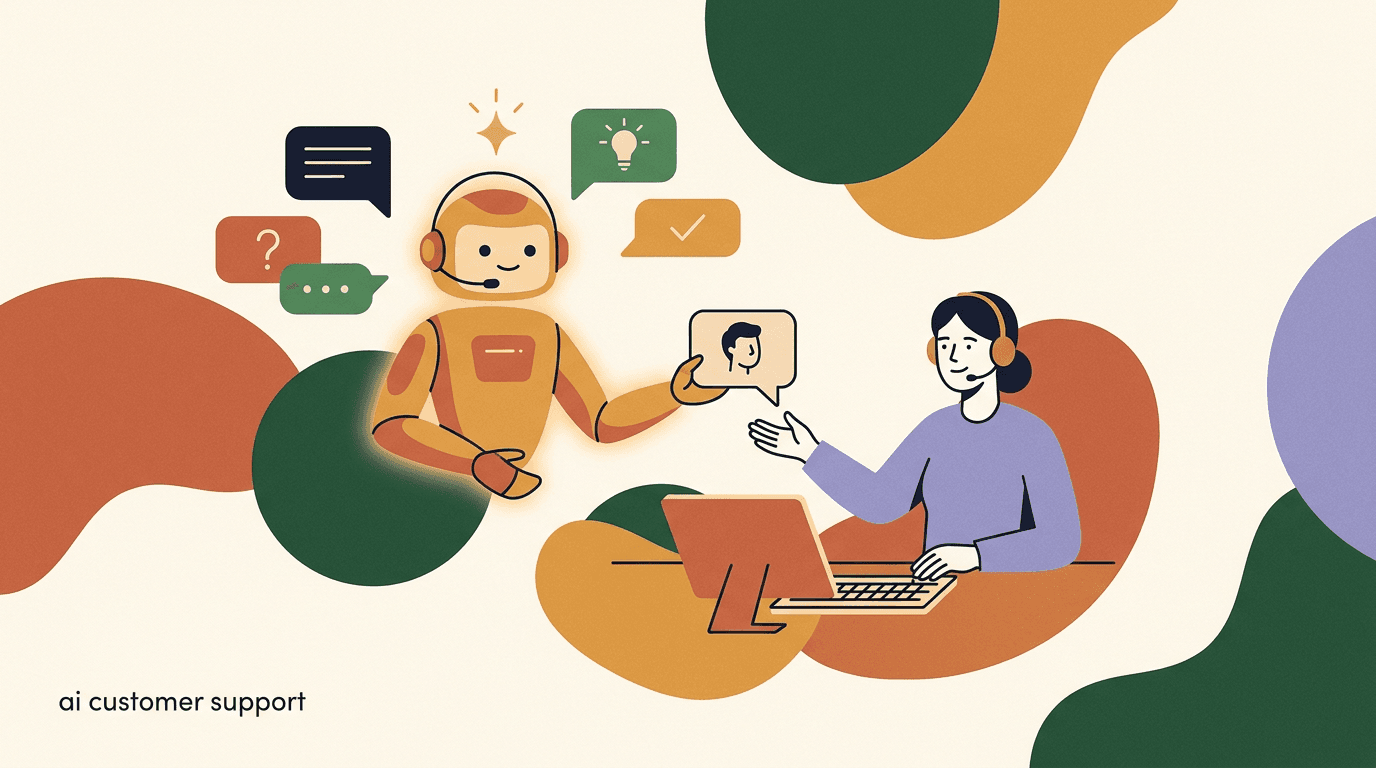
Most advice about AI customer support automation is sales copy. It promises that an AI support agent can handle everything, deflect most of your tickets, and run your support desk while you sleep. Some of that is true. A lot of it is not, and the gap between the two is where customer trust gets damaged. The goal of this guide is the part the sales decks skip: where AI support genuinely helps, where it should not be used at all, and how to design the handoff between the two so customers do not feel trapped.
We will be specific. AI customer support is excellent at a narrow set of jobs — repeatable questions, order status, the first reply, after-hours coverage — and genuinely bad at others, like a frustrated customer mid-escalation or a sensitive account or billing dispute. Knowing the difference is the whole skill. A team that automates the right 40 percent and routes the rest to humans quickly will beat a team that tries to automate 90 percent and produces a bad-bot experience that customers learn to bypass.
The promise of support automation is real, but it is also conditional. The condition is that you scope it honestly, feed it good information, and design what happens when it reaches the edge of what it knows. Teams that treat AI support as a magic deflection machine tend to get a short-term win — fewer tickets in the queue — followed by a slow erosion of how much customers trust the channel. Teams that treat it as a well-scoped assistant with a fast escape hatch tend to keep both the efficiency and the trust. The difference is almost entirely in the setup, not the model.
Full disclosure: we build KlyoChat, which includes custom AI agents for support. That gives us a point of view, but it also means we have watched plenty of AI support setups fail in ways that have nothing to do with the model and everything to do with scope, knowledge, and handoff. This guide is written to help you decide honestly — including deciding that AI support is the wrong fit for a particular conversation, or for now. We will be just as clear about where our own product has limits as we are about anyone else's.
What does AI customer support automation actually do?
Strip away the marketing and AI customer support automation is doing one of a few concrete jobs. It reads an incoming message, matches it against what it knows — usually a knowledge base of help articles, policies, and past answers — and produces a reply. Depending on how it is set up, it might answer fully, ask a clarifying question, take a small action like looking up an order, or decide it cannot help and route the conversation to a person.
Modern AI support agents are different from the old decision-tree chatbots in one important way: they generate language rather than picking from a fixed menu of canned replies. That makes them far more flexible — a customer can phrase a question any way they like and still get a relevant answer — but it also introduces a new risk. A decision-tree bot can only say what you programmed it to say. A generative AI agent can say things you never wrote, including things that are subtly wrong. Understanding that trade-off is the foundation of using support automation responsibly.
That last behavior — the decision to route to a person — is the one most people forget to ask about, and it is the most important. A good AI support agent is defined as much by what it refuses to answer as by what it answers. The systems that work treat escalation as a first-class feature, not a failure state. When you evaluate any AI support tool, the question to ask is not only 'how much can it answer?' but 'how cleanly does it hand off the things it should not?'
- Answers repeatable questions from a knowledge base (hours, policies, how-to).
- Handles the first response instantly, so no one waits in an empty queue.
- Looks up structured facts when connected — order status, shipping, account basics.
- Triages and tags conversations so the right human picks up the right ticket.
- Escalates to a person when confidence is low or the topic is out of scope.
AI support is a layer, not a replacement
The mental model that works: AI handles the volume of simple, repeatable contacts so your humans have time for the hard ones. It is a layer over your support process, not a substitute for having one. If your underlying process or knowledge is weak, automation makes the weakness faster, not better.
Where does AI customer support genuinely help?
There is a clear pattern to the conversations AI handles well. They are repeatable, low-risk, and the correct answer already exists somewhere in writing. When all three are true, automation is not just acceptable — it is usually better than a human, because it is instant, consistent, and never tired at 2am. A human answering the same return-policy question for the hundredth time that week is more likely to be terse or to misremember a detail than an AI that pulls the exact policy every time.
There is also a quieter benefit that does not show up in deflection dashboards: when AI takes the repetitive volume off your team, the humans who remain get to spend their attention on the conversations that actually need a person. Support agents burn out on repetition, not on hard problems. Routing the easy, repeated questions to automation can make the human side of your support better, not just cheaper — provided you do not also push the hard conversations at the bot.
These are the four jobs where AI support earns its place, and where we would recommend it without hesitation.
- Frequently asked questions: hours, returns, shipping policy, how-to steps, plan differences — anything you have answered a hundred times.
- Order and status lookups: where is my order, what is my balance, when does my subscription renew — structured facts the AI can fetch and state plainly.
- First response: an instant, accurate acknowledgment that answers simple questions outright and sets expectations on the rest, so no message sits unanswered.
- After-hours and overflow: coverage when your team is offline or slammed, so customers in other time zones are not stuck until morning.
Automate by question type, not by percentage
Do not set a goal of 'automate 80 percent of tickets.' Set a goal of 'automate these specific question types where the answer is written and unambiguous.' The percentage is an output of doing the categorization well, not a target to chase directly.
A conversation AI should handle end to end
- Customer
- What's your return window?
- AI agent
- You can return any unworn item within 30 days for a full refund. Here is the step-by-step link.
- Outcome
- Resolved in seconds, no human needed, answer matches policy exactly
Where should you NOT use AI customer support?
This is the section most vendor guides leave out, and it matters more than the previous one. There are conversations where putting an AI in front of the customer is actively harmful — it slows resolution, raises frustration, and trains your best customers to distrust your support channel. Recognizing these up front is how you avoid the bad-bot experience.
The common thread is emotion, stakes, or ambiguity. When a customer is upset, when money or data or safety is on the line, or when the situation does not fit any pattern the AI has seen, a person should take over — ideally before the AI says anything that makes it worse. The cost of getting these wrong is asymmetric: a hundred well-handled FAQ answers do not build as much goodwill as one badly-handled refund dispute destroys. That asymmetry is why caution here pays off more than ambition does.
It helps to think about it as risk, not capability. The AI may be perfectly capable of stringing together a plausible answer to a billing dispute. The problem is not that it cannot produce words — it is that the consequences of those words being wrong are too severe to leave to a system that cannot be held accountable and cannot exercise discretion. Capability is not the same as suitability.
- Angry or distressed customers: someone who is already frustrated does not want a cheerful bot. They want a human who can acknowledge the problem and act. Detect frustration and route immediately.
- Sensitive issues: billing disputes, refunds outside policy, account security, data requests, complaints about a person, anything legal or medical. The cost of a wrong automated answer is too high.
- Edge cases and novel problems: situations with no precedent in your knowledge base. The AI will either guess or stall — both worse than a human who can think.
- High-value or high-context accounts: a major customer mid-negotiation or a long-running issue deserves continuity with a person who knows the history.
- Anything the AI is not confident about: if it is unsure, it should hand off, not improvise. A confident wrong answer is the most damaging output a support AI can produce.
A confident wrong answer is worse than no answer
The single biggest risk in AI support is not silence — it is fluent, confident, incorrect responses. Customers act on them. Configure your AI to say 'let me get a teammate' when it is unsure, and never let it invent policy. It is better to hand off ten easy questions than to mishandle one hard one.
Should you automate this conversation? A quick reference
When you are deciding whether a given contact type belongs to the AI or a human, a simple table beats a long debate. Use the question type and the stakes to decide, and when in doubt, route to a person.
| Conversation type | Automate? | Why |
|---|---|---|
| FAQ / policy / how-to | Yes | Repeatable, low-risk, answer already written |
| Order / status lookup | Yes | Structured fact the AI can fetch and state |
| First response on anything | Yes | Instant acknowledgment beats an empty queue |
| After-hours coverage | Yes | Better than no reply until morning |
| Billing dispute / refund exception | No | High stakes, needs judgment and authority |
| Angry or distressed customer | No | Needs human acknowledgment, not a bot |
| Account security / data request | No | Sensitive, wrong answer is costly |
| Novel edge case | No | No precedent for the AI to draw on |
Default to handoff when the line is blurry
If you genuinely cannot decide which column a conversation type belongs in, put it in the human column for now. You can always automate it later once you have seen enough examples and written a clear answer. Over-automating is far harder to recover from than under-automating.
Why does a good knowledge base decide everything?
Here is a hard truth that vendors soften: the quality of your AI support is capped by the quality of your knowledge base. The model is not the bottleneck — what you have written down is. An AI agent pointed at thin, outdated, or contradictory documentation will produce thin, outdated, or contradictory answers, fluently. It cannot know what you have not told it.
This is why so many AI support projects disappoint. Teams expect the AI to compensate for missing documentation. It cannot. The most valuable work in setting up AI support is not configuring the AI — it is writing clear, current, unambiguous answers to your real questions. Do that, and a modest setup performs well. Skip it, and the best AI in the world produces a polished version of your gaps.
- Write answers to your actual top questions — pull them from your real inbox, not your imagination.
- Keep one source of truth: if a policy lives in three places with three wordings, the AI will pick the wrong one.
- State scope explicitly: tell the AI what it does not cover so it hands those off cleanly.
- Review and update on a schedule — a stale knowledge base degrades quietly as your product changes.
- Include the edge of policy: what happens for exceptions, so the AI knows to route them rather than guess.
Garbage in, fluent garbage out
Traditional software fails loudly when its data is wrong. AI support fails quietly — it produces a confident, well-written answer based on bad inputs. That makes knowledge quality a customer-trust issue, not just a maintenance chore. Treat your knowledge base as the product.
How do you actually build a knowledge base for AI support?
Knowing the knowledge base matters is one thing; building a good one is another. The good news is that you do not need a sprawling help center to start — you need clear answers to your real top questions. The bad news is that most teams skip the unglamorous work of writing those answers and then blame the AI for the gaps. Here is a practical sequence that produces a knowledge base an AI agent can actually use.
Start from evidence, not imagination. Your real inbox already contains the questions customers ask and the words they use to ask them. Mine it. Then write answers that are unambiguous, current, and scoped — and keep them in one place so the AI never has to choose between two versions of the truth.
- Pull your top 20 questions from real conversationsGo through the last few months of support and rank questions by frequency. Those are the answers worth writing first — they cover the bulk of your volume.
- Write one clear answer per questionPlain language, the actual policy, and a link to act on it where relevant. Avoid hedging — if there is an exception, state when it applies and that a human handles it.
- Remove contradictions and duplicatesIf the same policy is described three ways across your site, the AI will pick one at random. Consolidate to a single source of truth before you connect the agent.
- Mark what is out of scopeTell the AI, explicitly, the topics it should not answer — refunds outside policy, legal questions, anything sensitive — so it routes them instead of improvising.
- Set a review cadencePut a recurring date on the calendar to update the knowledge base whenever your product, pricing, or policy changes. A stale base degrades quietly and confidently.
| Knowledge base trait | Weak version | Strong version |
|---|---|---|
| Source | Invented FAQ list | Mined from real conversations |
| Clarity | Hedged, vague wording | Plain, unambiguous answers |
| Consistency | Same policy in three places | Single source of truth |
| Scope | No stated boundaries | Explicit out-of-scope topics |
| Freshness | Written once, never touched | Reviewed on a schedule |
A small, accurate base beats a large, stale one
Twenty crisp, current answers will outperform two hundred half-maintained articles every time. The AI does not reward volume — it rewards clarity and accuracy. Resist the urge to dump your entire wiki at it and call the project done.
How do you design a handoff customers actually trust?
The handoff from AI to human is where most setups quietly fail. Done badly, the customer repeats themselves, waits in limbo, or gets bounced back to the bot — the experiences that make people type 'agent' the moment a chat opens. Done well, the handoff is nearly invisible: the AI hands over context, a person picks up where it left off, and the customer never has to start again.
Think of the handoff as the load-bearing wall of the whole system. You can have a brilliant knowledge base and a capable agent, but if the moment a customer needs a human is clumsy — a dead end, a repeat-yourself loop, a silent queue — the entire experience reads as a bad bot. Conversely, a fairly modest AI agent paired with a clean, fast handoff often feels excellent, because customers know they can always get a person and they never have to re-explain.
A trustworthy handoff has a few non-negotiable properties. The customer should always be able to reach a human, the transition should carry context, and the AI should be honest about what is happening. These are not nice-to-haves; they are the difference between automation that customers tolerate and automation they actively resent.
- Detect the need to escalate earlyTrigger handoff on low confidence, frustration signals, sensitive topics, or an explicit request for a human — before the AI makes things worse, not after three failed replies.
- Always offer a human pathMake 'talk to a person' available at every step. Never trap a customer in a loop. The option to escape is what makes people willing to try the AI at all.
- Pass full context to the humanThe agent who picks up should see the whole conversation, what the AI tried, and any lookups it ran. Making the customer repeat themselves is the fastest way to lose trust.
- Be honest about the transitionTell the customer plainly: 'I'll bring in a teammate for this.' Do not pretend the bot is a person, and do not silently drop them into a queue with no acknowledgment.
- Set expectations on timingIf a human is not instant, say so — 'someone will reply within an hour' beats silence. Manage the wait instead of hiding it.
Good handoff versus bad handoff
- Bad
- AI loops the customer through three FAQ answers, never offers a human, customer gives up
- Bad
- AI says 'transferring you' then nothing happens for two hours with no acknowledgment
- Good
- AI detects a refund dispute, says it is bringing in a teammate, passes the full thread, human replies with the history already loaded
What does the bad-bot experience look like, and how do you avoid it?
Everyone has met a bad support bot. Understanding exactly what makes it bad is the best way to make sure yours is not. The bad-bot experience is rarely about the AI being unable to answer — it is about the AI refusing to admit it, and the system refusing to let the customer out.
Almost every terrible bot experience comes down to the same handful of design failures. Avoid these and you have cleared the bar most automated support never reaches.
| Bad-bot pattern | Fix |
|---|---|
| No way to reach a human | Offer a human path at every step |
| Loops the same answers | Escalate after one or two failed attempts |
| Pretends to be a person | Be transparent that it is an AI agent |
| Makes customers repeat themselves | Pass full context on handoff |
| Confident wrong answers | Hand off on low confidence, never guess |
| Ignores frustration | Detect tone and route upset customers fast |
The 'agent' reflex is a verdict on your bot
When customers type 'agent' or 'human' the instant a chat opens, that is a learned defense against bad bots. If your AI is genuinely helpful and easy to escape, that reflex fades. If it is not, no amount of clever copy will fix it — the experience has to actually be good.
Is AI support the answer for after-hours and multilingual coverage?
Two of the most genuine wins for AI customer support are time zones and languages — the situations where the realistic alternative is no response at all until business hours, or no response in the customer's language ever. Here, even an imperfect AI answer is usually better than silence, because the comparison is not 'AI versus a great human' but 'AI versus waiting twelve hours.'
After-hours coverage is the easier case. A customer in another time zone who asks about your return window at 3am does not need a human; they need the policy. An AI agent answering instantly, with a clear note that a person is available during business hours for anything it cannot handle, turns dead time into useful time. The key is to be honest about the boundary: the AI should set expectations on when a human can pick up the harder threads, rather than implying it can resolve everything itself.
Multilingual support is more nuanced. AI can answer in many languages, which extends your reach to customers your team could not otherwise serve — a real benefit. But the quality bar still depends on your knowledge base, and a confident answer in a language no one on your team can review is harder to catch when it is wrong. Treat multilingual AI support as a way to triage and answer the clearly-safe questions, with handoff to a human (and, where needed, a translation step) for anything sensitive.
- After-hours: instant answers to repeatable questions beat a queue that opens at 9am.
- Set expectations: tell off-hours customers when a human is available for harder issues.
- Multilingual: AI extends reach, but you cannot easily review answers in languages your team does not speak.
- Keep sensitive multilingual conversations on the human path — a wrong answer you cannot read is a wrong answer you cannot catch.
- Watch CSAT per language and per time window — coverage you cannot review is coverage you should monitor closely.
Off-hours is where AI support is least controversial
If you are nervous about automating support, after-hours coverage is the place to start. The downside of an imperfect answer is small when the alternative is no answer for hours, and you can keep the scope tight to your safest question types while you build confidence.
What about security and the customer data your AI sees?
AI customer support reads your customers' messages, and those messages often contain personal information — names, order numbers, email addresses, sometimes more sensitive details people volunteer without thinking. Treating that data carelessly is both an ethical problem and, in many jurisdictions, a legal one. This is an area where 'move fast' is the wrong instinct.
There are two distinct risks. The first is what the AI does with sensitive requests — account changes, identity verification, anything touching security. These should not be automated; an AI cannot reliably verify identity or exercise the judgment a security-sensitive action demands, and routing them to a person is the safe default. The second is how customer messages are stored, processed, and used. You should know where the data goes, whether it is used to train models, and how long it is retained, and you should be able to tell a customer that plainly if they ask.
None of this should scare you away from AI support — it should shape how you scope it. The same principle from earlier applies: when stakes are high, route to a human. Security and identity sit firmly in the high-stakes column.
- Never automate identity verification or account-security actions — route them to a person.
- Know where customer messages are stored and processed, and for how long.
- Be clear on whether conversations are used to train models, and be able to tell customers.
- Minimize what the AI asks for: do not have it request sensitive data it does not need.
- Make sure your handoff and storage practices line up with the privacy rules you operate under.
Sensitive data belongs on the human path
If a conversation involves identity, payment details, or account security, it should reach a person — not because the AI cannot read the words, but because verification and discretion are human responsibilities. Scope your agent to recognize these topics and hand them off before it asks for anything sensitive.
How do you measure whether AI support is working?
If you only measure deflection — how many tickets the AI handled without a human — you will optimize for the wrong thing and ship a bad-bot experience. Deflection counts conversations the AI closed, not conversations it resolved well. A bot that frustrates people into giving up 'deflects' beautifully and serves them terribly. It is the most flattering metric and the most misleading one, which is exactly why vendors love to lead with it.
Measure resolution and satisfaction together, and read them as a pair. The questions that matter are whether the customer's problem was actually solved, whether they were happy with how, and whether the hard conversations reached a human quickly. A healthy AI support system shows high resolution on the question types you chose to automate, CSAT on AI-handled conversations that is close to your human baseline, and an escalation rate that is neither suspiciously low nor uncomfortably high.
Be honest about what these numbers can and cannot tell you. A high resolution rate on a narrow, well-chosen scope is a genuine success. A high resolution rate achieved by counting every abandoned conversation as 'resolved' is a measurement artifact. The metric is only as trustworthy as the definition behind it, so define resolution as the customer's problem being solved — confirmed where you can — not merely as the conversation ending.
- Resolution rate: did the customer's problem actually get solved, not just answered? Track this separately from deflection.
- CSAT on AI-handled conversations: ask, and watch whether AI-handled contacts score as well as human-handled ones. A gap is a signal, not noise.
- Escalation rate and speed: how often, and how fast, conversations reach a human. Too low can be as bad as too high — it may mean the AI is not handing off when it should.
- Repeat-contact rate: customers coming back about the same issue means the first answer did not stick.
- Where AI fails: read the transcripts where it struggled. They tell you what to add to the knowledge base and what to stop automating.
| Metric | What it tells you | Watch out for |
|---|---|---|
| Resolution rate | Whether problems were actually solved | Counting abandons as resolved |
| CSAT on AI chats | How customers felt about AI answers | A gap versus human-handled chats |
| Escalation rate | How often humans take over | Too low means missed handoffs |
| Escalation speed | How fast a human picks up | Slow handoffs feel like dead ends |
| Repeat-contact rate | Whether answers stuck | Same issue returning is a false win |
Read the transcripts, do not just watch the dashboard
The single most useful AI-support habit is reading the conversations where the AI did poorly. Numbers tell you something is wrong; transcripts tell you what and why. Set aside time weekly to read the bad ones — that is where your knowledge base and your automate-or-not lines get refined.
What does a good versus bad support conversation actually look like?
Principles are easier to apply when you can see them play out. Here are two versions of the same customer contact — a shipping problem that turns into a refund question — handled by a well-scoped AI setup and a badly-scoped one. The customer, the question, and the underlying facts are identical. Only the design differs.
In the bad version, the AI overreaches into a refund decision it should not make, loops, and hides the human path. In the good version, it answers the part it can, recognizes the part it cannot, and hands off cleanly with context. Notice that the good version does not answer more — it answers less, and better.
The bad version: overreach and loop
- Customer
- My order is three weeks late and I want a refund.
- AI agent
- I'm sorry to hear that! Our standard shipping is 5-7 days. Can I help with anything else?
- Customer
- No — I want a refund.
- AI agent
- I understand. Our standard shipping is 5-7 days. Is there anything else?
- Outcome
- Customer gives up, posts a one-star review, never reaches a human
Now the same contact handled by a well-scoped setup. The agent answers the factual part it owns, recognizes the decision it does not own, and hands off with the full thread attached.
The good bot knows its own edge
The difference between these two is not intelligence — it is scope and honesty. The good agent answered the factual part (the delay), refused the part it should not own (the refund decision), and handed off with context. That self-awareness, not raw answering power, is what makes AI support feel trustworthy.
The good version: answer, recognize, hand off
- Customer
- My order is three weeks late and I want a refund.
- AI agent
- I can see your order shipped on the 3rd and is delayed well past our 5-7 day window — I'm sorry. Refunds for delays are handled by our team, so I'm bringing in a teammate now with all of this.
- Human
- Hi, I have your order and the delay in front of me — let's get that refund sorted.
- Outcome
- Resolved fast, customer never repeats themselves, trust intact
A realistic rollout: start narrow and expand
The teams that succeed with AI customer support do not switch it on for everything at once. They start with the safest, most repeatable question types, prove it works, and widen the scope as the evidence comes in. This keeps the failure modes small and recoverable. If something goes wrong when you have automated three question types, you have a small, contained problem. If something goes wrong when you have automated everything, you have a trust problem across your whole customer base.
There is a temptation, especially when the demo looks impressive, to flip everything on and enjoy the deflection numbers. Resist it. The cost of over-automating is paid slowly and in a currency that does not show on the dashboard — customer trust — which makes it easy to ignore until it is expensive to repair. Narrow-and-expand is slower to look impressive and far more likely to actually work.
Here is a sequence that works for most small teams and brands.
- Pick your three safest question typesStart with the high-volume, low-risk questions you answer constantly — hours, returns, shipping. Write clear answers for exactly those.
- Set the AI to hand off everything elseConstrain scope hard at first. Anything outside your three types goes straight to a human. Narrow and reliable beats broad and shaky.
- Watch resolution and CSAT for two weeksRead the transcripts, check that AI-handled conversations score well, and confirm the handoffs are clean before you expand.
- Expand one question type at a timeAdd the next category only once the previous one is performing. Each addition needs its own clear knowledge-base entry.
- Keep humans in the loop permanentlyAI support is not a project you finish. Keep reviewing failures, updating knowledge, and adjusting where the automate-or-not line sits as your product and customers change.
Two rollout philosophies
- All-at-once
- Automate everything day one, hope the model copes, fix the damage to trust later
- Narrow-and-expand
- Three safe question types, prove resolution and CSAT, widen on evidence
What are the honest limits of AI customer support today?
It is worth being plain about what AI support still cannot do well, because pretending otherwise is how the bad-bot experience spreads. These limits are not reasons to avoid AI support — they are reasons to scope it honestly and keep humans in the loop. A tool used within its limits is reliable; the same tool stretched past them is the source of nearly every horror story.
These limits are not temporary gaps that the next model release will close, either. Some of them — judgment, accountability, genuine empathy — are not really capabilities a language model is built to have. Treating them as 'coming soon' is how teams talk themselves into automating things they should not. Knowing these boundaries lets you set the automate-or-not line where it belongs and avoid the kinds of failures that erode customer trust.
- It cannot exercise real judgment: exceptions, fairness calls, and 'it depends' situations need a person with authority.
- It is only as current as its knowledge: if your docs lag a product change, so will the AI, confidently.
- It cannot truly empathize: it can sound warm, but a genuinely upset customer needs a human who can mean it and act.
- It will occasionally be confidently wrong: the mitigation is handoff and tight scope, not the assumption it will be perfect.
- It needs ongoing oversight: 'set it and forget it' is how AI support quietly degrades. It is a managed system, not an appliance.
The goal is good support, not maximum automation
It is easy to drift into treating automation as the goal. It is not. The goal is customers who get their problems solved quickly and feel respected. Sometimes that means more automation; sometimes it means less. Keep optimizing for the outcome, not the automation rate.
How KlyoChat approaches AI customer support
We built KlyoChat as an AI-native, mobile-first unified inbox that pulls Facebook, Instagram, Telegram, WhatsApp, TikTok, and X into one place — and the AI support model follows the principles in this guide rather than the maximalist sales pitch. Our custom AI agents are trained on your knowledge base, answer the repeatable questions, and escalate to a human when they are out of their depth. Escalation is built in, not bolted on, because everything above should have made clear that a support AI without a clean handoff is a liability, not an asset.
When an agent hands off, it lands in the same team inbox your people already work from. You can assign, snooze, @mention a teammate, leave internal notes, and use the AI as a co-pilot to draft a reply you approve before it sends. The handoff carries the full conversation, so no one starts from scratch and the customer never repeats themselves. Analytics let you watch resolution and where the AI struggles, so you can refine scope over time rather than setting it once and hoping.
The reason customer support lives in the same inbox as the rest of your messaging is deliberate. On most platforms, support and DMs are separate worlds; on KlyoChat they are one queue, so a sales question that turns into a support question — or the reverse — does not get lost in a handoff between tools. For small teams especially, having one place where the AI triages and humans take over is the difference between staying on top of every channel and drowning in them.
- Custom AI agents with knowledge bases are included — they answer what they know and escalate what they do not.
- Handoff is native: escalated conversations flow into a team inbox with assign, snooze, @mention, notes, and an AI co-pilot.
- One inbox across FB, IG, Telegram, WhatsApp, TikTok, and X — support lives where your customers already message you.
- Mobile-first, so you can pick up an escalated conversation from your phone instead of being chained to a desk.
- Analytics to track resolution and surface the conversations where the AI needs help.
| Plan | Price | AI support fit |
|---|---|---|
| Basic | $19/mo | Small operations testing AI support on a couple of channels |
| Pro | $49/mo ($39 yearly) | All channels, 10k contacts, AI agents, 5,000 AI replies/mo |
| Business | $129/mo | Higher volume — 25,000 AI replies/mo |
Honest about the limits — including ours
KlyoChat has no native SMS or email, and as a newer product our community is smaller than the incumbents. And like any AI support, ours depends on a good knowledge base and human oversight — it is not meant to handle every conversation. If you need SMS and email in the same tool, factor that in. We would rather you choose with eyes open than be surprised later.
The honest answer to 'should I use AI customer support automation?' is: yes, for the right conversations, and no for the rest. AI support is genuinely good at the repeatable, low-risk, already-answered questions and the instant first response, and genuinely bad at the angry, sensitive, and novel ones. The skill is drawing that line clearly, backing the AI with a real knowledge base, and designing a handoff that customers trust. None of these are about having the cleverest model — they are about discipline in how you scope and run it.
If you take one thing from this guide, take this: optimize for resolved, respected customers, not for the deflection rate. Those two goals usually point the same way, but when they diverge, follow the customer. The teams that win with support automation are the ones willing to automate less than they could, route the hard conversations to people quickly, and treat their knowledge base and handoff as the real product.
Get those three right — scope, knowledge, handoff — and AI support gives your team back the hours it spends on repeat questions without damaging trust. Get them wrong and you build the bad bot everyone tries to escape. If you want to see what scoped, escalation-first AI support looks like in one inbox, our pieces on AI agents versus chatbots and using an AI agent to book appointments go deeper, and the KlyoChat AI agents and inbox pages show how the handoff works in practice.