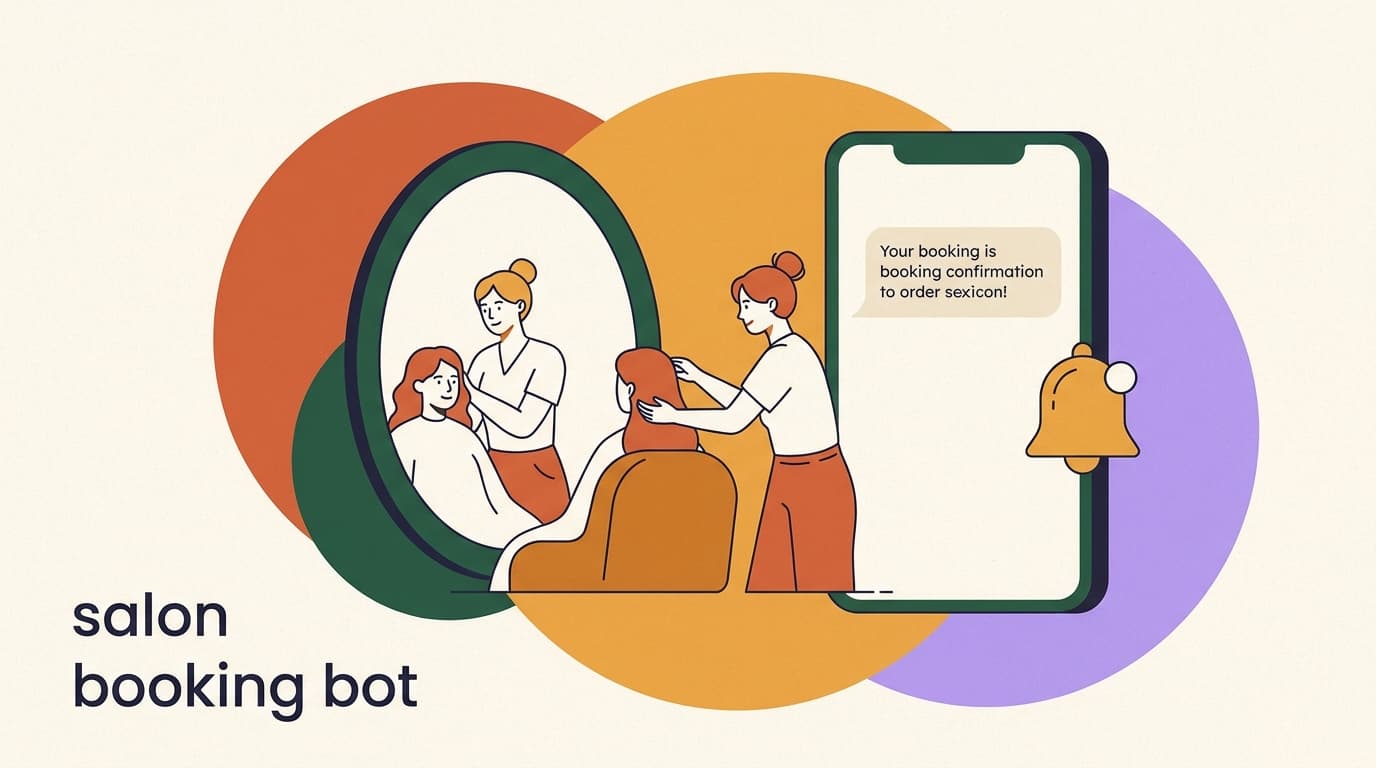
Most salons and spas lose money in the same quiet place: the direct message that arrives at 9pm, sits unread until the next morning, and by then the person has booked somewhere else. The work that wins beauty clients is not glamorous. It is answering "how much for a balayage?" fast, holding the slot with a deposit, and nudging people so they actually show up. A salon booking chatbot does that work on Instagram and WhatsApp without anyone at the front desk staying up late.
This is a vertical playbook for beauty businesses specifically — hair salons, nail bars, lash and brow studios, day spas, med-spas, and barbershops. The mechanics differ from a gym or a clinic because beauty buyers ask price-first questions, compare on portfolio photos, no-show at painful rates, and rebook on a predictable cadence. The automation has to respect all of that.
We build KlyoChat, an AI-native messaging platform, so we have a stake in this. We have kept the playbook tool-agnostic where it should be — the flows and copy below work on most decent platforms — and we are honest at the end about where KlyoChat fits and where it does not. The point is to help you stop leaking bookings, not to oversell software.
What is a salon booking chatbot, and what does it actually do?
A salon booking chatbot is an automation that lives on your Instagram, WhatsApp, Facebook, or TikTok messages and handles the repetitive parts of turning an inquiry into a paid, attended appointment. It is not a replacement for your stylist's judgment or your front desk's warmth. It is the layer that catches every message, answers the obvious questions instantly, and routes anything human to a human.
The reason it matters in beauty more than in most industries is timing. A prospective client scrolls Instagram in the evening, sees a transformation reel, and DMs "do you have anything Saturday?" If they get an answer in thirty seconds, they book. If they get it in fourteen hours, they have already messaged three other salons. Speed of first reply is the single biggest lever on conversion, and a bot is the only thing that replies at midnight.
Think of the chatbot as covering five jobs that map to the client's journey, from the first curious message to the review they leave after a great cut.
- Inquiry handling — answers price, availability, location, and "do you do my hair type?" questions instantly, in your voice.
- Booking — shows the service menu, captures the service, stylist, and time, and confirms the slot.
- Deposits and confirmation — takes a hold to protect chair time and sends a clear confirmation.
- Reminders — messages before the appointment to cut no-shows and late arrivals.
- Rebooking and upsells — brings clients back on cadence and adds treatments to the ticket.
Start with one job, not five
Do not try to launch all five flows on day one. The highest-return single automation for almost every salon is the after-hours inquiry responder. Get that live, watch it recover bookings for a week, then add deposits and reminders. A working narrow bot beats a half-built broad one.
Why do beauty salons need DM automation more than most businesses?
Beauty is a discovery-and-DM industry. People find salons on Instagram and TikTok through before-and-after content, then slide into the DMs rather than calling. The phone is not the front door anymore; the inbox is. And the inbox never closes, which is exactly the problem — clients message at all hours, and a human front desk is staffed for maybe a third of them.
There are three structural pressures that make automation pay off faster here than in, say, a B2B service business. First, the questions are repetitive and price-led, so they are easy to automate well. Second, the no-show rate in beauty is notoriously high — empty chairs are pure lost revenue because the time cannot be resold. Third, the rebooking cadence is regular and predictable: a six-week color, a three-week fill, a monthly facial. That regularity is a gift for automated, well-timed nudges.
Put those together and you get a business where the same three or four flows, set up once, quietly protect revenue every single day.
The cost of a slow first reply
- Manual front desk
- DM at 9:14pm answered at 10:30am next day — client already booked elsewhere
- Salon booking chatbot
- DM at 9:14pm answered at 9:14pm with price + open slots — booked before bed
Which questions should your salon chatbot answer instantly?
Before you build a single flow, list the questions your front desk answers a hundred times a week. In beauty these cluster tightly, which is good news — a small, well-written set of answers covers the vast majority of inquiries. The goal is that nobody waits for a human to learn your prices or hours.
Write each answer the way your best receptionist would say it. Warm, specific, and ending with a gentle push toward booking. Vague answers create more questions; precise answers create appointments.
| Client asks | What the bot should do |
|---|---|
| How much is a [service]? | Give the price range, note that a consult sets the exact quote, offer to book |
| Do you have anything this week? | Show the next open slots or send them to the booking flow |
| Do you do [hair type / skin concern]? | Confirm yes/no, name the right service or stylist, offer a consult |
| Where are you / parking? | Send address, map link, and parking note |
| How long does it take? | Give the typical duration so they can plan the day |
| Can I see your work? | Send a portfolio link or relevant before-and-after set |
Price ranges, not silence
Many salons avoid posting prices to force a conversation. In DMs that backfires — a non-answer reads as evasive and the client leaves. Give an honest range and frame the exact number as a quick consult. You stay in control of the conversation and the client feels respected.
How do you turn an Instagram comment into a booked appointment?
Your highest-intent prospects are already telling you they want in — in the comments of your best posts. Someone comments "price?" or "obsessed 😍" under a balayage reel. That is a buying signal you can act on automatically with comment-to-DM, where a public comment triggers a private message that starts the booking conversation.
This is the bridge between content and revenue. You post the transformation, the algorithm pushes it, people comment, and the automation quietly moves each commenter into a DM where you can give a price and offer a slot. It keeps the public comment section busy (good for reach) while doing the selling in private (good for conversion).
- Pick a trigger word or postChoose a keyword like "PRICE" or "BOOK", or trigger on any comment to a specific promo post. Tell viewers to comment it in your caption.
- Auto-reply to the commentPost a short public reply — "Sent you a DM! 💌" — so others see the system works and feel comfortable commenting too.
- Open the DM with valueThe first DM answers the implied question: the price range for the service in that post, plus a one-line offer to check availability.
- Move into the booking flowIf they say yes, hand off to the service-menu booking flow. If they ask something unusual, route to a human.
- Tag the leadTag them by the service they were interested in so your follow-ups and broadcasts can be relevant later.
Respect the platform rules
Comment-to-DM is powerful but governed by Meta's policies on automated messaging and the 24-hour messaging window. Keep automated replies relevant and welcome, give people an easy way to stop, and do not blast people outside the allowed window. Following the rules keeps your account healthy.
What does a good salon booking flow look like, step by step?
Once a client is in the DM and ready to book, the flow should feel like a short, friendly conversation — not a form. Beauty clients are choosing an experience, so the tone matters as much as the mechanics. Keep it to a handful of clear choices and never make them type more than they have to.
Here is the spine of a booking flow that works for most salons and spas. Adapt the service list and the deposit step to your business.
- Greet and ask the serviceOpen warmly and present your service menu as tappable options — hair, color, nails, lashes, facials — so the client picks rather than types.
- Capture the specificsFor the chosen service, ask the follow-up that affects time and price — hair length for color, full set vs fill for lashes, single vs course for a facial.
- Offer stylist and timeLet them pick a stylist if they have a favorite, then show real open slots. Pulling live availability is what makes this feel like a real booking, not a request.
- Take a depositSend a payment link to hold the slot. State the amount, that it comes off the final bill, and your cancellation terms in one clear line.
- Confirm and set expectationsSend a confirmation with date, time, stylist, address, duration, and any prep — arrive with clean hair, no caffeine before a massage, and so on.
Sample booking DM exchange
- Bot
- Hi! 💕 What are you booking today? (Hair · Color · Nails · Lashes · Facial)
- Client
- Color
- Bot
- Lovely. Roughly how long is your hair — shoulder, mid-back, or longer? This helps us quote and time it right.
- Client
- Mid-back
- Bot
- Balayage for mid-back runs about $180–240 and takes ~3 hrs. Want me to check this week's openings?
- Client
- Yes please
- Bot
- We have Thu 2pm with Maya or Sat 10am with Dani. Which works?
Why should you take a deposit, and how do you handle it in DMs?
The empty chair is the most expensive thing in a salon. A no-show on a three-hour color is three hours of a stylist's day that cannot be resold. A small deposit changes the psychology entirely: a client who has put money down shows up, and the few who genuinely cannot make it tend to cancel early enough for you to refill the slot.
Deposits feel awkward to ask for over the phone but are natural in a DM, because the automation states the policy the same calm way every time, with no front-desk staff having to play bad cop. The key is transparency — say the amount, say it is deducted from the total, and say the cancellation window in plain language before they pay.
- Set a deposit that stings to lose but does not scare off bookings — many salons land at a fixed amount or a percentage of the service.
- Always state that the deposit comes off the final bill, so it reads as a hold, not an extra charge.
- Spell out the cancellation window — for example, reschedule free with 48 hours' notice — in the same message as the payment link.
- Send the link inside the conversation so the client never leaves the chat to pay.
- Confirm receipt automatically so the client knows the slot is genuinely held.
A deposit policy you do not enforce is just a suggestion
The deposit only cuts no-shows if your terms are clear and applied consistently. If you forgive every forfeited deposit, clients learn the policy is soft. Let the automation state the terms identically every time so the rule feels like the system's, not a personal judgment by your staff.
How do appointment reminders cut no-shows for salons?
Reminders are the workhorse of salon automation. Most no-shows are not malicious — people forget, double-book, or lose track of the date. A well-timed sequence of reminders catches almost all of those before they become an empty chair, and gives clients an easy way to reschedule instead of simply not turning up.
The rhythm matters. One reminder is good; a short sequence is better. The 24-hour reminder lets someone reorganize their day; the same-day reminder is the final nudge that gets them out the door on time. Each reminder should make it trivial to confirm, reschedule, or cancel right inside the chat.
| When | Message purpose | Example line |
|---|---|---|
| At booking | Confirm and reassure | You're booked! Sat 10am with Dani. Deposit received 💕 |
| 48 hours before | Early reschedule window | See you Sat! Need to move it? Reply RESCHEDULE — free up to 48h before. |
| 24 hours before | Lock it in | Quick reminder: tomorrow 10am with Dani. Reply C to confirm. |
| Same day | Final nudge + prep | Today at 10! Come with dry, brushed hair. We can't wait to see you ✨ |
Reminders run in chat, not SMS or email, on KlyoChat
An honest limit worth knowing: KlyoChat sends reminders through the same chat channels your client booked on — Instagram, WhatsApp, Facebook, Telegram — not via native SMS or email. For most salons that is fine because the conversation already lives there. If your clients expect SMS reminders specifically, factor that in.
How do you bring clients back? Building a rebooking sequence
The most profitable client is the one who already loves you and just needs reminding to come back. Beauty services run on cadence — color grows out, lashes shed, nails chip, facials work best on a schedule — and that predictability is the foundation of an automated rebooking engine. If you know a balayage client typically returns at six weeks, you can message them at week five with an open slot, before they drift to a competitor.
The trick is to tie the rebooking nudge to the service they had, not to a generic blast. A lash client and a color client are on different clocks. Tag each booking by service at the time it is made, then let the automation schedule the right nudge for each cadence. The message should feel like a thoughtful prompt from someone who remembers them, not a marketing email.
- Tag the service at bookingEvery appointment gets a tag — color, lashes, facial — so the system knows which rebooking clock to run.
- Pick the cadence per serviceSet the typical return window for each service. Color at six weeks, fills at three, facials at four — use your own data.
- Send the nudge just before the windowMessage a few days before the typical return date, while their look still looks good and they are thinking about it.
- Make rebooking one tapOffer two or three open slots right in the message so they can rebook without restarting the whole flow.
- Win back the lapsedIf someone misses their window by a couple of weeks, send a gentle we-miss-you message, optionally with a small incentive.
Rebooking nudge by service
- Color client (week 5)
- Your color's about due for a refresh ✨ Want me to hold Fri 1pm or Sat 11am with Maya?
- Lash client (week 3)
- Time for a fill before they thin out! Tap a slot: Wed 4pm · Thu 6pm
- Facial client (week 4)
- Your glow's ready for round two 🌿 Same time next week, or want options?
How can a salon chatbot increase the average ticket with upsells?
Upselling in a salon usually depends on whether the stylist remembers to mention the add-on and whether the client is in the mood to say yes at the chair. Automation makes the offer reliably, at the right moment, in a low-pressure way — which is often when clients are most receptive, before the appointment rather than during it.
The best upsells are relevant and easy. A color client is a natural fit for a gloss or a treatment; a facial client for an eye add-on or a peel upgrade; a manicure for a paraffin treatment. Offer the add-on after the booking is confirmed, framed as enhancing the result they already chose. Keep it to one well-matched suggestion — a list of five reads as a sales pitch and gets ignored.
- Offer one relevant add-on per booking, matched to the service they chose.
- Frame it around the result — "add a bond treatment to keep that color vivid" — not the price.
- Make accepting a single tap; do not send them off to a separate flow.
- Time it after confirmation, when commitment is high and the client is excited.
- Use post-visit upsells too — recommend the retail product the stylist used on them.
Upsell the outcome, not the line item
Clients do not want a "$25 gloss add-on." They want their color to last and shine. Write upsell copy that sells the result they came for, and the add-on attaches naturally. The best-converting upsells barely read as upsells at all.
How do you ask for reviews without being annoying?
Reviews are the lifeblood of a salon's discovery — they feed the map listings and the social proof that convert the next round of DMs. The problem is timing and asking: most salons either never ask or ask everyone in a clumsy blast. Automation solves both by triggering a single, well-timed request after a completed appointment.
Send the request a few hours to a day after the visit, while the fresh-cut feeling is still strong. Keep it short, thank them genuinely, and make leaving the review one tap. A light touch is the whole game — one good ask converts far better than three pushy ones, and it never risks the relationship.
Catch the unhappy client before the public review
Always build a branch that detects a lukewarm or negative reply and routes it straight to a human, privately. The goal of the flow is to send happy clients to public reviews and unhappy ones to your front desk, where a problem can be fixed before it becomes a one-star.
Post-visit review request
- Timing
- Sent ~3 hours after the appointment is marked complete
- Message
- Hope you're loving your new look, Sara! 💕 If you have 30 seconds, a quick review means the world to us: [link]
- If they reply unhappy
- Auto-route to a human immediately — never push a public review on an unhappy client
How should a spa adapt the playbook differently from a hair salon?
Most of this playbook applies to any beauty business, but spas and med-spas have a few wrinkles worth handling explicitly. Spa visits are longer, more considered, and often gifted, so the inquiry and booking flows carry more weight per conversation. A massage or a body treatment is a planned indulgence, not a quick top-up, which changes both the questions clients ask and the way you should answer them.
Spa clients tend to ask about practitioners, contraindications, and packages more than hair clients do, and they buy gift cards far more often. They also book courses — a series of facials or treatments — rather than single visits, which is a rebooking opportunity baked right into the first sale. Your automation should lean into all of that: surface packages, handle gift-card inquiries gracefully, and ask the safety questions that a longer, more physical treatment requires.
Med-spas add one more layer: some treatments need a consultation or medical screening before booking. The chatbot should not pretend a botox or peel inquiry is the same as a manicure. It should answer the general questions, then route confidently to a human or a consultation form when a treatment requires clinical judgment.
- Offer packages and courses, not just single visits — spas earn more per client through series.
- Handle gift-card inquiries with a clear path to purchase; spa gifting is a major revenue line.
- Ask prep and contraindication questions before booking longer or physical treatments.
- For med-spa services that need screening, route to a consultation rather than booking directly.
- Set expectations on arrival time and aftercare in the confirmation message.
Do not let a bot give clinical advice
For med-spa and treatment inquiries, the chatbot should answer logistics — price ranges, duration, what to expect — and then hand anything medical to a qualified human. Build a clear branch that detects treatment-specific or health questions and routes them to a consultation. This protects your clients and your business.
How do you fill a last-minute cancellation gap?
Even with deposits and reminders, cancellations happen — someone gets sick, a child's school calls, life intervenes. When a slot opens up two hours from now, that chair is about to earn nothing unless you can fill it fast. This is where a broadcast to the right clients turns a loss into a recovered booking, often within minutes.
The mechanism is simple: keep your clients tagged by service and interest, and when a gap appears, send a short message to a relevant segment offering the open slot. A color slot goes to color clients who are due; a lash slot goes to lash clients. Because the audience is relevant and the offer is time-sensitive, these messages convert quickly without feeling like spam.
- Detect the gapA cancellation or no-show leaves an open slot in the next day or two. Note the service and time.
- Pick the right segmentChoose the tagged group most likely to want it — clients due for that service, or local regulars.
- Send a short, time-boxed offerOne message: the open slot, the service, and a clear way to claim it by tapping a reply.
- Confirm the first taker and close itLock the slot for whoever responds first and let the rest know it is taken, politely.
Cap how often you broadcast
Last-minute offers work because they are rare and relevant. If you broadcast every quiet afternoon, clients tune out and your messages start to feel desperate. Reserve broadcasts for genuine gaps and real promotions, and keep the audience tightly segmented so each message lands as useful.
Last-minute fill broadcast
- Trigger
- Tomorrow's 2pm color slot just opened from a cancellation
- Audience
- Color clients tagged as due for a refresh
- Message
- Surprise opening! 🎉 Color tomorrow at 2pm with Maya. First to reply BOOK gets it 💕
How do you measure whether your salon chatbot is working?
Automation is only worth keeping if it moves numbers you care about. The good news is that the metrics for a salon chatbot are concrete and tied directly to revenue — you are not measuring vanity engagement, you are measuring bookings, attendance, and repeat visits. Check these regularly and adjust the flows that underperform.
Do not over-instrument. A handful of metrics tells you almost everything: how fast you respond, how many inquiries become bookings, how many bookings actually show up, and how many clients come back. If those four are moving the right way, the automation is earning its keep.
| Metric | What it tells you | What to do if it's weak |
|---|---|---|
| First-response time | How fast inquiries get answered | Tighten or expand the auto-answer coverage |
| Inquiry-to-booking rate | How well the flow converts | Improve copy, add price clarity, fewer steps |
| No-show rate | Whether deposits and reminders work | Add the deposit step or a same-day reminder |
| Rebooking rate | Whether clients return on cadence | Tune the nudge timing per service |
| Upsell take rate | Whether add-ons land | Match the offer better, simplify the accept |
Compare to your before, not to a benchmark
Industry benchmarks are noisy and depend on your services, prices, and location. The honest measure is your own salon before and after the automation. If after-hours bookings rose and no-shows fell against your own baseline, it is working — regardless of what any benchmark claims.
Which channels should a salon automate first — Instagram or WhatsApp?
For most beauty businesses the discovery channel is Instagram and, increasingly, TikTok — that is where the portfolio content lives and where new clients find you. The booking and reminder conversations, though, often work better on WhatsApp, where people are used to back-and-forth messaging and where confirmations feel natural. The right answer is usually both, connected to one inbox.
Start where your inquiries actually come from. If your DMs are overwhelmingly Instagram, automate the comment-to-DM and inquiry flows there first. If you already run a WhatsApp number that clients message, put booking and reminders there. A unified inbox that handles every channel in one place means you do not have to choose permanently — a client can discover you on Instagram and get their reminders on WhatsApp without anything falling through a crack.
| Channel | Best for | Note |
|---|---|---|
| Discovery, comment-to-DM, inquiries | Where new beauty clients find you and slide in | |
| TikTok | Discovery, viral reach, inquiries | Growing fast for salons; capture commenters into DMs |
| Booking, deposits, reminders, rebooking | Familiar for transactional chat; note Meta's per-conversation fees | |
| Older client base, reviews | Still strong for many established local salons |
WhatsApp has Meta fees on every platform
WhatsApp charges per-conversation fees set by Meta, and those apply on any tool you use, KlyoChat included. They are usually modest for a local salon's volume, but budget for them. Marketing-category messages cost more than utility messages like confirmations and reminders.
What mistakes do salons make when automating their DMs?
Automation done badly is worse than no automation — a robotic, pushy, or broken flow can cost you the warmth that beauty clients come for. The good news is that the common mistakes are predictable and easy to avoid once you know them.
Most failures come from treating the bot as a wall instead of a helpful first responder. The bot should make things faster and then get out of the way the moment a human is needed.
- Sounding like a robot — write flows in your salon's actual voice, with the warmth your brand has in person.
- No human escape hatch — always let clients reach a person; never trap them in a loop.
- Over-messaging — too many reminders or upsells reads as spam and trains people to ignore you.
- Hiding prices — refusing to give any number in DMs sends price-sensitive clients elsewhere.
- Set-and-forget — flows drift out of date; review prices, hours, and slots regularly.
- Ignoring the rules — automated DMs must follow Meta's policies and messaging windows.
Read your own flow out loud
Before you launch, message your own salon and run through every flow as if you were a nervous first-time client. If any line sounds cold, confusing, or pushy when you say it aloud, rewrite it. The bot represents your brand at its most-seen moment — the first reply.
How does KlyoChat handle salon booking and reminders?
We built KlyoChat as an AI-native, mobile-first platform for exactly this kind of business — one where the owner is often on the floor, the inbox spans several channels, and the front desk cannot answer at midnight. It puts Facebook, Instagram, Telegram, WhatsApp, TikTok, and X into one inbox you can run from your phone, then layers automation and AI agents on top.
For a salon, the relevant pieces are the custom AI agents and flows. An AI agent can answer price and availability questions in your voice, run the booking conversation, send confirmations and reminders, and offer the right upsell — included in your plan, not a separate add-on. Comment-to-DM turns your best-performing reels into booking conversations, broadcasts let you fill a last-minute gap with one message, and the team inbox means several staff can pick up where the bot left off.
- Run it from your phone — the inbox and automations are mobile-first, built for owners on the floor.
- AI agents are included in your plan, not a separate AI add-on.
- Honest limit: reminders go through chat channels, not native SMS or email.
- Honest limit: we are a newer, smaller community than the biggest incumbents — fewer third-party templates, though our team helps you set up.
- WhatsApp's Meta per-conversation fees apply, as they do on any platform.
| Salon need | KlyoChat feature |
|---|---|
| Answer DMs instantly across channels | Unified inbox + custom AI agents (included) |
| Turn reel comments into bookings | Comment-to-DM automation |
| Book, confirm, and remind | Flows + AI agents over chat channels |
| Fill a last-minute cancellation | Broadcasts to tagged clients |
| Several staff on one inbox | Team inbox |
| See what's working | Analytics |
Try it on your real DMs before you commit
The fastest way to know if a salon booking chatbot fits your business is to connect your busiest channel, build the after-hours inquiry flow, and watch it for a week during the 7-day free trial. No credit card, and you will see real recovered bookings — or you will not, and you will have lost nothing.
KlyoChat plans at a glance
- Basic
- $19/mo — small studio: a couple of channels and a single AI agent to start
- Pro
- $49/mo ($39 billed yearly) — all channels, 10,000 contacts, custom AI agents
- Business
- $129/mo — multi-location or high-volume salons with more seats and contacts
- Trial
- 7-day free trial, no credit card required
How do you roll out salon automation without overwhelming your team?
The biggest practical risk is not the technology — it is launching too much at once and confusing your staff and clients. A staged rollout lets you prove value at each step, keep the team comfortable, and catch any awkward copy before it reaches hundreds of clients. Treat it as a four-week build, not a weekend project.
Each phase below stands on its own, so even if you stop after week one you are better off than before. By the end you have a full booking-to-rebooking engine that your team trusts because they watched it work.
- Week 1 — Inquiry responderConnect your busiest channel and build the instant-answer flow for price, hours, and availability. This alone recovers after-hours leads.
- Week 2 — Booking and depositsAdd the service-menu booking flow and a deposit step. Test it yourself end to end before turning it on for clients.
- Week 3 — RemindersSwitch on the 48-hour and same-day reminder sequence with easy reschedule. Watch your no-show rate over the following weeks.
- Week 4 — Rebooking, upsells, reviewsLayer in service-tagged rebooking nudges, one matched upsell per booking, and a post-visit review request.
Keep a human in the loop from day one
Tell your team the bot handles first contact and the boring questions so they can focus on the chair and the relationship. Frame it as removing front-desk grunt work, not replacing people. Staff who see the bot as their assistant will help it improve; staff who see it as a threat will route around it.
The bottom line for beauty salons and spas: the money you are losing is mostly in unanswered DMs, empty chairs, and clients who never got nudged to come back. A salon booking chatbot does not need to be clever to fix that — it needs to answer fast, hold the slot with a deposit, remind people, and bring them back on cadence. Those four jobs, set up once, protect revenue every day.
Start narrow with the after-hours inquiry responder, prove it works on your real DMs, then build out booking, reminders, and rebooking over a few weeks. Whatever tool you choose, write it in your own warm voice, always leave an easy path to a human, and respect the platform rules. If you want to see how it works on your channels, the related guides on AI booking agents and DM automation are a good next step.