A pre-order WhatsApp campaign is one of the highest-signal things a small ecommerce brand can run, because the people on the other end asked to be there. They tapped a button, replied to a comment, or opted in on your storefront to say: tell me the moment this product is available. That intent is worth far more than a cold audience, and WhatsApp is where you can act on it directly — a message that lands on a lock screen, gets read within minutes, and links straight to the checkout on your own store.
This guide is a practical playbook for running pre-orders, product drops, and launch waitlists on WhatsApp. We will walk through capturing interest with an opt-in waitlist, building anticipation in the days before launch, writing the notify broadcast that opens the drop, adding honest urgency, and sending the post-order updates that keep buyers calm while they wait for their parcel. There is sample copy you can adapt for each stage.
We will also be straight about the limits. WhatsApp is not a checkout or a payment processor — the actual transaction happens on your store, and WhatsApp hands the shopper off to it. To message people at all you need their opt-in, your broadcasts need approved message templates, and Meta charges a per-conversation fee on top of whatever tool you use. None of that is a dealbreaker; it just needs to be designed in from the start rather than discovered on launch day.
Why run pre-orders and launch waitlists on WhatsApp?
Most launch traffic is wasted. You post the teaser, a wave of people see it, a fraction are genuinely interested, and by the time the product is actually live most of them have scrolled on and forgotten. Email helps, but open rates on a launch email are often in the low tens of percent and the click-through is a sliver of that. The interested buyer and the moment of availability rarely line up. A waitlist on WhatsApp closes that gap: you capture the person while their interest is hot, then reach them again at the exact moment the gap closes.
The mechanics are simply better suited to a time-boxed event. WhatsApp messages are read quickly and read often, which is exactly what a drop needs — a launch is worthless if the notification sits unopened for two days. It is a two-way channel, so a shopper who has a question ('does it ship to Canada?', 'is the large sold out?') can ask it and get an answer inside the same thread that will later carry their order confirmation. And it is personal in a way a broadcast email is not; a message from a brand you chose to follow feels closer to a text from a friend who works at the shop than to marketing.
For a pre-order specifically, WhatsApp also solves the trust problem. Pre-orders ask customers to pay now and wait, which requires confidence that you will actually deliver and keep them informed. A channel where you can send a production update, a shipping-soon note, and a tracking link — each one landing reliably — is a channel that reduces the anxiety of buying something that does not exist yet. That reassurance is not a nice-to-have. It is the difference between a pre-order that converts and one that gets a chargeback.
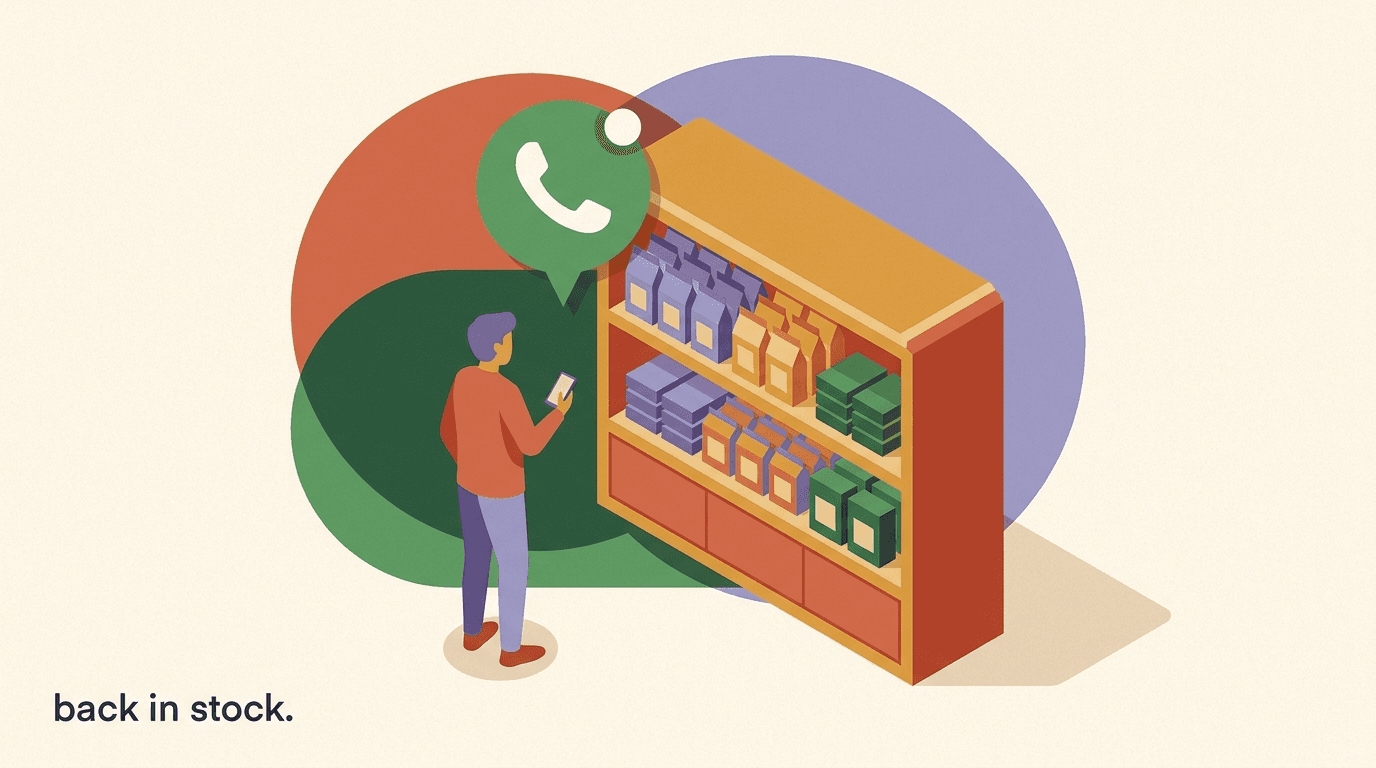
The reason a waitlist beats a general broadcast is concentration. When you drop to your whole audience you are shouting; when you drop to a waitlist you are answering a question people already asked. The list is smaller but the intent per contact is far higher, which usually means a better conversion rate, fewer complaints, and — because you are not blasting the uninterested — lower per-conversation costs. If you also run limited restocks, the same list works for a back-in-stock alert the moment inventory returns.
Interest is not permission
Someone wanting your product is not the same as consenting to be messaged. WhatsApp requires an explicit opt-in before you can send. Every tactic in this guide assumes you collected that opt-in cleanly — a tapped button, a typed keyword, or a checked box on your store. Skip it and you risk your number being blocked.
What is the difference between a pre-order and a waitlist?
These two words get used interchangeably, but they describe different commitments and they change how you design the campaign. A pre-order is a purchase: the customer pays now, or authorises payment now, for a product that will ship later. A waitlist is an expression of interest: the customer asks to be notified when something becomes available, with no money changing hands until the launch. You can run either on WhatsApp, and many launches use both in sequence — a waitlist to gather demand, then a pre-order (or a straight sale) once the product goes live.
The distinction matters because it sets expectations about payment, timing, and risk. A pre-order commits the buyer financially, so it demands more reassurance: a clear ship date, a visible refund policy, and steady updates while they wait. A waitlist commits nobody, so it is lower-friction to join and it is the right tool when you are still gauging whether demand justifies producing the thing at all. The classic launch pattern is to open a waitlist first, watch how fast it fills, and use that signal to decide production quantities before you take a single payment.
There is also the pure product drop, which sits alongside both — a limited quantity that goes live at a set time, sells at full price, and is gone when stock runs out. A drop uses a waitlist to concentrate demand into the launch window, but it is not a pre-order because the product exists and ships immediately. Understanding which of the three you are running keeps your copy honest, and honest copy is what keeps a launch out of trouble. For a definition of the concept and its history, the general idea is well documented in the entry on pre-order.
| Approach | Best for | What you collect | Payment timing |
|---|---|---|---|
| Waitlist | Gauging demand before production | Opt-in + interest signal | None until launch |
| Pre-order | Funding or reserving stock early | Opt-in + payment now | At order (ships later) |
| Product drop | Limited stock, set launch time | Opt-in for the notify | At launch (ships now) |
How do you capture interest and build an opt-in waitlist?
The waitlist is the foundation, and the goal at this stage is a clean, consented list of people who genuinely want the product. Clean matters more than large. A hundred people who tapped a button because they mean it will outperform a thousand who were swept in by a vague incentive, because the hundred convert and the thousand generate opt-outs and cost you per conversation. So design the entry to attract intent, not just volume.
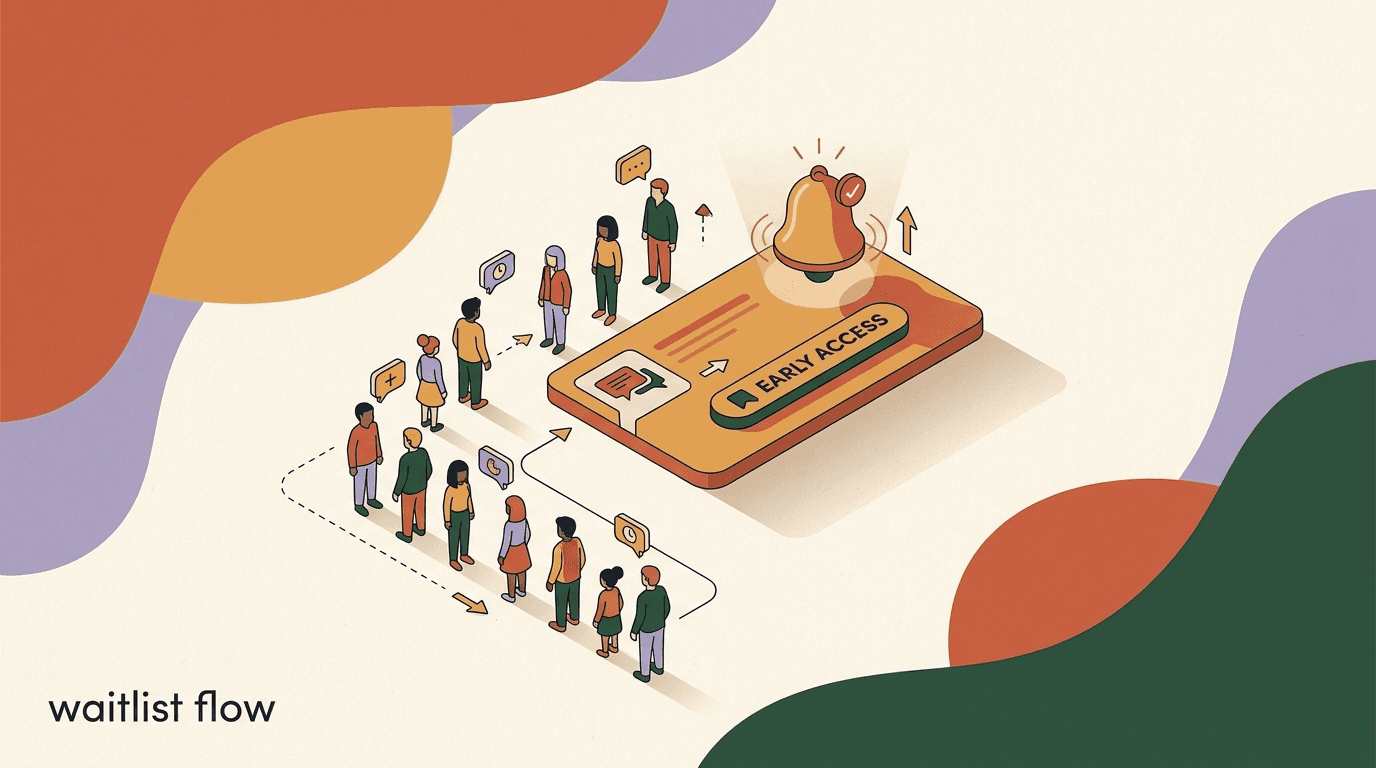
The most reliable entry point is a click-to-WhatsApp path from wherever your interested audience already is. A 'Join the waitlist' button on the product page, a link in your Instagram bio, a story sticker, a comment-to-DM trigger on the teaser post — each one drops the shopper into a WhatsApp thread where they confirm they want in. Because they initiated the conversation, the opt-in is unambiguous, which is exactly what WhatsApp wants to see. Keep the confirmation instant and friendly so the first impression of the thread is a good one.
On your storefront, a checkbox at signup or at checkout ('Notify me on WhatsApp about the [product] launch') captures interest from people already shopping with you. This is high-quality demand because these are buyers, not browsers. If you run a Shopify or WooCommerce store, this opt-in can be wired to tag the contact automatically so they land on the right waitlist segment without manual work. However you collect it, store the source — page, ad, post — because it tells you later which channel produced the buyers rather than just the sign-ups.
- Pick one clear entry pointChoose the single place your interested audience already gathers — the teaser post, the product page, or the bio link — and put the waitlist there first. Add others later; do not scatter attention on day one.
- Collect the opt-in explicitlyUse a tapped button, a typed keyword, or a checked box. The action itself is the consent. Confirm it in a reply so the shopper knows they are on the list.
- Tag by product and sourceTag every contact with the product they want and where they joined from. This is what lets you send the launch only to the right people later.
- Set the expectation immediatelyTell them what they will receive and roughly when: one anticipation message, then the launch alert. No surprises means fewer opt-outs.
- Give an easy exitInclude how to leave the list in the welcome. A visible opt-out lowers complaints and keeps your sender quality high, which protects deliverability for everyone still on the list.
Make the incentive about access, not discount
The strongest waitlist offer is early access or first dibs on limited stock, not a coupon. Access attracts people who want the product; a discount attracts people who want a deal. For a launch, intent beats price-sensitivity every time — and it protects your margin on day one.
What should your waitlist opt-in message say?
The welcome message sets the tone for the whole campaign, so it earns a little care. It has three jobs: confirm the person is on the list, tell them exactly what happens next, and make them feel good about the decision. Keep it short — this is a phone screen, not a landing page — and make sure it reads like a person wrote it. The temptation is to cram in every detail; resist it. One clear confirmation and a single expectation is enough.
Notice what the sample below does. It confirms the specific product so there is no confusion if the shopper is on more than one list. It states precisely how many messages to expect and when, which prevents the 'why are you texting me' reaction that drives opt-outs. It gives a reason to stay engaged (early access before public sale). And it offers an immediate way out. That combination — confirmation, expectation, a small reward for staying, and a clean exit — is the anatomy of a welcome that keeps people on the list until launch day.
The welcome can be a session message
Because the shopper messaged you first, the welcome usually sends inside the 24-hour customer service window — no template approval needed for that reply. It is the later broadcasts, sent outside that window, that must use an approved template. Plan which messages fall where before you launch.
Waitlist opt-in confirmation (sample copy)
- Line 1
- You are on the list for the Aurora Tote. Nice pick.
- Line 2
- You will get exactly two messages from us: a heads-up the day before, and the launch alert the moment it goes live.
- Line 3
- Waitlist first: you shop 2 hours before the public. Stock is limited.
- Line 4
- Not for you after all? Reply STOP any time and we will take you off.
How do you build anticipation before the drop?
A waitlist that hears nothing between sign-up and launch goes cold. The days before a drop are when you convert passive interest into active intent, and the tool for that is a small, deliberate sequence of anticipation touches. The word to hold onto is small. One or two well-timed messages build excitement; a daily drumbeat trains people to mute you. Because every message you send outside the service window costs a Meta conversation fee, restraint here is both good marketing and good budgeting.
The content of an anticipation message should give the waitlist something the public does not have. A behind-the-scenes look at production, a first photo of the finished product, the exact launch time and quantity, a styling note, a founder voice message about why the product exists — any of these rewards the person for being on the list and deepens their commitment. The subtext of every anticipation message is the same: you are an insider, this is going to move fast, be ready. You are not selling yet; you are setting the stage so that when the launch message lands it converts on a warm audience rather than a cold one.
Timing is the other half. A single 'tomorrow' message, sent roughly 24 hours before launch, is the highest-value anticipation touch because it plants the event on the shopper's radar with enough time to plan but not so much that they forget. If you run a longer runway, one mid-campaign reveal plus the day-before note is plenty. Save the loudest moment for launch itself. If your drop is really a timed flash event with limited stock, the anticipation phase blends into the flash sale mechanics you would use for any short, high-urgency window.
| Phase | Timing | Message type | Goal |
|---|---|---|---|
| Sign-up | On opt-in | Welcome + expectation | Confirm and reassure |
| Warm-up | 3-5 days before | Reveal or behind-the-scenes | Deepen commitment |
| Heads-up | 24 hours before | Launch time + stock note | Put the event on the radar |
| Launch | At drop | Notify broadcast + link | Drive the click to buy |
| Follow-up | 6-24 hours after | Low-stock or last-call | Convert the fence-sitters |
Do not over-message the list
The fastest way to ruin a waitlist is to treat it like a broadcast channel and send something every day. Each unwanted message raises opt-outs and block reports, and enough of those damage your sender quality across all your messaging. Two to four total touches from sign-up to launch is a healthy range for most drops.
What does the launch or notify broadcast look like?
The launch broadcast is the message the whole campaign has been building toward, and its only job is to get the click. Everything else — the story, the styling, the specs — you have already told them. At the moment of launch the shopper needs three things and nothing more: confirmation it is live, a reason to act now, and a link that takes them straight to the product. Clarity beats cleverness here. A launch message that makes someone think for even a second is a launch message that loses the impulse.
Structure the broadcast so the most important words are first, because many people read only the preview. Lead with 'It is live' or the product name, follow with the single sharpest urgency cue (limited stock, waitlist window, launch price), and end with the link. Keep it to a few lines. If your product benefits from an image, WhatsApp templates can carry a header image, and a strong product photo will lift the click-through — but the copy has to stand on its own because images do not always render instantly.
The sample below is deliberately lean. It confirms the launch, names the specific product so there is no ambiguity, states the real constraint (limited units and the waitlist head-start), and hands off to the store with a clear call to action. Notice it does not try to re-sell the product or restate the features. By launch time the selling is done; the broadcast is a starting gun, not a pitch. This is also the template you would reuse for a waitlist launch flow on any future drop, swapping only the product and the numbers.
- Confirm stock and the link before you sendCheck the product page is live, the price is right, and the checkout works. A broadcast that links to a 404 on launch day is the worst possible failure. Test the link on your own phone first.
- Send to the tagged waitlist onlyBroadcast to the segment tagged for this product, not your whole audience. The waitlist asked for this; the rest did not, and messaging them raises opt-outs and cost.
- Lead with the launch and the linkFront-load 'it is live' and the store link. Assume the shopper reads only the first line and the button. Everything after is a bonus.
- Keep the thread open for questionsHave someone ready to answer replies in the first hour. A fast answer to 'does the black still have stock?' converts a hesitant buyer on the spot.
- Queue the follow-upPrepare a low-stock or last-call message to send hours later to anyone who opened but did not buy. The follow-up often recovers a meaningful share of the launch.
Launch / notify broadcast (sample copy)
- Opening
- It is live. The Aurora Tote just dropped.
- Urgency
- You are on the waitlist, so you have a 2-hour head start before the public. 200 units only.
- Call to action
- Tap to shop yours now: [your store link]
- Reassurance
- Questions on size or shipping? Just reply here and we will help.
How do you create urgency without being pushy?
Urgency is what turns a launch from a browse into a buy, but fake urgency is corrosive. Shoppers have seen a thousand countdown timers that reset and 'only 3 left' banners that never move, and they have learned to discount them. The urgency that still works is the kind that is true. If your stock really is limited, say the real number. If the waitlist really does get a head start, state the exact window. Real scarcity does the persuasion for you and it does not cost you trust when someone checks and finds you were telling the truth.
The most durable source of urgency in a drop is genuine limited quantity. A finite run — 200 units, 500 units, whatever you actually made — is honest, it is easy to communicate, and it creates a real reason to act now rather than later. Time-boxing works too: a waitlist window that closes when the public sale opens gives your list a concrete deadline that is fair because everyone on the list gets the same head start. Pair the two and you have a launch that moves quickly without a single invented number.
Where brands get into trouble is manufacturing urgency the product does not have. Countdown pressure on an item you will restock next week, 'almost gone' claims on something you have a warehouse full of, or a 'waitlist price' that is just the normal price — these work once and cost you a customer's belief forever. The test is simple: would this urgency claim survive the shopper screenshotting it and checking back in a week? If yes, use it. If no, cut it. Honest urgency is slower to write and far more valuable to own.
- State real stock numbers when the run is genuinely limited — a true 200 units beats a vague 'selling fast'.
- Give the waitlist a concrete head-start window with a clear end time, and honour it exactly.
- Use launch-only pricing sparingly and only when the price really does rise afterward.
- Avoid countdowns and 'almost gone' claims on products you will restock — the short-term lift is not worth the lost trust.
- Let the follow-up carry the last-call urgency: 'under 20 left' is powerful precisely because it is only true once.
Scarcity you can prove is scarcity that converts
The strongest urgency line is one a skeptical shopper could verify. Real limited runs, real closing windows, and real low-stock counts all pass that test. If a claim would embarrass you when screenshotted a week later, it is the wrong claim.
If WhatsApp is not a checkout, how does payment actually work?
This is the honest limit worth being crystal clear about: WhatsApp is not a payment processor, and neither is any messaging tool built on top of it. You do not take the card, run the transaction, or hold the money inside the chat. What WhatsApp does — and does extremely well — is carry the interest, the notification, and the hand-off. The shopper taps the link in your launch broadcast, lands on your product page or cart on your own store, and completes the purchase there through your existing checkout, whether that is Shopify, WooCommerce, or anything else.
That hand-off is a feature, not a shortcoming. Your store already handles payment, tax, shipping options, and fraud protection — the whole apparatus of a real transaction — and it does so under your brand with your policies. Trying to replicate that inside a chat would be worse for the customer and riskier for you. The right mental model is that WhatsApp is the fastest, most personal front door to your checkout, not a replacement for it. Design the campaign so the click-to-store step is frictionless: a link straight to the specific product, ideally with the variant pre-selected, so the shopper is one or two taps from paying.
There is a practical upside to keeping payment on your store: the order data lives where the rest of your business lives. Fulfilment, inventory, refunds, and accounting all run through your store's existing systems, and WhatsApp simply becomes the channel for the messages around the order. If you connect your store to your messaging tool, an order placed on the store can trigger the confirmation and shipping updates back on WhatsApp automatically — which is exactly how you close the loop on the post-order phase we cover below.
The division of labour
WhatsApp owns interest, notification, questions, and updates. Your store owns the cart, payment, tax, and fulfilment. Keeping that line clean is what makes the campaign both compliant and reliable — you are not asking a chat to be a checkout, and you are not asking a checkout to send launch alerts.
What opt-in rules and approved templates do you need?
Running any of this on the WhatsApp Business Platform means playing by Meta's rules, and the two that shape a pre-order campaign most are opt-in and templates. Opt-in is the non-negotiable foundation: you may only message people who have given clear permission to be contacted on WhatsApp by your business. A tapped 'join the waitlist' button, a typed keyword, or a checked box at checkout all qualify, as long as it is unambiguous and the person knew what they were agreeing to. Buying a list or scraping numbers is not opt-in and it is the fastest route to getting your number blocked.
The second rule is templates. When you message a customer outside the 24-hour window that opens after their last message to you — which most of your anticipation and launch broadcasts will be — you must use a message template that Meta has pre-approved. Templates come in categories, and the category affects both approval and cost. Marketing templates (a launch announcement, a promotional drop) are treated differently from utility templates (an order or shipping update tied to a transaction). You submit templates in advance, they are reviewed, and only approved ones can send, so build and submit them days before launch, not the morning of.
The third reality is cost. Meta charges a per-conversation fee on WhatsApp messaging, and it varies by country and by category — marketing conversations generally cost more than utility ones. This is charged by Meta on top of whatever software you use to send, so it applies no matter which tool sits in front of it. None of this is a reason to avoid WhatsApp; it is a reason to plan. Know your template categories, get them approved early, and budget the conversation fees into your launch. The authoritative details live in the official WhatsApp Business Platform documentation, and the product overview at business.whatsapp.com is a useful starting point for the bigger picture.
| Message | When it sends | Template needed? | Typical category |
|---|---|---|---|
| Waitlist welcome | Right after they opt in | No (inside 24h window) | Service reply |
| Anticipation / reveal | Days before launch | Yes | Marketing |
| Launch broadcast | At the drop | Yes | Marketing |
| Order confirmation | After purchase | Yes | Utility |
| Shipping update | When it ships | Yes | Utility |
Get templates approved before launch week
Template review is not instant and rejections happen, usually over wording or category mismatch. Submit your anticipation, launch, and post-order templates several days ahead so a rejection is a fixable inconvenience, not a launch-day emergency. Keep the copy clean, avoid all-caps urgency, and match the category to the message's real purpose.
How do you segment your pre-order audience?
A waitlist is not one audience; it is several wearing the same badge, and treating them identically leaves conversions on the table. The most basic and most valuable split is by product. If you run more than one drop, or a drop with multiple variants, the person who wants the black tote should not get the launch alert for the tan one. Tagging every contact with the specific product they signed up for — which you set at opt-in — lets each launch broadcast go only to the people who asked for that exact thing, which lifts relevance and cuts wasted conversation costs.
The next useful axis is behaviour during the campaign. Someone who opened your anticipation message and replied with a question is a hotter lead than someone who has not engaged since sign-up, and your launch follow-up can treat them differently — the engaged buyer gets a lighter touch, the quiet one gets a stronger nudge. After launch, the split that matters most is buyers versus non-buyers: buyers move into the post-order update flow, while non-buyers can receive a single tasteful last-call before you let the list rest. Segmenting on this line prevents the cardinal sin of sending a 'still available' message to someone who already bought.
Source is the third dimension and it pays off over time rather than on launch day. Tagging where each contact joined — the teaser post, a specific ad, the product page, the bio link — tells you afterward which channel produced buyers, not just sign-ups. A source that fills the waitlist quickly but converts poorly at launch is a different thing from one that adds fewer contacts who nearly all buy, and you only learn the difference if you tagged the source going in. That insight compounds across drops and is one of the quiet advantages of running launches on a channel where every contact carries its own history.
- Tag by product at opt-in so each launch reaches only the people who wanted that item.
- Split engaged from quiet contacts to tune how hard your follow-up pushes.
- Separate buyers from non-buyers immediately after launch so nobody gets a 'still available' message after they have paid.
- Record the sign-up source to learn which channels produce buyers, not just list size.
- Let inactive segments rest between drops rather than messaging them into opting out.
What post-order updates should you send after a pre-order?
For a pre-order, the campaign does not end at checkout — in some ways it begins there. The customer has paid for something that does not yet exist or has not yet shipped, and the gap between payment and parcel is where anxiety lives. Every day of silence in that gap is a day they can start to worry they made a mistake, and a worried pre-order customer is a refund request or a chargeback waiting to happen. The post-order sequence exists to fill that silence with calm, specific reassurance, and WhatsApp is well suited to it because these utility messages land reliably in the thread the customer already trusts.
The backbone is a short set of transactional updates, each tied to a real event. An order confirmation immediately after purchase, restating what they bought and the expected ship window. A production or 'on track' note partway through the wait, especially for longer pre-orders, so they know the date still holds. A shipping notification with a tracking link the moment the parcel moves. And a delivered follow-up that both confirms arrival and opens the door to a review or a repeat purchase. These are utility messages, generally cheaper than marketing ones, and they carry enormous goodwill because they answer the question the customer was about to ask before they ask it.
The other job of the post-order phase is honesty when things slip. Pre-orders run late — suppliers miss dates, shipping delays happen — and the brands that survive delays are the ones that get ahead of them. A proactive 'your order is running about a week behind, here is the new date and here is why' message, sent before the customer notices, converts a potential complaint into a mark of trust. Silence does the opposite. If your store is connected to your messaging tool, most of these updates can fire automatically off order and fulfilment events, so the reliable part is handled by automation and you only step in for the exceptions.
Over-communicate the wait, not the sale
During a pre-order wait, more messaging is welcome as long as it is useful. Nobody resents a production update or a shipping note; they resent silence followed by a late parcel. Save your restraint for marketing and spend generously on reassurance.
Post-order shipping update (sample copy)
- Confirmation
- Good news — your Aurora Tote pre-order has shipped.
- Detail
- Tracking: [link]. Estimated delivery 3-5 days. It will update within 24 hours.
- Reassurance
- Anything looks off with tracking? Reply here and we will sort it.
How do you handle back-in-stock and restock pre-orders?
Not every launch sells out cleanly, and not every product stays gone. A close cousin of the pre-order is the back-in-stock pre-order, where a popular item sells out and you open a waitlist for the restock — sometimes taking pre-orders against incoming inventory, sometimes just notifying people the moment it returns. This is some of the easiest demand you will ever capture, because the interest is already proven: these people tried to buy and could not. Turning a sold-out page into a 'notify me on WhatsApp' opt-in converts frustration into a list of guaranteed-interested buyers.
The mechanics mirror a fresh launch but compressed. The opt-in happens on the out-of-stock product itself. There is little need for a long anticipation phase because the product is known and wanted; you mostly need the notify broadcast when stock returns. Urgency is often naturally high because the buyer already experienced scarcity once. And the same segmentation rules apply — tag by the specific variant, so the person waiting on the medium is not alerted for the large. A well-run restock list frequently outperforms the original launch on conversion rate precisely because every contact has demonstrated intent by failing to buy.
Where back-in-stock and pre-order blur together is when you take orders against inventory that has not arrived. That is a true pre-order with all the reassurance obligations attached — clear expected dates, a visible refund policy, and the post-order update flow. The upside is you fund the restock with confirmed demand and you never over-order. We go deeper on the notify mechanics and copy in our guide to back-in-stock alerts on WhatsApp; the short version is that a sold-out page is not a dead end, it is a waitlist entry point, and WhatsApp is the channel that makes the return actually get noticed.
Restock lists convert because scarcity was real
A back-in-stock waitlist is the purest form of proven intent: everyone on it tried to buy and could not. Treat those contacts accordingly — a single, timely notify broadcast when stock returns often outperforms an entire fresh launch sequence, because you are not building demand, you are releasing pent-up demand.
How do you measure a pre-order WhatsApp campaign?
A launch you cannot measure is a launch you cannot repeat, and the metrics that matter for a pre-order campaign are not the vanity ones. List size is a starting point, but it is the weakest signal because a large list of weak intent converts worse than a small list of strong intent. The numbers to watch run down the funnel: how many opted in, how many of those the launch broadcast reached and were read, how many clicked through to the store, and — the one that pays the bills — how many actually completed the purchase. Each step is a ratio, and the ratios tell you where the campaign leaks.
Read rate and click rate on the launch broadcast tell you whether your message and timing landed. A high read rate with a low click rate usually means the copy or the offer did not compel; a low read rate points at timing or template deliverability. Click-to-purchase conversion — how many of the people who tapped through actually bought — reflects your store, your price, and whether the product met the expectation the waitlist set. Because payment happens on your store, you get this number from your store analytics, not from WhatsApp, which is another reason the hand-off to your store is a feature: the conversion data lives with the transaction.
The opt-out and block rate is the health metric you ignore at your peril. A launch that sold well but spiked opt-outs borrowed against future launches, because a shrinking, souring list converts worse every time. Track it per message so you can see which touch cost you subscribers — often the over-eager anticipation message rather than the launch itself. Finally, cost per order, including Meta's conversation fees, tells you the real economics. A campaign that looks successful on revenue but poor on cost per order is one where you over-messaged an under-qualified list. The fix is almost always tighter segmentation and fewer, better messages.
- Map the funnel end to endOpt-ins, launch reach, read rate, click rate, and purchases. Write each as a ratio to the step before it so you can see exactly where people drop.
- Pull conversion from your storeBecause checkout lives on your store, get click-to-purchase and revenue from store analytics. Match it to the launch send time to attribute cleanly.
- Watch opt-outs per messageTrack unsubscribes and blocks against each individual send. The message that costs you the most list is the one to cut or soften next time.
- Calculate true cost per orderInclude Meta conversation fees and your tooling cost. Divide by orders. This is the number that tells you whether the launch was actually profitable.
What are the most common pre-order mistakes to avoid?
The failure modes of a pre-order campaign are consistent enough to list, and every one of them is avoidable with a little foresight. The first and most damaging is messaging people who never opted in. It feels like a shortcut to reach a bigger audience, but it is the fastest way to get your number reported and restricted, and a blocked number takes your whole channel down mid-launch. There is no version of this that is worth it. Build the list cleanly and message only the people on it.
The second is silence during the wait. Brands pour effort into the launch and then go quiet the moment the money lands, which is exactly backward for a pre-order. The gap between payment and delivery is when the customer is most anxious and most likely to charge back, and it is the cheapest place to build loyalty. A few utility updates cost little and prevent most refund requests. The third mistake is manufactured urgency — the countdown that resets, the 'last chance' that comes weekly — which works until the customer notices, and then it works against you permanently.
The remaining mistakes cluster around planning. Leaving template approval to launch week and getting a rejection you cannot fix in time. Broadcasting to the whole list instead of the tagged segment, which inflates cost and opt-outs. Linking the launch message to a page that is not actually live. And forgetting that Meta's conversation fees are real money that scales with your sends, so an unsegmented blast to a big list can quietly cost more than the launch earns. None of these are exotic. They are the predictable result of treating a launch as a single message rather than a sequence that needs testing, and the fix in every case is to rehearse the campaign before you run it.
- Never message non-opted-in contacts — it risks your number and your whole channel.
- Do not go silent after the sale; the post-order wait is where pre-orders are won or lost.
- Skip fake urgency — resetting countdowns and weekly 'last chances' erode trust for good.
- Get templates approved days early so a rejection is fixable, not fatal.
- Broadcast to the tagged segment, not the whole list, to control cost and opt-outs.
- Test every launch link on your own phone before you send to anyone.
A launch is a sequence, not a single send
Almost every pre-order failure traces back to treating the launch as one big message. It is a sequence — opt-in, warm-up, launch, follow-up, post-order — and each stage has its own copy, timing, and template. Rehearse the whole thing end to end before launch day, links included.
How does KlyoChat help run pre-orders and drops on WhatsApp?
If you have read this far, the shape of the work is clear: capture opt-ins, tag them, warm the list, broadcast the launch, and run the post-order updates — all while respecting opt-in, templates, and Meta's fees. KlyoChat is built to run exactly that sequence. It is an AI-native unified inbox that includes WhatsApp alongside your other channels, with broadcasts, segments, and no-code flows in one place, so the waitlist, the anticipation touches, the launch send, and the post-order updates all live in a single tool instead of stitched together across several.
Practically, that means you can collect waitlist opt-ins through click-to-WhatsApp entry points, tag each contact by product and source automatically, then send the launch as a broadcast to just the tagged segment through the broadcasts feature. Flows handle the timed anticipation messages and the post-order sequence without manual sending. On the Business plan, a Shopify or WooCommerce connection lets order and shipping events trigger the confirmation and tracking updates back on WhatsApp automatically, which is what makes the reassurance side of a pre-order run itself. The ecommerce solution overview walks through how these pieces fit a store.
We are a mid-funnel fit here, so it is worth being honest about what KlyoChat does not do. It is not a checkout or a payment processor — payment happens on your store and WhatsApp hands the shopper off to it, exactly as described above. You still need customer opt-in, still need Meta-approved templates for messages outside the service window, and still pay Meta's per-conversation fees on top of your subscription; those apply on any platform. KlyoChat also does not offer native SMS or email, so if your launch strategy leans on those channels you will run them elsewhere. And we are a newer, smaller product with a younger community than the incumbents — a fair thing to weigh.
On pricing, KlyoChat is flat rather than metered on contacts. Basic is 19 dollars a month, Pro is 49 dollars (39 billed yearly), and Business is 129 dollars, with the Shopify and WooCommerce connections on the Business tier. Every plan starts with a 7-day free trial and no credit card, so you can build a full pre-order sequence — opt-in, warm-up, launch, post-order — and run it on a real drop before you decide. You can compare the tiers on the pricing page. The point is not that KlyoChat is the only way to do this; it is that the whole sequence in this guide fits in one tool, which is the difference between a launch you can repeat and one you assemble from scratch each time.
| Campaign stage | What you need | Where it happens |
|---|---|---|
| Capture waitlist | Opt-in entry + tagging | KlyoChat inbox + flows |
| Warm up the list | Timed anticipation sends | KlyoChat flows |
| Launch the drop | Segmented broadcast + link | KlyoChat broadcasts |
| Take payment | Checkout + fulfilment | Your store (hand-off) |
| Post-order updates | Order + shipping events | KlyoChat + store connection |
Honest scope
KlyoChat runs the interest, notification, and update side of a pre-order end to end, but the transaction stays on your store, opt-in and approved templates are still required, and Meta's conversation fees apply regardless of tool. We are also newer and smaller than the incumbents, with no native SMS or email. Weigh that against the flat pricing and the single-tool workflow.
A pre-order on WhatsApp is not a single clever message; it is a short, honest sequence. You capture people who genuinely want the product, you keep the list warm with a couple of well-timed touches, you send a lean launch broadcast that hands off cleanly to your store's checkout, and you spend the post-order wait reassuring buyers rather than going quiet. Do those four things with real urgency instead of invented urgency, and you have a launch mechanic you can run again and again — each time with a list that trusts you a little more.
The constraints are real and worth respecting: opt-in is mandatory, broadcasts outside the service window need approved templates, payment lives on your store, and Meta charges per conversation on top of any tool. Design around them from the start and they become a rhythm rather than a surprise. When you are ready to build the sequence, our companion guides on the waitlist launch flow, running a WhatsApp flash sale for timed drops, and setting up back-in-stock alerts cover the adjacent mechanics in the same practical detail.