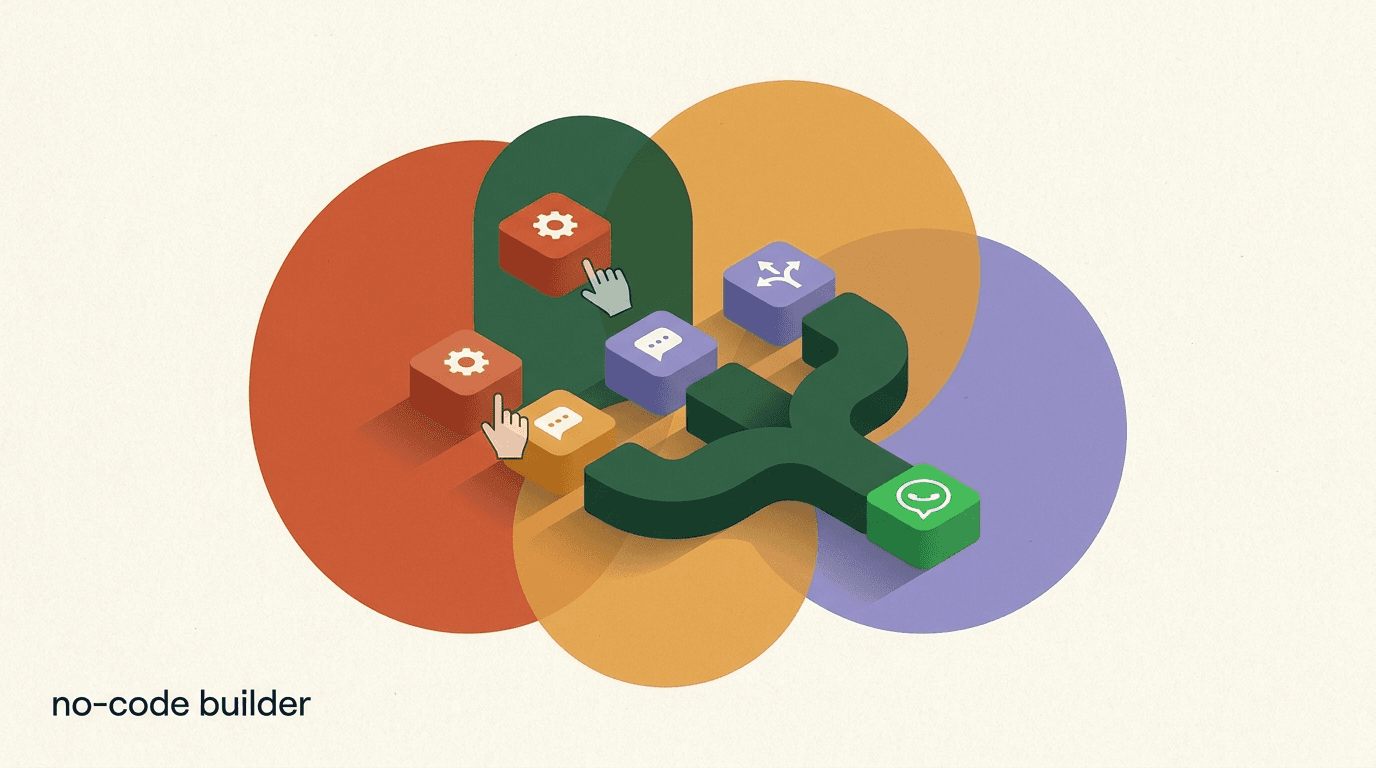
A no-code WhatsApp chatbot builder is a tool that lets you design automated WhatsApp conversations by dragging blocks around a canvas instead of writing software. You connect your WhatsApp Business number, lay out the questions your bot asks and the answers it gives, add a few conditions, and switch it on. No servers, no webhooks to host, no code to maintain. For most small teams that is the only realistic way to run WhatsApp automation, because the alternative — building on the raw API yourself — needs an engineer and ongoing maintenance that a marketing or support team does not have.
The catch is that the phrase covers a wide range of products. Some are genuine visual builders with an official Meta connection. Others are thin front-ends bolted onto an unofficial gateway that can get your number banned. Some include real artificial intelligence; some just call a keyword-matcher AI. And the price you see on the pricing page is often not the price you pay once WhatsApp's own message fees are added on top.
This guide is written to help you choose. We will define what a no-code WhatsApp chatbot builder actually is, lay out the five things that separate a serious tool from a toy, give you a feature checklist and a fair rundown of the main builder categories, and walk through the high-level steps to build a bot without writing a line of code. We build KlyoChat, so we have a point of view, and there is one honest section about where we fit near the end. Everything else is written to be useful even if you never try our product. Where we mention other tools we keep it neutral and tell you to verify their current terms, because pricing and features in this category change often.
What is a no-code WhatsApp chatbot builder, exactly?
A chatbot is a program that holds a conversation with a person through text or voice, and on WhatsApp that conversation happens inside the same app your customers already use every day. A no-code builder is the layer that lets a non-developer create and change that program visually. Instead of writing conditional logic in a programming language, you place message blocks, question blocks, and branch blocks on a canvas and connect them with arrows. The builder turns that diagram into a running automation behind the scenes.
The reason this category exists is that WhatsApp does not let just any application send messages. Business messaging runs through the WhatsApp Business Platform, and connecting to it involves API credentials, a verified business, message templates that Meta has to approve, and per-conversation billing. A no-code builder handles all of that plumbing for you and exposes a friendly editor on top. You get the power of the official platform without needing to understand the API underneath it.
It helps to separate two things the word chatbot is doing at once. One is the rules-and-flows part — if the customer taps this button, send that message; if they type an order number, look it up. The other is the AI part — understand what someone typed in their own words and answer it. A modern builder usually does both: structured flows for predictable paths like order tracking or booking, and an AI layer for the open-ended questions a flow could never anticipate. The best tools let the two hand off to each other cleanly.
No-code is not the same as no-setup
No-code means you will not write software. It does not mean there is zero configuration. You still connect a number, verify a business with Meta, and get message templates approved. Any tool promising a WhatsApp bot with literally no setup is either skipping the official platform or overselling. Budget an afternoon for the first connection.
Why does no-code matter for WhatsApp specifically?
No-code matters everywhere, but it matters more on WhatsApp than on almost any other channel because the barrier to entry is unusually high. On a website you can drop a chat widget in minutes. WhatsApp sits behind Meta's business verification, its template approval process, and its metered billing. If you had to clear all of that and write the integration code yourself, WhatsApp automation would be the exclusive preserve of companies with engineering teams. The no-code builder is what makes it available to a solo creator or a five-person shop.
There is also a speed argument. WhatsApp conversations are fast and expectations are high. People message a business the way they message a friend and they expect a reply in seconds, not the next business day. The value of automation is capturing that moment — answering the price question, taking the booking, sending the tracking link — while the customer is still paying attention. A no-code builder lets the person who understands the customer, usually in marketing or support rather than engineering, change the bot the same day they spot a gap. When editing the bot requires a developer ticket, improvements stall.
Finally, WhatsApp rewards iteration, and iteration is where no-code earns its keep. Your first flow will be wrong in small ways. A question will confuse people; a branch will dead-end; a template will underperform. On a visual builder you open the canvas, move a block, and republish in minutes. That tight loop between noticing a problem and fixing it is the real productivity gain, more than the initial build. It is the difference between a bot that quietly improves every week and one that ossifies the day it launches.
What should you look for in a no-code WhatsApp chatbot builder?
Before comparing individual products, it helps to have a checklist of the capabilities that actually distinguish a serious tool. Marketing pages all sound the same; the differences show up in these specifics. Use the table below as a scoring sheet — walk any candidate through each row and see how many it clears. A tool that misses the first two rows is disqualifying, whatever else it offers.
- Score every candidate against all six rows before you compare prices.
- The first two rows are non-negotiable; a tool that misses either is out.
- Human handoff is quietly one of the most-used features once you are live.
| What to check | Why it matters | Good sign |
|---|---|---|
| Official WhatsApp Business API | Unofficial gateways risk bans and lost history | Vendor is a Meta partner or connects via the official Cloud API |
| Visual drag-and-drop builder | You will edit the bot far more than you build it | Blocks, branches, and conditions on a canvas, not a form |
| AI grounded in your content | Keyword bots break on questions phrased in new ways | An agent you feed FAQs, docs, or a site to answer from |
| Template library | Faster starts and fewer approval mistakes | Pre-built flows plus WhatsApp message templates |
| Transparent pricing | Meta fees ride on top of any subscription | Clear plan price with Meta fees explained separately |
| Human handoff | Some conversations must reach a person | A shared inbox where staff can take over mid-chat |
Why does official WhatsApp API access matter more than anything?
If you take one thing from this guide, take this: the single most important property of a no-code WhatsApp chatbot builder is whether it connects through the official WhatsApp Business Platform. Meta exposes business messaging through documented, sanctioned channels — a Cloud API it hosts and a network of Business Solution Providers who resell access. Any legitimate builder uses one of these. You can read Meta's own developer documentation at https://developers.facebook.com/docs/whatsapp and the business overview at https://business.whatsapp.com/ to see how the official platform is meant to work.
The reason this matters is risk. A number of cheaper tools connect through unofficial gateways that automate the consumer WhatsApp app rather than the business API. They are attractive because they skip the verification and template process, so they feel faster to start. The problem is that Meta actively detects and bans this behavior. When it happens you do not just lose the tool — you can lose the number, the chat history attached to it, and the trust of every customer who saved it. For a business that has printed a WhatsApp number on packaging or ads, that is a serious loss with no appeal.
Official access also unlocks the features that make WhatsApp worth automating in the first place: approved template messages for proactive outreach, the green verified badge if you qualify, higher messaging limits as you build a good sending reputation, and a clean record of conversations. Unofficial tools cannot offer these reliably because they are working against the platform rather than with it. Chatbots in general have a long, well-documented history, summarized reasonably at https://en.wikipedia.org/wiki/Chatbot, but on WhatsApp the platform rules are what separate a durable setup from a fragile one.
Ask one direct question before you buy
Ask any vendor: do you connect through the official WhatsApp Business Platform, as a Meta partner or via the Cloud API? A straight yes with a partner reference is what you want. Vagueness, or a pitch about skipping verification and templates, is a signal to walk away. The savings are not worth a banned number.
What does a good drag-and-drop builder actually do?
Every tool in this category claims a visual builder, but they vary enormously in what that canvas can express. A weak builder is really a linear form — you fill in message one, message two, message three, and the bot plays them in order. That is fine for a simple auto-reply and useless for anything a real customer will do, because real conversations branch. A strong builder lets you model the branching directly: the customer taps a button and the flow forks; they type something unexpected and it routes to an AI block or a human.
The features that separate a real builder from a form are worth naming. Conditional branching lets the flow take different paths based on what the customer said or a value you stored. Variables let you capture an answer — a name, an order number, a preference — and reuse it later, so the bot can greet someone by name or look up their order. Buttons and list menus turn open questions into taps, which cuts errors dramatically because a customer choosing from three buttons cannot mistype. Delays and typing indicators make the exchange feel less mechanical. Integrations let a flow write to a spreadsheet, a CRM, or an ecommerce store so the conversation actually changes something in your systems.
The other half of a good builder is how it handles the messy reality of WhatsApp's rules. A strong tool surfaces which of your messages need an approved template versus which can be sent inside the 24-hour service window, so you do not accidentally build a flow that Meta will block. It shows you template status inline. It warns you when a branch dead-ends with no reply. These guardrails are invisible when they work and painful when they are missing, and they are hard to judge from a demo video — which is why a trial you can click through yourself is worth more than any screenshot.
Weak builder vs real builder, same goal
- Linear form
- Send greeting, then send menu, then send hours. Everyone gets the same three messages regardless of what they need.
- Branching canvas
- Greeting, then buttons for Orders, Booking, or Support. Each button opens a different path; unmatched text routes to an AI agent.
How does AI change what a no-code builder can do?
For years, no-code WhatsApp bots were built entirely on keywords and buttons. If the customer typed exactly the right word, or tapped the right button, the flow advanced. If they phrased their question in any other way — and people always do — the bot fell over and either looped or handed off. That is why so many early WhatsApp bots earned a reputation for being frustrating. They could only handle the exact paths their builder had anticipated, and customers do not stay on paths.
AI changes the economics of that. A modern builder lets you add an AI agent that reads the customer's message in natural language, understands the intent, and answers from a body of knowledge you provide — your FAQs, your policies, a help center, a product catalog. Instead of anticipating every phrasing, you feed the agent the facts and let it handle the phrasing itself. The result is a bot that can answer the long tail of questions no flow could ever enumerate: is this in stock in blue, can I change my booking to Thursday, do you ship to my country. These are the questions that actually consume your team's time, and they are exactly the ones a keyword bot cannot touch.
The important nuance is grounding. An AI agent that answers from your content is useful; one that answers from the open internet is a liability, because it will invent policies you do not have and prices you never set. When you evaluate the AI in a builder, the question is not whether it uses a large language model — most now do — but whether you can restrict it to your own material and control what it does when it is unsure. A good agent says it will check with a colleague and hands off, rather than guessing. We go deeper on this trade-off in our WhatsApp AI chatbot guide, which is worth reading alongside this one if AI is central to your plan.
Combine flows and AI, do not choose between them
The strongest setups use structured flows for predictable, transactional paths — tracking, booking, returns — and an AI agent for the open-ended questions around them. Flows give you control and reliability where it matters; AI gives you coverage everywhere else. A builder that only offers one of the two is doing half the job.
Do templates matter, and how do you judge them?
Templates come up in two different senses on WhatsApp, and it is worth keeping them straight because they solve different problems. The first sense is flow templates: pre-built automations you can clone and adapt, like a lead-qualification flow, an abandoned-cart nudge, or an FAQ bot. These save you from staring at a blank canvas and, more importantly, they encode a working structure so you do not have to learn the pattern from scratch. The second sense is WhatsApp message templates: the specific, pre-approved message formats Meta requires when you want to start a conversation with a customer rather than reply within the 24-hour window.
Both matter, but for different reasons. Flow templates shorten your time to a first working bot and reduce the number of design mistakes a beginner makes. A good library will have a handful of proven flows for the common jobs, and the ability to duplicate and rename them so you can run variations. Message templates matter because they are a compliance requirement, not a convenience. If your builder makes it easy to draft, submit, and track the approval status of these templates, you will spend far less time fighting Meta's review process. If it hides that behind a clumsy interface, expect friction every time you launch a new campaign.
When you judge a template library, look past the count. A tool boasting hundreds of templates that are mostly cosmetic variations is worth less than one with a dozen genuinely distinct, well-built flows. Open a few and read them. Are they structured the way you would structure them? Do they use branching and variables, or are they linear scripts dressed up? A good template teaches you the tool as you adapt it; a bad one is a dead end you rebuild from scratch anyway.
How does pricing work, and where are the hidden costs?
Pricing in this category is genuinely confusing, and not by accident. There are two separate meters running, and vendors are rarely upfront about the second one. The first is the builder's own subscription — a monthly fee for the software, which vendors structure in different ways. The second is Meta's charge for the WhatsApp conversations themselves, billed per conversation and varying by country and message category, which applies no matter which builder you use. The sticker price you see is almost always only the first meter.
Subscription models fall into a few patterns, and each has a different failure mode. Contact-based pricing charges by the number of unique people who have messaged you; it is predictable early and gets expensive as your audience grows, because contacts only ever accumulate. Conversation-based or message-based pricing charges by volume, which suits some businesses and punishes high-traffic ones. Flat, tiered pricing bundles a generous allowance into each plan and only steps up when you cross a tier; it trades some granularity for predictability. None is universally better, but they behave very differently at scale, so the right question is not what does it cost today but what will it cost at the volume I expect in a year.
The costs that catch people out are almost always the ones layered on top of the base plan. AI features are sometimes a separate add-on rather than being included. Extra team seats can cost more. Some integrations sit behind higher tiers. And Meta's per-conversation fees — the second meter — are easy to forget entirely when you are comparing subscription prices, yet on a high-volume account they can rival or exceed the software cost. The only fair comparison is a fully-loaded one: the plan you would actually need, plus AI if it is extra, plus seats, plus a realistic estimate of Meta's fees for your volume. Compare that number across tools, not the headline. You can see how we structure our own plans on our pricing page, and we lay out the Meta-fee dynamic in more detail below.
Meta's fees apply on every platform
WhatsApp's per-conversation fees are charged by Meta directly and ride on top of any builder you choose, ours included. No tool can waive them, and any that claims to is likely using an unofficial gateway. When you budget, price the subscription and the Meta fees as two separate lines, and always verify the current per-conversation rates for your country.
What are the main categories of no-code WhatsApp chatbot builders?
It helps to see the market as a few categories rather than a long list of names, because tools within a category share strengths and weaknesses. Roughly, no-code WhatsApp builders cluster into general chat-marketing suites, WhatsApp-first business platforms, pure visual flow builders, developer-oriented API platforms with a light no-code layer, and unified AI inboxes. The table below sketches each category with representative, neutrally-named examples. Treat the names as illustrative starting points, not endorsements, and verify each tool's current features, WhatsApp support, and pricing on its own site — this space changes quickly and any specific claim can go stale.
| Category | What it is best at | Examples (verify current details) |
|---|---|---|
| General chat-marketing suites | Multi-channel DM automation across social plus WhatsApp | ManyChat, Chatfuel |
| WhatsApp-first business platforms | Deep WhatsApp features, catalogs, team inboxes | WATI, Interakt, Gallabox |
| Pure visual flow builders | Rich branching conversation design | Landbot |
| API platforms with light no-code | Scale and developer control, thinner visual editor | Twilio, 360dialog (BSP) |
| Unified AI inboxes | One inbox across channels with AI agents built in | Respond.io, KlyoChat |
How do you pick a category before you pick a tool?
Choosing the category first saves you from comparing tools that were never really competing for your use case. If your strategy spans Instagram, Facebook, and WhatsApp together and you want one place to automate all of them, a general suite or a unified inbox fits, and a WhatsApp-only platform will feel narrow. If WhatsApp is your entire channel — common for businesses in markets where WhatsApp is the default way customers reach a shop — a WhatsApp-first platform may give you deeper features on that one channel than a generalist does.
If your bots are complex, conversational, and central to the experience — think a detailed product finder or an involved booking flow — a pure visual builder that specializes in branching may serve the design work best. If you have engineers and need to embed WhatsApp into your own product at scale, an API platform gives you control at the cost of a thinner no-code layer, and your team will live in code more than on a canvas. And if what you actually want is for AI to handle most conversations across every channel with humans stepping in when needed, a unified AI inbox is built around exactly that shape.
There is no category that wins for everyone, and the honest answer is that your channel mix, the complexity of your flows, and whether you have engineering support should decide it before price does. Two of our companion pieces go deeper here: our roundup of the best WhatsApp chatbot platforms compares named tools with their trade-offs, and our guide to WhatsApp Flows and forms covers the structured data-collection features that matter most for booking and lead capture. Read the category that matches your situation and ignore the rest.
Match the tool to your channel mix
The most common mistake is buying a powerful WhatsApp-only platform when your real need is WhatsApp plus Instagram plus Facebook in one place, or buying a broad social suite when WhatsApp is your only channel and you needed depth. Decide your channel mix first; it narrows the field faster than any feature comparison.
How do you build a WhatsApp chatbot without writing code?
The mechanics differ by tool, but the high-level path is the same on any serious no-code WhatsApp chatbot builder. You are not writing software at any point — you are connecting an account, drawing a conversation, and testing it. Here is the sequence from nothing to a live bot. Expect the first connection to take the longest, because business verification and the first template approval involve Meta and run on Meta's schedule, not yours.
- Connect your WhatsApp Business number through the official platformSign up for the builder, then connect a WhatsApp Business number via the official API — either the builder's Meta partnership or the Cloud API. This step includes verifying your business with Meta. It is the slowest part and the one that must be done through official channels; do not shortcut it with an unofficial gateway.
- Map the conversations you want to automateBefore you touch the canvas, list the three or four things customers message you about most — pricing, hours, order status, booking. You are automating the frequent, predictable questions first. Do not try to model everything; model the handful that account for most of your inbound volume.
- Build your first flow on the drag-and-drop canvasOpen the builder and lay out one flow: a greeting, a menu of buttons for the common needs, and a branch for each. Use buttons and lists instead of open questions wherever you can, capture answers into variables, and end each branch with a clear next step or a handoff to a person.
- Add an AI agent for everything the flow does not coverPoint an AI agent at your FAQs, policies, or help center so it can answer questions phrased in ways your flow never anticipated. Set it to hand off to a human when it is unsure rather than guess. This is what keeps the bot from dead-ending on the long tail of real questions.
- Create and submit any message templates you needIf you plan to start conversations — reminders, order updates, campaigns — draft the required WhatsApp message templates and submit them for Meta's approval. Keep them clear and within the category rules. Approval can take time, so submit early rather than the day you want to launch.
- Test end to end, then publish and watchMessage your own bot from a real phone and walk every branch, including the wrong turns a confused customer would take. Fix the dead-ends, then publish. For the first week, read real transcripts daily and patch the gaps — the early conversations tell you exactly what your flow missed.
Ship one flow, not ten
The teams that succeed launch a single, well-tested flow covering their most common question and expand from there. The teams that stall try to model every possible conversation before launching and never ship. A live bot that handles one thing well beats a perfect bot that never goes live.
What can you actually automate on WhatsApp?
It helps to ground all of this in concrete jobs, because the abstract promise of automation is less useful than a clear picture of what a bot does on an ordinary day. The strongest use cases share a shape: a question or task that is frequent, predictable, and time-sensitive, where an instant answer is worth more than a perfect one delivered hours later. Below are the patterns that pay for themselves fastest, followed by a couple of worked examples.
- First-response and triage: greet every inbound message instantly, answer the common questions, and route the rest to the right person or team.
- Lead qualification: ask a few questions, capture the answers, and hand a warm, pre-qualified lead to sales instead of a cold name.
- Order and booking status: let customers check status themselves by looking it up in your systems, which removes a large share of routine support.
- Proactive updates: send approved template messages for shipping updates, appointment reminders, or restock alerts, with opt-in respected.
- FAQ and product questions: an AI agent grounded in your content answers the long tail of what customers ask before they buy.
Example: a small clinic
- Inbound
- Patient messages the clinic's WhatsApp number after hours
- Bot
- Greets, offers buttons: Book, Reschedule, Hours, Talk to reception
- Book path
- Collects name, service, and preferred day into variables, writes to the calendar
- Open question
- AI agent answers from the clinic's FAQ; anything clinical hands off to staff
- Result
- Routine bookings handled overnight; staff wake to qualified requests, not a full queue
What does a second example look like for a shop?
The clinic example is a service business; the pattern looks a little different for a product business, so it is worth a second worked example. A small online shop gets a steady stream of pre-purchase questions — is this in stock, when will it ship, do you deliver to my area, can I return it — and each one is a moment where a fast answer wins the sale and a slow one loses it. These are exactly the questions a mix of flow and AI handles well, because some are lookups and some are open-ended.
The shop's bot greets every message and offers buttons for Track my order, Shipping and returns, and Ask a question. The tracking path takes an order number, looks it up, and returns the status without a human touching it. The shipping and returns path plays back the policy. The ask-a-question path routes to an AI agent grounded in the product catalog and the store's policies, so questions phrased in any way — does this come in a larger size, is it good for sensitive skin — get answered from real information rather than guessed at. When the agent is unsure, it offers to pass the customer to a person, and the whole conversation lands in one shared inbox where staff can jump in without losing context.
The payoff in both examples is the same: the routine, high-volume questions are handled instantly and around the clock, and the human team spends its time only on the conversations that genuinely need a person. That is the realistic promise of a no-code WhatsApp chatbot builder — not replacing your team, but clearing the repetitive load off it so the team's attention goes where it counts.
What mistakes do first-time builders make?
A handful of mistakes show up again and again, and knowing them in advance is cheaper than learning them live. The first is building too much before launching. Beginners try to anticipate every conversation, produce a sprawling flow with dozens of branches, and never ship it because it is never finished. The fix is to launch one flow covering your single most common question and grow from real usage. Your customers will tell you what to build next far more reliably than your imagination will.
The second is over-relying on open text questions. Every time your bot asks an open question — what can I help you with — it invites answers it may not understand, and each misunderstanding is a chance to frustrate someone. Buttons and list menus turn those moments into taps that cannot be mistyped, and they keep the conversation on a path the bot can actually handle. Use open questions only where an AI agent is standing by to interpret the answer. The third mistake is forgetting the handoff. Some conversations must reach a person — a complaint, an edge case, a high-value customer — and a bot with no exit to a human traps those people in a loop. Every flow needs a visible way out to a real person.
The fourth is ignoring WhatsApp's rules until they bite. Sending a proactive message without an approved template, or messaging outside the 24-hour window without one, gets blocked, and beginners often discover this the day of a launch. Learn the difference between the service window and template messages early. The fifth, quietly the most expensive, is not reading transcripts after launch. The bot's real behavior — where people get confused, where they drop off, what they ask that you did not plan for — is written in the conversation logs. Teams that read them improve fast; teams that set-and-forget wonder why the bot underperforms.
Your transcripts are the best product feedback you will get
For the first two weeks after launch, read real conversations every day. Every place a customer got confused, looped, or gave up is a specific, fixable gap in your flow. No amount of upfront planning surfaces these as clearly as ten real transcripts do. This single habit separates bots that improve from bots that stagnate.
How do you test a WhatsApp chatbot before launch?
Testing a chatbot is different from testing normal software because the failure modes are conversational, not technical. The bot will not crash; it will just answer the wrong thing, or loop, or dead-end, and only a human walking through it as a customer would will notice. So the core of testing is role-play. Take a real phone, message your own bot, and go through it as your most impatient customer would — tapping the wrong buttons, typing answers out of order, asking things off-script. The goal is to find the places the flow assumes cooperation that a real customer will not give.
Walk every branch, not just the happy path. It is easy to test the route you designed and miss the three routes a confused person takes instead. Deliberately give wrong answers, skip steps, and type nonsense, and watch what the bot does. Does it recover gracefully, re-ask, and offer a way out, or does it get stuck? Pay special attention to the boundaries: what happens at the end of each branch, what happens when the AI agent does not know, what happens when someone asks for a human. Those seams are where real conversations break.
Then test the compliance layer, which is invisible until it fails. Confirm your message templates are approved before you rely on them. Confirm that proactive messages only go to people who opted in. Confirm that a conversation started outside the 24-hour window uses a template as required. These are not conversational bugs but they will block your bot just as effectively, and unlike a broken branch they often fail silently. A short pre-launch checklist covering branches, handoff, and templates catches almost everything before a customer does.
How do you measure whether your bot is working?
Once the bot is live, the question shifts from does it work to is it worth it, and answering that needs a few honest metrics rather than a vanity dashboard. The most useful measures are the ones that tie to your original reason for automating. If you built the bot to save your team time, the metric is deflection: what share of conversations the bot resolved without a human. If you built it to capture leads, the metric is qualified leads handed off. If you built it to win sales, it is conversations that ended in a purchase or booking. Pick the one that matches your goal and watch it over time.
Alongside the outcome metric, watch the health metrics that tell you whether the experience is good. Handoff rate shows how often the bot gave up to a human — some handoff is healthy and desirable, but a climbing rate means the bot is failing at things it should handle. Drop-off by step shows where people abandon the flow, which points straight at the block that needs fixing. AI answer quality, which you judge by reading a sample of real exchanges, tells you whether the agent is genuinely helping or confidently wrong. None of these needs sophisticated analytics; a weekly look at a handful of numbers and a sample of transcripts is enough to keep improving.
Resist the pull of vanity metrics. Total messages sent, or number of contacts, tell you the bot is busy, not that it is useful, and on some pricing models they are the numbers that raise your bill rather than the numbers that prove value. The measure that matters is whether the bot moved the thing you built it to move — time saved, leads captured, sales won — against the fully-loaded cost of running it. Keep that comparison in front of you and the bot stays honest.
Where does KlyoChat fit among no-code WhatsApp builders?
Since we build KlyoChat, here is the honest placement rather than a pitch. KlyoChat is a unified AI inbox: it brings WhatsApp together with Facebook, Instagram, Telegram, TikTok, and X into one place, and layers a no-code drag-and-drop flow builder, included AI agents, and a template library on top. It connects to WhatsApp through the official Business Platform, so you are not on an unofficial gateway. If your situation is WhatsApp plus a few social channels, handled mostly by AI with your team stepping in when needed, it is built for exactly that shape. You can see the full channel list on our channels page.
On pricing, we use flat, bundled tiers rather than contact metering plus add-ons, because we think predictability matters more than granularity for most small teams. Basic is $19/month, Pro is $49/month ($39 billed yearly), and Business is $129/month, and AI agents are included in the plans rather than sold as a separate line item. Every plan starts with a 7-day free trial and no credit card, so you can walk a real bot through a real WhatsApp number before you decide. The point of the trial is that a builder is hard to judge from screenshots; clicking through it yourself is the only reliable test.
Now the honest limits, because a fair guide names them. WhatsApp on KlyoChat, like anywhere, requires official API access, customer opt-in, and Meta's per-conversation fees on top of your subscription — we cannot waive those and neither can anyone legitimate. KlyoChat is not a payment processor, so it does not take payments inside the chat; it hands off to your existing checkout. It has no native SMS or email, so if your strategy leans on those channels in the same tool, a broader suite fits better. And we are a newer product with a smaller community and template library than the largest incumbents, which matters if you value a big marketplace of third-party templates and agencies. If those trade-offs are dealbreakers, one of the tools in the categories above will serve you better, and that is a fine outcome.
Is KlyoChat a fit for you?
- Good fit
- WhatsApp plus social DMs in one inbox, AI-first, flat predictable pricing
- Good fit
- Small team that wants included AI agents rather than a separate add-on
- Weaker fit
- You need native SMS and email in the same tool
- Weaker fit
- You want the largest possible template marketplace and agency ecosystem
The bottom line: a no-code WhatsApp chatbot builder is the practical way for a non-developer to run WhatsApp automation, but the category hides real differences behind similar marketing. Choose on the five things that matter — official Business Platform access, a genuine drag-and-drop builder, AI grounded in your own content, useful templates, and pricing that stays sane as you grow — and disqualify anything that misses the first two. Pick your category before your tool, by your channel mix and the complexity of your flows.
Then build small and iterate. Connect your number officially, model your three most common conversations, ship one well-tested flow, add an AI agent for the long tail, and read your transcripts every day for the first two weeks. That path gets you a working bot faster than any amount of upfront planning, and the early real conversations will tell you exactly what to build next. Whichever tool you land on, verify its current pricing and WhatsApp support on its own site before you commit, and price the Meta fees as a separate line from the subscription. For the deeper dives, our WhatsApp AI chatbot guide covers the AI layer and our roundup of the best WhatsApp chatbot platforms compares the named tools head to head.