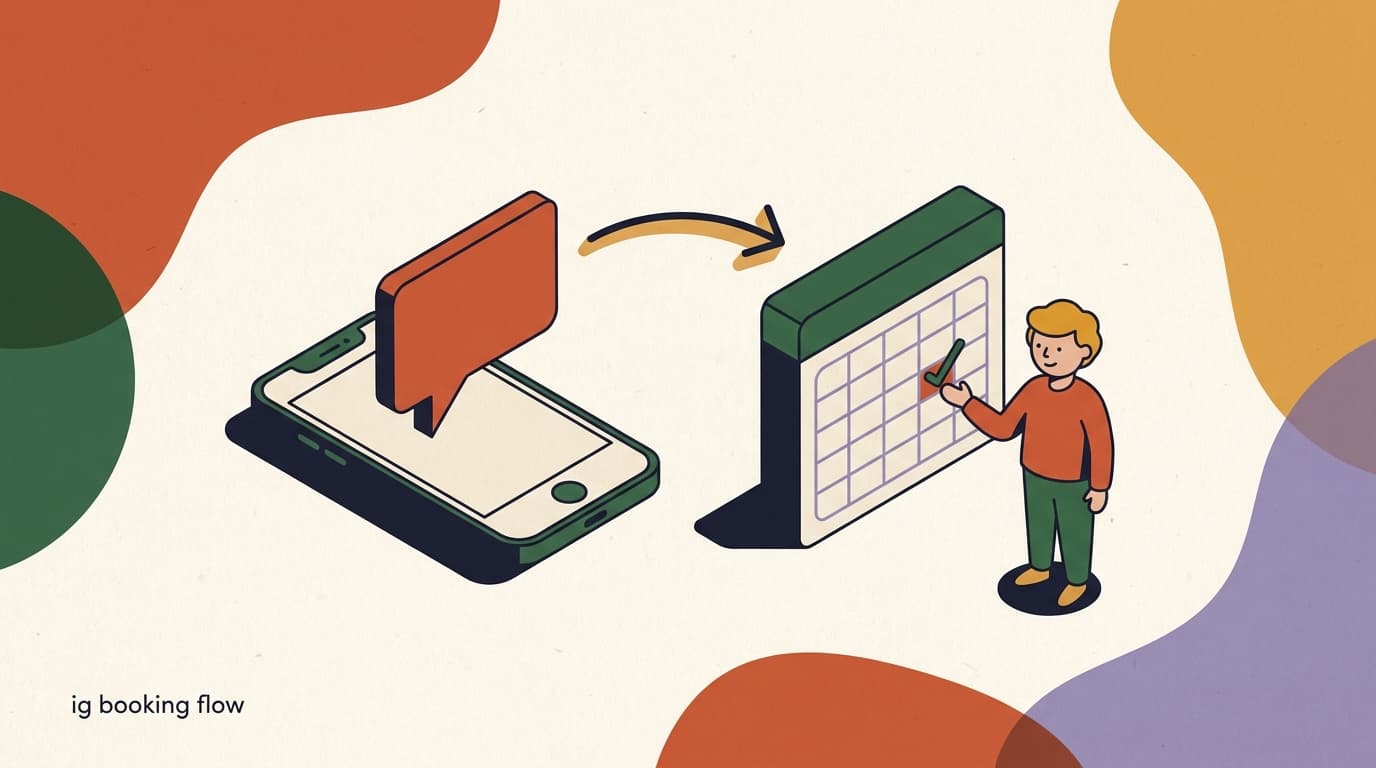
If you take appointments and most of your audience lives on Instagram, the booking conversation is already happening in your DMs. Someone comments on a Reel, sends a message asking if you have anything this week, and then a slow tennis match begins: you reply, they reply, you suggest a time, they want a different one, and three days later the slot is gone. An Instagram booking flow removes that back-and-forth by turning the conversation into a structured path that collects what you need, offers real times, confirms the booking, and reminds the person before they show up.
This is a hands-on, flow-builder tutorial. We are not going to talk in the abstract about why automation is good — we are going to build the actual flow, block by block, with sample message copy you can paste in and adjust. By the end you will have a working booking flow that fires from a DM trigger, collects the service and contact details, offers slots or hands off to a calendar, sends a confirmation, fires a reminder, and handles the inevitable reschedule.
Full disclosure: we build KlyoChat, a no-code flow builder and unified inbox for Instagram and other channels. The mechanics in this guide map cleanly onto KlyoChat, but the structure is general — the same steps apply in most serious DM automation tools. Where Instagram's own rules constrain what a flow can do, we say so plainly rather than pretending the platform has no limits.
What is an Instagram booking flow, and how does it work?
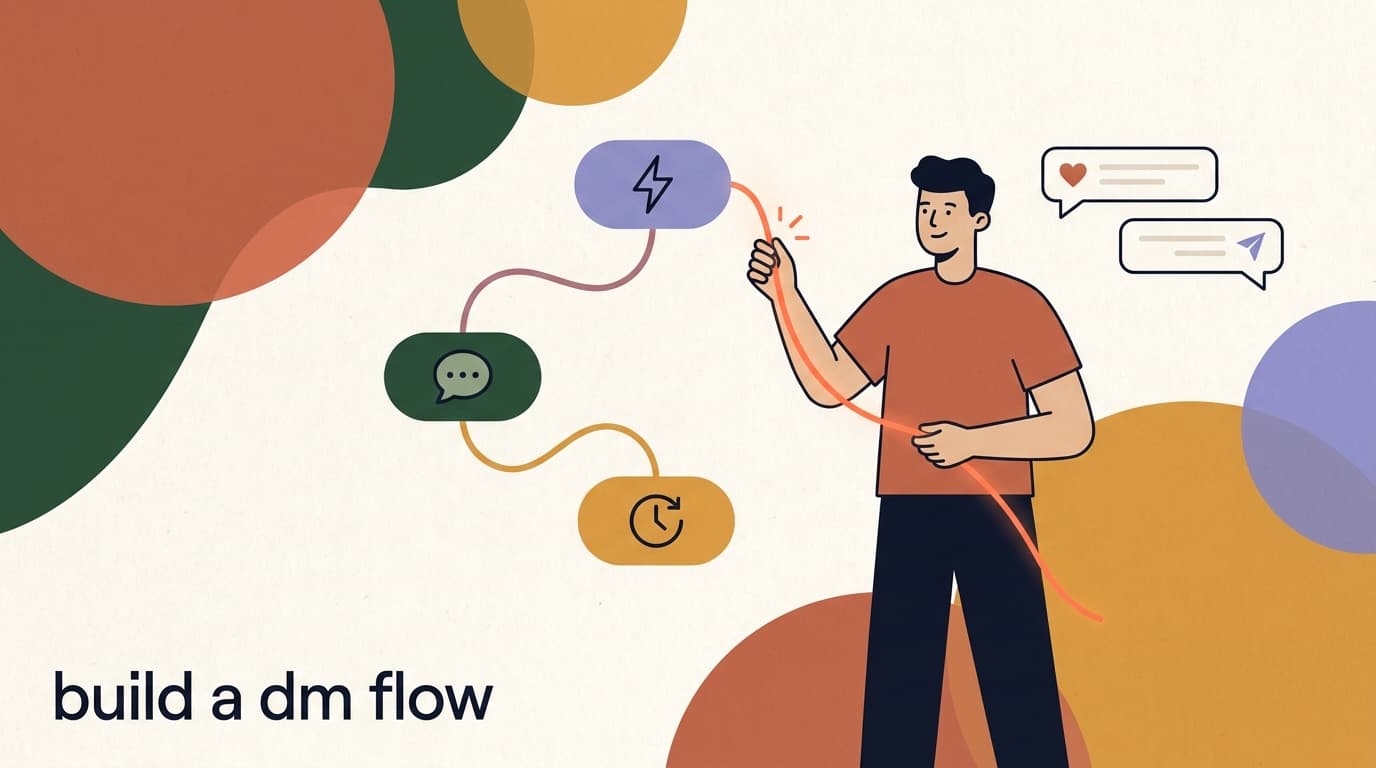
An Instagram booking flow is an automated conversation that runs inside Instagram DMs and walks a person from interest to a confirmed appointment without a human typing every reply. It is built from a small set of blocks — a trigger that starts it, message blocks that ask questions, input blocks that capture answers, logic that branches on those answers, and an action that books the slot or hands off to a calendar.
Think of it as a script with memory. Each answer the person gives is stored against their contact record, so by the time they reach the confirmation step the flow knows their name, the service they want, and the time they picked. Nothing is asked twice, and nothing is lost if they pause and come back an hour later.
The flow does not replace you — it replaces the repetitive part of you. It handles the predictable middle of the conversation (what service, what day, what is your number) so that a human only steps in for the genuinely unusual requests. Everything else gets booked while you are asleep.
- Trigger: the event that starts the flow — a keyword, a comment-to-DM, a Story reply, or a tap on a saved menu.
- Collect: input steps that capture the service, preferred day, name, and contact number.
- Offer: a step that presents available slots or hands off to a calendar link.
- Confirm: a message that restates the booking so the person knows it is real.
- Remind: a follow-up message in the chat ahead of the appointment.
- Recover: branches for no-response, rescheduling, and cancellation.
A flow is a path, not a wall
The goal is not to trap people in a script. Every well-built booking flow includes an exit — a way to reach a human. Plan that escape hatch from the start, not as an afterthought, so a confused customer never feels stuck talking to a robot.
What do you need before you build the flow?
A booking flow only works if the pieces around it are in place. Spend ten minutes gathering these before you open the flow builder — it saves a lot of mid-build backtracking.
Most of this is information you already have in your head. Writing it down turns it into something a flow can use.
- An Instagram Business or Creator accountDM automation requires a professional account connected to a Facebook Page. Personal accounts cannot use the messaging API, so convert first if you have not already.
- A clear list of your servicesWrite down each bookable service, its rough duration, and its price. The flow will offer these as choices, so vague service names make for a vague flow.
- Your real availabilityDecide how slots get offered: fixed windows you key in by hand, or a connected calendar that shows live openings. Either works — you just need to pick one before you build.
- The exact details you must captureFor most appointments that is name, service, preferred time, and a phone number. Capture the minimum that lets you actually deliver the appointment — every extra question lowers completion.
- A fallback humanDecide who picks up when the flow hands off. Even an automated flow needs a person for the edge cases, so know where those conversations land in your inbox.
Map it on paper first
Before you drag a single block, sketch the conversation as a list of questions and the answers you expect. A flow that is clear on paper builds in minutes. A flow you improvise inside the builder tends to grow tangled branches you later have to unpick.
How do you set the trigger that starts a booking flow?
Every flow needs a starting gun. On Instagram you have several, and the right one depends on where your booking demand actually comes from. The most reliable triggers for booking are keyword detection, comment-to-DM, and Story replies, because they map onto how people naturally signal intent.
You can run more than one trigger into the same flow. A common setup points a comment keyword and a DM keyword at one booking flow, so it does not matter whether the person comments on a post or messages you directly — they all land in the same path.
- Open the flow builder and add a trigger blockStart a new flow and choose the trigger type. For most service businesses, begin with a DM keyword and add comment-to-DM later.
- Set your keywordsUse a short, obvious word people will actually type — BOOK, APPOINTMENT, or your service name. Add common variants and misspellings so a near-miss still triggers.
- Decide the match typeExact match fires only on the precise word; contains match fires whenever the word appears in a longer message. Contains is more forgiving and usually better for booking.
- Connect the trigger to your first message blockDraw the line from the trigger to the welcome step. This is the seam where the conversation begins.
| Trigger type | How it fires | Best for |
|---|---|---|
| DM keyword | User messages a word like BOOK or APPOINTMENT | People who already DM you to ask about times |
| Comment-to-DM | User comments a keyword on a post or Reel | Turning a popular post into bookings |
| Story reply | User replies to a Story with a sticker or text | Promoting limited openings to followers |
| Saved menu / icebreaker | User taps a preset option in the chat | First-time visitors browsing your profile |
Respect Instagram's comment-to-DM rules
Meta limits how and when you can move a comment into a DM, and it polices automation that feels spammy. Keep your trigger words genuine, never auto-DM people who did not signal intent, and keep your message volume reasonable. The fastest way to lose messaging access is to ignore platform rules.
How do you write the welcome message?
The first message sets the tone and tells the person they are in the right place. It should confirm what is about to happen, set expectations, and ask the first question — all in two or three short lines. Long opening messages get skimmed and abandoned.
Personalize it with the person's name if your tool supports a name variable. A message that opens with the right name reads as attentive, not automated, even though it is.
- Confirm the outcome up front: the person should know they are booking, not browsing.
- Set a time expectation — 'this takes 30 seconds' lowers drop-off.
- Ask exactly one question. Stacking questions in one message gets you a half-answer.
- Offer choices as buttons or quick replies where you can, so the person taps instead of types.
Buttons beat free text wherever possible
Every time you can replace a typed answer with a tappable button, do it. Buttons reduce errors, speed up the flow, and give you clean structured data instead of free text you have to interpret. Save free-text input for things that genuinely vary, like a phone number.
Sample welcome message
- Line 1
- Hi {{first_name}}! Happy to get you booked in.
- Line 2
- This takes about 30 seconds. First up — which service are you after?
- Tone
- Warm, brief, one clear question. No wall of text.
How do you collect the appointment details?
This is the core of the flow: a short series of questions that capture everything you need to book and deliver the appointment. The discipline here is ruthless minimalism. Every question you add is a chance for the person to drop out, so capture only what you genuinely need before the confirmation step.
Order the questions from easiest to hardest. Start with a tap (which service), move to another tap (which day), and leave the highest-friction ask — the phone number — for last, once the person is already invested in finishing.
- Ask for the servicePresent your services as buttons. Each button stores the choice on the contact and routes to the next step. Keep it to your real bookable services, not a giant menu.
- Ask for the preferred day or windowOffer a few options as buttons — Today, This week, Next week — or specific weekdays. This narrows the slot search before you show times.
- Capture the nameIf you do not already have it from Instagram, ask for it. Store it in a name field so confirmations and reminders read naturally.
- Capture the phone numberUse a free-text input with light validation. The number gives you a backup channel and is what most calendar tools want to attach to the booking.
- Save each answer to the contact recordMap every input to a field on the contact. This is what lets later steps — confirmation, reminder, reschedule — pull the right details automatically.
Mind the 24-hour window
Instagram's messaging rules give you a 24-hour window to reply freely after a person's last message. Inside the flow this is rarely a problem because the person is actively responding. It matters most for reminders sent a day or more later — plan those around the window or use an approved message type.
Sample service-selection message
- Message
- Great. What would you like to book?
- Button 1
- Haircut (45 min)
- Button 2
- Color (90 min)
- Button 3
- Consultation (15 min, free)
How do you offer time slots or hand off to a calendar?
Now the flow has to turn a preference into a real time. There are two clean ways to do this, and the right one depends on how your schedule works. You can offer fixed slots that you key into the flow, or you can hand off to a connected calendar that shows live availability.
Fixed slots are simpler and need no integration: you list the times you are open as buttons, and the flow books whichever the person taps. The trade-off is that you maintain those times by hand, and two people could grab the same slot if your flow does not lock it.
A calendar handoff is more robust at volume. The flow passes the collected details to a scheduling tool via a link or integration, and the calendar shows only genuinely open times. This avoids double-booking but means the booking finishes on the calendar's page rather than entirely inside the DM.
| Approach | How it works | Trade-off |
|---|---|---|
| Fixed slots as buttons | You list open times in the flow; person taps one | No integration, but you maintain times and risk double-booking |
| Calendar link handoff | Flow sends a personalized booking link | Live availability, but person finishes off-platform |
| Calendar integration | Flow writes the booking to a connected calendar | Cleanest at scale, but requires setup and a supported tool |
Honest note on calendars
Live calendar availability usually needs an integration with your scheduling tool. KlyoChat can run the conversation and hand off to a calendar link, but real-time two-way sync depends on the tool you use. If perfect live availability matters, confirm your calendar app is supported before you commit to that design.
Sample slot-offer message (fixed slots)
- Message
- Here is what is open this week for a haircut:
- Button 1
- Wed 2:00 PM
- Button 2
- Thu 10:30 AM
- Button 3
- Fri 4:15 PM
- Fallback
- None of these work? Tap here and we'll find another time.
How do you confirm the booking inside the DM?
The confirmation message is small but does heavy work. It tells the person the booking is real, restates the details so any mistake surfaces immediately, and reduces no-shows by making the commitment concrete. Skip it and people are left unsure whether anything actually happened.
A good confirmation echoes back every detail the flow collected — service, date, time, and where to go — pulled from the contact fields you saved. Seeing their own choices reflected back builds trust that the automation did its job.
- Restate every captured detail so errors are caught at the moment they matter.
- Include the location or join link so the person does not have to ask later.
- Offer a keyword to reschedule, so changes route back into a flow instead of into your DMs unstructured.
- Keep it positive and short — this is a reassurance, not a contract.
Tag the contact at confirmation
Apply a tag like 'booked' or 'booked-haircut' at this step. Tags let you segment booked customers for follow-ups, exclude them from new-lead campaigns, and measure how many DMs your flow actually converts into appointments.
Sample confirmation message
- Line 1
- You're booked, {{first_name}}!
- Line 2
- {{service}} on {{date}} at {{time}}.
- Line 3
- We're at 12 King Street. Reply RESCHEDULE if you need to change it.
- Effect
- Restates the booking and offers a self-serve change option.
How do you send appointment reminders?
Reminders are where a booking flow earns its keep against no-shows. A person who booked three days ago has forgotten the exact time; a well-timed reminder in the same chat thread brings them back. The flow waits until a set point before the appointment, then sends a short nudge.
On Instagram, reminders happen in the chat — which is both the strength and the limit of this approach. The reminder lands in the same conversation where the person booked, so there is no new app or channel to check. But Instagram does not give you native SMS or email reminders, and the 24-hour messaging window constrains free-form messages sent long after the person's last reply.
- Add a delay or scheduled stepAfter confirmation, insert a wait that counts down to a fixed point before the appointment — commonly 24 hours and again 1 hour before.
- Write a short reminder messageKeep it to one line with the key detail: 'Reminder: your haircut is tomorrow at 2 PM. See you then!' Add a quick reschedule option.
- Mind the messaging windowIf the reminder falls outside the 24-hour window since the person last messaged, you may need an approved message type. Check your tool's guidance for sending outside the window.
- Branch on the replyIf the person replies CONFIRM, mark them confirmed. If they reply RESCHEDULE or CANCEL, route them into the matching recovery flow.
Honest limit: chat reminders only
KlyoChat sends reminders through the chat channel — it does not offer native SMS or email. For many service businesses a DM reminder is enough, because that is where the booking happened. If you specifically need SMS reminders, factor in a separate tool, and weigh whether the added cost is worth it for your no-show rate.
How do you handle reschedules and cancellations?
Plans change, and a booking flow that cannot handle a reschedule sends every change request back into your manual inbox — which defeats the point. Build the recovery paths as deliberately as the booking path. The trigger is usually a keyword the person taps or types from the confirmation or reminder message.
A reschedule flow is mostly the booking flow in miniature: confirm what they want to change, re-offer slots, rebook, and re-confirm. A cancellation flow is shorter: confirm the cancellation, free up the slot, and leave the door open to rebook.
- Trigger on RESCHEDULE or CANCELAdd keyword triggers for these words. Surface them as buttons in the confirmation and reminder messages so the person never has to guess what to type.
- Confirm which booking is changingPull the existing appointment from the contact record and ask the person to confirm it is the one they mean. This avoids editing the wrong slot.
- Re-offer slots for a rescheduleReuse the slot-offer step from the booking flow. The person picks a new time, and the flow updates the booking and re-confirms.
- Release the slot on a cancellationMark the original time open again, update the tag to 'cancelled', and send a friendly message inviting them to rebook whenever they are ready.
- Route stubborn cases to a humanIf the person types something the flow cannot parse, hand off to your inbox. A clean human escape hatch keeps frustration from turning into a lost customer.
Sample reschedule opener
- Message
- No problem, {{first_name}} — let's move it.
- Detail
- Your current booking is {{service}} on {{date}} at {{time}}.
- Question
- Want to pick a new time? Tap below.
How do you test the booking flow before going live?
A booking flow touches real appointments and real money, so test it like it matters. The most common failure is not a broken block — it is a dead end where a particular answer leads nowhere, leaving a customer stranded mid-booking. You find those only by walking every path yourself.
Test from a separate account or ask a colleague to run it on their phone. You want to experience the flow exactly as a customer does, on a real device, in the real Instagram app.
- Walk the happy pathTrigger the flow, pick a service, choose a slot, give a number, and confirm. Verify the booking lands where it should and the confirmation reads correctly.
- Try every branchPick each service, choose 'none of these work', reply RESCHEDULE, reply CANCEL. Make sure no choice leads to silence.
- Send unexpected inputType gibberish where the flow expects a button tap. Confirm it either re-asks politely or hands off to a human rather than breaking.
- Check the reminder timingSet a near-term test appointment and confirm the reminder fires at the right time and respects the messaging window.
- Verify tags and dataOpen the test contact and confirm every answer saved to the right field and the booking tag applied. Bad data here breaks your reporting later.
Keep a 'break it' tester
The best testers actively try to break the flow — tapping fast, going back, sending emoji, abandoning halfway. A flow that survives a deliberate stress test will survive real customers. One that only handles the happy path will fail the first confused person.
How do you improve the flow once it is running?
A live booking flow is not finished — it is a baseline you tune. The data it generates tells you exactly where people drop out, which slots fill, and which messages stall. Small edits to the weak points compound into a meaningfully higher booking rate over a few weeks.
Read the funnel from the trigger forward. Where the biggest drop happens is where to focus: a steep fall after the service question usually means too many choices or unclear names; a fall at the phone-number step usually means you asked too early or did not explain why you need it.
- Track completion rate — what share of triggered flows end in a confirmed booking.
- Find the biggest drop-off step and rewrite or simplify it first.
- Reduce questions: every field you can remove or pre-fill lifts completion.
- A/B test welcome copy and slot presentation — small wording changes move numbers.
- Watch which slots fill fastest and adjust the times you offer.
- Review human handoffs weekly to spot questions the flow should learn to answer.
Let an AI agent absorb the edge cases
Patterns in your human handoffs are a roadmap. When the same off-script question keeps reaching a person, that is a sign an AI agent could field it — answering the unusual asks the rigid flow cannot, so the human only sees the truly novel cases.
That is the full picture: trigger, collect, offer, confirm, remind, recover, test, and tune. Built carefully, an Instagram booking flow takes the conversation that was eating your evenings and runs it on its own — capturing the details, offering real times, and locking in appointments while you work or sleep.
The structure here is tool-agnostic, but the next section shows how it comes together in KlyoChat specifically, including where our AI agents pick up what a fixed flow cannot.
What does a complete booking flow look like end to end?
It helps to see the whole conversation in one place rather than as separate blocks. Below is a realistic walk-through of a booking flow for a small studio, from the moment someone comments on a Reel to the reminder the day before. Read it as a customer would experience it, top to bottom, and notice how each step does exactly one job and hands cleanly to the next.
The point of laying it out this way is to show how little each message has to carry. No single step is clever. The whole thing works because the steps are small, ordered well, and never ask two things at once. That restraint is what keeps completion high.
Notice what is missing
There is no long intro, no terms paragraph, no five-field form. The flow asks four things across four taps and one typed answer. Every removal you can justify is a removal worth making, because the shortest honest path to a booking is the one most people will actually finish.
A booking flow, start to finish
- Customer comments
- 'BOOK' on a Reel showing a haircut
- Flow opens DM
- Hi Sam! Happy to get you booked in. Which service are you after?
- Customer taps
- Haircut (45 min)
- Flow asks day
- Great. Which day works? Today / This week / Next week
- Customer taps
- This week
- Flow offers slots
- Wed 2:00 PM / Thu 10:30 AM / Fri 4:15 PM
- Customer taps
- Thu 10:30 AM
- Flow asks number
- Last thing — what is the best number to reach you on?
- Flow confirms
- You're booked, Sam! Haircut Thu at 10:30 AM, 12 King Street.
- Reminder (next day)
- Reminder: your haircut is tomorrow at 10:30. Reply RESCHEDULE to change.
What are the most common booking-flow mistakes to avoid?
Most booking flows fail in predictable ways, and nearly all of them trace back to asking for too much, too soon, or leaving a path with no exit. If you avoid the handful of mistakes below, you are already ahead of the majority of flows people ship.
These are not subtle. They are the obvious errors that feel fine while you build but cost you bookings the moment a real, slightly impatient human meets the flow.
- Asking too many questions: every extra field lowers completion. If you do not need it to deliver the appointment, cut it.
- Leading with free text: opening with 'tell us what you need' invites rambling answers the flow cannot route. Lead with buttons.
- No human exit: a flow that cannot reach a person traps the confused customer. Always offer a way out.
- Vague service names: 'Package A' means nothing. Name services the way customers think about them.
- Silent dead ends: a branch that leads nowhere is worse than no automation. Test every path to confirm none go quiet.
- Ignoring the messaging window: reminders that violate the 24-hour rule simply will not send. Plan timing around it.
- Forgetting to tag: untagged bookings cannot be segmented or measured later, so your reporting is blind.
The biggest mistake is treating launch as the finish line
A booking flow shipped and forgotten slowly rots — services change, your hours change, customers ask new things. Schedule a recurring review. Five minutes a week reading drop-off and handoffs keeps the flow earning instead of quietly leaking bookings.
How does an Instagram booking flow compare to a link in bio?
Plenty of businesses already handle bookings with a scheduling link in their bio, and it is fair to ask why a DM flow is worth the extra build. The honest answer is that they solve different parts of the problem, and the best setups use both rather than choosing one.
A link in bio is a destination — it works for people who already decided to book and went looking for the button. A DM flow is a conversation — it catches people at the moment of interest, while they are reacting to a post, before that interest cools. The DM flow meets demand where it is created; the link waits for demand to come find it.
- Use a link in bio for decided bookers who navigate to your profile on purpose.
- Use a DM flow to convert reactions to posts and Reels before the interest fades.
- Run both: the flow can even hand off to your booking link as its slot step.
| Factor | Link in bio | Instagram booking flow |
|---|---|---|
| Where it works | Profile, for decided bookers | In the DM, at the moment of interest |
| Friction | Leaves the app to a booking page | Stays in the conversation |
| Catches impulse | Weak — relies on intent | Strong — fires from a Reel or comment |
| Answers questions | No, it is a static page | Yes, especially with an AI agent behind it |
| Setup effort | Low | Higher, but reusable across channels |
The flow can include the link
These are not rivals. A DM booking flow can use your existing scheduling link as its handoff step — the flow does the conversation and qualification, the link does the calendar. You keep the tool you already pay for and add the conversion layer on top.
When should an AI agent run the booking instead of a fixed flow?
A fixed flow is predictable and fast, which is exactly why it is great for the common path. But a rigid script breaks the moment a customer does something it did not anticipate — asks a question mid-flow, gives an answer that does not fit a button, or wants something the flow has no branch for. That is where an AI agent earns its place.
The honest framing is not flow versus AI agent — it is flow plus AI agent. The flow carries the structured booking. The agent sits behind it and absorbs the messy human reality the flow cannot enumerate: free-form questions, hesitations, and the long tail of requests that each happen rarely but add up to a lot of lost bookings if no one answers them.
Choose more AI agent when your conversations vary a lot — for example a service with many options, or a customer base that asks a lot of questions before committing. Choose more fixed flow when the booking is simple and repetitive, where the script almost always fits and speed matters most.
- Fixed flow shines: simple, repetitive bookings where the same path fits almost everyone.
- AI agent shines: lots of pre-booking questions, many service variations, or unpredictable phrasing.
- Together: the flow books, the agent fields the off-script questions, the human handles only the rare novel case.
Included, not an add-on
In some tools AI is a paid extra stacked on the subscription. In KlyoChat, custom AI agents are part of the plan, so pairing a flow with an agent does not change your bill. That makes the flow-plus-agent design the default rather than a premium upgrade.
Where each one wins
- 'Wed 2 PM please'
- Fixed flow handles it instantly
- 'Do you do this for kids?'
- AI agent answers from your knowledge base
- 'My situation is unusual...'
- Human picks up from the inbox
How does KlyoChat run an Instagram booking flow?
We built KlyoChat as an AI-native, mobile-first unified inbox with a no-code flow builder on top, so the booking flow in this guide is exactly the kind of thing it is meant to run. You build the path by dragging blocks — triggers, messages, inputs, buttons, logic — and connecting them, no code required. Templates give you a booking flow to start from rather than a blank canvas.
What makes KlyoChat different from a pure flow tool is that custom AI agents are included in your plan, not sold as an add-on. The rigid flow handles the predictable path — service, slot, confirm, remind. The AI agent sits behind it to field the off-script questions a fixed flow cannot anticipate: 'do you do balayage on curly hair', 'is there parking', 'can I bring my kid'. The flow books; the agent handles everything in between.
Because KlyoChat is one inbox across Facebook, Instagram, Telegram, WhatsApp, TikTok, and X, the same booking logic can run wherever your customers are, and every conversation — flow-driven or human — lands in one team inbox. You can edit and monitor all of it from your phone, which matters when a booking question comes in and you are not at a desk.
- No-code flow builder with booking templates to start from.
- Custom AI agents included — they can run the booking or field the edge cases, no separate add-on.
- One unified inbox across six channels, manageable from your phone.
- Honest limits: reminders are chat-only, live calendar availability may need an integration, and the community is newer and smaller than the biggest incumbents.
| Booking need | How KlyoChat handles it |
|---|---|
| Trigger from a post or DM | Keyword, comment-to-DM, and Story-reply triggers, no code |
| Collect details | Message and input blocks with buttons, saved to contact fields |
| Offer slots | Fixed-slot buttons in-flow, or hand off to a calendar link |
| Off-script questions | Included AI agent answers from your knowledge base |
| Reminders | Chat reminders (no native SMS or email) |
| Reschedule / cancel | Keyword-triggered recovery flows back into the inbox |
Start with the template, then make it yours
The fastest path to a live booking flow is to open the KlyoChat booking template, swap in your services and slots, paste your own copy, and test it from a second phone. You can have a working Instagram booking flow before you finish your coffee, then refine it as real bookings come in.
KlyoChat plans at a glance
- Basic
- $19/mo — 2 channels, 1,000 contacts, flow builder, 1 AI agent
- Pro
- $49/mo ($39 yearly) — all channels, 10,000 contacts, custom AI agents
- Business
- $129/mo — higher limits, more seats, integrations
- Trial
- 7-day free trial, no credit card