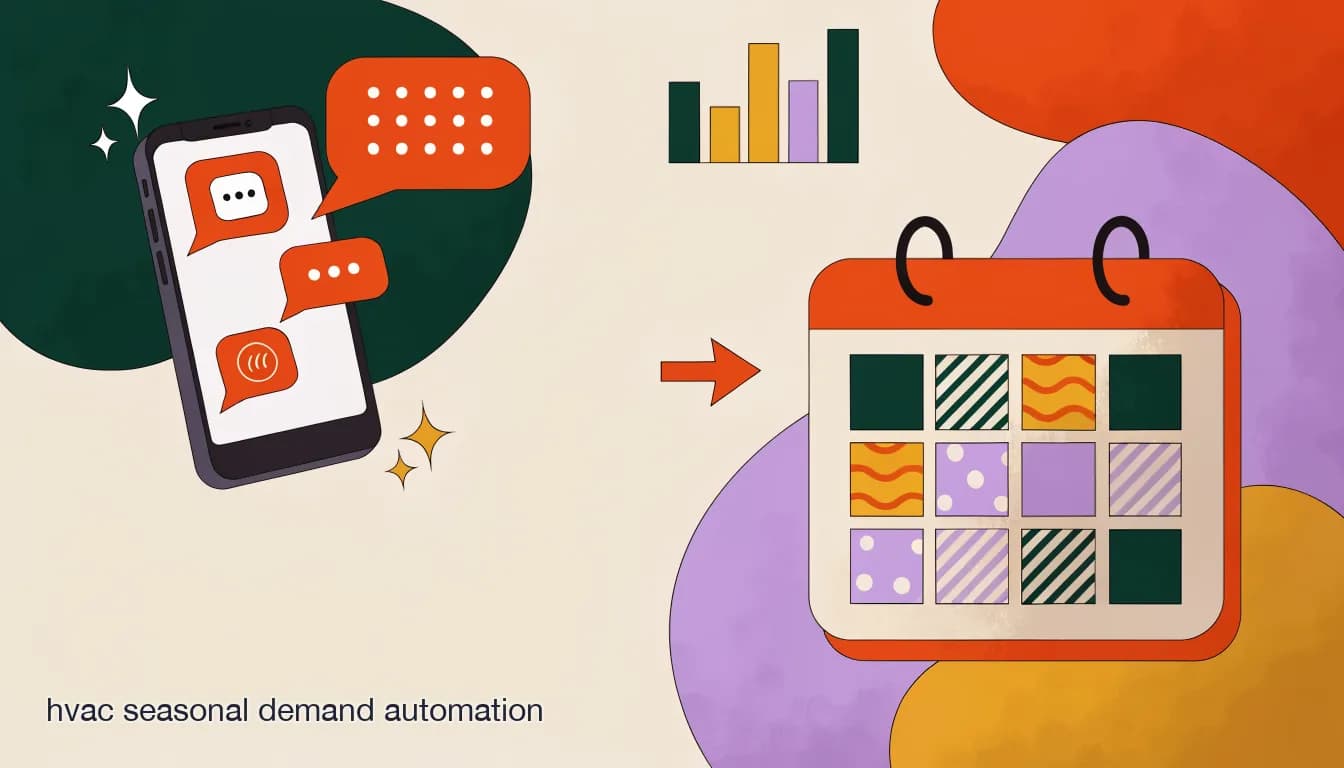
HVAC seasonal demand automation exists to solve one specific, recurring problem: your call and message volume does not grow gradually with the weather, it jumps. A mild spring week might bring eight inbound inquiries a day across phone, Facebook, and Instagram. The first 95-degree day of the year can push that to thirty or forty within hours, and every one of those messages is from someone whose air conditioner just failed in the heat they were dreading. The inverse happens every winter on the first hard freeze, when "no heat" replaces "no cool" as the message that floods in.
The problem isn't that HVAC companies don't have process for handling calls — most do. The problem is that the process was built for average-day volume, and average-day staffing cannot absorb a five-times spike without either dropping messages or burning out whoever is manning the phone and the inbox at the same time. Automation doesn't add capacity to your truck fleet. It adds capacity to the moment before dispatch — the triage, the acknowledgment, the booking — so that nobody who messages you during a heatwave gets silence.
Why does HVAC demand spike so hard on the first hot or cold day?
HVAC demand is one of the most seasonally lumpy categories in home services because the trigger event is binary and shared by an entire region at once. A furnace that has run fine all winter doesn't fail gradually — it either starts on a cold morning or it doesn't, and thousands of households discover the failure within the same 24-hour window because they all just tried to use a system that had been idle. The same logic applies in reverse for air conditioning on the first heatwave day: units that were fine in 78-degree weather get pushed past a marginal capacitor or refrigerant charge the moment it hits 98, and they fail in a cluster.
That clustering is what makes the spike so disruptive operationally. It isn't that HVAC gets more calls overall in summer than winter on average — it's that a huge fraction of the season's emergency volume lands in the first 48–72 hours of extreme weather, before your team has adjusted its rhythm, before you've brought on seasonal help, and often while regular maintenance appointments are already booked on the calendar from customers who scheduled weeks earlier.
| Day type | Typical inbound volume | What's actually happening |
|---|---|---|
| Average spring/fall day | Low, steady | Routine maintenance calls, quote requests, follow-ups |
| First heatwave / freeze day | Spike, often several times normal | Marginal units fail en masse; "no cool" or "no heat" dominates |
| Peak season (ongoing) | Elevated but adjusted-for | Staffing and messaging cadence have caught up to demand |
| Off-season (shoulder months) | Low, and mostly ignorable if unmanaged | Best window for tune-up and maintenance-agreement remarketing |
The spike is a timing problem, not a volume problem
Over a full year, an HVAC company's total inbound volume is fairly predictable. The spike is disruptive because it's concentrated into a handful of days your staffing schedule wasn't built around — not because the season as a whole is unmanageable.
What happens when nobody's absorbing the spike?
When the first heatwave hits and your office line, your Facebook Page, and your Instagram DMs all light up at once, the default failure mode is triage by whoever happens to be free — which usually means the office manager who is also fielding the phone, or nobody, because everyone is either dispatched or on a call. Messages that come in through social channels tend to sit the longest, because a ringing phone feels urgent in a way a DM notification doesn't, even though the person on the other end of that DM has the exact same no-cool emergency as the person calling.
The cost of that gap isn't abstract. A homeowner whose AC failed on the hottest day of the year is not going to wait patiently for a reply — they are going to message two or three other HVAC companies in the same window, and whichever one replies first often gets the job regardless of price or reputation. Every unanswered message during a spike is a lead actively being shopped elsewhere in real time.
Spike days are exactly when manual triage breaks
The days you most need fast, consistent triage are the days your team has the least bandwidth to do it manually. If your process for identifying a true no-cool emergency depends on a specific person reading every message, that process will fail on the one day it matters most.
How do you triage emergency vs. routine calls during a spike?
Not every message during a heatwave is a true emergency. Some are genuine no-cool failures that need same-day dispatch. Others are "my AC seems weak" (often fine to schedule within the week), quote requests for a new system, or people asking about a maintenance plan they saw advertised. Treating all of them as equally urgent burns your dispatch capacity on non-emergencies and leaves real emergencies waiting.
An AI agent with a knowledge base built around your actual triage rules can ask the same two or three qualifying questions a trained dispatcher would ask — is there any cooling at all, is anyone in the household elderly or medically vulnerable, how long has it been out — and sort incoming messages into tiers before a human ever looks at them. That doesn't remove the human decision, it removes the delay before the human decision.
- Tier 1 — true emergency: zero cooling/heating, vulnerable occupants, or a safety issue (burning smell, tripped breaker repeatedly). Route to same-day dispatch immediately.
- Tier 2 — degraded but functioning: AC running weak, uneven heating, unusual noise. Book within 24–48 hours, confirm by message.
- Tier 3 — non-urgent: maintenance requests, new-system quotes, questions about a service agreement. Book into the standard calendar.
- Tier 4 — informational: hours, service area, pricing questions that don't need a human yet. Answer instantly from the knowledge base.
Same message, two outcomes
- Manual triage on a spike day
- "No cool" DM sits behind 20 others; answered 3 hours later after two competitors already replied
- AI-agent triage
- Agent asks 2 qualifying questions in under a minute, flags it Tier 1, and alerts the on-call dispatcher immediately
Can automation actually book the appointment, not just answer the message?
Triage alone helps, but the bigger win is when the same conversation that identifies the problem also books the visit — without a human re-entering the details into a calendar later. For Tier 2 and Tier 3 messages especially, there's no reason a person needs to manually schedule what an agent can confirm directly against your open slots.
- Acknowledge instantlyThe moment a message lands — call, Facebook, Instagram, or Telegram — an AI agent replies within seconds, so the customer knows they've been received even during a spike.
- Ask the triage questionsTwo or three short questions determine urgency tier: is there any cooling/heating at all, how long has it been out, are there vulnerable occupants.
- Route or bookTier 1 alerts a human immediately for dispatch. Tier 2 and 3 get offered the next available slot directly in the conversation.
- Confirm and remindA confirmation message goes out with the appointment window, and a reminder fires closer to the visit — no manual follow-up needed.
- Log for the technicianThe triage answers travel with the job so the tech isn't walking in blind on what the customer already told the agent.
Booking beats a callback promise
"We'll call you back" is the weakest thing you can tell someone whose AC just failed in a heatwave. A concrete appointment window offered in the same conversation, even if it's two days out, reads as far more reassuring — and it's less work for your team than a callback list.
How does seasonal tune-up remarketing reduce the size of the next spike?
The spike itself can't be eliminated — weather is weather. But its size is partly a function of how many marginal units you let limp into the season untested. A unit that got a spring tune-up and had its capacitor replaced in April is far less likely to fail on the first 98-degree day than one that hasn't been serviced since last summer. Off-season is the highest-leverage window for reducing next season's emergency volume, and it's the window most HVAC companies underuse because it doesn't feel urgent.
The mechanism is simple: every customer who had a spring AC tune-up or fall furnace inspection last year is a known, warm audience for the same service this year. A broadcast message sent a few weeks before the season starts — "book your priority spring AC check before the first hot week" — converts a meaningful share of last year's maintenance customers into pre-season bookings, which both fills your calendar during a slow period and pulls some of what would have been emergency volume forward into scheduled, non-urgent work.
| Remarketing trigger | Timing | Message angle |
|---|---|---|
| Had spring AC tune-up last year | 6–8 weeks before typical heatwave date | Priority scheduling window before the rush |
| Had fall furnace inspection last year | 6–8 weeks before typical first freeze | Same — beat the cold-snap backlog |
| Active maintenance agreement | Per plan's service interval | Automatic reminder tied to their specific due date |
| Quoted but didn't book a repair | 2–3 weeks after the quote | Gentle follow-up before the part or unit fails outright |
This is broadcast messaging, not cold outreach
Every one of these messages goes to someone who is already a customer and already opted into your channel. That's the difference between a maintenance reminder that gets booked and a cold promotion that gets ignored — segment by service history, not by guessing.
Put those two pieces together — spike-day triage and off-season tune-up remarketing — and you get a system that handles both ends of the seasonal curve: it absorbs the days you can't staff for, and it shrinks how bad those days are by pulling maintenance forward before the weather forces the issue.
Is a maintenance-agreement reminder worth automating, or is a spreadsheet good enough?
Most HVAC companies with a service-agreement program already track due dates somewhere — a spreadsheet, a field in their CRM, sticky notes on a whiteboard. The tracking usually isn't the gap. The gap is turning that due-date list into an actual outbound message on the right week, every time, without someone remembering to run the list manually.
A spreadsheet doesn't send anything by itself. If reminders depend on a person exporting a list and sending texts or emails one by one, it happens reliably for a month or two after you set it up and then quietly stops when that person gets busy during — you guessed it — a seasonal spike. Automating the send, not just the tracking, is what makes the reminder actually go out every season without depending on anyone's memory.
- Manual spreadsheet + manual send: works until the busy season, then the exact time it's needed most is when it lapses.
- Automated broadcast tied to service-agreement due dates: fires on schedule regardless of how slammed the office is that week.
- Either way, segment messages — a customer whose furnace was serviced in October shouldn't get an AC tune-up reminder in April.
How much revenue is actually at stake in a missed spike-day call?
It's tempting to reach for a big round number here, and vendor case studies in this space love to. We'd rather be precise about what's verifiable and what isn't: the exact dollar figure lost to a missed call depends entirely on your average ticket size, your close rate, and how many messages you're actually missing — numbers only you have. What is consistently true across the home-services businesses we talk to is the mechanism: a missed message during a spike isn't a delayed sale, it's very often a lost one, because the customer has an urgent problem and multiple other companies to try.
If you want a rough gut-check, take your average repair or install ticket, multiply by however many inbound messages you estimate go unanswered or answered too slowly on a typical spike day, and apply your normal close rate to that count. Even a conservative estimate tends to be uncomfortable — which is the point of running it once, honestly, before you decide automation isn't worth setting up.
Don't trust a generic industry dollar figure
You'll see specific case-study numbers (a certain company "lost $X per month" or "booked $Y after hours") in vendor marketing across this space. Treat any of those as one company's anecdote, not a benchmark for yours — run the math on your own average ticket and your own missed-message count instead.
Should you just staff up seasonally instead of automating?
Seasonal staffing and automation aren't mutually exclusive, and for a lot of HVAC companies the right answer is both — automation for triage and routine booking, seasonal help for the dispatch and truck-roll capacity that automation can't add. Where automation clearly wins on its own is the acknowledgment-and-triage layer: hiring a seasonal answering-service hire to sit on the phone and DMs for six weeks a year is expensive relative to the volume, hard to staff well on short notice, and still only covers business hours unless you pay for 24/7 coverage.
Where seasonal staffing still matters is capacity you genuinely cannot automate — more technicians, more trucks, more install crews. Automation doesn't dispatch a technician to a house; it makes sure the right message reaches the right person fast enough that your existing crew's time isn't wasted chasing down details or re-confirming appointments that could have been settled in the initial conversation.
There's also a hiring-timing problem that automation sidesteps entirely. Seasonal answering help needs to be recruited, trained on your triage rules, and confident enough to make judgment calls before the season starts — which means you're hiring and training in the shoulder season for volume that hasn't arrived yet, based on a guess at how bad this year's spike will be. An AI agent trained on the same triage rules doesn't need weeks of ramp-up, doesn't quit mid-season, and handles the exact same volume on day one of the spike as it does on day thirty, which is a form of consistency seasonal hiring rarely delivers.
- Automate: acknowledgment, triage, routine booking, tune-up remarketing, appointment reminders.
- Keep human/seasonal: actual dispatch decisions on ambiguous or high-risk situations, technician capacity, install crews.
- Best result for most HVAC companies: automation handles the front door on every spike day; seasonal hires (if you use them) focus on trucks and tools, not typing.
How does KlyoChat handle HVAC seasonal spikes?
KlyoChat is built by Pointerflow LLC as a unified inbox and no-code automation platform for Facebook, Instagram, Telegram, and WhatsApp (rolling out), with TikTok and X next, plus custom AI agents included from the Pro plan rather than sold as a separate add-on. For an HVAC company, that combination maps directly onto the two problems in this post.
A custom AI agent trained on your triage rules — what counts as a true emergency, your service area, your standard booking windows — sits across every connected channel at once, so a no-cool message on Instagram gets the same instant triage as one that comes through Facebook Messenger. On spike days, that means every channel is covered without needing a person physically watching each one. Off-season, KlyoChat's broadcast tool lets you segment your contact list by service history — last spring's tune-up customers, active maintenance-agreement holders, anyone quoted but not booked — and send targeted reminders on a schedule, not dependent on someone remembering to run a list.
The shared team inbox means that when an agent does flag a Tier 1 emergency, it can be assigned to a specific dispatcher with an internal note, so nothing sits unclaimed in a shared queue during the busiest hour of the year. And because pricing is flat rather than tied to contact-list size, growing your maintenance-agreement customer base for remarketing purposes doesn't quietly increase your bill the way some contact-tiered platforms do.
Set up triage before the season starts, not during it
The best time to build and test your AI agent's triage rules is the shoulder season, when volume is low and you can review its answers calmly. Walking into the first heatwave with an untested agent is better than nothing, but a dry run in a quiet week catches edge cases before they matter.
A spike-day message on KlyoChat
- 9:14am, first 97° day
- Customer DMs the Facebook Page: "AC not blowing cold air at all"
- 9:14am (seconds later)
- AI agent asks 2 triage questions, confirms zero cooling, flags Tier 1
- 9:15am
- Dispatcher gets an inbox alert, assigns the job, same-day slot confirmed to the customer
HVAC seasonal demand automation isn't about pretending the spike won't happen — it will, every year, on a day you can't fully predict. It's about making sure that when it does, every message gets a fast, correctly-triaged response regardless of how many are landing at once, and about using the quiet months in between to shrink how bad the next spike is. Neither half of that requires more trucks. Both halves are conversation problems, which is exactly what automation is built for.