Whatsapp automation for tutoring centers is the difference between a front desk that answers the first parent who messages and one that answers whichever parent happens to catch a staff member between sessions. Tutoring is a business built on relationships and trust, but the first touchpoint is almost always transactional: a parent finds you on Google or Instagram, sends a message asking about pricing and availability, and quietly starts messaging two other centers at the same time.
Most tutoring centers still run that first conversation manually, on a phone shared between whoever is at the front desk that hour. It works, until enrollment season hits, or a staff member is mid-lesson, or the message comes in at 9pm after a parent finishes dinner and finally has a moment to think about their kid's grades. Automation does not replace the relationship-building tutoring is known for — it protects the moment before that relationship can even start.
Why does WhatsApp matter more than email or a contact form for tutoring centers?
Parents researching tutoring options behave like anyone shopping under time pressure: they message a handful of centers at once and go with whoever responds first with something useful. WhatsApp open rates run in the 95–98% range, against roughly 20% for email, and a message sent through it gets read within minutes rather than sitting in an inbox. For a decision that a parent is actively comparing across two or three centers, that speed gap is the whole ballgame.
A contact form adds a second layer of friction on top of that: the parent submits it and then waits, often without knowing whether anyone even received it. WhatsApp collapses that gap to zero. The parent sends a message and, if you have automation in place, gets a reply before they have put the phone down. That first reply does not need to close the sale — it needs to exist, and it needs to exist fast enough that the parent is still thinking about your center when it lands.
Speed is the product at the top of the funnel
Before a parent evaluates your curriculum, tutors, or pricing, they are evaluating whether anyone is actually there. An instant WhatsApp reply — even a simple one that asks a qualifying question — signals that your center is responsive. That signal alone moves a meaningful share of undecided parents in your direction.
What does a tutoring center's WhatsApp automation actually need to do?
A useful automation setup for a tutoring center covers four distinct jobs, and most centers only have the first one, if that. Each job runs on a different trigger and serves a different stage of the parent's decision, so treating them as one generic 'chatbot' undersells what automation can do.
- Instant reply automation is the one every center needs first — it captures leads that would otherwise message a competitor while your team is busy teaching.
- Reminder automation is the one with the fastest, most measurable payoff — fewer no-shows means more billable hours from the tutors you already pay.
- Re-engagement automation is the one most centers skip entirely, even though a dropped student who already trusted your tutors is a cheaper win than a brand-new lead.
| Job | Trigger | What it should do |
|---|---|---|
| Instant inquiry reply | New WhatsApp message or form fill | Acknowledge within seconds, ask grade level and subject, offer a trial slot |
| Trial-to-enrollment nudge | Trial lesson completed | Follow up same day, share next steps and pricing, offer to book the first paid session |
| Session reminders | 24–48 hours before a booked lesson | Confirm time, tutor, and location or link; reduce no-shows |
| Re-engagement / re-enrollment | Student has gone quiet or a term is ending | Check in, surface a new tutor or schedule, offer to rebook |
How fast does a reply actually need to be?
Fast enough that the parent is still on the page. In practice that means seconds, not hours. Tutoring centers that automate the first reply to arrive within about 60 seconds of a new message consistently convert more of those inquiries into booked trials than centers that reply within the same business day — because the parent is still actively comparing options in that first window and stops looking the moment someone responds with something concrete.
That first automated reply does not need to sound robotic or generic. A good one acknowledges the message, asks one or two qualifying questions (grade level, subject, preferred days), and either offers a trial slot directly or tells the parent a real person will follow up shortly with times. The goal of the automated message is not to close the enrollment on its own — it is to keep the conversation alive until a human tutor coordinator can take over.
Same inquiry, two response times
- Manual front desk
- Parent messages at 7:40pm, gets a reply the next morning — by then two other centers have already responded
- Automated first reply
- Parent messages at 7:40pm, gets a reply in under a minute asking grade and subject, with a trial slot offered
How do you automate session reminders without sounding like a robocall?
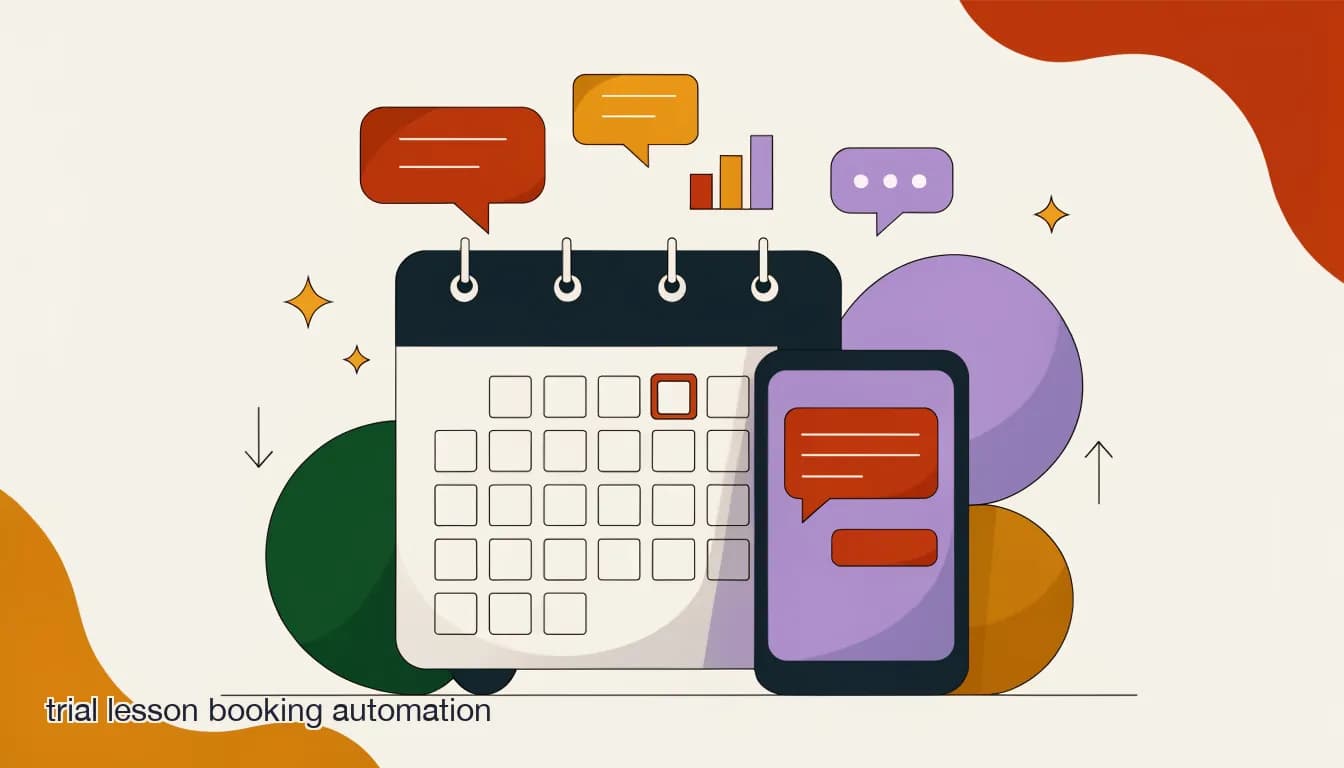
No-shows are one of the quietest profit leaks in tutoring — a missed session still costs the center a booked tutor slot, and rebooking friction means a share of no-shows never reschedule at all. Automated reminder sequences sent via WhatsApp before every session are the single highest-leverage fix, and the mechanics are simple: a reminder 48 hours out, another 24 hours out, and a same-day nudge for first-time or trial students who are more likely to forget.
The tone matters more than the schedule. A reminder that reads like an automated calendar invite gets ignored the same way a robocall does. A reminder that reads like a person confirming a plan — naming the tutor, the subject, and the time, and inviting a one-tap reply to reschedule — gets acknowledged, and that acknowledgment itself is a strong signal the session will happen.
- Send a 48-hour reminderConfirm date, time, tutor name, and subject. Include a simple way to reschedule if needed.
- Send a 24-hour reminderA shorter nudge — this is the one that actually prevents the no-show for most families.
- Send a same-day nudge for trials and new studentsNew families forget more often than returning ones; a two-hour-out reminder catches them.
- Follow up immediately on a no-showMessage within the hour to rebook — waiting a day drops the chance the family reschedules at all.
Automate the follow-up on a no-show, not just the reminder
The highest-value message in the whole sequence is the one sent right after a missed session, while the family still feels the awkwardness of forgetting. A same-hour 'no worries, want to grab tomorrow at the same time?' message recovers sessions that a next-day message will not.
What is the re-engagement sequence that actually recovers dropped students?
A student who took a trial and then went quiet, or who finished a term and did not rebook, is not a lost cause — they are a warm lead that your competitors do not have access to. A three-message re-engagement sequence, spaced over roughly two weeks, works for most tutoring centers because it gives the parent time without letting the thread go completely cold.
The sequence should not lead with a hard sell. The first message simply acknowledges the gap and asks if everything is okay — parents drop off for reasons that have nothing to do with your center (a scheduling conflict, a busy season, a change in tutor preference) and a check-in often surfaces the real reason. The second message, a few days later, gives them a reason to come back: a new tutor, an updated schedule, or a seasonal offer. The third, if there is still no response, can simply leave the door open without pressure.
| Message | Timing | Purpose |
|---|---|---|
| Check-in | Day 0 | Acknowledge the gap, ask if everything is okay, no sales pitch |
| Reason to return | Day 3–4 | Surface a new tutor, updated schedule, or relevant offer |
| Low-pressure close | Day 10–14 | Leave the door open; invite them to reach out whenever ready |
A dropped trial student, three months later
- No automation
- The family is never contacted again; the center assumes they enrolled elsewhere
- Automated re-engagement
- A check-in message surfaces that the family switched schedules — a quick reschedule offer wins them back
Reminders and re-engagement recover revenue you have already earned once; the instant-reply automation earlier in this piece captures revenue you have not earned yet. Both matter, but they solve different problems, and a tutoring center that only automates one of them is leaving the other on the table.
How do you handle families who reach out on Instagram or Facebook, not WhatsApp?
Plenty of parents message a tutoring center from wherever they first saw it — an Instagram comment on a homework-help reel, a Facebook post about SAT prep, or a Google Business message. If your automation only covers WhatsApp, those leads still land in a different inbox, on a different phone, and get the same slow-reply problem you just solved for WhatsApp.
The fix is a single inbox that covers every channel a parent might use, so an instant reply, a reminder sequence, and a re-engagement flow all run the same way regardless of where the conversation started. This matters more for tutoring than most verticals, because word-of-mouth referrals routinely arrive through whichever app the referring parent happens to use.
WhatsApp still carries Meta's per-conversation fees
WhatsApp automation is worth building, but WhatsApp itself is not free at volume — Meta charges per-conversation fees that apply on any platform, KlyoChat included. Budget for that as part of your automation cost, not as a surprise once you scale.
How much staff time does this actually save?
The honest answer varies by center size, but the pattern is consistent: automating the instant reply, the reminder sequence, and the no-show follow-up removes the three most repetitive, time-sensitive tasks a front desk handles every day. Those are also the three tasks most likely to be dropped when the desk gets busy with walk-ins or phone calls — which is exactly when a missed reply costs you a lead.
A two-person front desk running this kind of automation can realistically cover the response volume of a larger team, not because the automation replaces staff judgment on pricing negotiations or scheduling conflicts, but because it removes the busywork that used to eat the hours a coordinator needed for those judgment calls.
- Front-desk staff stop manually typing the same 'thanks for reaching out, what grade and subject?' message dozens of times a week.
- Reminder sends stop depending on someone remembering to send them the night before.
- No-show follow-up happens the same hour every time, not whenever someone notices the empty slot.
What should you NOT automate at a tutoring center?
Automation should handle the repetitive, time-sensitive parts of the conversation — not the parts that require judgment or a relationship. Pricing negotiations for multi-child families, complex scheduling conflicts across siblings, and any conversation where a parent is upset about a tutor or a grade should route to a human quickly, not get looped through a bot.
The goal is not to remove the human touch tutoring is known for — it is to protect a coordinator's time so they can spend it on the conversations that actually need a person, instead of typing the same first-reply message forty times a week.
Do not let a bot handle an upset parent
If a parent's message reads as frustrated or urgent — a missed session dispute, a billing question, a concern about a tutor — escalate to a human immediately rather than running it through automated flows. A good AI agent should recognize this pattern and hand off on its own.
What does a realistic rollout look like for a small tutoring center?
Centers that try to automate everything in one week usually stall out, because the flows end up untested and staff stop trusting them the first time a message sounds off. A staged rollout over a few weeks gets the wins locked in without breaking anything a family is currently relying on.
Start with the highest-certainty win — reminders — because it touches no new lead flow and the payoff (fewer empty tutor slots) is visible within the first week. Layer in the instant-reply automation next, since it changes the first impression a prospective family has of the center and deserves a week of careful wording before it goes fully live. Re-engagement comes last, because it depends on having a clean, tagged list of dropped students to work from, and that list is worth building properly rather than rushing.
- Week 1 — turn on session remindersSet up the 48-hour, 24-hour, and same-day reminder sequence for all booked sessions. Measure no-show rate against the prior month.
- Week 2 — add the no-show follow-upTrigger a same-hour rebooking message whenever a session is marked missed. This alone recovers sessions a next-day message would not.
- Week 3 — automate the instant inquiry replyDraft the qualifying-question script (grade, subject, availability) and test it against real inquiries before scaling to every channel.
- Week 4 — build the re-engagement sequenceTag students who have gone quiet for 30+ days and launch the three-message check-in, reason-to-return, low-pressure-close sequence.
Measure before and after, not just 'it feels better'
Track no-show rate, average first-reply time, and trial-to-enrollment conversion for the month before you automate and the month after. Tutoring centers that skip this step often underestimate how much automation is actually saving, because the busywork it removes was invisible in the first place.
How does KlyoChat handle WhatsApp automation for tutoring centers?
KlyoChat unifies WhatsApp with Facebook, Instagram, Telegram, TikTok, and X in one inbox, so an inquiry from any of those channels gets the same instant-reply, reminder, and re-engagement treatment without your team monitoring five separate apps. No-code automation builds the trigger-based flows described above — instant reply, session reminders, no-show follow-up, and re-engagement sequences — without anyone writing a line of code.
A KlyoChat AI agent, included from the Pro plan rather than sold as an add-on, can be trained on your center's grade levels, subjects, pricing, and trial policy so it handles the qualifying questions in that first reply and hands off to a coordinator the moment a conversation needs a human judgment call. The shared team inbox lets a coordinator assign a hot lead to whichever staff member has capacity, leave an internal note about a family's preferences, and never lose a thread between shift changes.
Start with reminders, not a full rebuild
If your center only automates one thing this month, automate session reminders — it is the fastest to set up and the payoff (fewer no-shows) is immediate and easy to measure against the weeks before you turned it on.
KlyoChat plans for a growing tutoring center
- Basic ($19/mo)
- Get started on core channels with automated reminders
- Pro ($49/mo)
- All channels, AI agent for instant replies, 10,000 contacts, 5,000 AI replies/mo