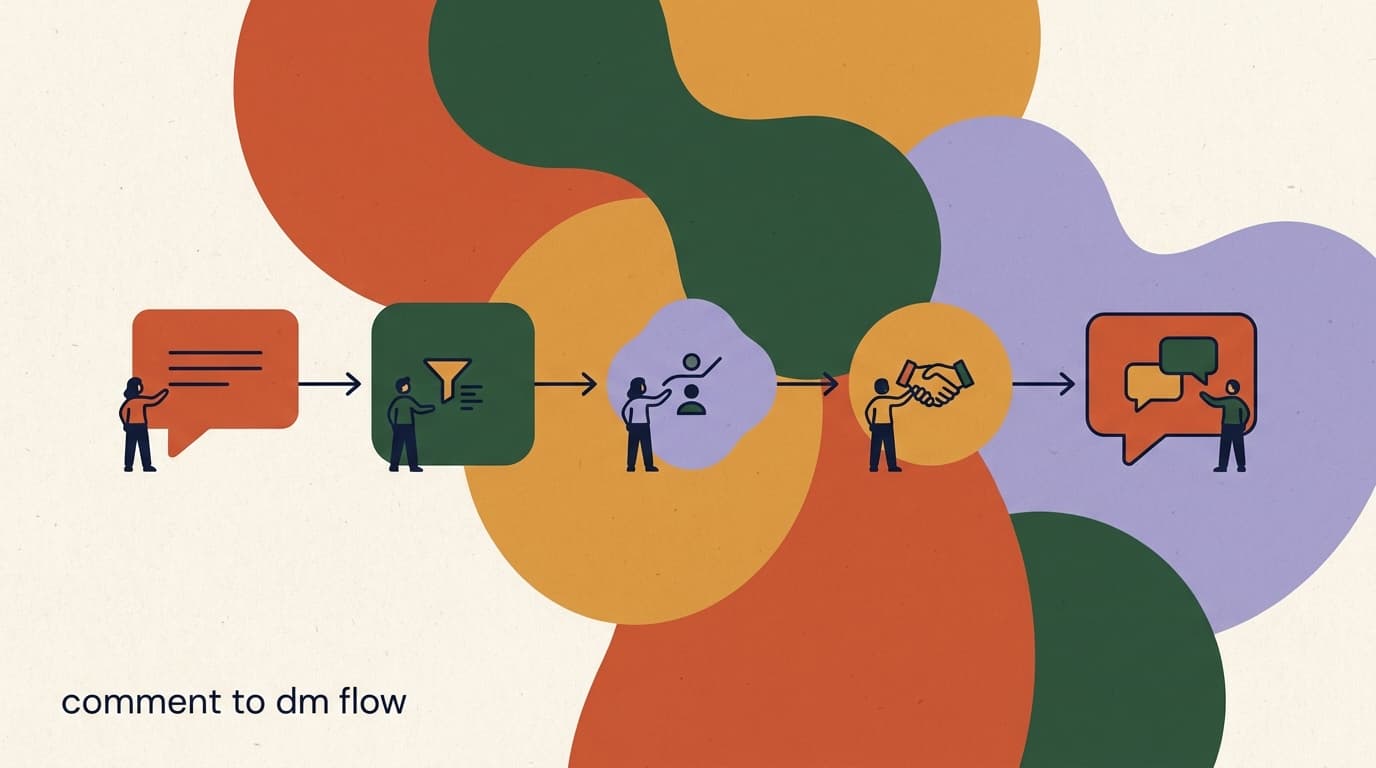
This comment to dm flow tutorial is the precise, mechanical how-to: by the end you will have a working automation that watches a specific post, replies publicly when someone comments your keyword, and sends them a direct message — all without you touching your phone. We will do it in five steps, with the exact settings and sample copy at each stage so you are never guessing what to type into which field.
We are deliberately narrow here. This is not a strategy essay about why comment-to-DM works, and it is not a general walkthrough of building your first flow from scratch. It is the specific build: pick the post, craft the public reply, write the opening DM, add the qualifying or CTA step, then test and publish. If you want the broader strategy and funnel copy, see our piece on comment-to-DM funnels; if you want a general tour of the flow builder, see how to build your first Instagram DM flow. This page is the screwdriver-in-hand version.
One note before we start: we build KlyoChat, so the screenshots-in-words below describe our builder. The five steps map cleanly onto any comment-to-DM tool, though, because the underlying mechanics are the same everywhere — Meta sets the rules, and every platform works within them. We will flag where Meta's rules constrain what you can do so you do not build something that gets your replies throttled.
You can build this whole thing in well under fifteen minutes once your account is connected, and you can rebuild variations of it in two. The reason it is worth doing carefully the first time is that the small decisions — which keyword, whether to ask before sending the link, where the CTA lands — are exactly the decisions that determine whether the flow quietly converts or quietly fails. We will call out the choice at each step and tell you what we would pick and why, so you finish with a flow that works rather than one that merely runs.
What is a comment-to-DM flow, exactly?
A comment-to-DM flow is an automation with three moving parts: a trigger, a public reply, and a private message. When someone comments a specific word on a post you have chosen, the trigger fires. The tool posts a short public reply under their comment (so the interaction looks alive to everyone scrolling), and then it opens a direct message thread with that person and sends them whatever you set up — a link, a code, a question, a mini-conversation.
The reason this pattern is everywhere is that it converts public attention into a private, one-to-one channel you own. A comment is a fleeting signal; a DM thread is a relationship you can follow up in. The flow is the bridge between the two, and it runs the same way every time, at any hour, for any number of people at once.
It is worth being clear about what the flow does and does not do, because that shapes your expectations. The flow guarantees that anyone who comments your keyword gets an acknowledgment and a message — that part is automatic and reliable. It does not guarantee that every person becomes a customer, or even reads the DM; that depends on your offer and your copy. Think of the flow as plumbing: it reliably moves people from the comment section into your inbox. What happens in the inbox is down to the message you wrote and the value you are offering, which is why steps three and four below get the most attention.
The mechanical reliability is the underrated part. A human moderator replying to comments and DMing links works for the first ten people and falls apart at a hundred. The flow does not get tired, does not miss a comment at 2 a.m., and does not forget anyone. That consistency is the whole point — you are trading a manual, lossy process for one that captures every single person who raised their hand.
This tutorial assumes your account is already connected
Before step one, you need an Instagram (or Facebook) account connected to your tool and a Professional or Business account on Instagram's side. If you have not connected yet, do that first — in KlyoChat it is a one-time OAuth flow under Channels. Then come back here.
The three parts of every comment-to-DM flow
- Trigger
- Someone comments your keyword (e.g. GUIDE) on a chosen post or Reel
- Public reply
- A short comment posted under theirs so the thread looks active
- Opening DM
- The private message that delivers the link, asks a question, or starts a flow
Before you build: the three Meta rules that shape everything
Comment-to-DM lives inside Meta's messaging rules, and if you ignore them your flow either will not send or will get your account flagged. You do not need to memorize the policy documents, but you do need to internalize three constraints because they change how you write every step below.
We are putting these up front, before the build, because each one quietly dictates a design decision. Read them once now and the five steps will make more sense.
None of this is about gaming the platform. The rules exist because comment-to-DM, used carelessly, looks identical to spam from Meta's perspective: an account firing automated messages at people. The thing that separates a legitimate flow from a spam operation is consent — the user typed your keyword, which is an explicit request to be messaged. Every rule below is really a way of proving that consent is real and respecting it. Build with that framing and you will stay well inside the lines without thinking hard about it.
- The 24-hour window: once a user messages you (a comment that triggers a DM counts as initiating contact), you can reply freely for 24 hours. After that, you can only send approved message tags or template messages, not promotional follow-ups.
- Public reply plus DM is the expected pattern: Meta wants the interaction to be visible, not a silent mass-DM operation. Posting a public reply under the comment is part of staying compliant, not just good manners.
- No spam, no bait: triggering DMs to people who did not opt in, sending identical bulk messages, or using the feature to blast unrelated promotions is what gets accounts restricted. The keyword opt-in is what makes this legitimate — the user asked for it.
Do not try to follow up after 24 hours with a sales pitch
The single most common way teams get into trouble is sending a promotional DM 48 hours later 'just to check in.' Outside the 24-hour window you are limited to specific message tags for non-promotional purposes. Plan your CTA to land inside the window, and you will never hit this wall.
Step 1: Pick the post and set the keyword trigger
Everything starts with two decisions: which post the flow watches, and which word switches it on. Get these right and the rest of the build is mostly copywriting.
Choose a post that already gets comments or that you are about to actively promote — a Reel with a strong hook, a carousel that teases a resource, a feed post with a clear call to comment. The flow can only fire on a post people are actually commenting on, so attach it to something with reach or intent behind it. You can point the flow at one specific post, several posts, or any post on the account; for your first build, pick one specific post so the behavior is predictable.
Then pick the keyword. The best keywords are short, easy to spell, and unambiguous. Avoid common words that show up in normal comments, because those will trigger false fires. 'GUIDE,' 'LINK,' 'START,' or a branded word work well; 'yes' or 'me' do not, because people type them for unrelated reasons.
There is a subtle trade-off in keyword choice between memorability and uniqueness. A word that is too generic ('info') will fire on comments you never intended, sending DMs to people who were just chatting and quietly burning goodwill. A word that is too clever or long ('GIMMETHEGOODS') is easy to misspell, so people who genuinely want your thing never trigger the flow because they typed it wrong. The sweet spot is a single, common-but-deliberate word that nobody types by accident but everybody can spell on the first try. When in doubt, say the word out loud and ask whether a stranger could repeat and spell it after hearing it once.
One more decision lives in this step: how broadly the flow watches. Watching a single post is the cleanest for a first build and for time-limited promotions. Watching all posts on the account is powerful for an evergreen keyword — say, anyone who ever comments 'PRICE' on any post gets your pricing DM — but it is also easier to get wrong, because a keyword that is fine on one post may collide with normal comments on another. Start narrow, prove the flow works, then widen the scope deliberately once you trust it.
- Create a new flow and choose the comment triggerIn KlyoChat, open Flows, click New Flow, and select the Instagram comment trigger (sometimes labeled 'Comment to DM'). This tells the flow to listen for comments rather than a DM keyword or a click.
- Select the post to watchPick 'a specific post' and choose the post or Reel from the list of your recent media. For your first flow, watch exactly one post so you can test cleanly.
- Set the trigger keywordEnter your keyword, e.g. GUIDE. Decide whether matching is exact ('GUIDE' only) or contains ('comment with GUIDE please' also fires). Contains is more forgiving and usually the right choice.
- Decide on case and variationsMake matching case-insensitive so guide, Guide, and GUIDE all work. If you expect typos, add a second keyword or two as alternates.
| Setting | Recommended value | Why |
|---|---|---|
| Trigger type | Instagram comment | Fires on comments, not DM keywords or clicks |
| Post scope | One specific post | Predictable behavior for your first build |
| Keyword | Short, unambiguous (e.g. GUIDE) | Avoids false fires from normal comments |
| Match mode | Contains, case-insensitive | Catches GUIDE inside longer comments and any casing |
Put the keyword in your caption and your voiceover
The flow only fires when people actually comment the word, so tell them to. 'Comment GUIDE and I'll send it to your DMs' in the caption — and said out loud in a Reel — typically lifts comment volume far more than relying on people to guess.
Step 2: Write the public comment reply
When someone comments your keyword, your tool posts a short public reply under their comment before it sends the DM. This serves two purposes: it confirms to the commenter that something is happening (a DM is coming), and it keeps the interaction visible, which is what Meta expects and what makes your post look active to everyone else scrolling the comments.
Keep the public reply short, warm, and free of links. Instagram tends to suppress or penalize comments stuffed with URLs, and a link in a public comment is not where you want the click anyway — the DM is. The job of the public reply is just to say 'check your DMs,' politely and with a little personality.
Write two or three variations so the same canned reply is not posted identically under every comment. Rotating replies looks human and reduces the chance of pattern-based filtering.
There is a question of whether the public reply should mention the keyword or the offer at all. Generally, do not. If your public reply says 'Sent the discount code to your DMs,' you have now advertised your discount in a public comment, which can attract opportunistic comments from people who do not actually want what you are offering — they just saw 'discount.' Keep the public reply about the mechanic ('check your DMs'), not the prize. The prize is delivered privately, to the person who specifically asked for it.
Timing also matters more than people expect. The public reply and the DM fire within seconds of the comment, which is good, but it also means a typo or a stray placeholder is broadcast instantly to everyone reading the thread. This is the single best argument for the test in step five: a public reply that posts '{{first_name}}, sent!' literally, with the brackets showing, under a hundred comments is a visible, embarrassing failure. Test first.
- No links in the public reply — keep them in the DM.
- Under ~10 words is plenty; it is a nudge, not a paragraph.
- Add 2-3 variations so replies rotate and look human.
- Match the tone of your caption so it does not read like a robot.
Why the public reply is not optional
Some people try to skip the public reply to keep their feed 'clean.' Posting a visible reply is part of the compliant pattern Meta expects from comment-to-DM and it confirms delivery to the user. Leave it on, and keep it short.
Sample public replies (rotate these)
- Variation A
- Sent! Check your DMs in a sec
- Variation B
- On its way to your inbox now
- Variation C
- Just messaged you — go peek at your DMs
With the trigger and public reply in place, the flow can already fire and acknowledge a commenter. But the acknowledgment is not the point — the DM is. The next two steps are where the actual value gets delivered and where most of the conversion happens, so they deserve the most attention.
Step 3: Craft the opening DM
The opening DM is the first private message the person receives. It is the highest-leverage message in the whole flow because it is read by everyone who triggers — before any qualifying step thins the group. Treat it as a tiny landing page: confirm what they asked for, deliver or tee up the value, and set up the next action.
There is a sequencing decision here that matters for both conversion and compliance. You can either deliver the link immediately in the opening DM, or you can ask a quick opt-in question first ('Want me to send it?') and deliver after they reply. The second pattern — asking before sending the link — feels more like a conversation, often gets higher engagement, and gives you an explicit reply that strengthens your position inside the 24-hour window. For a cold link-drop, immediate delivery is fine; for anything you want to follow up on, ask first.
Open with the commenter's name if your tool supports the merge field — it makes the automated message feel personal. Then one sentence of context, then the action.
Be careful with the very first line, because Instagram shows a preview of the DM in the recipient's notification and inbox list before they open it. If your first line is 'Click here to claim,' it reads as spam in the preview and a chunk of people swipe it away unread. If your first line references what they did — 'You commented GUIDE on my Reel' — it reads as a genuine, expected message and gets opened. Spend a moment on that first line specifically; it does more work than any other sentence in the flow.
A common mistake is cramming the entire pitch into the opening DM out of fear that the person will not reply. Resist it. A wall of text in a DM gets skimmed and abandoned. The opening DM has one job: confirm and tee up the next tap. Save the detail for after they have engaged, when they have signalled they actually want it. Shorter opening DMs almost always outperform longer ones, even though it feels counterintuitive to say less when you have their attention.
- Use a name merge field if available — personalization lifts replies.
- Confirm what they asked for so the message does not feel like spam.
- Choose ask-first (a button) if you want a reply you can follow up on.
- Keep it to 2-3 short lines; long DMs get skimmed and abandoned.
- If you drop a link immediately, still invite a reply to keep the thread open.
Buttons beat free-text when you can use them
Quick-reply buttons ([Yes, send it]) give people a one-tap way to respond and give your flow a clean signal to branch on. Free-text replies are harder to route reliably. Use buttons for the main action and reserve free-text for open-ended questions.
Opening DM — ask-first pattern (recommended)
- Line 1
- Hey {{first_name}}! You commented GUIDE on my Reel
- Line 2
- I've got the free guide ready for you. Want me to send the link?
- Buttons
- [Yes, send it] [Tell me more first]
If you would rather skip the opt-in question and hand over the link straight away — the right call for a low-friction, cold link-drop where you are not planning a follow-up — the opening DM looks like the example below. It still invites a reply at the end, which keeps the thread open inside the 24-hour window in case the person has a question.
Opening DM — immediate-delivery pattern
- Line 1
- Hey {{first_name}}, thanks for the comment!
- Line 2
- Here's the guide I promised: example.com/guide
- Line 3
- Have a read and reply here if you have any questions
Step 4: Add the qualifying or CTA step
Step three got the value into their inbox. Step four turns the interaction into something useful for you — a click, a lead captured, a question asked, or a sale started. This is the step that separates a flow that 'sends a thing' from a flow that drives results.
Pick the one outcome you actually want from this flow and build toward it. Do not stack three asks; one clear next action converts better than a menu. The common patterns are below — choose the row that matches your goal.
- Add the action that follows the opening DMIf you used the ask-first pattern, connect the [Yes, send it] button to a message that delivers the link or asks your qualifying question. If immediate-delivery, this step is your follow-up nudge.
- Branch if you are qualifyingFor a qualifying question, create two paths — e.g. 'business' goes to a sales message, 'personal' goes to a lighter resource. Keep branches shallow; two is usually enough.
- Capture data if you need itTo collect an email or phone, add a question step that saves the reply to a contact field. Tell people why you are asking and what they get for it.
- Add a graceful closeEnd with a single line that keeps the door open: 'Reply here if you get stuck.' This keeps you inside the 24-hour window for genuine support.
| Your goal | CTA step to add | Example button or message |
|---|---|---|
| Drive a click | Send the link with a one-line pitch | Here it is: example.com/guide |
| Capture a lead | Ask for email, then store it | Drop your best email and I'll send the full kit |
| Qualify the person | Ask one branching question | Are you doing this for business or personal? |
| Start a sale | Offer a code + product link | Use KLYO10 for 10% off: example.com/shop |
| Book a call | Send a scheduling link | Grab a time here: example.com/book |
Keep the whole flow inside the 24-hour window
Design your CTA so it completes in the same session, while the user is engaged. If your plan depends on messaging them again two days later with a promotion, it will run into Meta's messaging limits. Front-load the ask.
How long should the flow be? Mapping the full path
Before you test, it helps to see the whole flow laid out as a path, because the number of steps you add directly affects completion. Every extra step is another place a person can drop off. The rule of thumb: add steps only where each one earns its place by either qualifying the person, capturing something you need, or moving them closer to the one outcome you chose in step four.
Here is what a typical, healthy comment-to-DM path looks like end to end, with the drop-off risk at each stage so you can decide how much to include.
- Aim for the user to reach your CTA in two taps or fewer.
- Every branch you add doubles the paths you have to test — keep it shallow.
- If a step does not qualify, capture, or advance, cut it.
- The biggest drop-off is almost always the offer itself, not the flow length.
| Stage | What happens | Drop-off risk |
|---|---|---|
| Comment | User comments the keyword | None — they opted in |
| Public reply | Tool posts a visible reply | None — automatic |
| Opening DM | First private message, with opt-in | Low — most read it |
| First tap | User taps a button or replies | Moderate — weak offers lose people here |
| CTA delivery | Link, code, or question delivered | Low if the offer is clear |
| Conversion | Click, lead, or sale | Highest — depends on offer, not flow |
Build the shortest version first
Ship the minimum viable flow — trigger, public reply, opening DM, one CTA — before you add branches and data capture. A live, simple flow teaches you more in a day than a perfect, unpublished one teaches you in a week. You can always add steps later.
Step 5: Test the flow, then publish
Never publish a comment-to-DM flow without testing it on a real comment first. The most common live failures — keyword typos, a flow pointed at the wrong post, a broken merge field, a link with a missing https — are all things a two-minute test catches and a launch-day audience does not forgive.
Test from a second account if you can, because commenting on your own post from your own account sometimes behaves differently than a real follower's comment. Walk the entire path: comment the keyword, confirm the public reply appears, confirm the DM arrives, tap every button, and check that any captured data lands in the contact record.
Pay special attention to the things that only show up in a real test: whether the merge field actually pulls a name, whether the link is the final URL and not a draft, and whether every branch ends somewhere sensible rather than in a dead end. It is easy to build a branch and forget to attach the message that follows it, which leaves a person who tapped a button staring at silence. A full walk-through of every path is the only way to catch that.
- Run a live test commentFrom a test account (or ask a teammate), comment your exact keyword on the watched post. Confirm the flow fires within a minute or two.
- Check the public reply postedVerify a public reply appeared under the test comment and that it is one of your variations, with no broken text or stray placeholders.
- Verify the opening DM and merge fieldsOpen the DM on the test account. Confirm the name merge field rendered (not literally {{first_name}}) and that any link is clickable and correct.
- Tap through every CTA pathPress each button, take each branch, and submit any data-capture question. Confirm branches route correctly and saved data shows up on the contact.
- Publish and watch the first hourTurn the flow on, then post or promote the content. Watch the first dozen real triggers in your inbox to catch anything the test missed.
Keep the flow live but watch it on launch
The first hour after publishing tells you everything. If real comments are firing, replies are posting, and DMs are landing, you are done. If volume is high, glance at your inbox to make sure nothing is queuing or erroring before you walk away.
Comment-to-DM troubleshooting: why it is not firing
If your flow is not behaving, the cause is almost always one of a handful of issues. Work down this list in order — most problems are in the first three rows.
- Re-check the post: a flow watching the wrong post is the number-one silent failure.
- Re-check the keyword casing and match mode before anything else.
- Remember some users simply cannot receive your DM — that is a platform limit, not a bug.
- If nothing fires at all, confirm the channel is still connected and the flow is published, not in draft.
| Symptom | Most likely cause | Fix |
|---|---|---|
| Flow never fires | Keyword mismatch or wrong post selected | Confirm exact keyword, match mode, and that the watched post is the one you tested on |
| Public reply posts, no DM | User has DMs restricted or never opened a thread | Some users block message requests; you cannot force a DM — this is expected for a minority |
| DM sends, name is blank or literal | Merge field not supported or misnamed | Check the contact has a name and the field syntax matches your tool's |
| Link not clickable | Link in public reply, or malformed URL | Move links to the DM; include full https:// and test the URL |
| Fires on unrelated comments | Keyword too common or match too loose | Use a more distinct keyword or switch from contains to exact match |
| Follow-up message rejected | Outside the 24-hour window | Only send within 24 hours; use approved message tags for later, non-promotional contact |
If DMs stop sending across the board
A sudden, total stop usually means the channel connection expired (token revoked) or the account hit a messaging limit from sending too many identical messages too fast. Reconnect the channel, and vary your copy. Rotating reply and DM variations is the cheapest insurance against rate-based throttling.
How do you improve a comment-to-DM flow once it is live?
A published flow is a starting point, not a finished product. The first version tells you whether the plumbing works; the next few versions are where you find the conversion. The good news is that comment-to-DM gives you clean numbers to optimize against, because each stage is countable: comments triggered, DMs delivered, first taps, and final conversions. The ratios between those numbers tell you exactly where to focus.
Resist the urge to change everything at once. Change one thing, let it run on a meaningful number of triggers, and compare. If you rewrite the opening DM and the keyword and the CTA in the same week, you will never know which change moved the number. Optimization is boring and sequential, and that is why it works.
- Find the weakest stageLook at your funnel: comments to DMs, DMs to first tap, first tap to conversion. The biggest drop between two stages is where you focus first.
- If few people comment, fix the call to action on the postLow trigger volume is a content problem, not a flow problem. Make the 'comment KEYWORD' instruction louder in the caption and the voiceover.
- If people get the DM but don't tap, rewrite the opening lineThe notification preview is doing the work here. Lead with what they did, not what you want, and shorten the message.
- If they tap but don't convert, look at the offerA clear, wanted offer converts; a vague one does not. Tighten the value and make the next action a single, obvious tap.
- Test one change, then repeatChange a single element, let it run, compare. Keep the winner, then move to the next weakest stage.
Watch the comment-to-DM ratio, not just totals
A flow that triggers 500 comments but converts 5 people has a content win and a flow problem. A flow that triggers 50 and converts 20 has a flow win and a reach problem. The ratios point you at the real bottleneck far faster than raw totals do.
Common mistakes that quietly kill comment-to-DM flows
Most failed comment-to-DM flows do not break loudly. They run, they send messages, and they simply do not convert — which is harder to diagnose than an outright error. These are the quiet killers we see most often, collected so you can check your build against them before and after launch.
- Burying the keyword: if the 'comment KEYWORD' instruction is in line eight of the caption, most people never see it. Put it near the top and say it out loud in video.
- A weak or unclear offer: the flow cannot save a thing nobody wants. Make sure the reward for commenting is genuinely worth a DM.
- Stacking too many asks: one CTA converts; a menu of three confuses. Pick the single outcome that matters.
- Forgetting the 24-hour window: planning a promo follow-up days later is a dead end. Land the ask in the first session.
- Identical copy everywhere: one canned reply under every comment and one identical DM to everyone reads as a bot. Rotate variations.
- No fallback for free-text replies: people who type a real question instead of tapping a button get ignored unless you route them somewhere — a human or an AI agent.
- Never testing after edits: every change to a live flow is a chance to break a branch. Re-test the path you touched.
The silent failure is the dangerous one
An error you can see, you fix. A flow that runs perfectly but converts nobody can waste weeks because nothing looks broken. Build the habit of reading your funnel numbers, not just confirming that messages send.
Sample copy you can paste into your flow
To save you a blank-page moment, here is a complete copy set for a 'free guide' flow — the most common starting use case. Swap in your own keyword, link, and offer. These are written to be warm, short, and compliant.
- Replace example.com/guide with your real, tested URL.
- Keep the keyword in your caption and voiceover so people know to use it.
- Add 2-3 public-reply variations beyond the one shown to rotate.
- If you sell instead of give away, swap the link line for a code + shop link.
Full copy set: free-guide flow
- Keyword
- GUIDE
- Public reply
- Sent! Check your DMs
- Opening DM
- Hey {{first_name}}! You asked for the guide — want me to send the link?
- Buttons
- [Yes, send it] [What's in it?]
- On 'Yes'
- Here you go: example.com/guide — reply here if you have questions
- On 'What's in it?'
- It's a 12-page playbook on X. Want the link? [Send it]
Building this flow in KlyoChat
Everything in this tutorial maps onto KlyoChat's no-code flow builder, which is where we built and tested the steps above. The comment trigger, the rotating public replies, the merge fields, quick-reply buttons, branching, and data capture are all drag-and-connect blocks — no scripting. If you would rather not start from a blank canvas, our template library includes a comment-to-DM starter you can clone and edit, which gets the five steps wired up in a couple of minutes.
What is genuinely useful here is that the same flow logic works across every channel KlyoChat connects — Facebook, Instagram, Telegram, WhatsApp, TikTok, and X — through one mobile-first unified inbox, so the replies your flow generates land in the same place you handle everything else. And because KlyoChat is AI-native, you can hand off the open-ended replies (the people who type a real question instead of tapping a button) to an included AI agent trained on your knowledge base, rather than leaving them hanging. AI agents are part of the plan, not a separate add-on.
Honest limits, because you should know them before you commit: KlyoChat does not do native SMS or email, so if your funnel needs those channels you will pair us with something else. And we are a newer, smaller product than the biggest incumbents, which means a younger community and template library — growing, but not the largest in the category. For comment-to-DM specifically, none of that changes the build; it is the same five steps with AI handling the long tail.
- No-code builder: the five steps are drag-and-connect blocks.
- Clone the comment-to-DM template instead of building from scratch.
- One unified inbox across Facebook, Instagram, Telegram, WhatsApp, TikTok, and X.
- Included AI agents handle the open-ended replies buttons can't catch.
- Honest limit: no native SMS or email, and a newer, smaller community.
Try the build on your own account
The fastest way to learn comment-to-DM is to ship one. Start a 7-day free trial (no card), clone the comment-to-DM template, point it at a real post, and run a test comment. You'll have a live flow before the trial day is out.
KlyoChat plans at a glance
- Basic
- $19/mo — entry plan for a single brand getting started
- Pro
- $49/mo ($39 billed yearly) — all channels, 10,000 contacts, AI agents included
- Business
- $129/mo — higher limits and seats for growing teams
- Trial
- 7-day free trial, no credit card, no free plan
That is the whole build: pick the post and keyword, write a short public reply, craft an opening DM with a clear opt-in, add one focused CTA step, then test on a real comment and publish. Five steps, no code, and a working automation that turns comments into conversations you own.
When you are ready to go deeper, read our comment-to-DM funnels piece for the strategy and copy frameworks behind high-converting flows, and the general guide to building your first Instagram DM flow for the wider builder tour. Then come back, clone a template, and ship the next one — the second flow takes a fraction of the time.