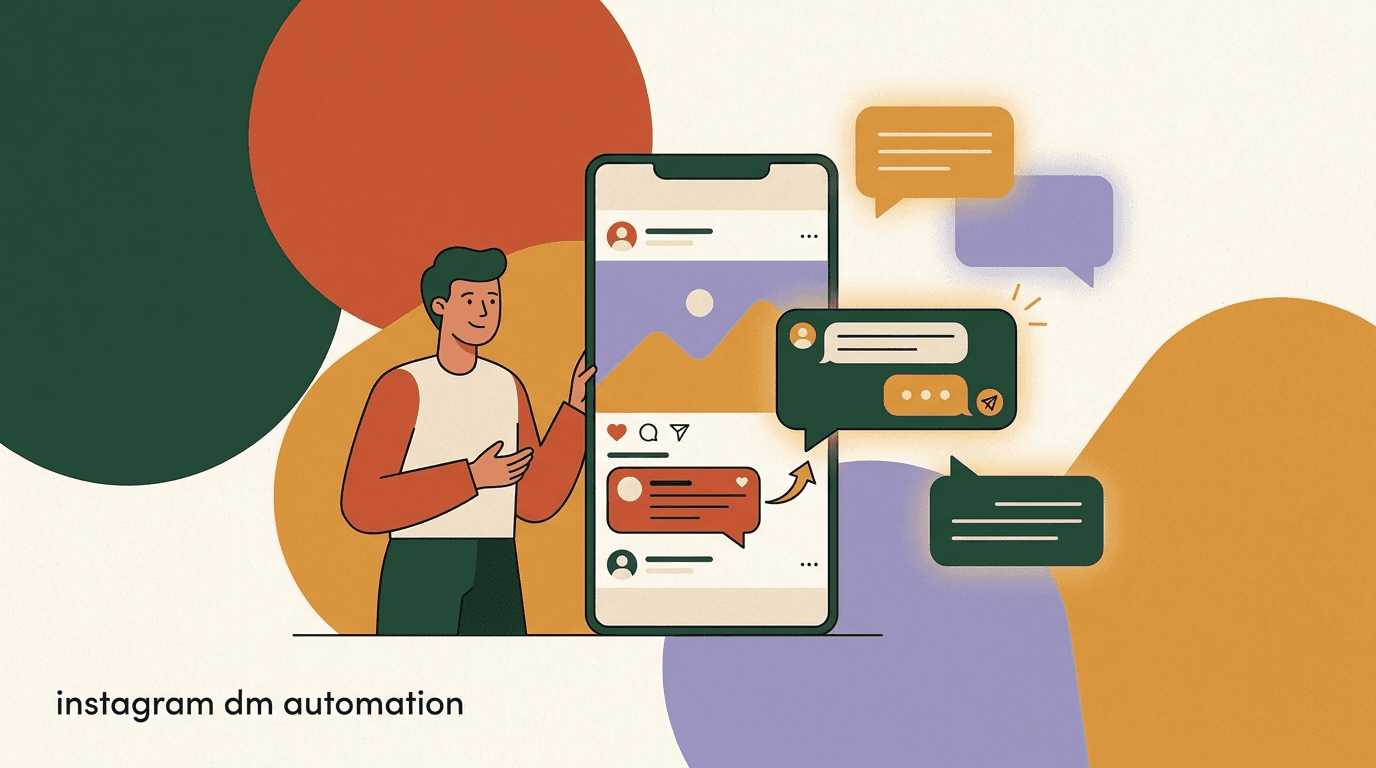
Instagram DM automation is the practice of using software to send and reply to Instagram direct messages automatically, triggered by what people do on your account — a comment on a Reel, a reply to a Story, a keyword in a DM, or a first message to your inbox. Instead of you personally answering every 'link please' comment at 2am, a flow sends the link the moment it is asked for, then keeps the conversation going if the person responds.
This is the broad, strategic guide to the whole topic. We will cover what DM automation actually is, the trigger types that power it, the Meta rules you have to work inside (especially the 24-hour messaging window), how to design funnels that convert without feeling robotic, how to measure whether any of it is working, and the mistakes that get accounts flagged or annoy your audience. Where a subject deserves a full tutorial of its own, we link to the deep-dive post rather than cramming a half-version in here.
Full disclosure up front: we build KlyoChat, an AI-native inbox and automation tool for Instagram and five other channels. That gives us a point of view, and we will be honest about where automation helps, where it backfires, and where our own product has limits. The goal is for you to leave with a real mental model — not a pitch.
What is Instagram DM automation, really?
At its simplest, DM automation is a set of if-this-then-that rules applied to your Instagram inbox. Something happens — the trigger — and a pre-built message or sequence — the flow — fires in response. The person on the other end experiences it as a fast, relevant reply. You experience it as work that happens without you sitting at the keyboard.
It is worth separating two things people lump together. The first is reactive automation: someone takes an action and your account responds. Comment-to-DM, keyword replies, and Story-reply flows all live here. The second is proactive messaging: you reach out first, usually to a list of people who opted in, via a broadcast. Both are 'automation', but they sit under very different Meta rules, and confusing them is how accounts get into trouble.
The thing automation is not is a replacement for being a real account. It works best as leverage on top of genuine content and genuine relationships — answering faster, capturing leads you would otherwise lose, and freeing you to handle the conversations that actually need a human. Treated as a way to blast strangers, it fails fast and risks your account.
Reactive vs proactive — keep them straight
Reactive automation (replying after a user acts) is broadly permitted within Meta's rules. Proactive messaging (you initiating) is tightly limited and gated by the 24-hour window and opt-in requirements. Every decision in this guide depends on knowing which one you are doing.
Why bother automating Instagram DMs at all?
The honest case for automation is about timing and volume, not magic. On Instagram, intent is highest in the seconds after someone comments or messages. If you reply two days later, that moment is gone — they have scrolled on, bought elsewhere, or forgotten you. Automation collapses the gap between intent and response to near-zero, which is the single biggest lever on conversion you have.
The second reason is volume. A single Reel that does well can generate hundreds of 'how much?' or 'link?' comments. No human answers those at scale without burning out, and the ones you miss are leads on the floor. A comment-to-DM flow handles all of them identically and instantly.
The third is consistency. Your answer to a common question should be the same whether it is asked on a Tuesday morning or a Saturday night, by your tenth follower or your ten-thousandth. Automation enforces that consistency, and frees your actual attention for the conversations that are genuinely new.
- Speed: reply in seconds while intent is still hot, not hours later.
- Scale: handle a viral post's worth of identical questions without missing any.
- Consistency: the same accurate answer every time, around the clock.
- Focus: route the routine to automation so humans handle the conversations that matter.
The cost of a slow reply
- Manual, replied next day
- Lead has moved on; DM goes unread or unconverted
- Automated, replied in seconds
- Link delivered at peak intent; conversation continues
What are the main Instagram DM automation triggers?
Almost every Instagram automation reduces to one of a handful of trigger types. Understanding each — what fires it, what it is good for, and its constraints — is the core skill. Pick the wrong trigger for the job and even a well-written message underperforms.
Here is the full set, with the job each is best suited to.
- Comment-to-DM is the workhorse for creators and brands — it turns public engagement into private conversations.
- Story replies are underused and convert well because Story viewers are your warmest audience.
- Keyword triggers in the DM itself let one inbox act like a menu of self-serve answers.
- Welcome flows shape the very first impression a new contact has of you.
| Trigger | Fires when | Best for |
|---|---|---|
| Comment-to-DM | Someone comments a keyword on your post or Reel | Lead magnets, link delivery, capturing viral-post traffic |
| Story reply | Someone replies to your Story | Polls, launches, reacting to time-limited content |
| DM keyword | Someone sends a specific word/phrase in DM | Menus, FAQs, routing to the right flow |
| Welcome / first message | A new person DMs your account for the first time | Greeting, setting expectations, qualifying |
| Ice breakers | User taps a pre-set question button in the inbox | Guiding new conversations toward common intents |
Match the trigger to where intent lives
Use comment-to-DM for posts that drive public engagement, Story replies for time-sensitive launches, and keyword flows for an inbox you want to run like a help desk. Most accounts only need two or three triggers working well — not all of them.
How does comment-to-DM automation work?
Comment-to-DM is the trigger most people mean when they say 'Instagram automation', so it earns a closer look. The mechanic: you publish a post or Reel with a call to action like 'comment GUIDE and I'll send it to you'. When someone comments the keyword, the automation sends them a DM with the promised link, file, or message — and can ask them to reply to continue, which opens a real conversation.
It works because it converts cheap, public, low-friction engagement (a one-word comment) into a private, high-intent channel (the DM). The commenter gets exactly what they asked for instantly; you get a qualified contact you can follow up with. It also feeds Instagram's algorithm — comments are a strong engagement signal, so a post that drives them tends to get shown to more people, which drives more comments.
There is nuance to doing it well: confirming the comment publicly, handling people who comment the wrong word, not being so aggressive that Meta reads it as spam, and writing a DM that earns a reply rather than ending the thread. Because there is so much craft here, we wrote a dedicated walkthrough — see our comment-to-DM funnels guide for the full playbook.
- Pick a post and a keywordChoose content with a clear offer, and a single, easy keyword like LINK or GUIDE. Keep it short and unambiguous.
- Write the trigger CTATell people exactly what to do: 'Comment GUIDE and I'll DM you the link.' Clarity beats cleverness.
- Build the DM that firesDeliver the promised thing immediately, then add one question to invite a reply and continue the conversation.
- Add a fallbackCatch near-miss keywords and typos so people who comment the wrong word still get helped, not ignored.
This is a summary — the deep dive is separate
Comment-to-DM has enough craft to fill its own article. This section is the overview; for keyword strategy, public-comment handling, and conversion tactics, read our dedicated comment-to-DM funnels post.
What is the 24-hour messaging window, and why does it govern everything?
If you remember one rule from this guide, make it this one. Meta's Messenger Platform — which governs Instagram messaging via the API that automation tools use — allows you to send messages freely to a person only within 24 hours of their last interaction with you. That interaction can be a DM, a comment-to-DM trigger, a Story reply, or similar. The clock resets every time they message you again.
Inside that 24-hour window, you can send standard messages: replies, follow-ups, your flow steps, promotional content. Once the window closes, you cannot just message them whatever you like. Outside the window, sending is restricted to specific, approved message types and use cases, and broadly you cannot send unsolicited promotional content. This is the mechanism that stops DM automation from becoming spam — and it is non-negotiable, because it is enforced at the platform level, not by your tool.
Everything about funnel design flows from this. It is why a good automation tries to get a reply early (each reply resets the clock), why broadcasts are limited to people who recently engaged, and why 'set up a bot to DM my whole follower list' is not a thing you can or should do. Design with the window, not against it.
| Situation | What you can send |
|---|---|
| Within 24h of their last message | Standard messages: replies, follow-ups, flow steps, promos |
| After 24h, no new interaction | Restricted — only approved message types, no unsolicited promos |
| They reply again | The 24-hour window resets from that new message |
No tool can sell you around this window
The 24-hour window is enforced by Meta, not your software. Any tool or 'growth hack' promising to mass-DM cold followers or message people outside the window is risking your account. Honest automation works inside these rules — and so does KlyoChat.
What does Meta actually allow — and forbid?
Beyond the 24-hour window, Meta has a broader set of platform policies that any compliant automation respects. None of them are obscure; they map to common sense about not abusing a messaging channel. The accounts that get restricted are almost always the ones treating DMs as a cold-outreach megaphone.
The short version: respond to people who engaged with you, send what you promised, make it easy to stop hearing from you, and do not buy, scrape, or blast lists. If your strategy depends on messaging people who never interacted with you, it is the wrong strategy.
- Do automate replies to people who comment, message, or reply to your Stories.
- Do deliver the content you offered and keep messages relevant to the trigger.
- Do honor opt-outs immediately and keep an easy way to stop.
- Do not send unsolicited promotional messages outside the 24-hour window.
- Do not message purchased, scraped, or otherwise non-opted-in lists.
- Do not use automation to fake human presence in a way that deceives users.
Compliance is account safety
Following Meta's rules is not just ethics — it is self-preservation. Restricted or banned accounts lose their automation, their audience access, and sometimes the account itself. Treat policy as a hard constraint, and verify the current rules in Meta's official Messenger Platform documentation, which changes over time.
Rules understood, the interesting question becomes design: given those constraints, how do you build DM flows that people genuinely like receiving? That is where automation either earns its keep or becomes the thing followers mute.
How do you design a DM funnel that converts?
A funnel is just a sequence: trigger, then a series of messages that move someone from 'curious' toward an outcome — a click, a booking, a purchase, a qualified lead in your inbox. The art is making each step feel like a helpful conversation rather than a form being filled in. The constraint is the 24-hour window, so good funnels front-load value and earn replies early.
Start with the outcome and work backwards. If the goal is booked calls, the funnel's job is to qualify and hand off to a booking link. If the goal is a sale, it is to deliver the offer and remove friction. A funnel without a defined outcome is just a chatbot wandering around your inbox.
Keep flows short. Every extra message is a chance to lose someone, and a long automated thread starts to feel like being processed. Three to five well-chosen steps usually beats a ten-step maze. We cover the mechanics of building one — node by node — in our build an Instagram DM flow walkthrough; here we are staying at the strategy level.
- Define the single outcomeOne funnel, one goal: a click, a booking, a sale, or a qualified lead. If you can't name it, don't build it yet.
- Deliver value in the first messageGive them what the trigger promised immediately. Earn the right to continue before you ask for anything.
- Ask one question to earn a replyA reply resets the 24-hour window and tells you intent. Make the question easy and relevant.
- Qualify, then hand offBranch based on their answer. Send buyers to the offer, questions to an FAQ, and complex cases to a human.
- Know when to stopIf they go quiet, don't keep poking. One gentle follow-up inside the window is plenty.
A short, well-shaped lead funnel
- Trigger
- Comment 'GUIDE' on the Reel
- Step 1
- DM the guide link instantly + 'Want the bonus checklist too?'
- Step 2 (if yes)
- Send checklist + 'What are you working on right now?'
- Step 3
- Branch: relevant offer, or hand to a human for anything custom
Where does AI fit into Instagram DM automation?
Classic automation is rule-based: fixed triggers, fixed messages, fixed branches. It is reliable and predictable, but it only handles the paths you anticipated. The moment someone asks a question your flow did not plan for, a rule-based bot either ignores it or replies with something irrelevant. That is the ceiling of pure flows.
AI agents lift that ceiling. Instead of a fixed script, an AI agent trained on your knowledge base — your FAQs, pricing, policies, product details — can understand a freeform question and answer it in your voice, even if no one wrote that exact branch. In practice the best setups combine both: deterministic flows for the predictable paths (deliver the link, book the call) and an AI agent for the long tail of real questions.
The honest caveat is that AI is not a license to disappear. It should answer what it confidently knows and hand off to a human when it does not — pricing edge cases, complaints, anything high-stakes. An AI that confidently makes things up is worse than no AI. Used as a first responder with a clean handoff, though, it is what lets a small team feel responsive at any hour.
Flows for the known, AI for the unknown
Use rule-based flows for the predictable, high-value paths and an AI agent for the messy, unanticipated questions. The combination covers far more conversations than either alone — and AI should always be able to hand off to a human.
How do you measure whether DM automation is working?
Automation that you do not measure is just a guess that runs by itself. The point is conversion to an outcome, so measure the funnel, not vanity numbers. Comment count and DMs sent feel good but tell you little; clicks, replies, and qualified leads tell you whether the thing earns its place.
Track a small number of metrics per funnel and look at where people drop. A funnel with great trigger volume but terrible reply rate has a weak first message. One with good replies but few outcomes has a qualification or handoff problem. The numbers point at the broken step.
- Pick one primary outcome per funnel and optimize toward it.
- Watch the drop-off step — that is where to fix copy or logic first.
- Keep an eye on opt-out rate; a rising number means you are pushing too hard.
- Compare funnels against each other, not against a made-up benchmark.
| Metric | What it tells you |
|---|---|
| Trigger rate | How many people took the action that starts the flow |
| Delivery / open | Whether your messages are reaching and being seen |
| Reply rate | How well your first message earns a continued conversation |
| Click-through | Whether your offer or link is compelling |
| Qualified leads / sales | The outcome that actually matters to the business |
| Opt-out rate | Whether you are over-messaging or annoying people |
Outcomes over activity
Big trigger and send numbers are easy to celebrate and easy to fake. The honest measure of DM automation is qualified leads, bookings, or sales per funnel. If those aren't moving, more volume won't help.
What are the most common Instagram DM automation mistakes?
Most automation failures are not technical — they are judgment calls gone wrong. The tooling does what you tell it; the trouble is telling it to do annoying or non-compliant things. These are the patterns we see derail otherwise good accounts.
The throughline is treating automation as a volume play instead of a relevance play. Every mistake below is some version of sending more, to more people, less relevantly.
- Trying to message cold followers or non-engagers — against the rules and ineffective.
- Ignoring the 24-hour window and wondering why later messages fail to send.
- Funnels that are too long, so people feel processed and drop off.
- Generic copy that reads like a bot instead of like your actual voice.
- No human handoff, so genuine questions hit a dead end.
- No fallback for wrong keywords, so near-miss commenters get nothing.
- Optimizing for comment counts instead of real outcomes.
- Never reviewing transcripts, so broken or awkward flows run for months unnoticed.
Aggressive automation costs more than it earns
Over-messaging drives opt-outs, mutes, and spam reports — and enough spam signals can get your account restricted. The accounts that win with automation are the relevant ones, not the loud ones.
Do you need a separate tool, or can Instagram do this natively?
Instagram's own app offers a few light automation features — saved replies, basic ice breakers, away messages, and simple keyword auto-replies in some accounts. For a very small operation, that can be enough, and you should not pay for a tool you do not need.
The limits show up fast as you grow. Native features do not give you real branching funnels, comment-to-DM at scale across posts, broadcasts to segments, AI agents trained on your knowledge, a proper team inbox with assignment and notes, or analytics that tie a trigger to an outcome. They also do not unify Instagram with your other channels. Once DMs become a meaningful part of how you get leads or support customers, a dedicated tool stops being a luxury and starts paying for itself.
The decision is really about volume and stakes. Hobby account with occasional DMs: native is fine. A creator monetizing an audience, or a brand fielding real customer conversations: a purpose-built tool will save more time than it costs and capture leads the native app drops.
Native features vs a dedicated tool
- Instagram native
- Saved replies, basic keyword auto-reply, away messages
- Dedicated tool
- Branching funnels, comment-to-DM at scale, AI agents, segmented broadcasts, team inbox, analytics
How does KlyoChat handle Instagram DM automation?
We built KlyoChat as an AI-native, mobile-first inbox that treats Instagram as one channel among several, all in one place. The reason we exist is that most teams do not only live on Instagram — they also get messages on Facebook, WhatsApp, Telegram, TikTok, and X — and switching between native apps to handle them is its own tax. KlyoChat unifies those into a single inbox with shared automation.
On Instagram specifically, you get no-code comment-to-DM funnels, keyword and Story-reply triggers, welcome flows, and broadcasts to dynamic segments — all designed to work inside Meta's 24-hour window and policies, not around them. Custom AI agents with knowledge bases are included in the plan, so the agent can field freeform questions and hand off to your team when it should. The team inbox adds assignment, snooze, @mentions, internal notes, and an AI co-pilot, with analytics tying triggers to outcomes.
Here is the honest part. KlyoChat has no native SMS or email — if those channels are core to your strategy, we are not the whole answer, and a broader suite may suit you better. We are also a newer product with a smaller community and template library than long-established players like ManyChat, so you will find fewer third-party tutorials. And nothing we do exempts you from Meta's rules: the 24-hour window and anti-spam policies apply on KlyoChat exactly as they do everywhere. What we offer is a clean, fast, AI-first way to run compliant Instagram automation alongside your other channels.
- Comment-to-DM, keyword, Story-reply, and welcome triggers — built no-code.
- Custom AI agents with knowledge bases included, not a paid add-on.
- One inbox for Instagram, Facebook, WhatsApp, Telegram, TikTok, and X.
- Team inbox: assign, snooze, @mention, notes, and an AI co-pilot.
- Broadcasts to dynamic segments, plus analytics from trigger to outcome.
- Honest limits: no native SMS or email, and a smaller community than older tools.
Try the full product, not a limited slice
KlyoChat has no free plan. Instead there is a 7-day free trial with no credit card, so you test real Instagram automation and AI agents end to end before paying. If you're moving from another tool, our team can help with migration via the contact page.
KlyoChat plans at a glance
- Basic
- $19/mo ($15 yearly) — entry plan with core channels and 1 AI agent
- Pro
- $49/mo ($39 yearly) — all channels, 10,000 contacts, custom AI agents, 5,000 AI replies/mo
- Business
- $129/mo ($109 yearly) — higher limits, 25,000 AI replies/mo, integrations
- Enterprise
- Custom — SSO/SAML, data residency, SLA, dedicated success
How do you get started with Instagram DM automation?
You do not need a grand plan to begin — you need one working funnel that solves one real problem. The most common first win is a comment-to-DM flow on your best-performing content, because the audience and the demand already exist; you are just capturing what currently leaks away.
Start small, measure, and expand only when the first funnel earns its keep. The teams that try to build ten flows on day one usually ship none of them well.
- Pick your highest-intent momentFind the post or question that already drives the most 'how/where/link' replies. That's your first funnel.
- Build one comment-to-DM flowOne keyword, one delivered value, one question to continue. Keep it to three or four steps.
- Connect Instagram and test it liveRun it on yourself and a friend first. Check the wrong-keyword fallback works.
- Watch the numbers for a weekTrack reply rate and outcomes. Fix the weakest step before adding anything new.
- Add a second trigger only when readyOnce one funnel works, layer in Story replies or a welcome flow. Grow deliberately.
One good funnel beats ten half-built ones
The fastest path to results is a single, well-tuned comment-to-DM flow on content that already performs. Prove it works, then expand. Breadth without depth just spreads your attention thin.
The bottom line: Instagram DM automation is leverage on content and relationships you already have — fast replies at the moment of intent, identical handling at scale, and consistency around the clock. The whole craft sits inside Meta's rules, with the 24-hour messaging window as the constraint that shapes every funnel. Get the trigger right, deliver value first, earn a reply, and measure outcomes rather than activity.
From here, go deeper where it matters. For the workhorse trigger, read our comment-to-DM funnels guide; to build a flow node by node, see how to build an Instagram DM flow; and if you are weighing tools, our look at why creators are leaving ManyChat covers the trade-offs. Whatever you choose, automate to be more helpful and more responsive — never to spam.