AI agent human handoff is the part of automated support that almost everyone underbuilds, and it is the part that decides whether customers trust your AI at all. An AI agent that answers fast but never knows when to step aside will eventually trap a frustrated customer in a loop, fumble a refund dispute, or confidently give wrong advice on something that matters. The escalation path — the moment the bot says, in effect, let me get a person for this — is not a failure of the AI. It is the feature that makes the rest of the automation safe to ship.
This guide is about designing that moment well. We will cover the triggers that should escalate a conversation to a human, how to carry full context across the handoff so the customer never repeats themselves, how to route the conversation to the right person with a clear service-level expectation, and how to measure your escalation rate so you can tune the system over time. The goal is not to escalate as little as possible. The goal is to escalate the right conversations at the right moment, and to make the handover invisible to the customer.
Full disclosure: we build KlyoChat, an AI-native unified inbox with AI agents that have human handoff built in. So we have a point of view, and we will be specific about how we approach it near the end. But most of this guide is platform-agnostic — the principles apply whether you run KlyoChat, a competitor, or something you have wired together yourself. We have kept the advice honest, including where we think you should not fully automate at all.
What is AI agent human handoff, and why does it matter?
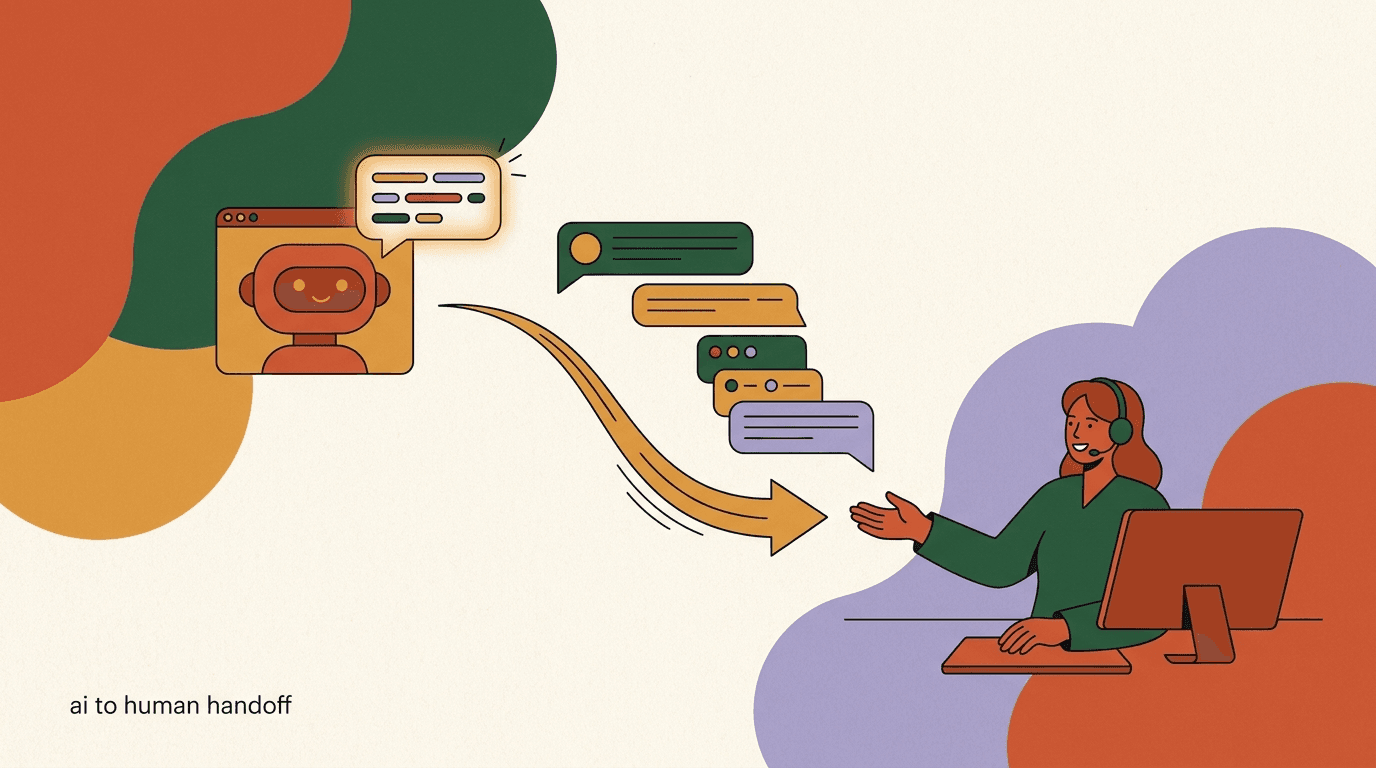
AI agent human handoff is the controlled transfer of a live conversation from an automated agent to a human team member. It is the bridge between fully automated and fully manual support — the mechanism that lets an AI handle the volume it is good at while a person steps in for the cases it is not. A good handoff is fast, carries the entire conversation and the customer's context with it, and lands the conversation in front of the right person with a clear sense of urgency.
It matters because the alternative — an AI with no exit ramp — is worse than no AI at all. A customer who can get a wrong answer confidently, or who cannot reach a person no matter what they type, leaves with a worse impression than if they had simply waited in a queue from the start. The escalation path is the difference between AI that extends your team and AI that quietly erodes trust while your metrics look fine.
There is also a quieter reason handoff matters: it is what lets you deploy AI at all without losing sleep. When you know the agent will reliably hand off the sensitive, the complex, and the angry, you can let it handle the routine with confidence. The handoff is the safety net that makes the trapeze act reasonable. Teams that build the net first deploy faster and trust their automation more, because they know the worst-case path is covered.
It is worth being precise about what handoff is not, because the word gets used loosely. It is not the same as a fallback message that says sorry, I did not understand that, which leaves the customer stuck and offers no way forward. It is not a contact form that quietly drops the conversation into an email queue the customer cannot see. And it is not a transfer that resets the conversation to zero. A real handoff keeps the same conversation alive, moves a human into it, and preserves everything that came before. Anything less is a dead end dressed up as an escalation, and customers can tell the difference immediately.
Handoff is a feature, not a fallback
Treat the escalation path as a first-class part of your AI design, not an afterthought you bolt on later. The quality of your handoff is the ceiling on how much you can safely automate. Design it on day one, alongside the answers, not after launch when the complaints arrive.
When should an AI agent escalate to a human?
There are four reliable triggers that should move a conversation from AI to human: detected frustration, a complex or sensitive topic, low model confidence, and an explicit request for a person. Most well-designed escalation systems are built on some combination of these four. Each one catches a different failure mode, and together they cover the cases where an AI should not be the one talking.
The art is in tuning the thresholds. Escalate too eagerly and you lose the volume benefit of automation; the AI becomes an expensive router. Escalate too reluctantly and you trap customers. The right balance is specific to your business, your risk tolerance, and how good your AI actually is — which is why measuring escalation rate, later in this guide, matters so much. Start conservative, escalate generously, then tighten as you build confidence in the agent's answers.
One thing to keep in mind: these four triggers are not mutually exclusive, and the most important conversations often fire several at once. A customer disputing a charge they did not recognize is a sensitive topic, is probably frustrated, and may explicitly ask for a person all in the same message. When multiple triggers fire together, that is a strong signal to escalate with high priority rather than to treat each in isolation. The combination is the alarm, and a system that weighs the triggers together rather than checking them one at a time will catch the conversations that matter most before they go wrong.
- Detected frustration: repeated rephrasing, negative sentiment, all-caps, profanity, or explicit anger.
- Complex or sensitive topic: refunds, billing disputes, account security, legal, medical, safety, or anything emotionally charged.
- Low confidence: the model is unsure of its answer, or the question falls outside the knowledge base.
- Explicit ask: the customer says agent, human, person, representative, or anything equivalent.
When in doubt, hand off
If you are unsure whether a category should escalate, escalate it and watch what happens. It is far cheaper to pull a human into a conversation that turned out to be simple than to leave a customer stuck with an AI that should have stepped aside. You can always tighten the rule once you have seen real conversations.
How do you detect frustration before it boils over?
Frustration is the trigger that, handled well, turns a bad experience into a recoverable one — and handled badly, turns a minor issue into a churned customer or a public complaint. The signal is usually visible before the customer says anything explicit. Detecting it early and handing off gracefully is one of the highest-leverage things an escalation system can do.
Modern AI agents read sentiment from the language itself, but you do not need a sophisticated model to catch the obvious cases. A combination of sentiment scoring and a few hard rules covers most of it. The point is to catch the turn — the moment a neutral conversation becomes a negative one — and to act on it before the customer has to escalate the tone themselves.
- Repetition: the customer asks the same thing two or three times, or rephrases because the answer missed.
- Sentiment drop: language shifts from neutral to negative across consecutive messages.
- Intensity markers: all-caps, exclamation marks, profanity, or words like ridiculous, useless, unacceptable.
- Direct dissatisfaction: this is not helping, you are not understanding me, or a threat to cancel or leave a review.
Frustration plus a loop is the worst outcome
The single most damaging pattern in AI support is a frustrated customer stuck in a loop with a bot that will not let them out. It produces the screenshots that go viral for the wrong reasons. A frustration trigger that reliably fires is the cheapest insurance against it.
Frustration handled two ways
- No handoff
- Customer rephrases three times, gets the same canned answer, types CANCEL MY ACCOUNT, and leaves
- With handoff
- On the second rephrase plus negative sentiment, the agent escalates with an apology and a person picks it up
Which topics should never be fully automated?
Some conversations should go to a human not because the AI cannot answer, but because the cost of an automated mistake is too high. These are the sensitive and high-stakes categories — the ones where a confident wrong answer, or even a correct answer delivered without empathy, does real damage. Drawing this line clearly is one of the most important decisions you will make when deploying AI support, and it is a decision about values as much as capability.
The list below is a starting point, not a universal rule. Your business has its own high-stakes categories — a fintech app and a clothing brand draw the line in very different places. The principle is the same: identify the conversations where being wrong, slow, or tone-deaf is expensive, and route them to a person by default. You can always let the AI gather the initial details before it hands off, which keeps the speed without the risk.
| Category | Why escalate | AI's role |
|---|---|---|
| Refunds & billing disputes | Money is involved; mistakes erode trust fast | Gather order details, then hand off |
| Account security | Fraud and access risk; identity must be verified | Confirm the request, escalate immediately |
| Legal & compliance | Wrong answers carry liability | Do not answer; route to a person |
| Health, safety, crisis | Emotional and real-world stakes | Acknowledge, escalate without delay |
| Cancellations & complaints | Retention moment; needs a human touch | Listen, escalate with full context |
Identity-sensitive requests need a person
Anything that touches account access, payment details, or personal data should escalate to a human who can verify identity through your proper channels. An AI agent should never be the gatekeeper for security-sensitive actions. This is one place where automating everything is the wrong call, and we will say so plainly.
What is low confidence, and how should the AI act on it?
Low confidence is the trigger that catches the cases your topic rules miss. No matter how well you define sensitive categories, customers will ask questions you did not anticipate — edge cases, ambiguous phrasing, things outside the knowledge base entirely. A confidence threshold is the safety valve for everything you did not think to write a rule for. It is the difference between an AI that says I am not sure, let me get someone and an AI that invents an answer.
An AI agent that hallucinates a confident answer to a question it does not actually understand is worse than one that admits uncertainty. The customer acts on the wrong answer, the problem compounds, and now your team is cleaning up two messes instead of one. A well-tuned confidence trigger turns I do not know into a graceful handoff rather than a fabricated reply. It is also the trigger that improves most as you grow your knowledge base — the better your sources, the less often the agent has to fall back to a human.
- Set a confidence floorDefine a threshold below which the agent does not answer on its own. Below the floor, it hands off instead of guessing.
- Check answers against the knowledge baseIf the question has no good match in your sources, treat it as low confidence and escalate rather than improvise.
- Prefer honesty over a guessHave the agent say it is getting a teammate rather than produce a plausible-sounding answer it cannot stand behind.
- Log every low-confidence escalationThese logs are your roadmap. Each one is a gap in the knowledge base you can close, lowering future escalations.
Low-confidence logs are free product feedback
Every time the AI escalates because it was unsure, you have learned exactly what your knowledge base is missing. Review these weekly, add the answers, and watch the same questions stop escalating. The confidence trigger is a self-improving system if you feed it.
Why is the explicit request the easiest trigger to get right?
When a customer types agent, human, real person, or representative, the right response is simple: hand off, immediately, without friction. This is the easiest trigger to implement and the one teams most often get wrong, because some platforms are designed to resist it — they bury the human option, force the customer through a deflection flow, or pretend not to understand the request. That resistance is a short-term metric win and a long-term trust loss.
Respect the explicit ask. A customer who has decided they want a person has usually already tried to self-serve, or has a problem they know an AI cannot solve. Making them fight for a human after that point is the fastest way to turn a solvable issue into a complaint. The AI can still be useful here — it can gather the details a human will need while the handoff is queued — but it should never stand between the customer and the person they asked for.
- Recognize the common phrasings: human, agent, person, representative, real person, speak to someone.
- Hand off on the first clear request — do not loop the customer through a deflection flow.
- Acknowledge the request warmly: confirm a person is coming rather than asking why they want one.
- Let the AI keep gathering useful context while the human is being assigned, so no time is wasted.
Burying the human option backfires
Hiding the path to a person inflates your deflection rate on paper and damages trust in practice. Customers remember being trapped. An AI that honors the explicit ask earns the right to handle the routine cases that come next.
How do you pass full context across the handoff?
The single most important thing in a handoff — the thing that separates a good one from an infuriating one — is that the customer never has to repeat themselves. Nothing destroys goodwill faster than explaining a problem to a bot, getting transferred, and being asked to start over from scratch. The whole point of escalating is to move the conversation forward, not to reset it.
That means the human who picks up needs everything the AI already knew: the full conversation transcript, the customer's identity and history, the reason the conversation escalated, and any details the AI already gathered. When the handoff carries all of that, the human opens the conversation already knowing the situation and can lead with a solution instead of a question. When it does not, the escalation feels like a punishment for asking for help.
The test of a handoff: did the customer repeat themselves?
If the human's first message has to ask for information the customer already gave the AI, the handoff failed. Design the context transfer so the agent opens with a solution or a confirmation, never a request to start over. That single rule is most of what makes escalation feel good.
What a good handoff carries
- Transcript
- The entire conversation so far, AI and customer, in order
- Customer profile
- Name, channel, past conversations, tags, and any custom fields
- Escalation reason
- Why it handed off — frustration, sensitive topic, low confidence, or explicit ask
- Gathered details
- Order number, account email, or whatever the AI already collected
Where should an escalated conversation go?
Once the AI decides to hand off, the conversation has to land somewhere — and where it lands determines how fast it gets resolved. Dumping every escalation into one undifferentiated queue works at small volume and falls apart as you grow. Routing the conversation to the right person or team, with the right priority, is what keeps escalation from becoming a new bottleneck.
Routing can be as simple or as sophisticated as your team needs. The basics are: send the conversation to the queue or team best equipped to handle it, set its priority based on the escalation reason, and notify the right people so it does not sit unseen. A billing dispute and a general question do not need the same queue or the same urgency, and a frustrated customer should jump ahead of a routine one.
- Route by topicSend billing to billing, technical to support, sales to sales. The right specialist resolves faster than a generalist.
- Set priority by reasonA frustrated or security-sensitive escalation should outrank a routine question in the queue.
- Assign or notifyPut the conversation in front of a specific person or team, and notify them so it is not waiting unseen.
- Handle after-hours gracefullyIf no one is available, let the AI set expectations honestly — when a person will respond — rather than going silent.
Match urgency to the trigger
Use the escalation reason to set priority automatically. Frustration and security should sit at the top of the queue; an explicit ask on a calm conversation can sit lower. Routing by reason, not just by topic, is what keeps the most fragile conversations from waiting.
What SLA should you set for escalated conversations?
An escalation that lands in a queue and sits there for hours is barely better than no escalation at all. Once the AI has promised a person — explicitly or implicitly — the clock is running on the customer's patience. A service-level agreement, even an informal one, is what turns we will get someone into a commitment your team can be held to and your customers can rely on.
The right SLA depends on your channel and your customers' expectations. Live chat and social DMs carry an expectation of minutes, not hours; an email-style channel can tolerate longer. The key is to set a target, measure against it, and have the AI communicate honestly when a human cannot respond immediately. A customer who is told a person will reply within the hour is far more patient than one left in silence.
| Channel | Typical expectation | What the AI should say |
|---|---|---|
| Live chat / DM | Minutes | Connecting you with someone now |
| Social comments | Within the hour | A teammate will reply here shortly |
| After hours | Next business window | Our team replies from 9am; you are first in line |
| High priority | Fastest available | Flagging this as urgent for our team right now |
Honesty beats a false promise
If your team cannot respond in minutes, do not have the AI imply they can. A customer told the truth — a person will reply within two hours — waits more patiently than one promised someone right away who never comes. Set the expectation you can actually meet.
How do you measure your escalation rate?
You cannot tune what you do not measure, and escalation rate — the share of AI conversations that get handed to a human — is the central metric for an AI support system. But the rate alone is misleading. A 5 percent escalation rate sounds great until you learn that the other 95 percent included customers who gave up rather than escalating. The number only means something alongside the quality metrics around it.
Track escalation rate, but track it next to resolution quality, the reasons conversations escalate, and customer satisfaction on both AI-resolved and human-resolved conversations. The goal is not the lowest possible escalation rate — that can be gamed by trapping customers. The goal is the right escalation rate, where the conversations that should reach a human do, and the ones the AI genuinely handles well do not. Falling escalation over time, with steady or rising satisfaction, is the signal that your AI is actually getting better rather than just deflecting harder.
- A very low escalation rate with falling satisfaction usually means customers are trapped, not served.
- Escalation-by-reason points straight at fixes: lots of low-confidence escalations means knowledge-base gaps.
- Watch repeat contacts — an answer that resolves and then bounces back was not a real resolution.
- Compare CSAT on AI-resolved versus human-resolved to see where the AI is genuinely pulling its weight.
| Metric | What it tells you |
|---|---|
| Escalation rate | Share of conversations handed to a human |
| Escalation by reason | Which trigger fires most — and where to improve |
| AI-resolved CSAT | Whether the AI's own answers actually satisfy |
| Time-to-human | How long escalated customers wait for a person |
| Repeat-contact rate | Whether AI answers stick or come back as new tickets |
Do not optimize escalation rate in isolation
Driving escalation rate to zero is easy and dangerous: just make it impossible to reach a human. Always pair the rate with satisfaction and repeat-contact metrics, so you are optimizing for customers served, not customers deflected.
How do you improve handoff over time?
A handoff system is never finished. The first version will escalate things it should not and miss things it should. That is expected. What separates a good AI support operation from a mediocre one is the loop: review what escalated and why, close the gaps, adjust the triggers, and watch the numbers move. Done weekly, this turns a static bot into a system that genuinely improves.
The richest source of improvement is the escalation logs themselves. Low-confidence escalations show you knowledge-base gaps. Frustration escalations show you where the AI's answers miss the mark. Topic escalations confirm whether your sensitive-category rules are drawn in the right places. Each category of escalation is a different kind of feedback, and reading them is the closest thing to a free roadmap for your support automation.
- Review escalations weeklyRead a sample of handed-off conversations. Look for patterns — the same question, the same friction, the same gap.
- Close knowledge-base gapsTurn recurring low-confidence escalations into new knowledge-base entries so the AI can answer next time.
- Tune the triggersIf a category escalates too eagerly or not enough, adjust the rule and watch the effect on rate and satisfaction.
- Confirm the handoff still feels goodPeriodically check that escalated customers are not repeating themselves and that SLAs are being met.
Treat escalations as your backlog
Your escalation logs are a prioritized list of what to improve next, ranked by how often each gap actually hurts customers. Work the top of that list each week and your escalation rate will fall for the right reason — the AI got better, not harder to escape.
How does KlyoChat handle AI agent human handoff?
We built KlyoChat as an AI-native unified inbox, which means handoff was part of the design from the start rather than an add-on. Our AI agents have built-in human handoff to the team inbox: when an agent escalates, the conversation moves into the same shared inbox your team already works in, carrying the full conversation and customer context with it. Your teammates assign it, leave internal notes, or @mention the right person — and they open the conversation already knowing what happened, because nothing was lost in the transfer.
Because the AI agent and the human inbox are the same system, there is no clunky bridge between bot and team. The transcript, the customer profile, the escalation reason, and any details the agent gathered are all there. A human can step in, take over, and hand the conversation back to the AI if it makes sense — all in one place, across Facebook, Instagram, Telegram, WhatsApp, TikTok, and X. That unification is the point: handoff is hardest when the AI lives in one tool and your team lives in another, and we removed that gap.
We will be honest about the limits, because that is the only useful kind of recommendation. KlyoChat does not do native SMS or email — if those channels are central to your support, factor that in. We are a newer, smaller product with a younger community than the largest incumbents, so you will find fewer third-party templates and tutorials. And our own view, which is baked into how we build, is that you should not fully automate everything: sensitive cases should escalate to a person, and we would rather the AI hand off too often than too rarely. If you want an AI that traps customers to push deflection numbers, we are not the right tool.
- AI agents escalate into the same team inbox your humans already use — no separate bot tool.
- Handoffs carry the full transcript, customer profile, and escalation reason automatically.
- Teammates assign, add internal notes, and @mention to route the conversation to the right person.
- Honest limits: no native SMS or email, a smaller community, and a deliberate stance against fully automating sensitive cases.
Try the handoff before you trust it
The only way to judge a handoff is to feel it. Start a 7-day free trial, set up an AI agent, and deliberately trigger an escalation — type a frustrated message, ask for a human, raise a refund. Watch what lands in the team inbox. The quality of that moment is what you are really buying.
KlyoChat plans at a glance
- Basic
- $19/mo — unified inbox with AI agents and built-in human handoff
- Pro
- $49/mo ($39 billed yearly) — more seats, channels, and AI capacity
- Business
- $129/mo — higher limits for larger teams
- Trial
- 7-day free trial, no credit card required
What does a good AI-to-human handoff look like end to end?
It helps to see the whole flow in one place, because the individual pieces — triggers, context, routing, SLA — only matter in how they combine. A good handoff is a sequence where each step sets up the next, and the customer experiences it as one smooth conversation rather than a transfer between two systems. Here is the shape of it, from the moment the AI decides to step aside.
Notice that the customer's experience is continuous. They do not fill out a new form, they do not repeat their problem, and they are told honestly what to expect. The AI did the early work — gathering details, recognizing the moment to escalate — and the human picks up exactly where it left off. That continuity is the entire goal of handoff design, and every piece in this guide exists to serve it.
- The trigger firesFrustration, a sensitive topic, low confidence, or an explicit ask moves the conversation to escalate.
- The AI acknowledges and sets expectationsIt tells the customer a person is coming and, honestly, roughly when — never going silent.
- Context transfers automaticallyTranscript, customer profile, escalation reason, and gathered details move with the conversation.
- Routing places it correctlyThe conversation lands in the right queue at the right priority, and the right person is notified.
- The human picks up where the AI left offThey open the conversation already informed and lead with a solution, not a request to start over.
- The outcome feeds the loopThe escalation is logged so you can review the trigger, close any gap, and improve the next handoff.
Continuity is the whole game
If a customer cannot tell exactly where the AI stopped and the human started — because nothing was lost and nothing was repeated — you have built handoff correctly. Everything in this guide is in service of that one feeling.
What are the most common handoff mistakes to avoid?
Most handoff failures are not exotic. They are the same handful of mistakes made over and over, usually because the escalation path was treated as an afterthought. Knowing them in advance is the cheapest way to avoid them, so here is the short list of what goes wrong most often and what to do instead.
Every one of these comes back to the same root cause: optimizing for the wrong thing. When you optimize for the lowest escalation rate or the highest deflection number, you build a system that traps customers. When you optimize for customers served well, you build one that escalates the right conversations and makes the handoff invisible. The metrics follow from the goal, not the other way around.
- Burying the human option so customers have to fight to reach a person — honor the explicit ask immediately.
- Dropping context at the handoff so customers repeat themselves — carry the full conversation across.
- Escalating into a void with no SLA — set an expectation and meet it, or say honestly when you can.
- Letting the AI guess on low confidence instead of admitting uncertainty — prefer an honest handoff.
- Fully automating sensitive cases — refunds, security, and crisis belong with a person by default.
- Optimizing escalation rate alone — pair it with satisfaction and repeat-contact metrics.
The deflection trap
The most common and most damaging mistake is treating deflection as the goal. A bot that deflects everything looks efficient and feels terrible. Measure customers served, not customers prevented from reaching you, and the right design follows.
The bottom line on AI agent human handoff: the escalation path is not a sign your AI failed — it is the feature that makes the AI trustworthy enough to deploy. Build it around four reliable triggers (frustration, sensitive topics, low confidence, and the explicit ask), carry the full context so customers never repeat themselves, route to the right person with an honest SLA, and measure escalation rate alongside satisfaction so you are tuning for customers served rather than deflected.
Do that, and AI support stops being a gamble. The agent handles the volume it is genuinely good at, the hard and sensitive cases reach a person quickly and warmly, and the whole thing improves week over week as you read the escalation logs. If you want to see what built-in handoff into a shared team inbox actually feels like, start a free trial and trigger an escalation yourself — that moment is the real test. For the bigger picture, see our guides on AI customer support automation, how AI agents differ from chatbots, and multi-agent systems.