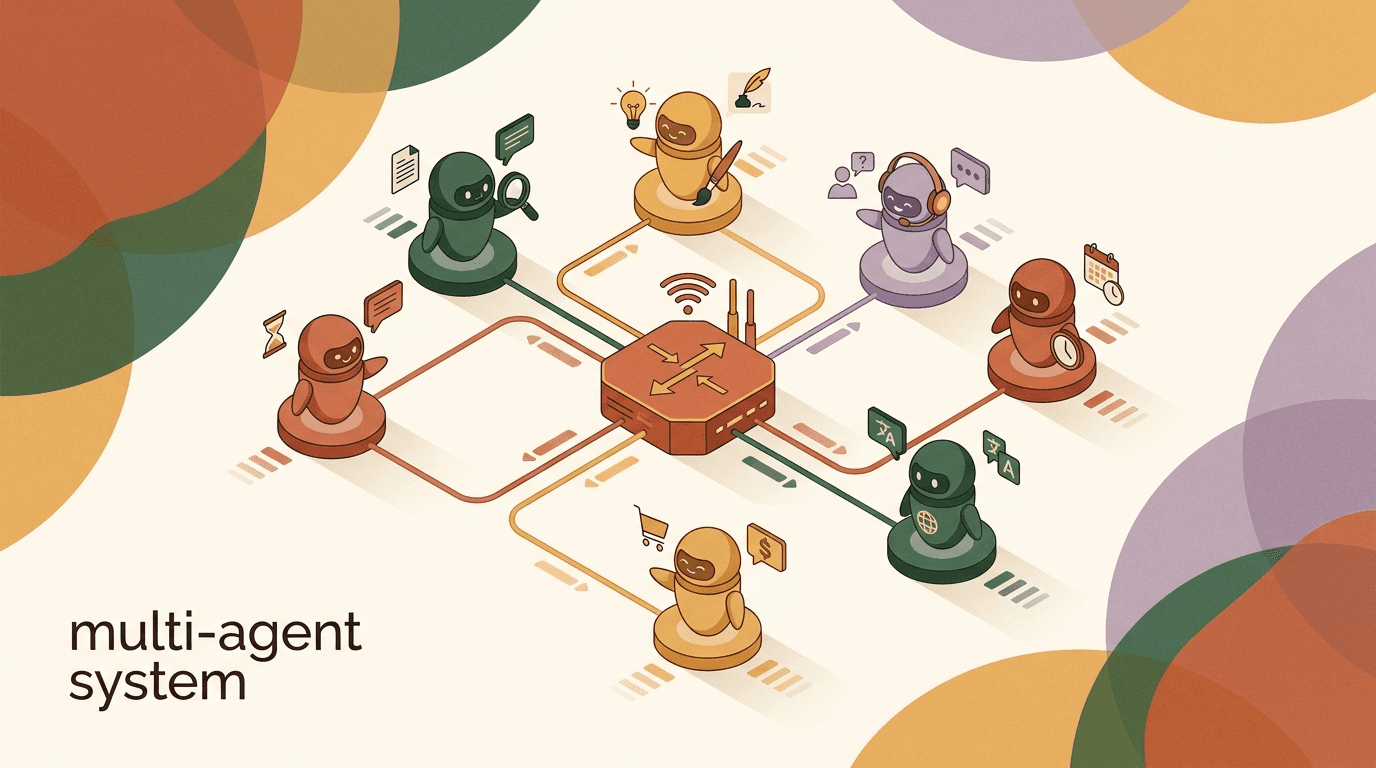
A multi agent system setup is the practice of splitting one all-purpose AI assistant into several specialist AI agents that each own a narrow job and hand off conversations to one another. Instead of a single agent trying to qualify a sales lead, troubleshoot a refund, and book a demo all at once, you run a sales-qualifier agent, a support agent, and a booking agent — and you route each message to whichever one fits. This is what people mean by multi-agent AI, AI agent orchestration, or running multiple AI agents in production.
It sounds appealing, and for some teams it is the right move. But the honest truth, before we go any further, is this: most small teams do not need it yet. One agent with a good knowledge base and a clean handoff to a human will out-perform a tangle of three half-tuned agents every time. Multi-agent is a scale technique, not a starting point. We build KlyoChat, an AI-native inbox with custom AI agents, and we tell new customers the same thing — start with one agent, get it genuinely good, then split.
This guide is the practical version. It covers when multiple agents actually beat one, how to design handoffs and routing so messages land in the right place, how to share knowledge across agents without duplicating it, and the specific failure modes — loops, dropped context, conflicting answers — that make multi-agent systems frustrating when they are built carelessly. No hype, just the decisions you will actually face.
What is a multi-agent system, in plain terms?
A multi-agent system is a setup where two or more AI agents, each scoped to a specific domain, cooperate to handle a conversation. Each agent has its own instructions, its own slice of knowledge, and its own definition of done. A router — sometimes a dedicated triage agent, sometimes a rule — decides which agent a message belongs to, and agents can hand the conversation off when the topic shifts.
Contrast that with the single-agent model, which is what most automated inboxes run. One agent reads everything, answers from one combined knowledge base, and escalates to a human when it is stuck. It is simpler to build, simpler to debug, and for a surprising range of businesses it is entirely sufficient.
The distinction matters because the word 'agent' gets used loosely. A multi-agent system is not just having more than one automation. It is having more than one reasoning entity, each with a distinct role, that can pass work between them. That passing of work — the handoff — is the heart of the whole idea, and it is where most of the design effort goes.
It also helps to be clear about what a multi-agent system is not. It is not a way to make a weak model stronger — the underlying intelligence is the same whether it is wearing one hat or five. It is not a substitute for good knowledge — agents that do not know your business will be confidently wrong in three voices instead of one. And it is not free; every agent you add is another thing to instruct, another thing to test, and another seam where a conversation can fall through. The value comes entirely from focus: a narrow agent can hold its whole job in mind at once, which a sprawling one cannot.
| Dimension | Single agent | Multi-agent system |
|---|---|---|
| Scope per agent | Broad — handles everything | Narrow — one domain each |
| Knowledge base | One combined base | Shared core plus per-agent specifics |
| Routing | Not needed | Required — by intent or rule |
| Handoffs | Only to humans | Agent-to-agent plus to humans |
| Build effort | Low | Higher — routing and handoff logic |
| Best for | Most small teams | High volume, distinct workflows |
More agents is not more intelligence
Splitting a job across agents does not make the AI smarter. It makes each agent more focused. If your single agent is failing because its instructions are vague or its knowledge is thin, more agents will multiply that problem, not solve it. Fix the one agent first.
When do multiple agents actually beat one?
The reflex to reach for multiple agents usually comes from watching one agent struggle. But struggling is not by itself a reason to split — a single agent struggles for many reasons, and most of them are fixed by better instructions or better knowledge, not by adding agents. Split only when the struggle is structural: when the jobs themselves are genuinely different and pull the agent in opposing directions.
A sales-qualifier wants to ask probing questions and move toward a booked call. A support agent wants to resolve a problem and close the ticket. A booking agent wants to check availability and confirm a slot. Those are different goals, different tones, and different success metrics. When you cram all three into one set of instructions, the instructions get long, contradictory, and the agent hedges. That is the real signal to split.
Notice what these signals have in common: they are about the structure of the work, not the difficulty of any single answer. An agent that gives a wrong refund answer does not need a sibling — it needs the refund policy added to its knowledge. An agent that is too formal does not need a second agent — it needs its tone instructions rewritten. Splitting is the right tool only when one agent is being pulled toward incompatible goals at the same time, because that is the one problem you cannot fix by editing a single agent. Everything else is cheaper to solve in place, and you should exhaust those cheaper fixes first.
There is one more honest signal worth naming: ownership. When different people on your team own different outcomes — one person lives in sales, another in support — having one shared agent makes it hard for anyone to take responsibility for its behavior. Separate agents let each owner tune their own without stepping on the other. That organizational clarity is a legitimate reason to split even when a single agent would technically cope, because a system nobody owns is a system nobody improves.
- Your single agent's instructions have grown into a sprawling document with sections that contradict each other.
- Distinct workflows have distinct success metrics — qualify, resolve, book — and you cannot measure them when they share one agent.
- Volume is high enough that one agent's mistakes in one domain are costing you real money or real churn.
- Different domains need different knowledge that confuses the agent when combined — pricing nuance bleeding into support answers, for example.
- You want different escalation paths — sales handoffs to a closer, support handoffs to a senior agent — that are hard to express in one agent.
The 'two good agents' test
Before splitting, ask: could I write clear, non-contradictory instructions for each proposed agent in a single page? If yes, the split is probably clean. If the agents would still overlap heavily, you do not have two jobs — you have one job you have not defined well.
Why do most small teams start with one agent?
We say this plainly because it is in our customers' interest, even though we sell the capability to run more: a single well-tuned agent is the right starting point for the large majority of small teams. It is faster to build, dramatically easier to debug, and it gives you the data you need to decide whether splitting is even warranted.
When something goes wrong with one agent, you have exactly one place to look. When something goes wrong in a three-agent system, you first have to work out which agent was active, whether the routing was correct, whether the handoff carried context, and only then whether the agent's answer was wrong. You have multiplied your debugging surface before you have proven you needed to.
There is also a sequencing argument. You cannot design good specialist agents until you understand the shape of your real conversations. One agent, running for a few weeks, hands you that understanding for free. You will see which topics cluster, where the agent hands off to humans, and where it gets confused. That data is the blueprint for your eventual split — and sometimes it tells you not to split at all.
A typical maturity path
- Month 1
- One agent, broad scope, hands off to a human when stuck
- Month 2
- Tighten instructions, expand knowledge base, watch where it fails
- Month 3
- Topics cluster clearly — sales vs support vs booking emerge in the data
- Month 4+
- Split into specialist agents only for the clusters that justify it
What are the common specialist agents?
Most multi-agent systems in customer-facing work converge on a small set of recognizable roles. You will not need all of them, and you may invent ones specific to your business, but these are the patterns worth knowing because they map cleanly onto how conversations actually flow.
The key with each is scope discipline. A specialist agent earns its keep by doing one thing well and refusing to drift. The booking agent should not start qualifying. The support agent should not start selling. When an agent stays in its lane, its instructions stay short and its answers stay sharp.
| Agent | Job | Hands off when |
|---|---|---|
| Triage / router | Reads the first message, decides intent, routes | Intent is identified — passes to the right specialist |
| Sales-qualifier | Asks qualifying questions, scores the lead | Lead is qualified — passes to booking or a human closer |
| Support agent | Resolves how-to and account questions from the knowledge base | Issue needs a human or shifts to billing |
| Booking agent | Checks availability, confirms a slot | Slot booked, or no availability — passes to a human |
| Billing / refunds | Handles payment and refund queries | Action needs human approval or policy exception |
You do not need a separate router on day one
A dedicated triage agent is useful at scale, but early on a simple rule — keyword, channel, or the first menu choice — can route just as well with far less to go wrong. Add a reasoning-based router when rules stop being able to tell your intents apart.
How does an AI agent handoff actually work?
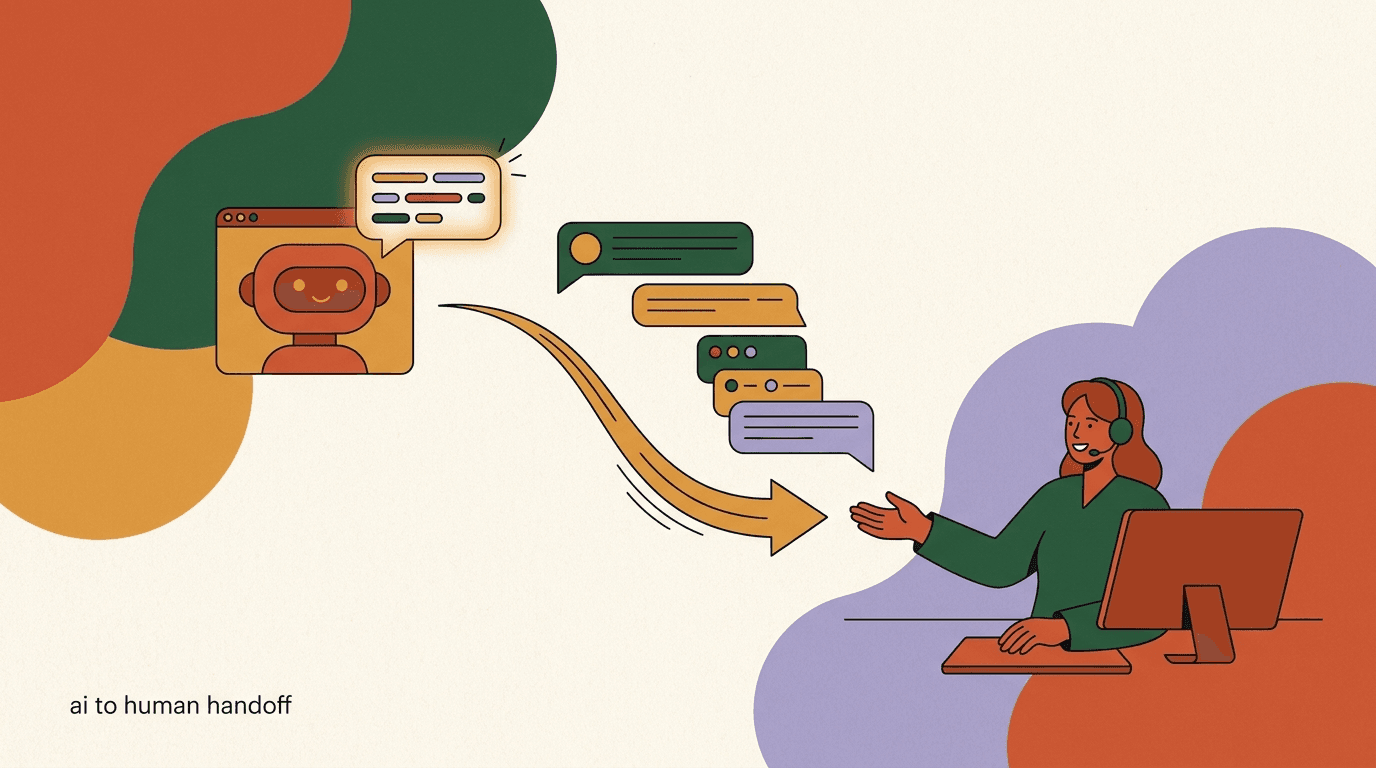
An AI agent handoff is the moment one agent decides this conversation belongs to another, and passes it over. Done well, the customer never notices — the conversation continues, the context survives, and the new agent picks up as if it had been there all along. Done badly, the customer has to repeat themselves, the tone lurches, and trust drops.
Three things have to travel across a handoff: the conversation history, any structured data already collected (the lead's budget, the order number, the chosen time slot), and a clear reason for the handoff so the receiving agent knows why it is now involved. If any of those is dropped, the handoff feels broken even if the routing was technically correct.
There are two flavors of handoff, and a good system uses both. Agent-to-agent handoffs move the conversation between specialists. Agent-to-human handoffs escalate out of automation entirely — for refunds over a threshold, angry customers, or anything the agent is not confident about. The agent-to-human path is the safety net that makes the whole system trustworthy, and it should always exist.
A subtle point that separates good handoffs from clumsy ones is how the transition is narrated to the customer. The smoothest handoffs are silent — the conversation simply continues, and the customer has no idea a different agent picked it up. But sometimes a small acknowledgment helps, especially when moving from automation to a human: a brief 'let me bring in someone from our team' sets expectations and feels honest. The rule of thumb is to keep agent-to-agent handoffs invisible and to be transparent the moment a human enters, because pretending a person is a bot, or a bot is a person, is the fastest way to lose trust when the seam eventually shows.
Confidence is the signal that should drive most handoffs, and it is worth being deliberate about it. An agent that is sure of an answer should give it. An agent that is unsure should not guess — it should hand off, either to a specialist better suited to the question or to a human. Building this 'know when you do not know' behavior into each agent's instructions is more valuable than any amount of clever routing, because a confident wrong answer is worse than an honest handoff every single time.
- Detect the triggerThe active agent recognizes the conversation has moved outside its scope — a support agent hears a buying question, say — or that it has finished its job.
- Package the contextBundle the conversation history, the structured data collected so far, and a one-line reason for the handoff.
- Route to the right destinationSend to the matching specialist agent, or escalate to a human if no agent fits or confidence is low.
- Confirm receipt and continueThe receiving agent (or human) acknowledges the context and continues without asking the customer to repeat themselves.
A clean support-to-booking handoff
- Customer
- Thanks, that fixed it. Actually, can I book a setup call?
- Support agent
- Detects booking intent, packages history, hands off
- Booking agent
- I can help with that. I see you're on the Pro plan — what day works?
How do you design routing so messages land in the right place?
Routing is the decision layer that sits in front of your agents and answers one question for every message: who handles this? Get routing right and the rest of the system feels frictionless. Get it wrong and customers land on the wrong specialist, handoffs ping-pong, and the whole thing feels chaotic.
There are two broad approaches, and they are not mutually exclusive. Rule-based routing uses signals you can express deterministically — the channel a message came in on, a keyword, a menu selection, a tag. Intent-based routing uses an AI agent to read the message and infer what the customer wants. Rules are predictable and cheap; intent inference is flexible but occasionally wrong. The strongest systems use rules where they are reliable and fall back to intent inference for the ambiguous middle.
A practical way to think about routing is to route on the strongest reliable signal first and only escalate to harder inference when the easy signal runs out. If a conversation comes in through a 'Book a demo' ad, you already know its intent — route it to the booking or sales path without asking a model to guess. If it comes in cold through a general channel, you have no easy signal, so reading the message for intent is worth the small risk of getting it wrong. Mixing the two this way keeps your routing both cheap and accurate, and it makes the system far easier to debug because most messages take the predictable path.
Routing is also not a one-time decision. The first message sets the initial agent, but intent can shift mid-conversation — a support chat becomes a sales question, a sales chat becomes a complaint. That mid-conversation re-routing is just a handoff triggered by the active agent rather than the router, which is why clean handoffs and clean routing are really the same discipline viewed from two angles. If your handoffs are solid, your routing can afford to be wrong occasionally, because the next agent will catch and correct it.
| Routing method | Strength | Weakness |
|---|---|---|
| By channel | Dead simple — WhatsApp to support, ads to sales | Too coarse when one channel carries mixed intent |
| By keyword / menu | Predictable, easy to debug | Brittle — misses how people actually phrase things |
| By AI intent detection | Handles natural, messy language | Occasionally misroutes; harder to debug |
| Hybrid (rules then intent) | Reliable where possible, flexible elsewhere | Slightly more to set up |
Define a default destination
Every routing system needs an answer for the message it cannot classify. Without a defined fallback — usually a general agent or a human — unroutable messages get dropped or bounce between agents. Decide where the ambiguous ones go before you go live.
How do agents share knowledge without duplicating it?
One of the quiet failures in multi-agent systems is knowledge drift. You write the refund policy into the support agent, then again into the billing agent, then the policy changes and you update one but not the other. Now two agents give two different answers to the same question, and the customer who talks to both notices.
The cleaner pattern is a shared core knowledge base that every agent can read — company facts, policies, product details, the things that are true regardless of which agent is talking — plus a thin layer of agent-specific knowledge for the bits only that role needs. The booking agent needs the availability rules; the sales agent does not. The sales agent needs the pricing objection-handling; the booking agent does not. But both read the same single source for what the product actually is.
This is more than tidiness. Shared knowledge is what keeps agents from contradicting each other, and consistency across agents is the difference between a system that feels like one coherent business and one that feels like several disconnected bots wearing the same logo.
There is a useful test for where a fact belongs. Ask: would the answer to this question change depending on which agent is talking? If no — the return window, the price, the business hours — it belongs in the shared core, full stop. If yes — the availability calendar matters to booking but not to sales — it can live with the specialist. Most facts fail this test and belong in the shared core, which is exactly why teams who default to per-agent knowledge end up with drift. When in doubt, put it in the shared core; the cost of an agent reading one extra fact it does not need is trivial next to the cost of two agents disagreeing.
- Keep one shared core: company facts, policies, pricing, product details — the truths that do not change by role.
- Add only role-specific knowledge per agent: availability rules for booking, objection handling for sales.
- Update shared facts in one place so a policy change propagates to every agent at once.
- Audit periodically for contradictions — ask each agent the same cross-cutting question and compare answers.
Test for consistency, not just correctness
Pick five questions that cut across agents — return policy, pricing, hours — and ask every agent each one. They should give the same answer. Divergence means your shared knowledge has leaked into per-agent copies that have drifted apart.
What goes wrong in multi-agent systems?
Multi-agent systems fail in specific, recognizable ways, and knowing them in advance is most of the battle. None of these are exotic — they are the predictable consequences of agents that hand off without enough discipline. Each has a straightforward guard.
The first and most common is the handoff loop, where two agents each decide the conversation belongs to the other and bounce it back and forth. The customer watches the conversation stall while the agents argue silently. The fix is a hop limit: after a small number of handoffs, the conversation goes to a human, full stop.
- Handoff loops: agent A sends to B, B sends back to A. Guard with a maximum-handoff limit that escalates to a human.
- Dropped context: the receiving agent does not get the history and the customer repeats themselves. Guard by always packaging history and collected data into the handoff.
- Conflicting answers: two agents give different responses to the same question. Guard with a shared core knowledge base.
- Over-routing: messages get split so finely that simple questions take three handoffs. Guard by keeping agents broad enough to finish a job.
- Orphaned conversations: a message no agent claims sits unanswered. Guard with a defined default destination.
- Scope creep: a specialist starts answering outside its lane and contradicts the right specialist. Guard with tight, enforced scope in each agent's instructions.
The loop is the one that erodes trust fastest
A customer can forgive a wrong answer. They will not forgive watching their question get passed around with no resolution. A hard handoff limit that drops to a human is non-negotiable — build it before you build anything clever.
How many agents is too many?
There is no magic number, but there is a clear principle: every additional agent adds a routing decision and a set of handoff edges, and complexity grows faster than the agent count. Two agents have one handoff relationship. Three agents have up to six possible directed handoffs. The web of who-passes-to-whom gets dense quickly, and each edge is a place a conversation can get lost.
A useful discipline is to add an agent only when you can name the specific failure of the current setup that the new agent fixes, and the specific success metric that will move. 'It might be cleaner' is not a reason. 'Support questions about billing keep getting wrong answers because the support agent does not know payment systems' is a reason — and it names exactly the agent to add.
In practice, most customer-facing businesses are well served by two to four agents: a router or general agent, a sales path, a support path, and sometimes a booking or billing specialist. Beyond that, you are usually better off making existing agents better than adding new ones. The teams that run many agents tend to have genuinely distinct, high-volume workflows that each justify their own owner.
Complexity grows with each agent
- 2 agents
- 1 handoff relationship — easy to reason about
- 3 agents
- Up to 6 directed handoffs — manageable with discipline
- 5 agents
- Up to 20 directed handoffs — needs careful routing design
How do you test a multi-agent system before going live?
A single agent you can sanity-check by chatting with it for ten minutes. A multi-agent system needs structured testing because the failures live in the seams — the routing decisions and the handoffs — not inside any one agent. You have to deliberately probe those seams.
Build a test script of real conversations that cross boundaries: a support question that turns into a sales question, a sales chat that needs a booking, a message ambiguous enough that routing could go either way. Run each one and check not just whether the final answer was right, but whether the right agent handled each turn and whether context survived every handoff.
- Write boundary-crossing test conversationsScript real flows that move between domains — support to sales, sales to booking — plus deliberately ambiguous openers.
- Verify routing on the first messageConfirm each opener lands on the correct specialist, and that ambiguous ones hit your default destination rather than getting dropped.
- Check context survival across handoffsAfter each handoff, confirm the new agent has the history and collected data and does not make the customer repeat themselves.
- Force the failure modesTry to trigger a loop, an orphaned message, and a conflicting answer. Confirm your guards catch each one and escalate to a human.
- Compare against one agentRun the same scripts through a single broad agent. If multi-agent is not clearly better, simplify back to one.
Test the ambiguous cases hardest
Clean, obviously-sales or obviously-support messages route fine in any system. The conversations that break multi-agent setups are the ambiguous ones in the middle. Spend most of your testing budget there.
Does multi-agent change how humans stay in the loop?
It should make human involvement more precise, not less present. In a single-agent setup, the human is the one escalation target. In a multi-agent setup, you can route different escalations to different people: sales handoffs to a closer, support escalations to a senior support person, billing exceptions to someone with approval authority. The handoff machinery you built for agent-to-agent transfers is the same machinery that routes to the right human.
What does not change — what must not change — is that a human is always reachable. Every agent in the system needs a path to a person, and the system as a whole needs the hop-limit escalation that catches anything bouncing between agents. Automation that cannot escape to a human is a trap, and a more elaborate automation is a more elaborate trap. The point of specialist agents is to handle the routine well so that humans spend their attention on the conversations that genuinely need them.
Specialist routing applies to humans too
The best reason to build clean handoffs is not agent-to-agent transfer — it is getting the right human onto the right conversation fast. A qualified lead reaching a closer in seconds, with full context, is worth more than any amount of agent cleverness.
How do you roll out a multi-agent system without breaking what works?
The riskiest moment in a multi-agent system is the switch from one agent to many, because you are changing the part of the system customers actually feel — who answers them and how. Done all at once, a bad routing rule or a dropped handoff can degrade every conversation overnight. The safer path is incremental: keep your working single agent in place and peel off one specialist at a time, watching closely before you peel off the next.
Start by carving out the cleanest, highest-volume slice — often booking or a well-defined support category — into its own agent, and route only that slice to it while everything else stays with your general agent. This contains the blast radius. If the new specialist misbehaves, only one slice of conversations is affected, and the general agent is still there as a backstop. Once that specialist is proven, carve off the next, and repeat. You end up at the same multi-agent destination, but you arrive having validated each piece rather than betting the whole system on one launch.
- Keep the general agent as the backstopDo not retire your working single agent. Let it catch everything you have not yet routed to a specialist.
- Carve off one clean slice firstMove the highest-volume, best-defined workflow to its own agent — usually booking or a tight support category.
- Route only that slice, watch closelySend just the matching conversations to the new specialist and review its handling for a week before going further.
- Add the next specialist once provenRepeat the carve-off for the next workflow, expanding the system one validated piece at a time.
Roll out by slice, not by switch
Resist the urge to flip from one agent to a full multi-agent system in a single change. Peeling off one specialist at a time keeps the blast radius small and turns a risky launch into a series of cheap, reversible experiments.
How does KlyoChat handle specialist agents and handoffs?
We build KlyoChat, so treat this section as what it is — our take, with the limits stated honestly. KlyoChat is an AI-native unified inbox that brings Facebook, Instagram, Telegram, WhatsApp, TikTok, and X into one place, and it lets you build custom AI agents with their own knowledge bases. Those agents can route conversations, hand off to each other, and hand off to a human on your team through a shared team inbox.
That means the building blocks for a multi-agent system are in the product: you can create a sales-qualifier, a support agent, and a booking agent, give each its own scope and knowledge, and connect them with handoffs that carry the conversation and its context. Because everything lives in one inbox, an agent-to-human handoff just lands the conversation in front of the right teammate with the history attached — no separate tool, no copy-paste.
But here is the honest part, and it is the same advice from the top of this guide: do not start here. Start with one KlyoChat agent, tune it on real conversations, and split into specialists only when the data shows a single agent is genuinely overloaded. Multi-agent adds complexity — more routing to get right, more handoffs to test — and that complexity only pays off at scale. A couple of other honest limits worth knowing: KlyoChat has no native SMS or email, so if those channels are core to you, factor that in, and we are a newer platform with a smaller community than the oldest incumbents.
- Start with one well-tuned agent on the Basic or Pro plan before building a multi-agent setup.
- Custom agents with knowledge bases are included — agents are not a separate add-on.
- Every plan includes the team inbox, so agent-to-human handoff is built in.
- Honest limit: no native SMS or email, and a smaller community than older tools.
| Capability | What KlyoChat gives you |
|---|---|
| Custom AI agents | Build multiple agents, each with its own knowledge base |
| Routing | Direct conversations to the right specialist agent |
| Agent-to-agent handoff | Pass conversations between specialists with context |
| Agent-to-human handoff | Escalate to a teammate in the shared team inbox |
| Channels | FB, IG, Telegram, WhatsApp, TikTok, X in one inbox |
| Not included | Native SMS and email |
We would rather you grow into multi-agent
It is genuinely in your interest to prove one agent works before splitting. KlyoChat supports the full multi-agent path, but the cheapest, most reliable system is the simplest one that does the job. Add agents when the data demands it, not before.
KlyoChat plans at a glance
- Basic
- $19/mo — for getting one agent running
- Pro
- $49/mo ($39 billed yearly) — custom AI agents, all channels
- Business
- $129/mo — for higher volume and larger teams
- Trial
- 7-day free trial, no credit card required
The bottom line on a multi agent system setup: specialist AI agents that hand off work are a real and useful pattern, but they are a scale technique, not a default. Multiple agents beat one when your workflows are genuinely distinct, your volume is high, and a single agent's combined instructions have started contradicting themselves. Until then, one well-tuned agent with a clean handoff to a human will serve you better and cost you far less effort.
When you do split, the work is in the seams: design routing with a defined fallback, build handoffs that carry context, keep one shared knowledge core so agents do not contradict each other, and guard hard against loops with a hop limit that escalates to a person. Test the ambiguous, boundary-crossing conversations hardest, because that is where multi-agent systems break. For the groundwork, see our pieces on AI agents versus chatbots, the AI agent human handoff, and the AI sales qualifying agent — then build up from one agent to many only as the data earns it.