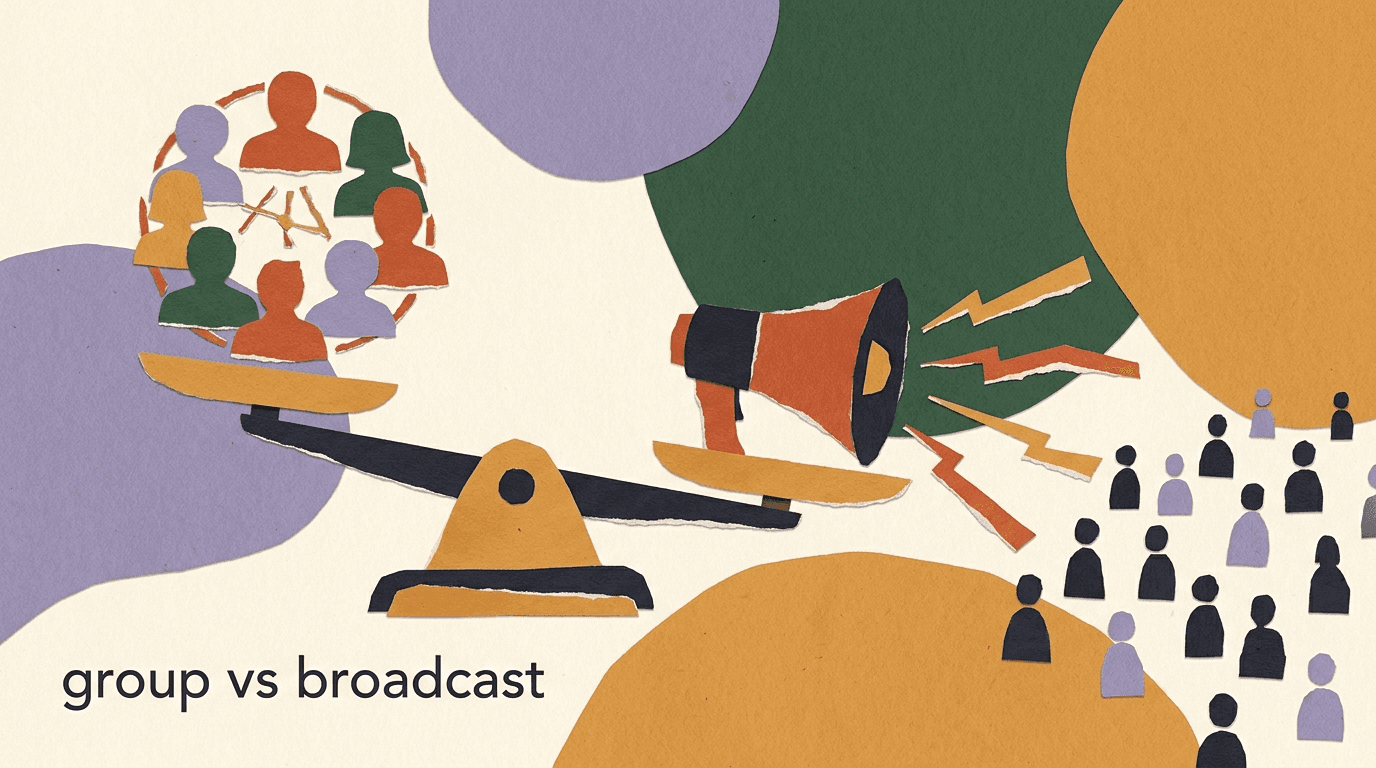
The whatsapp group vs broadcast question sounds like a simple either-or, but there are really four different tools hiding inside it, and each one behaves differently on reach, control, privacy, and how far it scales. WhatsApp groups are shared rooms where everyone can talk. Broadcast lists send one message to many private chats. Channels are a one-way public feed. And WhatsApp Business API broadcasts are the opt-in, template-based way businesses reach large audiences at scale. Confuse them and you will either annoy customers, hit a wall, or risk your number.
This guide compares all four honestly. We will lay out what each tool actually does, where the hard limits sit, when you should reach for one over another, and the trade-offs nobody puts on the marketing page. The goal is a decision you can defend, not a pitch.
Full disclosure: we build KlyoChat, which handles opt-in broadcasts through the official WhatsApp Business API. That shapes our point of view, so we have kept the platform facts to what Meta publishes and flagged the places where a limit or a fee can change. We also tell you plainly what KlyoChat does not do — including WhatsApp groups and Channels, which are consumer-app features no third-party tool manages for you.
What is the difference between WhatsApp groups and broadcast lists?
Start with the two features that live inside the regular WhatsApp and WhatsApp Business apps on your phone, because they are the ones most people mean when they ask the whatsapp group vs broadcast question. They look similar from the outside — both let you reach many people at once — but they work in opposite directions.
A WhatsApp group is a shared room. Everyone in it can see every other member, read every reply, and post their own messages. It is many-to-many. That makes it excellent for community and terrible for announcements, because a single blast to a group of 200 people can trigger 200 replies that everyone then has to sit through.
A broadcast list is the reverse. You compose one message, and WhatsApp delivers it as a separate, private one-to-one chat to each person on the list. Recipients do not see each other, cannot see the list exists, and reply only to you. It is one-to-many. That makes it good for announcements and bad for discussion, because there is no shared space at all.
| Attribute | WhatsApp group | Broadcast list |
|---|---|---|
| Direction | Many-to-many (everyone talks) | One-to-many (only you send) |
| Do members see each other? | Yes — names and numbers visible | No — each chat is private |
| Replies | Go to the whole group | Go only to you, one-to-one |
| Best for | Community, discussion, support pods | Announcements to known contacts |
| Key limit | Member cap per group | Recipient must have saved your number |
The one rule that trips everyone up
A broadcast list only delivers to people who have saved your number in their phone contacts. If they have not, your message silently does not arrive. This single constraint is why broadcast lists do not scale for acquisition — you cannot force thousands of strangers to save you first.
How do WhatsApp Channels fit into the picture?
Channels are the newest of the four and the easiest to misunderstand. WhatsApp added them as a one-way broadcast tool that sits in a separate Updates tab, away from your personal chats. Think of a Channel less like a group and more like a public feed you follow — closer to a social media following than to a messaging thread.
When you post to a Channel, everyone who follows it can see the update, but they cannot reply in a conversation. They can react with emoji, and that is roughly the extent of the interaction. Followers stay anonymous to you and to each other, which is a deliberate privacy choice. You get reach and one-way distribution; you do not get a two-way relationship or a contact list you own.
For a business, a Channel is a publishing surface, not a customer-service or sales channel. It is a place to post drops, news, and links to an audience that chose to follow you. It is not a place to answer questions, take orders, or run a personalized flow, because there is no back-and-forth and no way to segment or target individuals.
- One-way only: you post, followers read and react — no replies.
- Followers are anonymous; you do not get their numbers or a list you control.
- Lives in the Updates tab, separate from chats, so it competes with other Channels for attention.
- Good for reach and announcements; poor for support, sales conversations, or targeting.
Treat a Channel like a social feed
If you already think in terms of a public post reaching followers, a WhatsApp Channel will make sense immediately. Judge it by the same yardstick as an Instagram or Telegram broadcast feed — reach and frequency — not by the standards of a conversation.
What are WhatsApp API broadcasts, and how are they different?
The fourth tool is the one businesses at any real scale end up needing, and it is fundamentally different from the other three because it does not live in the phone app at all. WhatsApp Business API broadcasts run through the official WhatsApp Cloud API that Meta provides for businesses. Instead of tapping send on your handset, you send through software connected to Meta's infrastructure.
That difference unlocks scale, but it comes with rules. To message someone outside a 24-hour customer-initiated window, you have to use a pre-approved message template. Templates are reviewed by Meta and sorted into categories — marketing, utility, and authentication — and Meta charges a per-conversation fee that varies by category and country. You also need explicit opt-in from every recipient before you send them anything.
In exchange for those constraints, API broadcasts do what the consumer-app tools cannot: reach thousands of opted-in contacts who have never saved your number, with delivery and read receipts, segmentation, personalization, and no manual tapping. This is the layer KlyoChat operates in, and it is the honest answer to anyone asking how to mass message whatsapp contacts at real volume.
API broadcasts are not a loophole for cold blasting
The API exists so businesses can message people who opted in — not so you can spam a purchased list. Sending template messages to contacts who did not opt in gets you blocked fast. Every recipient must have agreed to hear from you, and marketing templates must respect Meta's category rules. We cover the mechanics in depth in our WhatsApp broadcast guide.
How do groups, broadcast lists, Channels, and API broadcasts compare at a glance?
Before we get into when to use each one, here is the full four-way comparison in a single view. Keep in mind that the app-based tools — groups, broadcast lists, and Channels — are consumer features that live on your phone, while API broadcasts are a separate business product with its own economics and approval process.
| Factor | Group | Broadcast list | Channel | API broadcast |
|---|---|---|---|---|
| Where it lives | Phone app | Phone app | Phone app (Updates tab) | Cloud API / software |
| Direction | Many-to-many | One-to-many | One-way public | One-to-many, opt-in |
| Reach ceiling | Community-sized group cap | Saved-contact list | Public followers | Thousands, opt-in |
| Needs your number saved? | No | Yes | No | No |
| Opt-in required? | Join is consent | Implied by saving you | Follow is consent | Explicit, logged |
| Reply model | Everyone replies | Private to you | Reactions only | Private, two-way |
| Cost | Free | Free | Free | Meta per-conversation fees |
| Managed by KlyoChat? | No | No | No | Yes |
Limits shift — check Meta before you plan
Member caps, Channel behavior, and API pricing all change as Meta updates the platform. The comparison above reflects how the tools work at the time of writing. Confirm current caps and fees on WhatsApp's own business pages before you build a plan around a specific number.
How much reach does each option actually give you?
Reach is where the four tools separate most sharply, and it is usually the deciding factor. The consumer-app features were designed for personal use and small operations, so their ceilings are low by business standards. The API was designed for scale, so its ceiling is defined by how many people opt in rather than by a hard app limit.
A WhatsApp group has a member cap set by Meta, and while that cap has grown over the years to accommodate larger communities, it is still a single room, not a mailing list. A broadcast list is capped at a modest number of recipients per list, and every one of them must have saved your number. Channels can reach large public followings, but only as one-way posts with no targeting. API broadcasts scale to your entire opted-in audience, segment by segment.
The practical takeaway: if your audience is measured in dozens, the phone tools work fine. If it is measured in thousands and you need to reach people who found you through an ad, a website, or a comment-to-DM flow, the API is the only option that does not collapse under its own limits.
Same 5,000-person audience, four tools
- Group
- Cannot hold 5,000 in one room, and if it could, replies would be chaos
- Broadcast list
- Only reaches the fraction who saved your number, split across multiple lists
- Channel
- Reaches followers as a one-way post, no targeting or replies
- API broadcast
- Reaches all 5,000 opted-in contacts, segmented, two-way
Who controls the conversation in groups versus broadcasts?
Control is the quieter difference, and it matters more than most people expect. In a WhatsApp group, control is shared by design. Any member can post, which means one frustrated customer can air a complaint in front of everyone, or a spammer can flood the room before an admin removes them. Admins can restrict who posts, but the moment you switch a group to admins-only, you have effectively turned it into a one-way channel — at which point a group is the wrong tool.
Broadcast lists and API broadcasts hand control back to you. Each recipient gets a private thread, so a complaint stays a one-to-one conversation you can handle without an audience. There is no shared room for a discussion to spiral in. The trade-off is that you lose the community energy that makes groups valuable in the first place — the peer-to-peer chatter, the members answering each other's questions, the sense of a shared space.
Channels sit at the far end of the control spectrum. You have total control because nobody else can post. That is the point, and it is also the limit: total control means zero conversation. Choosing among these tools is largely a choice about how much control you want to trade for how much interaction.
Match control to the job
For a launch announcement you want maximum control and no cross-talk — a broadcast or Channel. For a loyal customer community you want to give up some control to gain peer engagement — a group. Do not use one where you need the other; the mismatch is what makes people hate business WhatsApp.
What about opt-in and consent?
Consent works differently across the four tools, and getting it wrong is the fastest way to damage your account. For a WhatsApp group, joining is the consent — someone tapped an invite link or accepted an add, so they chose to be there. But adding people to a group without asking, using numbers you collected elsewhere, is a common and serious mistake that gets accounts reported.
For a broadcast list, consent is implied but weak: the person saved your number, which suggests they want to hear from you, but they never explicitly agreed to receive broadcasts. For a Channel, following is a clear opt-in — the person chose to subscribe to your updates. For API broadcasts, consent is the strictest and most formal: Meta requires explicit, logged opt-in before you send a template message, and you should be able to show when and how each contact agreed.
This is not just a compliance checkbox. Consent quality drives everything downstream — deliverability, block rates, and whether Meta trusts your number. A list of people who genuinely asked to hear from you behaves completely differently from a list of strangers, no matter which tool you use to reach them.
- Group: joining via invite is consent — never mass-add collected numbers.
- Broadcast list: saving your number is weak, implied consent only.
- Channel: following is a clean, explicit opt-in to updates.
- API broadcast: explicit, logged opt-in is mandatory before any template send.
Log how and when people opted in
For API broadcasts especially, keep a record of the opt-in source and timestamp for every contact — a checkbox on a form, a keyword reply, a checkout consent. If Meta or a customer ever questions why you messaged someone, that log is your answer. Good opt-in hygiene is the single best protection for your number.
How do privacy and phone-number exposure compare?
Privacy is where groups quietly create the most risk, and it is worth spelling out because it is easy to overlook until it becomes a problem. In a WhatsApp group, every member can see every other member's phone number. For a customer community, that means your customers can see each other's numbers — a privacy exposure that many people are not comfortable with and that can breach data-protection expectations if you assembled the group from customer data.
Broadcast lists are private by design: recipients cannot see each other, cannot see the list, and reply only to you. Channels keep followers anonymous, so nobody's number is exposed to anyone. API broadcasts are private one-to-one threads, so again there is no cross-exposure — each contact only ever sees their own conversation with you.
The lesson is straightforward. If the people you are messaging do not already know each other and have not agreed to be in a shared space, do not put them in a group. The number exposure alone is reason enough to prefer a broadcast list, a Channel, or an API broadcast for anything customer-facing.
What each person can see
- In a group
- Every member's phone number and messages — full exposure
- In a broadcast list
- Only their own private chat with you
- In a Channel
- Only your posts; followers stay anonymous
- In an API broadcast
- Only their own one-to-one thread with you
What are the hard limits and scale ceilings?
Every one of these tools hits a wall somewhere, and knowing where saves you from designing a plan that cannot work. The consumer-app tools were never built for mass marketing, so their limits are the constraint you feel first. The API's limits are about trust and warm-up rather than a fixed number of recipients.
WhatsApp groups have a member cap per group. Broadcast lists cap the number of recipients per list and, more importantly, only deliver to saved contacts. Sending the same broadcast to many recipients repeatedly from a personal number also raises spam signals if the content looks promotional. Channels can scale followers, but they are one-way and offer no targeting. The API scales to large opted-in audiences, but new numbers start with a messaging limit that increases as you build a track record of quality sends and low block rates.
So the ceiling depends on what you are optimizing for. For raw one-way reach, a Channel or the API wins. For two-way messaging at scale, only the API clears the bar. For small, high-trust groups, the app tools are perfectly adequate and free.
| Tool | Primary limit | What breaks first at scale |
|---|---|---|
| Group | Member cap per room | Reply noise and number exposure |
| Broadcast list | Recipients per list, saved-contact rule | Messages silently not delivered |
| Channel | One-way only | No targeting, no conversation |
| API broadcast | Tiered messaging limits, quality rating | Fees and template approval, not reach |
Blasting promos from a personal number is the fast lane to a ban
The most common self-inflicted wound is using broadcast lists or manual group posts to push promotions from a regular number. WhatsApp's spam detection flags this pattern, and getting reported enough times can suspend the number. If you are marketing at volume, the API with opt-in and approved templates is not just better — it is the only durable path.
When should you use a WhatsApp group for business?
Groups earn their place when the value comes from members talking to each other, not just to you. If the peer-to-peer conversation is the product, a group is the right call and no broadcast tool will replace it. The energy of members answering each other, sharing wins, and building relationships is something a one-way channel simply cannot manufacture.
Keep groups small, high-trust, and clearly consented. A group works for a cohort of course students, a VIP customer circle, a local community, a beta-tester pod, or a partner network — situations where everyone benefits from seeing everyone else. It stops working the moment the group gets large enough that number exposure becomes a concern or the reply volume becomes noise.
- Cohort-based courses where students help each other.
- Small VIP or loyalty circles that want peer connection.
- Local community or event groups where members already share a context.
- Beta or partner pods that need genuine back-and-forth.
A group done right
- Setup
- A 40-person cohort for an online workshop, invite-link only
- Why it works
- Students answer each other, share progress, build accountability
- Why not a broadcast
- A broadcast kills the peer conversation that makes it valuable
When is a broadcast list the right tool?
A broadcast list is the right tool for a specific, narrow situation: you have a small set of contacts who have already saved your number, and you want to send them the same short message without starting a group. Think of a neighborhood shop messaging its regulars, a tutor updating a handful of parents, or a freelancer notifying past clients of availability.
Its strengths are that it is free, private, and instant, and replies come back as normal one-to-one chats you can handle individually. Its weaknesses are the saved-contact requirement, the per-list recipient cap, and the total lack of automation, segmentation, or analytics. You cannot see who opened anything, you cannot personalize beyond the message text, and you cannot reach anyone who has not saved you.
In short, a broadcast list is a convenience feature for a tiny, warm audience, not a marketing platform. The moment you want to reach hundreds of people who found you online, or you want delivery data, or you want to trigger messages automatically, you have outgrown it and the API is the next step.
- Ask contacts to save your numberTell people to add your business number to their phone — broadcasts only reach saved contacts, so this step is non-negotiable.
- Create the broadcast list in WhatsApp BusinessIn the app, open the menu, choose New broadcast, and add the contacts you want to reach. Keep the list focused.
- Write one clear, short messageCompose a single message that stands on its own. Recipients see it as a normal chat, so make it feel personal, not like a mass blast.
- Send and handle replies one-to-oneReplies arrive as individual chats. Answer them like normal conversations — there is no shared thread to manage.
When does a WhatsApp Channel make sense?
A Channel makes sense when your goal is regular one-way publishing to an audience that chose to follow you, and you do not need a conversation or a contact list. If you already run a public presence — a store with drops, a creator with announcements, a brand with news — a Channel gives you another surface to reach followers who prefer WhatsApp to other feeds.
The honest limitation is that a Channel is a broadcast megaphone, not a relationship tool. You cannot see who your followers are, you cannot message them individually, and you cannot move them into a sales or support flow from inside the Channel. Reactions are the only signal you get back. So a Channel complements a broader WhatsApp strategy; it does not replace the two-way, owned-contact layer that drives revenue.
Use a Channel for reach and frequency — the top of your funnel. Then give followers a reason and a way to opt into your API broadcast list, where you can actually have a conversation, segment them, and follow up. The Channel builds awareness; the opt-in list builds the relationship. Our guide on turning WhatsApp into a newsletter marketing channel walks through how the publishing and the owned-list layers reinforce each other.
Channels are top-of-funnel, not the whole funnel
A Channel is a fine way to stay visible, but it gives you no owned relationship. Pair it with an opt-in path into API broadcasts so followers can become contacts you can actually talk to, segment, and serve. Reach without a way to follow up is only half a strategy.
When do you need API broadcasts instead?
You need API broadcasts the moment your requirements include any of these: reaching people who have not saved your number, messaging more contacts than a broadcast list allows, personalizing at scale, segmenting your audience, triggering messages automatically, or seeing delivery and read data. None of the phone-app tools can do these things, and no amount of clever workaround changes that.
This is the layer that turns WhatsApp from a personal messenger into a marketing and support channel. With the API you can send an opt-in flash sale to your whole warm list, follow up with people who clicked but did not buy, route replies to a shared team inbox, and measure the whole thing. Our breakdown of running a WhatsApp flash sale shows what that looks like end to end, from the opt-in to the timed template send.
The cost of that capability is real and worth stating plainly: you need a WhatsApp Business API setup, explicit opt-in from every contact, message templates approved by Meta, and you pay Meta's per-conversation fees. It is more setup than tapping send on your phone. But for any business messaging at volume, it is the only approach that is both scalable and safe. For the full mechanics, see our detailed WhatsApp broadcast guide.
- Get on the WhatsApp Business APIConnect through a provider or platform that gives you access to Meta's Cloud API and a verified business number.
- Collect explicit opt-inAdd opt-in points — website forms, checkout consent, keyword replies — and log the source and timestamp for each contact.
- Create and submit message templatesWrite templates for your marketing and utility messages and submit them to Meta for category review and approval.
- Segment and sendGroup contacts by behavior or attributes, send the right template to the right segment, and route replies to a shared inbox.
- Measure and refineUse delivery, read, and reply data to see what worked, prune unengaged contacts, and improve the next send.
What does WhatsApp Community add on top of groups?
WhatsApp Community is worth understanding because it is often confused with the other tools. A Community is not a fifth broadcast method — it is an organizing layer that ties several related groups together under one umbrella, with an announcement group at the top that admins can post to and that reaches everyone across the sub-groups.
This is useful for larger organizations that already run multiple groups: a school with a group per class, a nonprofit with regional chapters, a club with different interest sub-groups. The Community structure lets admins send one announcement to all members while keeping the individual group conversations separate. It brings some of the top-down control of a broadcast to a set of groups that still function as groups underneath.
For a marketing business, a Community rarely replaces API broadcasts, because it still inherits the group model's core limits: number exposure within each sub-group, member caps, and no segmentation or analytics. It is a strong fit for genuine multi-group communities and a poor fit for reaching a large opt-in customer list. Match it to the org-with-many-groups shape it was built for, not to a marketing funnel.
Community is for organizing groups, not for marketing reach
If you already run several legitimate groups and need a way to announce across all of them, Community is the right structure. If your real need is reaching a large opt-in audience with targeting and data, it is not the tool — that is still API broadcasts.
How do you avoid getting your WhatsApp number banned?
Whichever tool you choose, the fastest way to lose is to trip WhatsApp's spam detection and get your number restricted or banned. The rules are not mysterious, and they come down to consent, relevance, and pace. Break them with a personal number and broadcast lists, and you can lose the number outright; break them on the API, and your quality rating drops and your messaging limits shrink.
The single biggest risk factor is messaging people who did not ask to hear from you. Adding strangers to groups, broadcasting to people who never opted in, or blasting purchased lists all generate blocks and reports, and enough of those trigger enforcement. The second risk factor is content and pace: sudden bursts of identical promotional messages look like spam regardless of consent, so warm up gradually and vary your sends.
Protecting your number is mostly about doing the boring things well — genuine opt-in, relevant messages, a reasonable cadence, and prompt handling of replies so people do not block you out of frustration. On the API, watching your quality rating and pruning unengaged contacts keeps you in good standing. None of it is complicated; all of it is easy to skip when you are in a hurry.
- Only message people who genuinely opted in — no purchased or scraped lists.
- Never mass-add collected numbers to a group without asking.
- Warm up new numbers gradually instead of blasting on day one.
- Keep messages relevant and spaced out; identical promo bursts look like spam.
- Handle replies fast — blocks and reports are what actually get you banned.
Your quality rating is an asset — protect it
On the WhatsApp Business API, Meta assigns your number a quality rating based on how recipients react. High block and report rates lower it and cut your messaging limits; consistent, wanted messages raise it. Treat that rating as a real business asset and every send as a vote for or against it.
So which WhatsApp tool should you use, and when?
Pulling it together, the choice is not about which tool is best in the abstract — it is about matching the tool to the job. The consumer-app features are free, simple, and fine for small, warm, high-trust audiences. The API is more work and has real costs, but it is the only option that scales to a large opt-in audience with targeting, automation, and data.
Use a group when peer-to-peer conversation is the point and the audience is small and consented. Use a broadcast list for quick announcements to a handful of contacts who saved your number. Use a Channel for one-way public reach at the top of your funnel. Use API broadcasts when you need to message many opted-in people with personalization, segmentation, and measurement — which is most serious marketing and support at scale.
The most common healthy pattern is a combination: a Channel or organic presence for reach, an opt-in path into an owned contact list, and API broadcasts to do the real relationship and revenue work. The phone tools bring people in; the API turns them into customers you can serve.
| Your goal | Best tool | Why |
|---|---|---|
| Peer community, small and warm | Group | Members talk to each other |
| Quick note to saved contacts | Broadcast list | Free, private, instant |
| One-way public reach | Channel | Broadcast to followers, no list to manage |
| Scale, targeting, automation, data | API broadcast | Opt-in reach with personalization and analytics |
| Announce across many groups | Community | Top-down message to grouped members |
Where does KlyoChat fit into this?
Now the honest part about where a tool like KlyoChat helps and where it does not. KlyoChat is an AI-native unified inbox that includes WhatsApp, and on the WhatsApp side it operates in exactly one of the four layers above: opt-in API broadcasts. It does not manage WhatsApp groups, and it does not post to Channels — those are consumer-app features that live on your phone, and no third-party platform runs them for you. If group management or Channel posting is what you need, KlyoChat is not the answer, and we would rather say so up front.
What KlyoChat does do is the API broadcast layer, with the guardrails that layer requires. You collect opt-in, send approved templates to segmented audiences, and manage the two-way replies that come back — all from one inbox that also handles your other channels. AI agents can draft first responses across those conversations, and you get analytics on what landed. It connects your broadcast workflow to segmentation and reporting so a send is not a shot in the dark.
The trade-offs are worth stating as plainly as the benefits. API broadcasts require opt-in, Meta-approved templates, and Meta's per-conversation fees — those apply on any platform, KlyoChat included, because they are Meta's rules, not ours. KlyoChat also does not offer native SMS or email, and it is a newer, smaller product than the largest incumbents, so the community and template library are still growing. If those things are dealbreakers, factor them in honestly.
- Does: opt-in WhatsApp API broadcasts, segments, unified inbox, AI-drafted replies, analytics.
- Does not: manage WhatsApp groups or post to Channels — those stay in the phone app.
- Honest costs: opt-in required, approved templates required, Meta per-conversation fees apply.
- Honest limits: no native SMS or email; a newer, smaller community than the biggest incumbents.
Meta's fees apply everywhere — the difference is what wraps them
WhatsApp's per-conversation fees are Meta's, so they apply on KlyoChat and every other API platform equally. What varies is the software around them — the inbox, segmentation, AI, and pricing. Compare tools on that layer, and check current numbers on our pricing page and on WhatsApp's own site.
KlyoChat plans at a glance
- Basic
- $19/mo — unified inbox, WhatsApp included, opt-in broadcasts and segments
- Pro
- $49/mo ($39 billed yearly) — more seats, custom AI agents, higher volume
- Business
- $129/mo — larger teams and contact volumes, API access
- Trial
- 7-day free trial, no credit card required
How do you actually get started with the right one?
If you are still deciding, do not overthink it — start from your audience and your goal. Small, warm, and conversational points to a group. A handful of saved contacts points to a broadcast list. A public following points to a Channel. Anything at scale with opt-in, targeting, and data points to API broadcasts, and that is where a platform pays for itself.
For the API path specifically, the setup is more involved than tapping send, so treat it as a small project rather than a five-minute task. Get your business number verified, wire up real opt-in points, get your first templates approved, and start with a modest, well-warmed send before you scale up. Compare the total cost — subscription plus Meta fees — against your expected volume before you commit, and see our pricing page for how the plans map to contact volume.
- Define your audience and goalWrite down how many people, how warm they are, and whether you need a conversation. That answers which of the four tools fits.
- Start free where you canFor small, warm audiences, groups and broadcast lists cost nothing — use them until you hit their limits before adding software.
- Build opt-in before you need itEven if you are not on the API yet, start collecting logged consent now so you have a real list when you scale up.
- Move to API broadcasts when you outgrow the appOnce reach, targeting, or data become blockers, set up the API, get templates approved, and send to your opted-in segments.
You can run more than one at once
These tools are not mutually exclusive. A healthy setup often runs a Channel for reach, a couple of small groups for community, and API broadcasts for the opt-in list that drives revenue. Pick per goal, not once for everything.
The bottom line on whatsapp group vs broadcast: they are not two options but four, and the right one depends entirely on your audience size, your need for conversation, and whether you are willing to trade setup and fees for scale. Groups give you community and number exposure. Broadcast lists give you free, private announcements to saved contacts. Channels give you one-way public reach with no owned list. API broadcasts give you scalable, opt-in, measurable messaging with real costs attached.
Match the tool to the job, respect consent, protect your number, and combine tools where it makes sense. If your need is opt-in broadcasting at scale with an inbox and AI around it, that is the layer KlyoChat handles — while being clear it does not touch groups or Channels. For the deeper mechanics, read our WhatsApp broadcast guide, see how the owned-list layer works as a newsletter, and check a full example in our flash sale playbook.