The best WhatsApp chatbot examples are not clever — they are narrow. Each one does a single job well: answering a repeat question, capturing a lead, confirming a booking, or telling someone where their order is. That focus is what makes them work. A bot that tries to do everything frustrates people; a bot that nails one task earns trust and quietly removes work from your team. This guide walks through 12 concrete WhatsApp chatbot examples, organized by the job each one is hired to do, with a sample flow you can adapt for every single one.
We have kept these illustrative and generic on purpose. No named brands, no inflated metrics, no promises that a bot will transform your business overnight. Instead, you will see what each WhatsApp chatbot example does, when it is the right call, when it is the wrong one, and how the conversation actually flows from the first message to the resolution. The goal is that you finish this piece able to pick one example, sketch it on paper, and build it.
Full disclosure before we start: we build KlyoChat, a platform for exactly this kind of WhatsApp automation. We will mention it once near the end, honestly, including what it does not do. Everything before that is platform-neutral — the patterns here work on most serious WhatsApp tools, and the thinking matters more than the tool you pick.
What makes a WhatsApp chatbot example actually work?
Before the examples, it helps to agree on what good looks like. A WhatsApp chatbot that works shares a few traits, and they are the same whether the bot answers FAQs or recovers carts. Get these right and almost any use case succeeds; get them wrong and even a well-built flow annoys people into blocking you.
The first trait is a single, obvious job. The second is a fast, honest escape hatch to a human, because no bot resolves everything and pretending otherwise destroys trust. The third is respect for WhatsApp's rules and rhythms: this is a personal channel, people expect short messages, quick replies, and no spam. A bot that behaves like an email newsletter feels wrong here.
- One job per bot. If you cannot describe it in a sentence, it is two bots.
- An always-available human handoff. Make 'talk to a person' a permanent option.
- Short messages and buttons over long paragraphs. WhatsApp is a conversation, not a brochure.
- Clear opt-in and easy opt-out. Respect consent or you will lose the channel.
- A defined end state. Every flow should resolve, capture, or hand off — never dead-end.
Design the failure path first
Before you build the happy path, decide what happens when the bot does not understand. A clean 'I'll connect you to a teammate' beats a clever bot that loops. The fastest way to ruin a WhatsApp chatbot is to trap people in a flow with no exit.
How should you read the 12 examples below?
Each example follows the same shape so you can compare them quickly. You get what it does in one line, when to use it, when to skip it, and a sample dialogue showing the actual back-and-forth. The dialogues are written as bot and user turns; adapt the wording to your brand voice and your customers' language.
Think of the list as a menu, not a checklist. You do not need all 12. Most teams start with one or two — usually the FAQ bot and a lead-capture or order-status bot — and add more once those prove their worth. The table below maps each example to the job it does and the funnel stage it tends to serve, so you can find the one closest to your current bottleneck.
| # | Example | Primary job | Best for |
|---|---|---|---|
| 1 | FAQ bot | Answer repeat questions | Support deflection |
| 2 | Lead-capture bot | Collect contact + intent | Top of funnel |
| 3 | Booking bot | Schedule appointments | Services, demos |
| 4 | Order-status bot | Report shipping/order state | E-commerce support |
| 5 | Cart-recovery bot | Re-engage abandoned carts | E-commerce revenue |
| 6 | Support-triage bot | Route to the right team | Scaling support |
| 7 | Survey/feedback bot | Collect ratings + comments | Post-purchase, CX |
| 8 | Reactivation bot | Wake dormant contacts | Retention |
| 9 | Product-finder bot | Recommend by need | Discovery, retail |
| 10 | Payment-handoff bot | Guide to a secure checkout | Transactions |
| 11 | Event RSVP bot | Confirm attendance | Webinars, events |
| 12 | Internal helpdesk bot | Answer staff questions | Operations, HR/IT |
Example 1: How does an FAQ bot deflect repeat questions?
The FAQ bot is the first WhatsApp chatbot example almost everyone should build, because it pays off immediately. It answers the handful of questions your team types out fifty times a week — opening hours, return policy, shipping times, where you are located, how to reset something. Each answer the bot handles is a message your team never has to write.
Use it when you can see the same questions arriving over and over. Skip the elaborate version when your queries are genuinely varied and personal — an FAQ bot built on rigid keywords will frustrate people if most questions fall outside its script. The fix for variety is an AI-driven version that understands intent rather than matching exact words, which we cover later.
- Best for: businesses with a clear set of recurring questions.
- Build effort: low — a menu plus a dozen canned answers.
- Watch out for: question variety that outruns a keyword script.
Keep the menu short
Three to five options is the sweet spot. Long menus turn a quick answer into a chore. If you have more topics than that, group them or let an AI agent interpret free text instead of forcing a numbered list.
Sample FAQ bot dialogue
- User
- hi, do you ship internationally?
- Bot
- Hi! Yes, we ship to most countries. Pick a topic: 1) Shipping 2) Returns 3) Hours 4) Talk to a person
- User
- 1
- Bot
- International shipping takes 7-12 business days and is calculated at checkout. Anything else? Reply MENU or 4 for a teammate.
Example 2: How does a lead-capture bot qualify new contacts?
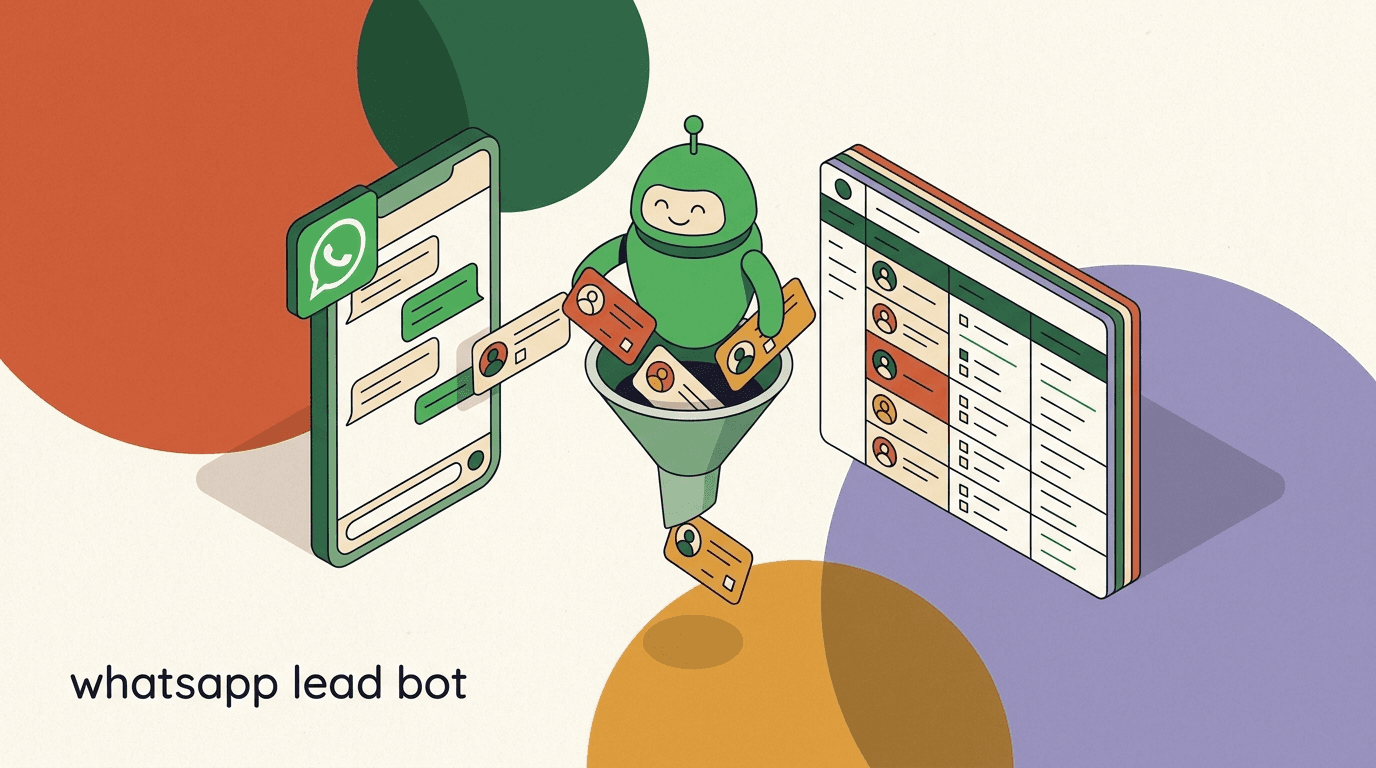
A lead-capture bot turns an inbound message into a structured lead. Someone replies to an ad, clicks a 'message us' button, or comments on a post, and the bot collects the few details your sales team needs — name, what they want, budget range, timeline — then tags the contact and notifies a human. Instead of a vague 'someone is interested,' your team gets a qualified lead with context.
This is one of the highest-leverage WhatsApp chatbot examples for top-of-funnel work. Use it whenever volume is high enough that manually qualifying every inquiry is slow. Avoid over-asking: each extra question loses people. Three or four well-chosen questions qualify a lead without feeling like a form.
- Best for: ad traffic, comment-to-DM funnels, and 'contact us' demand.
- Build effort: low to medium — a short branching questionnaire.
- Watch out for: asking too much. Every question is a drop-off point.
Tag as you go
Have the bot tag the contact at each branch — 'demo-request', 'pricing', 'hot-lead'. Those tags make every later step (assignment, follow-up, broadcasts) easier and let you route the lead to the right person automatically.
Sample lead-capture dialogue
- User
- I saw your ad, want to know more
- Bot
- Happy to help! Quick question — what are you looking for? 1) Pricing 2) A demo 3) Something else
- User
- 2
- Bot
- Great. What's your name, and when works for a 20-minute demo this week?
- User
- Priya, Thursday afternoon
- Bot
- Thanks, Priya. I've flagged this for our team — someone will confirm a Thursday slot shortly.
Example 3: When is a booking bot the right WhatsApp automation?
A booking bot handles appointment scheduling inside the chat: it offers available slots, takes the booking, and sends a confirmation, all without a phone call or a separate booking page. It suits services where the next step is a fixed-time appointment — consultations, demos, salon visits, repair slots, viewings.
Reach for it when scheduling friction is costing you bookings, or when your team spends real time playing calendar tag. Skip it when availability is highly dynamic and complex in ways a simple slot list cannot capture; in those cases the bot is better used to collect a request and hand off, rather than to confirm a hard time. The cleanest booking bots integrate with a real calendar so they never offer a slot that is already taken.
- Best for: services and demos with bookable, fixed-time slots.
- Build effort: medium — calendar logic plus confirmation and reminders.
- Watch out for: double-bookings if the bot is not tied to a live calendar.
Always confirm and remind
A booking bot that books but never reminds increases no-shows. Pair the confirmation with an automated reminder a day before, and make rescheduling a single keyword. The reminder is where most of the value lives.
Sample booking dialogue
- User
- can I book a consultation?
- Bot
- Of course. Here are the next open slots: 1) Tue 10:00 2) Tue 14:00 3) Wed 11:00. Reply with a number.
- User
- 3
- Bot
- Booked: Wed 11:00. I'll send a reminder the day before. Need to change it? Reply RESCHEDULE anytime.
Example 4: How does an order-status bot cut support load?
An order-status bot answers the single most common e-commerce question — 'where is my order?' — without a human touching it. The customer sends an order number or confirms their identity, and the bot returns the current status, tracking link, and estimated delivery. It is one of the most reliably useful WhatsApp chatbot examples because the question is so frequent and the answer is so structured.
Use it the moment 'where is my order' becomes a meaningful share of your inbox. It works best when your order data is accessible to the bot, whether through an integration or a lookup. If you cannot connect order data, a lighter version can still collect the order number and route it to a human, saving the back-and-forth of asking for details.
- Best for: any store with shippable orders and trackable status.
- Build effort: medium — needs a connection to order/tracking data.
- Watch out for: identity checks, so people only see their own orders.
Verify before you reveal
Order details are personal data. Confirm the person owns the order — match the phone number on file, or ask for a detail only they would know — before sharing addresses or contents. A status bot that leaks order data to anyone with a guessable number is a liability.
Sample order-status dialogue
- User
- where's my order?
- Bot
- I can check that. What's your order number? (It starts with #)
- User
- #48213
- Bot
- Order #48213 shipped yesterday and is out for delivery today. Track it here: [link]. Anything else?
Example 5: Can a cart-recovery bot bring shoppers back?
A cart-recovery bot re-engages shoppers who added items and left without buying. With the customer's prior opt-in, it sends a gentle, well-timed nudge on WhatsApp — a reminder of what they left, an answer to a likely objection, sometimes a small incentive — and a direct path back to checkout. Because WhatsApp messages get seen, this can recover sales that an ignored email would not.
Use it when you have genuine abandoned-cart volume and clear consent to message those shoppers. Do not use it to blast everyone repeatedly; one or two helpful, spaced reminders respect the person, while a barrage gets you blocked and reported. Frame the message as help ('Still deciding? Happy to answer any questions'), not pressure.
- Best for: stores with abandoned carts and opted-in shoppers.
- Build effort: medium — trigger, timing logic, and a checkout link.
- Watch out for: over-messaging. Cap it and always offer an opt-out.
Consent is not optional here
Proactive WhatsApp messages require opt-in and follow Meta's messaging rules, and marketing-category messages carry Meta's per-conversation fees. Only message shoppers who agreed to it, keep the cadence light, and make stopping frictionless.
Sample cart-recovery dialogue
- Bot
- Hi! You left a couple of items in your cart. Want me to hold them or answer any questions before you check out?
- User
- is shipping free?
- Bot
- Yes — free shipping on orders over the threshold, which your cart already passes. Here's your cart, ready to go: [link]
- User
- great, thanks
Example 6: How does a support-triage bot route conversations?
A support-triage bot does not try to solve every problem — it figures out what kind of problem it is and routes the conversation to the right place. It asks a couple of sorting questions ('Is this about an order, a technical issue, or billing?'), then either answers if it is a known FAQ or assigns the chat to the correct team with context attached. It is the connective tissue that lets the other bots scale.
Use a triage bot once your support volume spans clearly different categories handled by different people. Skip it for a tiny team where everything goes to the same person anyway — the extra step just adds friction. The best triage bots pass along everything the customer already said, so the human does not start from zero.
- Best for: teams with distinct support categories and owners.
- Build effort: low to medium — a sorting menu plus assignment rules.
- Watch out for: triage that becomes a maze. Keep it to one or two questions.
- Sort the requestAsk one or two questions to classify the issue — orders, technical, billing, or other.
- Answer or escalateIf it matches a known FAQ, answer inline. Otherwise, assign to the right team.
- Pass the contextAttach the conversation and any tags so the human picks up mid-thread, not from scratch.
Sample support-triage dialogue
- User
- I was charged twice
- Bot
- Sorry about that — sounds like a billing issue. I'm connecting you to our billing team with your message. One moment.
- Bot
- You're in the queue. Average wait is a few minutes. Your details are already with the team.
Example 7: What does a survey or feedback bot do well?
A survey bot collects structured feedback right after a relevant moment — a purchase, a support resolution, an appointment. Because it lives in WhatsApp, response rates tend to beat email surveys: a single tap on a rating button is far easier than opening a separate form. It works best when it is short, timely, and asks for one rating plus an optional comment.
Use it to capture satisfaction signals and open-ended feedback while the experience is fresh. The mistake to avoid is length: a ten-question survey on WhatsApp feels like an imposition and tanks completion. Ask for the rating first, then invite a comment only if they want to give one. If a low score comes in, route it straight to a human to recover the relationship.
- Best for: post-purchase and post-support satisfaction checks.
- Build effort: low — a rating prompt plus an optional follow-up.
- Watch out for: long surveys. One rating plus one open comment is plenty.
Route the unhappy ones to a human
When someone rates an experience poorly, do not let the bot send a canned 'thanks for your feedback.' Trigger an immediate handoff to a person who can ask what went wrong and make it right. Negative feedback is a recovery opportunity, not a data point to file.
Sample feedback dialogue
- Bot
- Thanks for visiting today! How would you rate your experience? 1) Great 2) OK 3) Poor
- User
- 1
- Bot
- Wonderful, thank you! Anything you'd like to add? (Optional — just reply, or ignore this.)
- User
- the staff were lovely
- Bot
- We'll pass that on — it means a lot. See you next time!
Example 8: How does a reactivation bot wake dormant contacts?
A reactivation bot reaches out to contacts who have gone quiet — past customers, leads who stalled, subscribers who have not engaged in months. With prior consent, it sends a single, relevant prompt designed to restart the conversation: a new offer, a 'we've missed you,' a check-in on whether their needs have changed. The aim is to revive a relationship you already earned rather than chase strangers.
Use it when you have a meaningful pool of opted-in but inactive contacts and a genuine reason to reach out. The danger is treating reactivation as an excuse to spam old lists; messaging people who never agreed, or who clearly moved on, damages your sender reputation and the channel itself. Keep it occasional, personal, and easy to opt out of.
- Best for: opted-in contacts who have gone quiet for months.
- Build effort: low — a targeted broadcast plus a reply flow.
- Watch out for: messaging people without consent or a real reason.
Reactivation respects 'no'
If a dormant contact does not reply or asks to be left alone, stop. One well-judged message can revive a relationship; repeated nudges to someone who has moved on just earns a block. Treat silence as an answer.
Sample reactivation dialogue
- Bot
- Hi! It's been a while. We've added a few things since your last visit — want a quick rundown, or should I leave you to it?
- User
- go on then
- Bot
- Here's what's new: [short list]. If anything catches your eye, reply and I'll help. No worries if not!
Example 9: Can a product-finder bot guide buyers to the right item?
A product-finder bot acts like a knowledgeable shop assistant. It asks a few questions about what the person needs — use case, size, budget, preference — and narrows a catalog down to one or two strong recommendations. Instead of dumping a whole menu, it does the filtering, which is exactly what an overwhelmed shopper wants. It suits retail, anything with a range of options, and gift-buying.
Use it when choice is part of the problem: a wide catalog where customers do not know what fits them. Skip the elaborate version if you sell one or two things — there is nothing to filter. The strongest product-finder bots end with a clear next step (a link to the recommended item, or a handoff to a person for the final push), not a vague suggestion.
- Best for: wide catalogs where shoppers need help narrowing down.
- Build effort: medium — a decision tree or AI mapped to products.
- Watch out for: recommending out-of-stock items. Keep it tied to inventory.
End with one clear action
A product-finder bot that says 'here are some ideas' and stops has done half the job. Finish with a link, an add-to-cart prompt, or a handoff. The recommendation is only valuable if it leads somewhere.
Sample product-finder dialogue
- User
- looking for a gift, no idea what
- Bot
- Let's narrow it down. Who's it for? 1) Partner 2) Friend 3) Family. And a rough budget?
- User
- friend, around 40
- Bot
- Two great picks under 40 for a friend: [item A] and [item B]. Want details on either, or shall I send links?
Example 10: How should a bot handle a payment handoff?
This one comes with a hard boundary worth stating plainly: a WhatsApp chatbot should not collect card details or process payments inside the chat. That is what secure, compliant checkout systems are for. The right pattern is a payment-handoff bot — it confirms what the customer wants to buy, then sends them to a secure, hosted checkout link to pay. The bot's job is to remove friction up to the payment, not to be the payment processor.
Use it to shorten the path from interest to purchase: confirm the item, generate or share a checkout link, and stay available for questions. The mistake — and the risk — is trying to make the bot take payment directly. Keep money handling on a proper checkout, and let the bot do what it is good at: conversation and guidance right up to the secure step.
- Best for: moving a confirmed buyer to a secure checkout quickly.
- Build effort: medium — needs checkout-link generation or integration.
- Watch out for: never collect card data in chat. Hand off to checkout.
Bots route money, they don't hold it
Collecting payment details in a chat is a compliance and security risk you do not want. Always send buyers to a secure, PCI-compliant checkout. A good payment-handoff bot makes the path to that checkout frictionless — and refuses, clearly, to take card numbers in the conversation.
Sample payment-handoff dialogue
- User
- I'll take the blue one, size M
- Bot
- Nice choice. That's [item], blue, size M. Here's a secure checkout link to complete payment: [link]
- User
- is this link safe?
- Bot
- Yes — payment is handled on our secure checkout page, not here in chat. I'll never ask for card details over WhatsApp.
Example 11: How does an event RSVP bot manage attendance?
An event RSVP bot handles the logistics around webinars, workshops, launches, and in-person events. It confirms attendance, answers the practical questions ('What time? Where? Is it recorded?'), sends reminders so people actually show up, and can follow up afterward with a recording or recap. Because reminders land on WhatsApp, attendance rates for confirmed RSVPs tend to hold up better than with email-only invites.
Use it whenever you run events and no-shows or logistics questions eat your time. It is especially handy for recurring events where the same questions arrive every cycle. The key is the reminder sequence: an RSVP is a promise people forget, and a well-timed nudge the day of is what converts a 'yes' into an actual attendee.
- Best for: webinars, workshops, and events with RSVPs and reminders.
- Build effort: low to medium — RSVP capture plus a reminder sequence.
- Watch out for: reminder fatigue. Two or three well-timed nudges, not ten.
The reminder is the point
RSVP capture is easy; getting people to actually attend is the hard part. Build the reminder sequence deliberately — a day before, then an hour before — and offer the recording option up front so the people who cannot attend still stay engaged.
Sample event RSVP dialogue
- Bot
- You're invited to Thursday's live session at 18:00. Will you join? 1) Yes 2) Can't make it 3) Send the recording
- User
- 1
- User
- will it be recorded?
- Bot
- You're confirmed! Yes, we'll send the recording afterward too. I'll remind you an hour before we start.
Example 12: Can a chatbot run an internal helpdesk?
Not every WhatsApp chatbot example faces customers. An internal helpdesk bot answers questions from your own team — HR policies, IT 'how do I reset my password,' where to find a document, who owns a process. Staff already live in WhatsApp, so a bot there meets them where they are and saves your HR and IT people from answering the same questions on repeat, just like a customer FAQ bot does externally.
Use it in organizations large enough that internal questions are a real, recurring drain, and where the answers are stable enough to script or feed to an AI agent. It works best paired with a clear handoff to the right internal team for anything it cannot answer. Keep sensitive HR matters routed to humans — a bot is for the routine, repeatable questions, not for handling personal or confidential situations.
- Best for: teams drowning in repeat internal HR/IT questions.
- Build effort: low to medium — an internal knowledge base plus handoff.
- Watch out for: sensitive topics. Route anything personal to a human.
Internal bots need maintenance too
Policies change, tools change, links rot. An internal helpdesk bot is only as good as the knowledge behind it. Assign someone to keep its answers current, or it will confidently tell people the wrong thing — which is worse than no bot at all.
Sample internal helpdesk dialogue
- User
- how do I claim expenses?
- Bot
- Submit expenses through the finance portal under 'Claims'. Receipts are required. Want the link, or the deadline this month?
- User
- deadline
- Bot
- Claims for this month close on the 25th. Need anything else? For payroll questions I can connect you to HR.
How do you choose which WhatsApp chatbot example to build first?
Twelve examples is a menu, not a to-do list. The right first build is the one that removes your biggest current bottleneck. If your inbox is full of the same questions, build the FAQ bot. If 'where is my order' dominates, build the order-status bot. If leads slip through the cracks, build lead capture. Pick the one that maps to the pain you feel today, not the most impressive-sounding one.
A simple way to decide: list the messages your team handles most, count how repetitive and rule-based each one is, and pick the highest-volume, most-scriptable task. That is your first bot. Build it, watch it for a week, fix what annoys people, then add the next. Sequencing beats ambition — one working bot teaches you more than five half-built ones.
- Pick one jobChoose the single highest-volume, most repetitive task your team handles in chat.
- Map the flow on paperSketch the happy path and the failure path before touching any tool. Decide the handoff point.
- Build, test, watchBuild the flow, test it on yourself and a few real conversations, and watch where people get stuck.
- Fix, then expandSmooth the rough spots, then add the next bot only once the first one earns its keep.
| If your bottleneck is... | Build this example first |
|---|---|
| Repeat questions flooding the inbox | FAQ bot (1) |
| Leads not being qualified fast enough | Lead-capture bot (2) |
| Scheduling back-and-forth | Booking bot (3) |
| 'Where is my order' volume | Order-status bot (4) |
| Abandoned carts | Cart-recovery bot (5) |
| Support going to the wrong people | Support-triage bot (6) |
| No visibility into satisfaction | Survey/feedback bot (7) |
| Internal questions draining HR/IT | Internal helpdesk bot (12) |
What do these examples have in common under the hood?
Across all 12, the same building blocks repeat. A trigger starts the flow — an inbound message, a keyword, a comment, a time-based event. A short branching conversation gathers what is needed or delivers an answer. Tags and data capture record what happened. And a handoff hands the chat to a human when the bot reaches its limit. If you understand those four pieces, you can build any of these examples and most variations you will dream up later.
The other shared trait is restraint. Every good example resists the urge to do more. The FAQ bot does not try to sell. The cart-recovery bot does not nag. The payment bot does not touch card data. That discipline — one job, done cleanly, with a graceful exit — is the difference between a WhatsApp chatbot people tolerate and one they actually find helpful.
- Trigger: what starts the flow (message, keyword, comment, schedule).
- Conversation: the short branching exchange that does the work.
- Capture: tags, fields, and data that record the outcome.
- Handoff: the always-available route to a human.
Start narrow, then layer
You will be tempted to combine examples into one mega-bot. Resist it at first. Ship one focused flow, learn from real conversations, and only then layer in a second job. Mega-bots built before you understand your traffic almost always need to be torn down and rebuilt.
What mistakes turn a good WhatsApp chatbot into a bad one?
Most failed WhatsApp bots do not fail because the idea was wrong — they fail because of a handful of avoidable mistakes that show up again and again. Knowing them in advance is worth as much as any of the 12 examples, because they apply to every one of them. A flow that ignores these will annoy people no matter how clever the underlying use case is, and on a personal channel like WhatsApp, annoyed people block you and report you, which can put your number's standing at risk.
The first and most common mistake is the dead-end: a flow that does not understand a reply and has nowhere to send the person. The user types something off-script, the bot repeats its menu, the user tries again, the bot repeats again, and the conversation dies in frustration. The fix is the failure path we keep stressing — after one or two failed attempts, the bot should say, plainly, that it will connect a human, and then do it. A bot that knows its limits is more trustworthy than one that pretends it has none.
The second mistake is length. WhatsApp is built for short, fast exchanges, and a bot that sends a wall of text or asks eight questions in a row feels like a form wearing a chat's clothing. People skim, miss the point, and drop off. Keep each message to a sentence or two, lean on buttons and numbered options, and ask only for what you genuinely need right now. You can always ask the next question after the person answers the first.
The third mistake is over-messaging on the proactive bots — cart recovery and reactivation especially. The temptation is to send a reminder, then another, then a 'last chance,' then a 'really last chance.' Each extra message past the first one or two earns diminishing returns and rising resentment. Cap the sequence, space it sensibly, and make opting out a single, obvious step. Restraint here protects the channel itself, which matters more than any single recovered sale.
The fourth mistake is forgetting maintenance. A bot is not a launch-and-leave asset. Policies change, products go out of stock, links rot, and the questions people ask drift over time. A bot that confidently gives an outdated answer is worse than no bot, because it erodes trust in everything else you have automated. Assign an owner, review the flows on a schedule, and watch real transcripts to catch where people get stuck. The best teams treat their bots like living documentation, not like furniture.
- Dead-ends: always provide a human handoff after one or two failed attempts.
- Length: short messages and buttons beat walls of text and long forms.
- Over-messaging: cap proactive sequences and make opting out frictionless.
- Stale answers: assign an owner and review flows on a schedule.
- No measurement: read real transcripts to find where people drop off.
A bad bot costs more than no bot
On WhatsApp, a frustrating or spammy bot does not just fail to help — it actively damages the relationship and risks blocks and reports that hurt your number's standing. If you cannot maintain a bot properly, a smaller, well-kept bot beats an ambitious, neglected one every time.
How do you measure whether a WhatsApp chatbot is working?
Building a bot is the easy half; knowing whether it earns its place is the half people skip. Measurement does not need to be elaborate — a few honest numbers tell you almost everything. The point is to confirm the bot is removing work or capturing value, not just adding a layer that people route around to reach a human anyway.
Start with deflection for the support-style bots (FAQ, order status, triage, internal helpdesk): what share of conversations the bot resolves without a human stepping in. If that number is low, either the bot does not understand enough of what people ask, or it is built on rigid keywords where it needs intent understanding. Pair deflection with a satisfaction signal so you know you are deflecting well, not just deflecting — a bot that 'resolves' conversations by frustrating people into giving up is failing while looking successful on paper.
For the capture-style bots (lead capture, booking, RSVP, survey), the number that matters is completion: how many people who start the flow finish it. A low completion rate usually points to one specific question where people quit — often the third or fourth one, or a question that asks for something people are not ready to give. Watching where the drop happens tells you exactly what to cut. For the revenue-style bots (cart recovery, product-finder, payment-handoff), track the share of conversations that reach the intended next step, and keep an eye on opt-outs as your early-warning sign that the cadence is too aggressive.
Whatever you measure, read the actual transcripts. Numbers tell you that something is wrong; transcripts tell you what. Ten minutes reading real conversations a week will teach you more about your bot than any dashboard, because you will see the exact phrasings people use, the moments they get confused, and the questions you never anticipated. That reading is what turns a passable bot into a genuinely good one over time.
| Bot type | What to measure | What a bad number means |
|---|---|---|
| Support (FAQ, status, triage) | Deflection + satisfaction | Bot misses intent or frustrates people |
| Capture (lead, booking, RSVP, survey) | Completion rate | A specific question is causing drop-off |
| Revenue (cart, finder, payment) | Reach-next-step + opt-outs | Cadence too aggressive or path unclear |
Read ten transcripts a week
Dashboards tell you that something is off; transcripts tell you what. Reading a handful of real conversations every week surfaces the exact phrasings, confusions, and unexpected questions that no metric will. It is the single highest-return habit for improving any of these bots.
Where does KlyoChat fit into these examples?
Every example above is platform-neutral — you can build them on most serious WhatsApp tools, and the thinking matters more than the brand. Since we make one, here is the honest version of where KlyoChat fits. KlyoChat is an AI-native, unified inbox that includes WhatsApp alongside other channels, with AI agents, no-code flows, broadcasts, and comment-to-DM. That covers the building blocks behind these bots: triggers, branching flows, tags, AI-driven answers, and human handoff in one place.
Concretely: the FAQ and internal-helpdesk examples map to AI agents pointed at a knowledge base, so they understand intent instead of matching keywords. Lead capture, booking, triage, surveys, and product-finder map to no-code flows with tagging and assignment. Cart recovery and reactivation map to broadcasts to opted-in contacts. Order status and product-finder lean on Shopify or WooCommerce integration, which is available on the Business plan. And every flow can hand off to a person in the same inbox the bot lives in.
- AI agents with a knowledge base — for FAQ and internal helpdesk that read intent, not keywords.
- No-code flows with tagging and assignment — for lead capture, booking, triage, surveys, product-finder.
- Broadcasts to opted-in contacts — for cart recovery and reactivation.
- Shopify/WooCommerce on the Business plan — for order status and product recommendations.
- Unified inbox — every bot hands off to a human in the same place.
Honest limits before you decide
KlyoChat is not a payment processor — for Example 10 you hand off to a secure checkout, same as anywhere. There is no native SMS or email, so WhatsApp-plus-social is the lane. WhatsApp's per-conversation Meta fees apply on any platform, KlyoChat included. And we are a newer, smaller product with a smaller community than the incumbents — fine for many teams, worth weighing for others.
KlyoChat plans at a glance
- Basic
- $19/mo — small setup, core flows and one AI agent
- Pro
- $49/mo ($39 billed yearly) — all channels, custom AI agents, more contacts
- Business
- $129/mo — higher limits, API, Shopify/WooCommerce integration
That is the full set: 12 WhatsApp chatbot examples, each hired for one job, each with a flow you can adapt. The pattern that runs through all of them is the same — pick a narrow, repetitive task, design the failure path before the happy path, capture what matters, and always leave a clean route to a human. Do that, and even a simple bot quietly removes work and improves the experience.
If you want to go deeper, our guide to building an AI WhatsApp chatbot covers the intent-driven version of these flows, our roundup of WhatsApp chatbot platforms compares tools, and our piece on WhatsApp lead bots zooms in on Example 2. Pick the one example that matches your biggest bottleneck today, sketch it, and build it. One working bot beats twelve on a wishlist.