An abandoned cart is the most qualified lead you will ever get and the easiest one to lose. The shopper picked the product, added it, started checkout, and then closed the tab. They were one tap from buying. A WhatsApp cart flow is the automation that follows up with them on a channel they actually read — and built correctly, it quietly recovers a slice of revenue you had already written off.
This is a build tutorial. We are not here to convince you that cart recovery matters or to model the ROI — our companion piece on WhatsApp abandoned cart recovery covers the strategy and the business case. This article is the mechanics: how to wire the abandon event to a trigger, how to time the messages, how to stay inside Meta's template and opt-in rules, when to add an incentive, and how to test the whole thing before a single real customer touches it.
Full disclosure: we build KlyoChat, an AI-native inbox and no-code flow builder that includes WhatsApp. The steps below are written to apply on any capable platform, and we have flagged the parts where Meta's rules — not any vendor — set the constraints. Where KlyoChat does something specific, we say so plainly near the end.
What is a WhatsApp cart flow, exactly?
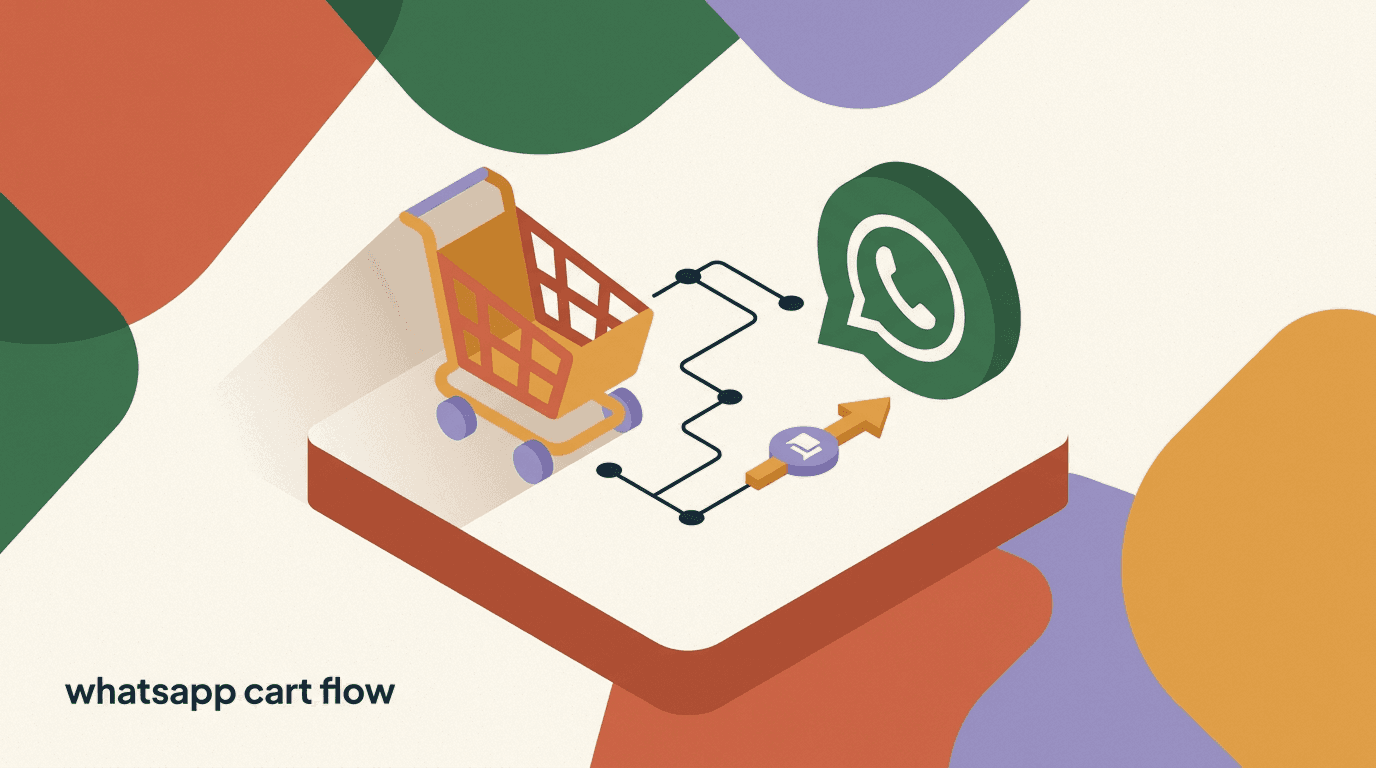
A WhatsApp cart flow is an automated sequence of messages sent to a shopper who started checkout but did not complete the order. It is triggered by a cart or checkout event from your store, gated by the shopper's WhatsApp opt-in, and built from a short series of timed messages that remind, reassure, and — sometimes — incentivize them back to the checkout page.
Mechanically it has four moving parts, and the whole tutorial is really about getting each one right. Miss any single part and the flow either never fires, fires to people who never agreed to it, or fires and gets your number flagged by Meta.
- A trigger: the store event that says a cart was abandoned (usually checkout-started with no matching order-placed).
- A gate: the shopper's WhatsApp opt-in, captured before the flow can legally message them.
- A sequence: two or three timed messages, each built from a pre-approved WhatsApp template.
- An exit: a condition that stops the flow the moment the shopper buys, so you never nag a paying customer.
This is the build guide, not the business case
If you are still deciding whether cart recovery on WhatsApp is worth it, start with our WhatsApp abandoned cart recovery article for the strategy and qualitative impact. Come back here when you are ready to actually build the flow.
What do you need before you build the flow?
Building the flow takes an afternoon. Getting the prerequisites in place is what trips most people up, because they involve Meta, your store, and your opt-in copy — three things that have to line up before the first message can send. Sort these first and the build itself is fast.
- A connected WhatsApp Business numberYou need a WhatsApp Business Platform (API) number connected to your tool, not the consumer WhatsApp Business app. The API is what lets automation send messages programmatically.
- Your store connected to the flow toolShopify, WooCommerce, or whatever you run has to send checkout and order events into your platform. Without that event feed there is nothing to trigger on.
- A captured WhatsApp opt-inYou can only message someone on WhatsApp if they have agreed to hear from you. Decide where you collect that opt-in — at checkout, in a chat widget, or via a comment-to-DM flow — before you build.
- Approved message templatesMarketing and utility messages sent outside the 24-hour service window must use templates Meta has approved in advance. Draft and submit these early, because approval is not instant.
Meta sets these rules, not your tool
Opt-in, the 24-hour window, template approval, and per-conversation fees are all Meta's WhatsApp Business Platform rules. They apply on every platform — KlyoChat included. No vendor can waive them, so build with them in mind from the start.
How does the cart abandon event actually work?
Everything downstream depends on one signal: did this shopper start checkout and then fail to complete it? Your store does not emit a tidy "cart abandoned" event out of the box. Instead, you infer abandonment by watching two events and the gap between them.
The first event is checkout-started (Shopify calls it checkout creation; WooCommerce exposes it through the checkout/order hooks). The second is order-placed, the confirmation that the shopper paid. An abandoned cart is simply a checkout-started that never gets a matching order-placed within a window you define — commonly thirty to sixty minutes.
Your flow tool listens for checkout-started, then starts a timer. If order-placed arrives for that same shopper before the timer ends, the cart was not abandoned and nothing should send. If the timer ends with no order-placed, the cart is abandoned and the sequence begins. This is why the exit condition matters so much: the same order-placed event that cancels the timer must also pull anyone out of the sequence later if they buy mid-flow.
| Event | What it means | Role in the flow |
|---|---|---|
| checkout-started | Shopper entered checkout with items | Starts the abandon timer |
| order-placed | Shopper paid and the order exists | Cancels the timer / exits the flow |
| timer expires | No order within your window | Marks the cart abandoned, fires message 1 |
| opt-in present | Shopper agreed to WhatsApp | Gate that allows any message to send |
Two shoppers, same trigger, different outcomes
- Shopper A
- checkout-started 2:00pm, order-placed 2:08pm → timer cancelled, no messages sent
- Shopper B
- checkout-started 2:00pm, no order by 3:00pm → marked abandoned, message 1 sends
What data should the abandon event carry into the flow?
A trigger that only says "someone abandoned a cart" is nearly useless. What makes a cart flow recover sales is the data that rides along with the event — the specific product, the cart value, and above all the link that drops the shopper back onto a populated checkout. The richer the payload you capture at trigger time, the more specific and convincing your messages can be, and the less the shopper has to do to finish buying.
When checkout-started fires, your store can pass a bundle of fields into the flow as variables. You decide which ones to capture, but the four below do most of the heavy lifting. Capture them once at the trigger and you can reference them in every message downstream without re-fetching anything. A flow built on a thin payload forces you into generic copy — "you left something in your cart" — which is exactly the kind of message shoppers ignore.
- Without a recovery link, the shopper has to rebuild the cart from scratch — most will not bother.
- Cart value lets you withhold incentives on high-value carts and offer them on small ones, or the reverse.
- Capturing product images, where supported, makes the reminder visually unmistakable.
- Store the data on the contact record so a human or AI agent picking up a reply has full context.
| Field | Why it matters | Used in |
|---|---|---|
| First name | Personalization lifts open and reply rates | All three messages |
| Product name(s) | Specificity reminds the shopper what they wanted | All three messages |
| Cart value | Lets you branch logic by basket size | Incentive decision |
| Recovery link | Sends the shopper to a pre-filled checkout | Buttons in every message |
Branch your flow on cart value
A single incentive rule rarely fits every basket. Use the cart-value variable to send a free-shipping nudge on small carts and a no-incentive reminder on large ones, where the margin matters more and the intent is usually stronger. One trigger, two paths, far better economics.
Step 1: Connect the cart and abandon trigger
With the concept clear, the first build step is wiring the trigger so your flow knows when to start. The exact clicks differ by platform, but the logic is identical everywhere.
- Connect your storeLink Shopify or WooCommerce to your flow tool so it receives checkout-started and order-placed events. On most platforms this is an app install plus an OAuth approval.
- Create a new flow and pick the triggerStart a flow with a trigger of "checkout started" or "cart created." This is the entry point — the event that drops a shopper into the automation.
- Set the abandon windowAdd a wait step (30–60 minutes is typical) immediately after the trigger. This is the grace period before you treat the cart as abandoned.
- Add the purchase-check branchAfter the wait, check whether order-placed has fired for this shopper. If yes, end the flow. If no, continue to the messaging sequence.
- Pass through the cart dataMake sure the flow captures the product name, cart value, and a recovery/checkout link as variables, so your messages can be specific rather than generic.
Capture the recovery link, not just the product name
The single most useful variable is the deep link back to the populated checkout. A message that drops the shopper straight onto a pre-filled cart converts far better than one that sends them to the homepage to start over.
Step 2: Capture and confirm the WhatsApp opt-in
You cannot message a shopper on WhatsApp because they put something in a cart. WhatsApp is permission-based: the shopper must have opted in to receive messages from your business. This is the gate, and skipping it is the fastest way to get your number rate-limited or blocked by Meta.
There are several legitimate places to collect opt-in, and the right one depends on where your shoppers already are. The goal is an explicit, recorded agreement — a checkbox they ticked, a button they tapped, or a message they sent you first.
- At checkout: a clearly labeled checkbox or field offering WhatsApp order and cart updates.
- In a chat widget: a "chat with us on WhatsApp" entry point that, by starting the conversation, establishes opt-in.
- Via comment-to-DM or ads: a flow where the shopper messages you first, which opens the messaging window.
- Post-purchase: an opt-in for future updates that also covers cart reminders going forward.
- Place the opt-in where intent is highestCheckout is the natural spot for a cart flow — the shopper is already transacting. Make the value clear: "Get order and cart updates on WhatsApp."
- Record the consent with a timestampStore that the shopper opted in, when, and through which surface. You may need to demonstrate consent, and it keeps your list clean.
- Gate the flow on the opt-in fieldAdd a condition at the top of the messaging sequence: only continue if the WhatsApp opt-in is present. No opt-in, no send.
No opt-in means no WhatsApp message — full stop
Messaging shoppers who never opted in damages your sender quality rating and risks your number. Always gate the sequence on a recorded opt-in, and treat anyone without one as ineligible for the WhatsApp flow.
How should you time the three messages?
Timing is where a cart flow is won or lost. Too soon and you interrupt someone who is still deciding; too sparse and the moment passes. A three-message cadence is the workhorse pattern: one early reminder, one mid-window nudge, and one final message that may carry an incentive.
The numbers below are a sensible default, not a law. The right cadence depends on your product price and consideration cycle — a $20 impulse buy and a $400 considered purchase do not deserve the same rhythm. Start here, then adjust based on what you see.
- Lower-priced impulse items: compress the cadence (1 hour, 12 hours, 24 hours).
- Higher-priced considered items: stretch it (3 hours, 36 hours, 72 hours).
- Never send all three to someone who bought after message 1 — the exit condition handles this.
- Respect quiet hours; avoid sending in the middle of the shopper's night.
| Message | Send timing | Job to do |
|---|---|---|
| Message 1 — Reminder | ~1 hour after abandon | Gentle nudge: "you left this behind" with the recovery link |
| Message 2 — Help & objection | ~24 hours after abandon | Answer the silent objection: shipping, sizing, stock, returns |
| Message 3 — Incentive (optional) | ~48 hours after abandon | Final push, optionally with a small discount or free shipping |
Earlier is usually better for message one
The first reminder works best while the intent is still warm. An hour out catches shoppers who got distracted or comparison-shopped and never came back. Waiting a full day for the first touch leaves recovery on the table.
Step 3: Write message one — the reminder
The first message does one job: remind the shopper, with zero friction, that they left something they wanted. No discount, no pressure. Many recoveries happen here simply because the shopper got distracted and the reminder brings them back. Spending an incentive on this message would be giving away margin you did not need to.
Keep it short, specific, and warm. Name the product, include the recovery link, and make replying easy. Because this sends outside the 24-hour window, it must use an approved template — more on template categories in the next section.
- Personalize with the shopper's name and the specific product.
- Lead with the recovery link or a button that opens the pre-filled checkout.
- Do not discount yet — protect your margin for shoppers who just needed a reminder.
- Invite a reply: "Questions? Just reply here." That opens the service window for a human or AI agent.
Sample message 1 — reminder template
- Body
- Hi {{1}}, you left {{2}} in your cart. Still want it? Pick up right where you left off:
- Button
- Complete my order → {{recovery_link}}
- Tone
- Friendly, no discount, no urgency — just a helpful nudge
Step 4: Write message two — handle the objection
If the reminder did not work, the shopper has a reason. They are unsure about shipping cost, delivery time, sizing, stock, or your return policy. Message two assumes a silent objection and answers it before they have to ask. This is the message that moves fence-sitters, and it is the one most cart flows skip.
Pick the objection that most often blocks your specific product. For apparel it is usually sizing and returns; for electronics it is delivery time and warranty; for higher-priced goods it is trust and payment options. Address it directly and, crucially, invite a reply so a real conversation can happen.
A reply turns automation into a conversation
When a shopper replies to message two, the 24-hour service window opens and you can answer freely without a template. This is where an AI agent or a human can close the sale by resolving the real concern. Design the message to provoke that reply.
Sample message 2 — objection-handling template
- Body
- Hi {{1}}, still thinking about {{2}}? Free returns within 30 days and most orders ship in 2 days.
- Button
- Back to checkout → {{recovery_link}}
- Reply prompt
- Not sure about size or fit? Reply here and we'll help.
When should you add an incentive, and how much?
The third message is the only place an incentive belongs, and even there it is optional. An incentive is a cost — every discount you hand to someone who would have bought anyway is pure margin lost. The discipline is to reserve it for the shoppers who genuinely need a final reason and have ignored two earlier touches.
Think of the three messages as an escalation ladder where the cost to you rises with each rung. Message one costs nothing but the send: it is a free reminder that recovers the easy wins. Message two costs nothing in margin either; it spends effort and empathy rather than money, answering the objection and inviting a conversation. Only message three spends margin, and only on the shoppers who have proven, by ignoring two touches, that a reminder alone will not move them. Climbing the ladder in that order means most of your recoveries cost you nothing, and you reserve the discount for the carts that truly need it.
If you do offer one, keep it modest and make it feel earned, not desperate. A small percentage off, free shipping, or a time-boxed offer all work. The framing matters: "here is a little something to help you decide" lands better than a fire sale that trains shoppers to abandon carts on purpose just to trigger the discount. And remember the cart-value branch — a 10% code on a $300 basket is a very different giveaway from the same code on a $30 one, so it is fine to size or withhold the incentive based on the cart.
| Incentive type | When it fits | Watch-out |
|---|---|---|
| Free shipping | Shipping cost is the common objection | Make sure margin survives the giveaway |
| Small % off (5–10%) | Price-sensitive considered purchases | Keep it small so it does not train abandonment |
| Time-boxed offer | Need a nudge toward acting now | Honor the deadline; do not extend it endlessly |
| No incentive | Healthy margins, strong product | Often the right call — protect your pricing |
Discounting too eagerly trains bad behavior
If shoppers learn that abandoning a cart reliably produces a discount, your best customers will start doing it on purpose. Hold the incentive for message three, keep it small, and never put it in message one.
Sample message 3 — optional incentive template
- Body
- Last nudge, {{1}} — {{2}} is still waiting. Here's 10% off if you finish today: {{code}}
- Button
- Use my code → {{recovery_link}}
- Framing
- Helpful and time-boxed, not a desperate blowout
Why do WhatsApp template categories matter for cart messages?
This is the part of a WhatsApp cart flow that most surprises people coming from email or SMS. On WhatsApp you cannot freely send any message you like to a shopper who is outside the 24-hour service window. You must use a template that Meta has reviewed and approved in advance, and that template is assigned a category that affects both what you can say and what you pay.
The two categories that matter for cart flows are utility and marketing. A utility message relates to a specific transaction or account event the user took — an order update, for instance. A marketing message promotes, persuades, or offers — which is what most cart reminders genuinely are. Meta decides the category based on the content, and the category drives the per-conversation fee.
It is tempting to try to dress up a cart reminder as a utility message to pay the lower rate, but this rarely works and is not worth gaming. Meta reviews the actual content, and a message whose real purpose is to bring a shopper back to buy reads as marketing — particularly the moment it carries an offer or a discount code. If you build your three-message sequence assuming the marketing category and the fees that come with it, you will not be surprised, and you can decide your cadence with the true cost in view. The one genuinely utility-flavored touch is a straightforward order or stock update, which is a different message from a persuasive nudge.
- Outside the 24-hour window, every message needs an approved template.
- Meta assigns the category; you do not get to simply label a promo as utility to save money.
- Marketing-category conversations cost more than utility — factor this into your cadence.
- Once a shopper replies, you are in the service window and can converse freely until it closes.
| Template category | Typical use | Cart-flow reality |
|---|---|---|
| Utility | Order/account updates tied to a transaction | Limited use; a pure cart promo usually is not utility |
| Marketing | Offers, reminders, persuasion | Most cart reminders fall here, especially with incentives |
| Service (in-window) | Free-form replies within 24h of user message | Use once the shopper replies — no template needed |
Submit templates early — approval is not instant
Meta reviews templates before they can send, and approval can take time or come back with edits. Draft your three messages and submit them well before launch day so a pending review does not hold up your flow.
Step 5: Build the exit and suppression conditions
A cart flow that keeps messaging someone after they have bought is worse than no flow at all — it annoys a paying customer and burns trust. The exit logic is not optional polish; it is core to the build. The same goes for suppression: not every shopper should enter, and not every shopper who entered should keep going.
Wire these conditions explicitly. Do not assume the platform handles them for you, and always confirm them during testing.
- Exit on purchaseAt every wait step, re-check for order-placed. The instant the shopper buys, remove them from the flow so no further messages send.
- Exit on reply when handledIf a shopper replies and a human or AI agent resolves the conversation, exit the automated sequence so it does not talk over the live thread.
- Suppress recent recipientsDo not enroll the same shopper in a new cart flow if they were messaged very recently. Set a frequency cap to avoid fatigue.
- Suppress missing opt-in or bad dataSkip anyone without a recorded opt-in or without a valid recovery link. A broken message is worse than no message.
- Honor unsubscribe instantlyIf a shopper opts out, stop all messaging immediately and record it. Respecting opt-out protects your sender quality and is non-negotiable.
Test the exit condition harder than anything else
The most damaging bug in a cart flow is messaging someone after they paid. During testing, place a real test order mid-sequence and confirm every remaining message is suppressed. Do this before you go live.
Step 6: How do you test the flow before launch?
A cart flow touches money, a customer relationship, and Meta's rules all at once, so testing is not a formality. You want to walk every branch with a real test cart before any genuine shopper sees a message. The goal is to catch the embarrassing failures — a broken link, a message firing to someone who bought, a missing variable — while the only person affected is you.
Run through this checklist end to end. If any step fails, fix it and run the whole path again, because flow logic is interdependent and one fix can shift another branch.
- Trigger a real abandonStart a checkout with a test account, add the product, then leave without paying. Confirm the flow enrolls you and the abandon timer starts.
- Verify message one fires on scheduleWait out (or shorten, for testing) the first delay. Confirm message one arrives, the name and product variables fill in, and the recovery link opens the correct pre-filled cart.
- Test the purchase exitOn a second test run, complete the purchase after message one. Confirm messages two and three never send.
- Test the reply pathReply to message two and confirm the conversation opens the service window and routes to your inbox (or AI agent) correctly.
- Check the opt-in gateRun a test shopper with no opt-in recorded and confirm they receive nothing.
- Confirm template rendering and linksCheck every message on a real phone: formatting, buttons, links, and the discount code in message three all work as intended.
Shorten the delays while testing, then restore them
Temporarily drop the wait steps to a minute or two so you can walk the whole sequence in one sitting. Just remember to set them back to your real cadence (1h / 24h / 48h) before you launch.
Why isn't the flow sending? A debugging checklist
When a cart flow does not behave, the cause is almost always one of a small set of issues, and they fall into two buckets: the flow never starts, or it starts but the message never arrives. Knowing which bucket you are in narrows the search immediately. If the shopper never enrolls, the problem is upstream at the trigger or the data feed. If they enroll but get nothing, the problem is downstream at the gate, the template, or Meta.
Work the list below in order. Each row pairs the symptom you see with the most likely cause and the first thing to check. Resist the urge to rebuild the whole flow — these issues are specific and individually fixable.
- If nothing enrolls, send a test order and watch whether the event arrives at all — the integration is the usual culprit.
- If Meta rejects sends, check the template's category and approval state; a paused or edited template stops sending.
- If links are broken, the recovery-link variable was likely never passed in or expired.
- Keep a test contact you can re-run through the flow repeatedly without affecting real customers.
| Symptom | Likely cause | First thing to check |
|---|---|---|
| Shopper never enrolls | Store events not reaching the tool | Confirm the store integration is connected and firing checkout-started |
| Enrolls but no message | No opt-in recorded | Check the opt-in gate and the contact's consent field |
| Message rejected by Meta | Template not approved or paused | Verify template status in your WhatsApp manager |
| Variables show as blank | Trigger payload missing fields | Confirm name, product, and link are captured at the trigger |
| Messages sent after purchase | Exit condition not wired | Re-check the order-placed exit at every wait step |
Read the send logs before you rebuild
Most platforms log why a message did or did not send — opt-in missing, template rejected, exit triggered. Reading that log tells you the cause in seconds, where guessing and rebuilding can cost an afternoon and introduce new bugs.
What does a full recovery look like, end to end?
It helps to watch one shopper move through every part of the flow, because it shows how the pieces — trigger, gate, timing, templates, reply window, and exit — fit together in sequence. The walkthrough below is illustrative, not a guaranteed outcome; real shoppers behave in every possible way, and many never come back at all. But this is the path the flow is designed to create.
Notice where the recovery actually happens. It is not the discount that closes it — it is the reply on message two, which opens the service window and lets a real answer resolve a real doubt. The incentive in message three never even fires, because the shopper has already bought. That is the flow working as intended: spend the cheap touches first, and only reach for margin if nothing else worked.
The reply is the real conversion engine
Cart flows recover far more when message two reliably provokes a reply. A reply opens the 24-hour service window, where a human or AI agent can resolve the actual objection without a template — which is usually what was blocking the sale in the first place.
One shopper, one cart, the full sequence
- Tue 2:14pm
- Adds a jacket ($120) to cart, starts checkout, gets distracted, closes the tab
- Tue 3:14pm
- Message 1 (reminder) sends: "You left the jacket behind" with the recovery link. No reply
- Wed 2:14pm
- Message 2 (objection) sends: free returns + 2-day shipping. Shopper replies asking about sizing
- Wed 2:20pm
- Service window now open; AI agent answers the sizing question, suggests a size
- Wed 2:31pm
- Shopper taps the recovery link and completes the $120 order
- Wed 2:31pm
- order-placed fires → exit condition removes the shopper; message 3 never sends
How do you improve the flow after launch?
Launching is the start, not the finish. A cart flow rewards iteration because small changes to timing, copy, and the objection you address compound over hundreds of carts. Resist the urge to change five things at once — you will not know which one moved the needle.
Watch how shoppers move through the sequence: where they recover, where they drop, where they reply. Then change one variable, give it enough volume to mean something, and compare. The honest truth is that no two stores share the same optimal flow, so your own data beats any benchmark.
- Test message-one timing: does an earlier first touch recover more than a later one?
- Test the message-two objection: swap shipping for sizing, or trust for stock, and see what lands.
- Test whether message three needs an incentive at all — many stores recover fine without one.
- Watch reply rates; a high reply rate on message two is a signal to lean on conversation, not discounts.
- Prune and refresh templates Meta flags or that underperform.
Change one thing at a time
If you alter timing, copy, and the incentive together and recovery improves, you have learned nothing about why. Isolate one variable per test so each result is something you can actually act on.
What are the most common cart-flow mistakes?
Most cart flows that underperform fail for the same handful of reasons, and nearly all of them are avoidable in the build. Knowing the failure modes in advance lets you design around them instead of discovering them through angry replies.
- No exit condition, so shoppers get nagged after they have already paid.
- Messaging without opt-in, which damages sender quality and risks the number.
- Leading with a discount, training shoppers to abandon carts on purpose.
- Generic copy with no product name or recovery link, so the message does no work.
- Sending the first message a full day late, after the intent has cooled.
- Forgetting that messages need approved templates, so the flow stalls at launch.
- Ignoring quiet hours and messaging in the middle of the night.
- Never iterating — shipping the flow once and never reading the data.
The opt-in and the exit are the two non-negotiables
You can get the copy and timing wrong and still recover some carts. Get the opt-in or the exit condition wrong and you damage your WhatsApp sender reputation and your customer relationships. Build those two correctly first.
How do you build this WhatsApp cart flow in KlyoChat?
We built KlyoChat as an AI-native, mobile-first inbox with a no-code flow builder, and WhatsApp is one of the channels it unifies alongside Facebook, Instagram, Telegram, TikTok, and X. The steps in this tutorial map directly onto how the flow builder works, so here is the honest version of building the cart flow specifically in KlyoChat.
On the Business plan you connect Shopify or WooCommerce, which feeds checkout-started and order-placed events into KlyoChat. You start a flow on the cart trigger, add wait steps for your cadence, gate on the WhatsApp opt-in, drop in your three approved templates, and set the purchase-exit condition. The custom AI agent — included, not a separate add-on — can handle the replies that message two is designed to provoke, answering sizing or shipping questions across the same inbox and closing the conversation.
- Store integration for cart events (Shopify/Woo) is on the Business plan.
- Custom AI agents are included to handle the replies your objection message invites.
- WhatsApp is included as a channel — Meta's per-conversation fees still apply on top.
- The flow builder is no-code, with templates to start from rather than a blank canvas.
Honest limits worth knowing
KlyoChat does not offer native SMS or email, so if your cart recovery strategy spans those channels you will need them elsewhere. We are also a newer, smaller community than the largest incumbents. And WhatsApp still requires opt-in and approved templates, with fees set by Meta — that is true on any platform.
KlyoChat plans relevant to a cart flow
- Basic
- $19/mo — small setup, core flows and channels, 1 AI agent
- Pro
- $49/mo ($39 yearly) — all channels, custom AI agents, broadcasts
- Business
- $129/mo ($109 yearly) — Shopify/Woo integration for cart events, higher limits
- Trial
- 7-day free trial, no credit card required
A WhatsApp cart flow is not complicated once you see the four parts: a trigger built on the gap between checkout-started and order-placed, an opt-in gate that keeps you compliant, a timed sequence of approved templates that remind then reassure then — optionally — incentivize, and a hard exit the moment the shopper buys. Get the opt-in and the exit right first; the copy and cadence you can refine forever.
Build it, test every branch with a real cart, launch, then iterate on one variable at a time. For the strategy and impact behind the build, read our piece on WhatsApp abandoned cart recovery; to get the cart events flowing, see our guide to Shopify WhatsApp integration; and if you want the same approach on social, our build an Instagram DM flow tutorial uses the same pattern. When you are ready to assemble it, the flow builder, your store, and your channels live in one place.