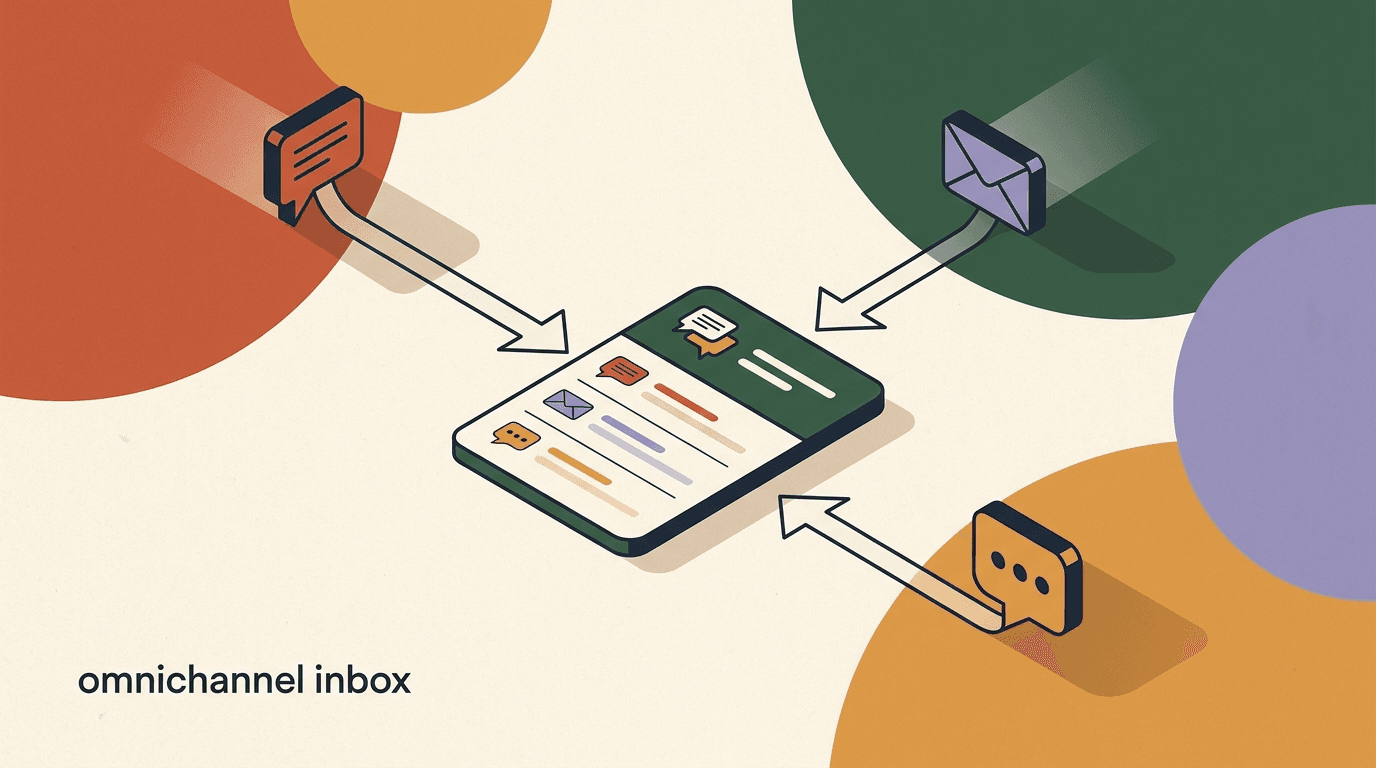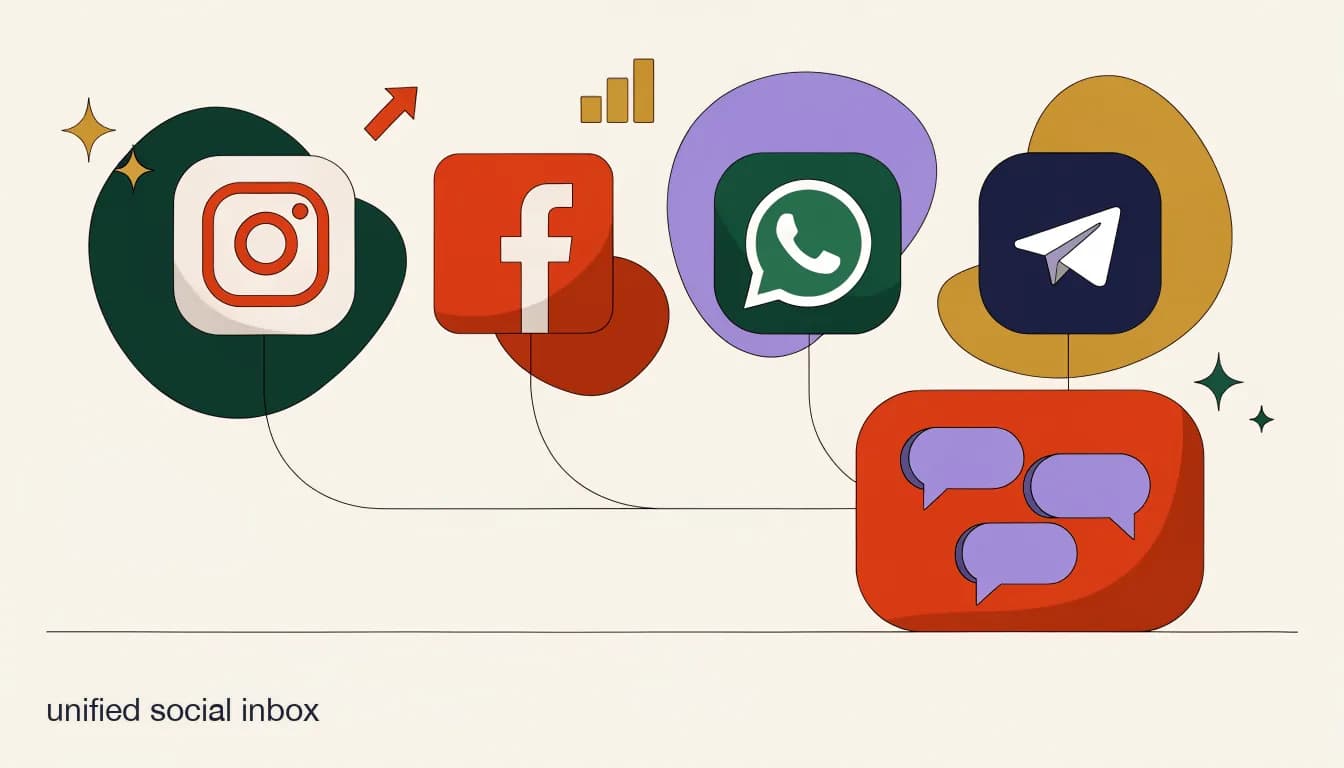
A unified social inbox is a single screen where every direct message your business receives — Instagram, Facebook Messenger, WhatsApp, Telegram, and increasingly TikTok and X — lands in one place, instead of five separate apps with five separate logins and five separate notification badges. It is the category of tool this whole guide is about, and it is worth defining precisely, because 'unified inbox' gets used loosely enough that buyers end up comparing products that solve genuinely different problems.
This post is the category head: what a unified social inbox actually is, the specific problem it solves for a small team, the features that separate a real one from a glorified notification aggregator, and how to evaluate the options. If you already know you want one and just need help picking between Instagram-and-WhatsApp-specific tools, or you're building out team workflows like assignment and SLAs, we link to those deeper guides along the way — this piece is the map, not the whole territory.
What is a unified social inbox, exactly?
Strip away the marketing language and a unified social inbox does three things. First, it connects to your business accounts on each channel — Instagram, Facebook, WhatsApp, Telegram, and so on — through each platform's own API, not by asking a human to be logged into five apps at once. Second, it pulls every incoming message into one interface, so a reply to an Instagram comment, a WhatsApp order question, and a Telegram support request all show up in the same list. Third, and this is the part that separates a real unified inbox from a simple notification feed, it keeps every conversation with the same person tied together as one thread with history, even if that person reaches out on a different channel next time.
That third point matters more than it sounds. A basic aggregator just streams messages from multiple sources into one feed — useful, but each channel's conversation still lives in its own silo underneath. A true unified inbox treats the customer, not the channel, as the unit of organization. One person, one running conversation record, regardless of which app they typed the message into.
Unified inbox vs. notification aggregator
If a tool only shows you that a message arrived on Instagram and links you out to reply in the native app, that's a notification aggregator, not a unified inbox. A real unified inbox lets you read, reply, assign, and tag from inside the tool itself — you should never need to open Instagram, WhatsApp, or Telegram's own app to handle a conversation.
What problem does a unified social inbox actually solve?
The problem is deceptively simple to describe and expensive to live with: businesses don't pick one messaging channel, customers do. A retailer might get DM questions on Instagram, order updates requested on WhatsApp, and a support ticket routed through Facebook Messenger — all in the same afternoon. Nobody planned for five inboxes; it happened one channel at a time as the business grew, and now someone on the team is juggling logins for accounts that were each designed to be checked in isolation.
That juggling has a real cost, and it shows up in three specific ways. Messages get missed because nobody is watching the Telegram app when a lead comes in at 9pm. Replies get duplicated because two teammates, each checking a different app, answer the same customer differently within the same hour. And response time suffers overall, because 'checking messages' now means opening four or five separate apps in sequence instead of glancing at one screen.
- Missed messages: a channel nobody is actively watching goes unanswered for hours, sometimes overnight.
- Duplicate or conflicting replies: two teammates answer the same customer differently because neither can see what the other already said.
- Slower response time: checking five apps in sequence takes longer than glancing at one screen, and speed is often the single biggest driver of DM-to-sale conversion.
- No shared history: a customer who first messaged on Instagram and later switches to WhatsApp looks like a stranger to whoever picks up the second message.
- No accountability: without assignment, it's unclear who owns a conversation, so it's easy for everyone to assume someone else answered it.
The cost compounds as you add channels, not just as you add volume
A single person checking two apps can usually keep up through sheer effort. The problem stops being a willpower problem and becomes a structural one once you add a third channel or a second teammate — that's the point where messages start silently falling through the cracks, and it happens faster than most teams expect.
Neither scenario requires a bigger team or more hours worked — the difference is entirely about whether messages land somewhere someone is actually looking. That's the core value proposition of a unified social inbox in one example.
A lead comes in at 9pm — with and without a unified inbox
- Without one
- Lead messages on Instagram. Nobody has the Instagram app open. It sits unread until someone happens to check the next morning, by which point the lead has messaged a competitor.
- With one
- Lead's Instagram DM lands in the shared inbox alongside WhatsApp and Telegram messages. Whoever is on shift sees it in the same queue they're already watching and replies within minutes.
What are the must-have features of a unified social inbox?
Plenty of tools call themselves a unified inbox. Not all of them include the features that make the category actually useful for a team rather than a solo operator. Here's the checklist we'd use to separate a real one from a thin wrapper around a few APIs.
- If assignment is missing, two people can answer the same message without knowing it.
- If internal notes are missing, context lives in someone's head instead of on the thread.
- If search only covers one channel at a time, you're back to checking multiple apps to find one conversation.
- If AI is bolted on as a separate add-on rather than built into the reply flow, it usually gets used less than it should.
| Feature | Why it matters | Who feels its absence first |
|---|---|---|
| One thread per customer, across channels | Keeps context together when a customer switches apps mid-conversation | Repeat customers, support teams |
| Conversation assignment | Makes ownership explicit so nothing sits in a shared queue unclaimed | Any team of 2+ people |
| Internal notes | Lets a teammate leave context on a thread without the customer seeing it | Handoffs between shifts or roles |
| @mentions | Pulls a specific teammate into a conversation instead of a vague Slack ping | Escalations, sales-to-support handoffs |
| Tags / labels | Lets you filter and report on conversation type (sales, support, spam) | Teams tracking response-time SLAs |
| Search across all channels | Finds a past conversation without knowing which app it happened on | Anyone resolving a repeat issue |
| AI-assisted replies or agents | Drafts or fully answers routine questions so humans handle the rest | High-volume teams, after-hours coverage |
| Mobile app with full functionality | Lets you actually run the inbox from a phone, not just get notified | Founders and small teams without a desk job |
How is a unified social inbox different from a CRM or helpdesk inbox?
It's a fair question, because CRMs and helpdesk tools also claim to centralize customer conversations. The distinction is about where the tool starts. A CRM inbox is usually built around deals, pipelines, and contact records first, with messaging bolted on as a feature. A helpdesk inbox is built around tickets — a conversation has a status (open, pending, closed) and exists to be resolved and closed out.
A unified social inbox is built around real-time, back-and-forth DM conversations as the primary object, the way a person actually experiences messaging someone on Instagram or WhatsApp. There's no ticket number, no pipeline stage forced onto a casual 'do you have this in blue?' question. That makes it a better fit for the kind of conversational, often sales-adjacent messaging that happens on social and chat apps — and a worse fit if what you actually need is formal ticket tracking with SLAs and audit trails for a large support org. Plenty of teams use both: a unified social inbox for the DM layer, and a helpdesk tool for email and formal support tickets.
Don't force a helpdesk mental model onto DMs
If your team has tried to run Instagram and WhatsApp through a general-purpose helpdesk and it felt clunky, that's usually why: ticket-first tools weren't designed for the fast, casual back-and-forth of DM conversations. A purpose-built unified social inbox usually feels more natural for that specific job.
What channels should a unified social inbox cover?
Coverage matters, but more channels isn't automatically better — a tool that connects to ten channels you don't use is worse than one that connects cleanly to the four your customers actually message you on. Start from where your customers already are, not from a vendor's channel-count marketing.
| Channel | Typical use case | Common gap without a unified inbox |
|---|---|---|
| DMs, comment-to-DM funnels, story replies | Notifications missed while the app isn't open | |
| Facebook Messenger | Page inquiries, older or local-business customers | Separate login from Instagram despite shared Meta infrastructure |
| Order updates, high-intent conversations, some regions' primary channel | No shared history with the same customer's Instagram thread | |
| Telegram | Communities, certain regions, privacy-conscious customers | Easy to forget to check since it's the least app-switched-to |
| TikTok / X | Younger audiences, creator-driven brands | Often the first channel to get neglected entirely |
Meta's ecosystem — Instagram, Facebook Messenger, and WhatsApp — is the anchor for most small businesses, since all three run on infrastructure Meta controls and many customers move between them without thinking about it as 'switching platforms.' Telegram matters heavily in some regions and communities. TikTok and X matter mainly if your audience is demonstrably active there. The right answer to 'which channels do I need?' is always 'the ones my customers already use to reach me' — check your own message history before assuming.
How does assignment and internal collaboration actually work?
This is the feature set that turns a unified inbox from 'one screen instead of five' into an actual team workflow. Here's what a real handoff looks like when assignment, notes, and @mentions are working the way they should.
- A message lands in the shared queueA customer's WhatsApp question arrives. It's visible to the whole team in the unshared, unassigned queue — nobody owns it yet.
- Someone claims or is assigned the conversationA teammate assigns it to themselves, or a lead/manager assigns it to the right person based on topic (sales question → sales rep).
- Context gets added via an internal noteThe assignee leaves a private note — 'this customer already asked about pricing on Instagram last week' — visible only to the team, never the customer.
- A specialist gets pulled in with an @mentionIf the question needs a different skill set (a refund, a technical issue), the assignee @mentions a colleague directly on the thread instead of switching to Slack and re-explaining everything.
- The conversation resolves, tagged for reportingOnce answered, the thread gets tagged (e.g. 'support', 'resolved') so it's searchable later and shows up in response-time reporting.
Assignment alone isn't enough — check for @mentions and notes too
A lot of tools support basic assignment (this conversation belongs to X) but skip @mentions and internal notes, which is where the real collaboration value lives. Test both during a trial before assuming a tool has 'team features' just because it lets you assign a conversation.
The same handoff, without a unified inbox
- Without assignment/notes
- Teammate A answers half the question on WhatsApp, forgets to tell anyone. Teammate B sees the same message unread later, answers again from scratch, contradicts A.
- With assignment/notes/@mentions
- One owner, visible context, a direct pull-in for the specialist — the customer never sees the seams
Do I actually need AI in a unified social inbox?
Not on day one, necessarily — but it becomes valuable faster than most small teams expect, and it's worth understanding what 'AI' means in this category before you weigh it. There are two very different implementations worth telling apart.
The lighter version is an AI co-pilot: it drafts a suggested reply based on the conversation and your past answers, and a human reviews and sends it (or edits first). This speeds up humans without removing them from the loop, and it's a reasonable middle ground for teams still building trust in AI-generated responses.
The fuller version is an AI agent: trained on a knowledge base (your FAQs, policies, product details), it answers routine questions directly across channels — what are your hours, do you ship to Canada, how much is the annual plan — and escalates to a human when a question falls outside what it knows. This is what actually solves the after-hours and high-volume problem, since it doesn't need a human awake to answer a repeat question at 2am.
- AI co-pilot: speeds up humans, keeps a human in every send — good for teams still building trust in AI replies.
- AI agent: answers directly from a knowledge base, escalates what it can't handle — good for coverage outside business hours and at high volume.
- Either way: review AI-drafted or AI-sent replies periodically, especially early on, rather than assuming accuracy indefinitely.
AI in a unified inbox should reduce work, not add a review burden that outweighs it
If checking every AI-drafted reply takes nearly as long as writing it yourself, the AI isn't paying for itself yet. Judge AI features by how much net time they save your actual team, not by how impressive the drafts look in a demo.
What should a unified social inbox cost?
Pricing in this category varies by how vendors choose to meter usage — some charge per contact, some per seat, some flat per tier — and the honest answer is that you should always verify current numbers on a vendor's own pricing page rather than trusting a figure quoted in an article, since prices change. What's useful here is the framework for comparing them fairly.
The trap to avoid is comparing headline numbers instead of fully-loaded costs. A cheap entry tier that charges extra for AI, extra per seat, and extra once you cross a contact threshold can end up costing more than a flat plan that includes everything, once your team and contact list actually grow. Add up seats, AI, and your realistic contact volume before comparing two vendors' 'starting at' prices.
| Pricing model | What to watch for | Best fit |
|---|---|---|
| Per-contact tiers | Costs climb automatically as your list grows, sometimes steeply above a threshold | Small, stable contact lists |
| Per-seat pricing | Costs climb as your team grows, even if contact volume doesn't | Small teams that don't plan to add many seats |
| Flat bundled tiers | Predictable bill; check what's included (AI, seats, contacts) at each tier | Growing teams that want to forecast costs |
Compare fully-loaded totals, not sticker prices
Always price out AI, the number of seats you actually need, and your realistic contact volume — not just a vendor's cheapest advertised tier — before comparing two tools. And confirm current pricing directly on each vendor's site; published figures change.
How do I evaluate a unified social inbox before buying?
Feature checklists only go so far — the real test is running your own conversations through the tool during a trial. Here's a practical evaluation sequence.
- Does support respond quickly during the trial itself? That's a preview of what support looks like after you've paid.
- Is there a genuine free trial, or does 'free' mean a crippled tier that can't actually test assignment and AI?
- Can you export your contacts and conversation history if you switch tools later?
- List the channels your customers actually useCheck your own message history across apps before assuming you need every channel a vendor offers.
- Test the assignment and notes workflow with a real teammateHave two people simulate a handoff during the trial — assign, note, @mention — and see if it feels natural or forced.
- Send the same question twice, on two channelsCheck whether the tool recognizes it's the same customer, or treats each channel as a separate stranger.
- Try the mobile app for a real task, not just notificationsReply to a message and, if the tool supports it, edit an automation from your phone — not just glance at a push alert.
- Price out your actual usage, fully loadedSeats, AI, and realistic contact volume — not the cheapest advertised tier — before comparing vendors.
How does KlyoChat's unified social inbox work?
We build KlyoChat, so take this section as a vendor description rather than a neutral review — but we'll keep it as concrete and honest as the rest of this guide. KlyoChat is a unified social inbox built around exactly the checklist above: Facebook, Instagram, and Telegram are live today, WhatsApp is rolling out, and TikTok and X are next. Every conversation is tied to one contact record, so a customer who messages on Instagram and later switches to WhatsApp shows up as one continuous thread, not two strangers.
The team-collaboration layer includes conversation assignment, internal notes, and @mentions, all scoped by role so a new hire can be given access to specific channels or workspaces without seeing everything. AI is included from the Pro plan rather than sold as a separate add-on — you can train an agent on your own knowledge base to answer routine questions directly, or use it as a co-pilot that drafts replies for a human to review, and the whole inbox is fully usable from a phone, not just for notifications but for actually replying, assigning, and reviewing AI drafts on the go.
- Honest limit: no native SMS or email — KlyoChat focuses on social DM and chat apps, not the widest possible channel list.
- Honest limit: WhatsApp is rolling out rather than universally live, and Meta's per-conversation fees apply on top of any platform's subscription, KlyoChat included.
- 7-day free trial, no credit card, at app.klyochat.com/signup — enough time to run the evaluation steps above with your own conversations.
Private by default
Conversations and knowledge-base content in KlyoChat are encrypted, role-scoped, and audit-logged, and are not used to train models for other customers. That matters for a tool that will hold real customer conversations and internal notes.
KlyoChat plans, in brief
- Basic
- $19/mo ($15 yearly) — core channels for a small team getting started
- Pro
- $49/mo ($39 yearly) — all live channels, 10,000 contacts, custom AI agents included, 5,000 AI replies/mo
- Business
- $129/mo ($109 yearly) — 50,000 contacts, 25,000 AI replies/mo, API access, Shopify/WooCommerce
Which unified inbox guide should I read next?
This post is the category overview — the definition, the problem, and the buyer checklist. Depending on what you're trying to decide next, three related guides go deeper on specific angles so you don't have to re-read overlapping ground.
- If you specifically need Instagram and WhatsApp covered and want a tool-by-tool comparison, read our unified inbox for Instagram and WhatsApp guide.
- If your priority is the team workflow side — assignment, roles, SLAs, and reporting for a group of agents — read our social media team inbox guide.
- If you want a step-by-step walkthrough of setting one up from scratch, including routing rules and tagging, read our building a true omnichannel inbox guide.
These guides overlap on purpose, not by accident
A unified social inbox, an Instagram-and-WhatsApp inbox, and a social media team inbox describe the same category from three different angles — general definition, channel-specific, and workflow-specific. Read the one that matches the decision you're actually trying to make right now.
The short version: a unified social inbox exists because your customers already message you across more than one app, whether or not you planned for that. The category solves a structural problem — missed messages, duplicate replies, and slow response times — that gets worse, not better, as you add channels and teammates. The features that separate a real one from a thin notification feed are one thread per customer, assignment, internal notes, @mentions, and increasingly AI, either as a co-pilot or a full agent.
If you're evaluating tools, run the five-step checklist above during an actual trial rather than trusting a features page, and always price out the fully-loaded cost — seats, AI, and your real contact volume — before comparing vendors on their cheapest advertised tier.