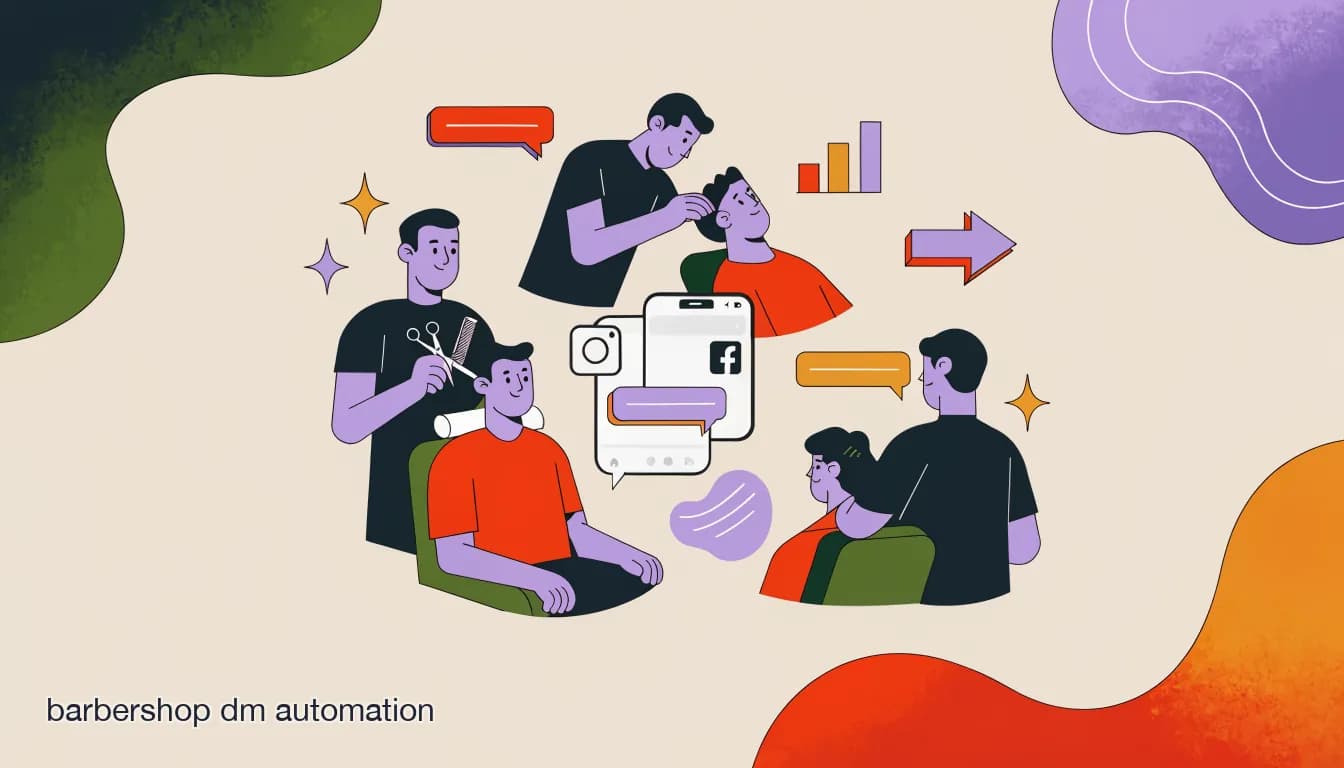
Barbershop DM automation closes a gap that is specific to this kind of business: barbers cannot answer messages while they are cutting. A four-chair shop on a Saturday morning has every barber occupied and no one watching the phone. Someone slides into the Instagram DMs asking about a lineup or wanting to know if Marcus has a slot before noon — and that message sits until a barber wraps a cut, glances at the screen, and either answers or forgets. By then the client has walked into the shop three doors down.
Unlike a hair salon, where there may be a receptionist or a dedicated front desk, most independent barbershops run lean. The owner is behind a chair, the barbers are behind chairs, and the inbox is nobody's job and everybody's problem. Automating the repetitive first-contact questions — availability, pricing, booking — keeps every barber focused on the client in front of them, not the notification blinking on their lock screen.
What is barbershop DM automation, and why does a multi-chair shop need it?
DM automation for a barbershop is a combination of automated responses and an AI agent that lives inside your Instagram, Facebook, or WhatsApp messages and handles the questions that come in before a human needs to get involved. Done right, it answers in seconds whether a barber has availability, gives pricing for common services, and starts a booking conversation — without any of the barbers needing to pick up a phone.
The multi-chair problem multiplies the complexity. A solo barber with 50 DMs a week has a manageable headache. A four-chair shop with 200 DMs a week spread across personal barber accounts, a shop Instagram, and a Facebook page has a genuine chaos problem. Clients message all three channels. Barbers reply from personal accounts. The shop account sits unread. Bookings fall through the gaps between all three.
Automation solves this by pulling everything into one shared inbox, letting an AI agent field the predictable questions, and routing anything else to the right person.
- A unified inbox that catches DMs from every channel your shop uses in a single team view, not scattered across personal barber accounts
- An AI agent that answers pricing, availability, and service questions in your shop's own voice — included from the Pro plan, not an add-on
- Routing logic that directs regulars toward their preferred barber's slots rather than any open chair
- A simple booking flow that converts a DM exchange into a confirmed time without anyone needing to call anyone
- A shared team view so every barber and the shop owner can see what has been answered and what still needs a human reply
What automation cannot do on its own
DM automation does not read your live calendar in real time unless it is explicitly connected to a booking system like Booksy, Square, or Vagaro. Availability answers depend on what your team keeps updated in the AI agent's knowledge base — not a live feed. Set that expectation before you go live and before clients arrive at a chair that turned out to be taken.
What makes barbershops different from hair salons for automation?
Most automation playbooks focus on salon use cases: long color appointments, consultation-heavy bookings, and premium-service deposits. Barbershops work differently, and those differences change how you should set up every flow.
- Short visit cadence — regulars return every two to four weeks, so any friction in the booking process compounds quickly across the year; a client who has to work too hard to book may simply stop booking
- Walk-in culture is real — a large share of clients, especially at established shops, prefer showing up and waiting over booking ahead; the automation needs to serve both groups, not just the advance-book crowd
- Per-barber loyalty runs deep — 'I go to Marcus' is a fundamentally different intent from 'I need a haircut'; routing a loyal client to any available chair instead of their barber can feel like a breach of trust the client will not forget
- Simpler service menus — fade, taper, shave, lineup, beard trim, and kids' cut cover most shops; no color consultations, no hair-type intake, no complex upsell ladder to script out
- Price transparency is standard — a haircut in a barbershop has a clear posted price; the automation can give the exact number without hesitation, unlike salons where color pricing varies by hair length and condition and often needs a consultation before quoting
How should a barbershop's automated flow handle 'is anyone free right now'?
The walk-in availability question is the single most common DM a barbershop receives, and it is the one most likely to go unanswered when everyone is mid-cut. A client asking 'anyone free right now?' is actively deciding where to go in the next ten minutes — they need an answer in seconds, not in an hour.
This is exactly where automation earns its keep. The AI agent, drawing on availability the shop has set in its knowledge base, can give an honest answer immediately: who has a gap, how soon, and an offer to hold the spot. The difference between a 30-second reply and a 45-minute reply on this specific question is often a filled chair versus an empty one.
The agent cannot read a live calendar automatically unless it is connected to one. But it can reflect the current availability status your team has set — 'Marcus has a 20-minute gap coming up, Dre finishes his current client around 1pm' — and let a barber confirm before the slot is formally locked in.
Walk-in DM exchange, handled instantly
- Client
- hey is anyone free for a fade right now?
- AI agent
- Marcus has a gap opening in about 20 minutes. Dre is finishing a client around 1pm. Want me to flag one of them for you?
- Client
- yeah flag Marcus
- AI agent
- Done — Marcus is expecting you. Head over and he will take you at 12:15. If anything changes a barber will message you directly.
How do you route DMs to the right barber without breaking client loyalty?
Routing is the distinctly barbershop challenge in automation. A hair salon might have four stylists who are equally valid for a given service. A barbershop has four barbers where many clients have a specific loyalty — and some do not care. The automation needs to handle both cases gracefully, and it should never make the routing decision without asking the client first.
The wrong approach is treating all DMs identically and always offering the next available slot. A client who says 'I always go to Jordan' and gets routed to a stranger is a client who may not come back. Ask first. Offer alternatives only if the preferred barber genuinely cannot accommodate within a reasonable window — and let the client decide, not the algorithm.
| Client says | Automation should do |
|---|---|
| I usually see Marcus | Ask for Marcus's next available slot; offer an alternative only if Marcus is out for several days, and ask before reassigning rather than doing it silently |
| Anyone free today, don't mind who | Offer the next available slots across all barbers with each barber's name and time listed, so the client chooses |
| Do you do kids' cuts? | Confirm yes, give the price, name any barber who specializes in younger clients if applicable, and offer to book |
| Can I get a fade and a beard? | Confirm the combined service is available, give a time estimate (typically 45-60 minutes), and move into the booking flow |
| What does a taper cost? | Give the exact price, then ask: want to book one? One-step close. |
| First time here, not sure who to see | Welcome message, brief service list with prices, and offer to match them to whoever is next available |
Never silently reroute a loyal client
Automation should not quietly redirect a client away from their regular barber to fill another chair. If a client wants Marcus and Marcus is not available for three days, tell them that honestly — then ask if they want to wait or try someone new. The client's answer is the routing decision, not the system's.
What does a full barbershop booking conversation look like end to end?
A barbershop booking conversation is shorter and cleaner than a salon booking conversation because the service menu is simpler and there are no consultations or detailed intake questions. The whole exchange can run in five or six messages and leave the client with a confirmed barber, a confirmed time, and a price.
Here is the spine of a booking flow for a multi-chair shop. The goal is to go from first contact to confirmed booking in under two minutes of back-and-forth.
- Greet and ask what they needOpen in the shop's actual voice — direct but warm. Ask what they are coming in for: fade, taper, shave, beard, kids' cut. Keep it short. Barbershop clients are not looking for a long menu; most already know what they want.
- Ask about barber preferenceOne question: 'Do you have someone you usually see, or is any barber fine?' A returning client names their person. A new client signals flexibility and gets routed to whoever is next available.
- Show the relevant availabilityGive two or three concrete options — barber name, day, time — rather than sending them to a general booking page. One message they can reply to with a single word or a tap.
- Confirm the bookingWhen they pick a slot, confirm in one message: barber name, date, time, service, and price. For a standard cut, no deposit is needed (see the deposit section below for when that changes). Keep the confirmation short enough to screenshot.
- Send a 24-hour reminderOne message the day before: 'Your cut with Marcus tomorrow at 12pm. Reply C to confirm or RESCHEDULE if you need to move it.' Simple, direct, and easy to act on inside the same chat.
- Optional close after the cutA brief message after the appointment — a Google review ask, or an offer to rebook. One line. Easy to ignore if they are not in the mood, but the ask alone is enough to bring a meaningful share of clients back.
How do you handle the regular who always sees the same barber?
Regulars are the financial backbone of any barbershop. They come back every two to four weeks, they know exactly what they want, and they expect communication to reflect that history. Automation can honor the relationship instead of treating every message like a cold inquiry.
The practical setup is contact tagging by barber. When a recognized returning client messages the shop DMs, the AI agent can check that specific barber's availability first and only offer alternatives if the preferred barber is genuinely unavailable beyond a short window. In a shared inbox, you can also assign returning clients' conversations to their usual barber so those DMs land in the right queue from the start.
What the automation should not do is walk a regular through the full service menu from scratch every time. If conversation history or a contact tag shows this person always gets a fade with the same barber, the AI agent's opening reply should reflect that context rather than pretending to meet a stranger.
Tags make the difference over time
When someone books, tag them with the barber they saw and the service they got. Over time those tags let the AI agent reply with context rather than from scratch — and let the shop owner see at a glance who the regulars are for each chair. It is basic record-keeping made automatic rather than dependent on memory.
Regular client DM — context-aware reply
- Client
- hey can I get in with Dre this week?
- AI agent
- Hey! Dre has Thursday at 3pm or Friday at 11am open right now. Which works for you?
- Client
- Thursday works
- AI agent
- Done — Thursday 3pm with Dre. See you then.
Should a barbershop take deposits, given how fast and cheap most cuts are?
This question is more nuanced for barbershops than for salons. A $250 balayage is an obvious deposit candidate — the chair time is long and the no-show is costly in hours and product. A $35 fade is harder to justify. The slot is 30 to 40 minutes, the no-show stings, but a $10 deposit in front of a casual advance booking can add friction at a shop where walk-in culture is part of the identity.
The honest answer: it depends on your no-show pattern and which services you are protecting.
- Lean toward a deposit if your shop sees regular no-shows or last-minute cancellations that leave barbers with empty chairs they cannot refill quickly from walk-in traffic
- Premium or combination services — full hot towel shave and beard sculpt, fade plus design work, a longer session that a walk-in cannot easily fill — are the strongest deposit candidates
- Weekend prime slots from a high-demand barber are worth protecting with a small hold since they are the hardest slots to backfill on short notice
- For standard cuts under 40 minutes at a shop with consistent walk-in foot traffic, skipping the deposit may be the better trade — the booking friction costs more in lost advance reservations than the occasional no-show
- First-time clients booking a premium slot are a reasonable exception to a no-deposit rule, since they have no loyalty history invested in the shop
A deposit you enforce inconsistently is just friction
If you take a deposit but waive it every time a client pushes back, the policy does not reduce no-shows — it only adds friction at booking. Decide the rule before you build the flow, and let the automation state it the same calm way every time. Clients who see the policy upfront rarely contest it; clients who discover it mid-conversation after assuming it was optional are a customer service problem you created.
How do you announce a chair opening up last-minute to backfill walk-in demand?
A no-show in a barbershop is a different kind of loss than in a salon. A 35-minute fade slot can be refilled with a nearby walk-in or with a client who has been hoping for a last-minute opening with their barber. The key is announcing the gap fast to the right people — not blasting your entire contact list with something irrelevant to most of them.
- Note the barber, service type, and time of the gapAs soon as a cancellation or no-show is confirmed, log which barber is now free and when. A 11am gap on a Tuesday and a 5pm gap on a Friday call for different audiences and different levels of urgency.
- Tag your audience for relevanceSend the offer to clients who have previously seen that barber or who have opted in to last-minute slot alerts. A broadcast to 40 relevant clients gets a fast response; a broadcast to 400 random contacts gets ignored and trains people to ignore future messages.
- Send a short, time-sensitive message'Marcus just opened at 3pm today — first to reply gets it. Reply BOOK to claim.' That is the entire message. Short, specific, and easy to act on in the moment without any extra friction.
- Lock the slot for the first responseWhoever replies first gets it. Confirm immediately and close the slot. If two or three people reply fast, send a brief 'this one went quickly — we will flag you next time' to the others.
- Track what fills and what sitsOver time you will see which barbers' openings fill in minutes — strong enough demand that a deposit on that chair makes sense — and which gaps sit for an hour because walk-in traffic handles them anyway. Use the pattern to sharpen your policy.
Cap how often you use broadcast messages
Last-minute opening alerts work because they are rare and feel like a genuine opportunity. If you send one every week, clients start treating them as background noise and stop acting on them. Reserve the broadcast for real gaps and keep the audience tightly tagged so each message feels useful rather than promotional.
What channels matter most for barbershops — Instagram, Facebook, or WhatsApp?
Channel mix in a barbershop is often different from a hair salon. Many shops built their community on Facebook before Instagram took over the visual side of discovery, and a meaningful share of regulars still message through both. Some owners also run an informal WhatsApp group or personal number for their most loyal clients. The goal of automation is to bring those channels into one inbox so no message falls through the gap while a barber is mid-cut.
Start with the channel that already sends the most DMs. Automate there first, prove the setup works, then connect the secondary channels one at a time.
| Channel | Best use in a barbershop | Note |
|---|---|---|
| Discovery, new client DMs, cut content engagement | Where younger clients find you through Reels and before-and-afters; comment-to-DM turns post engagement into direct booking conversations | |
| Community, returning clients, local reach | Still strong for established shops with a loyal older client base; many regulars default to Facebook Messenger and will not switch channels for convenience alone | |
| Booking confirmations and appointment reminders | Growing for transactional messaging once a client has started a conversation; note that Meta charges per-conversation fees that apply on any platform, including KlyoChat | |
| Telegram | Cross-platform alternative, backup channel | Fully live on KlyoChat today; lower volume in most barbershops but useful for clients who prefer it and as a channel that does not depend on Meta's infrastructure |
WhatsApp is rolling out on KlyoChat — not fully live for all accounts yet
WhatsApp is in gradual rollout on KlyoChat and is not yet available to every account. If WhatsApp is already your primary booking channel, check availability when you sign up. When it connects, Meta's per-conversation fees apply — set by Meta, not by KlyoChat, and consistent regardless of which platform you use.
What mistakes do barbershops make when they first automate their DMs?
The most common automation failures in barbershops are not technical — they are cultural. Barbershops run on personality, community, and the specific feel of the shop. Automation that ignores that context and treats the inbox like a generic support queue will feel wrong to regulars from the very first message.
- Using a tone that does not match the shop — a lively, joking shop with a stiff, corporate-sounding bot creates a jarring disconnect before the client even walks in the door
- Not asking about barber preference early in the flow — routing every DM to 'whoever is next' without asking breaks the loyalty relationships that took years to build and are the reason many clients message in the first place
- Failing to keep availability updated — if the AI agent says Marcus is free Saturday but he filled up on Tuesday, the agent confidently gives wrong information; someone on the team must maintain the knowledge base or the automation erodes trust faster than it builds it
- Over-automating casual messages — some barbershop DMs are just checking in or asking a quick one-liner; not every message needs to push into a booking flow, and a short human reply sometimes builds the relationship better than a scripted conversation does
- No human escape route — if a client hits a dead end in the bot and cannot reach a real person, that feeling of being trapped is memorable and rarely forgiven
- Treating the shared inbox as the owner's tool only — if barbers are not briefed on how to pick up conversations and respond, the shared inbox becomes a single point of failure rather than a distributed advantage
Message your own shop as a first-time client before going live
Open your shop's Instagram from a personal account and run through the entire flow as if you have never been in before. If the first automated reply ignores anything you said and asks you to pick from a service menu, you have found your first fix. The AI agent should feel like the person at the front of the shop who has a good read on the room — not a phone tree that cannot hear you.
How does KlyoChat handle barbershop DM automation?
We built KlyoChat at Pointerflow for businesses that run lean and need a unified inbox across every channel without hiring a dedicated front desk. A multi-chair barbershop is a direct fit for that use case: multiple barbers, multiple channels, no receptionist, and a high volume of short repetitive DMs that automation handles well and humans do not need to touch.
KlyoChat puts Instagram, Facebook, and Telegram — with WhatsApp rolling out — into one inbox your whole team can monitor from a phone or desktop. A custom AI agent, included from the Pro plan, answers pricing and availability questions in your shop's voice. Comment-to-DM turns a popular cut Reel into a booking conversation automatically when someone comments on a post. Broadcasts let you announce a last-minute chair opening to a tagged segment of the right clients in one send.
- Honest limit: KlyoChat does not natively sync with live barbershop calendars (Booksy, Square, Vagaro) unless connected via API or webhook — availability answers rely on what your team keeps updated in the AI agent's knowledge base
- Honest limit: WhatsApp is in gradual rollout and not yet available to all accounts; Meta's per-conversation fees apply when it connects
- Honest limit: reminders go through the same chat channels the client used to book, not native SMS or email
- Honest limit: smaller community than the largest incumbents, so fewer third-party templates are ready-made — though our team helps you configure the setup from the start
| Barbershop need | KlyoChat feature |
|---|---|
| One inbox for every channel | Instagram, Facebook, and Telegram live today; WhatsApp rolling out |
| Answer DMs without a barber leaving the chair | Custom AI agent — included from Pro plan, not sold separately as an add-on |
| Turn cut Reel comments into booking conversations | Comment-to-DM automation triggered by keyword or any comment on a specific post |
| Route returning clients to their preferred barber | AI agent routing logic using contact tags and stated preference within the conversation |
| Fill a last-minute chair opening fast | Broadcasts to tagged contact segments — send to the right 40 clients, not the whole list |
| Multiple barbers working from one inbox without collisions | Shared team inbox with conversation assignment, @mentions, and internal notes |
| Keep client conversations private and secure | Encrypted at rest, role-scoped access, audit-logged, does not train on your data |
Try it on your real shop DMs before committing
Connect your busiest channel, build the availability and booking flow, and watch it run for a week during the 7-day free trial — no credit card required. You will see real filled gaps and recovered replies, or you will not. Either way you find out without losing anything. Start at https://app.klyochat.com/signup.
How do you roll this out without disrupting a busy shop?
A packed Saturday afternoon is not the time to discover that your new automation is routing clients to a barber who is off that day. The safest rollout is staged: one channel, one flow, prove it works, then expand. Each phase below stands on its own, so even if you stop after week two you are meaningfully ahead of where you started.
- Week 1 — Connect one channel and answer the common questionsStart with Instagram or Facebook, wherever most DMs come from today. Build the AI agent's knowledge base with your service list, prices, hours, and barber names. Activate the availability Q&A only. Watch it answer real DMs and correct any reply that sounds wrong before you add the booking flow.
- Week 2 — Add the booking flowBuild the service question, barber preference ask, time options, and confirmation message. Test it yourself from a personal account, end to end, before turning it on for incoming clients. If any line sounds off when you read it aloud, rewrite it before regulars see it.
- Week 3 — Set up the team inbox properlyInvite your barbers into the shared inbox. Set up assignment rules so each barber can see their own conversations. Give the team a five-minute walkthrough of what the AI agent handles and what routes to them — before you go live, not after they discover the change themselves.
- Week 4 — Layer in reminders and the broadcast templateSwitch on the 24-hour reminder for advance bookings. Build the last-minute chair opening broadcast template so it is ready to send in 30 seconds when a gap appears — not something you are writing from scratch while a barber stands there with a free chair and a full waitlist outside.
Brief your barbers before the first DM hits the shared inbox
If barbers find out about the shared inbox by noticing their conversations have moved without warning, they will not trust it. A short walkthrough — here is what the AI agent handles, here is where your conversations show up, here is how to pick one up — is all it takes to get the team aligned. Barbers who understand the setup use it as a tool; barbers who discover it by surprise route around it.
Barbershop DM automation is not a front desk replacement. It is a way to make sure the inbox is never the reason a client chose the shop next door. Every 'anyone free?' message that gets a real answer in 30 seconds is a potential filled chair. Every message that sits for three hours while everyone is mid-cut is a client who did not wait.
Start with the one flow that recovers the most lost business — the walk-in availability question, answered automatically, across Instagram and Facebook. Prove it works on your real DMs. Then layer in booking confirmation, reminders, and the last-minute broadcast template over the following weeks. Whatever tool you choose, write every line in your shop's actual voice, always give clients a clear path to a real barber, and keep the AI agent's knowledge base current so the answers it gives are actually true.