Salon Instagram booking is where most salons quietly lose revenue. A client sees a color transformation reel at 9pm, sends 'how much for highlights?' and waits. The front desk opens the notification next morning. By then, the client has already booked with the salon that replied at 9:04pm. The fix is not complicated, but it does require treating the Instagram inbox as a real booking channel with a system built for that job.
This guide covers the fundamentals: what an Instagram booking setup needs, why reply speed is the single biggest conversion lever, how the flow differs for a multi-chair salon versus a solo stylist, and what the common operational mistakes look like in practice. It is written for hair salons, barbershops, and multi-service beauty shops that run their client discovery on Instagram and want to stop losing leads to a slow or missed DM.
We build KlyoChat, an AI-native messaging platform, so we have a stake in this topic. We have written the guide to be useful regardless of which tool you use, and we are direct about where KlyoChat fits and where it does not at the end.
What is salon Instagram booking, and why does it matter for multi-chair shops?
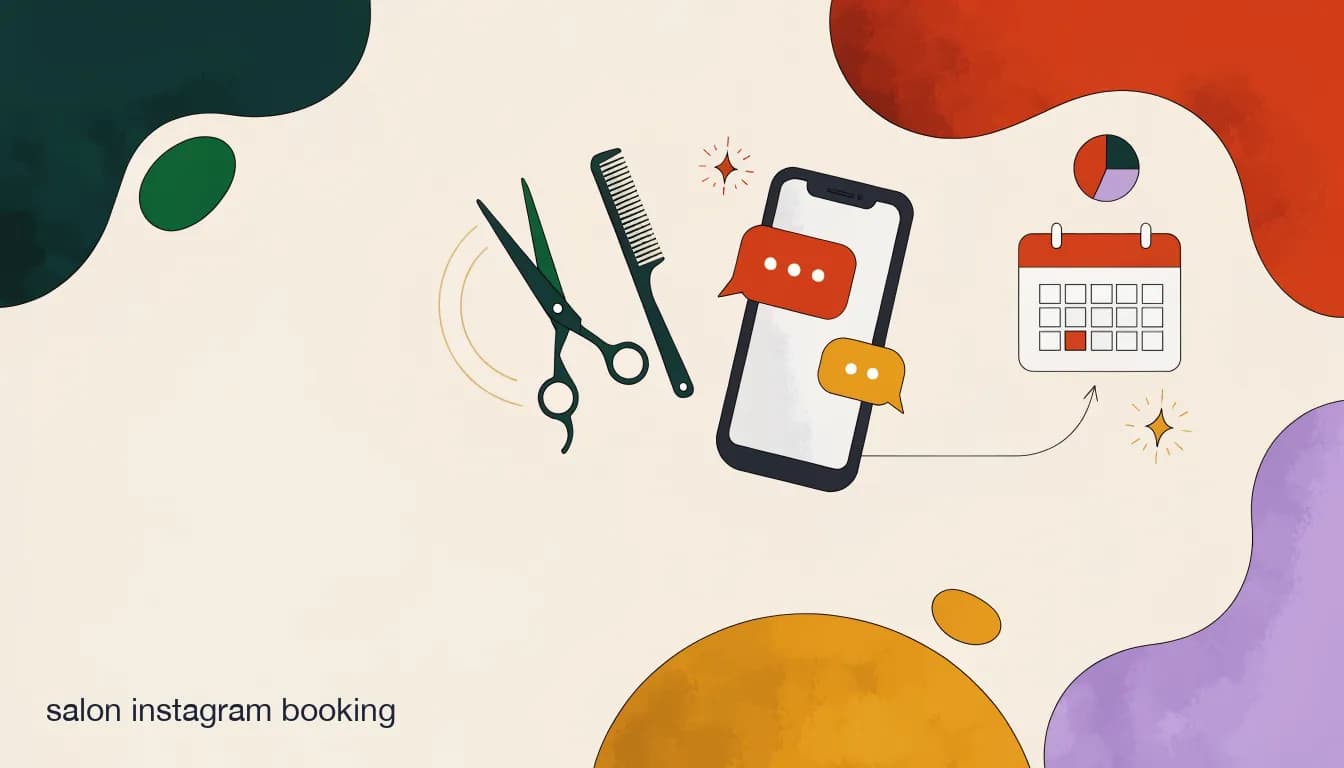
Salon Instagram booking means using Instagram Direct Messages as a real appointment channel — not just a customer service inbox that eventually leads to a phone call. A client DMs asking about availability, the system or a staff member answers with real service options and open slots, and the appointment is confirmed inside the same thread, often before the client has scrolled to the next post.
For a solo booth renter this is manageable: one person, one phone, one calendar. For a multi-chair salon it becomes a coordination problem fast. Each stylist may have their own following. Clients who booked with a particular stylist last time DM the salon account asking for them by name. Meanwhile, the front desk juggles phone calls, checkouts, and walk-ins while DMs pile up across the salon's account, the owner's account, and sometimes individual stylists' personal phones. Without a deliberate system, leads fall through every crack in that arrangement.
The multi-chair problem is specifically a visibility and routing problem. A booking that matches a client to the right chair at the right time cannot happen if the person responding to the DM cannot see the full schedule. A shared inbox with access to everyone's availability is what turns Instagram from a discovery channel into a booking channel at scale. The solo stylist can get by with good habits; the multi-chair shop needs infrastructure.
Why do salon clients prefer DMs over calling the front desk?
Convenience and timing are the short answer. Calling a salon requires catching a human during business hours, possibly sitting on hold, and having a fairly public conversation wherever the client happens to be. Sending a DM requires none of that. It happens when the client feels like it — usually right after seeing a post that made them want a new look — and it does not require anyone to pick up.
Price shopping is a second reason that salons often underestimate. Calling to ask 'how much for a balayage?' carries social friction — it feels like a negotiation inquiry, and some clients feel awkward walking away after getting the number. A DM is lower stakes. Clients can ask three or four salons at once, compare answers, and book with whoever gave them the clearest information fastest. No one feels stood up.
The third reason is that Instagram is where the evidence lives. A client who sees a transformation reel is already looking at proof of the stylist's work. They do not need to visit a website or request a portfolio — the trust-building happened in the same app they are in now. The DM is the shortest possible path from 'I want that' to booked. Every hour of delay adds friction between the impulse and the appointment.
The 24-hour messaging window matters
Meta allows you to message a client freely within 24 hours of their last message. After that window closes, re-opening the conversation requires a template or a new opt-in. Build your booking flow to complete the essential exchange — price, slot, confirmation — within the first conversation so you never drift past the window before the client has committed.
What does a basic Instagram booking flow need?
A booking flow does not need to be complicated to convert well. The two failure modes are opposite: a flow so rigid it forces the client through twenty menu options, and one so open-ended the bot cannot route anyone anywhere specific. The goal is a short, friendly conversation that gathers enough to confirm a slot and set expectations, in five or six steps. Depth comes from well-written answers, not from more branches.
- Welcome and service promptOpen with a warm line in your salon's voice and immediately offer the service menu as tappable options — Cut, Color, Nails, Lashes, Facial, Beard — so the client picks rather than types a free-text answer. Tappable options reduce friction and make the flow feel like an app, not a form.
- Service specificsAsk the one follow-up question that affects price and time: hair length for a color service, new set versus fill for lashes, single visit versus course for a facial. One question per step, not five — this is where most booking flows bloat unnecessarily and lose the client's attention before the booking is confirmed.
- Price and durationGive an honest price range and the typical appointment length immediately. A client who knows 'balayage for mid-back hair runs about $180 to $240 and takes roughly three hours' can plan their day and decide to commit. A client who gets 'contact us for pricing' opens the next salon in their feed.
- Available slotsOffer two or three real open times for that day or week — not a link to a booking site in the second message, which breaks the conversational flow before commitment is established. Keep the selection inside the DM thread until the client has chosen a service and a time.
- Confirm and set expectationsSend a confirmation with date, time, stylist name, salon address, appointment duration, and any prep the client needs — arrive with dry hair, avoid scalp treatments if color is scheduled. A complete confirmation prevents the most common day-of questions and positions your salon as well-organized.
- Deposit step (recommended)Between slot selection and final confirmation, send a payment link for a deposit. State the amount, that it deducts from the final bill, and the cancellation window in one clear line. Even a modest deposit dramatically reduces no-shows. The related guide on missed appointments covers deposit strategy in more depth.
Which questions should the flow answer instantly?
Before writing a single automated reply, list every question your front desk handles more than five times a week. In a salon those questions cluster predictably, which is exactly what makes them automatable. An AI agent or a well-built keyword flow can cover the full set and make the client feel genuinely helped — not like they landed on a FAQ page and got routed nowhere.
Write each answer the way your best receptionist would say it: specific, warm, and ending with a clear invitation to take the next step. Vague answers generate more questions. Precise answers generate appointments.
| Client asks | What the automation should do |
|---|---|
| How much for [service]? | Give the price range, note that a consult confirms the exact quote, and offer to book |
| Anything open this week? | Show the next two or three open slots or trigger the full availability flow |
| Do you do [hair type or skin concern]? | Confirm yes or no, name the right stylist or service, and offer a consult |
| Where are you, and is there parking? | Send the full address, a map link, and a note on parking or nearby transit |
| How long does it take? | Give the typical duration so they can plan around the appointment |
| Can I see your work? | Send a portfolio link or the three best before-and-afters for that service |
| Do you take walk-ins? | Answer honestly and, if walk-ins are welcome, include hours and the salon address |
| What is your deposit or cancellation policy? | State the deposit amount, that it applies toward the final bill, and the notice window clearly |
Train your AI agent on a real knowledge document
Give your AI agent a document covering your full service menu, price ranges, stylist specialties, and salon policies. That way it handles 'do you have anyone who specializes in loc maintenance?' as naturally as a basic price question, rather than falling back to 'someone will follow up with you.' The knowledge base is what separates a genuinely useful agent from a frustrating one.
How fast do you actually need to reply to win the booking?
Faster than your nearest competitor. Salon clients shopping on Instagram are often DMing two or three salons at the same time. They message the ones that look most promising and book with whoever gives them a clear, useful reply first. In a high-intent moment — right after seeing a reel that made them want a color change — the window for converting that interest is measured in minutes, not hours.
The case for automation is almost entirely about speed. A rules-based bot that answers a price question at 10pm wins the booking that a human front desk cannot answer until 9am the next morning, regardless of which response is better written. Getting reply time below five minutes — ideally instant — is the single highest-impact change most salons can make to their Instagram conversion rate. Everything else builds on that foundation.
To illustrate how differently two salons can handle the same lead, here is a timeline that reflects the pattern salon owners describe regularly — not a measured data claim, but representative of how these situations play out:
A lead lost vs a lead won — illustrative timeline
- Monday 9:47pm
- Client DMs both salons: 'Do you have anything this Saturday for highlights?'
- Fast salon — 9:47pm
- Instant reply: 'Yes! Highlights for shoulder-length hair run $140–180 and take about 2.5 hrs. We have Sat 10am or 1pm with Jade — which works?'
- Slow salon — 9:47pm
- Notification seen, marked to reply in the morning
- Tuesday 9:15am — fast salon
- Client confirmed Sat 10am Sunday night; deposit already paid
- Tuesday 9:15am — slow salon
- Front desk replies 'Hi! What service are you looking for?' — client booked elsewhere 11 hours ago
What is the difference between a rules-based bot and an AI agent for this job?
A rules-based bot is a structured conversation flow: if the client taps 'Color,' show the color submenu; if they type 'price,' send the pricing message. It is predictable, reliable, and relatively quick to build. It handles the expected path well. Where it fails is anything off-script — a client who types 'I want to change my hair color but I have been doing box dye at home for years, is that okay?' will get a generic response, a confused fallback, or silence from a rigid keyword bot.
An AI agent reads freeform input. It can interpret 'I have been doing box dye at home' and respond helpfully — acknowledge the context, explain that the stylist will assess at the consult, and offer to book that consultation. It maintains a conversational tone across follow-up questions without resetting the flow, and it handles the full range of natural language that clients actually use. For a beauty business where clients often share context before asking a question, that flexibility converts better than a rigid menu tree.
The practical trade-off: a rules-based flow is faster to set up and produces consistent results within its scope. An AI agent is more adaptive but needs a solid knowledge base to draw from — your service list, price ranges, stylist specialties, and salon policies. Set up the knowledge base carefully and the AI agent handles most DM scenarios well. Build it lazily and it gives vague or inaccurate answers that lose bookings instead of winning them.
A hybrid is usually the right starting point
Many salons use a rules-based flow for the structured steps — service menu, slot selection, deposit, confirmation — and layer an AI agent to handle the freeform questions that arrive before and between those steps. That way the structured path is reliable and the conversational edges are covered. You get the predictability of a flow and the flexibility of an agent in the same conversation.
How do you handle 'do you have anything open this week?' well?
This is the highest-stakes DM in a salon's inbox. It signals immediate buying intent — the client is not researching, they are ready to book right now — and a slow or vague answer is the most expensive mistake you can make. Handling it well means giving a real, specific answer, fast.
The difficulty is availability. A bot can only show real open slots if it has access to your calendar, either through a direct integration with your booking software or because your team maintains an availability document the AI agent can read from. If neither is in place, the fallback is a human handoff — but that handoff needs to happen within minutes to matter. A 'someone will check the schedule for you' message that sits unanswered for two hours is worse than a short delay, because it acknowledges the inquiry and then fails to follow through on it.
If live calendar integration is not yet feasible, a workable interim is a daily availability note: each morning a staff member updates a short document with the day's open slots, the AI agent reads from it when answering, and after 3pm a reply flags that slots for the following day will be confirmed first thing tomorrow. Imperfect, but far better than silence. Here is what a well-handled availability exchange looks like:
Handling the availability question — illustrative DM exchange
- Client
- Hey do you have anything open this week for a trim and blowout?
- Bot or AI agent
- Yes! A trim and blowout runs about $70–85 and takes roughly 45 minutes. Are you more flexible mornings or afternoons this week?
- Client
- Afternoons are better for me
- Bot or AI agent
- We have Wed at 2pm with Priya or Thu at 4pm with Chloe. Which works for you?
- Client
- Thu 4pm please!
- Bot or AI agent
- Perfect. Holding Thu at 4pm with Chloe for you. Sending a deposit link now — $25, applied to your total. See you Thursday!
What mistakes slow salons down on Instagram?
The most common Instagram booking mistakes are operational habits that predate DMs as a booking channel. Salons that were good at phone bookings bring the same assumptions to the DM inbox and wonder why conversion is low. The fixes are usually straightforward, but they require identifying the habits first.
- DMs spread across multiple phones — each stylist monitors their own messages and the salon account sits unmonitored for hours between checks; a shared inbox with one login for the whole team solves this directly.
- No price transparency — telling every inquiry to 'call for pricing' is the fastest way to lose clients who have four other salons in their feed and no tolerance for phone tag.
- No after-hours coverage — a large share of social media browsing happens in the evening; a salon that only responds during business hours leaves the highest-intent window unattended every day.
- Generic replies that do not advance the booking — 'Thanks for reaching out, we will get back to you soon' acknowledges the DM without giving the client anything actionable.
- No human escape hatch in automated flows — a loop that never offers a path to a real person creates frustration, especially for clients with specific requests like color corrections or scalp concerns.
- Inconsistent follow-up on warm leads — asking about availability and then going quiet loses half the leads that the first message generated.
- Treating every DM as a task to close rather than a conversation to start — a sharp, transactional first reply sends clients to a warmer option; the tone of the first message sets the relationship.
Withholding prices is the most expensive mistake
Many salons avoid naming prices in DMs, hoping to start a conversation first. In practice this backfires badly — a price-sensitive client who gets silence or a 'call us' redirect does not call, they open the next salon in their feed. Give an honest range and qualify it with 'exact quote after a quick consult,' and you keep the conversation moving toward a booking instead of losing it before it starts.
How do multi-chair salons handle Instagram booking differently than solo stylists?
A solo booth renter has one scheduling problem: their own calendar. A multi-chair salon or barbershop group has three more on top of that — routing, schedule visibility, and attribution. Which staff member picks up a given DM? Does that person know what is open across all chairs that week? And when a booking comes in through Instagram, which stylist does it credit toward their column?
These problems compound at scale. A ten-chair salon where three stylists have meaningful Instagram followings and the salon account itself gets fifty DMs a week is managing potentially hundreds of conversations across multiple accounts with no guarantee anyone sees them all. Without a deliberate system, clients fall through the gaps between a stylist's personal inbox and the main salon account — and nobody on the team even knows a lead was lost.
| Factor | Solo stylist | Multi-chair salon |
|---|---|---|
| DM routing | One person, one inbox | Needs assignment rules or a shared inbox with team roles |
| Schedule visibility | Knows their own calendar | Needs a central view of all chairs' availability in one place |
| Lead attribution | Every booking is theirs | Needs to tag bookings by stylist for commissions and performance tracking |
| After-hours coverage | Owner decides personally | Needs a policy: bot handles first reply, on-call person escalates urgent ones |
| Voice consistency | Personal brand, one natural voice | Needs brand guidelines so all auto-replies feel like the same salon |
| Staff turnover risk | Low — one person | High risk if client conversations live on a departing stylist's personal phone |
Keep the salon account as the primary booking contact
Multi-chair shops do best when client relationships flow through the salon's account, not individual stylists' personal accounts. If a stylist leaves, the client relationship stays with the business rather than walking out the door with them. Encourage stylists to promote and grow their personal following, but direct all booking inquiries to the salon account or a shared business number.
How do you measure whether Instagram booking is actually working?
You do not need a complex analytics setup to know if your Instagram booking flow is working. Three numbers, checked weekly for the first month, tell you almost everything: how fast you are responding, what percentage of DMs turn into confirmed appointments, and how many of those appointments actually show up.
Most platforms surface response time as a basic metric — Instagram Business shows it in your professional dashboard. Booking conversion takes a bit more manual work initially: compare your DM volume for a given week to the new bookings you attribute to Instagram that week. No-show rate is the same figure you track across all bookings, split by channel. If your starting baseline is 'zero after-hours DMs ever converted,' almost any automation shows an improvement against that number.
Set a review reminder for 30 days after launch and again at 90 days. The 30-day check tells you whether the flow is functional. The 90-day check tells you whether it is still accurate — prices, stylist roster, and hours change, and an outdated bot that quotes the wrong price actively loses bookings instead of winning them.
| Metric | What it tells you | If it is weak, check |
|---|---|---|
| First-response time | Whether inquiries get a fast, useful answer | Expand auto-answer coverage or fix notification gaps |
| DM-to-booking rate | How well the flow converts intent to appointments | Add price clarity, fewer steps, or a clearer call to action |
| No-show rate by channel | Whether deposits and reminders are working for Instagram leads | Add a deposit step or tighten the reminder sequence |
| Repeat booking from Instagram | Whether first-time DM clients become regulars | Check rebooking nudge timing or add a post-visit follow-up |
Your own baseline beats any industry benchmark
Conversion rate benchmarks for salon DMs vary widely by service type, price point, and location. The honest measure of whether your setup is working is your own salon before and after. If you converted no after-hours DMs last month and you convert some this month, that is meaningful progress — regardless of what any external benchmark claims about the industry average.
How does KlyoChat handle Instagram booking for salons?
We built KlyoChat as a unified messaging platform for businesses that run their client relationships through social DMs. For a salon, the pieces that matter for Instagram booking are: a shared team inbox, a custom AI agent that answers in your voice, comment-to-DM automation, and broadcasts for filling last-minute gaps. Here is how they work together for this specific job.
The shared inbox puts Instagram, Facebook, and Telegram into one place so that every DM to your salon account is visible to the whole team, not buried in a single person's app. Conversations can be assigned to the right staff member, flagged with internal notes, and searched by contact name or topic. When a stylist is on the floor and cannot check their phone, the front desk picks up the thread without the client noticing any gap.
The AI agent — included from the Pro plan, not a separate purchase — handles price and availability questions in your salon's voice. You train it on a knowledge base: your service menu, price ranges, stylist bios, policies, and any nuances a new client might ask about. It handles expected questions reliably and routes anything that needs a human to the shared inbox, with a note about what has already been covered so the team member can pick up without asking the client to repeat themselves.
Comment-to-DM turns comments on your reels and posts into booking conversations automatically. A client who comments 'price?' under your latest transformation video gets a DM within seconds with a price range and an invitation to check availability. The public comment gets a short reply too, keeping the comment section active for reach while the actual booking conversation moves to private.
- Unified inbox: Instagram and Facebook are live today; Telegram is also live; WhatsApp is in active rollout and is not yet fully available — if WhatsApp is central to your current workflow, confirm current status before signing up. WhatsApp will carry Meta's per-conversation fees when it launches, as it does on any platform.
- AI agents included from Pro ($49/mo) — not a separate add-on; train them on your full service menu, price ranges, and salon policies.
- Comment-to-DM converts reel and post comments into DM booking conversations automatically, keeping the discovery-to-booking path inside Instagram.
- Broadcasts let you send a targeted message to a segment of tagged past clients — useful for filling a last-minute cancellation slot quickly.
- Shared team inbox with assignment, internal @mentions, and notes keeps the whole front desk coordinated on one screen.
- Honest limit: reminders go through chat channels only — there is no native SMS or email delivery. For most salons this works well because the booking conversation already lives in chat.
- Honest limit: KlyoChat is a newer, smaller platform than the largest incumbents, with a smaller community and fewer pre-built templates. The setup is hands-on and the team is accessible, but if you need a large ecosystem of third-party integrations, factor that in.
KlyoChat plans for salons at a glance
- Basic — $19/mo
- One to two channels, single AI agent — good for a solo stylist or a new setup testing the channel
- Pro — $49/mo ($39 billed yearly)
- All live channels, custom AI agents, 10,000 contacts — suits most single-location salons
- Business — $129/mo
- Higher contact limits and more team seats — for multi-location groups or high-volume shops
- Free trial
- 7 days, no credit card required — enough time to connect Instagram and test a full booking conversation
What is the first step to set this up this week?
Setting up salon Instagram booking does not require building a complete automation on day one. The highest-return first action for almost every salon is making sure every DM gets a useful answer within five minutes, at any hour. That single change captures a meaningful share of the leads currently being lost to silence. Everything else — AI agents, live availability flows, deposit steps, rebooking sequences — builds on that foundation once it is solid.
- Connect Instagram to a shared inboxStop checking DMs from individual phones or the native Instagram app. Connect your salon account to a platform where the whole team can see and respond from one place. This single change prevents the most common cause of lost DMs: the notification that nobody saw because it landed on the wrong phone.
- Write answers to your ten most common questionsList the questions your front desk handles most often — price for your hero service, hours, location, walk-in policy, cancellation terms. Write each answer the way your best receptionist would say it: warm, specific, ending with a clear next step. These become the core of your AI agent's knowledge base or your keyword flow.
- Build an after-hours auto-replySet up an instant reply for DMs that arrive outside business hours. It does not need to be long — something like: 'Hey! We are off until 9am but you can book any time at [link], or send us your question and we will reply first thing.' That message alone saves leads that currently go cold every evening.
- Make your pricing answer specificFor your most-requested service, write one clean reply with an honest price range and the typical duration. Test it by DMing your own salon account and reading the reply as a first-time client. If it gives a useful number and an invitation to book, it is working. If it says 'contact us for pricing,' rewrite it — that phrase loses clients in a DM context.
- Choose one metric and track it for 30 daysDecide what you are trying to move before you launch anything. Response time is the simplest starting point: check your Instagram Professional Dashboard before and after the changes. If your average response time drops from several hours to under ten minutes, the first phase is working. Add more layers only after the baseline metric is clearly moving in the right direction.
The larger build — AI agents, live calendar availability, deposit collection, rebooking sequences — is much easier to construct once basic inbox hygiene is in place and you can see how real clients are actually messaging you. Start narrow, prove it works on your real DMs, then add one layer at a time. The goal in week one is not a complete system — it is not losing any more bookings to a slow or missed reply.
The sibling guides on reducing missed appointments and managing DMs from a multi-chair shared inbox go deeper on the pieces this guide has only introduced. If your Instagram replies are already fast and the gap is in no-shows or in coordinating several chairs, those are the right next reads.