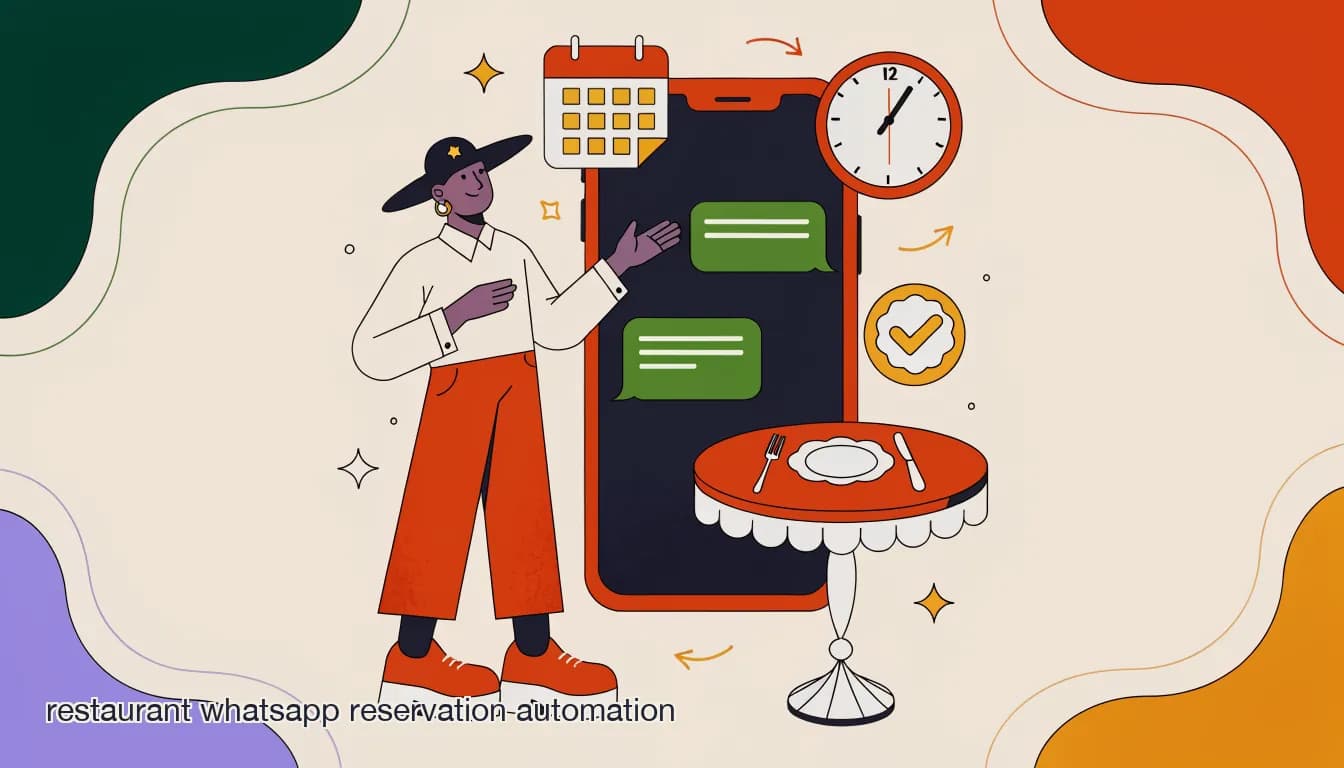
A guest messages your restaurant's WhatsApp number at 9:40pm asking for a table for four on Saturday. Nobody on the floor sees it until Monday morning, by which point the guest has booked somewhere else. That single missed message is the entire case for restaurant WhatsApp reservation automation: not because a bot is better at hospitality than your host stand, but because WhatsApp doesn't close when your dining room does, and neither should your ability to answer it.
WhatsApp is now where a large share of reservation requests land first, ahead of phone calls for many guests under 40 and ahead of third-party booking widgets for anyone who already has your number saved from a past visit or a promotion. The problem isn't the channel — it's that most restaurants treat it like a personal inbox, checked in bursts between service, rather than a booking channel with its own automated first response. This guide walks through what actually goes into a working WhatsApp reservation flow: the conversation structure, the no-show math, the reminder cadence, and the honest limits of automating something as human as a dinner reservation.
Why does WhatsApp matter more than other channels for reservations?
Three things make WhatsApp different from Instagram DMs, email, or a website contact form for restaurant bookings, and all three show up consistently in how restaurants describe the channel once they start tracking it.
First, open rates. Message open rates on WhatsApp run close to real-time — most messages are read within minutes — compared to email, where a confirmation or reminder can sit unopened for hours. For a time-sensitive thing like a reservation, that speed is the whole point: a reminder a guest doesn't see until after their table has been released does nothing.
Second, WhatsApp is already a two-way, low-friction channel. A guest doesn't need to download an app, create an account, or fill out a widget — they type in the same app they use to talk to friends and family. That lowers the bar for someone to actually complete a booking instead of abandoning a form halfway through.
Third, and often overlooked: WhatsApp is where the conversation continues after the booking is made. A guest who wants to add a birthday note, ask about a highchair, or push their time back by twenty minutes will message the same thread rather than call. If that thread isn't monitored or automated, those small requests get lost — and small lost requests are what turn a five-star visit into a three-star one.
This is about a first response, not replacing your host
Automation should own the predictable 80% of a booking request — availability, confirmation, reminders — and hand the unusual 20% (large parties, dietary complexity, VIP guests) to a person immediately. Treat the bot as triage, not as the maître d'.
What does a WhatsApp reservation flow actually look like?
Strip away the marketing language and a working reservation flow is a short sequence of questions that mirrors what a host would ask at the podium, plus a check against your actual availability, plus a confirmation. The best flows keep it to four or five exchanges — anything longer and guests start typing full sentences that break a rigid script.
The flow typically triggers off a keyword ('book', 'reservation', 'table') or off any first message to your WhatsApp Business number outside a known context (an existing thread, a delivery order). From there it asks for party size, date, and time, checks that slot against your floor plan or reservation system, and either confirms immediately or offers the two or three nearest available times if the requested slot is full.
- Trigger and greetA new inbound message (or a keyword like 'table' or 'book') starts the flow with a short greeting confirming this is the right place to book.
- Collect the essentialsAsk party size, date, and time in as few messages as possible. Accept free-form answers ('4 people, Sat at 8') rather than forcing rigid button taps for every field.
- Check availabilityCross-reference the requested slot against your reservation system or a synced calendar. If open, move to confirmation; if not, offer the nearest alternatives.
- Confirm and capture detailsSend a confirmation with the date, time, party size, and a request for the guest's name and any notes (allergies, occasion, seating preference).
- Escalate when neededRoute anything outside the standard pattern — parties over eight, buyouts, VIP guests, complaints — to a human immediately instead of forcing it through the automated flow.
Let guests type naturally
A flow that only accepts exact button taps frustrates guests who type 'table for 2 tomorrow around 7ish.' An AI agent that can parse free-form requests and map them to your structured fields converts noticeably better than a rigid decision tree.
How do reminders actually cut no-shows?
No-shows are the single biggest reason restaurants invest in reservation automation at all — the reminder sequence, not the booking flow itself, is usually where the ROI shows up first. Restaurants that don't send reminders report no-show rates commonly cited in the 20-25% range; those running a structured reminder sequence report figures closer to 5-8%. On a restaurant doing 40 covers a week lost to no-shows, that gap is a meaningful chunk of annual revenue, easily tens of thousands of dollars once you account for the food, labor, and opportunity cost of a table that sat empty.
The mechanism is simple: a reminder gives a guest a natural moment to confirm or cancel. Without one, a forgotten reservation just doesn't happen — the guest isn't being rude, they genuinely forgot. With a reminder, especially one they can respond to in-thread ('reply YES to confirm' or 'reply to reschedule'), the friction to cancel or confirm drops to almost nothing, and a canceled table with 24 hours' notice can often be re-booked, where a silent no-show cannot.
The cadence that shows up most often in practice is three touches: an immediate booking confirmation, a reminder roughly 24 hours out, and a shorter reminder 2-3 hours before the reservation for same-day risk. More than three messages for a single booking tends to feel like nagging; fewer than two loses most of the benefit.
| Reminder | Timing | Purpose |
|---|---|---|
| Booking confirmation | Immediately after booking | Confirms the details are correct while the guest is still in the thread |
| Day-before reminder | ~24 hours before | Catches cancellations early enough to re-book the slot |
| Same-day reminder | 2-3 hours before | Catches last-minute conflicts and reduces same-day silent no-shows |
No-show math on a 40-cover-a-week restaurant
- No reminders
- ~20-25% no-show rate — roughly 8-10 lost covers a week
- 3-touch reminder sequence
- ~5-8% no-show rate — roughly 2-3 lost covers a week
Should reservations require a deposit?
For most walk-in-friendly restaurants, no — a deposit adds friction that outweighs the no-show protection it buys, and WhatsApp reminders alone close most of the gap. Deposits earn their keep in a narrower set of situations: large parties (six or more), peak nights like Valentine's Day or New Year's Eve, tasting menus, or private dining where a single no-show represents a meaningful chunk of a night's covers.
If you do collect deposits, the WhatsApp thread is a reasonable place to send the payment link, but keep the ask proportional. A $10-20 per-person hold for a large weekend party is common; asking every two-top for a deposit tends to depress bookings more than it prevents no-shows.
- Use deposits selectively: large parties, peak dates, tasting menus, and private events — not standard covers.
- A reminder sequence alone typically closes most of the no-show gap for standard reservations.
- If you do require a deposit, state the policy clearly in the confirmation message, not buried in fine print.
- Make cancellation easy — a guest who can reply 'cancel' in-thread is more likely to give you notice than one who has to call.
What should the bot never handle on its own?
Automation earns trust by knowing its limits. A handful of situations should always route to a human, even if the bot could technically attempt them, because the cost of getting them wrong is high and the volume is low enough that automating them saves almost no time.
Large party bookings, private events and buyouts, dietary situations beyond a simple allergy flag (a guest managing a serious allergy deserves a person confirming kitchen protocol, not a bot's best guess), complaints or anything emotionally charged, and VIP or repeat-guest requests where personal recognition matters more than speed all belong with a human. The bot's job in these cases is to recognize them and hand off cleanly, not to attempt them and get it wrong.
A wrong allergy answer is worse than a slow one
Never let an automated flow give a definitive answer on cross-contamination or allergen safety beyond pointing to a documented menu note. Route anything with a stated allergy to a human who can confirm with the kitchen. This is the one place where speed should lose to certainty.
Beyond the flow itself, three operational questions come up constantly once a restaurant starts running WhatsApp reservations at volume: how to keep the bot in sync with real table availability, how to handle overflow across multiple locations, and how to avoid WhatsApp's messaging rules getting in the way. Each has a straightforward answer, but skipping any of them is where automated booking flows tend to break down in practice.
How do you keep the bot's availability accurate?
The single most common failure mode in restaurant reservation automation isn't the conversation flow — it's a bot confirming a table that doesn't actually exist because it isn't checking real, current availability. This happens when a booking flow is built as a static form that just collects a request and emails it to the manager, with no live check against the floor plan.
A working setup connects the flow to whatever system actually holds your real availability — a reservation platform, a synced calendar, or a simple structured sheet the host stand updates — so the confirmation the guest receives in WhatsApp reflects a table that's genuinely open. If your restaurant already runs a dedicated reservation system for holding tables, the WhatsApp flow should read from and write to it, not maintain a separate, parallel record that can drift out of sync.
| Setup | Risk | Fix |
|---|---|---|
| Bot with no live availability check | Double-books tables; guests arrive to no seat | Sync the flow to your actual reservation system or a live calendar |
| Bot that only collects requests, no confirmation | Guests think they're booked when they're not | Send an explicit confirmed/pending status, never imply a hold with a vague reply |
| Separate WhatsApp log and host-stand log | The two drift apart over a busy week | One source of truth; WhatsApp reads and writes to it directly |
How does this work for multi-location groups?
A single WhatsApp number handling reservations for five locations creates an obvious problem: which location is this guest actually asking about? The fix is usually one of two patterns — a separate WhatsApp Business number per location where the channel and volume support it, or a single number where the flow's first question establishes location before anything else, and all downstream routing (availability checks, confirmations, the team member who sees the thread) keys off that answer.
Multi-location groups running this well also standardize the flow itself across locations — the same questions in the same order, the same reminder cadence — while letting each location's specific hours, menu notes, and availability data feed in separately. That consistency matters for brand experience and makes it far easier to spot which location is underperforming on response time or no-show rate when you're looking at the data across the group.
What about WhatsApp's messaging window and template rules?
WhatsApp restricts how businesses can message customers outside an active conversation: once more than 24 hours pass since a customer's last message, you generally need a pre-approved message template to reach back out, rather than a free-form message. This matters directly for reservation reminders, because a day-before reminder often falls outside that 24-hour window from the original booking message.
In practice this means your reminder messages need to be built as approved WhatsApp templates ahead of time — a standard, structured message with placeholders for the date, time, and party size — rather than freehand text composed in the moment. This is a one-time setup cost, not an ongoing burden, but it catches restaurants off guard if they didn't know the rule existed and tried to send reminders as regular messages, only to find them blocked or delayed.
Meta's messaging window is handled for you on KlyoChat
KlyoChat manages WhatsApp's 24-hour window and template requirements automatically behind the reminder scheduling — you write the reminder content once and the platform sends it through the correct mechanism at the correct time. WhatsApp's per-conversation fees from Meta still apply, as they do on any platform.
How KlyoChat handles WhatsApp reservation automation
KlyoChat runs restaurant reservation flows on WhatsApp (alongside Facebook, Instagram, Telegram, TikTok, and X) through a combination of no-code automation and a custom AI agent trained on your knowledge base — your hours, seating policy, deposit rules, and FAQ answers. The agent parses free-form booking requests, checks availability against however you track it, and sends structured confirmations, while the reminder sequence runs on a schedule without anyone touching it after setup.
Anything the flow shouldn't handle alone — large parties, allergy-flagged requests, VIP guests, or a guest who's clearly frustrated — routes into KlyoChat's shared team inbox, where a host or manager sees full conversation context, can assign it to whoever's covering reservations that shift, and can reply directly without losing the thread history. Because it's the same inbox handling Instagram and Facebook DMs too, a guest who books on WhatsApp and later messages your Instagram about the same reservation doesn't create a confused, duplicate conversation.
- AI agent trained on your hours, menu, seating policy, and deposit rules handles the standard booking flow.
- Automated 3-touch reminder sequence (confirmation, 24-hour, same-day) runs without manual sending.
- Meta's WhatsApp template and 24-hour window rules are handled automatically behind the scenes.
- Escalation rules route large parties, allergy flags, and VIP guests straight to a human in the shared inbox.
- One inbox across WhatsApp, Instagram, Facebook, Telegram, TikTok, and X — no juggling separate apps per channel.
A Saturday night booking request at 11pm
- No automation
- Message sits unread until Monday; guest books elsewhere
- KlyoChat AI agent
- Confirms availability, books the table, sends confirmation — all before the guest puts their phone down
What's a realistic setup timeline?
Restaurants tend to overestimate how long this takes to stand up, because they're picturing a custom integration rather than a template-based flow. A single-location restaurant can typically have a working reservation flow — greeting, availability collection, confirmation, and a basic reminder sequence — live within a day, assuming your WhatsApp Business number is already verified (that verification step itself can take a few days through Meta, so start it early if you haven't).
The parts that take longer are the ones that matter most for accuracy: connecting real availability data if you're not already using a dedicated reservation system, writing the escalation rules for your specific edge cases, and testing the flow against real guest phrasing rather than the tidy examples in a demo. Budget a week of light iteration after the initial setup to tighten the AI agent's responses based on actual conversations, not just the happy path.