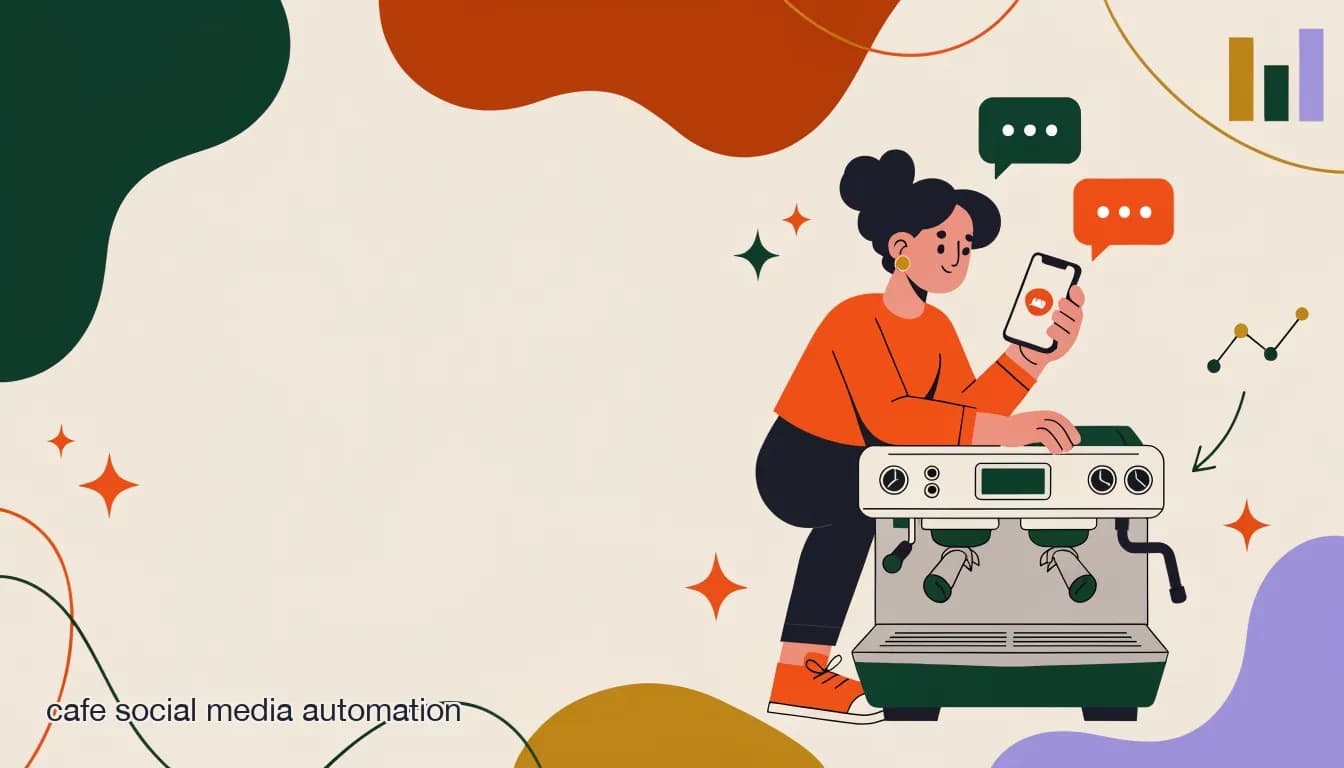
It's 7:12 a.m. The espresso machine is hissing, there's a line to the door, and a notification just popped up on the counter phone: someone commented on last night's latte-art post asking if you're open on Sunday. Another DM asks for the wifi password. A third wants to know if you can hold a table for six on Saturday. None of this is complicated. All of it needs an answer, and none of it is why you opened a cafe. This is exactly the gap cafe social media automation is built to close — not to replace the person behind the counter, but to catch the questions that don't need that person's attention while they're pulling shots.
For a two- or three-person team running a single independent cafe, "automation" can sound like something built for chains with a marketing department. It isn't. Done right, it's a small set of rules and one AI agent that handles the predictable 70% of your DMs and comments — hours, wifi, seating, dietary questions, "are you open today" — so you can spend your actual attention on the interesting 30%: a catering inquiry worth $400, a regular asking about your new roaster, a complaint that needs a human voice. This guide walks through what to automate, what to leave alone, and how to set it up in an afternoon without touching code.
What does "social media automation" actually mean for a small independent cafe?
Strip away the buzzwords and cafe social media automation is three things working together: automatic replies to comments on your posts, an AI agent (or simple rule-based bot) that answers common DM questions on Instagram, Facebook Messenger, and WhatsApp, and a way to send one message to everyone at once — a broadcast — when you have a Saturday cupping event or a holiday closure to announce.
It is not a chatbot that pretends to be a person and improvises. For a cafe, the best version of automation is boring by design: it answers the same five or six questions correctly, every time, at 6 a.m. and at midnight, and it clearly hands off to a human the moment a conversation needs judgment — a complaint, a large catering order, a question the knowledge base doesn't cover. The goal isn't to sound less like your cafe. It's to make sure your cafe's voice reaches every DM instead of only the ones you have time to open.
This matters more for a small independent shop than for a chain, not less. A 400-location chain has a call center. A 2-person cafe has you, your co-owner, and maybe a barista who helps out front-of-house between shifts. If nobody answers a DM for six hours, that's not a process failure — it's a person who was making cortados. Automation exists to make sure the DM still gets answered even when every human on shift has their hands full.
What tasks eat the most time on a cafe's social channels day to day?
Before automating anything, it helps to see where the minutes actually go. Most independent cafe owners underestimate this until they track it for a week.
- Answering "what are your hours" and "are you open today" — often the single most repeated DM and comment question, especially around holidays.
- Replying to wifi password requests, sometimes multiple times a day from people already sitting in the cafe.
- Confirming dietary and allergen questions: oat milk options, gluten-free pastries, nut-free baked goods.
- Handling reservation and "can I hold a table" requests for small groups, book clubs, and study groups.
- Fielding catering and large-order inquiries for office meetings, birthdays, and community events.
- Replying to comments on posts — new menu items, latte art, seasonal drinks — where a like or heart-eyes emoji doesn't need a reply, but a genuine question does.
- Re-answering the same question across three apps because a regular DMs on Instagram, a first-timer messages on Facebook, and a neighbor texts through WhatsApp.
- Chasing down a comment-to-DM opportunity when someone comments "price?" or "is this available today?" under a product photo and never gets a reply before they move on.
How do you automate replies to comments on cafe posts (latte art, new menu items)?
Comments are where a lot of small cafes leave money on the table without realizing it. Someone comments "omg need this" under your seasonal maple latte photo, and if nobody replies within the hour, that curiosity cools off and they never come in. Comment-to-DM automation fixes this by watching for specific keywords or any comment on a specific post, then automatically sending that person a DM — often with a menu link, hours, or a direct answer.
The setup is simple: pick a post (say, the maple latte announcement), set a trigger word like "price," "menu," or even any comment at all, and write the DM that goes out automatically. It might say: "Hey! Our maple latte's back through November — $5.50, hot or iced. We're open 6:30am–4pm daily if you want to swing by." That reply goes out in seconds instead of whenever someone next checks the account.
For genuine conversation-starter comments — someone asking about your roaster, complimenting the barista, or tagging a friend — leave those for a human. Automation should catch the transactional comments (price, hours, availability, "is this vegan") and leave the social ones alone. A good rule of thumb for a small team: automate anything that's really a disguised FAQ question, and reply personally to anything that's really a conversation.
Comment-to-DM works best on your best-performing posts
Don't set up comment automation on every post. Pick the two or three posts a month that actually get comment volume — a new seasonal drink, a menu change, a hiring post — and automate those. Setting up rules on a post that gets four comments a week isn't worth the five minutes it takes.
How do you handle the most common cafe DM questions — hours, wifi password, seating, dietary options?
These five or six questions make up the bulk of repeat DM traffic for almost every independent cafe. The table below shows the question, and a reasonable automated-answer approach for each — whether that's a scripted quick-reply or something an AI agent handles from a short knowledge base.
| Common question | Automated answer approach |
|---|---|
| What are your hours / are you open today? | AI agent answers from your posted hours, including holiday exceptions you update once a season. |
| What's the wifi password? | Instant scripted reply — this never changes and never needs judgment, a perfect first automation. |
| Can I hold a table for [group size]? | AI agent confirms availability rules (e.g., "we don't take reservations before 10am") and flags anything over 6 people to a human. |
| Do you have oat milk / gluten-free / vegan options? | AI agent answers from a short dietary FAQ list; escalates to a human for cross-contamination or severe-allergy questions. |
| Do you do catering or large orders? | AI agent captures the date, headcount, and contact info, then hands the thread to a human — this is a revenue conversation, not a script. |
| Are you dog-friendly / is there parking? | Scripted quick-reply — static facts that rarely change. |
Can a cafe automate Instagram Story replies and polls?
Yes, and it's an underused corner of cafe social media automation. Stories get a different kind of engagement than feed posts — quick taps on polls, quiz stickers, and DM replies to a Story someone just watched. A poll like "pumpkin spice or maple pecan?" on your Story can trigger an automatic DM to everyone who votes, thanking them and mentioning when the drink launches. A question sticker asking "what should we brew next?" can auto-reply to every response with a quick thank-you, while flagging any answer worth a human follow-up.
The practical value for a small cafe isn't the novelty — it's that Story engagement often happens outside business hours (people scrolling before bed, during a commute) and without automation those replies just sit unanswered until morning. A simple auto-response keeps the loop closed without anyone checking their phone at 11 p.m.
What role does WhatsApp play for a neighborhood cafe with regulars?
WhatsApp tends to matter most for cafes with a strong local, repeat-customer base — the neighborhood spot where the same 40 people show up three times a week. Regulars often prefer WhatsApp over Instagram DMs because it's their everyday messaging app; they're already in it, and a text thread with the cafe feels more like a direct line than a DM into a business account.
Worth being upfront about the trade-off here: WhatsApp business messaging runs through Meta, and Meta charges per-conversation fees once you're messaging outside the free customer-service window. For a small cafe, the volume is usually low enough that this cost stays modest, but it's a real line item, not a free channel — budget for it rather than being surprised by it.
A regular's Saturday-morning WhatsApp message
- Message
- "Hey, is the corner table free around 9? Bringing my laptop for a couple hours"
- Automated first response
- AI agent recognizes it as a seating question, checks the general rule ("first-come after 9am, no reservations for solo seating"), and replies within seconds
- Human follow-up
- If the AI agent is unsure or the regular replies with something more personal ("see you Saturday, tell Marco I said hi"), it hands off to a person
How do you set this up in a single afternoon with no technical background?
The instinct for a busy owner is to assume this takes a developer or a week of tinkering. It doesn't, if you scope it down to the handful of things that actually matter for a small cafe. Here's a realistic afternoon plan — no code, no agency.
- Connect your channelsLink Instagram, Facebook, and (if you use it) WhatsApp to one inbox tool via the standard login flow — a few clicks per channel, no technical setup.
- Write down your actual FAQOpen a notes app and write the 8–10 questions you get asked most: hours, wifi, seating rules, dietary options, catering, parking, dog policy. This becomes your AI agent's knowledge base.
- Build the AI agent from that listPaste your FAQ into the agent's knowledge base. Set its tone to match how you'd actually text a customer — short, warm, no corporate phrasing.
- Set up one comment-to-DM rulePick your best-performing recent post and set a rule so comments containing "price," "menu," or "hours" trigger an automatic DM reply.
- Test it yourselfDM your own business account five of the common questions from a second phone or a friend's account. Fix any answer that sounds off before it goes live to real customers.
- Turn on human handoffConfirm the agent escalates to your shared inbox for anything it doesn't recognize, and that you and your co-owner both get notified — not just one of you.
You don't need this perfect on day one
The FAQ list will be wrong or incomplete the first week — you'll notice a question the agent fumbles and add it. That's normal and fast to fix. Don't wait for a "complete" knowledge base before turning automation on; a rough one live today beats a perfect one next month.
How does automation handle a regular customer differently from a first-time visitor?
This is where a decent AI agent earns its keep versus a rigid keyword bot. A first-time visitor asking "what are your hours" needs a full, friendly answer with maybe a mention of your best-known drink. A regular who's messaged you thirty times doesn't need the same script — they need speed and recognition.
In practice this shows up as small things: an agent that can see conversation history knows not to re-introduce the cafe to someone who's ordered from you every week for a year. It can skip straight to "yep, corner table's usually free before 9" instead of a generic seating policy paragraph. For questions the agent can't personalize well, that's fine — hand it to a human, and let your barista who knows the regular by name take it from there. The point isn't to fake familiarity through software; it's to not waste a regular's time repeating an introduction they've heard before, and to route anything that benefits from real recognition to a real person.
How much time does automation realistically save a 2-3 person team per week?
It's fair to be skeptical of round numbers here, so this is deliberately a range grounded in what the questions above actually cost in time, not a marketing stat. If your cafe gets even 15–20 repeat FAQ messages a day across Instagram, Facebook, and WhatsApp combined — hours, wifi, seating, dietary — and each one takes even 2 minutes to notice, open, and answer, that's 30–40 minutes a day of pure repetition. Automating the clear-cut FAQ portion of that (not all of it — complaints and catering conversations still need a human) plausibly gives back a few hours a week to a small team.
The bigger, harder-to-quantify win is fewer dropped conversations. A DM answered at 2 a.m. instead of 9 a.m. the next morning is sometimes the difference between a booked table and someone who found another cafe by then.
Treat the time saved as attention regained, not just hours
The real value for a 2–3 person team isn't the minutes on a spreadsheet — it's that the owner or manager isn't context-switching from the espresso machine to a DM about wifi twelve times a shift. Fewer interruptions for repetitive questions means more attention for the customer standing in front of you.
What should a solo cafe owner automate first vs. later?
Sequencing matters more than completeness for a one-person operation. Trying to automate everything on day one usually means nothing gets set up well. A reasonable order, roughly first-week to first-quarter:
First: the zero-judgment answers. Hours and wifi password. These never require thought, never change week to week, and are the single highest-frequency questions — the easiest win with the least risk.
Second: comment-to-DM on your best posts, and basic seating/dietary FAQ answers. These need a written knowledge base but still don't require judgment calls.
Third, and only once the first two are stable and you trust the answers: catering intake and broadcast messages for events or promotions. These touch revenue directly, so it's worth watching the first few automated conversations closely before trusting them fully.
Leave for last, or never: anything involving a complaint, a refund, an allergy incident, or a genuinely personal exchange with a regular. Automation should never be the front line on those.
What are the risks of over-automating a small, personal brand's social presence?
A cafe's social presence usually is the owner's voice — that's a big part of why people follow it. Over-automate and you can flatten exactly what made the account worth following in the first place. A few concrete failure modes worth watching for.
- Losing the personal reply on comments that deserved one — a compliment, an inside joke with a regular, a genuine question about your roaster.
- An AI agent confidently answering something outside its knowledge base (allergen cross-contact, a policy that changed last week) instead of admitting it doesn't know.
- Broadcasting too often — a weekly "come visit us!" message erodes goodwill fast in a channel people opted into for real updates, not filler.
- A complaint getting a scripted FAQ-style reply instead of immediate human attention, which reads as dismissive even if the words themselves are polite.
Automation that answers everything starts to sound like nobody
If every comment gets the same templated reply, or every DM — including the ones that deserve a real conversation — gets routed to the AI agent first, regulars notice. The fix isn't less automation, it's narrower automation: keep it scoped to genuinely repetitive, factual questions, and make sure anything that reads as personal, emotional, or complicated reaches a human quickly, not after three bot replies.
How KlyoChat fits a small cafe's budget and workflow
We build KlyoChat, so this section has an obvious angle — but the fit for a small cafe is straightforward to explain honestly. KlyoChat is a unified inbox for Facebook, Instagram, Telegram, WhatsApp (rolling out), TikTok, and X, with no-code automation, comment-to-DM, broadcasts, and AI agents built on a knowledge base — plus a shared team inbox with assignment, @mentions, and internal notes, which matters the moment a second person starts helping with DMs.
For a 2–3 person cafe, the relevant details are: the Basic plan starts at $19/month, automation and the inbox can be edited from a phone (useful when you're setting up a quick rule between opening tasks, not sitting at a desk), and AI agents are included starting on the Pro plan at $49/month — not billed as a separate add-on. There's a 7-day free trial with no credit card required, so you can test it against your actual FAQ list before paying anything. Meta's 24-hour messaging window across Instagram and Facebook is handled automatically, which matters because manually tracking that window is exactly the kind of fiddly detail a solo owner doesn't have bandwidth for. And KlyoChat is private by default — encrypted at rest, role-scoped access, audit-logged, and it does not train on your data.
Worth being direct about the limits too: KlyoChat has no native SMS or email, so if your cafe leans on text-message loyalty campaigns, that's outside what it does today. WhatsApp carries Meta's own per-conversation fees regardless of which platform you use. And KlyoChat's community and template library are smaller and younger than long-established platforms like ManyChat's — you'll get more direct support from the team and less of a giant public forum of pre-built templates to borrow from.
A solo cafe owner's realistic monthly cost
- Plan
- Pro — $49/mo ($39/mo billed yearly)
- Included
- Instagram + Facebook + Telegram inbox, AI agent on your FAQ, comment-to-DM, broadcasts, 10,000 contacts
- Extra cost to expect
- Meta's per-conversation WhatsApp fees once that channel is active — usage-based, not a flat KlyoChat charge
A simple first-week rollout plan
If the afternoon setup above gets the tool running, this is what the following week should look like to make sure it's actually working the way you want.
- Day 1–2: Watch every automated reply as it goes out. Don't fully trust it yet — read the transcript at the end of each day.
- Day 3: Add any question the agent got wrong or couldn't answer to the knowledge base. This is normal, not a sign of a bad setup.
- Day 4: Turn on comment-to-DM for your next new post (a seasonal drink, a menu update) and watch how it performs.
- Day 5: Check the handoff — did anything that should have gone to a human get answered by the agent instead? Tighten the escalation rule if so.
- Day 6–7: If it's holding up, stop checking every transcript and switch to a quick daily skim. Loop in your co-owner or barista on how assignment and notes work in the shared inbox.