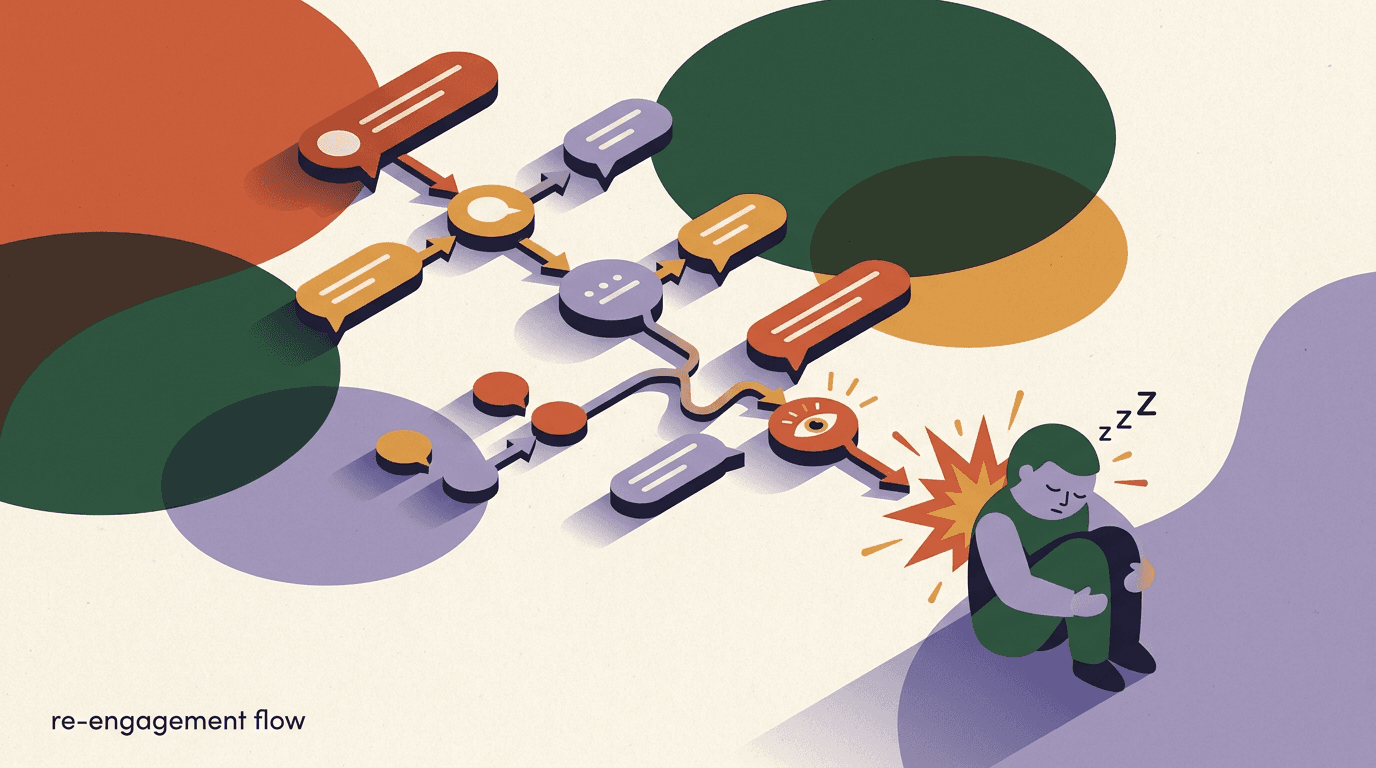
A reengagement sequence is a short, automated flow that reaches out to contacts who have gone quiet — people who once opted in and engaged, then stopped. The goal is narrow and honest: give a dormant contact one or two well-timed reasons to respond, route the ones who do back into your normal experience, and cleanly retire the ones who do not. Done right, it recovers real interest you already earned. Done wrong, it becomes spam that erodes trust and trips platform rules.
This is a build guide, not a strategy essay. If you want the strategy and ad-side thinking behind winning people back, read our piece on DM retargeting. Here we stay on the flow canvas: how to define inactivity precisely, how to segment dormant contacts, how to write a re-opener that works even when you are outside the standard messaging window, how to branch on whether someone replies, and how to exit and clean up so your list stays healthy. We build KlyoChat, so the steps map to our flow builder, but the structure applies to any no-code automation tool.
By the end you will have a working reengagement sequence you can ship in an afternoon: one entry condition, one or two messages, two or three branches, and a clean exit. We will keep it small on purpose. The most common mistake teams make is building an eight-message win-back epic that annoys everyone. Restraint is the feature.
What is a reengagement sequence, and when do you need one?
A reengagement sequence — sometimes called a re-engagement flow, reactivation sequence, or win-back flow — is automation that targets contacts who have stopped interacting with you. Unlike a welcome sequence that greets brand-new contacts, a reengagement sequence speaks to people who already know you but have drifted. The message, the timing, and the tone are all different because the relationship is different.
You need one when a meaningful slice of your contact list has gone dark. If you run comment-to-DM funnels, broadcasts, or ad-driven opt-ins, you will accumulate dormant contacts naturally over time. Some lost interest, some forgot they followed you, some were only ever curious. A reengagement sequence is the structured way to ask, one last time and respectfully, whether they still want to hear from you.
It is also a list-hygiene tool. On most platforms an unengaged contact still counts toward your audience, still gets included in broadcasts, and still drags down your engagement metrics. A good win-back flow is partly about recovery and partly about a clean exit: the people who do not respond get removed from active messaging, which protects your deliverability and your relationship with the platform.
There is a quieter reason this flow matters too. Messaging platforms increasingly watch the ratio of messages you send to the engagement you get back. If you keep blasting a list full of people who never open, never tap, and never reply, the platform reads that as low-quality sending and can throttle your reach — even to the contacts who do want to hear from you. A reengagement sequence is the structured way to find out who is still listening, so that the rest of your messaging lands with people who actually respond. In that sense it is not a nice-to-have; it is account maintenance.
- Use it when a chunk of your list has had no engagement for a defined period.
- Use it before a big broadcast, to avoid messaging people who will never open.
- Use it as recurring hygiene — run it on a schedule, not just once.
- Do not use it to message contacts who explicitly opted out. That is off-limits.
Reengagement is not re-permission
A dormant contact is someone who opted in and went quiet — not someone who unsubscribed. If a contact has opted out, the reengagement sequence must never reach them. We will set up an exclusion for opted-out contacts as the very first guardrail in this build.
How do you define inactivity for a dormant contact?
Before you can segment anyone, you have to decide what inactive actually means for your account. This is the single most important decision in the whole build, because it determines who enters the flow. Get it too loose and you message people who engaged last week; get it too tight and you wait so long the contact has forgotten you entirely.
Inactivity is best defined as a time window with no qualifying engagement. Pick a signal that genuinely indicates interest — an opened conversation, a click, a reply, a flow completion — and then pick a window after which the absence of that signal means dormant. There is no universal right number; it depends on how often you normally message and how long your buying or content cycle is.
As a starting point, a contact with no engagement in 30 to 60 days is a reasonable definition for a creator or small brand who messages weekly. For a slower cadence — monthly broadcasts, longer consideration cycles — 60 to 90 days fits better. The table below gives sensible defaults you can adjust.
One nuance worth holding onto: the right window is the one that matches your customer's natural rhythm, not your sending rhythm. If you sell something people buy twice a year, a 30-day silence is not dormancy — it is just the gap between purchases. Calling that contact dormant and pinging them with a win-back message would be premature and a little annoying. Conversely, if your value is daily or weekly, a contact who has been quiet for two weeks may already be slipping away. Think about how long a genuinely interested person could reasonably go without needing to hear from you, and set the window just past that point.
It also helps to separate hard inactivity from soft inactivity. A hard signal is a complete absence of any interaction — no opens, no clicks, no replies, nothing — for the full window. A soft signal is partial drift, where someone still technically opens a message now and then but has stopped taking any action. You can treat these differently: soft-inactive contacts might get a lighter touch, while hard-inactive contacts get the full keep-or-go treatment. For your first build, keep it simple and use a single hard-inactivity window. You can layer the soft tier in later once the basic flow is proven.
| Your messaging cadence | Suggested inactivity window | Why |
|---|---|---|
| Multiple times per week | 21–30 days | Heavy senders see drop-off fast; a short window catches it early. |
| Weekly | 30–60 days | A month-plus of silence is a clear signal for a weekly sender. |
| Monthly or slower | 60–90 days | Longer cycles need patience before you call someone dormant. |
| Seasonal / campaign-based | 90–120 days | Account for natural quiet periods between campaigns. |
Define the engagement signal, not just the time
Inactivity is two parts: a signal and a window. Decide which actions count as engagement first — replied, clicked, completed a flow — then measure the window since the last one. A contact who opened your account profile but never messaged is arguably still dormant. Be explicit about what counts.
How do you segment inactive contacts in the flow builder?
Once you have a definition, you turn it into a segment — a saved group of contacts that automatically updates as people meet or leave the criteria. In KlyoChat you build this with the segment editor, combining filters with simple and/or logic. The segment is what feeds your reengagement sequence, so spend time getting it precise.
Your segment should do three things at once: include people who match your inactivity window, exclude anyone who has opted out, and exclude anyone who is genuinely active. That last exclusion matters more than it sounds — without it, a contact who replied yesterday could slip in because of a stale tag.
A segment is different from a static list, and the difference is the whole point. A static list is a snapshot — the people who matched at the moment you exported it. A segment is a live query that re-evaluates continuously, so a contact automatically enters the dormant group the day they cross your inactivity window, and automatically leaves it the moment they engage again. That live behaviour is what lets your reengagement sequence run on autopilot: you are not manually deciding who is dormant each month, the segment is.
Think carefully about the order of operations in your filters too. Inclusion and exclusion conditions combine, and getting the logic wrong is the most common cause of a segment that looks fine but messages the wrong people. The safe mental model is: start with everyone, narrow down to people who match the inactivity window, then strip out the exclusions one by one. If your tool supports grouping conditions, group the exclusions together so they always apply regardless of how the inclusion logic evaluates.
- Create a new segmentIn KlyoChat, open Segments and start a new segment named clearly, for example Dormant 60d. A descriptive name saves confusion later when you have several.
- Add the inactivity filterAdd a condition like last engagement is more than 60 days ago, using whichever engagement signal you defined. This is the core of the segment.
- Exclude opted-out and unsubscribed contactsAdd an exclusion: opt-in status is not opted-out. This guardrail must be in every reengagement segment, no exceptions.
- Exclude recently active contactsAdd an exclusion for anyone with engagement inside your window, so a freshly active contact can never qualify on a technicality.
- Preview the count and a sampleCheck how many contacts match and scan a handful by name. If the number looks wildly high or low, your filter logic needs adjusting before you connect any messages.
Always preview before you connect a message
The segment preview is your safety check. If a name you know to be active shows up, stop and fix the logic. A reengagement sequence wired to a bad segment can message hundreds of the wrong people in minutes, and you cannot un-send.
In-window vs out-of-window: why the messaging rules matter
This is the part most flow tutorials skip, and it is the part that determines whether your reengagement sequence is even allowed to send. On messaging platforms like Instagram, Facebook, and WhatsApp, you can freely send a contact a message inside a limited window after their last interaction with you. Outside that window, you are restricted — you generally cannot send a free-form promotional message, and on some channels you must use a pre-approved template or a specific message tag.
The catch with reengagement is structural: a dormant contact is, by definition, someone whose window has usually closed. They have not interacted in 30, 60, or 90 days. So your re-opener frequently has to be an out-of-window send, which changes what you are permitted to say and how you send it.
KlyoChat knows the difference between in-window and template sends and will surface it as you build, so you are not guessing. But you still need to understand the concept, because it shapes your message. The table below summarizes the practical difference.
| Situation | What you can send | Practical note |
|---|---|---|
| Inside the messaging window | Free-form message, including a soft promotion | Rare for dormant contacts, since the window has usually lapsed. |
| Outside the window | Approved template or permitted message type only | The common case for reengagement; plan your re-opener around it. |
| Contact opted out | Nothing | Excluded at the segment level; never reachable by the flow. |
Respect the window and the platform rules
Trying to push a promotional message to an out-of-window contact through a loophole risks your account. Use the permitted message type, keep the re-opener honest and useful, and let the contact re-open the window by replying. KlyoChat flags template versus in-window sends so you stay compliant by default.
Writing the re-opener message that earns a reply
The re-opener is the first message in your reengagement sequence, and it carries almost all the weight. Because it is usually an out-of-window send, it should read as a genuine check-in, not a sales push. The job of the re-opener is not to sell — it is to get one reply, which reopens the conversation window and lets you do everything else.
Good re-openers share a few traits. They are short. They acknowledge the silence without guilt-tripping. They give the contact an easy, low-effort way to respond — often a single tap or a one-word reply. And they make the value of replying obvious: a useful answer, a relevant offer, or simply the option to keep or stop hearing from you.
It helps to remember the mental state of the person receiving this message. They opted in at some point — maybe weeks or months ago — and then life moved on. They are not angry at you; they have simply forgotten. So the re-opener has to do a tiny bit of re-introduction without being needy about it. A light reminder of who you are and why they signed up, paired with a single clear reason to reply, is far more effective than either a cold pitch or an over-apologetic we-miss-you message. Aim for the tone of a friend who has not texted in a while: warm, brief, no pressure.
Personalisation earns its keep here more than almost anywhere else. Using the contact's name is the baseline, but the real lever is referencing what they originally engaged with. If you know they first messaged about a specific product, a specific topic, or a specific offer, anchoring the re-opener to that context turns a generic check-in into something that feels meant for them. The merge fields you set up in your welcome flow pay off again at exactly this moment, so it is worth keeping those custom fields clean.
Here are two sample re-openers. The first is a soft value check-in suited to a creator or content brand. The second is an explicit keep-or-go message that doubles as list cleanup. Both are designed to be permissible out-of-window message types and to invite a reply.
Re-opener A — value check-in
- Channel
- Instagram DM (out-of-window)
- Message
- Hey {{first_name}}, it has been a while. We just put together a short guide on the thing you first messaged us about. Want me to send it over? Reply YES and it is yours.
- Why it works
- Offers value, asks for a one-word reply, reopens the window
The second template is more direct. It works well as the final touch in a sequence or as a standalone hygiene message, because it gives the contact explicit agency and makes your cleanup decision for you based on their response.
One ask per message
Do not stack a reply prompt, a link, and a discount into one re-opener. A single clear ask gets far more replies than a busy message. If you want to send a link or offer, save it for after they reply and the window is open again.
Re-opener B — keep-or-go
- Channel
- WhatsApp (template send)
- Message
- Hi {{first_name}}, we are tidying our list and do not want to clutter your inbox. Tap KEEP ME to stay in the loop, or ignore this and we will quietly stop messaging. No hard feelings either way.
- Why it works
- Honest, gives control, turns silence into a clean exit signal
How do you branch the flow on whether they respond?
A reengagement sequence is only as good as its branching. After the re-opener, the flow splits based on what the contact does: replies, stays silent, or explicitly asks out. Each path gets different handling. This is where the flow builder earns its place — you are routing real human responses, not blasting one message.
The core branch is response versus no response. In KlyoChat you add a wait step after the re-opener, then a condition that checks whether the contact replied within that wait. The two outputs lead to two very different next steps.
A useful way to think about branches is that each one represents a different intent the contact has expressed. A reply is interest. Silence is ambiguity — it could mean not-now or never, and you cannot tell which yet. An explicit stop word is a clear no. Your flow should treat each of these as the distinct signal it is, rather than collapsing them into a single happy path. The structure below does that with the minimum number of moving parts, which keeps the flow easy to reason about when you come back to edit it in three months.
- Add a wait step after the re-openerGive the contact time to reply — typically 24 to 48 hours. Do not branch instantly; people do not check messages on your schedule.
- Add a condition: did they reply?Branch on whether a reply was received during the wait. This produces your two main paths: responded and silent.
- On the responded path, reactivateThe window is now open. Thank them, deliver the promised value or offer, tag them as reactivated, and route them back into your normal experience or hand off to a human.
- On the silent path, send one optional follow-upAt most one more touch, spaced a few days out, ideally the keep-or-go message. Resist the urge to add a third or fourth.
- Add an explicit opt-out catchIf the contact replies with a stop word, route them immediately to the exit, tag them opted-out, and never message again.
Three branches are usually enough
Responded, silent, and opted-out cover nearly every real case. You can refine later — for example, splitting responded into bought versus just curious — but ship the three-branch version first. Complexity added before you have data is wasted effort.
When should the re-opener actually send?
Timing is a quiet multiplier on reengagement results. The same message that gets ignored at 2am on a Tuesday can earn a reply at 6pm when the contact is scrolling on the couch. Because dormant contacts are not waiting for you, you have to meet them when they are most likely to be present and willing to respond. That means thinking about both the time of day and the day of week, and ideally matching it to when this audience originally engaged with you.
There is also a sequencing question: when should the flow itself run? For an evergreen reengagement sequence the trigger is the contact crossing the inactivity threshold, which can happen any day. But you do not have to send the instant they qualify. Holding the re-opener until a sensible send window — say, the next weekday evening after they become dormant — usually beats firing at the exact second the threshold is crossed, which might be the middle of the night.
For a one-time broadcast clear of your backlog, you get to pick the moment deliberately. Avoid sending into known dead zones, and avoid colliding with a major holiday or a moment when your audience is distracted, unless the message is built for that occasion. A little thought about timing costs nothing and reliably lifts reply rates.
- Match send time to when this audience originally engaged, if you have the data.
- Prefer evenings and the start of the working week for consumer audiences; test for yours.
- Hold evergreen re-openers until a sensible send window rather than firing at any hour.
- For broadcasts, pick the moment deliberately and avoid known dead zones.
- Stagger large sends rather than blasting everyone in one second, which looks bot-like.
Let the wait steps do the scheduling
You do not need a separate scheduler. A wait-until step inside the flow can hold a contact who qualifies overnight until the next good send window, so your timing logic lives in the same canvas as everything else. Keep it simple and let the flow handle the clock.
Should you treat all dormant contacts the same?
Not necessarily. Once your basic reengagement sequence is working, the highest-value refinement is to split your dormant segment by how valuable the contact was when they were active. A past customer who spent money and then went quiet deserves a different, warmer touch than a contact who opted in once and never did anything else. Treating both with the same generic check-in leaves recovery on the table for the people most worth recovering.
You can build this as a small set of value tiers inside your dormant group. The tiers do not need to be elaborate — two or three is plenty. The point is to route the most valuable dormant contacts to a more personal path, often one that hands off to a human in the inbox quickly, while the lowest-value tier gets the lean keep-or-go message and a fast exit. This concentrates your effort where the payoff is highest.
The table below shows a simple three-tier model you can adapt. Note that the lowest tier is mostly a cleanup exercise — and that is fine. Cleanly retiring low-value non-responders is a legitimate, valuable outcome of the flow.
| Dormant tier | Who they are | How to handle them |
|---|---|---|
| High value | Past customers or high-intent leads who went quiet | Warm, personal re-opener; hand off to a human fast on any reply. |
| Mid value | Engaged contacts who never converted | Standard value check-in re-opener with a relevant offer. |
| Low value | One-time opt-ins with no further activity | Single keep-or-go message, then clean exit if silent. |
Tier later, not first
Do not build three parallel paths on day one. Ship the single-path reengagement sequence, learn from it, then split out a high-value tier once you can see which dormant contacts are worth the extra effort. Premature complexity is the enemy of a flow that actually ships.
What should the reactivation path actually do?
When a dormant contact replies, you have won the hard part — they are interested again, and the messaging window is open. The reactivation path should capitalize on that without overreaching. The instinct to immediately hard-sell is the fastest way to lose the goodwill you just recovered.
Deliver on whatever your re-opener promised first. If you offered a guide, send the guide. If you offered an answer, answer. Then, and only then, make a relevant next-step offer. Tag the contact as reactivated so your segments stay accurate and they drop out of the dormant group automatically.
For higher-value contacts, the reactivation path is often where you hand off to a human in the unified inbox rather than continuing automation. A real reply to a real person at the right moment converts better than another automated message.
- Deliver the promised value before any new ask.
- Tag the contact as reactivated so they exit the dormant segment.
- Make one relevant offer, not a barrage.
- For warm or high-value replies, hand off to a human in the inbox.
- Reset their engagement timestamp so they re-enter the normal cadence.
Reactivation path — sample reply after YES
- Trigger
- Contact replied YES to re-opener A
- Message 1
- Here you go — the full guide is attached. Have a look and tell me which part is most useful.
- Message 2 (after they engage)
- Glad it helped. If you want, I can set you up with the starter plan — want the details?
- Outcome
- Value first, soft offer second, tagged reactivated
How do you handle the silent path without nagging?
Most contacts in a reengagement sequence will not reply to the first message, and that is normal. The silent path is where discipline matters most, because the temptation is to keep poking until they respond. That instinct backfires: repeated unanswered messages annoy people, hurt your metrics, and put your account at risk on platforms that watch send-to-engagement ratios.
The right approach is one optional follow-up, then exit. Wait a few days after the re-opener, send a single final message — the keep-or-go template is ideal here — and then stop. If they still do not respond, you have your answer, and the next step is cleanup, not another message.
Spacing matters. Two messages 48 hours apart feel pushy. The same two messages spaced four to seven days apart feel like a reasonable check-in. Give silence room to be a real signal rather than just a timing accident.
Cap the sequence at two or three touches
The data and the platform rules point the same direction: short reengagement sequences outperform long ones. After two or three honest touches, a non-responder is telling you something. Respect it. A win-back flow that will not take no for an answer is just spam with extra steps.
Building the exit and clean-up logic
The exit is the most overlooked part of a reengagement sequence, and arguably the most valuable. Every contact who passes through the flow needs a clean, deliberate ending: reactivated and tagged, opted-out and suppressed, or non-responsive and archived. Without explicit exits, contacts pile up in limbo and your list slowly rots.
Cleanup is where the flow pays for itself even when reactivation rates are modest. By removing or suppressing non-responders, you shrink your active audience to people who actually engage, which lifts your broadcast performance and protects your deliverability. A smaller, engaged list beats a large, dead one every time.
- Tag every outcomeApply a clear tag at each exit: reactivated, opted-out, or dormant-no-response. Tags are how your future segments and broadcasts know who is who.
- Suppress non-responders from active messagingMove dormant-no-response contacts out of your active broadcast audience. You are not deleting them; you are no longer messaging them by default.
- Honor opt-outs immediately and permanentlyOpted-out contacts get suppressed across every channel and flow. This is a hard rule, not a preference.
- Set a re-entry ruleDecide whether a suppressed contact can ever re-enter — for example, if they message you again on their own. A fresh inbound usually justifies a fresh start.
- Log the runNote how many entered, replied, reactivated, and were archived. This is the data you will use to tune the next run.
Cleanup is the reason to run this on a schedule
A one-time reengagement sequence cleans your list once. A scheduled one keeps it clean. Run the flow monthly or quarterly against your dormant segment so new non-responders are continuously caught and retired without manual effort.
Should you use a flow or a broadcast for reengagement?
There are two ways to reach dormant contacts, and they serve different needs. A broadcast sends one message to your whole dormant segment at once — fast, simple, good for a single re-opener you want out the door today. A flow is an automated sequence that branches and runs continuously — better for ongoing, hands-off reengagement with proper branching and cleanup.
Most teams use both. They send an initial reengagement broadcast to clear the existing backlog of dormant contacts, then set up an evergreen flow that catches new contacts the moment they cross the inactivity threshold. The broadcast handles the one-time cleanup; the flow handles the steady state.
| Approach | Best for | Trade-off |
|---|---|---|
| Broadcast | A one-time blast to your current dormant list | No branching or cleanup logic; it is a single send. |
| Flow / sequence | Ongoing, automated reengagement with branching | Takes more setup, but runs itself and handles exits. |
| Both together | Clear the backlog, then maintain automatically | The recommended pattern for most accounts. |
Start with the flow if you only build one
A broadcast is a single moment; a flow is a system. If you are going to invest effort in exactly one thing, build the reengagement flow — it keeps working long after the broadcast is forgotten. KlyoChat supports both, so you can layer the broadcast on top later.
How do you measure if your reengagement sequence is working?
A reengagement sequence is easy to measure because the desired action is unambiguous: did the dormant contact respond? Track a small set of numbers per run and you will quickly learn what is working. Resist vanity metrics; reply and reactivation rates are what matter.
The headline metric is reactivation rate — the share of contacts who entered the flow and re-engaged meaningfully. A reply is the first signal; a reply that leads to a real action is the goal. Pair that with your cleanup count, because a flow that reactivates few people but cleanly retires the rest is still a success.
- Entry count — how many dormant contacts entered the flow.
- Reply rate — share who responded to the re-opener at all.
- Reactivation rate — share who re-engaged in a meaningful way.
- Opt-out rate — keep an eye on it; a spike means your message or targeting is off.
- Cleanup count — non-responders suppressed, which is a win in its own right.
Test the re-opener, not the whole flow
The re-opener message drives almost all the variance. Hold the flow structure steady and test one re-opener against another on equal-sized splits of your dormant segment. Small wording changes — a clearer ask, a lower-effort reply — often move reply rate more than any structural change.
Common mistakes that sink a win-back flow
Most failed reengagement sequences fail for the same handful of reasons, and all of them are avoidable. Knowing the failure modes up front is the fastest way to ship a flow that works on the first try.
- Messaging opted-out contacts — the cardinal sin; exclude them at the segment level.
- Defining inactivity too loosely, so active people get pulled in.
- Ignoring the in-window versus out-of-window distinction and sending impermissible messages.
- A re-opener that sells instead of asking for a reply.
- Too many touches — the eight-message win-back epic that becomes spam.
- No exit logic, so contacts pile up in limbo and the list never gets cleaner.
- Running it once and forgetting it, instead of on a recurring schedule.
When in doubt, send less
Every mistake above shares a root cause: trying too hard to reactivate everyone. The teams with the healthiest lists treat a non-response as a clear answer and move on. Fewer, more honest touches almost always beat more aggressive ones.
Building this reengagement sequence in KlyoChat
Everything in this guide maps directly to how KlyoChat works, so here is the honest version of building it on our platform. We make this case because we built KlyoChat to handle exactly this kind of flow — and we will be clear about where it fits and where it does not.
In KlyoChat you build the segment in the segment editor, drag the re-opener, wait, and condition blocks onto the flow canvas with no code, and let the platform flag whether each send is in-window or a template. AI agents can handle the reactivation path — answering replies and qualifying interest across Facebook, Instagram, Telegram, WhatsApp, TikTok, and X from one unified inbox — so a YES does not sit unanswered while you sleep. Broadcasts cover the one-time backlog clear; the flow handles the steady state.
KlyoChat plans start at Basic ($19/mo), Pro ($49/mo, or $39 billed yearly), and Business ($129/mo), each with a 7-day free trial and no credit card required. The flow builder, segments, and broadcasts are there to build exactly the sequence above.
- No-code flow builder for the re-opener, wait, condition, and exit blocks.
- Segments that auto-update and let you exclude opted-out and active contacts.
- In-window versus template send awareness built into the builder.
- AI agents to handle the reactivation path across all connected channels.
- Broadcasts for the one-time dormant-list clear, alongside the evergreen flow.
Honest limits
KlyoChat does not offer native SMS or email, so if your reengagement plan depends on those channels, this is not your tool. We are also a newer, smaller community than the long-established players, so there are fewer third-party templates. And like every platform, we require you to respect opt-in and Meta's messaging rules — we will not let you message opted-out contacts, by design.
A complete reengagement sequence, start to finish
To pull it all together, here is the full flow you can build in one sitting. It is deliberately small — one segment, one or two messages, three branches, clean exits — because small is what works. Use it as a template and adjust the windows and wording to your account.
- Define inactivityPick an engagement signal and a window (start with 60 days of no engagement). Write it down so the segment is unambiguous.
- Build the dormant segmentFilter for the inactivity window, exclude opted-out contacts, exclude recently active contacts, and preview the result.
- Send the re-openerOne short, honest message with a single low-effort ask, sent as the permitted message type if the window has closed.
- Wait and branchWait 24 to 48 hours, then branch on whether they replied, plus a catch for explicit opt-outs.
- Reactivate respondersDeliver the promised value, make one relevant offer, tag as reactivated, hand off to a human for warm replies.
- Final touch for the silent, then exitOne optional keep-or-go message a few days later, then stop. No more touches.
- Clean upTag every outcome, suppress non-responders and opt-outs from active messaging, and log the run for next time.
Ship it small, then iterate
Resist building the perfect flow before launching. Ship this seven-step version, run it once against your dormant segment, read the reply and reactivation numbers, then refine the re-opener. A live flow you can learn from beats a perfect flow that never ships.
A reengagement sequence is one of the highest-leverage flows you can build, precisely because it does two jobs at once: it recovers interest you already earned, and it cleans the contacts who are never coming back. The whole thing comes down to a few honest decisions — a clear definition of inactivity, a tight segment that excludes opted-out and active people, one re-opener that asks for a reply instead of a sale, sensible branching, and disciplined exits.
Keep it short, respect the messaging window and platform rules, and treat silence as a real answer. For the strategy behind winning people back, read our guide on DM retargeting; to greet new contacts well in the first place, see the welcome DM sequence; and to send the one-time dormant-list clear, our broadcast campaign setup walks through it. Build the flow once, run it on a schedule, and let it quietly keep your list healthy.