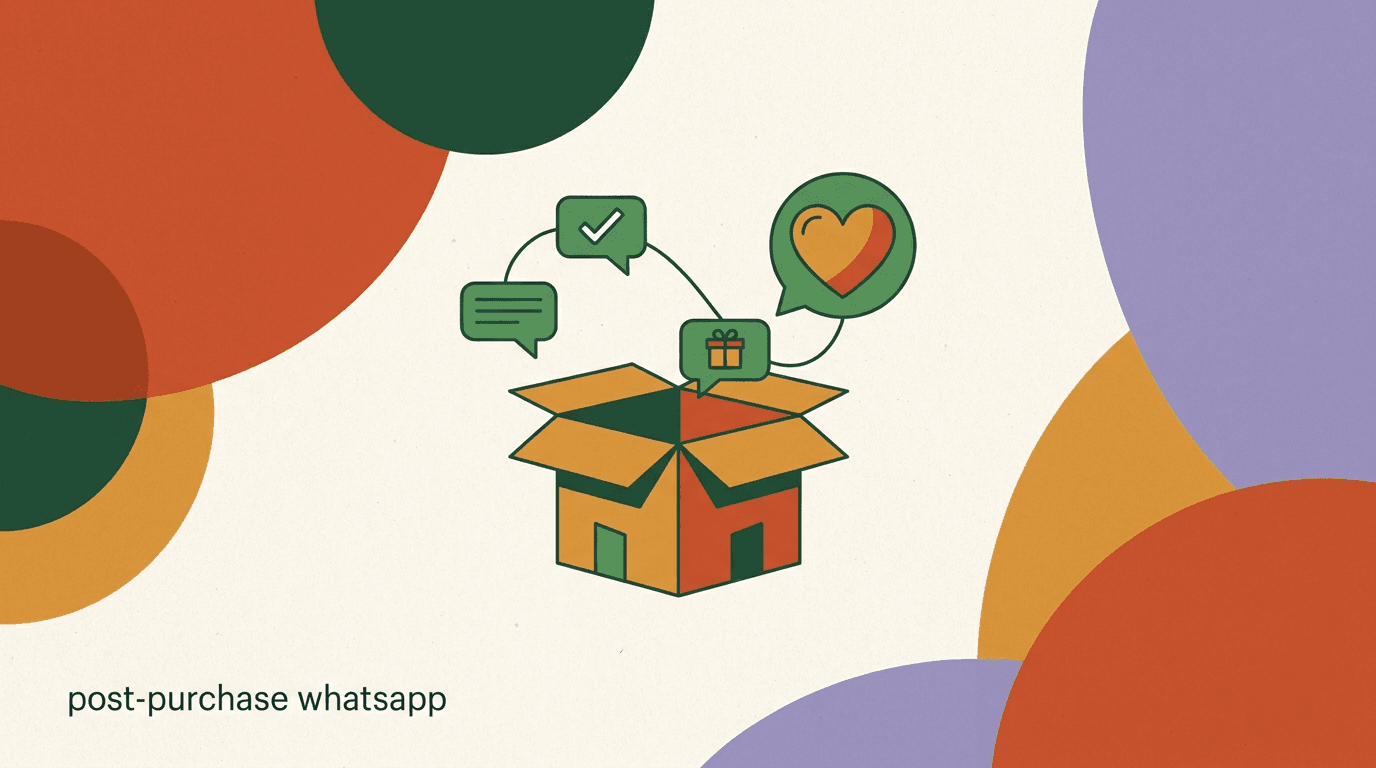
Most D2C brands pour their energy into the sale and then go quiet the moment the card is charged. That silence is expensive. The period right after a purchase is when a customer's attention is highest, their inbox is open for your order updates, and their goodwill is at its peak. A well-built post-purchase WhatsApp sequence uses that window to do three things at once: reassure the buyer, reduce support load, and set up the next order.
This is a practical playbook for the messages that come after checkout, not before it. We will map the full sequence stage by stage — order confirmation, shipping updates, delivery and how-to, the review request, replenishment and cross-sell, and the loyalty loop that ties it together. For each stage we give timing, the difference between WhatsApp utility and marketing templates, the opt-in rules you cannot skip, and sample messages you can adapt today.
Full disclosure: we build KlyoChat, a tool for running exactly these sequences across WhatsApp and other channels, so we have a point of view. We have kept the WhatsApp platform rules to what Meta publishes and labeled every result claim as illustrative. We do not have a magic retention number to sell you — what we have is a structure that respects the customer and the platform.
Why does the post-purchase window matter so much for retention?
The economics of D2C make the answer obvious. Acquiring a first-time customer through paid ads is expensive and getting more so. The second order from that same customer costs almost nothing to win — you already have their attention, their trust, and a direct channel to reach them. Retention is where margin lives, and the post-purchase window is where retention is won or lost.
WhatsApp is unusually well suited to this moment. Order updates are messages customers actually want, so they get opened — open rates on transactional WhatsApp messages routinely outperform email by a wide margin in brands' own reporting. The channel is conversational, so a shipping update can become a question, a question can become a reorder, and a reorder can become a habit. That two-way nature is the whole point.
The catch is that the same channel that makes retention easy also has strict rules. WhatsApp is not an email list you can blast. Meta separates messages into categories, charges per conversation, and requires opt-in for anything that looks like marketing. A good sequence works with those rules rather than fighting them, and that is most of what this guide is about.
Retention is a sequence, not a single message
One thank-you note after purchase is polite but forgettable. A sequence — confirmation, shipping, how-to, review, replenishment — keeps you present across the whole order lifecycle and gives you multiple natural reasons to reach out without feeling like spam.
What stages belong in a post-purchase WhatsApp sequence?
A complete sequence spans the entire arc from checkout to the next purchase. Each stage has a job, a natural trigger, and a template type. Here is the full map before we go deep on each one.
- The first three stages are operational — they are about the order the customer already placed and almost always qualify as utility messages.
- The last three stages are commercial — they are about the next order and need marketing-template handling plus explicit opt-in.
- You do not need every stage on day one. Start with confirmation and shipping, then add the rest as you learn what your customers respond to.
| Stage | Trigger | Job | Template type |
|---|---|---|---|
| Order confirmation | Checkout complete | Reassure, set expectations | Utility |
| Shipping update | Fulfillment / dispatch | Tracking, ETA, reduce 'where is it' tickets | Utility |
| Delivery + how-to | Delivered status | Onboard the product, drive first use | Utility |
| Review request | A few days after delivery | Collect reviews and feedback | Utility or marketing |
| Replenishment / cross-sell | Based on product cycle | Drive the repeat order | Marketing |
| Loyalty loop | Ongoing | Reward, segment, retain | Marketing |
How should the order confirmation message work?
The order confirmation is the first message and it sets the tone for everything after. Its only job is reassurance: yes, we got your order; yes, your money was well spent; here is what happens next. Customers are slightly anxious right after they buy, especially from a brand they do not know well. A clear, warm confirmation calms that and quietly establishes WhatsApp as the channel where your relationship will live.
Fire it immediately on checkout completion. This is a textbook utility message — it is directly about a transaction the customer initiated, so it qualifies for the utility template category and does not require a separate marketing opt-in beyond the customer choosing WhatsApp as their contact method. Keep it short, include the order number, and set the expectation that a shipping update is coming.
Resist the urge to cram an upsell into the confirmation. This message has one job. The selling comes later, after you have delivered on the promise. A confirmation that stays a confirmation builds the trust that makes the marketing messages welcome instead of resented.
Make 'just reply' a real invitation
Ending the confirmation with 'just reply' only works if someone actually answers. Route these replies into a shared inbox or an AI agent so customers get a fast response. A dead reply path teaches people not to trust your messages.
Order confirmation — sample message
- Timing
- Immediately on checkout
- Category
- Utility template
- Message
- Hi {{name}}, thanks for your order! Order #{{order_id}} is confirmed and we're getting it ready. We'll message you here the moment it ships. Questions? Just reply to this chat.
What do shipping update messages need to get right?
Shipping is where WhatsApp earns its keep operationally. 'Where is my order' is one of the highest-volume support questions in all of e-commerce, and almost every one of those tickets is a customer who did not get — or did not notice — a proactive update. Push the information to them on WhatsApp and the tickets largely disappear.
Send a message when the order is dispatched, with a tracking link and a realistic ETA. If your courier supports it, a second message on out-for-delivery is high value because it lets the customer plan to be home. Both are utility messages: they are about the specific order, triggered by a real fulfillment event, and customers overwhelmingly want them.
The detail that matters most is accuracy. A tracking link that does not work, or an ETA that slips with no follow-up, does more damage than no message at all because it breaks the promise the confirmation made. Wire your shipping updates to real fulfillment data so they reflect reality, and add a follow-up message if something goes wrong rather than leaving the customer to discover the delay on their own.
- Trigger on the dispatch eventWhen the order moves to fulfilled or shipped in your store, send the first shipping message with the carrier name, tracking link, and ETA.
- Send an out-for-delivery nudgeIf your carrier exposes the status, a same-day 'arriving today' message lets the customer be ready and reduces failed deliveries.
- Handle exceptions proactivelyIf tracking shows a delay or a failed attempt, send a short message that acknowledges it and offers a next step. Owning the problem keeps trust intact.
A broken tracking link is worse than silence
Inaccurate shipping updates damage trust more than no update at all, because the customer was told to expect something and it failed. Always connect shipping messages to live fulfillment data, and never send an ETA you cannot stand behind.
How can the delivery and how-to message drive first use?
The delivered moment is the most underused message in the whole sequence. The package just arrived, the customer is excited, and most brands say nothing. A short message that confirms delivery and helps the customer get value from the product turns a transaction into an experience — and a customer who uses the product well is a customer who buys again.
What the how-to says depends on what you sell. A skincare brand can send a simple routine and how to layer products. A coffee brand can send the brewing ratio. An apparel brand can send care instructions so the garment lasts. A gadget can link a 60-second setup video. The goal is the same across all of them: get the customer to a successful first use quickly, because the first experience predicts whether they ever come back.
Timing is gentle here. Send it on the delivered status, or a few hours after, so it lands when the box is likely open. This still reads as utility because it is about the order they received, though once you start attaching offers or broader content it shades into marketing — keep the how-to itself genuinely helpful and offer-free to stay on the right side of that line.
Tie the how-to to repeat purchase
The how-to is also your first chance to seed the next order. Mentioning how long the product lasts ('this jar is about a 30-day supply') plants the replenishment idea early without selling. You harvest it weeks later when the replenishment message lands.
Delivery + how-to — sample message
- Timing
- On delivered status, or a few hours after
- Category
- Utility (keep it offer-free)
- Message
- Your order just arrived, {{name}}! To get the best results, start with a small amount on clean skin in the morning. Here's a 60-second guide: {{link}}. Reply here if anything's unclear.
Everything to this point has been about the order the customer already placed. From here the sequence shifts from operational to commercial — from serving the current order to earning the next one. This is exactly the line where WhatsApp's template rules and opt-in requirements start to bite, so before we get to reviews, replenishment, and loyalty, it is worth being precise about how Meta categorizes these messages.
Utility vs marketing templates: what's the real difference?
WhatsApp Business messages that you initiate (rather than replies inside a 24-hour customer-service window) use approved templates, and Meta sorts those templates into categories that are billed and governed differently. For a post-purchase sequence the two that matter are utility and marketing. Getting the category right is both a compliance issue and a cost issue.
Utility templates relate to a specific transaction the customer has already made — order confirmations, shipping updates, delivery notices, and account or payment information. They are expected, low-friction, and generally cheaper per conversation. Marketing templates are anything promotional — offers, product recommendations, loyalty rewards, replenishment nudges with a discount, win-back campaigns. They cost more and they require that the customer has opted in to marketing.
| Aspect | Utility template | Marketing template |
|---|---|---|
| Purpose | About an existing transaction | Promotional / drives a new purchase |
| Examples | Confirmation, shipping, delivery, how-to | Offers, replenishment deals, loyalty, win-back |
| Opt-in | Implied by the transaction + WhatsApp contact | Explicit marketing opt-in required |
| Relative cost | Lower per conversation | Higher per conversation |
| Risk if misused | Low | Blocks, quality drops, template rejection |
Do not dress up marketing as utility
Slipping a discount code into a 'shipping update' to dodge the marketing category and opt-in is a fast way to get template rejections, quality-rating drops, and blocks. Meta reviews templates, and customers report misuse. Categorize honestly — it protects your sending reputation.
What opt-in do you actually need before marketing messages?
The simplest rule: the operational stages of the sequence ride on the transaction, but the commercial stages need a clear, recorded yes to marketing. A customer giving you their number at checkout so you can send order updates is not the same as that customer agreeing to receive offers. Treat them as separate consents.
The good news is that opt-in is easy to collect when you have just delivered value. A checkbox at checkout ('Send me order updates and occasional offers on WhatsApp') captures it cleanly. So does a reply-based opt-in inside the how-to conversation, where the customer is already engaged. What matters is that the consent is explicit, logged with a timestamp, and easy to reverse.
- Collect a marketing opt-in separately from the order-update contact permission — they are not the same agreement.
- Log who opted in, when, and through which surface, so you can prove consent if challenged.
- Always honor opt-out instantly. Make 'reply STOP to opt out' real, and suppress those contacts everywhere.
- Do not buy lists or message people who never gave consent — it tanks your WhatsApp quality rating and risks your number.
Consent is a trust asset, not a checkbox
Clean, explicit opt-in does more than keep you compliant. A list of people who genuinely chose to hear from you responds far better than a padded list of people who did not. Permission and performance point the same direction here.
How do you ask for a review without being annoying?
The review request is the hinge between operational and commercial. Reviews are pure retention fuel: they give you social proof for acquisition, they surface product problems before they become refunds, and the act of leaving a positive review deepens the customer's commitment to your brand. WhatsApp gets far higher review-response rates than email in many brands' experience because the ask is conversational and the customer is already in a chat with you.
Timing is everything. Ask too early and the customer has not used the product enough to have an opinion; ask too late and the experience has faded. A window of a few days to a week after delivery is the usual sweet spot, adjusted for how long your product takes to show value — supplements need longer than a phone case. Trigger it from the delivered status plus a delay, not from the order date.
Keep the ask short and make leaving the review take one tap — a single link, ideally pre-filled. Consider a two-step version: a quick 'how did it go?' that branches on the answer. Happy customers get routed to a public review link; unhappy ones get routed to support so you can fix the problem privately instead of earning a one-star review in public. That branching is good for the customer and good for you.
Catch problems before they become public reviews
Branching the review ask means unhappy customers reach your support team instead of a public star rating. You recover the relationship, learn what went wrong, and protect your average rating — all from one well-designed message.
Review request — branching sample
- Timing
- 3–7 days after delivery (adjust to product)
- Category
- Utility or marketing — categorize per content
- Opener
- Hi {{name}}, how are you finding your {{product}}? Tap a reply: Loving it / It's okay / Having an issue
- If 'Loving it'
- That's great to hear! Would you mind sharing a quick review? It really helps: {{review_link}}
- If 'Having an issue'
- Sorry to hear that — let's sort it out. Tell me what's wrong and I'll help right away.
When and how should you send replenishment and cross-sell messages?
Replenishment is the single highest-leverage message in the sequence for repeat revenue, and it is the most timing-dependent. The whole idea is to reach the customer right as they are running low, when the reorder is a relief rather than an interruption. Get the timing right and the message feels like a service; get it wrong and it feels like a sales push.
The timing comes from the product's consumption cycle. A 30-day supply of a supplement suggests a nudge around day 25. A coffee subscription's bag that lasts three weeks suggests a reminder at day 18. For consumables this is straightforward; for durables, replenishment becomes cross-sell — the customer who bought the camera is now a candidate for the lens, the case, or the second battery. Either way, you are recommending the next logical purchase at the moment it makes sense.
These are marketing messages without exception, so they require the marketing opt-in and a marketing template. That is the trade for the higher conversion — and it is why the earlier stages matter, because they earned the opt-in that makes this stage possible. Personalize on the actual product purchased, not a generic catalog blast, and lead with the helpful framing ('running low?') before any offer.
- Map each product to a consumption cycleEstimate how long the product lasts a typical customer. That number, minus a few days, is your replenishment trigger.
- Schedule the nudge off the delivery dateCount from when the customer received the product, not when they ordered, so shipping time does not skew the timing.
- Lead with service, then the offerOpen with 'running low?' and a one-tap reorder. A modest reorder incentive can help, but the timing does most of the work.
- Cross-sell for durablesFor products that do not deplete, recommend the natural companion item based on what they actually bought.
Replenishment — sample message
- Timing
- A few days before estimated run-out (e.g. day 25 of 30)
- Category
- Marketing template (opt-in required)
- Message
- Hi {{name}}, you're probably running low on {{product}} about now. Want us to send another? Tap to reorder in one step: {{reorder_link}}
How do you build the loyalty loop that keeps customers coming back?
The first five stages handle one order's lifecycle. The loyalty loop is what turns that into an ongoing relationship — the layer that makes a second-time buyer into a regular. It is less a single message than a posture: recognize your repeat customers, reward them, and keep giving them reasons to stay in the channel.
Practically, the loop is built from a few recurring moves. Tag customers by their purchase behavior — first order, second order, VIP — and message them differently. Give your best customers early access to launches or restocks before the general broadcast. Send a thank-you or a small perk on a milestone like a third order or a one-year anniversary. Run a win-back message when a usually-active customer goes quiet past their normal cycle. None of these need to be heavy; the consistency is the point.
Segmentation is what keeps the loop from becoming noise. A customer who has bought four times should not get the same message as a first-timer, and a lapsed customer needs a different nudge than an active one. Because WhatsApp is a high-trust, low-tolerance channel, over-messaging the whole list the same way is the fastest route to opt-outs. Send less, but send it to the right segment.
- Tag by lifecycle stage — first order, repeat, VIP, lapsed — and tailor the message to each.
- Give loyal customers early access to launches and restocks before the broad broadcast.
- Mark milestones (third order, one-year anniversary) with a thank-you or a small perk.
- Run win-back messages when an active customer goes quiet past their usual reorder window.
- Cap frequency. On WhatsApp, fewer, more relevant messages beat a steady drip of promotions.
Loyalty is earned by restraint
The temptation on a high-open-rate channel is to message constantly because it works in the short term. Repeat-purchase loyalty is built the opposite way — by being useful, relevant, and infrequent enough that your messages stay welcome. Protect the channel and it keeps paying you back.
What does a full sequence timeline look like end to end?
Pulling the stages together, here is how a typical D2C sequence lays out on the calendar for a consumable product with about a 30-day cycle. Treat the timings as a starting point and tune them to your own product and data.
| When | Message | Type |
|---|---|---|
| Minute 0 | Order confirmation | Utility |
| On dispatch | Shipping update + tracking | Utility |
| Out for delivery | Arriving today nudge | Utility |
| On delivery (+ hours) | Delivery + how-to guide | Utility |
| Day 5–7 after delivery | Review request (branching) | Utility / marketing |
| Day 25 | Replenishment nudge | Marketing |
| Ongoing | Loyalty loop: VIP perks, win-back | Marketing |
Start small and earn the next stage
You do not need all seven messages live to benefit. Launch confirmation and shipping first — they cut support tickets immediately and need no marketing opt-in. Add the how-to, then the review, then replenishment as you collect consent and learn what your customers respond to.
How do you measure repeat-purchase lift honestly?
It is tempting to credit the whole second order to your WhatsApp sequence, but honest measurement is harder than that. A customer who reordered after a replenishment nudge might have reordered anyway. To know whether the sequence actually moves the needle, you need to compare against a baseline rather than just counting attributed sales.
The cleanest approach is a holdout: withhold the sequence (or a specific message like replenishment) from a small random slice of customers and compare repeat-purchase rate, time-to-second-order, and 90-day revenue per customer between the group that got it and the group that did not. The difference is your real lift. It is more work than reading an attribution dashboard, but it is the only way to separate the sequence's effect from what would have happened regardless.
Watch a small set of metrics and read them together. We are deliberately not quoting a benchmark uplift number, because the honest answer is that it varies enormously by product, price, and cycle — any single figure you see promised is marketing, not measurement.
- Repeat-purchase rate: share of customers who place a second order, sequence group vs holdout.
- Time to second order: does the sequence shorten the gap to the next purchase?
- Revenue per customer over 90 days: the bottom-line measure of retention impact.
- Support ticket volume: shipping updates should visibly cut 'where is my order' contacts.
- Opt-out and quality rating: rising opt-outs mean you are over-messaging — a real cost.
Beware attribution that flatters the sequence
Counting every reorder that follows a message as 'driven by' that message overstates impact. Use a holdout group to find true incremental lift. If you cannot run a holdout, at least compare cohorts before and after launch rather than trusting last-touch attribution.
What are the common mistakes that kill a post-purchase sequence?
Most failed sequences fail for a handful of repeatable reasons. Knowing them in advance is cheaper than learning them through opt-outs and a damaged sending reputation.
- Over-messaging: too many promotional pings turns a welcome channel into a blocked one. Frequency discipline is survival, not politeness.
- Miscategorizing templates: labeling marketing as utility to dodge opt-in invites rejections and quality drops.
- Ignoring opt-out: failing to honor STOP requests instantly is a trust and compliance failure that compounds fast.
- Bad timing on replenishment: a reorder nudge that lands weeks early or late feels like a sales push instead of a service.
- Dead reply paths: inviting replies you do not answer teaches customers your messages are one-way and not worth reading.
- Generic blasts: sending the same message to first-timers and VIPs wastes the segmentation that makes WhatsApp effective.
When in doubt, send less and serve more
Almost every mistake on this list comes from prioritizing your need to sell over the customer's experience of the channel. The sequences that build loyalty err toward usefulness and restraint. That is not a soft sentiment — on WhatsApp it is what keeps your number healthy and your messages opened.
How do you personalize a post-purchase sequence without it feeling robotic?
Personalization in a WhatsApp sequence is not about stuffing the customer's first name into every line. The name token helps, but it is the easiest part to get and the easiest to overdo — a message that says the name three times reads more like a mail-merge than a conversation. Real personalization is about relevance: the right message, about the right product, at the right point in that customer's lifecycle.
The raw material for relevance is the data you already have from the order. You know exactly what the customer bought, how much they spent, whether it is their first order or their fifth, when it was delivered, and which products tend to be bought together. Feeding that into the sequence is what lets a how-to message reference the actual product, a replenishment nudge land on the right cycle, and a cross-sell recommend a companion item rather than a random one. A customer who bought a single travel-size product should not get a loyalty-VIP message; a customer on their fourth full-size reorder should not get a beginner how-to.
Tone matters as much as data. WhatsApp is a personal, conversational space — the same place people message family and friends — so a sequence that sounds like a press release feels out of place. Write the way a helpful shop assistant would talk: short sentences, plain language, a genuine offer to help. The combination of relevant content and a human tone is what makes an automated sequence feel like attention rather than automation.
- Personalize on behavior, not just the name token: product bought, order count, delivery date, spend.
- Match the message to the lifecycle stage — a first-timer and a VIP should not get the same copy.
- Reference the actual product in how-to, replenishment, and cross-sell messages.
- Write in a conversational, shop-assistant tone — WhatsApp is a personal channel, not a billboard.
- Let replies be replies: when a customer answers, respond like a person, not with another template.
The best personalization is good timing
Customers rarely notice a perfectly placed name, but they always notice a replenishment nudge that arrives exactly when they ran out. Spend your effort on getting the trigger timing right before you fuss over dynamic copy — timing is the personalization customers actually feel.
How does the WhatsApp post-purchase sequence fit with your other channels?
A post-purchase sequence rarely lives on WhatsApp alone. Most D2C brands also send order confirmations by email, may run SMS for shipping, and stay present on Instagram or other social channels. The goal is not to duplicate every message on every channel — that is how customers end up annoyed and unsubscribing everywhere — but to use each channel for what it does best and avoid stepping on your own toes.
WhatsApp's strengths are immediacy, high open rates, and two-way conversation, which makes it ideal for the time-sensitive and reply-worthy moments: shipping that someone wants to track in real time, a how-to that might prompt a question, a replenishment nudge that should be one tap to act on. Email remains the better home for longer-form content, detailed receipts, and a record the customer can search later. Treating the channels as complementary rather than redundant keeps the overall message frequency sane.
Where unification genuinely helps is the inbox behind the messages. When a customer replies to a WhatsApp shipping update, then later DMs your Instagram with a follow-up, your team should see one customer and one conversation history, not two disconnected threads. A unified inbox across channels is what stops customers from having to repeat themselves and stops your team from contradicting itself. It is also the practical reason many brands consolidate their messaging channels into one tool rather than juggling several.
| Channel | Best for | Watch out for |
|---|---|---|
| Shipping, how-to, replenishment, two-way support | Per-conversation fees, template rules, opt-in | |
| Receipts, long-form content, searchable record | Lower open rates, lands in promotions tab | |
| SMS | Urgent shipping alerts where supported | Per-message cost, limited richness |
| Instagram / social | Discovery, community, inbound questions | Not a reliable outbound transactional channel |
Honest note on channels
KlyoChat unifies social and messaging channels into one inbox but does not offer native SMS or email. If your retention plan leans on those, you will run them alongside KlyoChat rather than inside it. We would rather you know that up front than discover it after switching.
What should you do when a customer replies to a sequence message?
Every message in a good sequence is an invitation to reply, and replies are where the real retention happens. A customer who answers a shipping update with a question, or a replenishment nudge with 'can I change the flavor this time', has just handed you a live conversation worth more than any broadcast. How you handle that reply determines whether the sequence builds loyalty or quietly erodes it.
The first rule is speed. WhatsApp sets a customer expectation of near-instant response because that is how the app behaves with everyone else. A reply that sits unanswered for a day undoes the goodwill the sequence built. The second rule is continuity: the person or agent answering should see the full context — what was ordered, what was shipped, what message triggered the reply — so the customer never has to re-explain themselves.
This is where automation and humans need to share the work. An AI agent can handle the high-volume, predictable replies instantly — order status, simple how-to questions, reorder requests — at any hour, and hand off to a human when something is genuinely complex or sensitive, like a damaged item or a refund. That blend keeps response times fast without requiring someone to watch the inbox around the clock, and it is what makes 'just reply to this chat' a promise you can actually keep at scale.
- Capture the reply in a shared inboxRoute every WhatsApp reply into one place with the order and message context attached, so whoever answers has the full picture.
- Let an AI agent handle the common questionsOrder status, how-to, and reorder requests are predictable. An AI agent answers them instantly, day or night.
- Hand off complex or sensitive casesDamaged items, refunds, and unusual requests go to a human, with the conversation history intact so nothing is repeated.
- Close the loop on the orderIf a reply changes the order — a flavor swap, an address fix — make sure it is reflected before fulfillment, not after.
Replies are the cheapest retention you will ever buy
A customer who reaches out and gets a fast, helpful answer is far more likely to reorder than one who never engages. Treat reply handling as a core part of the sequence, not an afterthought — it is where one-time buyers become regulars.
How does KlyoChat help you run post-purchase WhatsApp sequences?
We built KlyoChat to make sequences like this practical for a small team to run without a developer. It is an AI-native, mobile-first platform that unifies Facebook, Instagram, Telegram, WhatsApp, TikTok, and X into one inbox, then adds the automation, broadcasts, and AI agents you need to operate a post-purchase program end to end.
For the sequence in this guide, the relevant pieces are no-code flows that trigger off store events, WhatsApp messaging with proper utility and marketing template handling, broadcasts for loyalty and win-back, and custom AI agents — included, not a paid add-on — to answer the replies your messages invite. On the Business plan, the Shopify and WooCommerce integrations let your confirmation, shipping, delivery, and replenishment messages fire from real order and fulfillment data instead of being maintained by hand.
- No-code flows trigger confirmation, shipping, how-to, review, and replenishment messages off store events.
- WhatsApp is included, with utility and marketing templates handled in line with Meta's rules.
- Custom AI agents (included) answer the replies your sequence invites, so 'just reply' actually works.
- Broadcasts and segmentation power the loyalty loop — VIP early access, milestones, and win-back.
- Shopify and WooCommerce on the Business plan wire messages to live order and fulfillment data.
Honest limits, and the fees that apply everywhere
KlyoChat does not do native SMS or email, so if those channels are core to your retention plan, factor that in. We are also a newer, smaller community than the largest incumbents. And WhatsApp's per-conversation fees and template rules are set by Meta and apply on any platform, including ours — verify current pricing on the vendors' own pages.
KlyoChat plans at a glance
- Pro
- $49/mo ($39 billed yearly) — all channels, no-code flows, custom AI agents
- Business
- $129/mo ($109 billed yearly) — adds Shopify / WooCommerce integration
- Trial
- 7-day free trial, no credit card required
The post-purchase window is the most efficient retention opportunity a D2C brand has, and WhatsApp is one of the best channels to use it. A complete sequence — confirmation, shipping, delivery and how-to, a review request, replenishment or cross-sell, and a loyalty loop — keeps you present across the whole order lifecycle and turns a single sale into the start of a relationship.
Build it in the right order: ship the operational, utility-template stages first because they cut support load and need no marketing opt-in, then earn the consent that lets you add the commercial stages. Respect Meta's template categories and opt-out rules, segment so your messages stay relevant, and measure lift against a holdout instead of flattering attribution. Do that and the second order — the one that actually makes D2C profitable — gets a great deal more likely.