Photographer Instagram automation is the difference between a booked-out calendar and a folder full of unanswered DMs. If you shoot weddings, portraits, or run a studio, Instagram is almost certainly where your inquiries land — someone sees a gallery, taps your profile, and types a quick message. The trouble is that those messages arrive while you are mid-shoot, editing at midnight, or simply asleep. By the time you reply, the couple planning their wedding has already messaged three other photographers, and the one who answered first is in their inbox booking a call.
This guide is a vertical playbook, not a generic automation pitch. We will walk through the specific flows a photography business needs: instant first response, qualification on the four things that actually matter (date, shoot type, budget, location), package sharing, booking a call or session, and the follow-up that turns a maybe into a deposit. There is sample copy you can adapt, tables to compare approaches, and honest notes on where automation helps and where it gets in the way of the personal connection your work depends on.
Full disclosure: we build KlyoChat, an AI-native tool for exactly this kind of work. We have a point of view, and we will be upfront about it near the end. But most of what follows is platform-agnostic — the flows and the thinking apply whether you automate with KlyoChat, another tool, or a careful set of saved replies. Our goal is that you leave with a system, not a sales pitch.
Why do photographers lose so many leads in the DMs?
The economics of a photography business are unusual. You sell a high-consideration, often once-in-a-lifetime service, the inquiry volume is spiky and unpredictable, and you are the product — the person taking the photos is also the person who has to answer the phone. That combination is exactly where leads leak.
A wedding couple is not casually browsing. They have a date, a budget, and a short window in which they are actively choosing a photographer. Research on service inquiries consistently shows that response speed is one of the strongest predictors of who wins the booking, and the advantage is largest in the first hour. For a photographer who only checks Instagram between shoots, that hour is usually gone.
Then there is the viral problem, which is unique to creative businesses. A single Reel or a shared gallery can go viral and bring a flood of inquiries in a day — far more than you could ever answer by hand. Without a system, that spike is mostly wasted. The post did its job; your inbox could not keep up.
- Inquiries arrive when you are shooting or editing, not when you are at a desk.
- High-intent leads (couples, parents booking newborn sessions) compare several photographers at once and book whoever replies first.
- Viral posts create inquiry spikes that no human can answer in real time.
- Repetitive questions — pricing, availability, location — eat the time you would rather spend editing or shooting.
The first reply is the one that matters
You do not need to close the booking in the DM. You need to be the photographer who answered first, sounded like a real person, and made the next step easy. Automation buys you that first reply even when you physically cannot send it yourself.
What should a photographer actually automate (and what should you never automate)?
Automation works best on the predictable, repetitive front end of a conversation and worst on the parts that require your taste, empathy, and creative judgment. The skill is drawing that line clearly so the tool helps without making you sound like a robot to someone planning the most photographed day of their life.
A good rule: automate the questions you answer the same way every time, and hand off the moment the conversation becomes about them — their story, their vision, their nerves about being in front of a camera. The handoff itself should be smooth enough that the lead never feels they were talking to a bot and then dumped on a human.
| Automate this | Keep this human |
|---|---|
| Instant first reply, day or night | Creative direction and mood conversations |
| Checking date availability | Pricing negotiation beyond the published packages |
| Collecting shoot type, location, budget | Reassuring a nervous client about the experience |
| Sending the right package PDF or link | Final booking, contract, and deposit details |
| Booking a discovery call slot | Anything emotional or unusual about their event |
Do not automate your whole voice
Couples can tell when a wedding photographer outsourced the entire conversation to a script. Use automation for speed and triage; let your real voice carry the relationship once a lead is qualified. The bot earns the conversation — you close it.
How do you qualify a photography lead in a DM?
Qualification is the heart of the system. For a photographer, four facts decide whether a lead is worth a call: the date, the type of shoot, the budget range, and the location. Get those four and you can instantly tell a perfect-fit inquiry from a polite no, and you can route each one differently.
The trick is asking for these without sounding like an intake form. Space the questions out, lead with warmth, and frame each one as helping you help them. A conversational sequence collects the same data as a survey but feels like a chat.
- Open warm, not transactionalThank them for reaching out and reference what they likely saw. Example: Thanks so much for the message! I would love to hear about what you are planning.
- Ask the date firstAvailability is the fastest disqualifier. If you are booked, you save everyone time. Ask: Do you have a date in mind, or are you still flexible?
- Ask the shoot typeWedding, engagement, portrait, newborn, brand, or studio session. This routes them to the right packages and the right tone.
- Surface budget gentlyTie it to packages: My collections start at a certain point — would it help if I sent the options so you can see what fits?
- Confirm locationLocal, travel, or destination changes everything about pricing and availability. Ask where they are imagining the shoot.
A qualifying exchange that does not feel like a form
- Lead
- Hi! Are you available for a wedding next June?
- Auto reply
- So glad you reached out! Congratulations. Do you have a specific June date, or still deciding?
- Lead
- June 14th, in the wine country north of the city.
- Auto reply
- I have the 14th open. Travel to wine country is something I do often. Want me to send my wedding collections so you can see what fits?
How does a comment-to-DM flow turn a viral post into bookings?
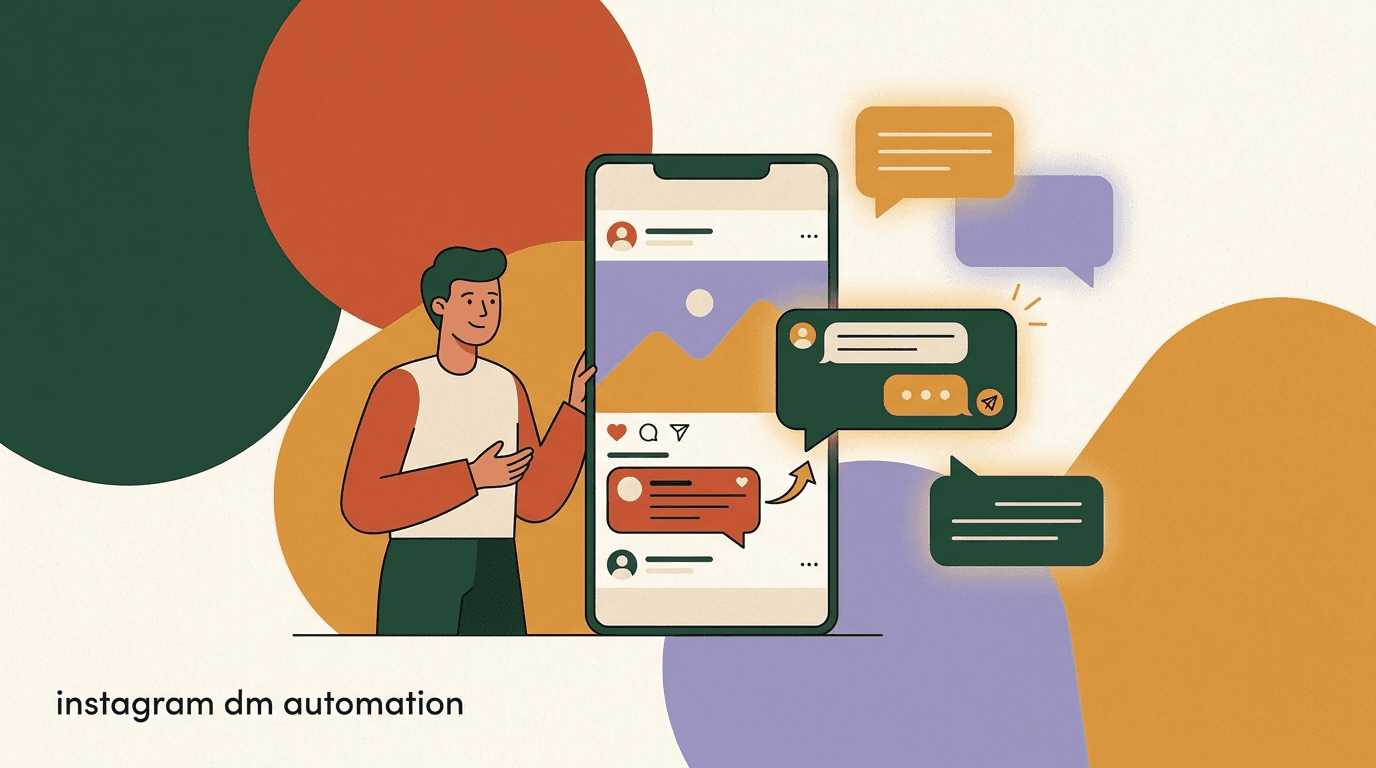
The comment-to-DM flow is the single highest-leverage automation for a creative business, and it is built for exactly the moment a post takes off. Instead of asking people to message you, you invite them to comment a keyword on the post, and the automation opens a DM with them automatically. It turns public engagement — the thing Instagram rewards and amplifies — into private, qualified conversations.
For photographers this is ideal because your best content is your work, and your work is what goes viral. A wedding gallery, a dramatic portrait, a behind-the-scenes Reel: each can carry a simple call to action that funnels interested viewers straight into your qualification flow. When the post spikes, the flow scales with it. You wake up to booked calls, not a backlog.
- Post work worth engaging withA standout gallery, a Reel, or a before-and-after. The content does the reach; the flow does the capture.
- Add a clear keyword promptComment PRICING and I will send my collections, or Comment DATE to check availability for your day.
- Auto-open the DMThe automation detects the comment, replies publicly to acknowledge, and opens a private DM with the qualification sequence.
- Qualify and routeRun the date / type / budget / location sequence, then send packages or book a call based on the answers.
Plan for the spike before it happens
If you only set up comment-to-DM after a post goes viral, you have already missed the wave. Build the flow once, attach it to your booking-driving posts, and it is ready whenever something takes off. The whole point is to be prepared for traffic you cannot predict.
What does a complete photographer DM automation flow look like?
Here is the end-to-end shape, from the moment someone messages to the moment a call is on your calendar. Think of it as a branching conversation: most leads follow the main path, and the automation peels off the ones who are not a fit so you only spend human time where it counts.
Each stage has a job. The opener buys the first reply. Qualification sorts the inbox. Package sharing answers the question everyone has but is shy to ask. Booking converts. Follow-up recovers the ones who went quiet.
| Stage | Goal | Sample message |
|---|---|---|
| Instant opener | Reply in seconds, set a warm tone | Thanks for reaching out! Tell me a little about what you are planning. |
| Qualify | Capture date, type, budget, location | Do you have a date in mind? And is this a wedding, portrait, or something else? |
| Share packages | Answer pricing without friction | Here are my collections for that kind of shoot — take a look and tell me what stands out. |
| Book | Get a call or session on the calendar | Want to hop on a quick call this week? Here are my open times. |
| Follow up | Recover quiet leads | Just checking in! Your date is still open — would you like me to hold it while you decide? |
Respect the 24-hour window
Instagram and Meta limit when you can send automated messages outside an open conversation window — generally 24 hours from the user's last message. Build your flows to work within that window and to use approved message types for anything beyond it. Following the rules keeps your account healthy.
How should you present packages and pricing in the DM?
Pricing is the question everyone wants answered and the one photographers most resist putting in a DM. The instinct to get them on a call first is understandable — you sell better in conversation. But for a lead comparing several photographers, a refusal to share any pricing reads as evasive, and they move on to someone more transparent.
The middle path works best: share a starting point or a tidy summary of collections automatically, then use the call to tailor and close. Give enough that a wildly mismatched lead self-selects out, but not so much that there is no reason to talk to you.
- Lead with a starting price or a range so under-budget leads opt out on their own.
- Send a clean one-pager or a link rather than typing prices line by line.
- Group offerings into named collections (for example, a half-day and a full-day wedding collection) so choice feels simple.
- Always pair the price with the next step: a call, a date hold, or a question about their vision.
Let price do the qualifying
A starting price is the most efficient filter you have. The leads who go quiet after seeing it were never going to book at your rate, and you just saved a discovery call. The ones who lean in already accept your range — those are the calls worth having.
Two ways to handle the pricing question
- Evasive
- I would rather discuss pricing on a call — when are you free?
- Transparent
- My wedding collections start at a set point and go up with coverage. Here is the full breakdown — want to talk through which fits your day?
How do you book the call or session automatically?
Once a lead is qualified and has seen packages, the goal is a single clear next step: a discovery call for higher-consideration work like weddings, or a direct session booking for quick portrait or studio shoots. The fewer taps between interest and a confirmed slot, the more bookings you keep.
Automation handles the offer and the scheduling handoff, but it should never feel like being passed to a machine. The flow proposes times or shares a booking link, confirms, and quietly notifies you so you can prepare. For anything emotionally significant, the automation can flag the conversation for you to take over personally.
- Offer the next step at the right momentTrigger the booking offer only after qualification and package sharing, so you are inviting genuinely warm leads to your calendar.
- Share availability or a scheduling linkConnect a booking page or propose two or three open times. KlyoChat does not run your calendar — it hands off to your scheduler — so keep that link handy.
- Confirm and set expectationsConfirm the slot in the DM and tell them what the call will cover. Predictability lowers no-shows.
- Notify yourself and prepareHave the system ping you with the lead's date, shoot type, and location so you walk into the call already informed.
Automation books the call; it is not your studio software
A DM tool gets the conversation to the point of booking and hands off to your scheduler, gallery, and payment systems. It is not a replacement for those. Be clear with yourself about the seam so you do not expect one tool to run the entire business.
What follow-up sequence recovers leads who go quiet?
Most inquiries do not say no. They go quiet — distracted, comparing options, or waiting to align with a partner. A light, respectful follow-up recovers a meaningful share of these, and almost no photographer does it consistently because doing it by hand is tedious and easy to forget. This is automation at its most valuable: the boring task you would otherwise skip.
The art is in restraint. Two or three touches, spaced out, each adding a reason to respond rather than just nudging. And every follow-up has to respect platform messaging rules, so build the sequence to live within the allowed window or to use approved message types.
| Timing | Angle | Sample message |
|---|---|---|
| Day 2 | Gentle check-in | Just floating back up — did you get a chance to look at the collections? |
| Day 5 | Scarcity, honest | Your date is still open on my side. Happy to hold it for a few days if that helps. |
| Day 10 | Soft close | No pressure at all — should I keep your date available, or are you going another direction? |
Quiet is not no
The single biggest source of recovered bookings for a photographer is a polite second message. If you do nothing else with automation, automate the follow-up you keep meaning to send and never do.
How do AI agents change DM automation for photographers?
Classic automation follows fixed rules: if someone comments a keyword, send this; if they reply, ask that. It is reliable but rigid, and it breaks the moment a lead phrases things in an unexpected way. An AI agent reads intent in natural language, so it can handle a couple who opens with a long, rambling message about their vision and still pull out the date, the type, and the location.
For a photography business, the practical win is that an AI agent sounds more like you and copes with the messy reality of real inquiries. It can answer a question about whether you shoot film, confirm you travel, and then move into qualification — all without a brittle keyword tree. Crucially, a good agent knows its limits and hands off to you when a conversation turns creative or emotional.
- Understands free-form messages instead of requiring exact keywords.
- Answers common questions (film vs digital, travel, turnaround) from a knowledge base in your words.
- Qualifies on date, type, budget, and location even when the lead volunteers it out of order.
- Hands off to you with full context the moment the conversation needs a human.
An AI agent is a triage layer, not a replacement for you
The goal is not to remove yourself from the relationship. It is to make sure every lead gets an instant, on-brand first response and a clean handoff, so the human time you do spend goes to people who are genuinely ready to talk.
How do you keep automation on-brand and compliant?
Your brand is your business as a photographer, and a clumsy bot can undercut it in one message. Two disciplines protect you: keeping the automated voice unmistakably yours, and staying inside the platform rules that keep your account in good standing.
Voice is a writing problem — use your phrasing, your warmth, your way of congratulating a couple. Compliance is a rules problem — Meta and Instagram govern when and how you can message automatically, and breaking those rules risks your reach or your account. Treat both as non-negotiable.
- Write every automated line the way you would actually text a client — read it aloud first.
- Disclose nothing fake; if an AI agent is answering, it is fine for it to simply sound like your studio.
- Stay within the 24-hour messaging window and use approved message types beyond it.
- Do not spam keywords or send unsolicited bulk DMs — both put your account at risk.
- Hand off to a human early for anything sensitive; never let a bot fumble an emotional moment.
Account health is part of the strategy
Aggressive or non-compliant automation can get your reach throttled or your account restricted — and for a photographer, your Instagram presence is your storefront. Conservative, rules-respecting automation protects the very asset that brings you leads.
What does a realistic week look like with this system running?
It helps to picture the system in motion rather than as a diagram. Here is an ordinary week for a wedding and portrait photographer who has the flows above live, contrasted with the same week without them.
The difference is not that you do less photography. It is that the administrative drag of being your own front desk largely disappears, and fewer good leads slip away while you are unreachable.
Measure one number to start
Track first-response time before and after you turn on automation. It is the easiest metric to move and the one most tied to bookings. If your median first reply drops from a day to a minute, the rest tends to follow.
A week, with and without automation
- Without
- Monday Reel does well; 30 DMs pile up while you shoot a wedding. You reply Wednesday; half have booked elsewhere.
- With
- Same Reel; comment-to-DM qualifies all 30 overnight, books 4 discovery calls, flags 2 emotional inquiries for you to handle personally
- Without
- Three quiet leads from last week forgotten; no follow-up sent.
- With
- Automated day-5 follow-up recovers one of the three; deposit paid by Friday
How does automation differ across wedding, portrait, and studio work?
Photography is not one business, and the same flow does not serve every kind of shoot. A wedding inquiry and a quick headshot booking move at completely different speeds, carry different price tags, and demand different amounts of human warmth. Tuning your automation to the vertical you actually serve is the difference between a flow that converts and one that annoys.
Weddings are the highest-consideration end of the spectrum. The booking is large, emotional, and usually decided by two people who need to align, so the automation's job is to qualify gently, share collections, and get a discovery call on the calendar — never to try to close in the DM. Portrait work sits in the middle: families, seniors, professional headshots, and personal branding sessions are considered but quicker decisions, so you can often go straight from qualification to a booked session. Studio and product work is the most transactional of all, where a clear price list and a self-serve booking link frequently close the deal with little back-and-forth.
The practical implication is that you should not build one generic flow and point every inquiry at it. Either branch the flow by shoot type early — which is exactly why shoot type is one of your four qualifying questions — or run separate flows attached to the posts that draw each kind of lead. A Reel about weddings should route into the wedding path; a post about headshot day should route into the studio path.
| Shoot type | Decision speed | Automation goal | Right next step |
|---|---|---|---|
| Wedding | Slow, emotional, two deciders | Qualify gently, share collections | Book a discovery call |
| Portrait / family / senior | Considered but quicker | Qualify and reassure | Book the session directly |
| Headshots / personal branding | Fast, practical | Confirm price and availability | Self-serve booking link |
| Studio / product | Transactional | Share price list | Direct booking with little back-and-forth |
Branch on shoot type, not on guesswork
Because you already ask shoot type during qualification, use that answer to send the lead down the right path automatically. A couple gets the wedding flow and a warm call invite; a brand client gets a price sheet and a booking link. One question, two very different — and more appropriate — experiences.
What questions do photography leads ask most, and how do you pre-answer them?
Before a lead is ready to talk price or dates, they usually have a handful of recurring questions that gate everything else. If your automation can answer these instantly and accurately, you remove the friction that makes people drift away while waiting for a reply. An AI agent with a small knowledge base of your real answers does this well; a set of well-written quick replies does it almost as well.
The point is not to bury the lead in information. It is to anticipate the two or three questions that actually stand between a curious viewer and a serious inquiry, and to answer them in your voice without making anyone wait. Every question you pre-answer is a moment you keep the lead engaged instead of letting them wander to a competitor's profile.
- Do you shoot film or digital? A quick, confident answer signals you know your craft.
- Do you travel, and what does travel cost? Location is one of your four qualifiers, so this comes up early.
- How many photos do I get, and when? Deliverables and turnaround calm a nervous client.
- Do you have my date available? The single fastest disqualifier — answer it first when asked.
- What is the deposit and is it refundable? Honesty here builds the trust a booking depends on.
Keep the knowledge base small and true
An AI agent is only as good as what you feed it. Give it your real, current answers on travel, deliverables, turnaround, and deposits — and update them when they change. A confident wrong answer is worse than no answer, so keep the knowledge base tight and accurate.
Pre-answering a gating question without a wait
- Lead
- Do you travel? We are getting married a few hours away.
- Slow human reply (next day)
- Yes I travel! Sorry for the delay — still available?
- Instant agent reply
- I travel regularly and love a destination wedding. Travel is included up to a set distance, with a small fee beyond it. What is your date and location?
How do you measure whether the automation is actually working?
It is easy to turn on a flow, feel busier, and never check whether it changed anything. Automation earns its place only if it moves numbers you care about, so decide upfront what you are tracking and look at it monthly. You do not need a complicated dashboard — four metrics tell you almost everything.
Start with first-response time, because it is the easiest to move and the most tied to bookings. Then watch the rate at which inquiries turn into qualified leads, the rate at which qualified leads turn into booked calls or sessions, and the share of quiet leads your follow-up recovers. If automation is working, the first number falls dramatically and the other three climb.
- Set a baseline before you automateRecord your current first-response time and rough booking rate for a couple of weeks. Without a baseline you cannot prove the lift.
- Review monthly, not dailyInquiry volume is spiky, so daily numbers are noise. Look at monthly trends to see the real signal.
- Fix the weakest stageIf qualified leads are not booking, your call invite or package presentation is the problem — not the opener. Improve one stage at a time.
| Metric | What it tells you | What good looks like |
|---|---|---|
| Median first-response time | How fast leads get a reply | Seconds, not hours |
| Inquiry-to-qualified rate | Whether your flow sorts leads well | Rising after launch |
| Qualified-to-booked rate | Whether warm leads convert | Steady or rising |
| Follow-up recovery rate | Bookings won back from quiet leads | Any number above zero beats no follow-up |
Attribution does not have to be perfect
You will not track every booking back to a specific message, and that is fine. A clear drop in first-response time plus a clear rise in booked calls is more than enough evidence that the system is paying for itself. Do not let perfect measurement stop you from acting on obvious signal.
What mistakes do photographers make when they first automate?
Most automation projects that fail do so for predictable reasons, and nearly all of them are avoidable. Knowing the common traps ahead of time lets you sidestep the frustration that makes photographers abandon a half-built system. None of these mistakes are about the technology — they are about how the tool is used.
The throughline is balance. Too little automation and you are back to losing leads to slow replies; too much and you sound like a machine to someone making an emotional, expensive decision. The photographers who succeed treat automation as a sharp tool for a specific job, not a way to disappear from their own business.
- Automating the whole conversation, so leads feel handled by a bot from start to finish — keep the relationship human.
- Building every flow at once, getting overwhelmed, and shipping none — start with the instant opener and expand.
- Refusing to share any pricing, which reads as evasive to comparison shoppers — share a starting point.
- Forgetting follow-up, the single most valuable and most-skipped automation — turn it on early.
- Ignoring platform rules and risking reach or account health — stay inside the 24-hour window and approved message types.
- Never testing the flow on themselves, so a real client finds the awkward dead end first — walk every branch before launch.
The biggest mistake is set-and-forget
Your packages change, your availability changes, and your voice evolves. An automation you built once and never revisited will eventually quote stale prices or sound off-brand. Schedule a quick review every few months to keep the flows current and unmistakably yours.
Where does KlyoChat fit for a photography business?
We built KlyoChat for exactly this kind of work, so here is the honest version of where it helps and where it does not. KlyoChat is an AI-native, mobile-first tool with a unified inbox across Facebook, Instagram, Telegram, WhatsApp, TikTok, and X. For a photographer living on Instagram, that means inquiries from every channel land in one place you can manage from your phone between shoots.
The pieces that map directly to this playbook: comment-to-DM funnels to catch viral-post traffic, no-code flows for the qualification and follow-up sequences, and AI agents that qualify, book, and hand off to you with context. Because pricing is flat, a post that goes viral and floods you with inquiries does not spike your bill — which matters a lot for a business whose growth is lumpy and unpredictable.
- Flat pricing means a viral month does not surprise you with a bigger invoice.
- AI agents qualify and book, then hand off to you for the creative conversation.
- One mobile inbox for every channel, so you can manage leads between shoots.
| Playbook need | KlyoChat | Notes |
|---|---|---|
| Catch viral-post inquiries | Comment-to-DM funnels | Built for spiky creative traffic |
| Qualify date / type / budget / location | AI agents + no-code flows | Handles free-form messages |
| Share packages | Flows send links / PDFs | You host the files |
| Book the call | Hand off to your scheduler | Not a calendar of its own |
| Predictable cost during a spike | Flat pricing | A viral post does not raise the bill |
Honest limits, plainly stated
KlyoChat has no native SMS or email — it is built for social DM. It is not a gallery, a contract tool, or a payment system; it hands off to those. And as a newer product, the community is smaller than the oldest platforms. If those gaps matter to your setup, weigh them before switching.
KlyoChat plans at a glance
- Basic
- $19/mo — for a solo photographer getting started
- Pro
- $49/mo ($39 billed yearly) — all channels, custom AI agents
- Business
- $129/mo — for a studio with a team and higher volume
- Trial
- 7-day free trial, no credit card required
How do you roll this out without overwhelming yourself?
You do not need the full system on day one. The fastest path to value is to ship the highest-leverage flow first, prove it works, and add the rest once you trust it. Trying to build everything at once is how photographers start an automation project and abandon it.
Start where the leak is biggest — usually the slow first reply and lost viral traffic — and expand from there. Each flow you add should earn its place by recovering bookings you were previously losing.
- Ship the instant opener firstAn automatic, on-brand first reply to any new DM. This alone moves your response time from hours to seconds.
- Add comment-to-DM on your best postsAttach a keyword funnel to the posts that drive inquiries so viral traffic gets captured automatically.
- Layer in qualificationAdd the date / type / budget / location sequence so your inbox sorts itself before you ever read it.
- Turn on follow-up lastOnce the front end works, automate the day-2, day-5, day-10 recovery touches and watch quiet leads come back.
Test it on yourself
Before you point a flow at real clients, message your own account and walk through every branch. You will catch the awkward line or the dead end in five minutes — far better than a couple finding it first.
The takeaway is simple: as a photographer, your leads arrive on Instagram at the worst possible times, and the booking goes to whoever answers first and makes the next step easy. Photographer Instagram automation does not replace the relationship that sells your work — it protects the front door so that relationship can even begin. Instant replies, clean qualification, transparent packages, easy booking, and the follow-up you never get around to sending: that is the whole system.
Build the instant opener first, attach comment-to-DM to your best work so a viral post becomes booked calls instead of a backlog, then layer on qualification and follow-up. Whether you do it with KlyoChat or another tool, the principle holds — be the photographer who answered first, sounded like a person, and made it frictionless to take the next step. For more, see our guides on real estate DM automation, salon booking chatbots, and the broader Instagram DM automation walkthrough.