Instagram story reply automation is the practice of turning a viewer's reaction to your story — a quick reply, a sticker tap, a poll vote, or an emoji slider — into an automatic DM conversation. Someone watches your story, taps to respond, and instead of that message sitting unread for hours, a flow opens, answers, and moves them toward whatever you offer. It is the most underused trigger in Instagram automation, because most people think of automation as comment-to-DM on a feed post or a Reel and forget that Stories generate far more low-friction interactions every day.
This guide is a setup walkthrough, not a theory piece. We will cover how story-reply triggers actually fire, which sticker prompts reliably drive replies, how to build the auto-DM follow-up step by step, how to qualify the people who respond, and how to measure whether any of it works. Stories behave differently from feed posts and Reels — the interactions are private, time-limited, and tied to a story that vanishes in 24 hours — so the playbook is specific to that surface.
Full disclosure: we build KlyoChat, a tool that does this kind of automation. We have kept the platform-neutral steps genuinely neutral, called out Instagram's rules where they matter, and only pitched our own product in one clearly marked section near the end. The 24-hour messaging window is a recurring theme because it is the rule that makes or breaks every story funnel, and we treat it as a constraint to design around, not a loophole to dodge.
What is Instagram story reply automation, exactly?
When you post a story, viewers can interact in several ways: send a text reply, react with an emoji, tap an answer on a poll or quiz sticker, drag an emoji slider, or respond to a question sticker. Every one of those interactions lands in your DMs as a message thread. Story reply automation listens for those interactions and fires a flow — an automatic DM — in response, without you touching the inbox.
The mechanics matter. A story-reply trigger watches your account's incoming story interactions and matches them against a rule you set. The rule can be broad (any reply to this story) or narrow (a reply that contains a specific keyword, or a tap on a specific poll option). When the rule matches, the connected flow sends a DM. Because the person messaged you first, you are inside Instagram's standard messaging window and allowed to respond.
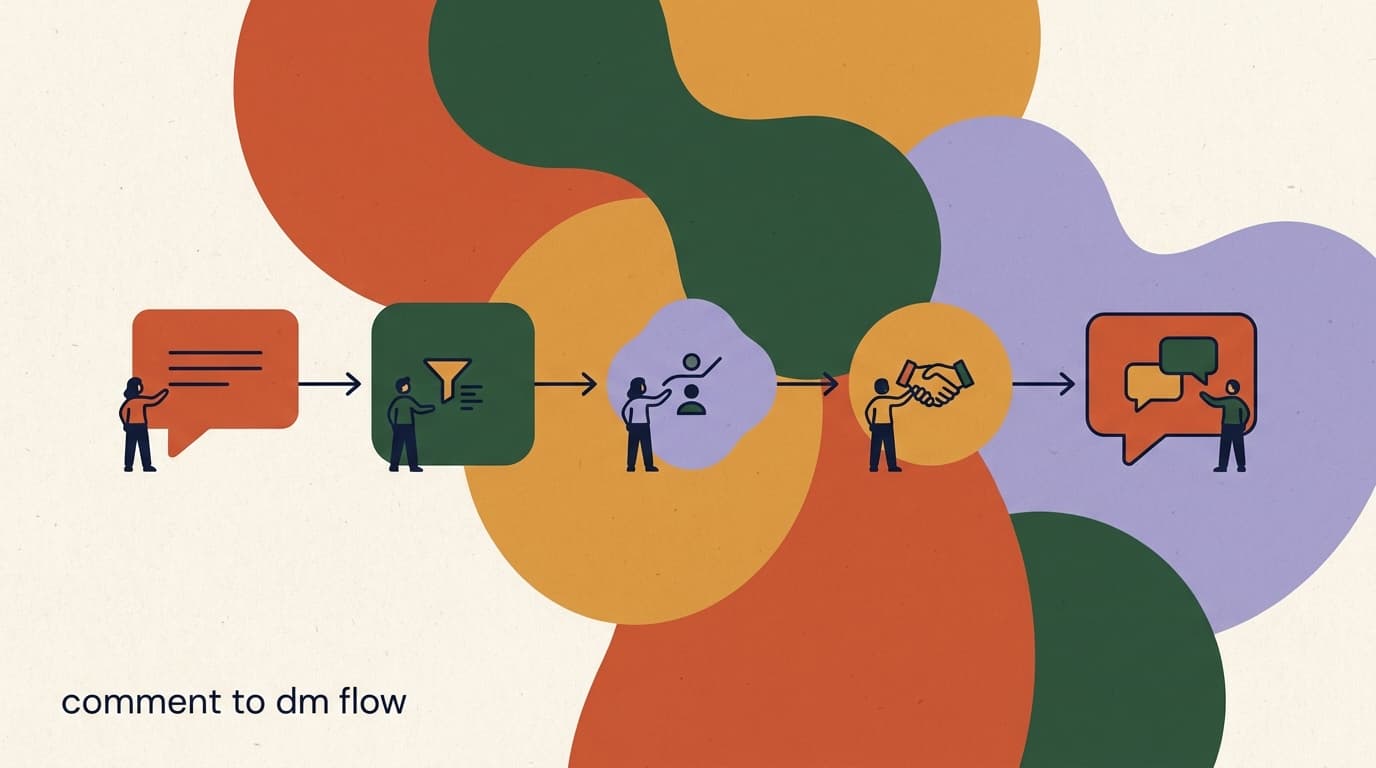
This is distinct from comment-to-DM, where the trigger is a public comment on a feed post or Reel, and the automation often replies publicly first before moving to DMs. Story interactions are private from the start, time-limited to the story's 24-hour life, and usually higher-intent because the viewer chose to respond to something ephemeral. The funnel design changes accordingly.
It helps to think of a story reply as a hand raised in private. On a public post, a comment is partly performance — people comment to be seen, to join a thread, or because you asked them to drop an emoji. A story reply has no audience. Nobody else sees that the viewer voted on your poll or typed a word back to you. That privacy strips out the performative noise and leaves a cleaner signal: the people who interact with a story are, on average, doing it because they actually want the thing you offered, not because they want to be visible doing it.
That single difference shapes every downstream decision. Because the intent is cleaner, you can ask a more direct follow-up question sooner. Because the interaction is private, the conversation feels personal from the first message instead of like a public broadcast. And because the story expires, you have a natural reason for urgency that does not feel manufactured — the offer really was tied to a story that is now gone, which makes the follow-up DM feel timely rather than pushy.
| Surface | Trigger | Privacy | Lifespan |
|---|---|---|---|
| Story reply | Reply, reaction, sticker tap, poll vote | Private (DM only) | Story lives 24h |
| Feed comment | Public comment with keyword | Public then private | Permanent post |
| Reel comment | Public comment with keyword | Public then private | Permanent, high reach |
Story replies open the messaging window
Because a story reply is the viewer messaging you first, you are inside the standard 24-hour messaging window and free to send an automated DM back. The window starts at their reply, not at your story post. Design your follow-up to land well within it.
How do story-reply triggers actually work?
A trigger is the condition that starts a flow. For Stories, the trigger fires on an incoming interaction tied to a story you posted. Most automation tools let you scope the trigger so it does not fire on every random reply you ever receive, which keeps the automation relevant and keeps you compliant.
There are three common scoping levels, from broadest to narrowest, and choosing the right one is the difference between a clean funnel and a flood of irrelevant DMs.
The reason scoping matters so much is that Stories collect a lot of incidental replies that have nothing to do with your offer. People react to your face, your dog, your background, a typo, or send a one-word hello. If your trigger fires on absolutely everything, those people get dropped into a flow built for a specific lead magnet, which confuses them and burns your credibility. A well-scoped trigger only engages people whose action actually matches the intent the flow is designed for.
- Any reply to a specific story — fires when anyone responds to one chosen story. Good for a one-off launch story where every reply is in scope.
- Keyword in the reply — fires only when the text contains a word you chose, such as GUIDE or PRICE. Good for prompts that explicitly tell viewers what to type.
- Sticker interaction — fires on a poll vote, quiz answer, or emoji-slider response. Good for low-effort taps where viewers will not type anything at all.
Match the trigger to the prompt
If your story asks viewers to type a keyword but your trigger fires on any reply, people who just send an emoji get the wrong flow. If you ask for a poll tap but your trigger only watches keywords, the taps go nowhere. The trigger and the on-screen prompt must describe the same action.
Three trigger scopes for one launch
- Broad
- Any reply to the launch story → send the offer DM to everyone who responds
- Keyword
- Reply contains LAUNCH → send the offer DM only to people who typed the word
- Sticker
- Poll answer Yes, I want in → send the offer DM to that segment only
Which sticker prompts drive the most replies?
Automation only matters if people interact in the first place. Stories give you several native stickers, and each one suits a different ask. The goal is to lower the effort required to respond while still capturing intent you can act on. A tap is easier than typing, but a typed keyword carries more signal. Pick based on how much friction your audience will tolerate.
Below is how the main interaction types compare for driving automated replies. Effort is from the viewer's side; signal is how much intent the response gives you to qualify against.
One nuance worth internalizing: the easiest prompts produce the most responses but the weakest signal, and the hardest prompts produce fewer responses but the strongest signal. An emoji slider will get dragged by people who are barely paying attention; a typed keyword filters down to people who cared enough to act on an instruction. Neither is better in the abstract. If your goal is to re-warm a large cold audience, you want volume, so lean easy. If your goal is to find a handful of qualified buyers, you want signal, so lean harder. Most mature story funnels actually chain the two — a low-effort prompt to start the conversation, then a higher-effort question once someone is already in the DM.
- Use a poll when you want volume and a simple split — Yes/No is enough to route two flows.
- Use a question sticker when the reply text itself is valuable, like asking what someone is stuck on.
- Use a keyword prompt when you want an unambiguous opt-in for a lead magnet or a discount.
- Use an emoji slider as the lightest possible ask to re-warm an audience before a harder offer.
| Prompt type | Viewer effort | Intent signal | Best for |
|---|---|---|---|
| Poll sticker | Very low (one tap) | Medium | Yes/no offers, quick segmentation |
| Question sticker | Medium (typing) | High | Capturing a specific need or question |
| Quiz sticker | Low (one tap) | Medium-high | Qualifying by knowledge or fit |
| Emoji slider | Very low (drag) | Low | Warming up cold viewers, soft intent |
| Type a keyword | Medium (typing) | High | Lead magnets, clear opt-in |
Tell viewers exactly what to do
Stories are watched fast and muted. Put the instruction in plain on-screen text: Tap the poll or Reply GUIDE. Ambiguous prompts get ignored. The clearer the ask, the higher the reply rate, and the cleaner your trigger matching.
How do you write a story prompt that actually gets replies?
The prompt is the story itself — the image or video plus the sticker plus the on-screen instruction. Automation cannot save a prompt nobody responds to, so this is where to spend real effort. A good prompt does three things in the few seconds a viewer gives it: it makes a clear promise, it names the exact action, and it removes any reason to hesitate. Get those three right and your reply rate climbs regardless of which tool runs the flow behind it.
Start with the promise. Viewers need to know what they get for replying, and they need to know it before they commit. A vague Reply if interested gives no reason to act. A specific Reply GUIDE and I will send the 5-step setup checklist tells them exactly what arrives. The more concrete and immediate the payoff, the more taps you get.
Then name the action in plain language, because Stories are scrolled fast and watched on mute. Do not assume the sticker explains itself. If you want a poll vote, the on-screen text should say Tap below. If you want a keyword, it should show the word in caps so it is impossible to miss. Spelling out the action removes the small cognitive cost that kills otherwise-willing replies.
Finally, remove friction. One ask per story. No multi-step instructions. No asking people to also follow, also share, and also reply. Each extra requirement halves your response. The single most reliable way to raise reply rate is to subtract from the prompt, not add to it.
- Lead with the payoff, not the product: what the viewer receives, stated plainly.
- Show the exact action on screen — the keyword in caps or an arrow to the sticker.
- Limit it to one ask; every extra requirement lowers the reply rate.
- Design for mute and speed: assume no sound and a two-second glance.
Reuse the prompt that wins
Once a prompt produces a strong reply rate, turn it into a repeatable story template you post regularly. The interaction surface is ephemeral, but a winning prompt is an asset — keep posting it, with small variations, rather than reinventing the wheel each time.
Weak prompt versus strong prompt
- Weak
- DM me if you want my course — too vague, no payoff, unclear action
- Better
- Reply COURSE for the free first lesson — clear word, clear payoff
- Strong
- Tap the poll: Want the free first lesson? Yes / Maybe — one tap, instant promise, segmented
Step-by-step: set up your first story reply automation
Here is the core build, start to finish, in a tool-neutral way. The exact button names differ by platform, but the sequence is the same everywhere. You will create a trigger, connect a flow, write the DM, and test it before any real viewers hit it.
- Connect your Instagram professional accountStory automation requires a Business or Creator account linked to a Facebook Page and connected to your tool via official login. Personal accounts cannot run it.
- Create the story-reply triggerChoose the trigger type that matches your prompt: any reply to a story, a keyword in the reply, or a sticker interaction. Scope it as narrowly as your prompt allows.
- Write the first auto-DMKeep it short, acknowledge their action, and deliver value or a next step immediately. People expect a fast reply after they engage with a story.
- Add a single clear call to actionOne link, one question, or one button. Asking for two things at once in the first DM lowers response. Save the second ask for after they reply.
- Test with your own accountPost a real story, respond to it from a second account, and confirm the DM fires within seconds and reads correctly. Fix any mismatch before promoting the story.
- Publish the story and monitor the first hourWatch the first batch of real interactions. Check that the trigger is matching, the DM is sending, and replies are landing in your inbox for handoff.
Stories expire; the automation should not
Because a story is gone in 24 hours, tie the trigger to the story while it is live, but make sure conversations that started before it expired can still be continued. The 24-hour story life and the 24-hour messaging window are separate clocks — the messaging window restarts each time the person replies again.
Step-by-step: build the auto-DM follow-up flow
The first DM is just the opener. A good story funnel continues the conversation based on how the person responds, so it feels like a chat rather than a one-shot blast. This is the follow-up flow, and it is where most of the value lives. Build it as a short branching sequence, not a long script.
- Open with acknowledgement and valueConfirm what they did and give them what they came for. Example: Thanks for tapping the poll — here is the guide you asked for.
- Branch on their replyIf they reply with interest, send the next step. If they go quiet, set a single gentle follow-up. Do not stack multiple unprompted messages.
- Ask one qualifying questionFind out fit with a single question they can answer in a tap or a few words. This sorts buyers from browsers without feeling like an interrogation.
- Route based on the answerHigh-intent answers go to a booking link, checkout, or a human. Low-intent answers go to a nurture path or a piece of content.
- Hand off to a person when neededAutomation should know its limit. When someone asks something the flow cannot handle, route the thread to your inbox with the context attached.
Write like a person, not a brochure
Story repliers chose a casual, low-stakes interaction. Match that energy. Short sentences, one idea per message, and a real question they can answer keep the conversation alive far better than a polished paragraph.
Sample follow-up DM sequence (keyword: GUIDE)
- DM 1
- Thanks for replying GUIDE. Here is the link: [url]. Want me to send the 2-minute setup tip too?
- If yes
- Great — here it is: [url]. Quick question: are you setting this up for yourself or a team?
- If team
- Got it. I will share the team checklist. Want a quick call to walk through it?
- If quiet 24h
- No rush — the guide link above stays active. Reply here anytime if you get stuck.
How do you qualify people who reply to a story?
Not every story reply is a lead. Some are fans, some are mildly curious, some are ready to buy. Qualification is the step that sorts them so you spend human time on the right threads and let automation nurture the rest. With Stories, you can qualify in two places: at the prompt itself, and in the follow-up flow.
Qualifying at the prompt means the sticker or keyword already segments people. A poll that asks Are you looking to buy this month? splits your repliers before a single DM goes out. Qualifying in the flow means asking a follow-up question and routing on the answer. The strongest funnels do both — a coarse split at the sticker, a finer split in the DM.
The discipline here is to ask only what you will act on. It is tempting to interrogate everyone with three or four questions, but each question you add loses people, and information you never use is just friction. Decide in advance what determines fit for your offer — usually one or two variables like timeline, budget, or role — and ask only those. Everything else can wait until a human is in the conversation.
Tagging is what makes qualification compound over time. Every answer should leave a label on the contact: the poll option they chose, the question they answered, the path they took. Those tags are not busywork; they are the segments you will use later for a broadcast, an audience for retargeting, or a list to exclude from the next promotion. A story funnel without tagging captures intent once and forgets it; one with tagging builds an asset every time it runs.
- Qualify at the sticker: design poll or quiz options that map to intent levels, then trigger a different flow per option.
- Qualify in the flow: ask one fit question (budget, timeline, role, or use case) and branch on it.
- Tag as you go: apply a tag for each answer so you can segment later for broadcasts or retargeting.
- Set a human-handoff rule: any reply that signals high intent or confusion should route to a person, not another bot message.
Qualification ladder for a coaching offer
- Sticker split
- Poll: Ready now / Just curious — two flows
- Flow question
- What is your biggest blocker right now?
- High intent
- Route to calendar link + tag hot-lead
- Low intent
- Send free resource + tag nurture
What does a story funnel look like for different businesses?
The mechanics are universal, but the offer and the routing change with what you sell. Seeing a few concrete shapes makes it easier to adapt the pattern to your own account. Each of these uses the same building blocks — a prompt, a trigger, a follow-up flow, qualification, and a goal — arranged for a different outcome.
Below are five common shapes. None of them require a different tool; they are the same primitives pointed at different goals.
- Creators lean on low-effort poll prompts because their audiences are large and casual, then qualify hard in the DM.
- Product brands tie the prompt to a time-limited drop, which makes the expiring story a genuine reason to act now.
- Service businesses use question stickers to collect the details a quote needs before a human ever replies.
- Anything with multiple offers benefits from a quiz that routes each answer to a different follow-up flow.
| Business type | Story prompt | Goal of the funnel |
|---|---|---|
| Creator / coach | Tap the poll for the free training | Book a discovery call or sell a course |
| D2C product brand | Reply DEAL for the launch discount | Send a code and drive checkout |
| Local service | Question sticker: what do you need quoted? | Capture details and book the job |
| Info product | Quiz sticker to find your starting point | Route to the right offer by answer |
| Agency / B2B | Reply AUDIT for a free teardown | Qualify by role and book a call |
Adapt the pattern, not just the copy
Do not copy a creator's funnel for a B2B agency. The prompt friction, the qualifying question, and the routing should all match how your buyers actually decide. The skeleton is shared; the joints are yours to set.
D2C launch funnel, end to end
- Story
- New drop teaser + Reply DEAL for early access
- Trigger
- Keyword DEAL in a story reply
- DM 1
- Here is your code EARLY10 and the link: [url]
- Qualify
- First time or returning? — tag accordingly
- Goal
- Checkout, with returning customers offered a bundle
Why does the 24-hour window matter for story funnels?
Instagram allows you to send automated and free-form messages to someone for 24 hours after their last message to you. This is the standard messaging window, and it is the single rule that governs every story funnel. As long as your automation responds inside that window, you are operating within Instagram's intended use. Step outside it without an approved message type, and you risk blocked messages or account restrictions.
The practical implication is timing. Your auto-DM should fire fast — within seconds of the reply — so the conversation happens while attention and the window are both fresh. If your follow-up depends on the person replying again, each reply restarts their 24-hour clock, which is why branching flows that invite a response are healthier than one-way blasts that go silent.
Treat the window as a design constraint, not an obstacle. Funnels that respect it tend to perform better anyway, because they move quickly and stay conversational instead of drip-feeding messages into a cold thread days later.
A useful mental model: the window is a conversation, not a campaign. In a campaign you send on your schedule; in a conversation you respond to theirs. The whole reason story automation is allowed is that it is the latter — the person reached out, and you are replying. The moment your messages stop being replies and start being broadcasts you decided to send, you have left the spirit of the rule, and usually the letter of it too. Keep every message a genuine response to something the person did, and the window takes care of itself.
This is also why a single follow-up after silence is fine but a sequence of them is risky. One nudge — sent inside the window, referencing what they originally asked for — reads as helpful. Three or four scheduled messages to someone who went quiet reads as the campaign behavior the window exists to prevent. When in doubt, send less and let your inbox handle the people who re-engage.
Respect Meta's rules and the window
Do not use automation to send unsolicited messages, mass-DM people who never engaged, or push past the 24-hour window with promotional content. Beyond the window, only approved message types are allowed. Staying conversational and prompt keeps your account safe and your funnel effective.
Bridge: story mention automation and reshares
There is a second story trigger worth knowing: story mentions. When someone tags your account in their own story, that mention lands in your DMs, and you can automate a response — a thank-you, a reshare prompt, or a small reward. This is story mention automation, and it turns user-generated content into a loop instead of a one-off.
The mechanics mirror story replies: the mention is the person messaging you, so the 24-hour window opens, and you can send an automatic DM back. It is especially useful for product brands and creators whose audience tags them organically. Acknowledge the mention quickly, and you encourage more of them.
- Trigger on incoming story mentions and send a thank-you DM with a small ask, like a discount code for sharing.
- Offer to reshare their story to your own, which rewards the mention and feeds your story queue with social proof.
- Tag mentioners so you can build an advocate segment for future launches.
What should you measure, and what is good?
A story funnel is only as good as the numbers you can see. Vanity metrics like story views tell you reach, not results. The metrics that matter trace the path from interaction to outcome. Track them story by story so you can compare prompts and improve.
Here are the core metrics, what each one tells you, and where to look when it is low. We deliberately avoid promising specific benchmark percentages, because they vary wildly by audience, offer, and niche — measure your own baseline and beat it.
Read the metrics as a chain, because that is how a funnel breaks. If reply rate is healthy but delivery is low, the problem is technical — your trigger or connection. If delivery is fine but the open rate is poor, the problem is timing or the first line. If people open but never reply again, the problem is your CTA or your question. Diagnosing in sequence saves you from rewriting the offer when the real issue was a misconfigured trigger, or from fiddling with triggers when the real issue was a boring opening message.
- Set one goal per storyDecide the single action that counts — a click, a booking, a purchase, a tag applied. Measure against that, not against views.
- Track each prompt as an experimentNote the sticker type and copy for each story so you can attribute reply-rate changes to the prompt, not luck.
- Review the inbox, not just the dashboardRead a sample of real threads weekly. Numbers show what happened; the conversations show why.
| Metric | What it tells you | If it is low, check |
|---|---|---|
| Reply rate | Share of viewers who interacted | The prompt clarity and the ask friction |
| DM delivery rate | Auto-DMs that actually sent | Trigger scope and account connection |
| DM open/read rate | Whether the first DM gets seen | Send speed and opening line |
| Reply-to-flow rate | People who continued past DM 1 | The CTA and qualifying question |
| Conversion rate | Repliers who took the goal action | Routing and the offer itself |
Compare prompts, not promises
Ignore generic benchmark claims. Run the same offer with a poll one week and a keyword the next, and let your own reply rate decide which prompt your audience prefers. Your baseline is the only honest benchmark.
Common mistakes that kill story funnels
Most failed story automations fail for the same handful of reasons, and all of them are fixable. Knowing them in advance saves you the first round of mistakes.
- Vague prompts: viewers do not know what to do, so they do not respond. Spell out the action on screen.
- Trigger and prompt mismatch: you ask for a tap but listen for a keyword, so taps go nowhere.
- Slow or robotic first DM: a delayed, brochure-style message kills the casual momentum of a story reply.
- Over-messaging: stacking multiple unprompted DMs feels spammy and risks the account.
- No human handoff: high-intent or confused repliers hit a dead end when the bot cannot help.
- Ignoring the 24-hour window: trying to push promos days later, outside the window, with disallowed message types.
- Measuring views instead of outcomes: optimizing the wrong number leads you to the wrong conclusions.
Start with one story, one prompt, one flow
Do not build ten flows on day one. Ship a single story with a single clear prompt and a three-message follow-up. Get that working and measured, then expand. Complexity added before the basics work just hides what is broken.
How does KlyoChat handle story reply automation?
We built KlyoChat as an AI-native, mobile-first inbox, and story-reply triggers are a first-class part of it — not a bolt-on. You connect Instagram alongside Facebook, Telegram, WhatsApp, TikTok, and X in one unified inbox, set a story-reply trigger, and build the follow-up flow in a no-code builder. Comment-to-DM triggers live in the same place, so your Stories, feed posts, and Reels funnels sit side by side.
Two things tend to matter most for story funnels specifically. First, KlyoChat's custom AI agents are included in your plan, so the follow-up flow can handle free-form replies and qualifying questions in your brand voice instead of breaking on anything off-script — and it knows when to hand off to a person. Second, you can build and edit flows from your phone, which fits how Stories actually get made: in the moment, on mobile, between other things.
The AI part deserves a plain explanation, because it is where story funnels most often fall apart on rigid tools. A keyword-only flow assumes everyone types the exact word and answers questions in the exact format you expected. Real story repliers do not. They paraphrase, they ask a side question, they reply with a sentence instead of the option you offered. A scripted flow either ignores that or sends the wrong branch. An AI agent reads the actual message, answers in context, qualifies from a free-form reply, and routes to a human when it hits something it should not handle. Because it is included rather than a paid add-on, you can use it on every flow instead of rationing it.
We are honest about where this fits. If your whole strategy depends on native SMS or email sequences, KlyoChat is not the tool — we do not offer those, and you should pick something that does. And we are a newer, smaller community than the largest incumbents, so you will find fewer third-party templates and YouTube tutorials. What you get in exchange is the story-reply trigger, the AI, and the mobile builder bundled together at a flat price, which for an Instagram-first creator or brand is usually the trade worth making.
- Story-reply and comment-to-DM triggers, no-code flow builder, and templates in one tool.
- Custom AI agents are included, so qualification and free-form replies work without a separate add-on.
- Honest limits: KlyoChat does not do native SMS or email, and we are a newer, smaller community than the largest incumbents.
- Whatever tool you choose, respect Meta's rules and the 24-hour window — that part is on all of us.
| What you need for story funnels | KlyoChat |
|---|---|
| Story-reply + comment-to-DM triggers | Both built in |
| AI to handle free-form replies | Custom AI agents included |
| Build flows on your phone | Mobile-first builder |
| One inbox across channels | FB, IG, Telegram, WhatsApp, TikTok, X |
| Templates to start fast | Flow templates included |
We build KlyoChat, so this section is a pitch
Everything above this section is tool-neutral and works wherever you automate. This part describes our product honestly, limits included. If Instagram plus AI in a mobile inbox is your core need, it is a fit; if you need native SMS or email, it is not.
KlyoChat plans at a glance
- Basic
- $19/mo — entry plan for a small setup
- Pro
- $49/mo ($39 billed yearly) — all channels, 10,000 contacts, custom AI agents
- Business
- $129/mo — higher limits, API, integrations
- Trial
- 7-day free trial, no credit card
Instagram story reply automation works because it meets viewers where they already are — tapping, voting, and replying to ephemeral content with low friction — and turns those small actions into real conversations. Set a trigger that matches your prompt, design a sticker ask that is easy to answer, build a short branching follow-up that qualifies and routes, and keep everything inside the 24-hour window. Then measure outcomes, not views, and improve one prompt at a time.
Start small: one story, one clear prompt, one three-message flow, tested from a second account before you promote it. Once that loop works and you can see the numbers, layer in qualification, AI handling of free-form replies, and story mention automation. For the broader picture, see our Instagram DM automation guide, the comment-to-DM flow tutorial, and the Reels comment automation walkthrough.