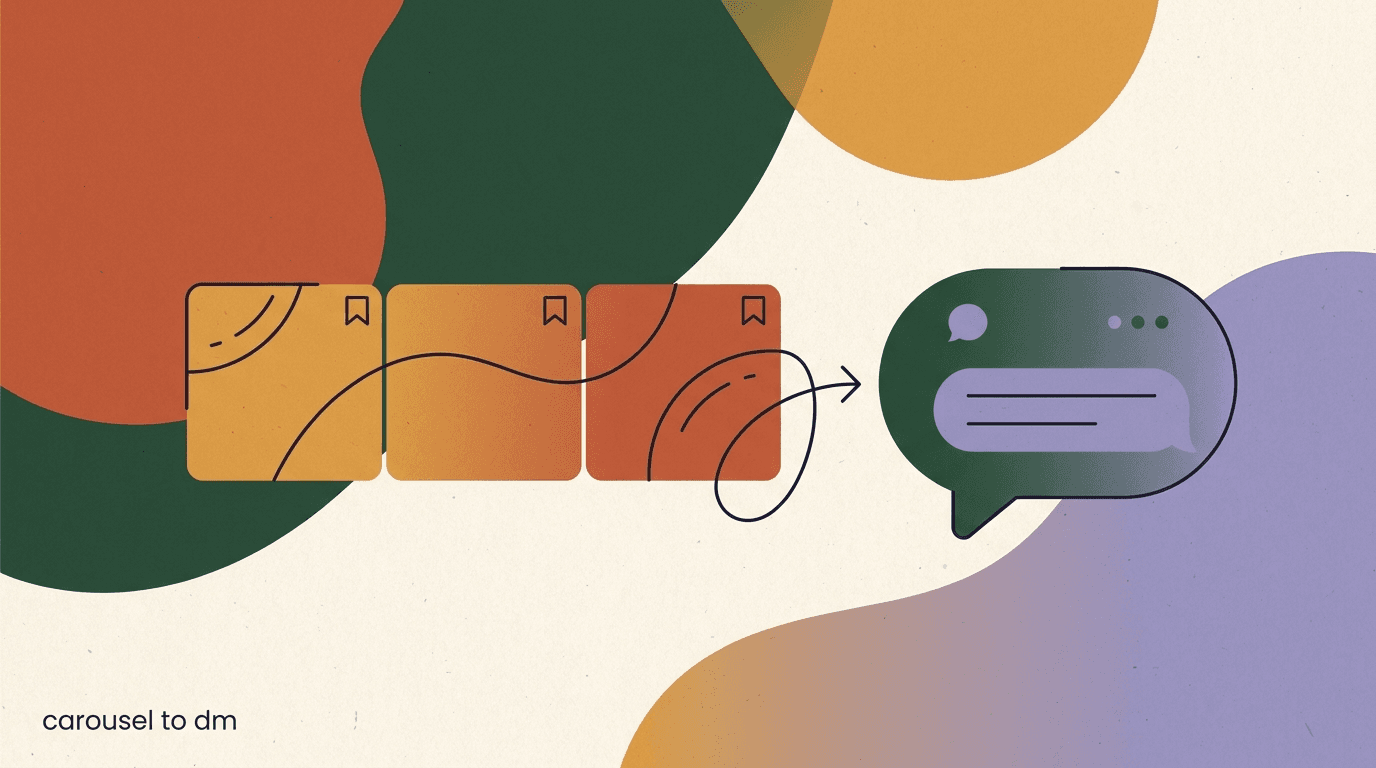
An Instagram carousel to DM funnel is one of the most reliable ways to turn a piece of educational content into a real conversation. The mechanics are simple: you publish a carousel that people save and comment on, you ask for a specific comment near the end, and when someone leaves that comment your automation sends them a direct message with the resource you promised. Saves and comments are two of the strongest engagement signals on the platform, and a carousel is purpose-built to earn both. That combination — a format people save and an offer that lives in the DMs — is what makes this funnel work.
This guide walks through the whole thing end to end. We will cover why carousels feed a DM funnel better than most other formats, how to design a carousel that earns the comment you need, what the comment call to action should say, how comment-to-DM capture actually works inside Meta's rules, what the first message should contain, how to deliver the promised resource without tripping policy, and how to nurture the people who raised their hand. There are examples for both the carousel and the DM copy, so you can adapt them rather than start from a blank page.
A note on honesty before we begin. We build KlyoChat, so we have a stake in this. We have kept the platform claims to what Meta publishes and what the tools actually permit. Automation on Instagram runs on a comment trigger and a 24-hour messaging window, and we will be clear about where those boundaries sit. No trick gets around them, and anyone who promises otherwise is setting you up for a policy problem.
Why do carousels make better DM funnels than single posts?
Every content format on Instagram produces engagement, but not every format produces the right kind. A carousel to DM funnel leans on two behaviors specifically — saving and commenting — and carousels are unusually good at generating both. A save is a private signal that someone found the content worth returning to. A comment is a public signal that pushes reach. When your funnel asks for a comment as the trigger, you want a format that people are already inclined to comment on, and multi-slide carousels give readers more reasons to respond than a single image or a passing Reel.
The structural reason is dwell time. A carousel asks the viewer to swipe, and each swipe is a small commitment that keeps them on your post longer. Longer dwell time correlates with stronger distribution, and it also gives you more room to build toward an offer. You are not compressing a full idea into one frame — you have eight to ten slides to teach something useful, earn trust, and then make a specific ask on the final slide. That final-slide ask is the hinge the whole funnel turns on.
Saves matter for a second reason that is easy to miss. A save means the content solved a problem the viewer expects to have again. That is exactly the person you want in your DMs, because they have a recurring need your resource can serve. A carousel that earns a high save rate is not just performing well on a vanity metric — it is pre-qualifying an audience that wants more depth than the post itself can hold. The DM is where that depth lives.
Finally, carousels are evergreen in a way that suits a funnel. A strong educational carousel keeps surfacing in search and suggested content for weeks or months. Because the comment trigger keeps running, the same post can capture leads long after you published it. A Reel might spike and fade; a carousel with a clear comment CTA can keep feeding your DMs quietly in the background. For the wider picture of how different formats hand off to messaging, our piece on the broader content-to-DM strategy maps each format to its strengths.
What exactly is a carousel-to-DM funnel?
A carousel to DM funnel is a repeatable path from a saved carousel post to a private conversation you can nurture. It has four moving parts, and each one has a job. The carousel earns attention and a save. The comment CTA converts that attention into a public trigger word. The comment-to-DM automation catches the trigger and opens the message. The resource and follow-up turn that opened message into a relationship. Miss any one part and the funnel leaks.
It helps to see the parts laid out against what each one is responsible for. The mistake most people make is over-investing in the carousel design and under-investing in what happens after the comment lands. The post gets someone to raise their hand; everything after the comment decides whether that hand-raise becomes a lead or a dead end.
| Stage | What happens | The job it does |
|---|---|---|
| Carousel | Multi-slide educational post people swipe and save | Earns attention and pre-qualifies a warm audience |
| Comment CTA | Final slide asks for a specific keyword comment | Converts passive saves into a public trigger |
| Comment-to-DM capture | Automation detects the keyword and opens a DM | Moves the person from public post to private inbox |
| Deliver + nurture | First DM sends the resource, follow-ups continue | Turns a hand-raise into a lead and a relationship |
The funnel is only as strong as its weakest stage
A brilliant carousel with a vague comment CTA underperforms a decent carousel with a sharp one. Before you polish slide design, make sure the ask, the trigger word, and the first DM are locked. Those three cheap fixes usually move the needle more than better graphics.
Which carousel topics generate the most saves and comments?
Not every topic saves well. The carousels that earn saves tend to be reference material — things a viewer wants to keep because they will need it again. Step-by-step processes, checklists, frameworks, comparison breakdowns, and curated resource lists all fit that pattern. The viewer thinks, I will want this later, and the save is the bookmark. If your topic is purely entertaining or purely inspirational, it may get likes but few saves, and a low save rate is a poor foundation for a carousel lead gen play.
The best funnel topics have a natural gap between what fits on the slides and what the viewer really wants. You can teach the what on the carousel and reserve the how — the template, the full checklist, the swipe file, the calculator — for the DM. That gap is what makes the comment CTA feel like a fair trade rather than a bait. When the on-post content stands on its own and the DM resource genuinely goes deeper, saves and comments both rise because the audience trusts that the payoff is real.
There is a simple filter for whether a topic will drive comments specifically: can you promise a concrete, nameable resource? A carousel titled seven email subject line mistakes can offer a swipe file of fifty subject lines that avoid them. A carousel on pricing your freelance work can offer a rate calculator. The named resource is what the viewer comments for. Vague offers like more tips do not convert, because there is nothing specific to want.
- Process and how-to carousels — the on-post teaches the steps, the DM delivers the template.
- Checklist carousels — the post lists the items, the DM sends the printable or editable version.
- Framework and mental-model carousels — the post explains the model, the DM sends the worksheet.
- Comparison and myth-busting carousels — high comment rates because people react and debate.
- Curated list and resource-roundup carousels — the DM delivers the full, linkable collection.
Pick a resource before you design a slide
Decide what the DM will deliver first, then reverse-engineer the carousel to set it up. A funnel built resource-first almost always converts better than a pretty carousel with an offer bolted on at the end.
How do you design a carousel that earns a comment CTA?
A carousel that ends in a strong comment CTA is designed backward from that ask. The final slide has a job to do, and every slide before it should build toward making that job easy. That means a hook slide that stops the swipe, a body that delivers genuine value slide by slide, and a close that transitions naturally into asking for the comment. If the value slides do not earn trust, the ask on the last slide feels like a toll booth, and people swipe away.
The first slide is the whole ballgame for reach. It has to communicate the payoff in a glance — what the viewer will know or be able to do after swiping. Specific, numbered, and slightly contrarian hooks tend to travel. The middle slides should be skimmable: one idea per slide, short lines, and enough white space that a reader moving quickly still absorbs the point. Dense slides kill dwell time because the reader gives up rather than swipes.
The transition into the CTA matters more than the CTA graphic itself. The second-to-last slide should summarize the value and hint at what is missing — the deeper resource that will not fit on a carousel. Then the final slide makes the ask cleanly: comment the keyword and I will send it to you. When the resource is a natural continuation of the content, the ask reads as generous rather than transactional. This is the same principle behind well-built comment-to-DM funnels across any format.
- Open with a payoff hookSlide one states exactly what the reader gains by swiping. Specific and numbered beats clever and vague.
- Deliver one idea per slideKeep body slides skimmable — a single point, short lines, and breathing room. Dense slides lose the swipe.
- Tease the deeper resourceOn the penultimate slide, name what will not fit on the carousel — the template, checklist, or file living in the DM.
- Make the comment ask on the last slideState the exact keyword to comment and what they will receive. Keep it to one clear sentence.
- Reinforce the ask in the captionRepeat the comment instruction in the caption so people who never reach the last slide still see it.
Put the ask in three places
Many viewers never reach the final slide, and many never open the caption. Placing the comment instruction on the last slide, in the first line of the caption, and pinned as your own first comment catches all three audiences.
What should the comment CTA actually say?
The comment CTA is a short instruction with two jobs: tell the reader exactly what to type, and tell them exactly what they get for typing it. The clearest structure is comment [KEYWORD] and I will DM you [RESOURCE]. Both variables should be concrete. The keyword should be a single, easy word that people can type without a typo, and the resource should be named specifically enough that the reader can picture it. Comment GUIDE for something useful is weak; comment TEMPLATE and I will send you the 12-email welcome sequence is strong.
Choose a keyword that is distinctive but simple. Avoid common words that appear naturally in unrelated comments, because your automation triggers on that word and you do not want to fire the DM at people who typed it by accident. A short branded or topic word — like RATES, SWIPE, or CHECKLIST — works well. Single words also reduce friction; asking people to comment a full phrase lowers your response rate because it is more effort and more chance of getting it wrong.
Match the tone of the ask to the value you just delivered. If the carousel was practical and generous, the CTA should feel like the obvious next step, not a hard pitch. A soft frame — want the full version? comment TEMPLATE — often outperforms an urgent one, because the reader already trusts you from the preceding slides. The comment is a low-commitment action, and keeping the ask low-pressure protects the goodwill the carousel built.
One keyword per post keeps triggers clean
Running one keyword per carousel makes the automation predictable and the analytics readable. If you promise two resources, use two clearly different words, and confirm each maps to the right DM before you publish.
Carousel final slide + caption CTA
- Slide 8 headline
- Want the full 30-point launch checklist?
- Slide 8 subline
- Comment CHECKLIST and I will send it straight to your DMs.
- Caption first line
- New here? Comment CHECKLIST below and the full file lands in your inbox.
- Keyword chosen
- CHECKLIST — distinctive, one word, hard to mistype
How does comment-to-DM capture work within Meta's rules?
This is where honesty matters most, because a lot of marketing around Instagram automation glosses over the boundaries. Comment-to-DM capture works through Meta's official messaging tools, which allow an approved app to detect a comment on your post and send a direct message in response. The trigger is the comment; the action is the DM. That is a supported pattern, not a loophole. But it comes with rules, and the rules are not optional — they are enforced by the platform, and ignoring them risks your account.
The most important rule is the messaging window. When someone comments and you send the automated DM, that interaction opens a window during which you can continue the conversation with standard messages. Meta defines this as roughly a 24-hour window from the person's last interaction. Inside that window, you can send your resource, ask a qualifying question, and reply naturally. Once the window closes, you cannot freely send standard promotional messages; continuing outside it requires the person to message you again or the use of approved message types under Meta's policy.
The practical consequence is that your funnel has to do its important work quickly. The first DM should fire promptly after the comment, deliver the promised resource, and invite a reply — because a reply from the person keeps the conversation active and resets the clock on further messaging. Nurture that depends on messaging someone days later, out of the blue, does not fit inside this model. We go deep on triggers and timing for the video format in our guide to Reels comment automation, and the window rules are the same across formats.
One more constraint worth stating plainly: automation has to respect people. Meta's platform policies prohibit spam and require that automated messaging serve a genuine interaction the user initiated. A comment asking for a resource is a genuine initiation; blasting unrelated promotions is not. Keeping your automation tied to an explicit comment request is both better for results and the safe side of the rules. Meta publishes the current messaging policies on its own channels, and you should confirm the live details on the official Instagram resources before you scale.
The 24-hour window is a real boundary, not a setting
You cannot extend Meta's standard messaging window by configuring a tool differently. Design your funnel to deliver value and earn a reply inside that window. Any vendor promising unlimited outbound messaging days later is describing something outside Meta policy.
What does the opening DM need to include?
The first DM is the most important message in the funnel, and it usually tries to do too much. Its core job is to deliver on the exact promise from the carousel — nothing more complicated than that. The person commented because you offered a specific resource; the opening message should confirm you heard them, hand over the resource, and give them one small next step. If it does those three things cleanly, the DM has done its job and earned the right to ask for anything else.
Start by acknowledging the comment so the message does not read like a cold blast. A short, warm opener that references what they asked for makes the automation feel personal even though it is automated. Then deliver the resource or the path to it. Then close with a light, single next step — a question they can answer, or an invitation to reply if they want more. Stacking three calls to action in the first message overwhelms people; one is plenty at this stage.
Because Meta's messaging has specific rules about links and content in automated messages, plan the delivery mechanics deliberately. Sometimes the cleanest pattern is to send the resource directly; other times you ask the person to reply first, which confirms engagement and opens room for the follow-up. The reply-first pattern has a side benefit: a reply is the strongest signal of intent you can get, and it keeps the conversation active inside the window. Whichever you choose, keep the first message short enough to read in a glance.
Deliver first, ask second
Resist the urge to gate the resource behind a question or an email signup in the first message. Give people exactly what you promised immediately. You earn far more replies by being generous up front, and a reply is what keeps the conversation alive.
Opening DM copy that delivers the promise
- Opener
- Hey! Thanks for commenting on the launch checklist post.
- Deliver
- Here is the full 30-point checklist you asked for — it covers the two weeks before and after launch day.
- Single next step
- Want me to send the companion timeline template too? Just reply YES.
- Tone
- Warm, specific, one ask — no stacked pitches
How do you deliver the promised resource without breaking policy?
Delivering the resource is a design decision, not just a copy decision, because how you hand it over interacts with the rules and with how much friction the person tolerates. There are a few common patterns, and each has trade-offs. You can send a link directly in the DM, you can direct the person to a link in your bio, or you can send the resource in stages that require a reply between steps. The right choice depends on your resource, your tolerance for friction, and how you want the conversation to continue.
The reply-gated pattern deserves special attention because it does double duty. When your first DM asks the person to reply before you send the link, that reply confirms genuine interest and keeps the interaction active inside the messaging window. It also filters out accidental triggers — someone who typed the keyword without really wanting the resource will not bother replying. The cost is one extra step, which slightly lowers completion. For a warm, engaged audience, that trade usually favors the reply gate.
Whatever the mechanism, keep the resource itself valuable and match it precisely to the promise. The fastest way to lose a lead you just earned is to over-promise on the carousel and under-deliver in the DM. If you said full template, send a full template, not a two-line summary. The DM resource is the moment the person decides whether you are worth staying subscribed to and replying to. Under-delivery here poisons every future funnel, because the audience learns your comment CTAs are not worth acting on.
| Delivery pattern | Best when | Trade-off |
|---|---|---|
| Direct link in first DM | Resource is simple and you want zero friction | Fewer replies, so the window may close sooner |
| Reply-gated link | You want to confirm intent and keep the window open | One extra step slightly lowers completion |
| Link-in-bio pointer | You prefer to keep links off automated messages | Adds navigation friction and drop-off |
| Staged multi-step delivery | The resource is a sequence or mini-course | More complex to build and to keep inside the window |
Match the resource to the promise, exactly
Over-promising on the carousel and under-delivering in the DM is the single fastest way to burn the trust you just built. If the slide said full swipe file, the DM must contain a full swipe file. Anything less trains your audience to ignore your next CTA.
How do you nurture after the resource is delivered?
Delivering the resource is not the end of the funnel — it is the start of a relationship, but a relationship bounded by the rules we covered. Nurture on Instagram is not an open-ended email sequence you can drip for weeks. It lives inside the messaging window and depends on the person continuing to engage. The realistic goal of nurture here is to earn one meaningful reply and use it to move the conversation toward whatever your actual objective is: a booking, a purchase, a newsletter opt-in, or simply a warmer follower who buys later.
The most durable nurture move is to convert the Instagram conversation into a channel you own. When someone replies engaged and interested, that is the moment to invite them somewhere with fewer messaging constraints — your email list, a booking page, a community. This is not about abandoning Instagram; it is about recognizing that the platform's window makes long-term nurture hard, so you use the warm moment to secure a durable connection. A person who just received a great resource and replied is far more likely to opt in than a cold visitor.
Within the window, keep the nurture conversational rather than campaign-like. Ask a question that helps you qualify or segment — what they are working on, what stage they are at — and let the answer guide the next message. This turns a one-way delivery into a two-way exchange, which is what the DM channel is actually good at. If your volume grows past what you can handle by hand, an AI assistant can handle first responses and simple qualification, which is where tooling earns its keep. Design these paths in a visual builder like KlyoChat flows so each branch is explicit.
- Earn a reply first — a reply keeps the window open and signals real intent.
- Ask one qualifying question to segment, rather than pitching immediately.
- Invite engaged people to a channel you own — email, booking, or community.
- Keep messages conversational and spaced, not a rapid-fire campaign.
- Hand repetitive first-response work to an AI assistant once volume grows.
The window rewards moving to owned channels
Because Meta's messaging window limits long-term outbound, the highest-value nurture step is often capturing an email or booking while the person is warm. Use the DM to earn that opt-in, then continue the relationship where you set the schedule.
What does a full carousel-to-DM funnel look like start to finish?
It is easier to internalize the funnel with a single worked example that runs from the first slide to the nurtured lead. Imagine a freelance designer who wants to fill her calendar. She knows her ideal clients struggle to write a creative brief, so she builds a carousel around that pain. The resource she will deliver is a fill-in-the-blank brief template — genuinely useful, and a natural bridge to working with her.
The carousel opens with a hook slide: the 6 things a good creative brief must answer. The next six slides each cover one element with a short, skimmable explanation. Slide eight summarizes and teases: knowing the six elements is half the job — writing them out is the other half. Slide nine, the final slide, makes the ask: comment BRIEF and I will send you my fill-in-the-blank template. The caption repeats the instruction in its first line, and she pins her own comment with the same ask.
When a prospect comments BRIEF, the automation detects the keyword and opens a DM within moments. The first message thanks them for commenting, confirms the template is on its way, and asks them to reply GO so she can send the link — a light reply gate that keeps the window open. When they reply, the automation sends the template and asks a single qualifying question: what kind of project are you briefing? Their answer tells her whether they are a fit, and a warm reply becomes the opening for a conversation about working together. The whole path is repeatable, and because the carousel keeps surfacing, it keeps producing leads.
The designer's carousel-to-DM funnel, mapped
- Carousel
- 6-slide teardown of what a good creative brief must answer
- Comment CTA
- Comment BRIEF for the fill-in-the-blank template
- First DM
- Thanks + reply GO to receive the template (reply gate)
- Delivery + nurture
- Send template, then ask what project they are briefing
- Outcome
- Qualified reply becomes a conversation about the work
How do you measure whether your carousel funnel is working?
A carousel to DM funnel gives you a clean set of numbers to watch, and each one points at a different fix. Start at the top with reach and saves, because those measure whether the carousel itself is earning attention and pre-qualifying the right people. A high save rate with few comments usually means the content is strong but the CTA is weak or buried. A low save rate means the topic or hook needs work before anything downstream matters.
The middle of the funnel is the comment-to-DM conversion: of the people who saw the post, how many left the keyword, and of those, how many opened the DM and engaged. If comments are healthy but DM engagement is poor, the problem is in the first message — it may be too pushy, too vague, or slow to deliver. If comments themselves are low despite strong saves, the CTA copy or placement is the lever. Reading these two numbers together tells you exactly where the leak is.
The bottom of the funnel is the one that pays the bills: replies, opt-ins, and whatever conversion you defined. This is where you learn whether the resource matched the promise and whether the nurture earned a real relationship. Track these per carousel so you can compare topics and offers over time. The funnels that produce the most opt-ins are usually not the ones with the most comments — they are the ones where the resource was so well-matched that people gladly took the next step.
| Metric | What a weak number tells you | Where to fix it |
|---|---|---|
| Save rate | Topic or hook is not reference-worthy | Rework the topic and slide-one hook |
| Comment rate | CTA is weak, buried, or the keyword is unclear | Sharpen the ask and repeat it in three places |
| DM engagement | First message is pushy, vague, or slow | Rewrite the opening DM to deliver fast |
| Reply / opt-in rate | Resource did not match the promise | Upgrade the resource and the nurture ask |
Compare funnels, not just posts
Log each carousel with its keyword, resource, and opt-in count. Over a few months you will see which topic-and-resource pairs actually convert, and you can build your next carousels from proven combinations instead of guesses.
What are the most common carousel-to-DM mistakes?
Most carousel funnels fail for a handful of predictable reasons, and nearly all of them are cheap to fix once you know to look. The first is designing the carousel for likes instead of saves. Pretty, inspirational carousels get double-taps and scroll past; reference-grade carousels get saved and commented. If your funnel depends on comments, your content has to be the kind people want to keep, which means practical over pretty every time.
The second common mistake is a vague or hidden CTA. If the ask only appears on a final slide that most viewers never reach, or if the keyword is a common word that fires the automation by accident, the funnel underperforms no matter how good the content is. The third is under-delivering in the DM — promising a full resource and sending a thin one, which trains your audience to stop acting on your CTAs. The fourth is fighting Meta's rules instead of designing around them, especially trying to message people long after the window has closed.
The last mistake is treating the DM as a dead drop rather than a conversation. Automation that fires the resource and goes silent leaves the highest-intent moment on the table. The point of moving someone into the inbox is to talk to them, even if the first few messages are automated. Build the funnel so a real reply leads somewhere — a question, an offer, an opt-in — and staff or automate the response so warm leads do not go cold waiting.
- Designing for likes, not saves — inspirational content rarely triggers comments.
- A CTA that hides on the last slide or uses a too-common keyword.
- Under-delivering the resource relative to what the carousel promised.
- Trying to message people after Meta's window has closed.
- Firing the resource and going silent instead of opening a conversation.
Most fixes are copy fixes, not design fixes
When a carousel funnel underperforms, teams tend to redesign the slides. Usually the real problem is the ask, the keyword, or the first DM — all of which are copy. Fix those before you touch the graphics.
Where does KlyoChat fit into a carousel-to-DM workflow?
If you are running this funnel by hand, watching comments and copy-pasting DMs, it works until it does not. The moment a carousel takes off, the manual version breaks — you cannot catch every comment inside the messaging window, and warm leads go cold while you sleep. This is the point where tooling earns its place, and it is why we built KlyoChat: an AI-native unified inbox with comment-to-DM and keyword triggers, visual flows, and analytics, so a carousel funnel runs consistently without you sitting on the app.
In practice, KlyoChat watches your carousel for the keyword, opens the DM within the window, delivers the resource, and branches the conversation based on how the person replies. You build that logic in a visual flow, so every path — the reply gate, the delivery, the qualifying question, the hand-off to a human or an AI agent — is explicit and testable. The analytics tie back to the funnel metrics above, so you can see comment-to-DM conversion and opt-in rates per carousel rather than guessing. You can lay out the whole path in KlyoChat flows and see the tiers on the pricing page.
Honesty about the limits, because they matter for this decision. KlyoChat automates inside Meta's rules, not around them — the 24-hour window and the platform policies apply to us exactly as they apply to everyone, and no configuration changes that. We do not offer native SMS or email, so if your nurture plan depends on those channels you will pair KlyoChat with a separate email tool. And we are a newer, smaller community than the incumbents, so the template marketplace is younger. What we do well is the specific job this article describes: catching carousel comments and running a clean DM funnel with AI on first response.
On cost, the plans are flat rather than metered on contacts. Basic is $19/month, Pro is $49/month ($39 billed yearly), and Business is $129/month, each with comment-to-DM, keyword triggers, flows, and analytics. Every plan starts with a 7-day free trial and no credit card, so you can wire up one carousel funnel end to end and watch it capture real comments before you decide. For a mid-funnel play like this — where the goal is turning warm attention into conversations — that is usually enough to tell whether the workflow fits how you work.
Automation helps most when a carousel pops
The manual version of this funnel is fine at low volume. The reason to automate is the viral moment — when a carousel earns hundreds of comments inside a day and every one has a 24-hour clock. That is exactly when a human cannot keep up and tooling pays for itself.
The bottom line on the Instagram carousel to DM funnel: it works because carousels earn saves and comments better than almost any other format, and comments are the trigger the whole system runs on. Design the carousel for saves first, name a specific resource, make the comment ask clear and repeat it in three places, and deliver on the promise the moment someone raises their hand. Keep every step inside Meta's comment trigger and 24-hour window, and use the warm moment to earn a reply or an opt-in you can build on.
If you want to go deeper on the surrounding pieces, our guide to comment-to-DM funnels covers the trigger mechanics across formats, Reels comment automation applies the same logic to video, and the broader content-to-DM strategy shows how carousels fit alongside every other format that hands off to the inbox. Build one carousel funnel, measure it against the numbers above, and let the proven combinations shape the next one.