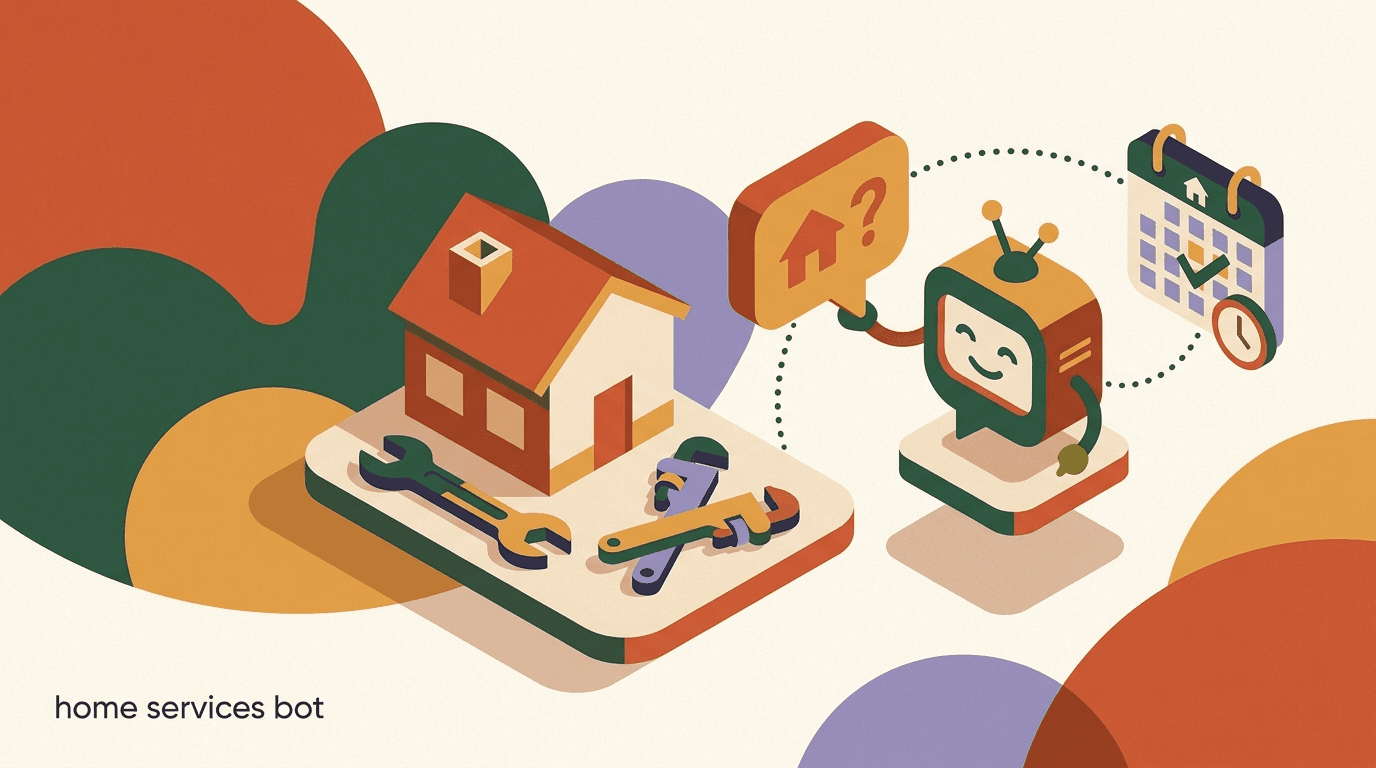
A home services chatbot is the difference between a booked job and a missed call. When a homeowner's water heater fails at 9pm, they message three plumbers from bed. The one who replies first — even with a single line confirming someone will call in the morning — usually wins the job. The other two answer at 8am to find the work already booked. In trades, speed of first response is not a nice-to-have; it is the whole game. This playbook is about closing that gap on the channels where inquiries actually arrive now: Instagram DMs, WhatsApp, and Facebook Messenger, not just the phone.
We will walk through the full path a trades business can automate without losing the human touch that wins quotes: capturing the inquiry, qualifying it (job type, location, urgency), routing the ones that need a real estimate to a person, booking the straightforward visits, and following up afterward for reviews and repeat work. You will get industry-specific flows for plumbing, HVAC, cleaning, and electrical, plus sample message copy you can adapt the same day.
Full disclosure: we build KlyoChat, an AI-native inbox and automation tool for exactly this kind of work, so we have a point of view. We have kept the advice tool-agnostic where it matters and flagged honestly where a chatbot helps and where it does not. A bot will not climb under a sink or size a furnace. What it will do is make sure the homeowner who needs that work picks up your phone instead of a competitor's.
Why do home services businesses lose leads in the first place?
Most trades businesses do not have a lead generation problem. They have a lead response problem. Inquiries come in steadily from Google, social posts, referrals, and ads — but the people who can answer them are on a roof, under a house, or driving between jobs. By the time the tech checks their phone, the homeowner has moved on. The lead was never lost to a competitor with better marketing; it was lost to a competitor who simply replied faster.
The second problem is channel fragmentation. A plumber today might get inquiries through Instagram DMs, a Facebook page, WhatsApp, the website chat, and the phone, all at once. Without one place to see them, messages slip through. An Instagram DM sits unread for two days because nobody thought to check it. A WhatsApp message gets buried under family group chats. Each missed channel is a steady leak of work that never even reaches the quoting stage.
The third problem is qualification. Not every inquiry is worth a same-day callback. Some are out of your service area, some are renters who cannot authorize the work, some want a job you do not do. When every message gets the same scramble of attention, the genuine emergency in your zip code waits behind a tire-kicker three towns over. A home services chatbot fixes all three: it replies instantly, it pulls every channel into one view, and it sorts the wheat from the chaff before a human spends a minute.
The first-response window is brutally short
For urgent home services — a burst pipe, no heat in winter, no AC in a heat wave — homeowners contact multiple providers and book the first credible one to respond. An automated reply in seconds keeps you in the running even when your whole crew is on tools and nobody can pick up the phone.
What can a home services chatbot actually do (and not do)?
It helps to be precise about the job. A chatbot for trades is not a replacement for your estimator or your dispatcher. It is the front desk that never sleeps — the part of the business that greets every inquiry, asks the obvious questions, and hands a tidy, qualified lead to the right person. The closing, the pricing, the judgment calls: those stay human.
Here is the honest split between what automation handles well and what should always reach a person.
- Great for: speed, consistency, qualification, and never dropping a message at 2am.
- Not great for: judgment, empathy in a crisis, and pricing work it has never seen.
- The win is hybrid: the bot earns the human's time by filtering and prepping, so your estimator only talks to ready buyers.
| A chatbot handles this well | A human should handle this |
|---|---|
| Instant acknowledgement of every inquiry | The final quote on a non-standard job |
| Capturing name, location, and job type | Diagnosing a problem from photos or a site visit |
| Sorting emergencies from routine requests | Negotiating price or scope |
| Confirming you serve the postcode | Reassuring an anxious customer mid-emergency |
| Booking standard visits into open slots | Anything requiring a license or liability call |
Do not let a bot pretend to be a quote
Homeowners can tell when an automated reply is dodging their real question. For anything beyond a flat-rate service, the bot should collect details and promise a fast human callback — not invent a price. A wrong number costs you the job and your reputation. Honesty here builds trust; bluffing destroys it.
Where should the conversation start — Instagram, WhatsApp, or Facebook?
The right answer is all of them, fed into one inbox. Different customers reach for different apps. A younger homeowner who found your before-and-after Reels will DM you on Instagram. A referral from a neighbor will likely land on WhatsApp because that is where the number was shared. A local Facebook group recommendation drives Messenger traffic. If you only watch one channel, you only catch a slice of the demand.
What matters more than picking a channel is making sure each one has an instant on-ramp. On Instagram, a comment-to-DM flow turns public engagement into a private conversation: someone comments a keyword on your post, and the bot opens a DM to qualify them. On WhatsApp, a click-to-chat link or QR code on your van, invoice, and website starts the thread. On Facebook, the Messenger entry point and a click-to-Messenger ad do the same job.
The key is that all of these should land in one place. A unified inbox means your office manager — or the bot — sees the Instagram DM, the WhatsApp message, and the Messenger thread side by side, with the same qualification logic applied to each. That is the foundation everything else in this playbook sits on.
Same homeowner, three possible entry points
- Comments 'LEAK' on your repair Reel; bot opens a DM and asks for the postcode
- Scans the QR on your van; click-to-chat opens with a pre-filled greeting
- Replies to a Messenger ad about emergency callouts; bot starts qualifying
- Result
- All three land in one inbox with the same qualification flow — nothing slips
How do you capture an inquiry from a social post automatically?
The most reliable top-of-funnel move for trades on social is comment-to-DM. You post the work you do — a re-piped bathroom, a new condenser install, a deep-cleaned oven — and invite people to comment a keyword if they want help. The automation watches for that keyword, replies in the comments to keep the post active, and opens a private DM to start qualifying. It turns a passive scroll into a booked conversation without anyone manually checking comments.
This works because it meets people where their intent already is. Someone who stops to comment on your drain-cleaning video has a drain problem. The automation simply removes the friction between that flicker of intent and a real conversation, while it is still hot.
- Post the proof and name the keywordShare a real job — photo or short video — and add a clear call to action: 'Comment QUOTE and we'll DM you to help.' Pick one simple keyword per post.
- Auto-reply in the commentsWhen the keyword is detected, the bot posts a short public reply ('Sent you a DM!') so the post keeps getting engagement and other viewers see you respond.
- Open the DM with a qualifying questionThe bot opens a private message immediately: a friendly greeting plus the first qualifier — usually the postcode or the job type — so you are sorting leads from the first reply.
- Hand off or bookBased on the answers, the bot either books a standard visit, routes the request to a human for a quote, or politely declines work outside your area.
One keyword per post beats a clever menu
Resist the urge to offer five options in a single post. A single, obvious keyword converts far better because there is nothing to think about. Use different keywords across different posts if you want to track which content drives the most work.
What questions should the bot ask to qualify a trades lead?
Qualification for home services comes down to three things: what the job is, where it is, and how urgent it is. Get those three and you can route almost any inquiry correctly. Ask too much and people drop out; ask too little and your estimator wastes a callback. The art is collecting exactly enough to decide the next step, in as few questions as possible.
Order matters. Lead with the question that disqualifies fastest. For most trades that is location — if you do not serve the area, nothing else is worth asking. Then job type, then urgency. Keep each question to a single tap or short answer where you can, using quick-reply buttons so the homeowner barely has to type.
- Lead with the disqualifier (usually location) to avoid wasting anyone's time.
- Use buttons over open text wherever possible — fewer drop-offs, cleaner data.
- Keep it to three or four questions before you either book or promise a callback.
- Make photos optional; requiring them mid-emergency just adds friction.
| Qualifier | Why it matters | How to ask it |
|---|---|---|
| Location / postcode | Rules out anything outside your service area instantly | 'What's your postcode?' as the first question |
| Job type | Routes to the right tech and decides standard vs custom quote | Quick-reply buttons: Leak, Blockage, Install, Other |
| Urgency | Separates emergencies from routine to prioritize callbacks | Buttons: Emergency now, This week, Just getting quotes |
| Property type | Renter vs owner affects who can authorize work | 'Do you own the property?' Yes / No / Landlord |
| Photos (optional) | Helps the estimator scope and price faster | 'Can you send a photo of the issue?' |
Capture urgency in the customer's own words too
Buttons are great for routing, but leave room for one free-text line: 'Anything else we should know?' An emergency described in the homeowner's own words ('water coming through the ceiling') tells your tech far more than a category ever will, and it shows you are listening.
How do you route a quote request to a human without dropping the lead?
The moment a job needs a real estimate — a bathroom renovation, a full HVAC replacement, anything non-standard — the bot's job changes from answering to handing off. The danger here is the silent gap: the bot stops, but no human picks up for hours, and the homeowner assumes you ghosted them. A good handoff closes that gap with a clear promise and a real human behind it.
The pattern that works: the bot acknowledges that this needs a person, sets an expectation for when, notifies the right team member, and keeps the conversation warm. The homeowner should never wonder whether their message went into a void.
- Acknowledge and set the expectationThe bot says it plainly: 'This one needs our estimator — they'll message you within the hour.' A specific promise beats a vague 'someone will be in touch.'
- Notify the right personThe lead, with all qualifying details and any photos attached, drops into the team inbox and pings the estimator or office manager so it cannot be missed.
- Keep the thread warmWhile they wait, the bot can share a useful next step — your reviews, a service-area map, or what to expect on the visit — so the silence is filled with value, not nothing.
- Human takes over in the same threadThe estimator picks up the conversation in the same inbox, with full context, and never has to ask questions the bot already answered.
The handoff promise is a promise — keep it
If the bot says an estimator will reply within the hour, that has to be true. A broken expectation is worse than no expectation. Set the promise to match what your team can actually deliver, and use notifications and assignments so it does not depend on someone happening to glance at their phone.
Can the bot book standard jobs without a human at all?
For flat-rate or standard-scope work, yes — and this is where automation saves the most time. A drain clearing, an annual boiler service, a standard end-of-tenancy clean, a callout diagnostic fee: these have known pricing and a known time slot. The bot can qualify, quote the flat rate, show available times, and book the visit straight into the calendar, all without interrupting anyone on the crew.
The trick is to be strict about which jobs qualify for full automation. If a job has a fixed price you would quote the same way every time, it is a candidate. If the price depends on what the tech finds, it is not — route it to a human. Drawing that line clearly is what keeps automated booking from creating awkward surprises.
Never auto-book what you cannot price in advance
Auto-booking belongs only to jobs with genuinely fixed pricing. If you let the bot quote a flat rate on work that turns out to need three hours and a part, you have set a number you have to honor or an angry customer to manage. When in doubt, book a diagnostic visit, not the full job.
Standard job, fully automated booking
- Inquiry
- Homeowner: 'How much for a boiler service?'
- Bot qualifies
- Confirms postcode is in area and boiler type via buttons
- Bot quotes
- 'Annual boiler service is a flat 85. Want me to book it?'
- Bot books
- Offers three open slots; homeowner taps one; visit is on the calendar
- Bot confirms
- Sends confirmation and schedules a reminder the day before
What does an HVAC chatbot flow look like end to end?
HVAC has a particular rhythm: it is brutally seasonal and heavily emergency-driven. The first cold snap and the first heat wave generate a flood of 'no heat' and 'no cooling' messages, all of them urgent, all of them shopping multiple providers. An HVAC chatbot earns its keep precisely in those spikes, when your phone lines are jammed and every reply is a coin flip on whether you keep the job.
Here is a realistic flow for an HVAC business, from a cold-snap inquiry to a booked visit, with the urgency routing that the season demands.
- Seasonal spikes are exactly when human capacity runs out — automation absorbs the overflow.
- Emergency flags should jump the queue and ping an on-call person, not sit in a normal list.
- Off-season, the same bot can push tune-up offers and maintenance plans to fill the slow weeks.
- Capture the equipment type early; it routes the right tech and speeds the diagnosis.
Use the slow season to sell the busy season
An HVAC chatbot is not only for emergencies. In shoulder months, run comment-to-DM campaigns offering pre-season tune-ups at a flat rate. You book revenue when the crew is idle and reduce the emergency load later — both win.
HVAC: 'no heat' emergency, winter night
- Entry
- WhatsApp message at 10pm: 'Furnace stopped, house is freezing'
- Instant reply
- 'So sorry — let's get you sorted. What's your postcode?'
- Qualify
- In area; job type 'No heat'; urgency 'Emergency now'
- Route
- Flagged emergency; on-call tech notified immediately, not queued
- Promise
- 'Our on-call tech will call you in 15 minutes. Keep warm.'
How is a plumbing or cleaning flow different?
The skeleton is the same — capture, qualify, route or book, follow up — but the qualifiers and the standard-vs-custom line shift by trade. Plumbing splits cleanly between emergencies (burst pipe, overflowing toilet, no hot water) and planned work (bathroom fit-out, appliance install). Cleaning is mostly recurring and bookable, which makes it one of the best fits for full automation: a standard clean has a standard price and a standard slot.
Electrical sits closer to plumbing — safety-critical emergencies on one side, planned installs and rewires on the other — with the added wrinkle that more jobs require a licensed assessment before any number is given. Tuning the flow per trade is mostly about which qualifiers you ask and where you draw the auto-book line.
- Cleaning is the easiest trade to automate end to end — most jobs are standard and recurring.
- Plumbing and electrical need a clear emergency lane that bypasses normal routing.
- For recurring cleaning, the bot can also handle rebooking and schedule changes.
- Always default safety-critical electrical work to a human, even if the homeowner pushes for a number.
| Trade | Key qualifier | Best fit for auto-booking | Usually needs a human quote |
|---|---|---|---|
| Plumbing | Emergency vs planned | Drain clearing, diagnostic callout | Renovations, repipes, installs |
| HVAC | Heating/cooling + equipment type | Annual service, tune-up | System replacement, ductwork |
| Cleaning | Property size + frequency | Standard and recurring cleans | Post-construction, specialist jobs |
| Electrical | Safety urgency + scope | Inspections, small fixed jobs | Rewires, panel upgrades, installs |
Cleaning: recurring booking, fully automated
- Entry
- Instagram DM: 'Do you do fortnightly cleans?'
- Qualify
- Property size (3-bed) and frequency (fortnightly) via buttons
- Quote
- 'A 3-bed fortnightly clean is 70 per visit. Shall I set it up?'
- Book
- Picks a recurring slot; bot books the series and confirms
What should the follow-up and review flow look like?
The job is not done when the tech drives away. The most under-used automation in trades is the post-job follow-up: a thank-you, a request for a review, and a gentle nudge toward future work. Reviews are the single biggest driver of new home services leads — homeowners trust them above almost anything — yet most businesses never ask, or ask once and forget. Automating the ask turns a one-off job into a steady stream of social proof and repeat bookings.
Timing is everything. Ask too soon and the customer has not formed an opinion; ask too late and the goodwill has faded. The sweet spot is usually the day after completion, while the relief of a fixed problem is still fresh.
- Confirm completion and say thanksThe day the job is marked done, the bot sends a short, warm thank-you. No ask yet — just appreciation and a check that everything is working.
- Ask for the review the next dayA day later, send a single, easy review request with a direct link. One tap. Make it frictionless and people actually do it.
- Route unhappy replies to a human fastIf the reply signals a problem, the bot does not ask for a public review — it flags the conversation to the owner immediately so it can be fixed privately.
- Re-engage for seasonal or recurring workMonths later, the bot can reach back out: an annual service reminder, a seasonal tune-up, or a check-in. Past customers are your cheapest new bookings.
Only route happy customers to public reviews
A smart follow-up flow takes the temperature first. Customers who signal satisfaction get the review link; customers who signal a problem get a human and a chance to make it right before anything goes public. That is not gaming reviews — it is good service plus good sense.
What copy actually works for trades messages?
The voice of a home services chatbot should sound like a competent, friendly person at the front desk — not a corporate script and not a chirpy robot. Homeowners messaging about a problem are often stressed; the tone should be calm, brief, and reassuring. Short sentences. Plain words. A clear next step in every message. Below are patterns you can lift and adapt.
Notice that each message does one job: acknowledge, ask one thing, or confirm. Stacking three questions into one bubble is the fastest way to lose someone mid-emergency.
- One message, one job: acknowledge, ask, or confirm — never all three at once.
- Mirror the urgency: a calm tone for routine, a fast reassuring tone for emergencies.
- Always end with a clear next step or a single question.
- Skip the jargon — homeowners do not know a condenser from a compressor, and they should not have to.
Match the copy to the channel's norms
WhatsApp and Instagram are casual, personal spaces. Messages that read like a formal email feel out of place and lower trust. Write the way a helpful local tradesperson texts: warm, short, and human. The goal is to sound like a person who happens to reply instantly.
Sample copy you can adapt
- Greeting
- 'Hi! Thanks for reaching out. Let's get you sorted — what's your postcode?'
- Job type
- 'Got it. What do you need help with? Tap one below.'
- Emergency ack
- 'That sounds urgent. I'm getting our on-call tech to call you now.'
- Handoff
- 'This one needs our estimator — they'll message you within the hour.'
- Review ask
- 'Glad it's fixed! Would you mind leaving a quick review? One tap here.'
How do you keep automation from feeling impersonal?
The fear every trades owner has about a chatbot is that it makes the business feel cold — that the personal, word-of-mouth relationship that built the company gets replaced by a vending machine. That fear is valid if the automation is built badly. It is avoidable if you treat the bot as a fast, polite receptionist rather than a wall between you and the customer.
Three principles keep it human. First, the bot should always be a path to a person, never a dead end — a clear way to reach a human at any point. Second, it should be honest about being automated when it matters; people forgive a bot that says 'let me get someone for that' far more than one that fakes expertise. Third, the human handoff should be smooth in the literal sense — same thread, full context, no repeating.
- Always offer a clear escape hatch to a real person — 'type AGENT to reach a human.'
- Let the bot do the boring parts so your people have time for the human parts.
- Personalize with the details you already have: name, job type, area.
- Never make a customer repeat themselves after a handoff — context should carry over.
Speed is itself a form of good service
Homeowners do not resent a fast automated reply — they resent silence. An instant, accurate acknowledgement that respects their time often feels more caring than a slow human one. The bot is not competing with your personal touch; it is buying time for it.
How does KlyoChat fit a home services business?
We built KlyoChat as an AI-native unified inbox, and a lot of what this playbook describes maps directly onto it — so here is the honest version of where it fits and where it does not. KlyoChat pulls Facebook, Instagram, Telegram, WhatsApp, TikTok, and X into one inbox, so the Instagram DM, the WhatsApp message, and the Messenger thread all land in the same place with the same qualification logic. Comment-to-DM turns your social posts into qualified conversations automatically.
The AI agents handle the parts this playbook leans on most: they qualify a lead by job type, location, and urgency, book standard visits, send reminders, and hand off to a human the moment a job needs a real quote — keeping the full context in the thread so your estimator never asks a question twice. The team inbox means your office manager and techs can pick up any conversation without losing history.
- Every plan starts with a 7-day free trial — no credit card.
- AI agents are included; qualification, booking, reminders, and handoff are built in.
- Pro ($49/mo, $39 billed yearly) covers all channels and custom AI agents for most trades businesses.
| What a trades business needs | How KlyoChat handles it |
|---|---|
| Catch inquiries from every channel | Unified inbox: FB, IG, Telegram, WhatsApp, TikTok, X |
| Turn social posts into leads | Comment-to-DM automation |
| Qualify and route by urgency | AI agents qualify, book, and hand off to a human |
| Never drop a lead between people | Team inbox with shared context and assignments |
| Predictable software cost | Flat plans: Basic $19, Pro $49 ($39 yearly), Business $129 |
The honest limits — read these before you decide
KlyoChat is not a field-service or dispatch system and not a payment processor — it qualifies and books, then hands off to whatever you use to schedule crews and take payment. It has no native SMS or email, so if phone texting is core to your customers, factor that in. We are a newer, smaller product with a smaller community than the incumbents. And final quotes on non-standard jobs still need a human — the bot preps the lead, it does not price the renovation.
How do you roll this out without disrupting the business?
You do not need to automate everything on day one. The teams that succeed with a home services chatbot start with the single highest-value flow, prove it works, and expand from there. For most trades that first flow is instant acknowledgement plus basic qualification on your busiest channel. That alone — replying in seconds and asking the postcode — recovers leads you are currently losing to silence.
From there, layer in the rest as you trust it. Add comment-to-DM once the inbox is unified. Add auto-booking for your one most-standard service. Add the review follow-up. Each step is small, reversible, and measurable, so you are never betting the business on automation you have not seen work.
- Week one: instant reply and qualificationConnect your busiest channel and set up the greeting plus the three core qualifiers. Just stopping the silence is most of the win.
- Week two: unify channels and add comment-to-DMBring every channel into one inbox and turn your best-performing posts into lead sources with a keyword flow.
- Week three: auto-book your most standard servicePick the one job with truly fixed pricing and let the bot quote and book it end to end. Watch it before adding more.
- Week four: review and re-engagement follow-upTurn on the post-job thank-you and review ask, with unhappy replies routed to a human. Then add seasonal re-engagement.
Measure the one metric that matters first
Before and after launch, track time-to-first-response. It is the number most tied to booked jobs in home services, and it is the one a chatbot moves immediately. If that number drops from hours to seconds, the rest of the funnel follows.
How do you handle leads outside your service area or scope?
Not every inquiry is a fit, and how you say no matters as much as how you say yes. A homeowner three towns outside your radius, a request for a trade you do not cover, a renter who cannot authorize work — these are not leads to chase, but they are people who will remember how you treated them. A blunt 'we can't help' burns goodwill; a gracious decline can still earn you a referral. The bot can handle both the filtering and the courtesy at scale, so out-of-scope requests do not eat your team's time or your reputation.
The pattern is simple: detect the mismatch early, decline warmly, and where you can, point them somewhere useful. If you have trusted partners who cover the next area over or the trade you do not offer, a referral costs you nothing and builds relationships that often come back around. The homeowner who got a helpful pointer from you is the one who recommends you when their own pipe bursts.
- Catch the mismatch with the first qualifier — usually location — before any deeper questions.
- Decline warmly and briefly; never leave someone wondering if they were ignored.
- Refer to a trusted partner where you can — it costs nothing and builds goodwill.
- Log the declined reason so you can spot patterns, like demand just outside your radius.
Out-of-area demand is market intelligence
If the bot keeps declining inquiries from one neighboring area, that is a signal. Persistent demand just outside your radius might justify expanding coverage or adding a tech. The data your decline flow collects quietly tells you where your next growth is.
Graceful out-of-area decline
- Inquiry
- Homeowner gives a postcode 40 miles outside the service area
- Bot detects
- Postcode falls outside the configured radius
- Decline
- 'Sorry, that's just outside our area — but try [partner], they cover it.'
- Result
- No human time spent, goodwill kept, a possible referral earned
How do you stop double-booking and scheduling chaos?
The fastest way to turn an automation win into a customer-service problem is to let the bot book a slot that is already taken, or quote a time the crew cannot make. Trades scheduling is tight and physical — travel time between jobs, parts that have to be on the van, a tech who can only do gas work — and a naive booking flow ignores all of that. The fix is to keep the bot honest about availability and conservative about what it commits to without a human eye.
Two safeguards do most of the work. First, the bot should only offer slots it can actually see are open, pulled from a single source of truth rather than a guess. Second, for anything with real complexity, the bot books a provisional time and flags it for a human to confirm, rather than locking the crew into a commitment it might not be able to keep. Provisional-then-confirmed is slower by minutes but saves you the far costlier no-show or scramble.
- Offer only genuinely open slotsThe bot should show availability from one source of truth, so it never offers a time that is already booked or outside working hours.
- Build in travel and prep buffersPad slots so back-to-back jobs across town are realistic. A booking that ignores drive time creates a late tech and an unhappy customer.
- Book complex jobs as provisionalFor anything non-standard, the bot holds a tentative slot and flags it for a human to confirm once they have checked parts and the right tech.
- Confirm and remind automaticallyOnce a slot is locked, the bot sends a confirmation and a day-before reminder, cutting no-shows without anyone lifting a finger.
A confident wrong time is worse than a slower right one
The temptation is to make booking instant for everything. Resist it for complex work. A bot that confidently books a slot the crew cannot keep damages trust more than a bot that says 'let me confirm and come straight back.' Match the automation's confidence to how predictable the job really is.
What results should you expect, and how do you measure them?
It is worth being clear-eyed about what success looks like, because a chatbot is easy to switch on and hard to judge if you are not watching the right numbers. The headline metric, as noted earlier, is time-to-first-response — but it is not the only one. To know whether the automation is genuinely earning its place, track the full path from inquiry to booked job, and watch where people fall out. The leaks tell you what to fix next.
Set a simple baseline before you launch: how many inquiries you got last month per channel, how long they waited for a first reply, how many became booked jobs, and how many reviews you collected. Then compare after a month of automation. You are not looking for vanity numbers; you are looking for whether more inquiries turned into work with less manual effort. If they did, the bot is doing its job. If they did not, the metrics show you exactly which step to tighten.
Be realistic about the timeline too. The instant-response win shows up immediately. The review-volume win takes a few weeks of completed jobs to accumulate. The re-engagement and seasonal re-booking wins take a full cycle to prove out. Judge each piece on its own clock rather than expecting everything to move at once, and resist ripping out a flow before it has had a fair run.
- Set a baseline before launch so you can prove the change, not just feel it.
- Watch where people drop out of the flow — that is your next fix.
- Judge each automation on its own timeline; some wins are instant, some seasonal.
- Do not chase vanity metrics; the real test is more booked work with less manual effort.
| Metric | What it tells you | When it should move |
|---|---|---|
| Time-to-first-response | Whether you are still in the running for fast-deciding leads | Immediately |
| Inquiry-to-booking rate | Whether qualification and booking actually convert | Within weeks |
| Leads per channel | Which channels and posts drive real work | Within weeks |
| Review volume | Whether the follow-up flow is building social proof | A few weeks in |
| Re-bookings from past customers | Whether re-engagement fills slow periods | Over a full season |
Track which keyword and post drove each lead
Use a different comment-to-DM keyword per post or campaign. Over a month it tells you which content actually books jobs, so you make more of what works and stop guessing. Attribution at this level is cheap to set up and quietly compounds.
The bottom line: a home services chatbot does not replace the trade — it protects the lead long enough for the trade to do its work. Homeowners decide fast and message many providers; the one who responds first, qualifies cleanly, and books without friction wins the job. Automating capture, qualification, routing, booking, and follow-up across Instagram, WhatsApp, and Facebook turns missed messages into booked work, without losing the human touch on the parts that need it.
Start small — instant reply on your busiest channel — and expand as you trust it. If you want to see how this maps to a real tool, our related guides on real estate DM automation and AI booking agents cover adjacent flows, and the KlyoChat solutions, AI agents, and flows pages show the building blocks in detail. Whatever you use, the goal is the same: be the one who answers first.