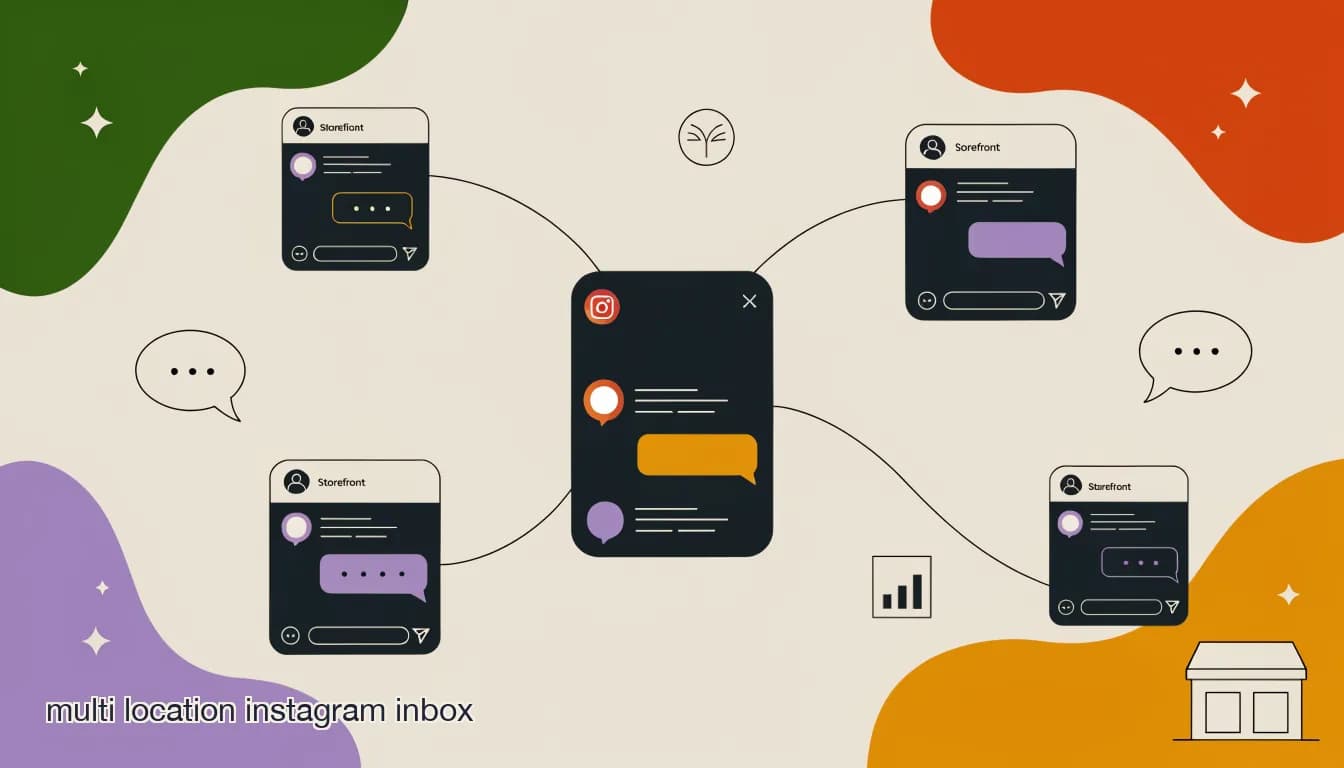
Multi location dm automation only works for a franchise group if the underlying inbox is built as multi-tenant from the ground up, not bolted on after the fact. Multi-tenant, in this context, means one account structure that holds every location's conversations, contacts, and automation, but enforces boundaries so a location manager in one city can't see or touch a location's inbox three states away — while someone at HQ can see across all of them.
Most franchise groups discover they need this the hard way. They start with a single shared login because it's simple to set up: one Instagram account, one password, everyone uses it. That works until location five, when two managers reply to the same customer within minutes of each other because neither could see the other had already answered, or until a franchisee who left the brand still has the shared password and can read every location's DMs, not just their old one.
A proper multi-tenant structure solves both problems at once: assignment and internal notes prevent the double-reply, and role-scoped permissions mean access ends when someone's role does, at exactly the location it should. The rest of this post covers what that structure needs to include, and where franchise groups most often get it wrong.
What does 'multi-tenant' mean for a franchise messaging inbox?
A multi-tenant inbox is one account with multiple, isolated workspaces inside it — in a franchise context, one workspace per location. Each location's conversations, contacts, and connected channels (Instagram, Facebook, WhatsApp) live inside that location's tenant, invisible to any other location's staff unless explicitly given access. HQ sits above all of them with a view that spans every tenant at once.
This is a different architecture from simply creating forty separate accounts on forty separate logins, which is what a lot of franchise groups end up with by default when they never deliberately chose a structure. Forty separate accounts means forty passwords to manage, no way for HQ to see a rollup of performance across locations without logging into each one individually, and no consistent way to enforce a brand-wide AI agent or broadcast template across the group.
It's also different from one shared account with no separation at all, which is the other default franchise groups fall into — simple at first, but with zero access control and no way to know which staff member handled which conversation once more than one person has the login.
| Structure | HQ visibility | Location isolation | Access control | Scales to how many locations |
|---|---|---|---|---|
| One shared login for all locations | None beyond what's in the shared inbox | None — everyone sees everything | Whoever has the password | A handful, informally |
| Separate account per location | None without logging into each one | Full, by accident | Per-account, manually managed | Painful past a dozen |
| Multi-tenant account | Full rollup across all locations | Full, by design | Role-scoped per location | Hundreds |
How do role-scoped permissions keep location managers out of each other's conversations?
Role-scoped access assigns each user a role and a scope: a location manager's scope is their own location's tenant, and their role determines what they can do within it — reply, assign, view analytics, edit automation. A location manager for Store 12 can be given full permissions inside Store 12's inbox and zero visibility into Store 7's, even though both live in the same underlying account.
This matters for reasons beyond tidiness. Franchise agreements often specify that one franchisee's customer data and conversation history is theirs, not shared with a franchisee running a different location, particularly in groups where locations are independently owned rather than corporate-operated. A multi-tenant inbox with real role scoping honors that boundary automatically, instead of relying on staff to self-police who looks at what.
The scoping also needs to survive staff turnover cleanly. When a location manager leaves, revoking their access should be a single action that removes them from that location's tenant — not a scramble to remember every shared password they had, or worse, a lingering login that still works months after they've gone.
- Location manager: full access within their own location's tenant — reply, assign, view that location's analytics.
- Regional manager: access across a defined cluster of locations, useful for oversight without full HQ-level reach.
- HQ admin: read access and rollup analytics across every location, with the ability to set brand-wide templates and AI agent knowledge bases.
- Front-line staff: reply and assign within their location, without access to broadcast tools or automation editing.
- Revoked access takes effect immediately and applies per location, not as an all-or-nothing account deletion.
Can HQ see every location's conversations without micromanaging each one?
Yes, and this is one of the clearer advantages of a true multi-tenant structure over either the shared-login or separate-accounts default. HQ's view should be a rollup — response times, volume, resolution rates, AI-agent handling percentage — by location, with the ability to drill into any individual conversation when something looks off, rather than a live feed of every message across every location that no one could realistically monitor.
The distinction between oversight and micromanagement is mostly about what's surfaced by default. A dashboard that shows every location's aggregate metrics side by side lets HQ spot the location with a response-time problem without reading every reply from every other location. Drilling into an individual conversation should be possible, but it should be the exception a metric flags, not the default way HQ monitors the group.
Rollup visibility, not surveillance
The goal of HQ-level access is catching problems — a location going quiet, response times slipping, an AI agent giving wrong answers — not reading every message a location manager sends. Build the dashboard around aggregate signals with drill-down available, not a live firehose of every conversation across the group.
How do assignment, @mentions, and notes work across many locations?
Assignment, @mentions, and internal notes all need to work the same way they would in a single-location team inbox, just scoped to each location's own staff and its own conversation list. A conversation at Store 12 can be assigned to any staff member with access to Store 12's tenant; a note left on that conversation is visible to Store 12's team, not to every location in the group.
This is where a lot of franchise groups running a bare-bones or shared-login setup lose real operational value, because none of this exists without a true team inbox underneath the multi-tenant structure. Without assignment, two staff members can both reply to the same lead, confusing the customer and wasting a follow-up. Without internal notes, context about a customer — 'this one had a billing issue last month, be careful with the tone' — lives in someone's memory instead of on the thread where the next person who picks it up can see it.
Cross-location visibility for these tools should be the exception, not the default: a regional manager overseeing five locations might need to see assignment and notes across that cluster, but a single location's front-line staff generally shouldn't see another location's internal notes at all.
- A message comes in to a location's channelIt lands in that location's tenant only, visible to staff with access to that location.
- It gets assigned to a staff member or the AI agentAssignment can be manual or automatic, based on availability or conversation type, but always within that location's own team.
- Context gets added via internal notesA note stays attached to the conversation and visible to that location's team — customer history, tone guidance, anything the next person handling it should know.
- @mentions pull in a specific teammateUseful for escalating within a location — pulling in a manager for a complaint, for instance — without exposing the thread to other locations.
- Resolution or snooze closes the loopA resolved conversation is marked done; one needing follow-up later gets snoozed to resurface at the right time, still scoped to that location.
Is a shared inbox private and secure enough for franchise agreements?
This is a legitimate question, especially for franchise groups where locations are independently owned and franchise agreements draw a real legal line around whose customer data belongs to whom. The answer depends entirely on whether the platform's multi-tenant boundaries are enforced at the infrastructure level or are just a UI convention that a determined admin could bypass.
A platform built private by default should encrypt data at rest, scope access by role and location rather than by convention, log every access event so an audit trail exists, not train any AI models on customer conversation data without explicit consent, and let a location or the group export or delete its own data on request. Those aren't just security checkboxes — for a franchise group navigating agreements between corporate and independently owned locations, an audit log is often the specific artifact that resolves a dispute about who accessed what and when.
What to ask a vendor before trusting them with franchise data
Ask specifically: is data encrypted at rest, is access scoped by role and location (not just hidden by a UI toggle), is there an audit log of who accessed which location's conversations, does the platform train AI models on customer data, and can a single location export or delete its own data independent of the rest of the group. If a vendor can't answer all five clearly, that's a real risk for a franchise structure with independent ownership.
What's the best way to onboard a new location's team without exposing other locations' data?
Onboarding a new location manager should be a single, scoped action: create their account, assign them to exactly one location's tenant, set their role, done. If onboarding a new location manager requires touching permissions on other locations, or if the default for a new user is broader access than they need, that's a sign the underlying access model isn't actually multi-tenant — it's a single tenant with visual dividers.
The same principle applies to a location manager who takes on a second location, which happens often in franchise groups as successful operators expand. Their access should extend to the new tenant explicitly, as a second scoped grant, not by promoting them to a broader role that incidentally opens visibility into every other location in the group.
- New location manager: one action, one location tenant, a defined role — no residual access to any other location.
- Manager taking on a second location: an additional explicit grant for that specific tenant, not a role upgrade that opens the whole group.
- Departing staff: access revoked immediately at the location level, confirmed by checking the audit log shows the revocation timestamp.
- A quarterly access review — who has access to which location, and does it still match their actual role — catches drift before it becomes a data-exposure problem.
What's the rollout process for adding multi-tenant access to an existing franchise group?
Groups moving off a shared-login or separate-accounts setup don't need to convert every location at once. A staged rollout — a handful of pilot locations first, then the rest — surfaces permission and workflow problems while the blast radius is still small.
- Pick two or three pilot locationsChoose a mix — a high-volume location and a lower-volume one — so the pilot surfaces issues that only show up under real message volume.
- Set up HQ admin and location manager rolesDefine what an HQ admin can see versus what a location manager can do, and confirm the scoping before adding more locations.
- Migrate pilot locations' channels and contactsReconnect Instagram, Facebook, and WhatsApp via OAuth, and import each pilot location's contact list with location tags applied.
- Run the pilot for two to four weeksWatch for access issues, workflow friction, and whether staff use assignment and notes as intended or revert to old habits.
- Roll out to the remaining locations in batchesOnce the pilot is stable, onboard the rest in groups of five to ten rather than all at once, so support capacity keeps pace.
How does multi-tenant access compare to giving every location its own separate tool subscription?
Some franchise groups, especially newer or smaller ones, land on giving each location its own separate subscription to a messaging tool rather than building a shared multi-tenant structure. It's simple to set up initially — each franchisee signs up for their own account — but it recreates every problem a multi-tenant structure solves: no HQ rollup without logging into each location's account, no consistent brand-wide AI agent knowledge base, no group-level pricing, and no way to spot a struggling location's response times without asking that location directly.
The trade-off runs the other way too, and it's worth stating honestly: separate subscriptions give each franchisee full control over their own tool choice and billing, which some independently owned locations value, particularly early in a franchise group's life before HQ has built out a shared marketing and support function. As a group scales past a dozen or so locations, though, the coordination cost of separate tools usually outweighs that flexibility.
| Approach | HQ oversight | Consistent AI agent | Group pricing | Franchisee autonomy |
|---|---|---|---|---|
| Separate subscription per location | None without manual check-ins | No — each location configures its own | No — every location pays full price | High |
| Multi-tenant shared account | Full rollup dashboard | Yes — one knowledge base, local overrides | Yes — volume-based group pricing | Moderate — role-scoped, not account-owning |
How do I measure whether the multi-tenant structure is actually working?
A few concrete signals tell you whether a multi-tenant setup is functioning as intended rather than just existing on paper. First, does HQ's rollup dashboard actually get checked regularly, or does it sit unused because the data isn't trustworthy or actionable? Second, when a location manager leaves, how long does it take to fully revoke their access, and can you confirm it happened via the audit log? Third, has any location manager ever reported seeing another location's data they shouldn't have — even once is worth investigating immediately.
A less obvious but important signal is whether locations are actually using the tools scoped to them, like assignment and internal notes, or reverting to informal workarounds like a location-level group chat outside the platform. If staff are working around the multi-tenant inbox instead of through it, that's usually a sign the permissions are too restrictive for how the team actually operates, not that the team is doing something wrong.
A quick multi-tenant health check
- Access revoked on schedule
- Departing staff lose location access within the same day, confirmed in the audit log
- Rollup dashboard in active use
- HQ checks location-level response times weekly, not just when a complaint arrives
- No cross-location leaks reported
- Zero incidents of a location manager seeing another location's conversations
Does adding AI agents complicate multi-tenant access?
It shouldn't, if the AI agent respects the same tenant boundaries as human staff. A brand-wide AI agent — one knowledge base covering FAQs, policies, and brand voice — can serve every location while still routing each conversation into that location's own tenant, so a human taking over from the AI sees the conversation in the right place with the right team having visibility.
Where it gets more complex, in a reasonable way, is when locations need local overrides on top of the shared knowledge base — different hours, a location-specific promotion, a market-specific FAQ. That's a legitimate need, not a complication of the access model itself; it just means the AI agent configuration needs the same locked-and-open-fields approach as broadcast templates, covered in more detail in our post on franchise chatbot brand consistency.
Put together, multi-tenant access is what turns 'a messaging tool several locations happen to use' into 'a franchise-wide system HQ can actually oversee and trust.' The building blocks are consistent regardless of platform: one account structure, role-scoped tenants per location, assignment and notes that respect those boundaries, and an audit trail that makes access changes provable, not just assumed.
How does KlyoChat structure multi-tenant access for franchise groups?
KlyoChat's team inbox is built on role-scoped access: an HQ admin sees a rollup across every connected location, while a location manager or front-line staff member is scoped to their own location's conversations, contacts, and assignment queue. Assignment, @mentions, snooze, and internal notes all work within a location's tenant by default, with regional-level access available for staff overseeing a cluster of locations.
KlyoChat is private by default across the whole account: data is encrypted at rest, access is role-scoped rather than convention-based, every access event is audit-logged, customer conversation data is never used to train AI models, and a location or the full group can export or delete its data on request. That combination — real tenant isolation plus a provable audit trail — is what a franchise group with independently owned locations typically needs to satisfy its own franchise agreements around data ownership.
Multi-tenant team inbox features are available from the Pro plan ($49/mo, $39/mo yearly) up, with Business ($129/mo, $109/mo yearly) adding a higher contact ceiling and API access for larger groups. Every plan starts with a 7-day free trial, no credit card required, so HQ can test role-scoping with two or three real locations before rolling the structure out to the whole group.