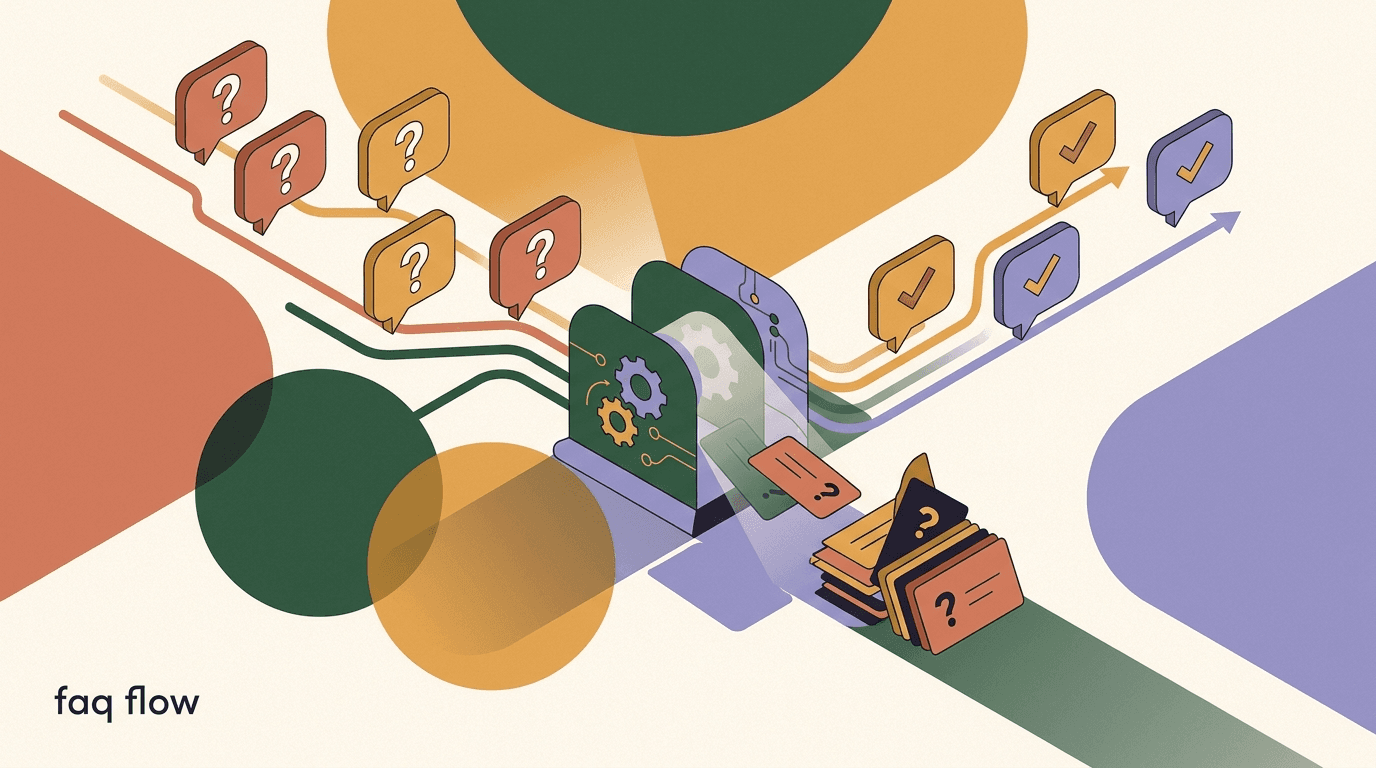
An FAQ chatbot flow is the single highest-leverage automation most support teams can build, because the same handful of questions arrive over and over: where is my order, what is your return policy, do you ship to my country, how do I reset my password. A well-built FAQ chatbot flow catches those questions the moment they land in a DM or chat, answers them with the exact wording your team would use, and quietly removes them from your human queue — without making a customer feel like they hit a wall.
This is a build tutorial, not a pep talk. By the end you will have a working flow that pairs deterministic rules with an AI agent, hands off cleanly when it is unsure, and reports how many tickets it actually deflected. We will go stage by stage, with examples, tables, and the trade-offs spelled out, so you can copy the structure rather than guess at it.
One honest note before we start, because it shapes everything below: we build KlyoChat, so we have a point of view. But the method here works on any decent platform. The platform-specific section is clearly marked near the end, and where the AI has real limits — and it does — we say so plainly. A bot that pretends to know everything is worse than no bot at all.
It also helps to be clear about what this flow is not. It is not a replacement for your support team, and it is not an attempt to automate the hard conversations — the angry refund, the account dispute, the edge case nobody wrote a policy for. Those should reach a human quickly and with context. The FAQ flow exists to clear the runway: to take the dozens of identical, low-stakes questions off the queue so your team has the attention to spend on the conversations that genuinely need a person. Measured that way, a modest FAQ flow can hand your team back hours a day without a single customer feeling shortchanged.
What is an FAQ chatbot flow, and why deflection beats deflection rate?
An FAQ chatbot flow is an automated path that recognizes a common question, returns a trusted answer, and resolves the conversation without a human touching it. Deflection is the outcome: a question answered, a ticket that never reached your inbox, a customer who got help in seconds instead of hours.
The word people obsess over is the deflection rate — the percentage of incoming questions the bot handled alone. That number matters, but it is the wrong thing to optimize first. A bot that answers 90 percent of questions wrongly has a wonderful deflection rate and a furious customer base. What you actually want is correct deflection: the share of questions resolved accurately, measured by whether the customer came back, escalated, or re-asked. Chase accuracy, and a healthy deflection rate follows. Chase the rate alone, and you teach customers to distrust your bot.
So the goal of this tutorial is not a bot that says something to everyone. It is a bot that says the right thing to the people it understands, and gets out of the way fast for everyone else.
There is a second reason to favor accuracy from the start: trust compounds in both directions. The first time a customer gets a fast, correct answer from your bot, they will use it again next time instead of immediately asking for a human — which is exactly the behavior that drives deflection up over months. The first time they get a confidently wrong answer, they learn to skip the bot entirely and demand a person on contact, which drives deflection down no matter how clever the flow gets. Every interaction is teaching your customers whether the bot is worth trusting. Accuracy-first is not just the ethical choice; it is the only strategy that improves with time.
Two ways to read the same 1,000 questions
- Rate-first bot
- Answers 900, gets 250 wrong, 180 re-ask or escalate angry — real deflection ~520
- Accuracy-first bot
- Answers 650 confidently, escalates 350 cleanly, ~30 re-ask — real deflection ~620
What do you need before you build the FAQ flow?
Before you open any flow builder, get four things in order. Skipping this stage is the most common reason an FAQ automation flow underperforms — the build is easy; the inputs are where quality comes from.
- A list of your real top questions, ranked by volume — not the questions you wish people asked.
- An owner for each answer, so the wording is approved by whoever is accountable for it (returns, billing, shipping).
- A knowledge base or at least a clean document the AI fallback can read — answers grounded in your real policies, not the model's guesses.
- A clear escalation destination — a human queue, a team inbox, or a tagged conversation someone actually watches.
Pull questions from data, not memory
Export the last 30–90 days of conversations and count the recurring phrasings. Your memory over-weights the dramatic tickets and under-weights the boring high-volume ones. The boring ones are exactly what an FAQ chatbot flow should eat.
Step 1: How do you gather and rank your top FAQs?
Start with evidence. The questions that deserve automation are the ones that arrive most often and have a stable, correct answer. A question that gets asked 200 times a month and has one right answer is a perfect candidate. A question asked twice that depends on the customer's account state is not — leave that for a human.
Run this as a short, repeatable exercise rather than a one-off brainstorm.
- Export your recent conversationsPull 30–90 days of DMs and chats. Volume matters more than recency, but recent data reflects current products and policies.
- Cluster by intent, not by exact wordsGroup 'where's my order', 'order status', and 'has my package shipped' into one intent. Customers phrase the same need a dozen ways.
- Rank clusters by volume and answer stabilitySort by how often each cluster appears, then mark whether the answer is the same for everyone or depends on the customer.
- Pick the top 10–20 stable, high-volume intentsThese are your launch set. Resist the urge to automate everything on day one — narrow and accurate beats broad and shaky.
| Intent cluster | Monthly volume | Answer stable? | Automate now? |
|---|---|---|---|
| Order / shipping status | High | Mostly (needs order data) | Yes — with lookup or AI |
| Return & refund policy | High | Yes | Yes — rule-based |
| Shipping countries & times | Medium | Yes | Yes — rule-based |
| Password / login reset | Medium | Yes | Yes — rule-based |
| Custom account dispute | Low | No | No — route to human |
Stability is the deciding factor
High volume tells you a question is worth automating. Answer stability tells you it is safe to automate. Automate the intersection first. A high-volume question with an unstable answer belongs in front of a human or an AI agent with live data, not a canned reply.
Step 2: How do you structure intents and keywords?
With your ranked list in hand, you turn each intent into something the flow can recognize. There are two recognition methods, and a strong FAQ chatbot flow uses both. Keyword and rule matching is fast, predictable, and free of surprises — if the message contains 'refund' or 'return', fire the return answer. AI intent matching is flexible — it understands 'I changed my mind about my hoodie' as a return question even when no keyword appears.
The mistake is treating these as a choice. They are layers. Rules handle the obvious, high-confidence cases; AI catches the long tail of phrasings rules will never anticipate. Build rules for your top intents, then let the AI agent backstop everything the rules miss.
Think about why this layering works so well in practice. Your top five intents probably account for the majority of your volume, and they arrive in a few predictable phrasings — rules nail those cheaply and with total certainty about the wording. But the remaining slice of volume is spread across an enormous variety of one-off phrasings that no rule list could ever enumerate. Writing keyword rules for that long tail is a losing battle; you would add rules forever and still miss. That is precisely the work AI is good at: recognizing intent from messy, unanticipated language. Each layer does what it is best at, and the seam between them is invisible to the customer.
- Name each intent clearlyUse plain labels like 'return_policy' or 'shipping_times'. Future-you maintaining this flow will thank present-you.
- List trigger keywords and phrases per intentFor returns: 'return', 'refund', 'send back', 'money back', 'changed my mind'. Include common misspellings if your audience makes them.
- Set a match priorityDecide what wins when two intents could match. A message with both 'refund' and 'broken' might be a return or a defect claim — pick which fires.
- Mark which intents allow AI fallbackSome answers must be exact (legal, billing). Lock those to rules only. Let softer questions fall through to the AI agent.
| Recognition method | Strengths | Weaknesses | Use it for |
|---|---|---|---|
| Keyword / rules | Predictable, instant, auditable | Brittle to phrasing, needs maintenance | Top intents with clear trigger words |
| AI intent matching | Handles novel phrasing, less upkeep | Needs a good knowledge base, can be wrong | The long tail and fallback |
| Both, layered | Coverage plus control | Slightly more to set up | Production FAQ flows |
Do not lean on keywords alone
A keyword-only FAQ bot looks great in a demo and breaks the first time a real customer writes naturally. People rarely type the keyword you expected. Rules are the floor, not the ceiling — pair them with AI or accept a frustrating miss rate.
When should an answer be a rule, and when should it be the AI?
This is the judgment call that separates a reliable FAQ chatbot flow from a flaky one, so it deserves its own moment. Use a rule when the answer must be word-for-word correct every time and never changes based on the person asking — your return window, your shipping countries, your business hours. These are facts you can write down and approve once. A rule gives you a guarantee: the customer sees exactly the text you wrote.
Use the AI agent when the question varies in phrasing, spans several facts, or benefits from a conversational reply — 'can I return a gift I received without a receipt' touches your return policy, your gift policy, and proof-of-purchase rules at once. An AI agent grounded in your knowledge base can stitch those together; a rigid rule cannot. The cost is that the AI can be wrong, so it must cite or stay inside its source material and escalate when unsure.
- Rule-first: policies, prices, hours, eligibility — anything that must be exact and identical for everyone.
- AI-first: multi-part questions, unusual phrasing, anything where a natural reply helps.
- Never: account-specific decisions, disputes, anything with legal or financial risk — route those to a human.
Same topic, different handling
- What is your return window?
- Rule — fixed answer: 'You can return items within 30 days of delivery.'
- Can I return a worn item bought on sale as a gift?
- AI — combines return, sale, and gift policy, then escalates if unsure
Step 3: How do you write answers that actually resolve?
An answer that technically responds but does not resolve just generates a follow-up — which is a ticket you did not deflect. Good FAQ answers are short, direct, and end with the next step. They answer the question first, add the one detail people always ask next, and link out only when necessary.
Write each answer to a simple template: confirm the answer, give the key detail, offer the next action. Avoid the corporate hedging that makes people re-ask. 'We're sorry to hear that' is not an answer to 'where is my order'.
- Lead with the direct answerFirst sentence resolves the question. 'Yes, we ship to Canada.' Not three sentences of preamble.
- Add the one detail people ask nextAfter 'we ship to Canada', add the cost and timeline, because that is the inevitable follow-up.
- Offer a clear next actionEnd with a button or a clear instruction: 'Track your order here' or 'Reply MORE to talk to a person.'
- Get the owner to approve the wordingThe returns answer is approved by whoever owns returns. Approved wording is the whole point of using a rule.
Write answers a tired customer can skim
Most people reading your bot's reply are slightly annoyed they had to ask. Bold the answer, keep it to two or three lines, and put the action where the thumb already is. Skimmability is a deflection feature.
Weak vs resolving answer
- Weak
- 'Thanks for reaching out! Our team will look into your shipping question.' (resolves nothing)
- Resolving
- 'Yes, we ship to Canada — $12 flat, 5–7 business days. Track any order with your number here.'
Step 4: How do you ground the AI fallback in a knowledge base?
The AI agent is only as good as what it reads. An AI fallback with no source material will improvise — and improvised support answers are how brands end up promising refunds they do not offer. Grounding means the agent answers strictly from a knowledge base you control: your policies, product details, and approved FAQs. When the question is outside that material, the agent should say it does not know and hand off, not invent.
This is the honest center of the whole tutorial. AI is genuinely useful for the long tail of phrasings, but it needs a good knowledge base and human oversight to be trustworthy. Treat the knowledge base as a living document, not a one-time upload.
- Assemble your source materialCollect return policy, shipping info, product specs, billing terms, and your approved FAQ answers into a knowledge base the agent can read.
- Instruct the agent to answer only from sourcesSet the agent to ground responses in the knowledge base and to refuse — and escalate — when the answer is not there.
- Set a confidence threshold for handoffBelow a confidence level, the agent should escalate rather than guess. A confident wrong answer costs more than an honest 'let me get a person.'
- Review AI transcripts weekly at launchRead what the agent actually said. Wrong answers usually trace back to a gap or contradiction in the knowledge base you can fix.
Ground answers, then verify them
Grounding reduces fabrication but does not eliminate it. Sensitive answers — billing, eligibility, anything that creates an obligation — should be rule-based or human-reviewed, not left to AI judgment. Keep AI for the questions where being approximately right and fast is genuinely good enough, and escalate the rest.
Step 5: How do you build fallback and escalation that feels human?
Every FAQ chatbot flow misses. The difference between a good bot and a hated one is what happens at the miss. A good flow has layered fallback: rules try first, the AI agent tries next, and if neither is confident, the conversation escalates to a human with full context attached. The customer should never have to repeat themselves to the human who picks it up.
Design the handoff as a feature, not an apology. Tell the customer plainly that you are connecting them to a person, set an expectation for timing, and pass the human everything the bot already learned.
- Layer the fallback orderRules → AI agent → human. Each layer only triggers when the one above it is not confident. No layer should silently swallow a question.
- Detect frustration and escalate earlyRepeated re-asking, words like 'agent' or 'human', or anger should jump straight to a person. Forcing a frustrated customer through more bot is the fastest way to lose them.
- Pass full context to the humanThe agent who picks up sees the question, what the bot tried, and the customer's details. Re-asking is a trust killer.
- Set and show expectations'Connecting you to our team — typical reply within 2 hours.' Honesty about wait time beats a fake instant promise.
| Layer | Triggers when | What the customer experiences |
|---|---|---|
| Rule match | Message hits a known keyword/intent | Instant, exact, approved answer |
| AI agent | No rule matched but knowledge base covers it | Conversational answer grounded in your docs |
| Human handoff | Low AI confidence, frustration, or off-topic | A clear 'connecting you to a person' with no repetition |
Never trap a customer in a loop
The worst FAQ bot behavior is bouncing a confused person between the same two unhelpful replies. Always provide an explicit escape — a keyword, a button, or automatic escalation after a couple of failed attempts. An easy exit raises trust in the whole flow, even for people who never use it.
How do you keep FAQ answers current without it becoming a chore?
An FAQ flow rots if you ignore it. Policies change, products launch, shipping carriers shift, and an answer that was correct in March is wrong by June. The customers reading a stale answer trust it completely — which is exactly why a wrong-but-confident bot does more damage than no bot. Maintenance is not optional; it is the price of automating answers people believe.
The fix is to make updates cheap and routine rather than a quarterly fire drill. Tie answer ownership to the teams who change the underlying facts, and review the misses regularly.
- Assign every answer an owner who is notified when the underlying policy changes.
- Keep the knowledge base as the single source — update it once, and the AI fallback updates with it.
- Run a weekly 15-minute review of the questions the bot escalated or got wrong.
- Add a new intent only after you see it cluster in real data, not on a hunch.
- Retire or fix answers that drive re-asks — a re-ask is a vote that the answer failed.
Let the misses write your roadmap
The questions your bot escalates are a free, ranked list of what to build next. The biggest escalation clusters are your next intents. You never have to guess what to improve — your customers are telling you every day.
How do you measure deflection honestly?
If you cannot measure deflection, you cannot improve it, and you cannot defend the bot's value to anyone holding a budget. But measure the honest version, not the flattering one. The flattering metric is 'conversations the bot replied to.' The honest metric is 'conversations the bot resolved' — meaning the customer did not re-ask, escalate, or come back unhappy within a day or two.
Track a small set of numbers consistently. The exact tool matters less than measuring the same way every week so the trend is real.
- Define what 'resolved' means for youPick a window — say 48 hours with no re-ask or escalation — and apply it consistently.
- Baseline before you launchRecord current time-to-answer and ticket volume so you can prove the change, not just claim it.
- Segment by intentA 90 percent resolution on shipping and 40 percent on returns tells you exactly where to work next.
- Review the trend, not a single weekOne viral week distorts everything. Watch the four-week trend to see whether the flow is genuinely improving.
| Metric | What it tells you | Watch for |
|---|---|---|
| Auto-resolution rate | Share of conversations closed without a human | Inflated by ignored bad answers |
| Re-ask rate | How often customers re-ask after a bot reply | High = answers do not resolve |
| Escalation rate | How often the bot hands off | Too low can mean it is guessing |
| Time to first answer | Speed customers get a useful reply | Should drop sharply with automation |
| CSAT after bot reply | Whether customers were satisfied | The truest signal of quality |
A lower escalation rate is not always better
It is tempting to celebrate when escalations drop. But if re-asks rise at the same time, the bot is not resolving more — it is just refusing to hand off. Read escalation and re-ask together. The healthy pattern is escalations falling while re-asks stay low and CSAT holds.
How do you handle the order-status question specifically?
Order status deserves its own treatment because it is almost always the single highest-volume question a commerce brand receives, and it breaks the simple rule-versus-AI distinction. The question is stable in form — 'where is my order' is asked the same way forever — but the answer is different for every customer, because it depends on their specific order. A canned rule cannot answer it correctly, yet the volume is too high to send every one to a human. This is the question that proves why the layered approach matters.
The right pattern is a rule that recognizes the intent instantly, then a lookup or a data-connected AI agent that fetches the actual order state, then a graceful escalation when the lookup fails or the customer pushes back. Recognizing 'where is my order' is trivial; answering it well is where most FAQ flows quietly fall down.
- Recognize the intent fastMatch 'where is my order', 'tracking', 'shipped yet', and similar phrasings to a single order-status intent.
- Identify the orderAsk for an order number or email if you do not already have it from the channel, and keep the ask to one short step.
- Fetch the real statusUse a lookup or a data-connected agent to return the actual tracking state — not a generic 'orders ship in 3–5 days.'
- Escalate the exceptionsLost packages, long delays, and disputes are not FAQ material. Route those to a human the moment the data looks abnormal.
Never fake a personalized answer
If your flow cannot look up the real order, do not paper over it with a vague generic reply — that is the wrong-but-confident trap at its most common. Either connect the data or escalate to a human who can. Customers asking about their order want their answer, not the policy.
How do you decide the right tone for FAQ answers?
Tone is easy to skip and surprisingly load-bearing. The same factual answer can resolve a ticket or generate a complaint depending on how it reads. An FAQ chatbot flow is often a customer's first interaction with your brand after a problem, so the voice should match how a good human on your team would speak — warm enough to feel cared for, brief enough to respect their time, and never robotic enough to make them feel processed.
The trap at both extremes is real. Too stiff, and the bot feels like a wall the customer has to get past. Too casual or over-eager, and a frustrated customer reads it as the brand not taking their problem seriously. Aim for plain, calm, and competent. Write the way you would want to be answered when you are mildly annoyed and in a hurry — because that describes most people reaching your bot.
- Match your brand voice, but dial down jokes and exclamation marks for anyone who sounds frustrated.
- Lead with the answer, not with apology theater — 'we're so sorry' before the fix reads as stalling.
- Keep sentences short; a wall of text reads as the bot not understanding.
- Always give an exit to a human, phrased as help rather than dismissal.
Tone that helps vs tone that grates
- Grating
- 'Oh no!! We totally hear you!! Let us look into that for you ASAP!! 🎉' (frustrated customer, wrong energy)
- Helping
- 'Your order shipped yesterday and is due Thursday. Track it here. Want a person instead? Reply HELP.'
What does a complete FAQ chatbot flow look like end to end?
Putting the stages together, here is the shape of a production FAQ chatbot flow from the moment a message arrives to the moment it is resolved or escalated. Use this as the blueprint you assemble in whatever builder you use.
- Message arrivesA customer sends a DM or chat. The flow reads it and starts matching.
- Rule layer checks for known intentsIf the message clearly matches a top intent, send the approved answer with a next-step action and mark resolved.
- AI agent handles the long tailIf no rule matched, the grounded AI agent answers from the knowledge base — or, below its confidence threshold, prepares to escalate.
- Frustration and escape checks run throughoutAt any point, a request for a human, repeated re-asking, or anger jumps the conversation straight to handoff.
- Human handoff with full contextUnresolved or sensitive conversations route to a human queue with the transcript and customer details attached.
- Outcome logged for measurementThe flow records whether it resolved, escalated, or was re-asked, feeding your weekly deflection review.
A real path through the flow
- Customer
- 'hey do u guys take returns on sale stuff'
- Rule layer
- Matches 'returns' intent, but message also says 'sale' — passes to AI
- AI agent
- Combines return + sale policy from knowledge base, answers, offers human
- Outcome
- Resolved, no re-ask in 48h — counted as a deflected ticket
How do you test the flow before customers ever see it?
Shipping an FAQ chatbot flow straight to live customers is how you discover its gaps the expensive way — in public, one annoyed person at a time. A short, deliberate testing pass before launch catches the obvious failures while the cost of fixing them is zero. The goal of testing is not to prove the flow works on the questions you designed it for; it is to find the questions you did not design it for and watch how it behaves when it is unsure.
Test the way real people behave, not the way you wish they behaved. Real customers misspell words, type half a sentence, ask two things at once, and reply with a single angry word. A flow that only handles tidy questions will look fine in testing and break on contact with reality. Run a structured pass, then a messy one.
- Run the happy path for every intentSend the obvious phrasing for each of your top intents and confirm the right answer fires with the right action.
- Run the messy pathMisspell things, write fragments, combine two questions, and use slang. Watch whether rules miss and the AI catches the slack.
- Test the escapesType 'human', re-ask the same thing twice, and send something off-topic. Confirm each escalates cleanly with context attached.
- Review the transcripts as a customer wouldRead the full exchanges out loud. Anything that makes you wince as a reader will make a customer wince too.
Soft-launch to a slice first
Even after testing, point the flow at a fraction of traffic or a single channel first. A day or two of real conversations surfaces phrasings no internal test invents, and you fix them before the full audience ever meets the flow.
What are the common mistakes that kill FAQ deflection?
Most underperforming FAQ flows fail for the same handful of reasons. Knowing them in advance saves you a painful relaunch. None of these are exotic — they are the predictable ways a build goes wrong when the inputs or the escalation get neglected.
- Automating questions with unstable answers, so the bot is confidently wrong for half the askers.
- Keyword-only matching that misses natural phrasing and frustrates real customers.
- An AI fallback with no knowledge base, so it improvises policies you do not have.
- No easy escape to a human, trapping confused people in loops.
- Measuring reply rate instead of resolution, so a bad bot looks good on the dashboard.
- Launching broad — 50 intents on day one — instead of nailing 15 and expanding from data.
- Never reviewing transcripts, so small errors calcify into trusted-but-wrong answers.
The expensive mistake is silent wrong answers
A bot that escalates too much wastes a little human time. A bot that confidently gives wrong answers erodes trust you cannot easily rebuild and can create real liability. When in doubt, bias the flow toward escalating rather than guessing. Honest 'I'll get a person' beats fluent fiction every time.
How do you build this FAQ flow in KlyoChat?
Everything above is platform-agnostic, but since we build KlyoChat, here is how the pieces map to it concretely — and where its honest limits sit, so you can judge the fit yourself.
KlyoChat is an AI-native unified inbox: Facebook, Instagram, Telegram, WhatsApp, TikTok, and X conversations land in one place. You build the rule layer with the no-code flow builder, add a custom AI agent grounded in a knowledge base for the long tail, and route misses to a human with full context — the layered fallback this tutorial describes, built without code. Deflection analytics show you what the flow resolved versus escalated, so you can run the weekly review against real numbers rather than guesses.
- No-code flows plus AI agents grounded in a knowledge base — the rule-and-AI pairing this tutorial recommends.
- Human handoff with context built in, so escalation feels smooth to the customer rather than a restart.
- Deflection analytics so you measure resolution honestly, not just reply rate.
- Honest limit: the AI still needs a good knowledge base and oversight — garbage in, confident-garbage out.
- Honest limit: KlyoChat has no native SMS or email, so phone-and-email-first support stacks should factor that in.
- Honest limit: KlyoChat is newer with a smaller community than the incumbents, so there are fewer third-party templates to borrow.
- Connect your channelsLink the platforms your customers actually use via OAuth so every FAQ lands in one inbox.
- Build the rule layer in the flow builderCreate intents for your top 10–20 FAQs with keyword triggers and approved answers — no code required.
- Add a grounded AI agentPoint a custom AI agent at your knowledge base to handle the long tail, with a confidence threshold for handoff.
- Set human handoffRoute low-confidence and frustrated conversations to a human queue with the full transcript attached.
- Watch deflection analyticsUse the reporting to track resolution, escalation, and re-asks, and let the misses guide your next intents.
| Pricing plan | Monthly | Good for |
|---|---|---|
| Basic | $19 | A single brand testing an FAQ flow on a couple of channels |
| Pro | $49 ($39 yearly) | All channels, custom AI agents — most FAQ deflection setups |
| Business | $129 | Higher volume, more seats, integrations |
Try the full flow, not a demo of it
KlyoChat has no permanent free tier — instead there is a 7-day free trial with no credit card, so you build and test a real FAQ chatbot flow against your own questions before paying. If SMS or email is core to your support, weigh that gap honestly; if your customers are in social DMs and chat, the fit is strong.
An FAQ chatbot flow is not magic and it is not a set-and-forget machine. It is a disciplined pairing of rules for the questions you can answer exactly, AI grounded in a knowledge base for the questions phrased a hundred ways, and a clean human handoff for everything else. Build it narrow, measure resolution honestly, and let the misses tell you what to add next.
Do that, and the boring high-volume questions stop reaching your team, your customers get answers in seconds, and your humans spend their time on the conversations that actually need them. Start with your top fifteen questions, ground the fallback, make escalation easy, and review the transcripts every week. For the inputs, see our guide to setting up an AI knowledge base; for adjacent flows, see qualifying leads in DMs and broader customer support automation.