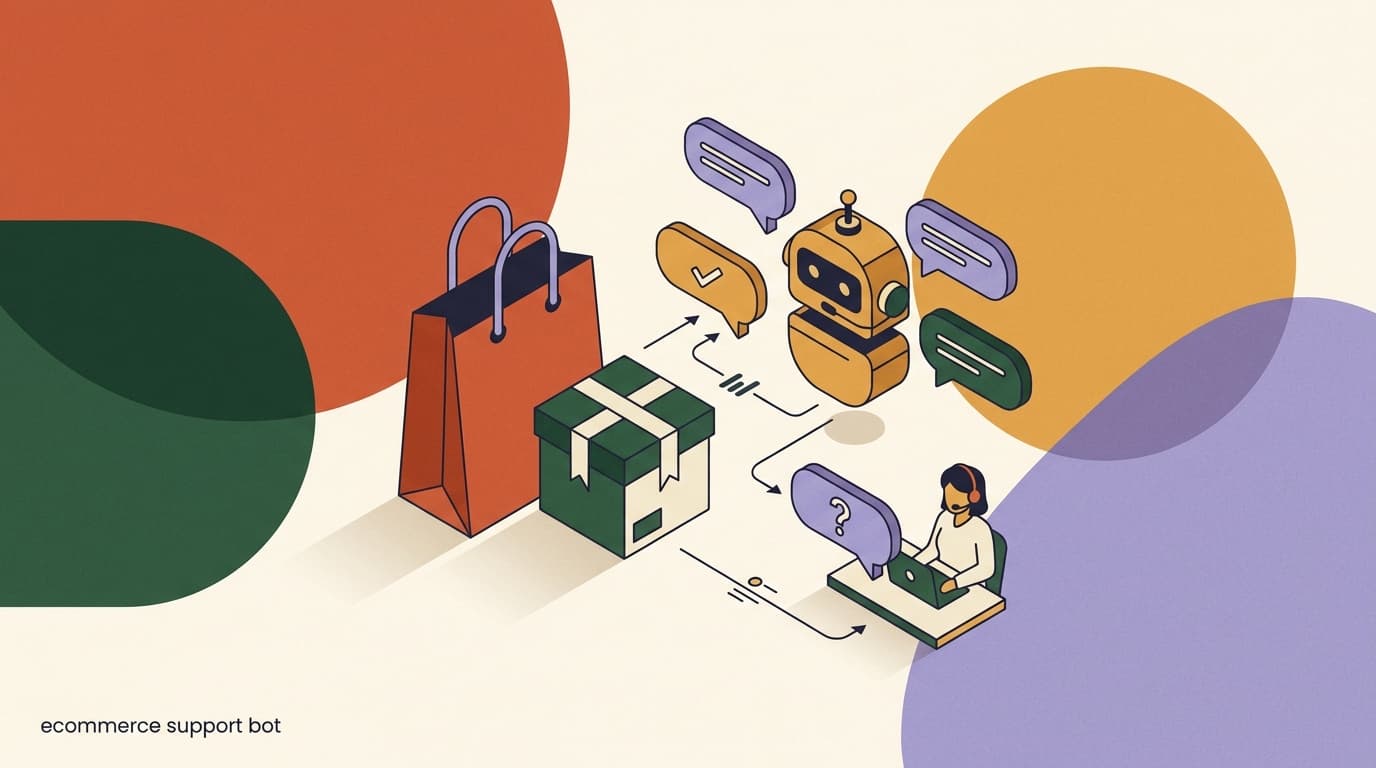
Most ecommerce support volume is not complex. It is the same handful of questions, asked thousands of times: where is my order, when will it ship, can I return this, does it run small, is this in stock. A human reads each one, opens a tab, looks up the order, copies the tracking link, and types a reply that is nearly identical to the last fifty. That work is necessary, repetitive, and a poor use of a skilled agent's day.
An ecommerce support chatbot exists to take that repetitive layer off your team's plate — not to replace the team, but to clear the queue so humans handle the conversations that actually need judgment. Done well, it answers the routine questions instantly, around the clock, in the customer's language, and quietly escalates anything sensitive. Done badly, it frustrates customers, deflects nothing real, and trains shoppers to type "agent" the moment a bot appears.
This is a support-operations playbook. We will map the ticket types AI can reliably resolve, show how to ground an agent in your store data so it stops guessing, cover WISMO deflection and human handoff for refunds and complaints, and explain how to measure deflection honestly rather than gaming a vanity metric. Full disclosure: we build KlyoChat, so we have a point of view — but the principles here apply whatever tool you use, and we have kept the product pitch to one clearly marked section near the end.
What ticket types can an ecommerce support chatbot actually resolve?
Not every ticket is a candidate for automation, and pretending otherwise is how chatbots earn their bad reputation. The useful exercise is to sort your inbox into three buckets: questions an agent can fully resolve on its own, questions it can partially handle then hand off, and questions it should never touch. The first bucket is where the value lives.
Across most stores, a large share of inbound support clusters into five recurring categories. These are the questions where the answer already exists in your store data or your policies — the agent's job is retrieval and clear phrasing, not reasoning about a unique situation.
- Order status is almost always the single largest category — and the easiest to automate well.
- Shipping and returns are policy lookups: the answer is fixed and identical for every customer.
- Sizing and product questions need rich catalog data; a thin product page produces a vague bot.
- Refunds, complaints, damaged goods, and disputes belong to humans — automate the routing, not the decision.
| Ticket type | Example question | Automation fit |
|---|---|---|
| Order status (WISMO) | Where is my order? Has it shipped? | High — pull from order + tracking data |
| Shipping & delivery | How long does delivery take to Canada? | High — answer from shipping policy |
| Returns & exchanges | How do I return this? What's the window? | High — explain policy, start the flow |
| Sizing & fit | Does this run true to size? | Medium — needs good product data |
| Product questions | Is this waterproof? What's it made of? | Medium — depends on catalog detail |
Start with your top three, not all five
Pull a week of tickets and tag them by category. Automate only the top two or three first. A chatbot that nails order status and shipping is worth far more than one that half-answers everything. Breadth before depth is how bots end up shallow and annoying.
How much of your support volume is genuinely repetitive?
Before you automate anything, you need an honest read on your own inbox. Many teams assume their tickets are unique snowflakes because they handle them one at a time. Tag a representative week and the pattern usually surprises people: a large block of conversations are minor variations on the same five questions.
This audit is the foundation for everything that follows. It tells you which categories are worth automating, what your realistic deflection ceiling is, and which conversations you should deliberately keep human. Skipping it is how teams end up automating the wrong things and measuring the wrong outcomes.
- Export a week of conversationsPull every inbound support message from the last seven days across all your channels — DMs, WhatsApp, email-forwarded threads, the lot.
- Tag each by categoryUse the five buckets above plus an 'other' bucket. Be strict: a refund request with a tracking question is two tags, not one.
- Count and rankAdd up each category. The top two or three are almost always more than half your volume — that is your automation target.
- Flag the sensitive onesMark anything involving money back, damage, complaints, or emotion. These are your mandatory human-handoff cases.
A typical small-store week, tagged
- Order status (WISMO)
- The biggest single block — repetitive, instant to answer from data
- Shipping questions
- A large block — pure policy lookups
- Returns & exchanges
- A steady block — policy plus a guided flow
- Sizing & product
- A meaningful block — quality depends on catalog data
- Refunds, complaints, damage
- Smaller, but the highest-stakes — keep these human
Why does an ecommerce support chatbot need your store data to work?
The difference between a chatbot that deflects real tickets and one that just delays the inevitable handoff is grounding. A generic bot answers from a script or from a language model's general knowledge — which means it cannot tell a specific customer where their specific order is. It can only say something vague like "orders usually arrive in five to seven days," which is exactly the non-answer that makes people ask for a human.
A grounded agent connects to the systems that hold the real answers: your store platform for orders and tracking, your catalog for product and inventory data, and your policy documents for shipping and returns rules. When a customer asks where their order is, the agent reads the actual order, the actual fulfillment status, and the actual tracking link, and replies with their information — not a generic estimate.
This is the single biggest predictor of whether automation succeeds. Grounding turns the bot from a deflection wall into an actual first-line agent. Without it, you are just adding a layer customers have to get past.
- Store platform connection (Shopify, WooCommerce): live order status, fulfillment, and tracking.
- Product catalog: descriptions, materials, dimensions, stock levels, sizing notes.
- Policy knowledge base: shipping zones and times, return windows, warranty terms, FAQ.
- Order-lookup logic: match the customer to their order via email, order number, or phone.
An ungrounded bot deflects nothing real
If your chatbot cannot read an actual order, it cannot answer the most common question your customers ask. It will hand off every WISMO ticket to a human anyway — but only after wasting the customer's time. Grounding is not a nice-to-have. It is the whole point.
How do you ground the agent in your catalog and policies?
Grounding has two halves: structured data the agent queries in real time (orders, inventory) and a knowledge base it reads from (policies, product details, FAQs). Both need to be in good shape before you turn anything on. A chatbot trained on a sparse, out-of-date knowledge base will confidently give wrong answers, which is worse than no bot at all.
The good news is that most of this content already exists somewhere — your shipping page, your returns policy, your product descriptions, the canned responses your team already pastes. The work is gathering it, cleaning it, and connecting it. Think of it as writing the answer key once so the agent can use it forever.
- Connect your store platformLink Shopify or WooCommerce so the agent can read live orders, fulfillment status, tracking, and stock without a human in the loop.
- Write the policy knowledge basePut shipping times by region, the return window and steps, warranty terms, and your top FAQs into the agent's knowledge base in plain language.
- Enrich thin product dataAdd materials, dimensions, care, and sizing notes to products that lack them. The agent can only answer what your catalog actually contains.
- Set the order-lookup ruleDecide how customers verify identity — order number plus email is common — so the agent can safely surface order details.
- Test with real questionsPaste twenty real tickets from your audit at the agent and read every answer. Fix gaps in the knowledge base, not the bot's personality.
Garbage in, confident garbage out
AI agents do not know what they do not know — they fill gaps with plausible-sounding guesses. A vague returns policy produces a vague (or invented) answer. Spend your effort on the knowledge base, not on clever prompts. The quality of the data is the quality of the agent.
What is WISMO and why does it dominate your inbox?
WISMO stands for "where is my order" — the anxious, repetitive question that follows nearly every purchase. A customer buys something, then checks in once, twice, sometimes daily until it arrives. Each check-in is a ticket. None of them require a human to think; they require a human to look something up and paste a tracking link.
WISMO is the highest-volume, lowest-complexity category in almost every ecommerce inbox, which makes it the perfect first target for automation. The answer is always available in your store data, the customer just cannot see it easily. An agent that reads the order and returns the live status and tracking link resolves the entire conversation in one message, instantly, at any hour.
Deflecting WISMO well does two things at once. It removes the largest block of repetitive work from your team, and it improves the customer experience, because an instant accurate answer at 11pm beats waiting until business hours for a human to paste the same link. This is the clearest win in support automation and the place to prove value first.
The same WISMO ticket, two ways
- Ungrounded bot
- "Orders typically arrive in 5-7 business days." → customer asks for a human
- Grounded agent
- "Your order #1043 shipped yesterday and is out for delivery today — track it here." → conversation resolved
How do you deflect WISMO tickets without frustrating customers?
Deflection has a bad name because so many bots do it badly — they block the customer from a human while offering nothing useful. Good WISMO deflection is the opposite: it gives the customer a better, faster answer than a human could, so they never wanted the human in the first place. The goal is resolution, not avoidance.
The mechanics are straightforward once the agent is grounded. The customer asks about their order, the agent verifies identity, looks up the live status, and returns a clear, specific answer with the tracking link. If the status is normal, the conversation ends there. If something is wrong — a delay, a stuck shipment, a lost package — that is the moment to bring in a human, because now it is a problem, not a lookup.
- Verify before revealing: ask for an order number and matching email before showing order details.
- Answer with specifics: the actual status, the actual date, the actual tracking link — never a generic range.
- Resolve the happy path fully: if the order is on track, the agent should close the loop without a handoff.
- Escalate the unhappy path: a delayed, lost, or stuck order is a human conversation, and the agent should route it.
- Always offer a way out: a visible "talk to a person" option builds trust and reduces frustration.
Never trap the customer
The fastest way to make customers hate your chatbot is to hide the human option. Counter-intuitively, a clear escape hatch increases successful self-service, because customers relax when they know help is one tap away. Confidence in the exit makes them willing to try the bot first.
Which tickets should never be automated?
Knowing what not to automate is as important as knowing what to automate. Some conversations carry financial, legal, or emotional weight where a wrong or robotic answer does real damage — to the customer relationship and sometimes to your liability. For these, the agent's job is to recognize the situation fast and hand off to a human cleanly, not to attempt a resolution.
The line is usually about stakes and emotion. A lookup is safe to automate. A decision that moves money, admits fault, or responds to an upset customer is not. The agent should be tuned to detect these and escalate immediately, ideally with the full conversation context so the human does not make the customer repeat themselves.
| Scenario | Why it needs a human | Agent's correct action |
|---|---|---|
| Refund request | Moves money; needs judgment and policy nuance | Gather details, escalate to a human |
| Damaged or wrong item | Emotional; may need photos and a goodwill call | Apologize, collect info, hand off |
| Complaint or bad experience | Needs empathy and accountability | Acknowledge, route to a person immediately |
| Chargeback or dispute | Legal and financial sensitivity | Do not attempt; escalate at once |
| Anything the agent is unsure of | Confident wrong answers erode trust | Say so and hand off, don't guess |
Money and emotion are human territory
Configure the agent to escalate any conversation involving refunds, damage, complaints, or disputes — and any case where its confidence is low. A bot that admits "let me get a teammate for this" earns more trust than one that bluffs through a sensitive issue and gets it wrong.
How should human handoff work for refunds and complaints?
Handoff is where good automation either holds together or falls apart. A clumsy handoff — where the customer has to repeat their whole story to a human who has no context — undoes all the goodwill the agent built. A clean handoff feels like one continuous conversation: the agent gathers the essentials, escalates, and the human picks up exactly where things stood.
The key is that the agent does useful work before it hands off. For a refund, it can confirm the order, ask why, and note the request — so the human arrives ready to decide rather than starting from zero. For a complaint, it acknowledges the customer's frustration, signals that a person is coming, and routes the conversation with full history attached. The customer never feels bounced.
- Detect the triggerThe agent recognizes a refund, complaint, damage report, or low-confidence moment and switches into handoff mode.
- Gather context firstIt collects the order number, the issue, and any details a human will need — without making the customer re-explain later.
- Set expectationsIt tells the customer a person is taking over and roughly when to expect them, so silence does not read as being ignored.
- Route with full historyThe conversation lands in a shared team inbox with the entire thread attached, so the human has everything at a glance.
- Let the human close itA person makes the call on the refund or the goodwill gesture, then resolves the ticket and the customer relationship.
Context is the whole game in handoff
The number-one customer complaint about support is repeating yourself. An agent that passes the full conversation to a human — order details, the question, what's already been tried — turns handoff from a frustration into a feature. Make sure your tool carries context across the line.
How do you handle sizing and product questions well?
Sizing and product questions are the medium-difficulty tier. They are highly automatable in principle — the answer is a fact about the product — but only if that fact lives in your catalog. "Does this run small?" is unanswerable if your product page has no sizing note. "Is this dishwasher safe?" is a guess if care instructions are missing. The agent is only as good as the data behind the product.
This is where enriching your catalog pays off twice: it helps your shoppers convert and it lets the agent answer pre-sale and post-sale questions without a human. Many sizing and product questions are actually pre-purchase — a hesitant shopper asking before they buy. An agent that answers instantly can be the nudge that closes the sale, which makes this category support and revenue at once.
- Add explicit sizing guidance: "runs small, size up" beats a bare measurements table for most shoppers.
- Include materials, care, dimensions, and compatibility — the facts people ask about repeatedly.
- Let the agent cite the source: linking the size guide or product page builds trust in the answer.
- Treat unanswerable questions as a catalog gap to fix, not a failure of the bot.
Pre-sale sizing question as a conversion moment
- Shopper asks
- "I'm between sizes, does this run true to size?"
- No catalog data
- Agent hedges or hands off → shopper hesitates and leaves
- Good catalog data
- "It runs slightly small — most customers size up. Here's the size guide." → shopper buys
How do you measure deflection honestly?
Here is where a lot of vendors and teams quietly mislead themselves. "Deflection rate" is easy to inflate: count every conversation the bot touched as deflected, whether or not it actually resolved anything. By that logic, a bot that frustrates a customer into giving up counts as a win. That is not deflection. That is abandonment dressed up as success.
Honest measurement asks a harder question: did the customer get their answer without needing a human, and were they satisfied? A truly deflected ticket is one the agent fully resolved — the customer's question was answered, no human was involved, and the customer did not come back angry. Anything else is a handoff or a failure, and you should count it that way.
| Metric | What it really tells you | Watch out for |
|---|---|---|
| True resolution rate | Tickets fully closed by the agent, no human | Don't count abandons or handoffs as resolved |
| Handoff rate | How often the agent correctly escalates | A healthy number, not a failure — sensitive cases should escalate |
| Reopen / follow-up rate | Whether 'resolved' tickets actually stayed resolved | High reopens mean fake resolutions |
| Customer satisfaction (CSAT) | Whether self-service felt good | A high deflection rate with low CSAT is a red flag |
| First response time | Speed gained from instant answers | Speed without resolution is hollow |
We avoid 'reduce tickets by X%' claims on purpose
You will see chatbots advertised with precise reduction figures. Treat them with suspicion — the number depends entirely on your ticket mix, your data quality, and how you count. We will not promise you a fixed percentage. What AI reliably does is take the repetitive layer off your team. The size of that win is yours to measure honestly.
What does a good support-automation rollout look like?
Resist the urge to flip everything on at once. The teams that succeed with an ecommerce support chatbot roll it out in stages, proving value on the easy categories before extending to the harder ones. This keeps quality high, gives you real numbers to judge by, and avoids the all-or-nothing failure where one bad category poisons trust in the whole bot.
A staged rollout also lets your team adjust. As the agent handles WISMO, your humans see what slips through, where the knowledge base is thin, and which handoffs feel rough — and you fix those before adding the next category. The bot gets better because real conversations expose the gaps.
- Phase one — WISMO onlyLaunch with order status and tracking. It's the biggest, easiest category and the fastest way to prove the agent works.
- Phase two — shipping and returnsAdd policy lookups once order status is solid. These are pure knowledge-base answers and low-risk.
- Phase three — sizing and productExtend to catalog questions after you've enriched product data. Watch for gaps and fill them.
- Phase four — tune the handoffsRefine escalation rules for refunds and complaints so sensitive cases reach humans cleanly and with context.
- Ongoing — review and refineRead a sample of agent conversations weekly. Every wrong answer is a knowledge-base fix, not a reason to give up.
Prove it on WISMO, then expand
If you do nothing else, automate order status first and measure it honestly. It is the largest category, the easiest to ground, and the clearest win. Once your team trusts the agent on WISMO, extending to the next category is an easy decision rather than a leap of faith.
Will customers accept being helped by a bot first?
There is a real fear behind support automation: that customers resent talking to a bot and that automating support signals you stopped caring. It is worth taking seriously, because a bad bot does exactly that damage. But the evidence from how people actually behave tells a more nuanced story — customers do not hate automation, they hate bad automation. They hate being stuck in a loop, being unable to reach a person, and getting generic non-answers to specific questions.
Flip those frustrations around and you have a description of automation customers happily accept. An instant, accurate answer at any hour beats waiting for business hours. A bot that knows their order status without being asked twice feels like good service, not a brush-off. And a visible path to a human, used the moment things get complicated, reassures rather than alienates. The bot is not competing with a perfect human experience; it is competing with a slow queue and a delayed reply.
What customers actually want is resolution with the least friction. Sometimes that is a self-service answer in five seconds; sometimes it is a person who can fix a real problem. A well-built agent gives them the first instantly and routes them to the second cleanly. Framed that way, automating the routine layer is not a downgrade in care — it is what lets your humans give real care where it counts.
- Customers reward speed and accuracy — an instant correct answer beats a slow human reply for routine questions.
- They punish loops and dead ends — always keep a one-tap path to a person.
- They notice generic answers — grounding the agent in real data is what makes self-service feel like service.
- They value a human for hard cases — and your team has more time for those when the bot clears the rest.
The bar is your current queue, not a perfect human
When you worry that customers will dislike the bot, remember what it replaces: a wait for business hours and a copy-pasted reply. Measured against that, an instant accurate answer with a clean escape hatch is usually the better experience, not the worse one.
How does support automation change during peak season?
Peak periods — a big sale, a product launch, the holiday rush — are exactly when support breaks. Volume spikes two or three times over, your team is already stretched, and the same repetitive questions arrive in a flood. This is the moment automation earns its keep, because a chatbot does not get tired, does not fall behind, and answers the thousandth WISMO question as fast as the first.
The catch is that peak season is also when mistakes hurt most. A wrong shipping cutoff date or an out-of-stock answer during a sale can lose a sale or create a complaint. So the work to prepare an agent for peak is not really chatbot work — it is data work. Update the knowledge base with the season's specific shipping cutoffs, return-window extensions, and promotion terms before the rush, and the agent carries the load accurately.
Think of peak season as a stress test for everything in this playbook. If your agent is grounded, your handoffs are clean, and your knowledge base is current, volume spikes are something the bot absorbs while your humans handle the genuinely tricky cases. If any of those foundations are weak, peak is when the cracks show — which is a good argument for getting them right well before the busy period arrives.
- Update shipping cutoff dates in the knowledge base before the rush — "order by the 20th for delivery by the 25th" changes weekly during peak.
- Add temporary policy changes: extended return windows, gift-with-purchase terms, sale exclusions.
- Pre-stage answers for predictable surge questions: "is this still in stock," "will it arrive in time."
- Keep humans on the sensitive queue: peak amplifies complaints and disputes, and those still need people.
Prepare the data before the spike, not during it
The worst time to discover your knowledge base is out of date is mid-sale, when the agent is confidently quoting last month's shipping cutoff. Build a pre-peak checklist that refreshes cutoffs, stock answers, and promotion terms. The agent is only as current as the data you gave it.
How do you keep the agent on-brand and accurate over time?
An ecommerce support chatbot is not a set-and-forget tool. Your catalog changes, your policies evolve, your shipping partners shift, and new products bring new questions. An agent that was accurate at launch drifts out of date if no one maintains the knowledge base behind it. The maintenance is light, but it is real, and the teams that get lasting value from automation treat it as an ongoing habit rather than a project that ended at go-live.
Brand voice matters too. Your customers should not feel a jarring shift in tone when they move from your marketing to your support agent to a human teammate. The agent should sound like your store — warm if you're warm, plain if you're plain — and stay within the boundaries you set. The goal is an assistant that feels like part of your team, not a generic bot bolted onto the side of your store.
The practical routine is simple: review a sample of conversations regularly, treat every wrong or vague answer as a signal that the knowledge base has a gap, and fix the data rather than blaming the model. Over time this tightens the agent into something that genuinely reflects your store, because it has been corrected against your real conversations again and again.
- Sample conversations weeklyRead a handful of real agent threads end to end. You are looking for wrong answers, awkward phrasing, and missed handoffs.
- Trace every miss to the dataA bad answer almost always means a thin or stale knowledge-base entry. Fix the entry, not the personality.
- Refresh after every catalog or policy changeNew products, new shipping rules, new return terms — update the knowledge base the same day they go live.
- Tune the voice and boundariesAdjust the agent's tone and the topics it will and won't speak to, so it stays on-brand and inside safe territory.
Maintenance is the difference between a good launch and a good year
Plenty of chatbots impress in week one and frustrate by month three because nobody kept the data current. A light weekly review keeps the agent accurate as your store evolves. Budget the habit, not just the setup.
Does an ecommerce support chatbot work across channels?
Customers do not pick one channel and stay there. The same person who buys on your site might ask about their order in an Instagram DM, a WhatsApp message, or a Messenger thread — wherever they happen to be. If your support automation only lives in one place, you are leaving the rest of your channels manual, which means the repetitive work simply moves rather than disappearing.
The stronger approach is an agent that works across the channels your customers actually use, with all those conversations landing in one inbox. The questions are the same everywhere — order status, shipping, returns — so the same grounded agent can answer them no matter which channel they arrive on. Your team sees a single queue instead of hopping between apps, and customers get the same fast answer wherever they reach out.
This matters more for social-first stores than people expect. A meaningful share of post-purchase questions for many brands now arrive as DMs, not emails, and those DMs are easy to miss and slow to answer when they sit in a separate app. Pulling them into one automated inbox is often where the biggest, least-visible support backlog gets cleared.
One question, many channels
- Instagram DM
- "Did my order ship?" — same WISMO lookup, answered in-thread
- "What's your return window?" — same policy answer from the knowledge base
- Messenger
- "Is the blue one back in stock?" — same catalog lookup
- All in one inbox
- Same grounded agent, one queue, no app-hopping for your team
Where does KlyoChat fit for ecommerce support?
We build KlyoChat, so this section is the product pitch — clearly marked, and as honest as the rest. KlyoChat is an AI-native, mobile-first unified inbox that brings Facebook, Instagram, Telegram, WhatsApp, TikTok, and X into one place, with custom AI agents that answer routine questions and escalate the rest to your team. For a store, that means the support conversations happening across your social and messaging channels land in a single inbox an agent can work first.
The fit for this playbook is direct. You build a custom AI agent, give it a knowledge base with your shipping and returns policies and product details, and — on the Business plan — connect Shopify or WooCommerce so it can read live orders and answer WISMO with real tracking links. When a refund or complaint comes in, the agent escalates to your shared team inbox with full context, and a human takes it from there. Analytics let you watch resolution and handoff honestly rather than chasing a vanity deflection number.
- AI agents with knowledge bases are included — not a separate add-on.
- Shopify and WooCommerce integration lives on the Business plan, where live order data powers WISMO answers.
- Every plan starts with a 7-day free trial — no credit card.
- For a deeper look at the product-and-ROI angle, see our companion piece on the ecommerce AI support agent.
| What the playbook needs | How KlyoChat does it | Plan |
|---|---|---|
| Knowledge base for policies & FAQ | Custom AI agents with knowledge bases, included | Basic and up |
| Live order status (WISMO) | Shopify / WooCommerce integration | Business |
| Routine answers + escalation | AI agents that answer and hand off to a team inbox | All plans |
| Conversations from social & chat | Unified inbox: FB, IG, Telegram, WhatsApp, TikTok, X | All plans |
| Honest measurement | Built-in analytics for resolution and handoff | All plans |
Honest limits — read before you switch
KlyoChat does not offer native SMS or email, and it is not a website-widget live-chat tool — it works in your social and messaging channels. We are a newer, smaller product than the incumbents, with a smaller community. And like any AI, the agent needs good store data and human handoff for sensitive cases. If your support lives mainly on email or an on-site chat widget, weigh that before you commit.
KlyoChat plans at a glance
- Basic
- $19/mo — unified inbox and AI agents to start automating routine support
- Pro
- $49/mo ($39 yearly) — all channels, 10,000 contacts, custom AI agents, 5,000 AI replies/mo
- Business
- $129/mo — 25,000 AI replies/mo plus Shopify and WooCommerce for live order data
The honest summary: most ecommerce support volume is repetitive lookups — order status above all — and an AI agent grounded in your store data can resolve that layer instantly while your team handles the conversations that need judgment. Ground the agent in real orders and clear policies, deflect WISMO without trapping customers, keep refunds and complaints human, and measure true resolution rather than a flattering deflection figure.
Start small: audit a week of tickets, automate your top category first, and expand only once it's proven. If you want to see how the support-ops angle compares with the broader product-and-ROI view, read our piece on the ecommerce AI support agent, weigh chat tools in our Tidio vs ManyChat comparison, and look at channel setup in our Shopify WhatsApp integration guide. Whatever tool you choose, the playbook is the same — clear the repetitive work, protect the sensitive conversations, and count what actually got resolved.