Your inbox is already a customer database — it just is not organized like one. Every buyer, warm lead, repeat superfan, and brand-deal contact is sitting in the same undifferentiated stream, sorted only by who messaged most recently. That practice has a name here: creator CRM DMs — using tags, custom fields, notes, and pipeline stages so every conversation carries context instead of vanishing the moment it scrolls off the top. You do not need enterprise software to start. You need a way to label who someone is, remember what you discussed, and know what happens next.
This is the practical version of that idea. We will define what a customer relationship management system actually does, translate each of its parts into something you can run inside a DM inbox, and build a tagging and pipeline model you can set up in an afternoon. We will cover the contact types worth tracking, the notes worth keeping, the follow-up habits that convert, and — honestly — the point at which a light inbox CRM stops being enough and you should graduate to a real sales tool.
Full disclosure: we build KlyoChat, an AI-native unified inbox with tags, fields, notes, and segments. So we have a stake in this. We have kept the advice tool-agnostic where it matters — most of it works in any inbox — and we are clear at the end about what a conversation CRM does well and where it stops, including when to sync your data out to a dedicated CRM instead.
What does it actually mean to treat your DMs like a CRM?
A CRM, short for customer relationship management, is at its core three simple things: a record of who your contacts are, a memory of every interaction you have had with them, and a view of where each one sits in your process. Big sales teams wrap that in forecasting, automation, and reporting, but the spine is always those three ideas — identity, history, and stage.
Treating your DMs like a CRM means bringing that spine to conversations that currently have none. Right now a DM tells you a name, an avatar, and the last thing that was said. It does not tell you whether this person bought your last product, whether they are a brand offering a partnership, or whether you promised to follow up on Thursday. A CRM layer adds that. You tag the person so you know who they are at a glance, you leave a note so you remember what was discussed, and you assign a stage so you know what should happen next.
The point is not to turn yourself into a salesperson. It is to stop losing money and goodwill to forgetfulness. A creator with an engaged audience is fielding dozens of high-value conversations a week — coaching enquiries, product questions, collaboration offers — and the difference between a good month and a great one is usually not more reach. It is following up on the conversations you already have. That is what this system is for.
This is a mindset before it is a tool
You can start treating your DMs like a CRM today with nothing but tags and notes in whatever inbox you already use. The software matters less than the habit of labeling who someone is and recording what happens next. Get the habit first; upgrade the tooling when the habit outgrows it.
Why do creators need a CRM for their DMs at all?
For a long time, direct messages were treated as casual — a place for fan chatter, not commerce. That has changed. For a lot of creators, the DM is now the highest-converting surface they own. It is where a comment becomes a coaching client, where a product question becomes a sale, and where a brand's assistant slides in to talk about a paid post. The conversations that pay your rent increasingly happen one to one, in the inbox.
The problem is that inboxes are built for volume, not memory. They are optimized to show you the newest message, then bury it under the next one. There is no native concept of a contact's value, no place to record that someone is a repeat buyer, no reminder that you said you would send a link tomorrow. So high-value threads get lost, warm leads go cold because nobody followed up, and you re-ask questions you already answered because you cannot see the history.
A DM CRM fixes the structural mismatch. It gives conversations the memory the inbox lacks. And it pays for itself in a way that is easy to feel: the follow-up you would have forgotten, the VIP you treated like a stranger, the brand thread you let go quiet. If you already work to grow your audience and to monetise your Instagram DMs, organizing those conversations is the cheapest lever you have left. You are not finding new demand — you are refusing to leak the demand you already created.
- DMs are now a primary sales and partnership channel, not just fan chatter.
- Inboxes surface the newest message and bury everything else — they have no memory of value or stage.
- Most lost revenue in DMs is not lost reach, it is missed follow-up.
- Organizing existing conversations is cheaper than chasing new ones.
What is the real difference between a DM inbox and a CRM?
It helps to see the two side by side, because the gap is specific. A plain inbox and a CRM are answering different questions. The inbox answers who messaged me last. The CRM answers who is this person, what have we discussed, and what do I owe them next. Once you name the gap, you know exactly what layer you are trying to add.
The table below maps the difference across the dimensions that matter to a creator running a business out of their DMs.
| Dimension | Plain DM inbox | DM as a CRM |
|---|---|---|
| Sort order | Most recent message first | By stage, value, or tag |
| Contact identity | Name and avatar only | Tagged role: lead, buyer, VIP, brand |
| Memory | The last few messages | Notes and fields on every contact |
| Next step | Whatever you remember | An explicit stage and follow-up date |
| Segmenting | None — one flat stream | Filter and message by tag or field |
| Follow-up | Manual and easily forgotten | Reminders tied to the contact |
You are adding a layer, not replacing the inbox
A DM CRM does not move your conversations somewhere else. It sits on top of the inbox you already use and adds the four things it lacks: identity, memory, stage, and follow-up. If a tool asks you to abandon the DM surface entirely, it is solving a different problem than this one.
What contact types should you tag in your DMs?
The first move is deciding who people are. Before you build anything elaborate, you need a small set of labels that captures the roles that matter to your business. Most creators do fine with four to six. More than that and you will stop applying them consistently, which is worse than having none, because a half-tagged inbox lies to you about who has been sorted.
Here is a starting taxonomy that fits almost every creator business. Treat it as a default, not a rule — rename to match your world, but resist the urge to add a dozen more on day one.
One nuance worth planning for early: a person can hold more than one role at once. A buyer can also be a brand contact; a VIP is by definition also a buyer. Good tagging systems let a contact carry several tags rather than forcing one. That way you can ask a compound question later — show me every VIP who has not been messaged in 30 days — instead of jamming a person into a single box that does not fit.
| Tag | Who it is | Why you track them |
|---|---|---|
| Lead | Asked about an offer, has not bought | Needs follow-up to convert |
| Buyer | Has purchased at least once | Upsell, testimonial, care |
| VIP | Repeat buyer or superfan | Priority replies, early access |
| Brand | Partnership or sponsorship contact | Deal pipeline, invoicing |
| Cold | Went quiet or not a fit | Archive or re-engage later |
Do not over-engineer the taxonomy
The most common failure is starting with fifteen tags and applying none of them. A tag you do not apply consistently is worse than no tag, because a half-sorted inbox gives you false confidence. Start with four, live with them for a month, and only split a tag when you feel real pain from its absence.
How do you build a tagging system that does not collapse?
A tagging system fails for one of two reasons: it is too complicated to keep up with, or it is too vague to be useful. The trick is a small, well-defined set of tags plus one clear rule for when each gets applied. If you cannot say in a sentence what qualifies someone for a tag, that tag will drift and stop meaning anything.
Build it in a fixed order. Do not try to invent the perfect scheme up front — start narrow, apply it for real, and expand only when the current set genuinely fails you.
- Write down your four core tagsLead, buyer, VIP, brand is a strong default. For each, write one sentence describing exactly who qualifies. If you cannot define it, do not add it.
- Tag the last 50 conversationsDo not start with automation. Hand-tag your recent threads so you feel where the categories break down and where a fifth tag is genuinely needed.
- Add status tags on top of role tagsLayer a light status like 'needs-reply' or 'awaiting-payment' over the role tag. Role says who they are; status says what is pending.
- Automate the obvious entriesIf someone triggers a comment-to-DM funnel or asks about a specific offer, auto-apply a 'lead' tag on entry so the inbox pre-sorts itself.
- Review and prune monthlyOnce a month, look for tags nobody uses and merge them. A living tag set is small and honest; a dead one sprawls and lies.
Separate 'who they are' from 'what is pending'
Role tags (lead, buyer, VIP, brand) change rarely. Status tags (needs-reply, follow-up-Friday, awaiting-payment) change constantly. Keeping them as two layers means you can filter for a permanent identity and a temporary state at the same time — the single most useful thing a DM CRM lets you do.
What custom fields and notes should you keep on a contact?
Tags tell you the category. Notes and custom fields tell you the specifics — and the specifics are where the relationship lives. A tag says buyer. A note says bought the 6-week program in January, asked about the advanced tier, has a newborn so prefers async. That second sentence is what makes your next reply feel like it came from someone who remembers them, because it did.
There are two kinds of memory to keep. Notes are free text — the running log of a relationship, written the way you would jot on a business card. Custom fields are structured values you might want to filter or sort by later. Both matter, and they do different jobs.
The discipline that separates a working DM CRM from a pile of good intentions is writing the note before you close the thread. It takes ten seconds and it is the difference between a warm, specific follow-up next week and a generic one that reads like you forgot them — because you did.
- Notes: free-text context — what they bought, what they care about, what you promised, personal details worth remembering.
- Custom fields: structured data — email, first purchase date, product owned, deal value, timezone, source of the lead.
- Fields are for filtering and segmenting later; notes are for the human texture a filter can never capture.
- Write the note at the end of the conversation, not later. The detail you skip recording is the one you will wish you had.
A contact record that earns the next sale
- Tags
- buyer, VIP
- Fields
- email captured, owns Program v2, first bought Jan 2026, timezone GMT
- Note
- Loved the mobility module, asked about 1:1 coaching — follow up after her event on the 20th
- Result
- Follow-up references the event and the exact ask; feels personal, converts
How do you turn tags into a pipeline with stages?
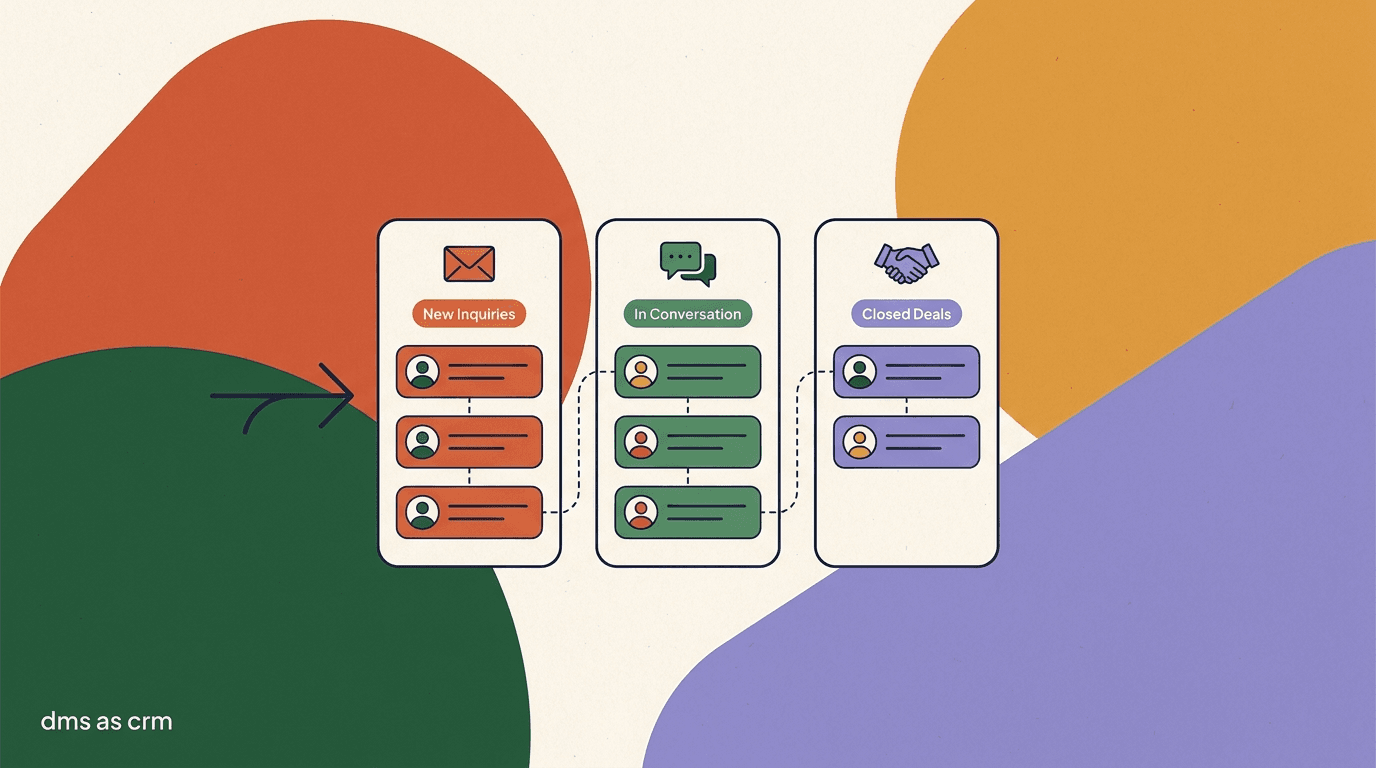
Tags describe a person. A pipeline describes a journey. The moment you start thinking about how someone moves from first message to paying customer, you have a DM pipeline — and that is where a CRM stops being a filing cabinet and starts making you money. A pipeline is just a set of ordered stages, and every contact sits in exactly one at a time.
For most creator offers, the pipeline is short and legible. You do not need a fifteen-stage enterprise funnel. Four or five stages cover the whole path from stranger to buyer, and keeping it short means you will actually keep it current.
You can run this with a single field called 'stage' whose value is one of those five, or with a tag per stage where a contact carries exactly one stage tag at a time. Either works. What matters is that every active lead has a stage, and that moving them forward is a deliberate act. When you look at your inbox filtered to the Proposal stage, you are looking at your near-term revenue — the people who have heard the offer and need one more nudge. That view is worth more than any analytics dashboard.
| Stage | What it means | Your job at this stage |
|---|---|---|
| New | Just entered the DM | Qualify — is there a real need? |
| Qualified | Has a need you can serve | Explain the offer, answer objections |
| Proposal | You have quoted or pitched | Follow up, remove friction |
| Won | They bought | Deliver, delight, ask for a testimonial |
| Lost | Not now or not a fit | Tag reason, re-engage later |
The pipeline is a to-do list in disguise
The reason a pipeline works is that it converts a vague feeling of 'I should follow up with people' into a specific, filterable list: everyone in Proposal, sorted by how long they have been stuck there. You cannot act on a feeling. You can act on a list of eleven names.
How do you run follow-up reminders without a full sales CRM?
Follow-up is where deals are won, and it is the single hardest thing to do consistently from a raw inbox. The message you meant to send tomorrow gets buried under thirty new ones by tomorrow afternoon. A DM CRM does not need enterprise automation to fix this — it needs a lightweight way to say 'come back to this person on this day' and a habit of checking that list.
There are a few ways to do it, from fully manual to lightly automated. Pick the lightest one you will actually maintain.
- Use a status tag as a due-dateTag threads 'follow-up-Mon' or 'follow-up-15th'. Once a day, filter to today's tag and clear the list. Crude, but it works with zero setup.
- Keep a next-action field on hot contactsFor anyone in Proposal, record the next action and its date in a field. Filtering by that field gives you today's follow-up queue.
- Batch follow-ups into one daily blockDo not follow up reactively all day. Set aside fifteen minutes, open the follow-up filter, and clear it in one pass. Consistency beats speed.
- Automate the reminder, keep the message humanLet a tool remind you it is time, but write the actual follow-up yourself or from a lightly edited template. The reminder is the machine's job; the words are yours.
One follow-up block a day beats constant checking
The creators who convert best in DMs are not the fastest repliers — they are the most reliable followers-up. A single fifteen-minute daily pass through your follow-up list will out-earn hours of scattered inbox anxiety. Protect the block and clear it every day.
What does a day of DM CRM work actually look like?
Theory is cheap. Here is what running your DMs as a CRM looks like across an ordinary day for a coach or product creator. The whole routine is maybe thirty minutes, split into a couple of blocks, and it replaces the low-grade dread of an inbox you are behind on with a system you are on top of.
The shape below is a realistic morning-and-evening rhythm. Adjust the times to your life; keep the structure.
Notice what is not in that routine: no scrolling the whole inbox hoping to spot something important, no re-reading a thread to remember what you promised, no guilt about the people you forgot. The system remembers so you do not have to. That is the entire value proposition of a CRM, scaled down to fit a phone and a solo operator. A good unified inbox is what makes the triage-and-note habit fast enough to actually keep.
A creator's DM CRM day
- Morning triage (10 min)
- Tag every new thread — lead, buyer, VIP, brand — and set a stage for the real prospects
- Reply block (varies)
- Answer questions, note what was discussed, move stages forward as conversations advance
- Follow-up block (15 min)
- Filter to today's follow-ups, send each one, reset the reminder for the next touch
- Evening notes (5 min)
- Write a one-line note on every meaningful thread before closing the app
- Weekly (20 min)
- Review the pipeline, chase stuck Proposals, prune dead tags, re-engage a few Cold contacts
How do you segment your DMs for broadcasts and outreach?
Once your contacts are tagged and carry fields, you unlock the thing a flat inbox can never do: talking to a specific group instead of everyone or no one. Segmenting is just filtering your contacts by tag or field and then acting on that slice — sending a targeted message, running a re-engagement pass, or pulling a list for a launch.
This is where the earlier discipline pays off. Because you tagged buyers and captured a first-purchase date, you can message everyone who bought a product more than 90 days ago with a next-step offer. Because you tagged VIPs, you can give them early access before a public launch. Because you tagged Cold contacts with a reason, you can run a light re-engagement to the ones who went quiet on price rather than the ones who were never a fit.
A few high-value segments almost every creator can build once the tagging is in place:
- Buyers who purchased 90+ days ago — a warm audience for your next offer.
- VIPs — the short list that gets early access, personal notes, and first dibs.
- Leads stuck in Proposal for over a week — a targeted 'still interested?' nudge.
- Brand contacts with an open thread — a professional follow-up before a deal goes cold.
- Cold contacts tagged 'went quiet on price' — a candidate list for a limited-time discount.
Respect the platform's messaging rules
Unsolicited bulk DMs are a fast way to get your account restricted. Segmented outreach should go to people you have a genuine relationship with, ideally who opted in. Review the platform's own rules — see Instagram's help center and Instagram business tools — and treat broadcast features as a way to reach warm contacts, not to spam cold ones.
What common mistakes make a DM CRM fall apart?
A DM CRM is simple, which is its strength — but simple systems still fail in predictable ways. Almost every collapse traces back to the same handful of mistakes, and all of them are about discipline rather than tooling. Knowing them in advance is most of the cure, because you can build your routine specifically to avoid them.
The first and most common is inconsistent tagging: you tag carefully for a week, get busy, and stop. Two weeks later the inbox is half-sorted, which is arguably worse than unsorted, because you trust it when you should not. The fix is not more discipline through willpower — it is fewer tags and a tagging moment built into a fixed daily block, so the habit does not depend on remembering.
The second is treating the CRM as a place you visit rather than a thing you do while you work. If tagging and noting are a separate chore you get to later, later never comes. The contacts that matter are tagged in the same motion as replying to them. The third is hoarding — never archiving Cold contacts, never pruning dead tags — until the system is so cluttered that the signal drowns. A DM CRM stays useful only if you weed it.
- Inconsistent tagging: tagging for a week, then stopping, leaves a half-sorted inbox you wrongly trust.
- Tagging as a separate chore: if it is not done in the same motion as replying, it does not get done.
- Note debt: skipping the one-line note means next week's follow-up reads like you forgot them.
- Tag sprawl: adding a new tag for every edge case until none of them mean anything.
- Never archiving: letting Cold contacts and dead threads pile up until the useful signal is buried.
A half-sorted inbox is more dangerous than an unsorted one
When nothing is tagged, you know to be careful. When half of it is tagged, you assume the filters are complete and act on them — and miss the untagged half entirely. If you cannot keep tagging consistent, shrink the system until you can. A small system you actually run beats a rich one you abandon.
How do you hand your DM CRM to a VA or teammate?
One of the quiet payoffs of running your DMs as a CRM is that the system becomes handable. A raw inbox is impossible to delegate — the context lives entirely in your head, so anyone else replying is guessing. A tagged, noted inbox with clear stages is the opposite: a new assistant can see who each contact is, what was discussed, and what happens next, without you narrating it. The CRM layer is the handover document.
The move from solo to a small team is where the earlier discipline compounds. If your tags are defined in a sentence each, your stages are legible, and your notes are current, onboarding a virtual assistant is mostly teaching them the rules you already wrote down. The goal is that they can triage and reply in your voice while you keep the judgment calls and the relationships that need you personally.
- Write the tag and stage rules downTurn the definitions in your head into a one-page reference: what each tag means and what qualifies a contact for each stage. This is the training doc.
- Give them the triage and note jobs firstStart a VA on tagging new threads and writing notes — low-risk, high-value work that teaches them your contacts before they reply to anyone.
- Reserve VIP and brand threads for yourselfRoute the relationships that need you — VIPs, live brand deals — to your own queue with a tag. Delegate the volume, keep the judgment.
- Review their tags weekly at firstSpot-check how they are applying tags and stages for the first few weeks. Correct drift early, before it becomes the new normal.
The system is the training
The reason a tagged inbox is delegable is that most of the onboarding is already done — the tags and notes carry the context a new teammate would otherwise have to ask you for. If you ever plan to bring on help, running a DM CRM now is the cheapest way to make that future handover fast.
When should you graduate from a DM CRM to a real sales CRM?
This is the honest part. A DM CRM — tags, fields, notes, stages, follow-ups living inside your inbox — is the right tool for a specific stage: a solo creator or small team whose business runs mostly on conversations. It is genuinely enough for a long time. But it is a conversation CRM, not a full sales CRM, and there are signals that tell you when you have outgrown it.
You have not outgrown it just because you are busy. You have outgrown it when the shape of your business changes — when deals get complex, when a team needs shared process, or when revenue reporting stops being optional. Here is how to tell the difference.
The mistake in both directions is expensive. Bolt a heavyweight sales CRM onto a one-person DM operation and you will spend more time feeding the tool than talking to people. Try to run a five-person, six-figure-deal operation out of inbox tags and things will slip through the cracks. Match the tool to the stage. Most creators live happily in the DM CRM stage for years; the ones who outgrow it usually know exactly when, because the pain is specific and loud.
| Signal | Stay on a DM CRM | Move to a full sales CRM |
|---|---|---|
| Team size | You or a couple of helpers | A sales team that needs shared ownership |
| Deal complexity | Simple, one or two touchpoints | Multi-step deals, quotes, contracts |
| Reporting needs | You can eyeball the pipeline | You need forecasting and revenue reports |
| Channels | Mostly social DMs | DMs plus email, calls, and forms in one record |
| Automation | Light reminders are enough | Sequences, lead scoring, territory routing |
Graduating does not mean abandoning your DMs
When you move to a full CRM, the DMs do not stop mattering — they are still where conversations happen. The change is that the record of truth moves to the CRM, and your inbox feeds it. That is a sync problem, not a replacement, which is exactly what the next section is about.
How do you sync your DM data out to a real CRM?
When you do graduate, the goal is to keep the DM as the conversation surface while a dedicated CRM becomes the system of record. You do not want to copy-paste contacts by hand, and you do not want two sources of truth drifting apart. The bridge between them is an API or webhooks — the standard way one tool pushes data into another automatically.
In practice, a webhook fires when something meaningful happens in the inbox — a new lead is tagged, a stage changes, a deal is marked won — and sends that event to your CRM, which creates or updates the matching record. The conversation stays in the DM; the structured data flows out to the place built to report on it. If you want the reverse direction too, connecting an assistant to your records is its own project, which we cover in connecting an AI agent to your CRM.
- Keep the inbox as the conversation layerDo not try to move conversations into the CRM. The DM is where people talk; the CRM is where the structured record lives. Let each do its job.
- Map your tags and fields to CRM fieldsDecide before you connect anything: which inbox tag becomes which CRM property, which custom field maps where. A clean map now prevents messy data later.
- Push events with webhooksConfigure a webhook so new leads, stage changes, and won deals fire an event to your CRM automatically. This keeps the record of truth current without manual entry.
- Reconcile on a scheduleEven with automation, review the sync periodically for gaps or duplicates. Automated pipes drift; a monthly reconciliation keeps both systems honest.
Treat contact data like the asset it is
The moment you sync DM data to another system, you are moving personal information between platforms. Use official APIs rather than scraping, honor the messaging and privacy rules of each platform, and only collect and pass fields you genuinely need. A tidy, minimal contact record is both better practice and less risk.
How does KlyoChat handle DMs as a light CRM?
This is the part where we are the vendor, so here is the honest version. KlyoChat is an AI-native, mobile-first unified inbox that brings Facebook, Instagram, Telegram, WhatsApp, TikTok, and X into one place, and layers exactly the CRM primitives this article describes: tags, custom fields, notes, and segments on every contact. It is built to make the tag-and-note habit fast enough to keep on a phone, which is where most creators actually live.
What that means concretely: you tag a contact as lead, buyer, VIP, or brand as the conversation happens; you capture structured fields like email or first-purchase date; you leave notes that survive the scroll; and you filter by any of it to run segmented follow-ups. An AI agent can handle first response and even apply tags on entry, so your inbox pre-sorts itself. If you are building out a wider creator automation stack, the inbox is the CRM layer that sits under it, and our creators page walks through the full setup.
And the limit, stated plainly: KlyoChat is a light conversation CRM, not a full sales CRM. It is excellent at giving your DMs identity, memory, stage, and follow-up. It is not built to be your forecasting engine, your multi-channel deal desk, or your revenue reporting suite. When you outgrow it, the answer is not to fight the tool — it is to sync out. API and webhooks on the Business plan let you push contacts and events to a dedicated CRM, keeping KlyoChat as the conversation layer and the sales CRM as the system of record.
- Tags, custom fields, notes, and segments are built in — the exact primitives this article describes.
- One inbox across Instagram, WhatsApp, Telegram, TikTok, Facebook, and X, so every conversation lives in one place.
- AI agents can auto-tag and handle first response, so the inbox pre-sorts itself.
- Honest limits: it is a light conversation CRM, not a full sales CRM; there is no native SMS or email; the community is newer and smaller than the incumbents.
- Outgrown it? API and webhooks on Business sync your data to a real CRM.
| CRM job | In KlyoChat | Honest limit |
|---|---|---|
| Identify contacts | Tags: lead, buyer, VIP, brand | You define the taxonomy |
| Remember context | Notes + custom fields per contact | Free text, not a full data model |
| Track stages | Tags or a stage field | Light pipeline, not deal forecasting |
| Segment & reach | Filter by tag/field, then message | Respect platform messaging rules |
| Sync out | API + webhooks on Business | For a true sales CRM, connect one |
Start light, sync out later
You do not have to choose between a DM CRM and a real one forever. Start by treating your inbox as a light CRM with tags and notes; when a genuine sales-CRM signal appears, turn on the sync and let both tools do what they are good at. Check current tiers on our pricing page before you budget.
KlyoChat plans at a glance
- Basic
- $19/mo — small setups getting tags and notes in place
- Pro
- $49/mo ($39 billed yearly) — all channels, custom AI agents, the full light-CRM workflow
- Business
- $129/mo — API and webhooks to sync out to a real sales CRM when you graduate
- Trial
- 7-day free trial, no credit card — test the full inbox before you pay
The bottom line: your DMs are already a customer database, and treating them like one is the highest-leverage, lowest-cost move available to most creators. Tag who people are, record what you discussed, give every real prospect a stage, and follow up on a schedule. That is creator CRM DMs in one sentence, and you can start it this afternoon in whatever inbox you already have.
Keep it light for as long as light works — a conversation CRM covers a solo creator or small team for a long time. Watch for the signals that you have outgrown it: a growing team, complex deals, real reporting needs. When they arrive, do not abandon the inbox; sync it out to a full sales CRM and let each tool play its part. Until then, the win is simple and it is sitting in your inbox right now: stop leaking the conversations you already have.