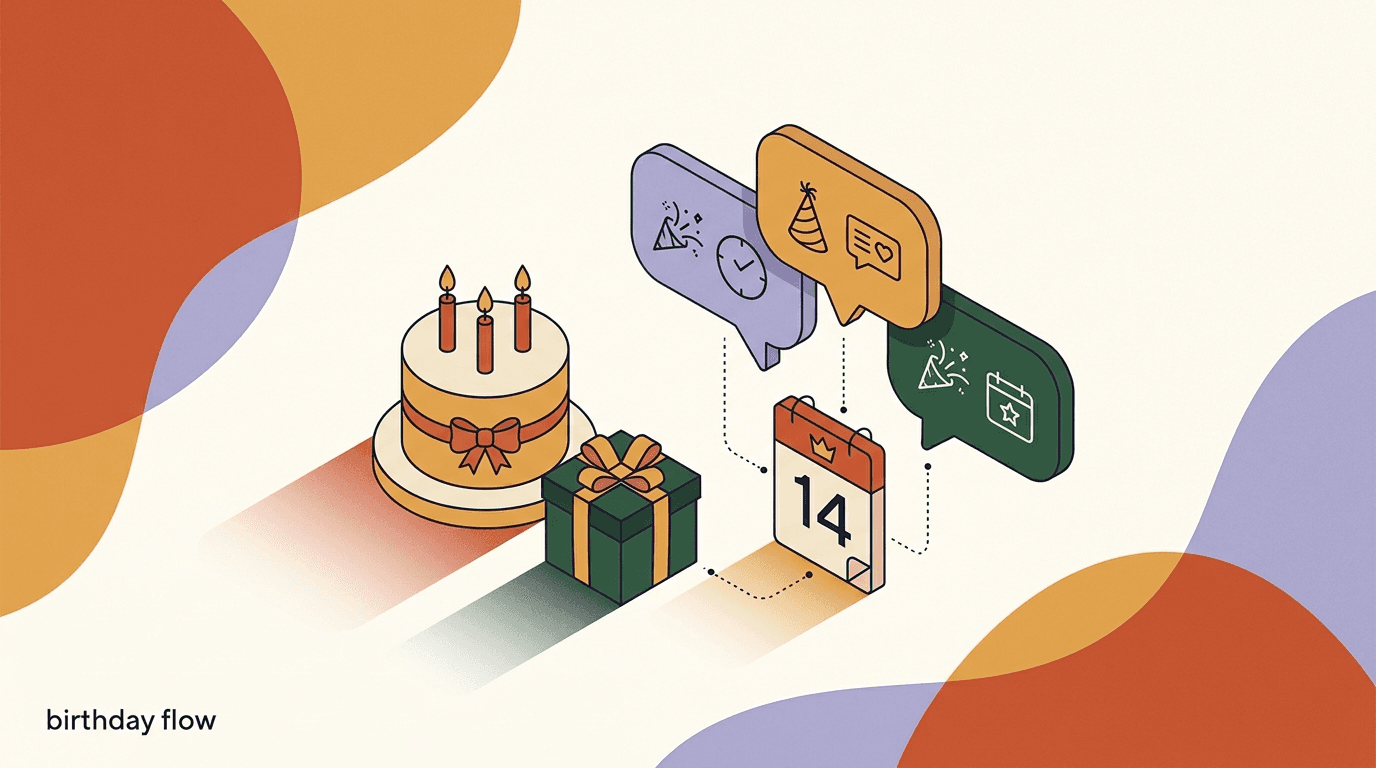
A birthday message flow is one of the few automations where the calendar does the hard part for you. You set it up once, and from then on the right message reaches the right person on the one day of the year they are most inclined to hear from a brand they like. Done with restraint, a date-based flow turns a routine greeting into a small, well-timed nudge that drives repeat sales — not because the discount is huge, but because the timing feels personal rather than promotional.
This is a build guide, not a pep talk. We will walk through collecting the date with proper consent, storing it as a custom field, setting the timed trigger, writing the day-of message and the offer, handling the difference between in-window and template sends on WhatsApp, and measuring whether the whole thing actually earns its place. We will also be honest about the parts vendors gloss over: you should only store someone's date of birth with their clear consent, and messaging people outside the 24-hour window on WhatsApp requires approved templates plus Meta's per-conversation fees.
Full disclosure: we build KlyoChat, so we have a point of view about how date-based flows should work. We have kept the platform-specific rules to what Meta and the regulators actually publish, and flagged the judgment calls as judgment calls. Nothing here is legal advice — for anything involving customer data, check your obligations with someone qualified in your region.
What is a birthday and anniversary message flow?
A birthday and anniversary message flow is an automation that fires on a date stored against each contact rather than on a keyword, a comment, or a click. Most flows you build are triggered by something the customer does right now — they reply, they comment, they tap a button. A date-based flow is different. It waits, quietly, for a date you saved earlier to match today, and then it acts. That single shift in trigger type is what makes these flows feel less like marketing and more like a brand remembering something.
The birthday version keys off a date of birth the customer gave you. The anniversary version usually keys off a date your own system already holds — the day someone first bought, first subscribed, or first booked. Both run on the same machinery: a stored date, a scheduled check that compares that date to today, and a message that sends when they line up. Once you understand the pattern for one, you can build the other in minutes.
The reason these flows sit in the middle of the funnel rather than the top is that they only work on people who are already customers or engaged subscribers. You cannot send a birthday greeting to someone whose birthday you do not have, and you do not get someone's birthday until they have opted in and trusted you with it. That is why a birthday message flow pairs so naturally with the retention work you are probably already doing — it is a loyalty mechanic dressed up as a nice gesture.
Why do date-based flows drive repeat sales?
The economics are simple. A generic broadcast lands in everyone's inbox at the same moment, competing with every other brand that picked the same Tuesday. A birthday message arrives on a day the recipient is already thinking about themselves, when a small gesture reads as thoughtful instead of intrusive. The message is not fighting for attention against a crowd — it is arriving in a quiet, receptive window that belongs to that one person.
There is also a relationship effect that is hard to fake with volume. When a brand remembers your birthday and sends something modest — a real discount, early access, a genuinely nice note — it signals that you are seen as a person, not a row in a list. That signal compounds. Customers who feel remembered tend to open the next message, and the one after that, which quietly lifts the performance of everything else you send.
None of this requires a large offer. In fact, a smaller, well-timed offer usually beats a bigger, poorly-timed one, because the timing is doing the persuasion. That is the whole point of celebration automation: you are not buying the sale with a deep discount, you are earning it with relevance. If you want a companion mechanic for people who have gone quiet, our guide to building a win-back sequence for dormant contacts covers the flip side of the same loyalty coin.
Why timing beats discount depth
- Generic 30% off broadcast
- Sent to everyone on the same day, competes with a full inbox, trains discount-hunters
- Birthday 15% off on the day
- Arrives in a receptive personal window, reads as a gift, needs a smaller discount to convert
What do you need before you build a birthday message flow?
Before you touch the flow builder, get the foundations in place. A birthday message flow depends on three things existing: a way to capture the date, a field to store it in, and a channel that can reach the contact when the day comes. Skip any one of these and you will build a flow that has nothing to fire on.
The prerequisites are not complicated, but the order matters. You want the custom field created before you start collecting dates, so that every date you capture lands somewhere structured and queryable. Retrofitting a field onto data you have already collected as free text is tedious and error-prone.
- A custom field to hold the date — ideally a proper date field, not a text field, so the flow can compare it to today reliably.
- A consented way to collect the date, whether that is a flow question, a form, or a checkout field, with clear language about why you are asking.
- At least one messaging channel connected — Instagram, Facebook, Telegram, or WhatsApp — that can deliver the message on the day.
- A modest, pre-decided offer or gesture, so you are not improvising the incentive every year.
- A plan for people whose date you do not have, so the flow degrades gracefully instead of doing nothing for most of your list.
Build the field first, collect second
Create the date custom field before you ask a single customer for their birthday. If you collect dates into a free-text field and try to structure them later, you will spend an afternoon cleaning up 'March 3rd', '3/3', and 'the third of March'. A dedicated date field saves you that.
How do you collect the birthday date with consent?
This is the step that separates a flow that respects people from one that gets you in trouble. A date of birth is personal data, and in many regions it is treated as sensitive. You do not get to quietly infer it, buy it, or scrape it — you ask for it, you explain why, and you only store it when the person has clearly agreed. That consent is not a nice-to-have; under frameworks like the GDPR it is often the lawful basis that makes the whole flow legitimate.
The good news is that asking well actually improves your data quality. People give accurate birthdays when they understand what they get in return. So tell them. A one-line explanation — that you would like to send them a small treat on their birthday — converts far better than a bare form field, and it doubles as the consent moment. You can collect the date inside a conversational flow, on a signup form, or as a field at checkout; whichever you choose, the ask and the reason should sit right next to each other.
Keep the scope tight. You almost never need the birth year to run a birthday message flow — the day and month are enough to fire the greeting, and collecting less data is both kinder and lower-risk. If you do not need the year, do not ask for it. For a broader look at capturing preferences the moment someone first engages, our welcome DM sequence walkthrough shows where a birthday ask fits naturally into onboarding.
Only store a date of birth with clear consent
A birthday is personal data, and depending on where your customers live it may carry extra protections. Collect it only with an explicit opt-in, tell people plainly why you want it, store the minimum you need (day and month is usually enough), and let them remove it later. This is a summary, not legal advice — confirm your obligations for your region and audience.
Sample consent-first birthday ask
- In-flow question
- We love spoiling people on their birthday. Want a little treat from us on yours? Tap yes and tell us the day and month.
- If they tap yes
- Amazing. What is your birthday? Just the day and month is perfect — for example 14 March.
- If they tap no
- No problem at all. We will keep it to the good stuff and skip the birthday note.
How do you store the date as a custom field?
Once someone has consented and given you their date, it needs a home. Store it in a dedicated custom field on the contact record — a field whose only job is to hold that date. In KlyoChat, and in most serious flow tools, you create the field once and then write to it from any flow, form, or import. The flow that asks the birthday question captures the answer and saves it straight to that field, so it is immediately available to every future automation.
Use a real date type wherever your tool supports it. A date field lets the system reason about the value — it knows that 14 March is a date, that it recurs every year, and that it can be compared to today. A text field cannot do any of that reliably. If you are stuck with text, at least standardize the format on the way in, so every value looks the same and your trigger has a fighting chance of matching.
Think about the anniversary field at the same time. If you want anniversary message automation as well as birthdays, you will store a second date — usually the first-purchase or signup date — and you often already have that one. Many teams populate the anniversary field automatically from their commerce or CRM data rather than asking, since the customer implicitly created that date when they bought.
| Field | Type | How it gets filled | Used by |
|---|---|---|---|
| birthday | Date (day + month) | Consented flow question or form | Birthday message flow |
| signup_or_first_purchase | Date | Auto-set on first order or opt-in | Anniversary message automation |
| birthday_consent | Boolean | Set true when the customer opts in | Both flows, as an entry condition |
A consent flag is a field too
Store the opt-in itself, not just the date. A simple true/false consent field lets your flow check 'do we have permission?' as an entry condition, and gives you a clean record if anyone ever asks why they received a birthday message. It costs nothing and saves you an awkward conversation later.
How do you set the date-based trigger?
The trigger is the heart of a date-based flow, and it works differently from the event triggers you are used to. Instead of firing the instant a customer does something, a date trigger runs on a schedule — typically once a day — and asks a question of your whole audience: whose stored date matches today? Everyone who answers yes enters the flow; everyone else is skipped until their day comes around.
Because the flow keys off the day and month rather than a full date, it naturally recurs every year without any extra work. You build it once, and it fires for each contact on their birthday, year after year, as long as the date and the consent are on file. That is the quiet advantage of celebration automation: the setup cost is one-time, and the payoff repeats annually.
You will usually want to offset the trigger slightly. Firing exactly at midnight is technically correct but practically odd — nobody wants a brand message at 00:01. Sending in the morning, in the contact's own time zone where you can, feels far more natural. And if your offer needs a day or two to be useful, consider firing the message a couple of days early so the customer can actually plan around it. The same time-zone-aware scheduling logic powers our appointment reminder flow, which is worth a read if timed sends are new to you. You can build all of this without code in KlyoChat's visual flow builder.
- Set a daily date checkConfigure the flow to evaluate your audience once a day and select contacts whose stored birthday matches today's day and month.
- Add the consent conditionRequire the consent flag to be true before anyone enters, so you only ever message people who opted in.
- Choose a sensible send timeFire mid-morning rather than at midnight, and use the contact's time zone where the platform supports it.
- Decide on an early-send offsetIf the offer needs planning time, trigger one to three days before the date rather than on the day itself.
What should the birthday message actually say?
The message is where most birthday flows go wrong. The temptation is to lead with the discount, because that is what you want them to act on. Resist it. On a birthday, the greeting comes first and the offer comes second — the order matters, because it signals that the gesture is genuine and the deal is a bonus, not the whole point. Lead with the person, then hand them the gift.
Keep it short and human. A birthday message that reads like a sales email undoes the very warmth that makes the timing work. Use their name if you have it, keep the tone the same as the rest of your brand voice, and make the offer easy to redeem in one tap or one code. If the discount comes with conditions, state them plainly rather than burying them, because nothing sours a birthday gesture faster than fine print that trips the customer up.
Here are two sample messages you can adapt — one for a day-of birthday send, one for an early send that gives the customer a window to use the offer. Notice that neither leads with the percentage.
Greeting first, offer second — always
The single most common mistake in a birthday message flow is opening with the deal. Open with the person. A warm one-line greeting before the offer is the difference between a gift and a coupon, and customers can feel which one they just received.
Sample birthday message — day of
- Greeting
- Happy birthday, Maya! We hope today is a good one.
- Gesture
- As a little thank-you for being with us, here is 15 percent off anything you like this week.
- Redeem
- Use code BDAY15 at checkout — no minimum, valid for 7 days. Treat yourself.
The early-send variant follows the same order — greeting, then gesture, then a clear redemption line — but it opens by acknowledging that the date is coming up rather than that it has arrived. That small change lets you hand the customer a window they can plan around, which suits offers that take a little forethought to use.
Sample birthday message — sent three days early
- Greeting
- Your birthday is coming up, Sam, so we wanted to get in early.
- Gesture
- Here is a birthday gift from us: 15 percent off, ready whenever you want to use it.
- Redeem
- Code BDAY15 works from today through the end of your birthday week. Enjoy the celebration.
How do you build the anniversary message automation?
Anniversary message automation is the birthday flow's quieter sibling, and in many ways it is easier to build because you rarely have to ask for the date. The anniversary you care about — the day someone first bought from you, first subscribed, or first booked — is a date your own system already recorded. That means no consent friction for the date itself, though you should still honor the customer's general messaging preferences and give them a way to opt out.
The build is nearly identical to the birthday version. You store the first-purchase or signup date in its own field, set a daily trigger that matches the day and month to today, and send a message that marks the milestone. The framing is what changes: instead of celebrating the person's birthday, you are celebrating the relationship. That opens up genuinely nice angles — a thank-you for a year together, a look back at what they first bought, or a loyalty perk that rewards the tenure.
Anniversary messages tend to convert well precisely because they are rarer and more specific than birthday messages. Almost every brand sends birthday emails now; far fewer mark a customer's anniversary. That scarcity makes the gesture stand out, and it reinforces a loyalty story that pure discounts never tell. If you run broadcasts alongside your flows, note that a milestone message is not a broadcast — it is personal by design — but the two work well together, and you can schedule supporting sends from KlyoChat's broadcast tools.
| Aspect | Birthday message flow | Anniversary message automation |
|---|---|---|
| Date source | Asked from the customer with consent | Pulled from your own first-purchase or signup data |
| Consent for the date | Required — it is personal data | Date is your own record; still honor messaging opt-outs |
| Framing | Celebrate the person | Celebrate the relationship and tenure |
| Typical offer | Small treat or discount on the day | Loyalty perk, thank-you, or early access |
In-window vs template sends: what is the difference?
Here is the part that trips up almost everyone building date-based flows on WhatsApp, and it is worth understanding before you write a single message. WhatsApp draws a hard line between messages you send inside a 24-hour window and messages you send outside it. Inside the window — meaning the customer messaged you in the last 24 hours — you can reply freely with more or less any content. Outside that window, you cannot just send whatever you like; you have to use a message template that Meta has pre-approved, and Meta charges a per-conversation fee for it.
This matters enormously for birthdays, because a birthday message is, by definition, almost always out of window. The customer did not message you this morning to remind you it is their birthday — your flow reached out to them, unprompted, on a day they were not necessarily talking to you. That is exactly the out-of-window situation WhatsApp governs with templates and fees. So on WhatsApp, your birthday greeting will typically go out as an approved template, and you will pay Meta's per-conversation charge for it.
This is not a KlyoChat rule or a workaround anyone can sell you around — it is how the WhatsApp Business Platform works for every provider. The rules and message categories are documented in Meta's WhatsApp Business Platform docs, and they are worth reading before you scope a WhatsApp birthday flow. On channels like Instagram and Facebook the mechanics differ, so check each platform's own policies — Instagram's messaging rules live in the Instagram Help Center — but the WhatsApp template-plus-fee model is the one that most often surprises people.
| Situation | What you can send | Cost |
|---|---|---|
| Inside 24h window (customer just messaged) | Free-form message, most content allowed | No per-message Meta fee for the reply |
| Outside 24h window (birthday send) | Pre-approved template only | Meta per-conversation fee applies |
| Template not yet approved | Nothing until approval | N/A — you must wait for review |
Out-of-window WhatsApp needs approved templates and Meta fees
A birthday message on WhatsApp is almost always out of window, which means it must be sent as a template Meta has approved in advance, and Meta bills a per-conversation fee on top of whatever your software costs. Get your birthday and anniversary templates submitted and approved well before the dates you need them, and budget for the conversation fees. No platform can waive them.
How do you build the offer without training discount-hunters?
A recurring worry with any birthday offer flow is that you are teaching customers to wait for a deal. If everyone knows a 20 percent code lands every birthday, some will simply hold their purchases until then. The way to avoid this is to keep the offer modest, occasional, and clearly tied to the occasion rather than to a habit of discounting. A once-a-year birthday treat does not train discount-hunting the way a weekly sale does, because nobody can restructure their buying around a single annual date.
Consider offers that are not pure percentage-off at all. A free add-on, early access to a new drop, a small gift with purchase, double loyalty points, or a genuinely nice piece of content can carry the same warmth without conditioning people to expect a discount. These non-price gestures often build more loyalty than money off, precisely because they feel like a gift rather than a transaction. And they sidestep the margin erosion that comes from discounting your best customers on a predictable schedule.
Whatever you choose, put a clean expiry on it. A birthday offer that never expires loses its urgency and its occasion-specific meaning — it just becomes a standing discount. A tight, clearly-stated window (the birthday week, say) preserves the sense that this is a moment, not a permanent state. That urgency is part of what converts, and it keeps the loyalty birthday gesture from quietly becoming a baseline expectation.
- Keep the discount modest — the timing is doing the persuasion, not the depth of the deal.
- Prefer occasion-bound gestures (free add-on, early access, gift with purchase) that do not read as a standing sale.
- Set a clear, short expiry so the offer stays a moment rather than a permanent discount.
- Vary the gesture year to year if you can, so it never hardens into a predictable coupon customers game.
How do you build the full flow, step by step?
Now let's put the pieces together into a working flow. The build below assumes you have a channel connected and a modest offer decided. It works the same whether you are on Instagram, Facebook, Telegram, or WhatsApp — with the one caveat that WhatsApp sends will go out as approved templates, as covered above. Follow the steps in order and you will have a live birthday message flow the same day.
- Create the date and consent fieldsAdd a birthday date field and a birthday consent flag to your contact records before you collect anything.
- Build the consented collection askAdd a flow or form that explains the birthday treat, captures the day and month, and sets the consent flag to true only when the customer opts in.
- Draft and approve your messagesWrite the greeting-first birthday message and, for WhatsApp, submit it as a template for Meta approval well ahead of time.
- Set the daily date triggerConfigure the flow to check daily for contacts whose birthday matches today, gated on the consent flag, with a sensible morning send time.
- Attach the offer and expiryInclude the code or gesture and a clear short expiry, and make redemption a single tap or a single code.
- Test with your own recordSet your own birthday to tomorrow, let the flow fire, and confirm the message, timing, and offer all arrive as intended before going live.
Always test with a real date first
Before you switch a date-based flow on for everyone, set a test contact's birthday to tomorrow and watch the flow fire end to end. Date logic is easy to get subtly wrong — a mismatched format or a time-zone assumption can send everything a day off. Ten minutes of testing prevents a year of quietly wrong sends.
How do you measure a birthday offer flow?
A birthday offer flow is easy to feel good about and hard to judge, because the vanity metrics look great by default. Birthday messages get opened — of course they do, they are personal and welcome. If you stop at open rate, every birthday flow looks like a triumph. The number that actually matters is whether the message drove a purchase, so measure redemption and revenue, not attention.
Track the offer's redemption rate specifically: of the people who received a birthday message with a code, how many used it? Pair that with the revenue attributable to those redemptions, and compare it against the modest cost of the discount plus, on WhatsApp, the Meta conversation fees. That gives you a real return figure rather than a warm feeling. Over a full year you will also see the annual value of the flow accumulate, since it fires for a different slice of your audience every single day.
Watch the counter-metrics too. If your birthday sends provoke opt-outs or complaints, the gesture is landing wrong — too salesy, too frequent, or badly timed — and the fix is usually softer copy and a smaller ask, not a bigger discount. A healthy birthday message flow should generate almost no unsubscribes, because it is one of the few messages people are genuinely happy to get.
| Metric | What it tells you | Why it matters |
|---|---|---|
| Offer redemption rate | How many recipients actually used the code | The real signal that the flow drove sales, not just opens |
| Attributable revenue | Money from birthday-code purchases | Lets you weigh it against discount and Meta fees |
| Opt-out / complaint rate | Whether the gesture is unwelcome | Should be near zero; a rise means soften the copy |
| Annual coverage | Share of consented contacts reached over a year | Shows the flow's compounding, always-on value |
What are the most common birthday flow mistakes?
Most birthday and anniversary flows fail in predictable, avoidable ways. Knowing the common traps ahead of time is cheaper than learning them from a year of underperformance. The mistakes below come up again and again, and every one of them is fixable in the setup rather than after the fact.
The through-line is restraint. A birthday message flow works because it is rare, warm, and well-timed. Almost every mistake is a violation of one of those three qualities — sending too often, sounding too commercial, or getting the timing wrong. Keep the gesture small and the timing right, and the flow largely takes care of itself.
- Leading with the discount instead of the greeting, which turns a gift into a coupon.
- Collecting the date without clear consent, which is both a trust problem and, in many regions, a legal one.
- Forgetting that WhatsApp birthday sends are out-of-window and need approved templates plus Meta fees.
- Firing at midnight or in the wrong time zone, so the message arrives at an odd hour.
- Setting no expiry, so the birthday offer quietly becomes a permanent standing discount.
- Measuring opens instead of redemption, so a flow that feels great but sells nothing survives too long.
- Never testing the date logic, so a format or time-zone bug sends everything a day off for a year.
Have a plan for contacts with no date
Most of your list will not have a birthday on file, especially early on. Do not let the flow do nothing for them — pair it with a gentle, consented collection ask elsewhere in your onboarding, so the pool of people the flow can reach grows steadily rather than staying tiny.
How does KlyoChat handle date-based flows?
We built KlyoChat as an AI-native unified inbox with a no-code flow builder, and date-based triggers are a first-class part of it — not a bolt-on. You create a custom field for the birthday or anniversary date, capture it through a consented flow question or form, and set a timed, date-matching trigger that fires the greeting on the day, year after year. Custom fields, timed and date triggers, and broadcasts all live in the same place, so a birthday message flow is something you assemble in an afternoon rather than stitch together across tools.
KlyoChat also understands the in-window versus template distinction, which matters most on WhatsApp. The platform knows when a send falls outside the 24-hour window and needs an approved template, so it does not let you accidentally fire a free-form birthday message into a channel that will reject it. That awareness is built in because getting it wrong is one of the most common ways date-based WhatsApp flows break.
Now the honest limits, because you should hear them before you commit. KlyoChat has no native SMS or email — if you want to run birthday campaigns over those channels as well, you will need another tool alongside it. WhatsApp's out-of-window sends still incur Meta's per-conversation fees; we cannot waive those, and neither can anyone else. And we are a newer, smaller platform than the incumbents, so our community and template library are still growing. For teams whose birthday and anniversary flows run on Instagram, Facebook, Telegram, WhatsApp, TikTok, or X, though, the bundled, no-code approach is a genuinely good fit.
- AI-native unified inbox, so birthday replies and follow-ups land in one place across every channel.
- No-code flows with timed and date triggers, custom fields, and broadcasts in a single tool.
- Honest limits: no native SMS or email, Meta's WhatsApp fees still apply, and the community is newer and smaller.
- Every plan starts with a 7-day free trial and no credit card, so you can build a real birthday flow before paying.
| What you need | How KlyoChat does it |
|---|---|
| Store a birthday or anniversary date | Custom fields on every contact, filled by flow, form, or import |
| Fire on the date, every year | No-code timed and date triggers with daily matching |
| Respect WhatsApp windows | Built-in awareness of in-window vs approved-template sends |
| Reach customers where they are | Unified inbox across Instagram, Facebook, Telegram, WhatsApp, TikTok, X |
| Support flows without a developer | Visual, no-code flow builder for the whole thing |
KlyoChat plans at a glance
- Basic
- $19/mo — a low-cost start for a single small brand running a few flows
- Pro
- $49/mo ($39 billed yearly) — all channels, custom AI agents, room for serious date-based automation
- Business
- $129/mo — more seats and volume for teams running many flows at once
When should you use email or SMS instead?
It would be dishonest to pretend chat is always the right channel for a birthday message. Sometimes it is not. If your audience lives in their email inbox, or if your birthday offer is a rich, image-heavy layout that benefits from an email's format, then an email birthday campaign may simply fit better — and KlyoChat does not send native email, so that is a job for a dedicated email tool. Likewise, SMS reaches people who never open an app, which for some demographics is a real advantage.
The honest framing is to match the channel to where your customers actually are and to compare the fully-loaded cost. On WhatsApp you carry Meta's per-conversation fees for out-of-window birthday sends; on SMS you carry per-message carrier costs; on email the marginal cost per send is usually tiny but the attention you get is lower. None of these is universally cheapest or best — the right answer depends on your list and your margins, and the honest move is to run the numbers for your own situation rather than trust a blanket claim.
For most creators and small brands already living inside Instagram and WhatsApp, chat is where their audience is and where a birthday message feels most personal, which is why we built date-based flows the way we did. But if email or SMS is genuinely where your people are, use it — a birthday message that reaches someone beats a cleverer one that does not. You can weigh the trade-offs against your own numbers on our pricing page.
The bottom line on a birthday message flow: the calendar is doing most of the work, so your job is to set it up carefully and then get out of the way. Collect the date with clear consent and store it in a real field. Trigger the send on the day, in a sensible time zone, with the greeting first and a modest offer second. On WhatsApp, remember that out-of-window sends need approved templates and carry Meta's fees, and get those templates approved early. Then measure redemption and revenue rather than opens, so you keep what works and cut what does not.
Anniversary message automation runs on the same rails from a date you probably already have, and it stands out precisely because so few brands bother. Build both, keep the gestures small and the timing right, and you have a pair of always-on loyalty flows that quietly drive repeat sales every day of the year. If you want the companion mechanics, our welcome DM sequence captures new contacts well, our re-engagement sequence wins back the quiet ones, and our appointment reminder flow shares the same timed-send foundations. None of it is legal advice — for anything touching customer data, confirm your obligations for your own region.