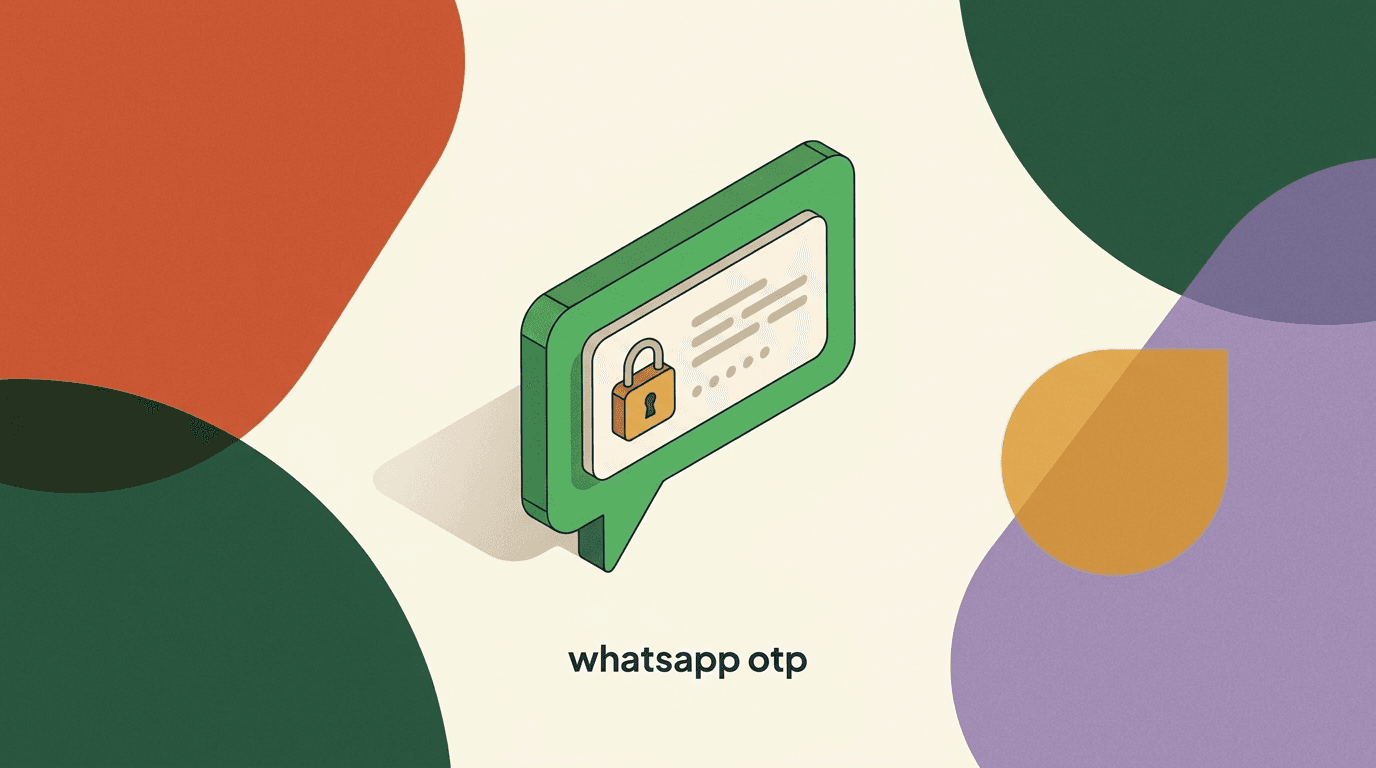
A WhatsApp OTP is a one-time passcode sent to a user inside WhatsApp instead of over SMS or email, usually to confirm a login, a signup, a password reset, or a sensitive transaction. If you already send verification codes by text message, moving some of that traffic to WhatsApp is a reasonable, well-trodden path — Meta built a dedicated authentication template category for exactly this. But before you switch, it helps to understand what WhatsApp actually does for you and, just as important, what it does not do.
The short version: WhatsApp is a delivery channel for authentication messages, not an authentication system. It carries a code you generate to a phone number you already trust, and it gives the user a tidy button to copy that code. It does not decide whether the code is valid, how long it lives, or how many attempts a user gets. Those decisions — the ones that actually keep an account secure — stay inside your own application or your identity provider.
This guide walks through the whole picture at a practical level: what the authentication template category is, how copy-code and one-tap buttons behave, how WhatsApp OTP compares with SMS on cost and deliverability, how to set it up, and how to handle codes without creating new risks. We build KlyoChat, a unified inbox that can deliver approved WhatsApp templates, so we have a point of view — but we have kept the mechanics vendor-neutral and flagged the parts that are genuinely your responsibility, not ours.
What is a WhatsApp OTP, and how is it different from an SMS code?
An OTP — a one-time password — is a short code that is valid for a single login or transaction and then expires. The concept predates messaging apps entirely; it is a standard building block of two-factor authentication and has its own long history in security engineering. What changes with WhatsApp is only the pipe the code travels through, not the idea itself.
With SMS, the code rides the carrier network as a plain text message. With WhatsApp, the same code rides Meta's messaging infrastructure as a structured template message. That structural difference has practical consequences. A WhatsApp authentication message is delivered end-to-end encrypted in transit, it arrives inside an app the user has already installed and trusts, and it can carry an interactive button that copies the code with one tap instead of asking the user to memorize six digits and swap apps.
The other difference is intent enforcement. SMS is an open channel — you can send anything. WhatsApp OTP lives inside a specific, restricted message category with its own rules about what the message may contain and how it may look. That restriction is a feature for security: an authentication template cannot smuggle in marketing, links, or off-topic content, so the messages your users receive are predictable and hard to weaponize for phishing.
None of this changes the core security model. A one-time password over WhatsApp is exactly as strong or as weak as the system that issues and checks it. The channel improves the experience and, often, the cost. It does not upgrade your authentication logic, and treating it as if it did is the most common conceptual mistake teams make when they migrate.
The channel is not the security
Whether a code arrives by SMS, email, or WhatsApp, its strength comes from how you generate, scope, and verify it. Moving to WhatsApp changes delivery economics and user experience, not the underlying protection. Keep your threat model the same.
Why are businesses moving OTP delivery to WhatsApp?
Three forces push teams toward sending one-time passwords over WhatsApp. The first is reach. In many markets — across South Asia, Latin America, the Middle East, and much of Africa and Southern Europe — WhatsApp is the default messaging app, and a code that lands there feels native rather than intrusive. If most of your users open WhatsApp dozens of times a day, delivering a verification code where their attention already is tends to convert better than a text they have to dig for.
The second is cost predictability in high-SMS-cost regions. International SMS pricing is notoriously uneven and can spike without warning, and some routes are plagued by grey-route delivery problems. WhatsApp authentication messages are priced by Meta on a per-message or per-conversation basis that, in several markets, undercuts SMS meaningfully. We will look at the cost comparison in its own section, because it is nuanced and depends heavily on your country mix.
The third is experience. The copy-code button removes the single most error-prone step in any OTP flow: the human transcribing digits. Fewer mis-typed codes means fewer retries, fewer support tickets, and a measurably higher completion rate on signup and checkout. For a business where the verification step sits between a user and a purchase, small friction reductions there compound quickly.
There is also a trust dimension. A verified WhatsApp Business sender shows a business name and, once approved, an official badge, so the user can see the message comes from you rather than a random shortcode. That does not eliminate phishing, but it raises the bar for impersonation compared with an anonymous SMS sender ID.
- Reach: WhatsApp is the primary messaging app in many of the markets where OTP volume is highest.
- Cost: in several regions, WhatsApp authentication pricing undercuts unpredictable international SMS.
- Experience: the copy-code button removes manual transcription, cutting failed verifications.
- Trust: a verified business sender is harder to impersonate than an anonymous SMS sender ID.
What is the WhatsApp authentication template category?
WhatsApp Business messaging is built around templates — pre-approved message formats that you register with Meta before you can send them at scale. Every template belongs to a category, and the category determines both the rules the message must follow and, in many cases, how it is priced. Authentication is one of those categories, created specifically for one-time passwords and account verification.
The authentication category exists because verification messages are a special case. They are time-sensitive, they are triggered by a user action rather than a marketing decision, and they must never carry promotional content. By walling them off in their own category, Meta can apply tighter formatting rules, faster and more predictable approval, and often a distinct price from marketing or utility templates. It also lets WhatsApp render the message with security-appropriate affordances like the copy-code button and, where supported, expiry countdowns.
In practice, an authentication template is deliberately rigid. The body carries your code and a fixed piece of language about it being a verification code; you typically cannot add free-form marketing copy, extra links, or attachments. That rigidity is the point. A predictable, minimal message is harder to spoof and easier for users to recognize as legitimate. If you have ever wrestled a marketing template through review, you will find authentication templates comparatively straightforward — though they still go through approval, which we cover in our guide to WhatsApp template approval.
Getting to the point where you can register templates at all requires an approved WhatsApp Business API setup, which is its own process involving a verified business and a WhatsApp Business Account. If you have not been through that yet, our walkthrough of WhatsApp API approval covers the prerequisites so you are not surprised by the identity and verification steps.
Pick the right category from the start
Do not try to send OTPs through a utility or marketing template to save a step. Authentication templates get category-specific handling — including the copy-code button and appropriate pricing. Sending codes through the wrong category risks rejection and a worse user experience.
How do copy-code and one-tap buttons work in authentication messages?
The interactive button is what makes a WhatsApp OTP feel better than an SMS. There are two common button behaviors, and it is worth understanding the difference because they change the user's flow.
The first is a copy-code button. The message displays the code, and a button beneath it copies that code to the clipboard with a single tap. The user then switches back to your app or website and pastes it into the verification field. This is the most widely supported pattern and the one most teams start with. It removes transcription error without requiring any deep integration between WhatsApp and your app.
The second is a one-tap autofill button, available on supported platforms. Here the button can hand the code directly back to your mobile app through a secure handshake, so the user does not even paste — they tap, and your app receives and fills the code. This is the smoothest experience, but it requires additional configuration on the app side, including registering your app's signing details so WhatsApp knows which app is allowed to receive the code. Where autofill is not available, WhatsApp gracefully falls back to copy-code, so you are never left with a dead button.
From your backend's perspective, both patterns are the same send. You pass the code into the template as a variable, and WhatsApp renders the appropriate button. The difference is client-side behavior and app configuration, not a different API call. That is a helpful mental model: the message is one thing, and the button experience is a rendering detail layered on top.
What a copy-code authentication message contains
- Body
- Your verification code is 428913. For your security, do not share this code.
- Button
- Copy code (one tap places 428913 on the clipboard)
- Footer
- This code expires in 5 minutes.
- Category
- Authentication (no marketing, no extra links)
WhatsApp OTP vs SMS OTP: which should you use?
The honest answer is that most mature teams use both, with WhatsApp as the primary channel in markets where it dominates and SMS as the fallback everywhere. But to decide where WhatsApp earns its place, it helps to compare the two channels on the dimensions that actually matter for a verification flow.
The table below lays out the practical trade-offs. Treat it as a decision aid rather than a verdict — the right mix depends on where your users are, what devices they use, and how price-sensitive your OTP volume is.
| Dimension | WhatsApp OTP | SMS OTP |
|---|---|---|
| Requires an app | Yes — user must have WhatsApp installed | No — works on any phone |
| Delivery experience | Copy-code / one-tap button, in-app | Plain text, manual transcription |
| Transit encryption | End-to-end encrypted | Not encrypted on the carrier network |
| Sender trust | Verified business name and badge | Anonymous sender ID or shortcode |
| Cost pattern | Per-message Meta pricing, varies by country | Per-message carrier pricing, often volatile |
| Global fallback | Weaker where WhatsApp adoption is low | Near-universal reach |
Reach is the deciding factor
WhatsApp only helps users who have WhatsApp. In markets with deep adoption it is often the better primary channel; where adoption is thin, SMS remains the safer default. Design for a fallback rather than betting everything on one pipe.
How much does a WhatsApp OTP cost compared to SMS?
Cost is one of the main reasons teams look at WhatsApp for verification, but it is also where oversimplified claims cause trouble. There is no single global price for either channel. WhatsApp authentication messages are priced by Meta and vary by the recipient's country, while SMS is priced by carriers and routes and can swing sharply between destinations. The only reliable comparison is one you build for your own country mix using current published rates.
That said, the shape of the comparison is consistent enough to describe. In many high-volume OTP markets, WhatsApp authentication pricing sits below international SMS, sometimes substantially, and it is far more predictable because it does not depend on grey-route arbitrage. In markets with cheap, reliable domestic SMS, the two can be close, and SMS occasionally wins. The illustrative table below shows how to think about the line items rather than quoting specific per-message figures, which change and would be stale by the time you read this.
| Cost factor | How it behaves |
|---|---|
| WhatsApp authentication rate | Set by Meta per country; check current rate card before budgeting |
| SMS rate | Set by carriers per route; volatile, especially internationally |
| Failed-delivery waste | Both channels charge for attempts; measure your real delivery rate |
| Fallback double-send | If WhatsApp fails and you resend by SMS, you pay for both |
| Volume commitments | Some providers discount at volume; factor your projected monthly OTPs |
Never budget from a single quoted price
OTP economics depend on your country distribution and your real delivery rate, not a headline per-message figure. Build a small spreadsheet with your top destination countries and current rates for both channels before you commit. A cheap-looking channel with a poor delivery rate can cost more per successful verification.
How do you set up WhatsApp OTP delivery at a high level?
Setting up authentication messages is less about writing code and more about clearing prerequisites in the right order. The actual send is a small API call; the work is getting the account, number, and template into a state where that call is allowed. Here is the high-level sequence most teams follow.
- Get an approved WhatsApp Business API setupYou need a verified business, a WhatsApp Business Account, and an approved phone number. This is the gating step; see our WhatsApp API approval guide for the identity and verification details.
- Create and submit an authentication templateRegister a template in the authentication category with a code variable and, if you want it, a copy-code button. Submit it for review; auth templates typically clear faster than marketing ones.
- Wire your app to generate the codeYour application or identity provider generates the one-time password, stores a hash of it with an expiry, and decides the validation rules. This stays entirely on your side.
- Send the template with the code as a variableCall the API (directly or through a platform) to send the approved template, passing the generated code into the template variable. WhatsApp renders the message and button.
- Verify the code and enforce limitsWhen the user submits the code, your backend checks it against the stored hash, enforces expiry, and caps attempts. Success or failure is your decision, not WhatsApp's.
- Add an SMS or email fallbackIf WhatsApp delivery fails or the user has no WhatsApp, fall back to another channel. Track which channel each verification used so you can measure delivery and cost.
Order matters more than difficulty
None of these steps is technically hard, but they must happen in sequence — you cannot send a template that is not approved, and you cannot approve a template without an approved number. Front-load the account and template work so the engineering does not stall waiting on review.
Who actually generates and verifies the code?
This is the single most important section in the guide, because it is where responsibilities are most often misunderstood. WhatsApp — and any platform that delivers WhatsApp messages, including KlyoChat — is a courier. It carries a code from your system to the user. It does not create the code, it does not know whether the code is correct, and it does not decide when the code expires or how many guesses a user gets. All of that lives in your application or your authentication provider.
Concretely, the division of labor looks like this. Your system generates a random, sufficiently long code using a secure random source. Your system stores that code — ideally a hash of it, not the raw value — alongside the user identifier, a creation timestamp, and an expiry. Your system passes the code to WhatsApp only for the moment of sending. When the user submits what they typed or pasted, your system compares it against the stored value, checks that it has not expired, checks that the attempt count is within limits, and only then grants access. The messaging layer is present for exactly one of those steps: delivery.
Why does this matter so much? Because it is tempting to think that adopting a secure-feeling channel like WhatsApp offloads the security work. It does not. If your code is short, predictable, long-lived, or checkable an unlimited number of times, an attacker does not care that it arrived over an encrypted channel — they will brute-force it at the verification endpoint, which is entirely under your control. The channel cannot save you from a weak verification design.
The practical takeaway is to keep your authentication logic exactly as rigorous as you would for SMS or email OTP. Use a real identity provider or a well-reviewed library rather than hand-rolling code generation and comparison. Treat WhatsApp as swappable plumbing, and put your security attention where the real decisions are made.
The division of labor in one OTP
- Your app / auth provider
- Generates the code, stores a hash + expiry, verifies the submission, caps attempts
- WhatsApp (via any platform)
- Delivers the approved template carrying the code — nothing more
- KlyoChat's role
- Sends the approved template; it does not generate or verify codes
How do you handle OTP codes securely?
Because the security of a WhatsApp OTP rests on your handling of the code, it is worth being explicit about the practices that keep it safe. None of these are exotic; they are the standard discipline of one-time password design, and they apply whether the code goes out over WhatsApp, SMS, or email.
Start with generation. Use a cryptographically secure random number generator, not a predictable sequence or a timestamp-derived value. Make the code long enough that guessing it within its lifetime is impractical — a six-digit code is common, but pair it with strict rate limiting because six digits is only a million possibilities. Give the code a short lifetime, on the order of a few minutes, so a stolen or leaked code has a narrow window of use.
Store codes as hashes, not plaintext, so a database leak does not hand an attacker live codes. Bind each code to a single user and a single purpose, and invalidate it the moment it is used successfully or a newer one is issued. On verification, cap the number of attempts and add a cooldown after repeated failures so the endpoint cannot be brute-forced. Log verification attempts for anomaly detection, but never log the code itself.
Finally, mind the message content. Include a short warning that the code should never be shared, because social-engineering attacks work by convincing users to read their code aloud to a caller pretending to be support. The authentication template category helps here by keeping the message minimal and free of links, which reduces the surface an attacker can exploit.
- Generate codes with a secure random source; never anything predictable.
- Keep codes short-lived — minutes, not hours — and single-use.
- Store a hash of the code, never the raw value.
- Rate-limit and cap attempts on the verification endpoint to prevent brute force.
- Include a do-not-share warning; the auth template's minimalism reduces phishing surface.
- Never log the code itself; log only the attempt and its outcome.
- GenerateCreate a random code with a cryptographically secure source, long enough that guessing it within its lifetime is impractical.
- StoreSave a hash of the code — never the raw value — with the user identifier, a creation timestamp, and a short expiry.
- DeliverPass the code to WhatsApp only for the moment of sending the approved authentication template. This is the messaging layer's single job.
- VerifyOn submission, compare against the stored hash, check the expiry, and enforce the attempt cap before granting access.
- InvalidateRetire the code the instant it is used successfully or a newer one is issued, so a leaked code cannot be replayed.
Handle the code like a live credential
For the minutes it is valid, a one-time password is a working key to the account. Move it only where it must go, store only a hash, expire it fast, and cap verification attempts. A secure delivery channel does not compensate for a code that is weak, long-lived, or checkable without limit — that endpoint is yours to defend.
What affects WhatsApp OTP deliverability and speed?
A verification code is useless if it arrives late or not at all, so deliverability deserves real attention. WhatsApp is generally fast and reliable for authentication messages, but several factors influence whether a given code lands promptly.
The most basic is whether the recipient has WhatsApp installed and active on the number you are messaging. Unlike SMS, which reaches any phone, WhatsApp only reaches WhatsApp users, so a code sent to a number with no WhatsApp account simply cannot be delivered there. This is why a fallback channel is not optional — it is part of a correct design.
Account health matters too. A WhatsApp Business number that has been used well — sending relevant, expected messages that users do not report or block — maintains a good quality rating, and good quality supports reliable delivery. A number that accumulates blocks or spam reports can see its quality and messaging limits fall, which affects throughput. Authentication traffic is inherently expected and user-triggered, so it tends to be healthy, but it shares the number's reputation with any other traffic you send.
Network conditions on the recipient's side affect speed, as does your own send infrastructure. If you send through a platform, its reliability and how it handles retries become part of your delivery picture. And because authentication messages are time-sensitive, you want to send them the instant the user requests the code, not batch them — every second of delay in an OTP flow costs completion.
Measure delivery per channel, not in aggregate
Track delivery rate and time-to-deliver separately for WhatsApp and your fallback. Aggregate numbers hide the fact that one channel may be failing silently in a specific country. Per-channel, per-country visibility is what lets you route each verification to the pipe most likely to succeed.
What are common failure modes, and how do you handle fallback?
Even a well-built WhatsApp OTP flow will fail for some users some of the time, and how you handle those failures determines whether they become abandoned signups or quietly recover. The failures fall into a few recognizable buckets.
The first is no WhatsApp on the number. The user gave you a valid phone number, but there is no WhatsApp account attached to it. Delivery cannot succeed, and the right response is an immediate fallback to SMS or email rather than leaving the user staring at a code that will never arrive. The second is delivery delay or failure despite an active account — a network issue, a temporarily degraded route, or a device that is offline. Here a short wait plus a resend, and then a fallback, is the standard pattern.
The third bucket is user-side confusion: the user does not notice the WhatsApp message, or expected an SMS and did not think to check WhatsApp. This is a design problem more than a delivery one. Telling the user explicitly where to look — a message on your screen that says the code was sent to their WhatsApp — closes most of that gap. The fourth is the expired-code case, where the message arrived but the user took too long; a clear resend option handles it.
The design principle that ties these together is graceful degradation. Lead with WhatsApp where it is likely to work, detect failure quickly, and fall through to another channel without making the user start over. Because you may pay for both the WhatsApp attempt and the SMS fallback, tune your wait-before-fallback so you are not doubling cost on every send — but never make a user wait so long that they give up.
- No WhatsApp on the number: fall back immediately to SMS or email.
- Delivery delay: allow a resend, then fall back after a short, tuned wait.
- User did not notice: tell them on-screen exactly where the code was sent.
- Expired code: offer a clear, obvious resend rather than an error dead-end.
What are the rules and limits for authentication templates?
Authentication templates come with constraints, and knowing them up front saves you from rejected submissions and awkward redesigns. The overarching rule is that the category is for verification and nothing else. You cannot append marketing, promotions, or unrelated links to an authentication message; attempts to do so are why templates get rejected or, worse, why a number's category integrity gets questioned.
The content is intentionally constrained to a code and standard security language, with the copy-code or one-tap button as the interactive element. You typically pass the code as a variable rather than baking specifics into the template, which is why one approved template can serve every user. Meta also expects authentication messages to be genuinely user-triggered — sent because someone asked to log in or verify — rather than sent unprompted. Using the authentication category to reach people who did not request a code is both against the rules and a fast way to damage your sender reputation.
There are also the ordinary WhatsApp Business realities that sit around any template: your number carries a quality rating and messaging limits, template changes require re-approval, and pricing follows Meta's current rate card for the authentication category and the recipient's country. Because these details shift over time, the durable habit is to check the WhatsApp Business Platform documentation for the current specifics rather than relying on a number you read months ago. Our guide to WhatsApp template approval covers the submission mechanics in more depth, and the same discipline that gets an order-update template approved — clear, honest, category-appropriate content — applies here.
One more practical note: because authentication templates are so standardized, teams sometimes reuse the same delivery infrastructure for other notification types. If you also send shipping or order updates, our piece on WhatsApp order tracking shows how utility templates differ from authentication ones, so you keep each type in its correct category.
Keep the category clean
The fastest way to lose the benefits of the authentication category is to abuse it — sending unrequested codes or slipping marketing into a verification message. Category integrity affects approval, pricing, and delivery. Send authentication messages only in response to a real user action.
What copy and formatting works best for authentication messages?
Within the tight constraints of the authentication category, there is still room to get the copy right, and small choices affect both trust and completion. The goal is a message that is instantly recognizable as legitimate, that surfaces the code clearly, and that nudges the user toward safe behavior without clutter.
Lead with the code, or make it unmistakable. Users scanning a notification want the digits, so a body that states the code plainly and early performs better than one that buries it after a paragraph. Pair it with the copy-code button so the user does not have to select text manually. Add a short, standard security line — a reminder not to share the code — because that single sentence is a meaningful defense against social engineering, where attackers phone users and ask them to read their code aloud.
State the expiry if your template supports it, so users understand the urgency and are not surprised when an old code stops working. Keep the tone plain and institutional rather than playful; a verification message is not the place for brand personality, and a serious tone reinforces that this is a security-sensitive moment. Avoid anything that resembles a promotional call to action, both because the category forbids it and because it muddies the message's purpose.
The examples below contrast a clean authentication message with a cluttered one so the difference is concrete. The clean version reads as trustworthy at a glance; the cluttered one invites hesitation and, ironically, looks more like a phishing attempt.
Clean vs cluttered authentication copy
- Clean
- Your code is 428913. It expires in 5 minutes. For your security, never share this code.
- Cluttered
- Hey! Your code is 428913 — and while you are here, check out our summer sale, tap below!
- Why it matters
- The clean version is category-compliant and reads as legitimate; the cluttered one risks rejection and looks like phishing
How does KlyoChat fit into WhatsApp OTP delivery?
KlyoChat is an AI-native unified inbox that brings WhatsApp together with Facebook, Instagram, Telegram, TikTok, and X in one place, and it can deliver approved WhatsApp templates — including authentication templates — through the WhatsApp Business API. If you already run your customer conversations through KlyoChat, sending verification codes from the same connected number keeps your messaging consolidated rather than spread across separate tools. You can see how the channels connect on our channels page.
Here is the honest boundary, stated as plainly as we can: KlyoChat delivers OTP templates; it does not generate or verify the codes. The one-time password is created by your application or your identity provider, stored and expired by your system, and checked by your system when the user submits it. KlyoChat's job is the delivery step — sending the approved template carrying the code you generated. We are the courier, not the vault. That separation is not a limitation to work around; it is the correct security architecture, and any messaging platform that told you otherwise would be overstating its role.
A few more honest points. Authentication templates carry Meta's per-conversation or per-message fees, which are charged by Meta and apply on any platform, KlyoChat included — the subscription you pay us is separate from what Meta charges for the messages. KlyoChat does not offer native SMS or email, so if you want a non-WhatsApp fallback channel, you will wire that through another provider; we deliver the WhatsApp side. And to be upfront, KlyoChat is a newer, smaller-community product than some incumbents, so you will find fewer third-party tutorials — though our team helps directly during setup.
For teams that want programmatic control, API and webhook access is available on our Business plan, which is where an OTP-delivery integration would typically live so your backend can trigger sends and receive delivery events. Pricing is straightforward — Basic at $19/month, Pro at $49/month ($39 billed yearly), and Business at $129/month — and every plan starts with a 7-day free trial with no credit card required. Full details are on our pricing page.
| Responsibility | Your app / auth provider | KlyoChat |
|---|---|---|
| Generate the one-time code | Yes | No |
| Store and expire the code | Yes | No |
| Verify the submitted code | Yes | No |
| Deliver the approved template | No | Yes |
| Enforce attempt limits and rate limiting | Yes | No |
What KlyoChat is and is not for OTP
KlyoChat sends your approved WhatsApp authentication templates from a connected number, with API and webhooks on the Business plan. It does not create, store, expire, or verify codes — that stays with your auth system. Meta's authentication message fees apply on top of the subscription, as they do on any WhatsApp platform.
The practical summary is short. A WhatsApp OTP is a genuinely good option for delivering one-time passwords in markets where WhatsApp is the default app: it improves the experience with copy-code buttons, it can beat SMS on cost and predictability, and it rides an encrypted, trusted channel. But it is a delivery mechanism, not an authentication system. The code is generated, stored, expired, and verified by your application or identity provider — the channel only carries it.
If you take one thing away, let it be the division of labor. Keep your OTP security discipline exactly as rigorous as you would for any channel: secure generation, short lifetimes, hashed storage, strict rate limits, and a clear fallback. Treat WhatsApp — and any platform that delivers it, including KlyoChat — as swappable plumbing, and put your attention on the verification logic you control. When the setup prerequisites feel unfamiliar, our guides to WhatsApp API approval and template review will get you to the point where the send itself is the easy part.