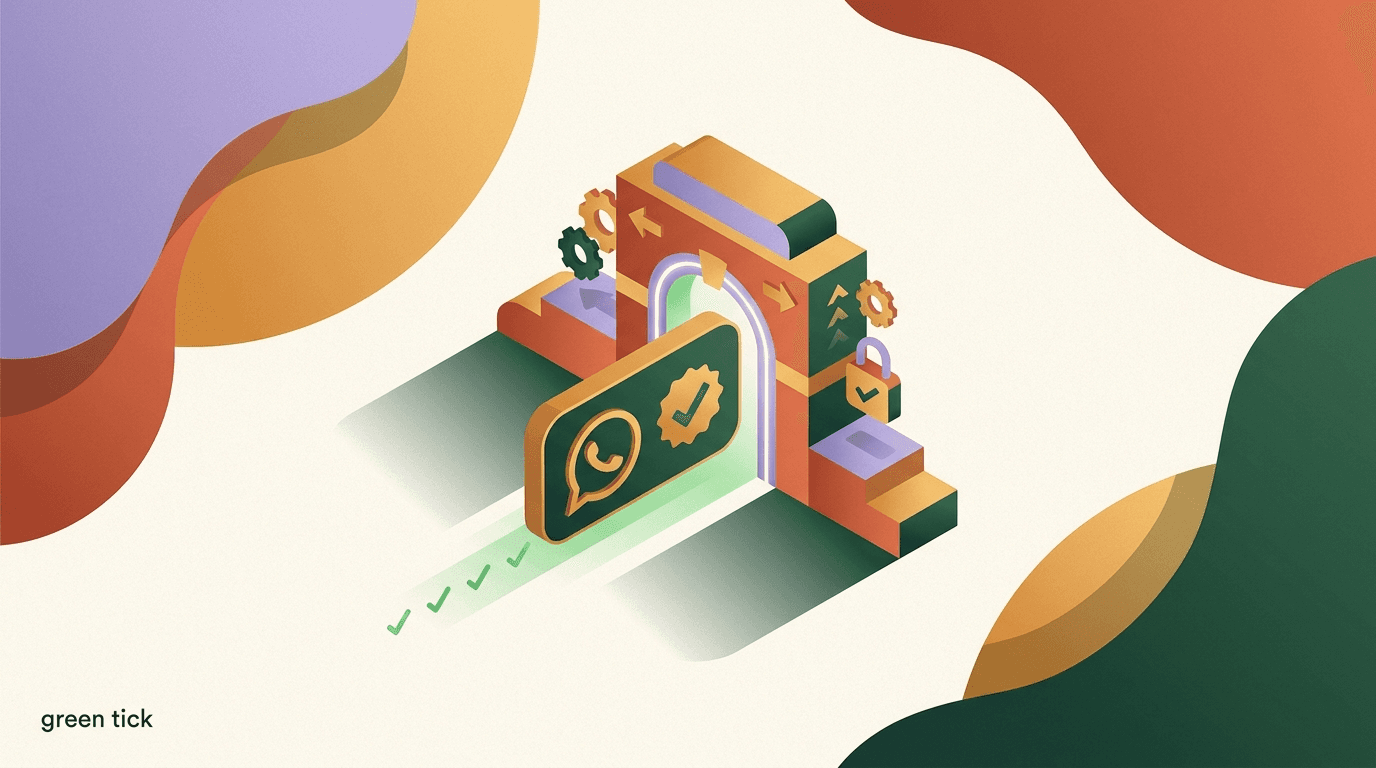
The WhatsApp green tick is the small verified badge that appears next to a business name inside WhatsApp, and earning it is one of the most misunderstood goals in messaging. People assume it is a setting you toggle, a fee you pay, or something a vendor can promise. It is none of those things. The green tick signals that Meta has reviewed your business, decided it is a notable and authentic brand, and granted it Official Business Account status. That decision sits entirely with Meta.
This guide explains how the WhatsApp green tick actually works: what it is, who qualifies, what Meta appears to evaluate, the practical path to applying through a WhatsApp Business API provider, and — most importantly — an honest account of why so many applications are rejected and why no one can guarantee you will get it. We will separate the green tick from the blue tick, walk through eligibility, and set realistic expectations so you do not burn weeks chasing a badge you are not yet positioned to earn.
Full disclosure: we build KlyoChat, a platform that helps businesses connect and run WhatsApp through the official API. We have a stake in you using WhatsApp well. But we cannot grant the green tick, and neither can any other provider — so this article is written to tell you the truth about the process rather than to oversell it. Where Meta's criteria are fluid or undocumented, we say so and point you to verify with Meta directly.
What is the WhatsApp green tick, exactly?
The WhatsApp green tick is a verified badge that Meta places next to a business display name when that business has been approved as an Official Business Account, or OBA. When customers open a chat or view the business profile, they see the name with a small green checkmark beside it instead of just a phone number or an unverified label. It is a trust signal: it tells the person on the other end that WhatsApp has confirmed this is the genuine, notable brand it claims to be.
Crucially, the green tick is a status conferred by Meta after a review, not a feature you switch on. It is tied to the WhatsApp Business Platform — the API product used by medium and large businesses — and to your Meta Business account and its verification state. The badge is the visible outcome of a behind-the-scenes evaluation of your brand's authenticity and notability.
It is worth being precise about the word 'official' here. Having a verified Meta Business account, or using the WhatsApp Business API, does not by itself produce a green tick. Many fully API-enabled businesses operate for years without one. The green tick is a separate, higher bar that Meta applies selectively to brands it considers notable enough to warrant the badge.
Official Business Account is the formal name
Inside Meta's documentation the green tick is described as Official Business Account (OBA) status. When you read Meta's help pages, search for 'Official Business Account' rather than 'green tick' — the badge is the consumer-facing symbol of that status.
How is the WhatsApp green tick different from the blue tick?
This is the single most common point of confusion, so it is worth settling early. On WhatsApp, the verified business badge has historically been green, and it represents Official Business Account status. On Meta's other surfaces — Facebook and Instagram — the verified badge is blue, and on those platforms a blue tick can be obtained either through notability review or, more recently, through a paid Meta Verified subscription.
People hear about paying for a blue checkmark on Instagram and assume the same logic transfers to WhatsApp. It does not map cleanly. The WhatsApp green tick has been a notability-based, Meta-granted status rather than a simple paid subscription. Meta has been evolving its verification products across platforms, and the boundaries between green, blue, paid, and notability-based verification continue to shift, so you should always check Meta's current documentation rather than assume the rules are static.
The practical takeaway: do not assume that buying Meta Verified for your Instagram or Facebook page automatically lands a green tick on WhatsApp. They are related parts of the same ecosystem, but they are governed by their own criteria. Treat the WhatsApp green tick as its own goal with its own bar.
| Attribute | WhatsApp green tick | Facebook / Instagram blue tick |
|---|---|---|
| Badge color | Green checkmark | Blue checkmark |
| Status name | Official Business Account (OBA) | Verified account |
| Primary basis | Notability and authenticity review | Notability review or paid Meta Verified |
| Who decides | Meta | Meta |
| Can you buy it directly | No (notability-based) | Sometimes, via Meta Verified subscription |
Verification rules change across Meta's platforms
Meta has been actively reshaping verification, including paid options on Facebook and Instagram. What is true today about the WhatsApp green tick may shift. Always confirm the current criteria on Meta's official Business Help Center before you plan around them.
Why does the WhatsApp green tick matter for a business?
The green tick is not just decoration. In a channel where impersonation and scams are a real concern, a verified badge changes how recipients react to your messages. When a customer sees the green tick next to a recognizable name, they are more likely to open, trust, and act on what you send — and less likely to report you as spam or block you out of suspicion.
There is also a display benefit. Official Business Accounts have their verified business name shown to users even in contexts where an unverified business might only appear as a phone number until the contact is saved. That means your brand name is visible from the first interaction, which reinforces recognition and reduces the friction of someone wondering who just messaged them.
This matters most at the moment of first contact, which is exactly when trust is most fragile. Imagine a customer who placed an order and then receives a WhatsApp message from an unknown number. Without a verified identity, they may hesitate, ignore it, or report it as suspicious. With the green tick and a recognizable name, that same message reads as a legitimate update from a brand they already know. The badge does its most valuable work in these early, uncertain interactions where a recipient is deciding whether you are worth engaging with at all.
That said, it is important to keep the green tick in proportion. It is a trust amplifier, not a growth engine. It will not fix poor messaging, irrelevant broadcasts, or a weak offer. Businesses sometimes treat the badge as the finish line when it is closer to a reward for already being a recognized brand. The most honest framing is this: the green tick helps a brand that customers already encounter elsewhere look legitimate inside WhatsApp.
- Higher trust: recipients are more likely to engage with a verified sender.
- Name visibility: your business name shows even before a contact is saved.
- Reduced spam reports: a recognizable, verified identity lowers suspicion.
- Brand consistency: the same recognition customers see on your other channels.
The badge rewards recognition — it does not create it
If your goal is the green tick, the most productive work is often not the application itself but building the brand presence Meta looks for. The badge tends to follow notability, not the other way around.
Do you need the WhatsApp Business API to get the green tick?
In practice, yes. The green tick — Official Business Account status — lives on the WhatsApp Business Platform, which is the API product, not the free WhatsApp Business app that small businesses download from the app store. The standalone app gives you a business profile, catalog, and quick replies, but it is not the surface where OBA status is granted at scale.
To pursue the green tick you generally need to be operating on the WhatsApp Business API, which means working through a provider — often called a Business Solution Provider, or BSP — or connecting via Meta's Cloud API through a platform. You also need a Meta Business account, and that account typically needs to complete Meta Business Verification, which confirms your business is a real, registered legal entity.
This is where platforms like KlyoChat fit. We help businesses connect to the WhatsApp Business API and manage the day-to-day messaging, broadcasts, and AI-assisted replies on top of it. Connecting the API and completing business verification are prerequisites that put you in a position to be considered for the green tick. They do not, by themselves, produce the badge — that final step is Meta's notability review.
API access is the entry ticket, not the prize
Being on the WhatsApp Business API and passing Meta Business Verification are necessary groundwork. They make you eligible to be considered, but the green tick is a separate evaluation on top.
Two different WhatsApp products
- WhatsApp Business app
- Free app for small businesses; profile and catalog, but not the OBA path at scale
- WhatsApp Business Platform (API)
- The API product where Official Business Account status applies
What does Meta evaluate when deciding on the green tick?
Meta does not publish a precise checklist or scoring formula for Official Business Account status, and it deliberately keeps the criteria somewhat flexible. Based on Meta's public guidance and the experience of businesses going through the process, the central factor is notability: is your brand widely recognized, and can that recognition be evidenced independently of your own marketing?
Notability is typically demonstrated through external coverage and presence. Meta tends to look for signals that your brand exists meaningfully in the wider world — press coverage in reputable outlets, a substantial and authentic presence across major platforms, and recognition that does not depend on paid promotion. A brand that journalists write about, that customers search for by name, and that has an established footprint is far more likely to clear the bar than one that is brand new or known only to a small circle.
Authenticity and account health matter too. Meta wants the account to genuinely represent a real, established business, with a complete profile, a verified Meta Business account, and a clean record of compliance with WhatsApp's policies. An account that has sent spammy messages, accumulated blocks and reports, or sits at a poor quality rating is working against itself regardless of how notable the brand is.
| Factor Meta appears to weigh | What strengthens it |
|---|---|
| Notability | Press coverage, name recognition, organic search interest |
| Brand presence | Established, authentic profiles across major platforms |
| Business authenticity | Completed Meta Business Verification, real legal entity |
| Account health | Good quality rating, low block and report rates |
| Policy compliance | Adherence to WhatsApp Business and Commerce policies |
There is no published scorecard
Anyone presenting a guaranteed, point-by-point formula for the green tick is overstating what Meta discloses. The criteria are intentionally fluid and Meta's reviewers apply judgment. Treat the factors above as informed guidance, not a contract.
What counts as notability, and how do you build it?
Because notability is the heart of the decision, it deserves its own treatment. Notability, in Meta's sense, is the degree to which your brand is recognized by the public and covered by sources you do not control. The cleanest evidence is independent press: articles, reviews, or features in established media that mention your brand by name. Coverage you paid for, sponsored content, and press-release reprints carry far less weight than genuine editorial attention.
Beyond press, a real and consistent presence across major platforms helps. That means active, authentic profiles where your audience actually engages — not follower counts inflated by purchases. Meta is looking for the footprint of a brand that exists in customers' minds, which shows up as people searching for your name, talking about you, and finding you across the web.
If you are early-stage and lack this footprint, the honest answer is that the green tick may simply be premature. The most effective preparation is the unglamorous work of becoming notable: earning real coverage, building a genuine audience, and growing the kind of recognition that an outside reviewer can verify. There is no shortcut around it, and chasing the badge before you have the substance behind it usually ends in rejection.
A useful mental test is to ask whether someone outside your company, with no access to your internal numbers, could confirm that your brand is notable using only public information. If a reviewer could open a search engine, find independent articles about you, see an established and engaged audience, and conclude 'yes, this is a known brand,' then your notability case is strong. If that same outsider would struggle to find evidence beyond your own website and ads, the case is weak — and dressing it up with a polished application will not change the underlying picture. Build until the answer to that test is clearly yes.
- Earn independent press: editorial coverage matters far more than paid placements.
- Build authentic presence: real engagement beats purchased followers.
- Generate name recognition: people searching for and referencing your brand.
- Be consistent: the same brand identity across every platform you use.
Two applicants, same paperwork
- Established brand
- Years of press, organic search interest, large authentic audience — strong notability case
- New brand
- Complete profile and verified business, but no external coverage — weak notability case
So far we have covered what the green tick is and what Meta looks for. The next question is the practical one: assuming you are on the API and believe you have a notability case, how do you actually apply? The path runs through your WhatsApp Business setup and your provider, not through a standalone web form you fill in alone.
How do you apply for the WhatsApp green tick?
There is no consumer-style 'apply now' button that grants the green tick on demand. The request is made in the context of your WhatsApp Business API account, your Meta Business account, and usually with the involvement of your BSP or platform provider. The exact mechanics shift as Meta updates its tools, so the steps below describe the shape of the process rather than a fixed set of screens.
- Get on the WhatsApp Business APIConnect through a provider or platform so your business is operating on the WhatsApp Business Platform, not just the free app. This is the surface where OBA status applies.
- Complete Meta Business VerificationVerify your Meta Business account so Meta confirms you are a real, registered legal entity. This is a standard prerequisite before an OBA request will be taken seriously.
- Build and document your notability caseGather evidence of recognition — press coverage, brand presence, and proof you are an established, recognized business. This is what a reviewer ultimately weighs.
- Submit the OBA request through your account or BSPInitiate the green-tick request via your WhatsApp Business settings or with your provider's help. Your BSP can advise on timing and packaging, but cannot decide the outcome.
- Wait for Meta's review and decisionMeta evaluates the request on its own timeline. The outcome is approval, rejection, or a request for more information — and it is entirely Meta's call.
No provider can promise approval
If a vendor or agency guarantees the green tick for a fee, be cautious. Providers can help you prepare and submit a strong request, but the decision belongs to Meta. A guarantee is a claim no one outside Meta can honestly make.
What does the WhatsApp green tick actually unlock — and what doesn't it?
It is easy to over-attribute powers to the badge, so let us be specific. The green tick primarily changes perception and identity. It marks you as an Official Business Account, surfaces your verified business name prominently, and signals authenticity to recipients. Those are real benefits in a channel where trust drives open and response rates.
What the green tick does not do is change your core messaging capabilities or your costs. It does not raise your messaging limits on its own — those are governed by your phone number's quality rating and tier. It does not exempt you from Meta's per-conversation pricing, which applies to your WhatsApp messaging regardless of badge status. It does not approve your message templates; those go through their own separate review. And it does not protect you if you violate WhatsApp's policies — a verified account can still be restricted or banned for abuse.
Holding these two lists side by side keeps expectations honest. The green tick is a credibility upgrade layered on top of a healthy, compliant WhatsApp operation. It rewards and reinforces good practice; it does not substitute for it.
It also helps to think about what changes for the customer versus what changes for you. For the customer, the visible difference is the badge and the prominent verified name — a clearer signal that they are talking to the real brand. For you internally, almost nothing about how you operate changes: you still manage opt-ins, watch your quality rating, get templates approved, and pay Meta's conversation fees exactly as before. The badge is a layer on the experience, not a rewrite of the mechanics underneath it.
| What it does | What it does not do |
|---|---|
| Confirms Official Business Account status | Raise your messaging limits by itself |
| Shows your verified name prominently | Exempt you from Meta's per-conversation fees |
| Signals trust and authenticity | Approve your message templates automatically |
| Reduces impersonation risk | Protect a non-compliant account from restrictions |
Limits and pricing live elsewhere
Messaging tiers depend on quality rating and Meta's tiering system, and conversation pricing is set by Meta. The green tick sits alongside these, not on top of them. Verify both on Meta's current documentation.
Why do WhatsApp green tick applications get rejected?
Rejections are common, and most of them trace back to the same root cause: the business is not yet notable enough by Meta's standard. A complete profile and a verified business account feel like 'doing everything right,' but if there is little independent recognition behind the brand, a reviewer has little to act on. This is the most frequent reason a tidy, well-prepared application still comes back declined.
Other rejections stem from account or compliance issues. A poor quality rating, a history of blocks and spam reports, an incomplete or inconsistent business profile, or any friction in Meta Business Verification can all undermine an otherwise reasonable case. Meta is granting a trust signal, so anything that suggests the account is not trustworthy works directly against the request.
A rejection is not necessarily permanent. In many cases the right response is to keep operating cleanly, keep building genuine recognition, and revisit the request later when your notability case is stronger. Treat a 'no' as information about where you stand today, not a verdict for all time — and resist the urge to game the system, which tends to backfire.
When you do reapply, change something real before you do. Resubmitting the same case that was already declined wastes everyone's time and can make your account look like it is repeatedly pushing for something it has not earned. The productive loop is: get declined, identify the weakest part of your case — usually notability — invest months in strengthening it, and only then request again with materially better evidence. Patience here is not passive; it is the active work of becoming the kind of brand Meta is willing to verify.
- Insufficient notability: the most common reason by far.
- Weak account health: low quality rating, high block or report rates.
- Incomplete or inconsistent profile and branding.
- Unresolved Meta Business Verification issues.
- Policy or compliance problems on the account.
If you are declined, build and reapply later
A rejection usually means 'not yet,' not 'never.' Keep your account healthy, grow real recognition, and request again when your evidence is stronger. There is no penalty for being patient.
How long does WhatsApp green tick verification take?
There is no fixed, published turnaround for an Official Business Account decision, and timelines vary widely. Some businesses hear back relatively quickly; others wait considerably longer or receive requests for additional information that extend the process. Meta reviews on its own schedule, and that schedule is not something a provider can accelerate by paying or escalating.
The groundwork takes time too. Getting onto the WhatsApp Business API, completing Meta Business Verification, and — most of all — building a credible notability case are not same-day tasks. For a brand still developing its public presence, the realistic timeline is measured in months of brand-building before a green-tick request is even worth submitting.
Set expectations accordingly with your team and stakeholders. Promising a verified badge by a specific date is exactly the kind of commitment no one can responsibly make, because the decision and its timing both belong to Meta.
Beware of date guarantees
Any promise of the green tick 'within X days' is a red flag. Meta controls both the outcome and the timeline. Plan with ranges and contingencies, not fixed dates.
How does the green tick relate to your WhatsApp display name?
One detail that catches many businesses off guard is the relationship between Official Business Account status and your WhatsApp display name. Before you can be considered for the green tick, the display name you use has to pass Meta's display name review and comply with WhatsApp's display name guidelines. A name that violates those rules — for example, one that is misleading, that includes prohibited characters or promotional phrasing, or that does not match how your business actually presents itself — can stall the whole process before notability is even assessed.
Meta wants the display name to genuinely represent your business and to align with the brand a customer would recognize. If your name is approved and consistent with your wider presence, you remove one more obstacle from the path. If it is rejected or flagged, that becomes a prerequisite to fix before the green-tick conversation is realistic. The two are connected: the verified badge is meant to confirm that the name beside it is authentic, so the name itself has to clear the bar first.
Practically, this means treating your display name as a deliberate decision rather than an afterthought. Pick the name customers know you by, make sure it matches your other channels, and confirm it satisfies WhatsApp's current display name rules. Getting this right early avoids a frustrating loop where you assemble a strong notability case only to be held up by a name that needs reworking.
- Your display name must pass Meta's review and follow WhatsApp's naming rules.
- The name should match how your brand presents itself elsewhere.
- A non-compliant name can block progress before notability is even weighed.
- Choose the name customers recognize, not a keyword-stuffed variation.
Name rules evolve too
WhatsApp's display name guidelines are updated periodically. Check Meta's current naming policy before you lock in a display name, since a name that was fine in the past may not meet today's rules.
Is the green tick worth pursuing for a small or new business?
For an honest answer, it depends almost entirely on where your brand stands. If you are a small or brand-new business with little independent recognition, the green tick is probably not the right priority right now — and chasing it can drain time better spent elsewhere. The badge rewards notability, and notability is something most early-stage businesses are still building. Submitting prematurely tends to produce a rejection that teaches you nothing you did not already know.
That does not mean WhatsApp is off the table for smaller businesses — far from it. You can run an effective, trusted WhatsApp operation without the green tick by completing your business verification, keeping a polished profile, protecting your quality rating, and messaging customers who genuinely want to hear from you. Plenty of businesses grow substantially on WhatsApp before they are notable enough for OBA status, and customers who opted in to hear from you rarely care about the badge in the way founders assume they do.
The more useful mindset for a small business is to treat the green tick as a milestone that will arrive naturally once the brand is recognized, rather than a gate you must force open early. Focus on the fundamentals — real recognition, a clean account, valuable messaging — and the badge becomes a reasonable ask in time. If you are an established brand with press and a real audience, by contrast, pursuing it now makes good sense.
WhatsApp works without the badge
You do not need the green tick to send useful, trusted WhatsApp messages to people who opted in. Build the business first; the badge becomes appropriate once the recognition is real.
When to pursue the green tick
- Pursue now
- Established brand with independent press, name recognition, and an authentic audience
- Wait and build
- New or small business with a clean account but little outside recognition
What should you do before requesting the green tick?
Before you submit, it pays to get your house in order so the request is as strong as it can be. None of this guarantees approval, but each item removes a reason for a reviewer to say no and strengthens the case you can make.
- Consistency across channels signals a real, established brand.
- A clean compliance record matters as much as the brand story.
- Independent coverage outweighs anything self-published or paid.
- Verify your Meta Business account fullyComplete Business Verification so there is no ambiguity that you are a real, registered legal entity. Resolve any outstanding verification items first.
- Complete and polish your WhatsApp business profileFill in your display name, description, website, address, and logo consistently with your brand elsewhere. Inconsistency undermines authenticity.
- Protect your quality ratingSend only relevant, opted-in messages and keep blocks and reports low. A healthy quality rating is part of looking trustworthy to a reviewer.
- Assemble your notability evidenceCollect links to independent press, proof of brand presence, and anything that demonstrates recognition you did not pay for.
- Submit through your account or provider, then be patientInitiate the request and let Meta review. Avoid resubmitting repeatedly; if declined, build further and try again later.
Are there myths about the WhatsApp green tick to ignore?
The green tick attracts more folklore than almost any other feature in WhatsApp business, and believing the myths wastes time and money. It is worth naming the most persistent ones plainly so you can dismiss them.
The first myth is that you can buy the green tick outright from a vendor. You cannot — it is a notability-based status granted by Meta, and any 'guaranteed for a fee' offer is selling something it cannot deliver. The second is that simply being on the API or passing business verification awards the badge automatically. It does not; those are prerequisites, not the decision. The third is that a large follower count alone earns it. Authentic recognition matters more than raw numbers, and purchased or inflated audiences can hurt rather than help.
The final myth is that a rejection is permanent. It usually is not. Meta's view of your brand can change as your notability grows, and a request that fails today may succeed later with a stronger case. Knowing what is false here is half the battle, because it keeps you focused on the only thing that reliably moves the needle: becoming a genuinely recognized brand and running a clean WhatsApp account.
- Myth: you can buy the green tick. Reality: Meta grants it on notability.
- Myth: API access auto-grants it. Reality: it is a prerequisite only.
- Myth: big follower count guarantees it. Reality: authentic recognition counts more.
- Myth: rejection is final. Reality: build and reapply later.
Avoid services that 'sell' verification
Offers to sell or guarantee the green tick are at best wishful and at worst scams that can put your account at risk. Build the real notability Meta looks for, and submit through legitimate channels only.
How does KlyoChat help with WhatsApp and the green tick?
Here is the honest version of where we fit. KlyoChat is an AI-native, unified inbox that includes WhatsApp alongside your other channels. We help businesses connect to the WhatsApp Business API, run broadcasts, and use AI agents to handle first response and routine questions across conversations. That gets you operating on the official platform — the prerequisite surface for Official Business Account status — and helps you keep the account healthy with relevant, well-managed messaging.
What we will not do is pretend we can hand you the green tick. We cannot, and no platform can. The badge is Meta's decision based on your notability and account standing. What we can do is reduce the friction of getting onto the API, give you the tools to run a clean, compliant WhatsApp operation that protects your quality rating, and let you focus your energy on the brand-building that actually moves a green-tick request forward.
We are also upfront about our limits. KlyoChat has no native SMS or email — WhatsApp and social messaging are our focus. WhatsApp's per-conversation Meta fees apply on top of any platform, ours included, because Meta charges them directly. And as a newer product we have a smaller community than the longest-established tools. If those trade-offs work for you, the value is a modern AI inbox that makes running WhatsApp at scale genuinely manageable.
- AI-native unified inbox that includes WhatsApp.
- Helps you connect the WhatsApp Business API — the prerequisite for OBA.
- AI agents and broadcasts to run a healthy, compliant account.
- 7-day free trial, no credit card required.
- Honest limits: no native SMS or email, Meta fees apply, newer community.
| What you need | How KlyoChat helps | Honest limit |
|---|---|---|
| Get onto the WhatsApp Business API | Guided connection to the official API | We cannot grant the green tick |
| Run clean, compliant messaging | Unified inbox, broadcasts, AI agents | Meta's per-conversation fees still apply |
| Handle first response at scale | AI agents across WhatsApp and social | No native SMS or email |
We help you qualify, not jump the line
Connecting the API and running a clean account positions you to be considered for the green tick. The notability work and Meta's decision remain yours and Meta's, respectively — and we would rather say so than overpromise.
KlyoChat plans at a glance
- Basic
- $19/mo — unified inbox with WhatsApp and core channels
- Pro
- $49/mo ($39 billed yearly) — all channels, custom AI agents, broadcasts
- Business
- $129/mo — higher scale for larger teams
The bottom line on the WhatsApp green tick: it is an Official Business Account status that Meta grants to notable, authentic brands operating on the WhatsApp Business API — not a feature you buy or toggle, and never something a provider can guarantee. The path runs through API access, Meta Business Verification, and a genuine notability case built on independent recognition. Rejections are common and usually mean 'not yet,' so the most productive work is becoming a recognized brand and running a clean, compliant account.
If you want to get onto the official API and run WhatsApp well while you build toward the badge, that is where a platform helps. For the surrounding mechanics, see our guides on WhatsApp API approval, the real cost of the WhatsApp Business API, and how WhatsApp template approval works — and always verify Meta's current criteria on its own Business Help Center before you plan around them.