Click-to-WhatsApp ads in Singapore are one of the most practical ad formats available to retail, F&B, and services SMBs right now — not because the format is new, but because it fits how Singapore customers actually prefer to buy. A customer who sees your ad and taps the chat button doesn't land on a form or wait for a page to load. They're dropped straight into a WhatsApp conversation with your business, in the same app they already use all day, with no additional friction between the spark of interest and the start of a real dialogue.
For a market where WhatsApp is the default communication layer across age groups and industries, removing that friction isn't just a convenience — it's the difference between an inquiry that happens and one that doesn't. And once the click-to-WhatsApp (CTWA) format is live, the next challenge isn't the ad itself. It's understanding what Meta does with that chat session, how long you have to respond before Meta's per-message fees kick in, and what happens when thirty inquiries arrive on a Friday afternoon and your team only has one phone between them.
This guide covers the full picture: how CTWA ads work mechanically, the 72-hour free messaging window that makes the format especially valuable for Singapore SMBs, how to write the pre-filled greeting message and quick-reply buttons that orient the conversation from the first tap, and what the reply infrastructure behind the ad actually needs to look like to turn clicks into closed sales.
What are click-to-WhatsApp ads and how do they actually work?
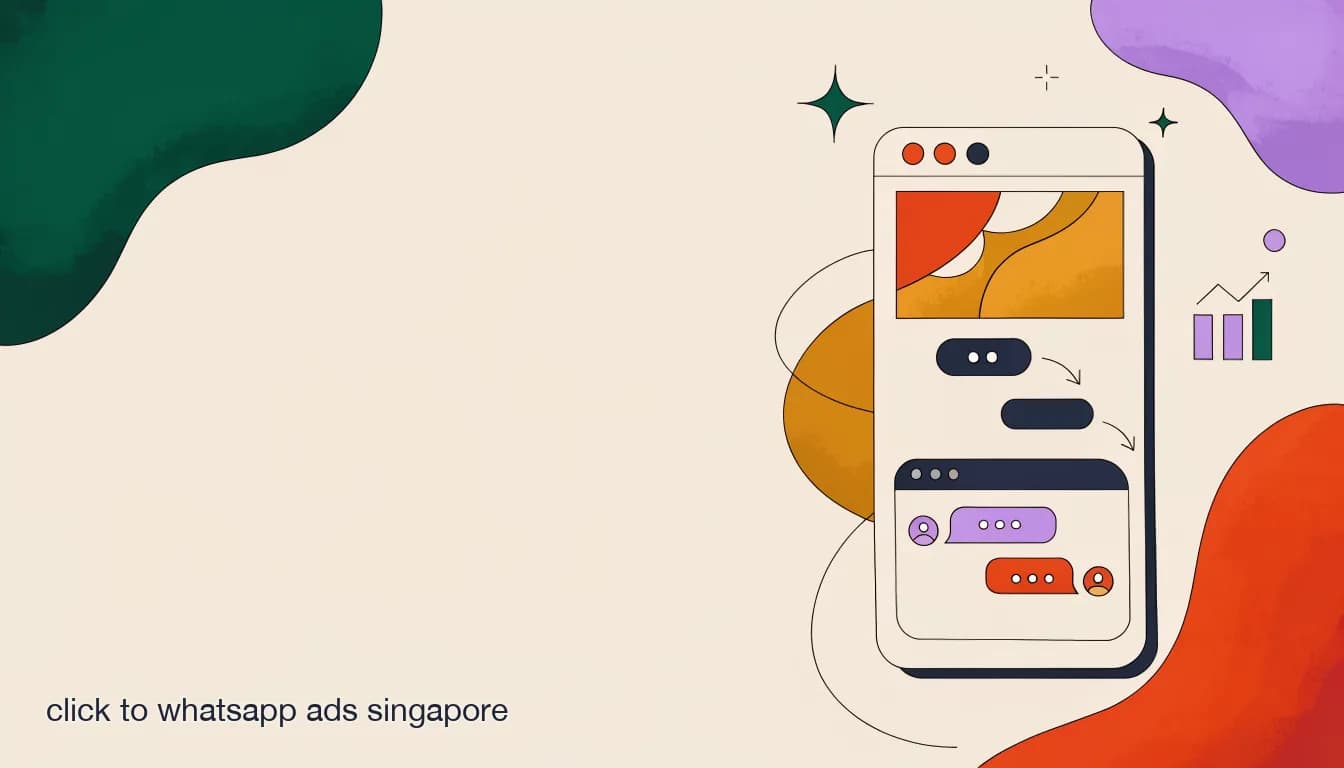
A click-to-WhatsApp ad is a standard Facebook or Instagram ad — image, video, carousel, or story — where the call-to-action button opens a WhatsApp conversation with your business rather than linking to a website or landing page. The customer stays on their phone, in an app they already have running, and the conversation starts the moment they tap.
What this removes is significant. A traditional ad-to-landing-page flow asks the customer to switch context: tap the ad, wait for the page to load, read it, locate the form, fill it in, hit submit, and wait for a reply. At every step some people drop off. A CTWA ad compresses the whole sequence to two steps — tap the ad, send a message — and the conversation is already on your WhatsApp number before the customer has had time to reconsider.
The pre-filled greeting is a key part of the mechanic. When a customer taps a CTWA ad, a message is automatically drafted in their WhatsApp input field — you write this text when you set up the ad in Meta Ads Manager. The customer can edit it before sending or tap Send as-is. This pre-filled message is your first opportunity to orient the conversation, so the person who replies — human or AI — knows immediately which ad the customer came from and what they were looking at.
Traditional ad-to-landing-page flow vs. CTWA flow
- Landing page ad
- Tap ad → page loads → customer reads → finds form → fills it in → submits → waits for an email reply
- CTWA ad
- Tap ad → WhatsApp opens → pre-filled message sent → conversation begins in under ten seconds
Why do CTWA ads work particularly well in Singapore?
The format works wherever WhatsApp is popular, but it works with less friction in Singapore for a few specific reasons worth understanding before you put budget behind it.
Singapore has near-universal smartphone penetration, WhatsApp is the most-used messaging app in the country, and Meta's ad platforms — Facebook and Instagram — are already where most local SMBs run their paid promotion. That means your customer is almost certainly already on WhatsApp and already on the platform where your ad appears. The CTWA format isn't experimental here; it's familiar. Customers in Singapore have seen the 'Chat on WhatsApp' button from other local businesses and know exactly what it does.
The buying journey for retail, F&B, and services businesses also suits the chat format better than a form. Someone asking about a booking slot, checking whether a specific item is in stock, or wanting a service quote is looking for a back-and-forth conversation, not a ticket number in a queue. A landing page asks them to wait; a WhatsApp chat lets them get a specific, immediate answer from a person or an AI that knows your business.
- Near-universal WhatsApp usage in Singapore means no audience segment you'd want to exclude from a WhatsApp-based campaign format.
- Meta ads and WhatsApp are owned by the same company, so the integration between an ad click and a chat open is native, not a workaround.
- Singapore customers are comfortable with the CTWA format — they've seen it used by other local businesses and know what the button does.
- The buying conversation in retail, F&B, and services naturally suits chat: quick questions, quick answers, a decision made in the thread.
- A WhatsApp conversation captures the customer's phone number at the exact moment of intent, without asking for it on a form — and without the person wondering what you'll do with the data.
What is the 72-hour free messaging window and why does it matter for CTWA campaigns?
When someone taps a click-to-WhatsApp ad and sends that first message, Meta opens a 72-hour free messaging window for your business. This is meaningfully different from the standard 24-hour customer service window that opens whenever any customer messages you first through organic means — the CTWA window is three times as long, and it's one of the most underused facts in Singapore SMB WhatsApp advertising.
During this 72-hour period, your business can exchange messages with the customer without those messages triggering Meta's business-initiated per-message fees. Once the window closes, reaching back out to the same customer requires a paid, Meta-approved template message, which falls under Meta's per-message pricing. Meta moved from conversation-based billing to per-message billing for business-initiated sends in July 2025 — so if you haven't re-read Meta's pricing page recently, the structure may be different from what you last saw. Always verify current per-message rates on Meta's official pricing page, as rates vary by message category and destination country.
In practical terms, 72 hours is a workable window for most Singapore SMBs. If a customer taps your CTWA ad on Saturday evening, your team has until Tuesday to follow up, qualify, and close the conversation without incurring per-message costs. That's a meaningful advantage for businesses that aren't staffed overnight. The implication is clear: the faster you respond initially — ideally with an automated first reply from an AI agent — the more of that window you preserve for a real, productive back-and-forth.
| Window type | What triggers it | Duration | Cost within window | What changes after it closes |
|---|---|---|---|---|
| Standard service window | Customer messages your business first through any organic channel | 24 hours | Free — service replies don't incur per-message fees | Business-initiated messages require paid template messages |
| CTWA free window | Customer taps a click-to-WhatsApp ad and sends a message | 72 hours | Free — service replies within the open conversation | Business-initiated messages require paid template messages |
The 72-hour window is free, not unlimited
The CTWA window covers service-style replies within the open conversation. Business-initiated template messages — for example, following up days after the window has closed — are subject to Meta's per-message pricing regardless of how the original conversation started. Verify current rates on Meta's official pricing page before budgeting, as they vary by message category and country and have changed significantly since 2024.
How do I set up a click-to-WhatsApp ad in Meta Ads Manager?
The setup lives entirely inside Meta Ads Manager. Before you start, confirm your WhatsApp Business number is linked to your Facebook Page in Business Manager — that connection is what routes the chat to your number when someone taps the ad. Everything else happens at the campaign and ad level.
- Choose your campaign objectiveSelect 'Engagement' or 'Leads' as your campaign objective — both support click-to-WhatsApp as the conversion action. 'Engagement' optimizes for the lowest cost-per-chat-open; 'Leads' optimizes for quality, targeting people more likely to follow through on the conversation. Start with 'Engagement' to establish your cost-per-chat baseline, then test 'Leads' once you have data on which chat openers actually convert.
- Set WhatsApp as the conversion locationAt the ad set level, choose 'WhatsApp' as the conversion location and select the WhatsApp Business number linked to your Page. If your number isn't showing up, go to Business Manager and complete the WhatsApp number verification step before returning.
- Write the pre-filled greeting messageIn the ad creative section, find the WhatsApp message field. This text pre-populates in the customer's WhatsApp input when they tap the ad. Write something specific to the ad — what promotion or product is featured — not a generic 'I'm interested in your business.' The more specific the greeting, the more useful it is for routing and the first reply.
- Add quick-reply buttonsYou can add up to three quick-reply buttons below the greeting. These appear in the customer's WhatsApp and, when tapped, send a short text reply automatically. Use them to let customers self-select their intent — 'Book a table', 'Check pricing', 'See what's available' — so your team or AI agent can respond with the right information immediately rather than asking a clarifying question.
- Build your audience and set the budgetTarget the audience you'd normally use for this product or promotion. Set a daily budget that is modest to start — CTWA campaigns can generate a high volume of chat opens quickly, and your reply infrastructure needs to keep pace. Starting low, verifying you can handle the incoming volume, and then scaling is safer than launching at full spend and watching leads go cold.
- Launch and check the first 48 hoursMonitor first-response time as closely as you monitor cost-per-click in the opening two days. Meta's delivery algorithm picks up engagement signals, so conversations that get fast, high-quality replies can improve ad delivery over time. Conversations that get no reply, or a very slow one, tell the algorithm nothing useful.
What should the pre-filled greeting message actually say?
The pre-filled greeting is the first thing that appears in the customer's WhatsApp input field when they tap your ad. It is short — usually one to two sentences — and it does more work than its character count suggests. It tells your team or AI agent which ad the customer came from, what caught their attention, and how to reply with something immediately relevant rather than a generic acknowledgement.
A generic greeting like 'Hi, I saw your ad and I want to know more' wastes the context the ad gave you. Your team now has to ask a follow-up question — which product? which promotion? — before they can be useful, and that first exchange costs time inside the 72-hour window. A specific greeting that names the item, the offer, or the service creates a qualified signal before anyone has typed a word in reply.
Keep the greeting short enough that the customer is comfortable sending it without major editing. The goal isn't a detailed survey — it's a clear enough anchor that the person on the other end can give an immediately useful, specific reply. If you are running three different ads for three different promotions, write three different greetings. The three minutes this takes will recover multiples of itself in reply efficiency over the campaign.
Match the greeting to the specific ad, not the business in general
If a customer tapped an ad for your weekend promotion, the pre-filled greeting should reference the weekend promotion. If they tapped a different ad for your delivery service, the greeting should reference delivery. Running one generic greeting across all your CTWA ads throws away the segmentation the different ads created for free — and makes the first reply harder for whoever handles the chat.
Generic vs. specific pre-filled greeting message
- Generic (avoid)
- Hi, I saw your ad and I'm interested in learning more about your business.
- Specific (recommended)
- Hi! I'm asking about the weekend set menu promo I saw on Instagram — is it available this Saturday for two people?
How do quick-reply buttons help qualify leads from the first message?
Quick-reply buttons are short, tappable text options that appear in the customer's WhatsApp immediately after the CTWA chat opens. When tapped, they send a plain-text reply automatically — 'Book a table', 'Get pricing', 'Ask a question' — that your team or automation can then route and respond to. They're not a full chatbot sequence; they're a one-tap selection that happens before a human or AI has even entered the conversation.
Their value is immediate self-segmentation. If you're advertising a beauty salon and a customer taps the ad, a quick-reply set of 'Book a haircut', 'Book a colour treatment', and 'Just checking prices' tells you within the first message which service they want. That changes how the first reply is structured, which staff member it goes to, and how urgently it needs to be handled — a customer who selected 'Book now' is higher priority than one who selected 'Just browsing'.
Not every CTWA campaign benefits equally from quick-reply buttons. For a very specific, single-product ad where the next step is obvious — reserve a seat at an event, get a quote for one specific service — the pre-filled greeting alone may be sufficient. Quick-reply buttons earn their place when your ad reaches customers who might want meaningfully different things, and where getting them to self-select saves your team from asking the same question a hundred times a week.
| Industry | Ad scenario | Suggested quick-reply options | Why it helps |
|---|---|---|---|
| F&B | Weekend reservation promo | "Book a table" / "View the menu" / "Ask about dietary options" | Separates immediate bookings from menu browsers — routes each to the right person |
| Retail | Flash sale on selected items | "Check if my size is in stock" / "Reserve for pickup" / "Get the promo price" | Stock enquiries can go to an AI agent; reservations need a human to confirm |
| Beauty services | New treatment launch | "Book now" / "See pricing" / "Ask a question first" | Converts high-intent customers immediately; holds lower-intent ones in the funnel |
| Home services | General quote request | "Get a free quote" / "See what's included" / "Check availability" | Quote requests are high priority; availability checks can be auto-answered |
Quick-reply buttons are a one-tap selection, not a guided menu
In a CTWA ad, quick-reply buttons give the customer one tap to send a structured reply. They don't create a branching menu the customer navigates — once tapped, the text is sent as a message and the conversation moves to your team or AI agent. Design your automation or first-reply logic around the options you offer rather than assuming the customer will interact with a multi-step sequence before a human gets involved.
How do I set up a post-click qualification flow so leads don't fall through?
The ad gets the customer into a WhatsApp chat. The qualification flow determines whether that chat turns into a lead you can act on or a thread that goes quiet within 24 hours. Most Singapore SMBs run the ad before they've sorted out the qualification side, which is exactly backwards — the inbox should be ready before the ad goes live, not scrambled together after the first messages start coming in.
A basic qualification flow doesn't need to be a complex chatbot. It needs to do three things: acknowledge the customer immediately so they know they've reached the right place, gather the one or two pieces of information needed to give them a useful next step, and route the conversation to the right person or prompt if a human needs to be involved. For most retail, F&B, and services SMBs, the answers to those three requirements fit in a small knowledge base and a few decision rules.
- Set up an immediate acknowledgement replyThe first automated reply should confirm receipt within seconds of the customer's message. It doesn't need to solve anything — it needs to signal that a real business received the message and that a useful reply is coming. Something like: 'Thanks for reaching out about [product/promo]. We'll have an answer for you in just a moment.' This alone reduces the number of customers who message a second time asking if anyone got their question.
- Answer the most common first questions automaticallyFor most CTWA campaigns, 60-70% of first messages are asking one of a small set of questions: Is [thing] available? How much is it? When are you open? Can I reserve? Train an AI agent on these answers so they're handled immediately, at any hour, without staff involvement. The customer gets a real answer in seconds; your team sees only the conversations that need judgment.
- Use the quick-reply selection to branch the responseIf you set up quick-reply buttons in the ad, the customer's selection tells you which category they're in before your qualification flow even starts. Route 'Book now' responses differently from 'Just checking prices' — the first gets a booking confirmation flow, the second gets a pricing summary and a soft prompt to book.
- Escalate to a human at the right pointDefine the clear handoff point: when does the AI agent stop and a team member take over? Usually this is when the customer asks something outside the knowledge base, expresses frustration, or is clearly ready to commit. The escalation should be visible to the team in a shared inbox — not a separate notification they might miss.
- Review which step loses the most leadsAfter two weeks of running the campaign, look at where conversations stop progressing. Most lead drop-off happens at one predictable stage — often the first reply delay, or the point where a human is supposed to take over but doesn't. Fix the highest-drop-off step first, not the last one in the funnel.
Running CTWA ads without a qualification flow wastes warm leads
A CTWA click is warm intent. The customer actively chose to start a conversation. An inbox with no immediate reply, no FAQ automation, and no clear escalation path is where warm leads go cold — and you've already paid for that intent with your ad budget. Sort the qualification flow before you set a daily campaign budget you'd be unhappy burning on unanswered chats.
What happens after someone sends the first message — who actually replies?
The click is the part most SMBs plan for when they set up a CTWA campaign. The reply is the part that determines whether the campaign works. Every customer who taps that ad and opens a chat has already done the hardest thing — expressed intent and started a conversation. What happens in the next few minutes is what determines whether that intent becomes a sale or a stat in a cost-per-click report.
On a single WhatsApp Business app with one person checking it, the answer to 'who replies' is: that person, when they're available. For most Singapore SMBs, that means during business hours, with gaps when the person is busy with another task, and nothing at all between 11pm and 8am. For a customer who tapped your CTWA ad on Sunday night, that's a nine-hour silence on a channel where they expected a near-immediate response. By Monday morning, a meaningful portion of those conversations have already moved elsewhere.
The businesses getting the most from CTWA campaigns in Singapore are the ones that have solved the reply problem first: an AI agent that responds to the first message within seconds, handles the repeated FAQ answers (hours, pricing, availability, how to book), and escalates to a team member for anything that genuinely needs a human. The AI doesn't close the sale — it holds the conversation open long enough for the right person to pick it up at the right time.
Slow replies are expensive when the ad is already running
A CTWA campaign that generates 40 chat opens a week but only manages to reply meaningfully to 20 of them isn't a 50% conversion problem — it's a 100% reply-infrastructure problem. Pause the ad, fix the inbox, then rerun. Scaling an ad budget on top of a broken reply setup doesn't make it better; it makes it more expensive.
How do I measure whether my CTWA campaigns are actually working?
Meta Ads Manager gives you the ad-side metrics: cost per click, cost per conversation started, click-through rate, reach, and impressions. These tell you whether the ad is generating interest at a reasonable cost. What they don't tell you is what happens after the click — which is where most of the value is created or lost.
The metrics that matter for the full picture sit in your WhatsApp inbox: first-response time (how long until the customer receives a real reply), conversation completion rate (how many chats reach a qualification or booking step), and lead-to-sale conversion. These require a WhatsApp inbox platform with reporting built in — the free WhatsApp Business app has no analytics to speak of — but they're what you'd use to actually improve the campaign over time rather than just making the ads cheaper to click.
- Optimize ad creative on CTR and cost-per-conversation; optimize the inbox workflow on response time and completion rate. These are different levers and need to be managed separately.
- A low cost-per-conversation paired with a poor completion rate means the ad is working but the reply experience is not — don't increase the ad budget until the inbox is fixed.
- A high completion rate at a high cost-per-conversation is a signal to test cheaper audience segments or creative variations that reach similarly high-quality leads at lower cost.
- Track which quick-reply button is tapped most often — it's usually the most honest signal of what customers actually want from the ad, which often differs from what you assumed when you wrote the copy.
| Metric | Where to find it | What it tells you |
|---|---|---|
| Cost per conversation started | Meta Ads Manager | Ad efficiency — how much you're paying for each chat open |
| Click-through rate (CTR) | Meta Ads Manager | How compelling the creative and the CTA button are |
| First-response time | WhatsApp inbox analytics | How quickly the customer gets a useful first reply |
| Conversation completion rate | WhatsApp inbox analytics | How many chats progress to a qualification or booking step |
| Lead-to-sale conversion | CRM or manual tracking | How many qualified CTWA chats become paying customers |
| Drop-off stage | WhatsApp conversation history | At what point in the conversation most leads go quiet |
Is click-to-WhatsApp better than sending traffic to a landing page?
For most Singapore retail, F&B, and services SMBs running campaigns on Meta, CTWA will outperform a landing page on conversion rate for high-intent, simple buying decisions. The friction difference is real: a landing page requires the customer to wait for a load, read, fill in a form, and wait for a follow-up. A CTWA ad compresses the same purchase intent into a two-tap action and an immediate conversation.
Landing pages remain useful for high-consideration purchases where the customer needs to research before they're ready to talk — a renovation quote, a software subscription, a premium service package. For those, a page that answers detailed questions and presents proof before asking for contact information does useful work. The two formats aren't mutually exclusive and can sit in the same campaign structure serving different moments in the funnel.
| Dimension | CTWA ad | Landing page ad |
|---|---|---|
| Friction to first contact | Very low — two taps to an open conversation | Higher — page load, read, form, wait for a reply |
| Lead data captured | Phone number at the moment of intent, no form required | Form fields (name, email, etc.) if the customer fills them correctly |
| Qualification speed | Immediate, via pre-filled greeting and quick-reply buttons | Slower — requires a human to follow up on each form submission |
| Best for | Bookings, quotes, quick purchases, time-sensitive promotions | High-consideration decisions, detailed product or service explanations |
| After-hours handling | AI agent can hold the conversation open overnight without losing the lead | Form sits in a CRM or email until business hours the next day |
| Tracking depth | WhatsApp inbox metrics plus Meta ad reporting | GA4, heatmaps, conversion pixels on the page |
What are the main reasons CTWA campaigns fail for Singapore SMBs?
The ad format itself rarely fails. The failure almost always happens in the minutes and hours after the click, and the patterns are predictable enough that most of them can be fixed before the campaign goes live.
The most common failure is a slow first reply. Customers who tap a CTWA ad are in an active, curious state of mind — they just engaged with something that interested them enough to start a chat. A reply that arrives three hours later finds a very different person: someone who has browsed three competitor accounts, reconsidered, or simply moved on to other things. The 72-hour window exists, but the window where the customer is warmest is the first fifteen minutes.
The second most common failure is a generic first reply that ignores the context the CTWA setup already provided. The customer's pre-filled greeting told you exactly which ad they came from and what they were interested in. An AI agent or team member who replies with 'Thanks for reaching out, how can we help you today?' has discarded all of that context and made the customer feel like they're starting from scratch. That is the opposite of the friction-reduction the CTWA format is supposed to deliver.
A warm lead handled generically is a lead already cooling
The pre-filled greeting and quick-reply selection give you real, specific context about what the customer wants before a single human has looked at the chat. If your first reply ignores that context and asks a generic question, you've undone the main advantage of the CTWA format. Train your AI agent's first-reply templates to pull from the greeting text and the quick-reply selection, not from a generic 'how can I help you' script.
The same CTWA lead handled two different ways
- Generic reply, 3 hours later
- Thanks for your message! How can we assist you today? Our team will get back to you shortly.
- Specific reply, 90 seconds later (automated)
- Hi! You asked about the weekend set menu — we have tables available at 6:30pm and 8:00pm this Saturday. Which works for your group?
How much do click-to-WhatsApp ads cost in Singapore?
The total cost of a CTWA campaign has two separate components, and it's worth understanding them independently before building a budget.
The first is Meta ad spend — the cost of the ad placement itself. This varies by audience targeting, ad creative quality, campaign objective, bidding strategy, and competition for the same audience. There is no reliable Singapore benchmark that holds across all industries and campaign types. A weekend F&B reservation campaign and a home renovation quote campaign will have very different costs per conversation opened. Run with a modest daily budget — enough to generate ten to twenty chats per day — to establish your own cost-per-qualified-chat baseline before scaling.
The second component is WhatsApp messaging fees. During the 72-hour free window opened by the CTWA ad, messages within the open conversation do not incur Meta's per-message fees. Once the window closes, or if you initiate contact outside an open conversation, business-initiated messages are subject to Meta's per-message pricing, which shifted from conversation-based billing to per-message billing in July 2025. Marketing message rates vary by destination country and message category. Always verify current per-message rates on Meta's official WhatsApp pricing page before building your budget — rates change, and any specific per-message figure published by a third party, including in this post, may already be outdated.
Ad spend and per-message fees are two separate budget lines
Your Meta ad account covers the placement cost of the CTWA campaign. WhatsApp per-message fees, which apply after the 72-hour free window, are billed through your WhatsApp Business API provider (also called a Business Solution Provider, or BSP). Budget for both, and check current message rates on Meta's pricing page rather than relying on any figure quoted elsewhere.
How does KlyoChat help Singapore SMBs capture value from CTWA campaigns?
We build KlyoChat, so this section is about our product — but the problem it addresses is the real one: most CTWA campaign failures aren't ad failures, they're inbox failures. KlyoChat's role in a CTWA setup is entirely post-click — what happens to the inquiry once it lands in your WhatsApp.
On the AI side, KlyoChat's AI agents respond to the first message automatically from a knowledge base you train on your own FAQs, pricing, availability, and booking details. For a CTWA campaign, the agent reads the pre-filled greeting, knows which product or promotion the customer is asking about, and replies with immediately useful information — all within seconds, at any hour. That's the mechanism that holds the 72-hour window open productively rather than letting it tick down while the customer waits.
On the team side, KlyoChat gives your staff a shared inbox where CTWA conversations are visible to everyone, assigned to specific team members, and trackable from first message to booking or sale. A team member coming on shift sees every open CTWA conversation, where each is in the qualification process, and what the AI agent already answered. No lead is locked to one person's phone, and no context is lost when the shift changes.
- AI agent handles FAQ replies immediately: pricing, stock availability, booking steps, operating hours — at any time of day.
- Shared team inbox means any team member can pick up a CTWA conversation; no leads are locked to one person's device.
- Assignment and internal notes let supervisors track which leads are being handled and which need attention.
- KlyoChat supports WhatsApp alongside Facebook and Instagram in one inbox, so leads from different Meta placements land in the same place.
- Honest note: WhatsApp's per-message fees apply to business-initiated messages on any platform, KlyoChat included. The platform subscription and Meta's fees are two separate costs — budget for both.
A Singapore retail CTWA campaign — with and without a shared inbox and AI agent
- Without
- 35 CTWA chats arrive on Saturday. Staff reply to 14 by Sunday evening. 21 go cold overnight with no reply.
- With KlyoChat
- AI agent replies to all 35 within seconds. 26 reach a qualification step. Staff close 9 bookings over the weekend without being overwhelmed.
Click-to-WhatsApp ads are one of the most direct paths from Meta ad spend to a warm conversation with a Singapore customer who has already shown intent. The 72-hour free messaging window makes them especially practical for businesses that aren't staffed around the clock — but only if the reply infrastructure is ready when the first chats arrive. The next post in this series goes deeper into what happens when WhatsApp inquiry volume grows faster than a single phone can handle, and what specifically breaks when it does.