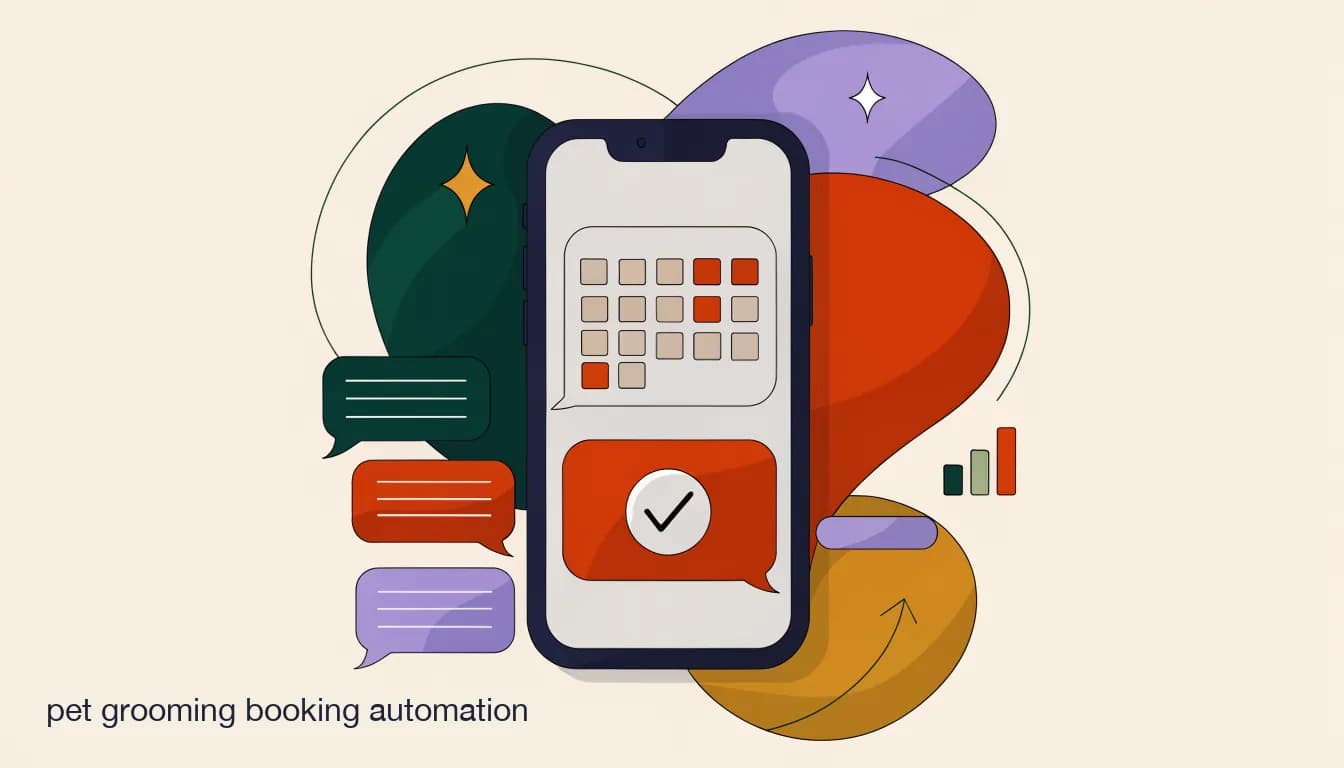
Pet grooming booking automation means letting the DM conversation itself do the booking work, rather than asking the client to leave Instagram, find a form link, fill it out somewhere else, and hope you see it before the slot disappears. The client is already messaging you. They are already in a conversation asking about availability. The automation captures every detail you need — breed, size, service, preferred time, any special notes about the animal — right there in the same thread, and gets a confirmed slot back to them without multiple rounds of back-and-forth that neither side has time for.
This matters more for grooming than it does for most service businesses because the intake is genuinely complex. It is not just a date and a time. It is the breed, the coat condition, the size, whether the dog has anxiety around loud tools, whether there are matting issues that change the service time estimate, and whether the owner wants add-ons like nail filing or ear cleaning. Getting all of that over a DM thread manually takes multiple exchanges and often falls apart before you even get to scheduling. Automated, it is a structured two-to-three-minute conversation the AI handles while you are in the back with a client.
What information does a grooming booking flow need to capture — and why?
A well-designed booking flow asks exactly what you need to quote accurately and schedule correctly, in the order a human would naturally ask it. The failure mode is asking either too little — forcing a callback to fill gaps — or too much, which causes clients to abandon the conversation mid-flow before you have the information needed to confirm anything.
The sequence matters. Start with the pet before moving to timing. Knowing the breed and service type narrows the slot length and the available days before you offer specific times. An owner who picks a Tuesday morning slot and then tells you they have a 90-pound standard poodle needing a de-shed will find that Tuesday morning no longer works — which is a worse outcome than never offering it. Collect the animal details first so you are offering slots that are genuinely available for that specific service.
| Detail | Why it matters for booking | What happens if you skip it |
|---|---|---|
| Pet type and breed | Determines standard service time and pricing tier | You quote a price and time that may not apply to this animal |
| Approximate size or weight | Large breeds often need longer slots and different pricing | Scheduling conflicts when the actual dog arrives |
| Requested service | Bath only vs full groom vs de-shed changes slot duration significantly | Double-bookings when a short slot was assigned to a long service |
| Preferred day and time | Matches against real open slots rather than a hypothetical calendar | Offering times that require follow-up to correct |
| Special notes | Matting, anxiety, medical history, or specific tool sensitivities staff must know before the visit | Surprises on arrival that affect the appointment or safety |
| Add-on services | Nail trim, ear cleaning, blueberry facial — each adds time to the slot | Running over into the next appointment |
Ask pet questions before availability questions
Collecting breed, size, and service type before you discuss available times means you are only offering slots that actually work for that specific appointment. It also builds a natural conversational flow — the owner expects to be asked about their pet before logistics. Reversing the order creates confusion and often leads to offering slots you then have to walk back.
Why do pet grooming clients drop off before they ever reach a booking form?
The drop-off problem is straightforward but consistently underestimated: most clients DM a grooming salon from Instagram or Facebook because they are already on that app. Asking them to leave the app, open a browser, find a form, and fill it out is friction. Not impossible friction, but enough that a meaningful number of clients who were ready to book decide to continue scrolling instead, or tell themselves they will come back to the form later. Later is often never.
The issue is compounded by the form itself. Most online booking forms are built for the business's organizational needs, not the client's attention span. They ask for every possible detail upfront, show a calendar that doesn't clearly distinguish between truly available and tentatively available slots, and require account creation before confirming. Every one of those steps is a potential exit point. A potential client who came to you through a comment on your before-and-after reel has high intent but low patience for a complicated process.
The DM thread already has momentum. The client typed a message; they are waiting for a response. If that response is a natural, conversational sequence of questions that gathers the same information a booking form would, the experience feels like talking to someone rather than filling out paperwork. The completion rate of a well-designed DM booking flow is typically much higher than the completion rate of a linked external form, simply because there is no app switch required.
- App-switching abandonment: sending a client from Instagram to an external booking form creates a gap where a significant fraction simply do not return.
- Form complexity: most booking forms ask for more than is needed upfront, and every extra field is an opportunity to abandon.
- Account creation barriers: requiring a login or account before confirming a booking is one of the highest-friction requirements in digital commerce.
- Poor mobile form design: many booking platforms have forms that are technically mobile-accessible but practically uncomfortable to complete on a phone screen.
- The 'I'll do it later' problem: a form link sent mid-conversation gets saved, forgotten, and never completed far more often than a conversational flow that collects information in real time.
- Speed expectations: a client who DMs a grooming salon at 9pm expects a response within minutes or hours, not a form to fill out the next morning. Automation meets that expectation; a form link doesn't.
Understanding why the drop-off happens makes the setup decisions easier. The goal of a DM booking flow is not to replicate the structure of a booking form inside a chat window — it is to have a natural conversation that ends with a confirmed appointment. The steps below reflect that: gather what you need, present real options, and hand off to a human for the final confirmation.
How do I set up a grooming booking flow from DMs, step by step?
The setup has two parallel tracks: the automation that handles the conversation, and the human process that confirms the final slot. Both need to be in place before the flow goes live, because a booking flow that collects all the details but has no human on the other end to confirm a calendar slot will create more confusion than it solves.
The trigger is the first decision. Most grooming salons get the best coverage from two trigger types: a keyword trigger on the word 'book,' 'appointment,' or 'availability' arriving in a DM, and a comment-to-DM automation on posts where you show your work — before-and-after grooming transformations, breed-specific styling posts. A client who comments 'how do I book this for my doodle?' gets a DM immediately, starting the conversation while they are still engaged with the content.
- Set up your booking triggersConfigure keyword triggers for 'book,' 'appointment,' and 'availability' in incoming DMs, and a comment-to-DM automation on your top-performing before-and-after posts. These two triggers together capture the clients who are actively searching and those who discover you through content.
- Collect pet details before asking about timingOpen the flow by asking about the pet: 'What kind of pet is it, and roughly how big are they?' Then confirm the service type — bath only, full groom, de-shed. This sequence naturally mirrors how a human groomer would open the conversation, and it means you know the slot length before you offer available times.
- Ask for special notes before schedulingAfter breed and service, add a single open-ended question: 'Any special notes for our groomers — matting, anxiety around tools, or anything else we should know before the visit?' This information is easier to capture now than to chase later, and it signals to the client that your team will be prepared for their specific animal.
- Offer real available time windows, not an open calendarPresent two or three specific available windows rather than asking 'what time works for you?' against an open calendar. 'We have Thursday morning or Friday afternoon this week — which would work?' reduces the back-and-forth and manages expectations without requiring real-time calendar sync in the conversation itself.
- Route the summary to your team inbox and confirm with the clientSend a clean booking summary — pet name, breed, size, service, preferred time, and notes — to your shared team inbox for a team member to confirm against the real calendar. At the same time, send the client a 'got it — we'll confirm your slot within [X time]' message so they know what to expect and aren't left in silence.
- Queue the reminder sequence automaticallyOnce the slot is confirmed, trigger the reminder sequence: a confirmation message immediately, a 48-hour reminder with an easy reschedule option, and a morning-of reminder. The reminder does double duty — it reduces no-shows and gives the client a frictionless path to reschedule if their plans change, which is much better for your business than a silent no-show.
Health and medical questions always go to a human
An AI agent handling your booking flow must never give advice about an animal's health or medical condition — not even general guidance. If a client asks whether their dog is well enough for grooming after an illness, or what to do about a skin condition they noticed, that question should immediately escalate to a human team member. The AI's role is logistics and information gathering, not veterinary guidance of any kind.
Is DM-based booking better than a dedicated booking app?
It is not an either/or question for most grooming salons, and framing it that way leads to the wrong decision. A dedicated booking app is stronger for complex scheduling environments: multiple groomers, service-to-staff assignments, real-time calendar sync that prevents double-bookings, and client-side appointment management like self-service reschedules. If you run a multi-groomer salon where each staff member has a distinct schedule and availability, a booking app with genuine calendar integration is difficult to replace for the scheduling layer.
DM-based booking automation is stronger for capturing the initial request before the client decides to look elsewhere. This is where most pet grooming salons have the biggest conversion gap. A client who DMs asking about availability has high intent in that moment. If the response is 'here's a link to our booking page,' a meaningful number of those clients never complete the booking. If the response is an immediate, conversational flow that gathers their details and returns a confirmation, that intent converts at a much higher rate.
The pattern that works well for most grooming salons is a hybrid: DM automation handles the initial intake and qualification, capturing breed, size, service, and a preferred time window, then either confirms directly for simple cases — single pet, straightforward service, clear availability — or routes to the booking app for final placement in more complex situations. The DM automation acts as the front door; the booking app is the back-office scheduling system. Neither is doing the other's job.
| Dimension | DM automation | Dedicated booking app |
|---|---|---|
| Where it captures intent | In the DM thread, while the client is already engaged | Requires app-switching to a separate URL or form |
| Strength | High conversion on initial contact; no friction to start | Real-time calendar sync; self-service reschedule for clients |
| Weakness | No native real-time calendar sync; team must confirm manually | Drop-off when clients leave the app to book |
| Best for | Intake, qualification, and first-response booking | Multi-groomer scheduling; calendar management |
| Combined approach | DM captures the request and pet details | Booking app confirms the specific slot and manages the calendar |
How Petra's grooming studio uses both
- Client DMs on Instagram
- AI agent responds immediately, collects breed (golden retriever), service (full groom), and preferred window (Thursday morning)
- Booking summary goes to inbox
- Team member sees a clean handoff: pet name, service, preferred time, and notes
- Team checks the booking app
- Confirms Thursday 10am is open, sends confirmation back through the DM thread
- Client gets confirmation in same thread
- No app switch, no form — the whole booking happened where they started
How do you handle multi-pet households in a single booking conversation?
Multi-pet households are one of the most common complexity points in pet grooming booking, and most automation flows handle them poorly by default. The standard flow is designed for one pet: ask about the pet, collect the service, find a time, confirm. An owner with three dogs who needs to book all three at once either has to restart the flow from the beginning for each animal — which is frustrating — or the conversation breaks because the flow was never designed to branch for multiple pets.
A well-structured multi-pet flow adds a single branch after collecting the first pet's details: 'Do you have another pet to book at the same time?' If yes, it loops through the same questions for the second animal before moving to scheduling. If no, it proceeds to timing. This branch is worth building even if only a minority of your clients have multiple pets, because those clients often represent some of your highest lifetime value — a household with three dogs that books regularly is a very different revenue profile from a single-pet occasional client.
The scheduling question for multi-pet bookings is slightly different. You are now looking for a block of time that covers all the animals, or consecutive slots for the same owner. It is worth asking the client directly: 'Are you planning to bring both dogs the same day, or would you prefer separate appointments?' That question surfaces the preference early and prevents the confirmation step from becoming complicated.
- Add a 'do you have another pet to book?' branch after collecting the first animal's details — keep it optional and simple.
- Loop the same questions for each additional pet before moving to scheduling so you have all the information needed to estimate the total time block.
- Ask explicitly whether the owner wants all pets on the same day or prefers separate days — don't assume and then have to correct the booking.
- Store multi-pet household data so that returning clients don't have to re-enter breed and size information on every visit — the AI agent should recognize a returning client and offer to reuse their details.
- Flag multi-pet bookings in the team inbox with the total time estimate prominently so the team member confirming the slot is looking at the right window length.
Multi-pet booking branch — how the conversation differs
- Standard single-pet flow
- Asks about one pet, collects service, schedules. Owner has to start a separate conversation for the second dog, often forgetting or booking a different time.
- Multi-pet branch
- After confirming the first dog, asks 'Do you have another pet to book the same day?' — collects both animals in one conversation, routes a single combined summary to the inbox.
Multi-pet handling is one of the places where DM automation genuinely improves on a standard booking form, because the conversation can branch naturally in a way that a static form cannot. The next recurring complexity is the regular client who books every four to six weeks and doesn't want to answer the same questions each time.
How do you handle recurring bookings for regular grooming clients?
Regular grooming clients — the ones who come every four to six weeks for the same service on roughly the same day — represent the most reliable revenue a grooming salon has. They are also the clients most likely to feel frustrated if your booking flow treats them like a stranger every time they reach out. Asking a client who has booked their golden retriever for a full groom every six weeks for the past two years to re-enter breed, size, and service on every visit is friction that a good system should eliminate.
The solution is to treat recurring client data as a profile that persists between conversations. When a returning client DMs asking to book, the AI agent recognizes them from prior conversation history and can confirm: 'Welcome back — are you booking Maya again for a full groom?' rather than starting from scratch. If the details are the same, the client confirms in one message and moves directly to timing. This reduces a six-message intake down to a two-message confirmation for a client the system already knows.
- Identify and tag your regular clients in the inboxWhen a client has booked two or more times, tag them as recurring in your shared inbox. This tag signals to both your team and to automation rules that this client's profile already exists and should be referenced rather than rebuilt.
- Pre-fill the intake in follow-up conversationsConfigure the AI agent to open with a confirmation of the client's usual details rather than a full intake: 'Hi [name] — booking Maya again for a full groom? Your usual details are saved.' Let the client correct anything that has changed rather than re-entering everything from scratch.
- Offer a recurring appointment scheduleFor clients who come on a predictable cadence, offer to set up a standing appointment: 'You usually book every six weeks — would you like us to reach out automatically when your next slot opens up?' This moves your most reliable clients from reactive booking to a quasi-subscription model that fills the calendar further in advance.
- Send a proactive outreach at the right intervalSet a broadcast or automation to send a 'time for your next appointment?' message to regular clients at their typical booking interval — six weeks after their last visit, or four weeks for short-coat breeds. Proactive outreach to a warm client converts at a much higher rate than waiting for them to remember to book.
How do you handle last-minute cancellations and reschedules inside the same DM flow?
Cancellations and reschedule requests that arrive through DMs are an opportunity to recover a slot, not just an administrative task. A client who messages to say they can't make tomorrow's appointment has already done you a service by letting you know — the worst outcome is a no-show with no notice. The question is whether your automation makes it easy to convert that cancellation into a rebook in the same conversation, or whether it creates enough friction that the client delays and you lose the slot anyway.
The key design principle is to make rescheduling the path of least resistance. When a client sends a cancel or reschedule request, the automated response should acknowledge it and immediately pivot to 'no problem — when would work for you instead?' rather than just confirming the cancellation. A client who just cancelled an appointment and is offered new availability in the same message has high intent to rebook. A client who cancelled and received only a confirmation of cancellation may or may not come back.
When a client replies to reschedule, the AI agent collects the new preferred time using the same conversational intake — no need to re-ask breed and service since those are already in the thread — and routes the confirmed change to the team inbox for calendar adjustment. The reminder sequence for the original appointment is cancelled and a new one queued for the rescheduled slot. From the client's perspective, the whole exchange happened in one thread with no app-switching and no starting-over.
Make rescheduling easier than not responding
The reminder message that goes out 48 hours before an appointment should include a clear reschedule option. 'Reply RESCHEDULE if you need to change your appointment' turns a potential no-show into an advance cancellation — giving you the slot back in time to fill it from a waitlist. A client who can't make it but sees a friction-free path to reschedule will almost always take it over simply not showing.
What are the most common pet grooming automation mistakes?
Most grooming booking automations that fail do so for one of a small number of predictable reasons, and most of them come back to the same root cause: the flow was designed around what the business needs to capture rather than what feels natural to the client. The intake is too long, the language is too formal, or the automation keeps asking for information it already has because there's no memory between sessions.
The second most common failure is offering times without any connection to real availability. A flow that asks 'what time works for you?' against an open calendar — or presents generic windows that aren't checked against the actual schedule — will produce bookings that the team then has to call back to correct. Every correction call is friction that could have been avoided by either connecting to real availability or being explicit that the team will confirm the slot rather than implying it's already reserved.
- Too many questions: asking for more information than is actually needed to quote and schedule causes clients to drop off mid-flow. Keep the intake to the minimum needed — breed, size, service, preferred time, special notes.
- No real-time calendar sync: offering times that aren't checked against the actual schedule forces correction calls that undermine the client's experience of a smooth booking.
- Over-automation: confirming a booking without any human check on calendar availability leads to double-bookings or impossible appointments. Keep humans on the final confirmation.
- No memory for returning clients: asking a regular client to re-enter their pet's breed and service type on every visit is unnecessary friction that signals the business doesn't recognize them.
- Answering medical questions with automation: an AI agent must escalate any question about an animal's health or safety to a human team member immediately. This is not a design option — it is a hard requirement.
- One flow for all channels: a booking flow built for Instagram DMs may not translate well to WhatsApp or Telegram. Adapt the tone and length for each channel rather than using a single script everywhere.
Never let automation handle health or safety questions
If a client asks whether their pet is well enough to be groomed after an injury, illness, or surgery, that is not a question for an AI agent. It must escalate to a human team member immediately. The same applies to questions about how your grooming process would interact with a pet's skin condition, anxiety medication, or any other health factor. Automation handles logistics. Humans handle anything that touches the animal's wellbeing.
How does KlyoChat handle pet grooming booking automation end to end?
KlyoChat's AI agents can run the full booking intake across Instagram, Facebook, WhatsApp (rolling out), and Telegram — all from a single platform with a shared team inbox behind it. You build the agent's knowledge base with your service menu, pricing by breed and size, your typical availability windows, and your policies, and the agent uses that to answer questions and collect booking details conversationally across every connected channel.
When a client DMs asking to book, the agent opens the intake: pet type and breed, size, requested service, preferred time window, and special notes. It handles multi-pet branches, returning client recognition, and reschedule requests in the same flow. When the intake is complete, a formatted booking summary lands in the shared team inbox — pet name, service, preferred time, notes — and a team member confirms the specific slot against the real calendar. The client receives a 'we'll confirm your slot shortly' message while that happens, so there's no dead silence while they wait.
The reminder sequence queues automatically from the confirmed booking: an immediate confirmation, a 48-hour reminder with a reschedule option, and a morning-of reminder. If the client replies RESCHEDULE, the agent handles the new preferred time collection and re-routes to the inbox. If a slot opens from a cancellation, a broadcast goes to the relevant waitlist segment immediately — one message, one reply to confirm, slot filled.
Because it's one unified inbox across channels, a client who starts a booking conversation on Instagram and follows up on WhatsApp doesn't lose context — the team can see the full conversation history in one thread. The shared inbox also means any team member can pick up a conversation without it being dependent on one person's phone or account being available.
KlyoChat works alongside your booking system, not instead of it
KlyoChat handles the conversation layer — the intake, the qualification, the reminders, and the reschedule handling. Your team still confirms the final slot against your actual calendar or booking app. This is by design: the human confirmation step prevents double-bookings and keeps the AI agent within its lane. WhatsApp is currently rolling out; Meta's per-conversation fees apply. AI agents are included from the Pro plan at $49/month.
A KlyoChat grooming booking conversation — what the client experiences
- Client DMs on Instagram
- 'Hi, I'd like to book my dog for a full groom'
- AI agent responds
- 'Happy to help — what breed and roughly how big is your dog?'
- Client replies
- 'She's a standard poodle, about 55 pounds'
- Agent collects service and notes
- 'Full groom for a standard poodle — any special notes like matting or anxiety around clippers we should know about?'
- Client replies and gives preferred time
- 'No special notes. I was hoping for a Thursday morning if possible'
- Agent wraps the intake
- 'Got it — I'll pass this to the team to confirm Thursday availability. You'll hear back within a few hours. Is this your first visit with us?'
The shift from manual DM management to a structured booking automation is not about removing the human element from your business — it's about removing the repetitive part that isn't adding value. Answering 'what services do you offer?' and 'how much for a golden retriever?' for the fifteenth time this week is not the work that makes your grooming business good. Having those questions handled automatically so your team is available for the appointment confirmation, the special notes review, and the client relationship is the actual value of the automation.
Start with the highest-volume trigger — the 'how do I book?' DM — build the intake flow for your most common service, and get one working end to end before expanding to multi-pet branches and recurring client recognition. A simple flow that works reliably is worth more than a complex flow that breaks on edge cases.