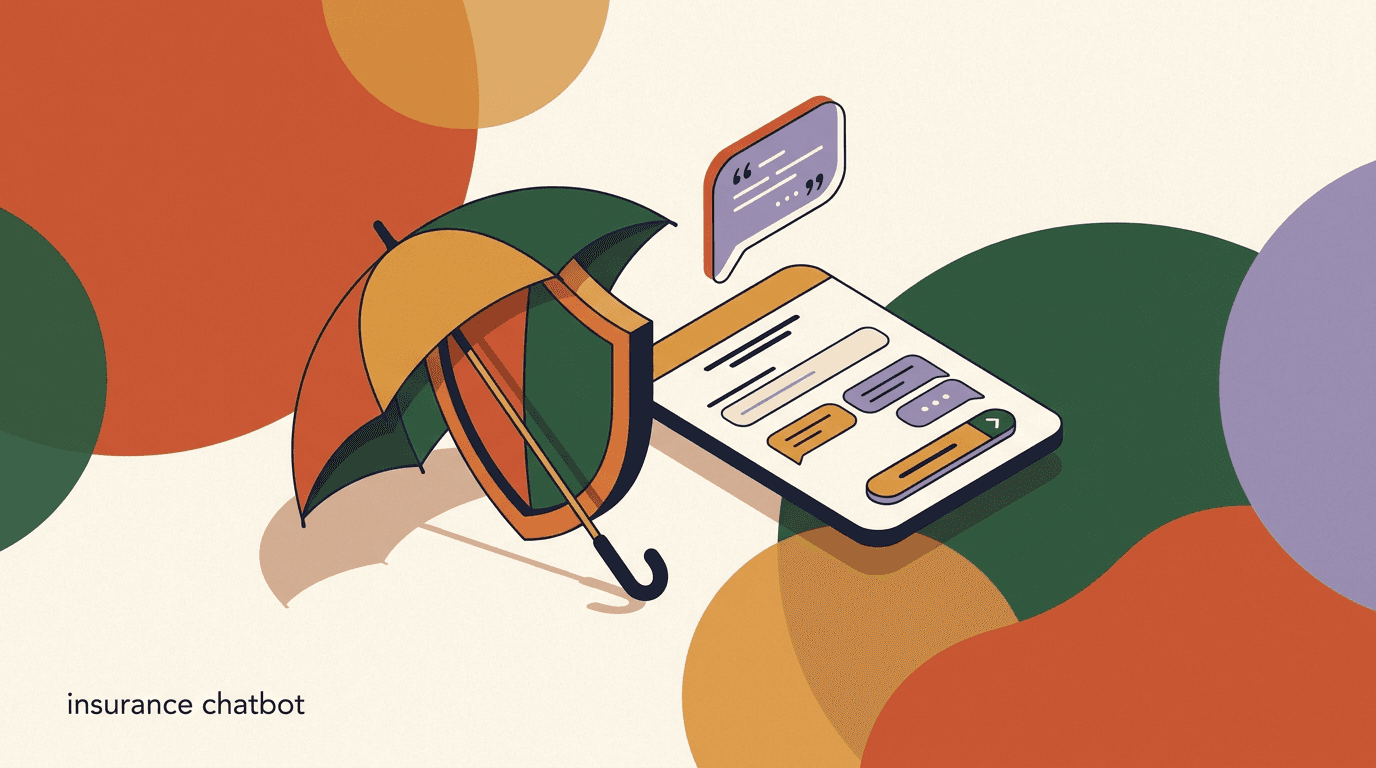
An insurance chatbot is a messaging assistant that sits on your agency's WhatsApp, Instagram, Facebook, or website chat and handles the repetitive front-desk work: it greets a prospect, captures a quote request, gathers the basic details a licensed agent needs, answers common policy questions, books a callback, and routes anything sensitive to a human. Done well, it means fewer missed leads and faster first responses. Done carelessly, it becomes a compliance liability. This guide is a practical playbook for insurance agencies and brokers who want the first outcome without the second.
The core tension in this vertical is simple. Insurance is a regulated, advice-heavy business, and a chatbot is a fast, always-on tool that can accidentally sound like an advisor. So the entire design problem is drawing a clear line: let automation do intake, triage, scheduling, and answers to plainly factual questions, and hand everything that touches coverage decisions, pricing commitments, suitability, or claims outcomes to a licensed person. Get that line right and a chatbot is a genuine asset. Get it wrong and it creates risk you did not have before.
A note on scope before we start. This article is about building intake and routing automation, not about compliance rulings. It is not legal or financial advice, and nothing here should be treated as a substitute for guidance from your own compliance officer, your carriers' rules, or your local regulator. Insurance regulation varies enormously by country, state, and product line. Everywhere we describe a compliance-sensitive step, the honest answer is the same: confirm it with your compliance team before you ship it. We build KlyoChat, so we have a point of view, but we have kept the playbook tool-agnostic and flagged our own limits plainly.
What is an insurance chatbot, and what should it actually do?
Start with a definition that keeps you out of trouble. An insurance chatbot is an intake and routing assistant, not a virtual agent. Its job is to move a person from a first message to the right next step — a quote in progress, a claim logged, a question answered, or a call booked — while collecting clean, structured information along the way. It is a receptionist and a form, not an underwriter and not a broker.
That framing matters because it tells you what to automate and what to leave alone. The safe, high-value work is deterministic and factual: capturing contact details, identifying the line of business, taking the specifics of an incident, confirming office hours, explaining what documents a claim needs, and scheduling a callback with a licensed agent. The unsafe work is anything that requires judgment about a specific person's situation: which policy suits them, what their premium will be, whether a claim will be paid, or whether they are adequately covered.
In practice, a well-scoped insurance chatbot covers five jobs, and we spend the rest of this guide on them. It captures quote requests and qualifies them. It takes first-notice-of-loss and routes claims intake. It answers policy and process FAQs from an approved knowledge base. It books appointments and callbacks. And it follows up on unfinished conversations so warm leads do not go cold. Everything else escalates to a human.
- Quote request capture: collect the details an agent needs to prepare a quote, without quoting a number.
- Claims intake and first-notice-of-loss: log the incident, gather facts, route to the claims team.
- Policy and process FAQs: answer factual, non-advisory questions from approved content.
- Appointment and callback booking: put the prospect on a licensed agent's calendar.
- Follow-up: re-engage abandoned quote requests and unanswered threads.
The one rule that governs everything below
The bot must never give insurance, coverage, or financial advice, quote a binding premium, confirm that a claim will be paid, or bind coverage. Those are licensed-agent activities. When a conversation heads that way, the correct behaviour is always the same: disclaim and escalate to a licensed human. Confirm the exact boundary with your compliance team.
Why do insurance agencies lose leads without automation?
Before the how, it helps to be honest about the problem automation solves, because it is easy to overstate. The value of an insurance chatbot is not that it is clever; it is that it is awake. Insurance shopping happens on the prospect's schedule — evenings, weekends, right after a fender-bender, the moment a landlord asks for proof of renters cover. If your agency answers on Monday morning, a share of those people have already messaged a competitor.
Speed to first response is the whole game in lead capture. A prospect who fills in a quote request and hears nothing for hours assumes you are slow, closed, or uninterested, and they move on. A prospect who gets an immediate, human-sounding acknowledgement — 'Thanks, I have your details for a home quote, a licensed agent will follow up by 10am' — stays put. The chatbot does not close the sale; it holds the door open until a licensed person can.
The second loss is quieter: incomplete information. When a lead arrives as a one-line message ('how much for car insurance?'), an agent has to spend the first call just gathering basics. A structured intake flow collects those basics up front — vehicle, driver, location, current cover — so the agent's first contact is a real conversation, not a data-entry exercise. That is faster for you and less repetitive for the customer. The compliance framing stays intact because collecting facts is not advising on them.
The third loss is after hours and overflow. Even a well-staffed agency has moments — a lunchtime rush, a storm that spikes claims, a viral social post — when messages pile up faster than the team can answer. Automation absorbs that spike by acknowledging everyone instantly and queuing the work, so no one is left staring at a silent screen. If you want the wider view of how messaging automation fits an agency's operations, our solutions overview lays out the moving parts.
Same lead, two response times
- No automation
- Quote form submitted 8:40pm Friday, first reply Monday 9:15am, prospect already bought elsewhere
- With an intake bot
- Instant acknowledgement, details captured, callback booked for Saturday 10am, lead still warm
What can and can't an insurance chatbot legally do?
This is the section to read twice, because it is the one that keeps you out of trouble. The boundary is not about technical capability — a language model can absolutely generate something that sounds like a premium or a coverage recommendation — it is about what a non-licensed automated system is permitted to say in a regulated business. Treat the following as a design principle, then confirm the specifics with your compliance team and carriers.
The safe zone is factual and procedural. The bot can state published facts (office hours, the documents needed for a claim, the lines of business you write), collect information the customer volunteers, describe your process ('here is what happens after you file a claim'), and hand off to a person. None of that expresses an opinion about the customer's specific situation, so none of it is advice.
The unsafe zone is anything situational or committal. The bot must not recommend a specific policy or coverage level for a specific person, quote or confirm a premium as final, tell someone they are or are not covered for an event, promise that a claim will be paid, or take any action that binds coverage. Those cross from information into advice or into contract, and both are licensed-agent territory. The correct response when a customer asks for any of them is to acknowledge the question, add a short disclaimer, and route to a licensed agent.
| Task | Chatbot can do | Must go to a licensed agent |
|---|---|---|
| Quote | Collect details needed to prepare one | State or confirm the actual premium |
| Coverage question | Explain your process and documents | Advise what cover a person should buy |
| Claim | Log the incident, gather facts, route it | Confirm a claim outcome or payment |
| Suitability | Ask what the customer is looking for | Judge whether a product suits them |
| Binding | Book a call to complete the purchase | Bind or activate coverage |
No advice, no binding — build the refusal in
Configure the bot so that advice-seeking and binding requests trigger a scripted, compliant handoff rather than an improvised answer. A friendly refusal plus a fast escalation is the correct behaviour, not a failure. Have your compliance team review the exact wording of every refusal and disclaimer before launch.
How does an insurance chatbot capture quote requests?
With the boundary clear, quote capture becomes straightforward: the bot runs a short, structured intake that gathers exactly what a licensed agent needs to prepare a quote, and stops there. The customer never receives a number from the bot. They receive a confirmation that their request is in and a licensed person is preparing it. That single design choice keeps a quote request bot on the right side of the line.
Keep the intake short. Every extra question costs completion, and insurance forms are already intimidating. Ask only what is genuinely needed to route and prepare the quote for that line of business, and let the agent gather the rest on the call. For an auto quote that might be the vehicle, the primary driver, the location, and current cover status; for home it might be the property type, its location, and whether they own or rent. Branch the questions by line of business so a renter is not asked about their car.
The output of a good quote flow is a clean, structured record dropped into your inbox and, ideally, your CRM: line of business, the captured fields, the customer's contact details and preferred callback time, and a consent timestamp. An agent picks it up, prepares the quote off-platform where they are licensed to do so, and follows up. The chatbot's job ended at 'we have everything we need.' You can build these branching intake paths as no-code flows so each line of business asks the right questions.
- Identify the line of business firstAsk what they are insuring — auto, home, renters, life, business — and branch the rest of the questions from that answer so nothing irrelevant is asked.
- Collect only routing-and-prep fieldsGather the minimum a licensed agent needs to prepare the quote off-platform. Resist adding questions that only matter later; every field costs completion.
- Capture consent and contact detailsRecord how and when they want to be contacted, and a timestamped consent to be contacted about the quote. Store it with the record.
- Confirm without quotingAcknowledge that the request is complete and a licensed agent will follow up by a stated time. Never display or imply a premium.
- Route to the right agent queueDrop the structured record into the correct team inbox or CRM based on line of business and location, so the right licensed person picks it up.
Quote request intake dialogue (auto)
- Bot
- Hi! I can start an auto quote for you. Quick note: I collect details for a licensed agent — I can't give a price or advice myself. Ready?
- Customer
- Yes, sure.
- Bot
- What car are we insuring — make, model, and year?
- Customer
- 2019 Toyota Corolla.
- Bot
- Thanks. And who is the main driver, and which city are they based in?
- Customer
- Me, Dhaka.
- Bot
- Got it. A licensed agent will prepare your quote and call by 11am. What number is best?
What does a claims intake and first-notice-of-loss flow look like?
Claims are the other half of an insurance chatbot's job, and they are more sensitive than quotes because the customer is often stressed and the information is time-critical. First-notice-of-loss (FNOL) — the initial report that something has happened — is a natural fit for structured intake, precisely because it is about capturing facts quickly and accurately, not about deciding anything. The bot logs what happened; the claims team decides what it means.
A claims intake chatbot should do three things and nothing more. First, capture the facts of the incident cleanly: what happened, when, where, the policy number if known, and any immediate safety issue. Second, tell the customer plainly what happens next and what they should do now (for example, that a claims handler will contact them, and any urgent safety guidance your carrier provides). Third, route the logged claim to the right human queue with the right priority. It must not estimate a payout, confirm coverage of the event, or promise an outcome.
Prioritisation is where a claims flow earns its keep. A minor cosmetic scratch and a house fire should not sit in the same undifferentiated queue. Let the intake ask a small number of triage questions — is anyone hurt, is the property unsafe, is this auto, home, or liability — and use the answers to flag urgent claims for immediate human attention while routine ones queue normally. Just remember the triage is about routing speed, not about judging the claim's merits.
| Claims intake step | What the bot collects | What it must not do |
|---|---|---|
| Incident basics | What, when, where, policy number | Judge fault or coverage |
| Safety triage | Anyone hurt, property unsafe | Give medical or safety advice beyond approved text |
| Routing | Line of business, urgency flag | Set a payout or claim value |
| Next steps | Explain the documented process | Promise a claim will be paid |
A claim is logged, never decided, by the bot
First-notice-of-loss is capture and routing only. The chatbot records the incident and hands it to a claims handler. It does not assess fault, confirm the event is covered, or estimate a settlement. Any language that sounds like a coverage or payout decision must be removed and replaced with 'a claims handler will review this.' Confirm your carriers' FNOL wording with compliance.
How should the bot handle policy FAQs without giving advice?
Between quotes and claims sits a large volume of ordinary questions: what documents do I need, how do I add a driver, when is my renewal, how do I make a payment, what does 'excess' mean. These are the bread and butter of an agency's inbox, and most of them are factual and safely automatable — as long as you answer them from an approved knowledge base rather than letting the model improvise.
The safe pattern is a curated FAQ source. You write and your compliance team approves a set of answers to general, non-situational questions, and the bot answers only from that content. General definitions ('excess is the amount you pay towards a claim') and process explanations ('to add a driver, we need their licence details and we will update your policy') are fine because they are the same for everyone. The moment a question becomes 'is my excess too high for my situation' or 'should I add this driver,' it has turned into advice and must escalate.
This is exactly where an AI agent grounded in your own content helps and where an ungrounded chatbot hurts. A general-purpose model asked an insurance question will happily generate a plausible-sounding answer that may be wrong or may stray into advice. An AI agent restricted to your approved knowledge base answers the factual questions and hands off the rest. If you want the mechanics of grounding an assistant in approved content and keeping it in its lane, our AI agents documentation covers how the knowledge base and handoff work together.
- Safe to answer: general definitions, required documents, process steps, hours, payment methods, renewal timing.
- Escalate instead: 'should I', 'am I covered for', 'is this enough', 'what will it cost me' — all situational.
- Answer only from approved content, never from the model's open-ended generation.
- When confidence is low or the topic is sensitive, default to a human handoff rather than a guess.
Write the FAQ as if a regulator will read it
Every canned answer should be defensible as plain fact, not opinion about a person's circumstances. If an answer contains 'you should' or 'for you, the best', rewrite it as a general statement plus an offer to connect a licensed agent. That single edit keeps most FAQ content on the right side of the advice line.
How do you route conversations to the right licensed agent?
Everything above depends on a reliable handoff, so routing deserves real attention rather than being an afterthought. A handoff that drops the customer into a void is worse than no bot at all, because you have raised the expectation of a response and then failed it. The goal is a warm, traceable transfer: the customer knows a human is coming, the human arrives with full context, and nothing gets lost between them.
Good routing is driven by the data the intake already captured. Line of business decides which team; location can decide which licensed agent, since licensing is jurisdictional; urgency decides priority. A commercial claim in one state and a personal auto quote in another should land in different places. Configure the routing rules once, and the intake fields do the sorting automatically. When a licensed human picks up, they should see the whole conversation, not a summary — the customer should never repeat themselves.
The human side matters as much as the logic. A shared team inbox where any licensed agent can see the queue, claim a conversation, add a private note, and hand it to a colleague turns routing from a black box into a visible workflow. It also gives you an audit trail, which is exactly what you want in a regulated business. The same intake-and-route pattern shows up across regulated verticals — our write-ups on the law firm intake chatbot and the clinic chatbot walk through the same discipline applied to legal and healthcare intake, and the boundaries rhyme closely with insurance.
- Tag every conversation on captureLine of business, location, urgency, and quote-versus-claim get attached during intake so routing has something to act on.
- Match to a licensed agent by jurisdictionBecause licensing is location-bound, route to an agent licensed where the customer is. Do not let a lead sit with someone who cannot legally serve it.
- Pass the full transcript, not a summaryThe receiving agent sees the entire conversation and every captured field, so the customer never has to repeat their story.
- Set and honour a response expectationTell the customer when a human will reply, and make sure the queue and staffing can actually meet that promise.
How does the bot book appointments and callbacks?
Often the cleanest outcome of an intake conversation is not an answer but an appointment. Insurance sales and complex service questions are still best handled by a person on a call, so booking that call — at a time the customer picks, on a licensed agent's calendar — is one of the highest-value things a broker chatbot can do. It converts a fleeting inbound message into a committed slot.
The pattern is familiar from any scheduling assistant: the bot offers available times, the customer picks one, the bot confirms and sends a reminder. What makes it insurance-specific is the routing underneath — the slot has to be on the calendar of an agent licensed and available for that line of business and location, and the booking should carry the intake context so the agent walks in prepared. A booked call with a filled-in quote request attached is far more productive than a cold 'someone wants to talk about insurance.'
Reminders matter because insurance callbacks have real no-show rates; people book in a moment of intent and drift. A confirmation plus a reminder the day before, on the same channel they messaged you, recovers a meaningful share of those slots. We go deep on the scheduling mechanics — availability, confirmations, reminders, reschedules — in our guide to using an AI agent for booking appointments, and the same approach applies directly to booking agent callbacks.
Callback booking dialogue (with disclaimer)
- Customer
- Can someone just explain which home policy is right for me?
- Bot
- That's a question for a licensed agent — I can't advise on which policy suits you. I can book you a callback so an agent can help. Want me to?
- Customer
- Yes please.
- Bot
- Great. I have tomorrow 10:00, 13:30, or 16:00 with a licensed home agent. Which works?
- Customer
- 13:30.
- Bot
- Booked for 13:30 with a licensed agent, with your details attached. I'll send a reminder tomorrow morning.
How do you handle PII and data protection in an insurance chatbot?
Insurance intake is, by definition, collection of sensitive personal information — names, addresses, vehicle and property details, and sometimes health or financial data. That makes data protection not a nice-to-have but a core design constraint, and it is the second big compliance surface alongside the no-advice rule. As with advice, the specifics depend on your jurisdiction and your carriers, so treat what follows as principles to confirm, not rules to assume.
The general discipline is minimisation and control. Collect only the data you actually need to route and prepare the work, tell the customer why you are collecting it and get consent to contact them, store it encrypted, and restrict who on your team can see it. Do not ask the bot to collect highly sensitive identifiers unless you genuinely need them at intake and your compliance framework permits it; often the licensed agent can gather those later on a secured channel. If your customers are in the EU or you handle EU residents' data, the principles of data minimisation, lawful basis, and consent under the framework described at gdpr.eu are a useful reference point — but your own counsel, not a blog post, should tell you what applies to you.
Channel choice interacts with data protection too. WhatsApp, for instance, carries end-to-end encryption on messages and is a common channel for insurance conversations; Meta documents its business messaging behaviour and requirements in the official WhatsApp Business Platform docs. Whichever channels you use, make sure the platform sitting behind them encrypts stored data and lets you scope access by role, so that not everyone in the company can read every customer's claim. Confirm your retention periods and deletion process with compliance as well — knowing how to delete a record on request is part of doing this properly.
Treat every intake field as sensitive by default
Collect the minimum, encrypt it at rest and in transit, scope access to the people who need it, and record consent with a timestamp. Do not have the bot solicit highly sensitive identifiers unless you truly need them at intake and your compliance framework allows it. Confirm lawful basis, retention, and deletion with your own compliance team and counsel before you launch.
What does good follow-up look like without being pushy?
A large share of insurance leads do not convert on the first touch. Someone starts a quote request and abandons it halfway; someone asks a question, gets an answer, and goes quiet; someone books a callback and misses it. Follow-up is how you recover those without hiring more people to chase them, and it is one of the clearest returns an insurance chatbot delivers. The trick is to be helpful and easy to ignore, not persistent to the point of annoyance.
Anchor follow-ups on genuine intent signals rather than blasting everyone. An abandoned quote request is a strong signal — the person wanted a price and stopped, so a gentle 'want me to finish your quote request? It takes two minutes' the next day is welcome, not spammy. A missed callback deserves a single re-book offer. An answered FAQ that touched on a product might warrant one soft, clearly opt-out-able nudge and no more. Frequency and consent rules for outbound messaging vary by channel and jurisdiction, so set your cadence with compliance and honour opt-outs immediately.
The compliance line holds in follow-up exactly as it does everywhere else. A follow-up message can remind, offer to continue, or offer to book — it cannot slip into advice or pricing to create urgency ('your premium will rise if you wait' is a claim you should not automate). Keep the outbound content factual and low-pressure, make opting out a single tap, and let the licensed agent do the actual selling on the call. Insurance is a trust business, and a respectful follow-up builds trust while a nagging one destroys it.
- Trigger on real signals: abandoned quote request, missed callback, unanswered warm thread.
- One or two gentle touches, not a drip campaign — insurance trust is easy to lose.
- Always include a one-tap opt-out and honour it immediately.
- Keep follow-up content factual; never manufacture urgency with pricing or coverage claims.
- Set frequency and consent rules with compliance for each channel and jurisdiction.
Recover the quote request, don't chase the person
The highest-yield follow-up is the abandoned quote request, because intent was explicit. A single next-day 'want me to finish this?' recovers more than a week of generic nudges. Focus your automation there, keep it opt-out-friendly, and let low-intent contacts rest.
How do you write disclaimers that keep the bot compliant?
Disclaimers are the connective tissue that lets a chatbot operate in a regulated business, so they deserve to be written deliberately rather than bolted on. A good disclaimer does two jobs at once: it manages the customer's expectations (this is not advice, a licensed person will help) and it documents that the boundary was communicated. Bad disclaimers are long, legalistic, ignored, and buried; good ones are short, plain, and placed exactly where a customer might otherwise misread the bot as an advisor.
Place disclaimers at the moments of risk, not just once at the top. The opening of a quote flow is one ('I collect details for a licensed agent — I can't give a price or advice myself'). The point where someone asks an advice question is another (the bot should acknowledge, disclaim, and offer a handoff). A claims intake should state plainly that logging a claim is not a coverage or payment decision. Repetition at the right moments is not clutter; it is the mechanism that keeps the interaction honest about what the bot is.
Keep the wording human. A disclaimer that reads like a terms-of-service page gets skimmed; one that reads like a helpful colleague setting expectations gets absorbed. And — this cannot be repeated too often — have your compliance team write or approve the exact text. The examples in this article are illustrative patterns, not approved copy for your agency. Your carriers and regulator may require specific language, and only your compliance function can tell you what that is.
| Moment | Disclaimer job | Illustrative pattern |
|---|---|---|
| Quote start | Set expectation | I collect details for a licensed agent; I can't quote a price. |
| Advice question | Redirect to human | That needs a licensed agent — shall I connect you? |
| Claim logged | Prevent misread | This logs your claim; a handler decides the outcome, not me. |
| Handoff | Confirm the boundary | A licensed agent will take it from here. |
These patterns are examples, not approved copy
Everything shown here is an illustration of where and why to disclaim. It is not legal wording for your business. Your compliance team, carriers, and regulator determine the exact language you must use. Draft with them before launch and revisit whenever a carrier or rule changes.
Which channels should an insurance agency automate first?
You do not need to be everywhere on day one, and trying to be usually produces a thin experience on every channel. The better approach is to automate the channels where your customers already message you and expand from there. For most agencies that means starting with one or two: the website chat where quote-shoppers land, and whichever social or messaging app your market actually uses to talk to businesses.
WhatsApp is the default in many markets for exactly the reasons that suit insurance — it is where people already are, it supports rich back-and-forth, and its messages are end-to-end encrypted. Instagram and Facebook matter if that is where your marketing drives inbound; a comment-to-DM path on a Facebook ad can feed straight into the same intake flow. Website chat catches high-intent visitors comparing quotes. The point is to unify them: a customer might start on Instagram and continue on WhatsApp, and your team should see one conversation, not three disconnected ones.
A unified inbox is what makes multi-channel manageable rather than chaotic. Instead of a person watching four apps, every channel lands in one place with the same intake logic, the same routing, and the same audit trail behind it. That consistency is not just convenient; in a regulated business it is how you make sure the compliance rules apply identically no matter where the customer walked in. Pick your one or two channels, get the intake and handoff right there, and add channels only once the first ones are clean.
- Start with one or two channels your customers actually use, not all of them.
- WhatsApp suits insurance in many markets: familiar, rich, and end-to-end encrypted.
- Feed social ads and comment-to-DM paths into the same intake flow.
- Unify channels into one inbox so a cross-channel conversation stays a single thread.
- Apply identical compliance rules on every channel — the boundary can't vary by app.
How do you measure whether the insurance chatbot is working?
An insurance chatbot is worth keeping only if it moves numbers you care about, so decide up front what those are and watch them honestly. The headline metrics are practical: how many quote requests and claims the bot captures, how fast the first response goes out, how many conversations reach a licensed agent with complete information, and how many booked callbacks actually happen. Those tell you whether the front desk is doing its job.
Look just as hard at the failure modes, because a chatbot's downside in this vertical is compliance risk, not just lost leads. Track how often the bot escalates on advice-seeking questions (you want it to escalate, not answer), how often customers ask something outside its scope, and — through periodic human review of transcripts — whether it ever drifted toward anything that sounds like advice. A rising 'handoff on advice question' count is a healthy sign that the boundary is holding.
Then close the loop by improving from what you find. If a common factual question keeps escalating unnecessarily, add an approved answer for it. If a quote flow abandons at a particular question, that question is probably too invasive or too early — move or cut it. If certain claims are mis-routed, tighten the triage. Measurement in a regulated business is not just optimisation; it is part of governance. Review transcripts regularly with your compliance team so the automation stays inside the lines as your products and rules evolve.
| Metric | What it tells you | Healthy direction |
|---|---|---|
| First-response time | Speed to acknowledge a lead | Down, toward instant |
| Complete-intake rate | How often agents get full context | Up |
| Advice-question handoffs | Whether the boundary holds | Up (bot escalates, not answers) |
| Booked-call show rate | Follow-up and reminder quality | Up |
| Quote-flow abandonment | Whether intake is too long | Down |
Review transcripts, not just dashboards
Numbers tell you what happened; transcripts tell you whether it happened compliantly. Schedule a regular human review of a sample of conversations with your compliance team, watching specifically for any drift toward advice, pricing, or coverage promises. That review is the single best safeguard against slow, silent boundary creep.
How does KlyoChat fit an insurance agency?
We build KlyoChat, so here is an honest account of where it fits this playbook and where it does not. KlyoChat is an AI-native unified inbox: Facebook, Instagram, Telegram, WhatsApp, TikTok, and X land in one place, and you layer no-code flows, AI agents, and a shared team inbox on top. For an insurance agency, that maps directly onto the jobs above — intake flows for quotes and claims, an AI agent grounded in your approved FAQ content, appointment booking, and a routed, auditable handoff to licensed agents.
The pieces that matter most for this vertical are the AI agents and the data model. The AI agents handle intake, answer approved FAQs, book appointments, and hand off to a human — the exact scope this article argues for. Because they can be grounded in your own knowledge base and configured to escalate rather than improvise, they are a better fit than an ungrounded chatbot that will happily invent an answer. On data, KlyoChat encrypts stored information and scopes access by role, which is what you need when every conversation contains PII. You can wire the whole thing together from the flows and AI agents tooling without code.
On pricing, KlyoChat is flat and bundled rather than metered per contact. Basic is $19/month, Pro is $49/month ($39 billed yearly), and Business is $129/month, each with a 7-day free trial and no credit card to start. AI agents are included in the plans rather than sold as a separate add-on, and contacts are bundled, so a busy claims week does not spike your bill.
Now the honest limits, because you should hear them before you decide. KlyoChat does not, and cannot, give insurance advice or bind coverage — nor should any tool; that is on your licensed agents, and the software's job is to route to them. It has no native SMS or email, so if outbound SMS is central to your follow-up you will need another tool for that leg. And it is a newer product with a smaller community than the incumbents, so there are fewer third-party templates and less folklore to lean on. If those trade-offs are acceptable, it does the intake-and-route job this article describes well; if native SMS or a vast template marketplace is non-negotiable, weigh that honestly.
The software routes; your licensed agents advise
No chatbot — KlyoChat included — should ever advise on coverage, quote a binding premium, or decide a claim. Those stay with licensed humans. The right question when comparing tools is how cleanly each one captures intake and hands off, and how it protects the PII it collects. Confirm any tool's fit with your own compliance team.
KlyoChat for an insurance agency at a glance
- Intake flows
- No-code quote and claims flows that branch by line of business
- AI agents
- Answer approved FAQs, escalate advice questions, book callbacks — included in every plan
- Unified inbox
- WhatsApp, Instagram, Facebook, Telegram, TikTok, X in one routed queue
- Data
- Encrypted storage, role-scoped access for PII
- Honest limits
- No advice or binding, no native SMS/email, newer and smaller community
The bottom line on insurance chatbots is that their value is bounded and real. They will not replace a licensed agent, and you should be wary of any vendor who implies otherwise. What they will do is answer instantly at any hour, capture quote requests and claims cleanly, take the repetitive FAQ load off your team, book callbacks, and hand a fully-briefed conversation to a human — all while staying strictly on the intake side of the advice line. That is a meaningful gain in a business where speed to first response decides who wins the lead.
Build it in the right order. Draw the compliance boundary first with your own compliance team; scope the bot to quotes, claims, FAQs, booking, and follow-up; write disclaimers for the moments of risk and get them approved; treat every intake field as sensitive PII; and route everything advisory to a licensed person. Start on one or two channels, measure both conversions and boundary-holding, and review transcripts regularly. Do that and an insurance chatbot is an asset. Skip the compliance discipline and it is a liability — so make that discipline the foundation, not the finish. And to say it once more plainly: nothing here is legal or financial advice, and your compliance team has the final word on every rule that applies to you.