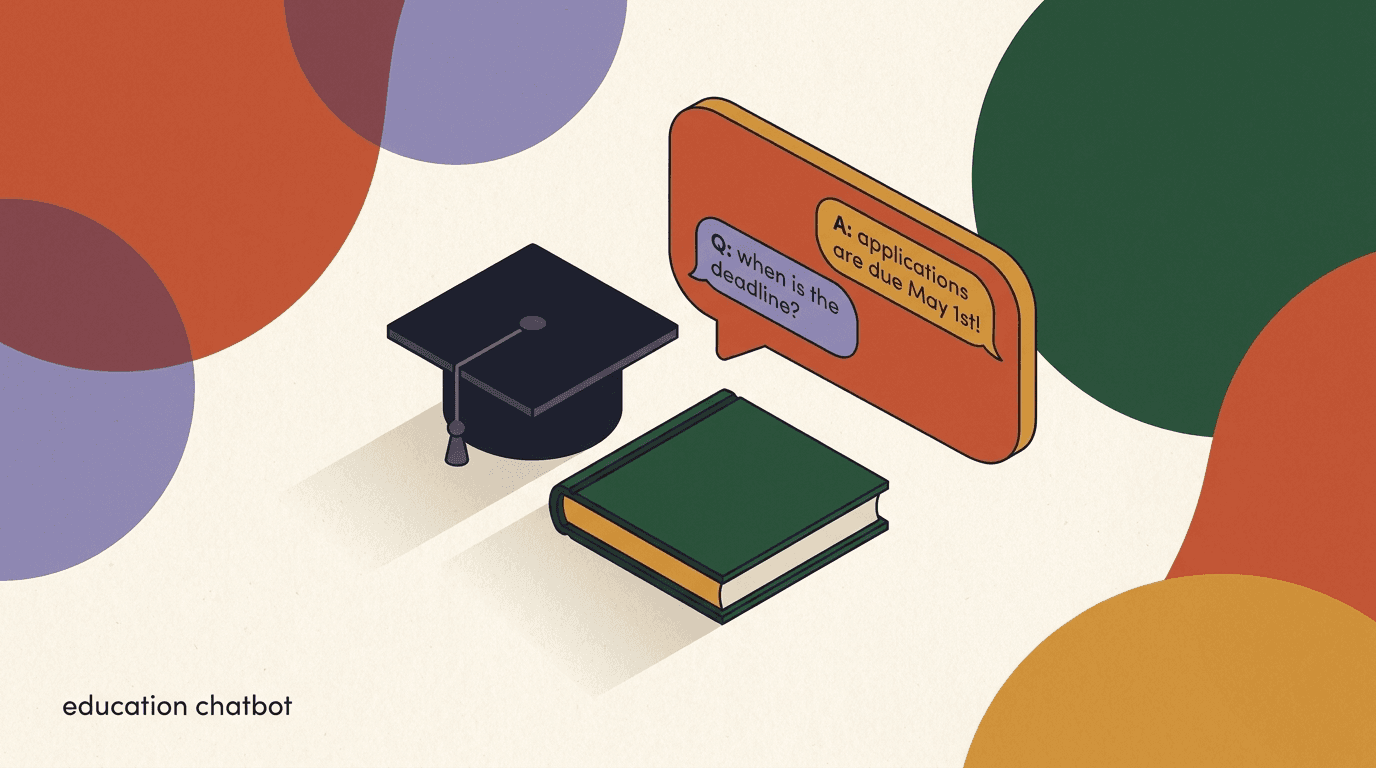
An education chatbot is the quiet workhorse most schools and colleges did not know they needed until enrollment season buried the admissions desk. A prospective student messages your Instagram at 9pm asking whether the scholarship deadline has passed; a parent WhatsApps to ask if the open day is on Saturday; an applicant who started a form three weeks ago needs a nudge before the window closes. None of these questions is hard. All of them are urgent to the person asking, and all of them arrive at the same time, on the channels your audience already uses.
This is a vertical playbook for education — schools, colleges, universities, and edtech companies — on using an education chatbot to handle admissions inquiries, program FAQs, application reminders, student support, and event RSVPs across WhatsApp and Instagram. We will give you the industry flows, sample copy you can adapt, and a clear line between what automation should do and what a human should always handle.
One thing up front, because it matters more here than in almost any other industry: education touches minors and sensitive student records. We are not lawyers, and nothing here is legal advice. Anything involving a student's grades, health, financial aid status, disciplinary record, or personal data sits under regulations like FERPA in the United States and GDPR in Europe. Build your chatbot to route those cases to a human and confirm every rule with your own compliance team before you launch. Full disclosure: we build KlyoChat, so we have a point of view — but the privacy guidance below applies whatever tool you choose.
Why do schools and colleges need an education chatbot at all?
The honest answer is timing. Admissions is seasonal and spiky. For most of the year your inquiry volume is manageable, and then for a few intense weeks it triples — applications open, a deadline looms, an ad campaign lands, a results day passes. During those weeks the people deciding whether to apply to your institution are forming an impression based on how fast and how well you answer. A reply that comes two days later, after they have already messaged three other schools, is a reply that arrives too late to matter.
Prospective students and parents now expect the same responsiveness from a college that they get from a retailer. They message on WhatsApp and Instagram, not email, and they expect an answer in minutes. An admissions office staffed by humans who also teach, advise, and run events cannot physically be present on every channel at every hour. A chatbot can — for the routine 70 to 80 percent of questions that are the same every year.
The goal is not to replace the admissions counselor. It is to let the counselor spend their limited time on the conversations that actually need a human: the nervous first-generation applicant who needs reassurance, the parent with a complex financial situation, the international student navigating visas. The chatbot clears the queue of repetitive questions so the humans can do the work only humans can do.
Automation handles volume, humans handle nuance
The right split is not 'bot versus human.' It is the bot taking the predictable, high-volume questions so your counselors have the bandwidth for the high-stakes, emotional, or complex conversations that decide whether a student enrolls. Design for handoff from day one, not as an afterthought.
What questions should an education chatbot actually answer?
Start by mapping your real inbox. Pull a month of inquiries from your busiest season and tally them. You will find that a small number of question types account for the overwhelming majority of messages. Those are your automation candidates. Everything rare, sensitive, or emotionally charged stays with a person.
Here is the typical breakdown for an admissions and student-support inbox, with our recommended handling for each. Treat the routing column as a starting point and adjust it to your institution's risk tolerance and your compliance team's guidance.
- Automate the questions that are identical every year and carry no personal data.
- Automate status lookups only if you can do so securely and verify identity first.
- Never let the bot read out grades, financial aid decisions, health, or disciplinary information.
- Route any message that hints at distress, safety, or wellbeing to a human immediately.
| Question type | Example | Recommended handling |
|---|---|---|
| Program FAQs | What courses do you offer in business? | Fully automated |
| Deadlines & dates | When does the application close? | Fully automated |
| Fees & general cost | What is the tuition for the diploma? | Automated, with a link to full fee schedule |
| Application status | Has my application been received? | Automated lookup or route to staff |
| Financial aid specifics | Did my scholarship get approved? | Always route to staff |
| Grades & records | Can you tell me my child's results? | Always route to staff |
| Wellbeing & safety | I am struggling and need help | Immediate route to staff + crisis info |
Draw the data line before you draw the flow
Decide which categories of question involve student or minor data, and wall those off from automation entirely or gate them behind verified identity and staff review. FERPA and GDPR treat education records and minors' data as sensitive. This is not legal advice — confirm the exact boundaries with your compliance team before a single automated reply touches a student record.
How do you set up an admissions inquiry flow?
The admissions inquiry flow is the centerpiece. Its job is to greet a prospective student or parent, understand what program they are interested in, answer the common questions, and capture a qualified lead for your counselors to follow up. Done well, it turns a 9pm Instagram DM into a tracked applicant rather than a lost one.
Build it in stages. Each step should be short, friendly, and give the person an obvious next action. Avoid making the bot feel like an interrogation — collect only what you genuinely need to help and to follow up.
- Greet and set expectationsOpen with a warm message that says who they are talking to. Be honest that this is an automated assistant and that a person is available. Example: 'Hi! I am the admissions assistant for [School]. I can answer questions about programs, fees, and deadlines, or connect you with a counselor.'
- Ask which program they are interested inOffer a short menu of program areas as quick-reply buttons. This single answer lets you tailor everything that follows and tags the lead correctly for your team.
- Answer the common questions for that programSurface deadlines, entry requirements, fees, and start dates for the chosen program. Link to the full page rather than dumping everything into chat.
- Capture a contact and consentAsk for a name and the best way to reach them, and make clear how you will use that information. For minors, this is where you should pause and route to a process that involves a parent or guardian where required.
- Offer a human and confirm next stepsEnd with a clear handoff option and a summary of what happens next: 'A counselor will follow up within one business day. Want me to book a call now?' Then notify your team in the shared inbox.
Tag the lead by program from the first reply
When the bot asks which program someone is interested in, tag the contact with that program automatically. Your counselors then see a pre-qualified lead, your broadcasts can be segmented by interest, and your reporting tells you which programs draw the most inquiries — all from one question.
Sample admissions opener (adapt the copy)
- Bot
- Hi! I am the admissions assistant for Riverside College. I can help with programs, fees, and deadlines, or connect you with a counselor. What are you interested in?
- User
- The business diploma
- Bot
- Great choice. The business diploma is a 2-year program. Applications close June 30, and tuition details are here [link]. Want me to have a counselor reach out, or do you have a quick question first?
How should the chatbot handle program and course FAQs?
Program FAQs are the highest-volume, lowest-risk category, which makes them the easiest win. The same handful of questions arrive every cycle: entry requirements, course length, delivery format, start dates, what the qualification leads to. These answers do not change often and contain no personal data, so they are ideal for full automation.
The mistake schools make is dumping a wall of text. A prospective student does not want your entire prospectus pasted into a chat. They want the one fact they asked for, plus a link if they want depth. Keep each answer to a couple of sentences and let the conversation breathe.
For a course inquiry bot to feel genuinely helpful rather than robotic, it needs to understand questions phrased in a hundred different ways. 'How long is the course?', 'When do I finish?', and 'Is it a two-year thing?' are the same question. This is where an AI agent earns its place over a rigid keyword tree — it can recognize intent across phrasing rather than forcing the user to guess the magic word.
- Keep each FAQ answer to one or two sentences plus an optional link.
- Group answers by program so the bot can give program-specific facts.
- Cover the predictable five: requirements, length, format, start dates, outcomes.
- Let an AI agent match intent across phrasing instead of relying on exact keywords.
FAQ answer: tight versus bloated
- Bloated
- Thank you for your interest! Our institution offers a wide range of programs designed to... [six more sentences]
- Tight
- The diploma runs 2 years, full-time, on campus. Entry needs a high-school certificate. Full requirements: [link]. Anything else?
Can a chatbot send application deadline reminders?
Yes, and this is one of the highest-return jobs you can give it. A large share of applicants who start an application never finish it — not because they changed their mind, but because life got in the way and the deadline slipped past unnoticed. A timely reminder recovers a meaningful number of those applicants at almost no cost.
Reminders work best as a sequence, not a single blast. Someone who has expressed interest but not applied gets a gentle nudge a week before the deadline, a firmer one two days out, and a final reminder on the last day. The tone should escalate from helpful to urgent without ever feeling like pressure or spam.
There is a consent dimension here. On WhatsApp in particular, you can only send proactive messages to people who have opted in, and Meta classifies message types — a deadline reminder may need to fit within an approved template and category. Build your reminder program around opt-in from the start, and confirm the messaging rules for your region. Sending unsolicited reminders is both a policy risk and a fast way to get reported.
| Timing | Tone | Sample message |
|---|---|---|
| 7 days before | Helpful | Heads up — applications for the business diploma close in a week, on June 30. Need a hand finishing yours? |
| 2 days before | Firmer | Just 2 days left to apply for the September intake. It takes about 15 minutes — start here [link]. |
| Deadline day | Urgent but warm | Today is the last day to apply for September. The form closes at midnight. We would love to see your application [link]. |
Reminders require opt-in — do not assume it
Proactive reminder messages, especially on WhatsApp, can only go to people who have agreed to receive them, and they may need to use an approved template. Treating a casual inquiry as blanket consent for a reminder sequence is a policy and trust risk. Capture explicit opt-in and confirm the current messaging rules for your region.
What does good student support automation look like?
Once students enroll, the support inbox does not go quiet — it shifts. Now the questions are about timetables, term dates, library hours, fee payment dates, how to reset a portal password, where to find a form, and who to contact about a specific issue. These are the operational questions that flood the front desk and email inboxes of every registrar and student services team.
A student support chatbot handles this steady stream of logistical questions well, because most of them are answerable from public or semi-public information and carry no sensitive data. 'When does the spring term start?' and 'What are the library opening hours?' do not require any personal record at all.
The line to hold is the same as in admissions: the moment a support question touches a specific student's record — their grades, their fee balance, their attendance, their accommodation request, their wellbeing — it stops being a bot question. The bot's job there is to recognize the category, reassure the student, and route them to the right human quickly, not to attempt an answer.
- Automate logistics: term dates, timetables, opening hours, where-to-find-it questions.
- Automate routing: 'Who do I talk to about X?' should produce the right contact fast.
- Never automate: grades, fee balances, attendance records, accommodation, or wellbeing.
- Make the human handoff feel like an upgrade, not a dead end.
Support routing done right
- User
- I think my fee payment did not go through
- Bot (wrong)
- Your balance is $1,240 and your last payment failed on the 3rd.
- Bot (right)
- That is something our finance team needs to check securely. I am connecting you to them now — they will verify your account and sort it out.
How do you run event RSVPs and open days through chat?
Open days, campus tours, webinars, and information evenings are where prospective students decide whether your institution feels right for them. Getting people to actually show up is half the battle, and chat is a strong channel for it because it closes the loop in one place: invite, RSVP, reminder, and follow-up all happen in the same conversation.
An event RSVP flow invites interested contacts, captures who is coming, sends a reminder the day before so attendance does not evaporate, and follows up afterward to convert interest into an application. Because the people RSVPing have already opted into conversation with you, the reminders here are usually well within consent boundaries — but the same opt-in discipline applies.
The follow-up after the event is the part most institutions neglect and the part that matters most. Someone who attended your open day is your warmest possible lead. A same-day message thanking them and offering the next step turns a pleasant visit into a tracked applicant.
- Invite and capture the RSVPMessage interested contacts with the event details and a one-tap RSVP. Tag everyone who says yes so you can remind and follow up precisely.
- Send a day-before reminderReduce no-shows with a short reminder the evening before: date, time, location or link, and what to bring. Keep it to one message.
- Follow up the same dayWithin hours of the event, thank attendees and offer the obvious next step — book a counselor call, start an application, or ask a question. Warmth fades fast, so move quickly.
The post-event message is the highest-value one
Attendees are your warmest leads. A same-day follow-up that thanks them and offers one clear next step consistently converts better than any cold outreach. If you automate one thing in your event flow, automate the post-event follow-up.
How do you protect minors' and students' data?
This is the section that should make you slow down. Education is one of the few industries where your audience routinely includes children, and where the records you hold are explicitly protected by law. A chatbot that is careless with student data is not just a bad experience — it is a regulatory and reputational liability. We are not lawyers and this is not legal advice, but the principles below are a sensible starting point to take to your compliance team.
The core idea is data minimization paired with strict routing. Collect as little personal information as you can while still being helpful, never let automation surface a protected record, and make sure everything the bot stores is encrypted and visible only to the staff who genuinely need it. When in doubt, the bot should hand off rather than handle.
- Minimize collection: ask only for what you need to help and to follow up.
- Wall off records: the bot should never read out grades, aid status, health, or discipline.
- Handle minors carefully: involve a parent or guardian where your rules require it, and confirm consent requirements with your compliance team.
- Encrypt and scope: contact data should be encrypted and access limited by role.
- Be transparent: tell people it is an automated assistant and how their data is used.
- Keep an audit trail: know who on your team can see what, and when they saw it.
FERPA, GDPR, and minors — confirm with your compliance team
Education records and children's data fall under regulations such as FERPA in the US and GDPR in the EU. Requirements for consent, parental involvement, retention, and access vary by jurisdiction and institution. This guidance is not legal advice. Before you launch any flow that touches a student record or a minor, have your compliance or legal team confirm exactly what is permitted. Build conservatively and route sensitive cases to humans.
Should you use WhatsApp, Instagram, or both?
The pragmatic answer is: meet students where they already are, and that almost always means both, with the mix depending on your audience. Younger prospective students and the general top-of-funnel discovery tend to live on Instagram, where they find you through content, ads, and comment-to-DM. Parents, enrolled students, and more committed applicants tend to prefer WhatsApp, where the conversation is more direct and reminders land reliably.
Instagram is strongest for the inbound, discovery end of the funnel: a prospective student sees a post about your program, comments, and gets pulled into a DM conversation with your admissions assistant. WhatsApp is strongest for the committed end: applicants in process, deadline reminders, event RSVPs, and enrolled-student support, where you have opt-in and need reliable delivery.
Running both from a single inbox matters more than which one you favor. If your Instagram DMs and WhatsApp chats live in separate apps with separate logins, your team loses context, double-handles conversations, and lets messages slip during the exact weeks they cannot afford to. A unified inbox is what makes a two-channel strategy survive enrollment season.
| Channel | Best for | Watch-outs |
|---|---|---|
| Discovery, comment-to-DM, younger prospects | Reach can be inconsistent; less reliable for reminders | |
| Applicants, reminders, RSVPs, enrolled-student support | Requires opt-in and approved templates; Meta fees apply | |
| Both, unified | Full funnel from discovery to enrollment | Only sane if you run them from one inbox |
WhatsApp has Meta conversation fees
WhatsApp charges per-conversation fees set by Meta, on top of any chatbot software, and they vary by country and message category. This applies on any platform, KlyoChat included. Factor it into your budget and confirm the current rates for your region before you scale WhatsApp campaigns.
How do you measure whether the education chatbot is working?
It is easy to launch a chatbot and assume it is helping. Measuring whether it actually moves the numbers that matter — applications, enrollments, response times — is what separates a useful tool from an expensive toy. Pick a small set of metrics tied to outcomes, not vanity counts.
The most honest metric is deflection that does not damage experience: what share of inquiries did the bot resolve fully, without a frustrated handoff or a repeat question? Pair that with conversion metrics — how many automated inquiries became applications — and with response time, because speed is the whole point during peak season.
- Resolution rate: share of inquiries the bot answered fully without escalation.
- First-response time: how fast inquiries get an initial reply, day and night.
- Inquiry-to-application rate: how many chat conversations became applications.
- Handoff quality: how often handoffs happen smoothly versus after frustration.
- Reminder recovery: how many lapsed applications a reminder sequence rescued.
Watch the handoff metric, not just the deflection rate
A high deflection rate looks great until you discover the bot is deflecting people who needed a human and leaving them frustrated. Track how often conversations escalate after the user expresses confusion or annoyance. A healthy bot deflects the routine and escalates the rest cleanly.
What are the common mistakes schools make with chatbots?
Most education chatbot disappointments trace back to a handful of avoidable mistakes. They are easy to fix once you know to look for them, and expensive to ignore because they hit during your highest-stakes weeks.
The throughline is treating the chatbot as a wall rather than a front door. The goal is to help people get where they are going faster, including to a human when that is what they need. A bot that traps users, hides the human option, or pretends to be a person it is not erodes the trust your institution depends on.
- Hiding the human: never make it hard to reach a person — show the option clearly.
- Pretending to be human: tell people it is an automated assistant; honesty builds trust.
- Over-collecting data: asking for more than you need, especially from minors, is a liability.
- Answering what it should route: letting the bot touch grades or aid status is a serious error.
- Set and forget: inquiry patterns change every cycle; review and update the flows.
- Ignoring consent: sending reminders or broadcasts without opt-in invites reports and bans.
A chatbot that hides the human costs you applicants
The single most common complaint about education chatbots is that users cannot reach a person. During enrollment, a frustrated prospect simply applies elsewhere. Always surface the human option, and make handoff feel like help arriving, not a system failing.
How do you write chatbot copy that sounds like your institution?
The tone of your chatbot is the tone of your institution in the eyes of a prospect who has never met you. A bot that sounds cold, corporate, or robotic tells a nervous applicant that your school is cold, corporate, or robotic. A bot that sounds warm, clear, and human tells them the opposite. Copy is not a finishing touch here — it is the brand experience for everyone who reaches you through chat first.
Good chatbot copy for education follows a few simple rules. Write the way a friendly counselor speaks, not the way a policy document reads. Use short sentences. Answer the question first, then add context. Avoid jargon that a sixteen-year-old or an anxious parent would not recognize. And always leave a door open to a human, because the people most likely to enroll are often the ones who most need reassurance from a person.
Be especially careful with tone in the high-emotion moments. When someone messages about a missed deadline, a rejected application, or a personal struggle, the difference between a curt automated line and a warm, human handoff is enormous. These are the conversations people remember and talk about. The copy your bot uses in those moments, and how fast it gets a person involved, shapes your reputation more than any brochure.
- Write like a friendly counselor, not a policy document.
- Answer the question first, then add the context or the link.
- Cut jargon — assume a sixteen-year-old or anxious parent is reading.
- Use the prospect's name once you have it; small touches feel human.
- In sensitive moments, lead with warmth and route to a person fast.
Test your copy on someone outside the office
Read your chatbot scripts aloud to a colleague who does not work in admissions, or better, to an actual teenager. If anything sounds stiff, jargon-heavy, or like it is hiding the human option, rewrite it. Your prospects will judge your institution by how this conversation feels.
Tone: cold versus warm
- Cold
- Your inquiry has been received. Refer to the website for application requirements and deadlines.
- Warm
- Thanks for reaching out! The September deadline is June 30 and the requirements are here [link]. Want me to connect you with a counselor who can walk you through it?
How do you keep the chatbot accurate across an enrollment cycle?
An education chatbot is only as trustworthy as its most out-of-date answer. Deadlines move, tuition changes, programs are added or retired, and entry requirements get revised every cycle. A bot confidently telling a prospect the wrong deadline is worse than no bot at all, because it is wrong with authority and the prospect acts on it. Accuracy maintenance is not optional — it is the price of running an automated front desk.
Build a simple maintenance rhythm tied to your academic calendar. Before each application window opens, review every dated and priced answer the bot gives. Assign one owner for chatbot content, so updating it is someone's explicit job rather than everyone's vague responsibility. And keep your AI agent's knowledge source — the documents or pages it draws from — as the single source of truth, so you update in one place rather than hunting through scattered scripts.
It also helps to give the bot a graceful way to say it does not know. A chatbot that confidently invents an answer when it is unsure does real damage. One that says 'I am not certain about that — let me connect you with someone who is' protects your accuracy and your credibility at the same time. Configure for honest uncertainty, not confident guessing.
- Assign one content ownerMake updating chatbot answers an explicit responsibility for a named person, reviewed on a schedule rather than ad hoc.
- Review before each application windowAhead of every intake, check every dated, priced, or requirement-based answer for accuracy against the new cycle.
- Keep one source of truthPoint your AI agent at a single, maintained knowledge source so you update facts in one place, not across scattered scripts.
- Configure graceful uncertaintySet the bot to admit when it is unsure and route to a human, rather than inventing a confident but wrong answer.
A confidently wrong answer is worse than no answer
If your bot tells a prospect the wrong deadline or an outdated fee, they will act on it and blame you when it is wrong. Review dated and priced answers every cycle, and configure the bot to say 'let me check with someone' rather than guess. Accuracy is a maintenance commitment, not a launch task.
How does KlyoChat fit an education chatbot setup?
We build KlyoChat, so treat this as our pitch — an honest one. KlyoChat is an AI-native unified inbox that brings WhatsApp, Instagram, and your other channels into one place, with AI agents, broadcasts, and a shared team inbox on top. For an admissions and student-support operation, the unified inbox is the part that matters most: your Instagram discovery conversations and your WhatsApp applicant conversations live together, so nothing slips during the weeks you cannot afford to drop a lead.
The AI agents handle the routine layer — program FAQs, deadlines, where-to-find-it questions — and recognize intent across phrasing, so a course inquiry bot does not force students to guess keywords. They can send opt-in reminders, support event RSVP flows, and, critically, hand off cleanly to your counselors the moment a conversation needs a person. Your data is encrypted and access is role-scoped, so staff see only what their role requires — useful when you are walling off student records from general view.
We will also be straight about the limits, because education is not a place for overselling. You must handle minors' and student data in line with privacy law — FERPA, GDPR, and your local rules — and this is not legal advice; confirm everything with your compliance team. Route sensitive cases to humans by design. KlyoChat has no native SMS or email, so if those are central to your outreach, factor that in. And we are a newer, smaller-community product than the incumbents, which means a leaner template library even as the core product is strong.
- AI agents for FAQs and reminders are included, with handoff to staff built in.
- Unified inbox keeps Instagram and WhatsApp conversations together.
- Data is encrypted and access is role-scoped to protect student records.
- Every plan starts with a 7-day free trial — no credit card required.
- Honest limits: no native SMS or email; newer and smaller-community than incumbents.
- You remain responsible for FERPA/GDPR compliance — confirm with your compliance team.
| Need | How KlyoChat handles it |
|---|---|
| WhatsApp + Instagram in one place | Unified inbox across channels |
| Program FAQs and course inquiries | AI agents that match intent across phrasing |
| Deadline reminders and RSVPs | Broadcasts and flows, opt-in based |
| Sensitive cases (grades, aid, wellbeing) | Clean handoff to staff in the team inbox |
| Student data protection | Encrypted storage, role-scoped access |
We are a fit for some institutions, not all
If your strategy centers on WhatsApp and Instagram with AI handling the routine layer and clean handoff for the rest, KlyoChat fits well. If you depend on native SMS and email or need the largest possible template marketplace, weigh that honestly before you commit. Start with the trial and test it against your real inbox.
KlyoChat plans at a glance
- Basic
- $19/mo — small setups, core channels and a single AI agent
- Pro
- $49/mo ($39 billed yearly) — the typical fit for an admissions team, custom AI agents and all channels
- Business
- $129/mo — larger institutions with more seats and higher volume
How do you launch an education chatbot in one enrollment cycle?
You do not need a year-long project to get value. The fastest path is to ship a narrow, high-value version before your next peak, learn from real conversations, and expand. Trying to automate everything at once is how chatbot projects stall and miss the season they were meant to help.
Start with the admissions inquiry flow and your top ten program FAQs, because that is where the volume and the lost-lead risk concentrate. Add reminders and event RSVPs once the core is proven. Build the human handoff and the data boundaries in from the first day, not after.
- Audit one month of your real inboxTally your most common inquiries to find the questions worth automating and the ones that must route to staff.
- Build the admissions flow and top FAQsShip the inquiry flow plus your ten highest-volume program FAQs. Keep answers tight and the human option visible.
- Wire in handoff and data boundariesDefine which categories route to a person, and confirm your minors and student-data rules with your compliance team before launch.
- Add reminders and RSVPs with opt-inOnce the core works, layer in deadline reminders and event RSVP flows, built around explicit opt-in.
- Measure, then expandWatch resolution rate, response time, and handoff quality through one cycle, then extend the flows where the data says it helps.
An education chatbot will not enroll students for you, and it should not try to. What it does, when built with care, is answer the routine questions instantly across WhatsApp and Instagram, recover applicants who would have lapsed, and free your counselors to spend their time on the conversations that decide whether someone applies. The routine 70 to 80 percent becomes automatic, and the human 20 to 30 percent gets the attention it deserves.
The non-negotiable is privacy. Education touches minors and protected records, so build conservatively, route sensitive cases to people, and confirm every rule with your compliance team — none of this is legal advice. Start narrow with an admissions flow and your top FAQs before your next peak, measure honestly, and expand from there. If a unified WhatsApp-and-Instagram inbox with AI agents and clean handoff fits your setup, that is exactly what we built KlyoChat to do.