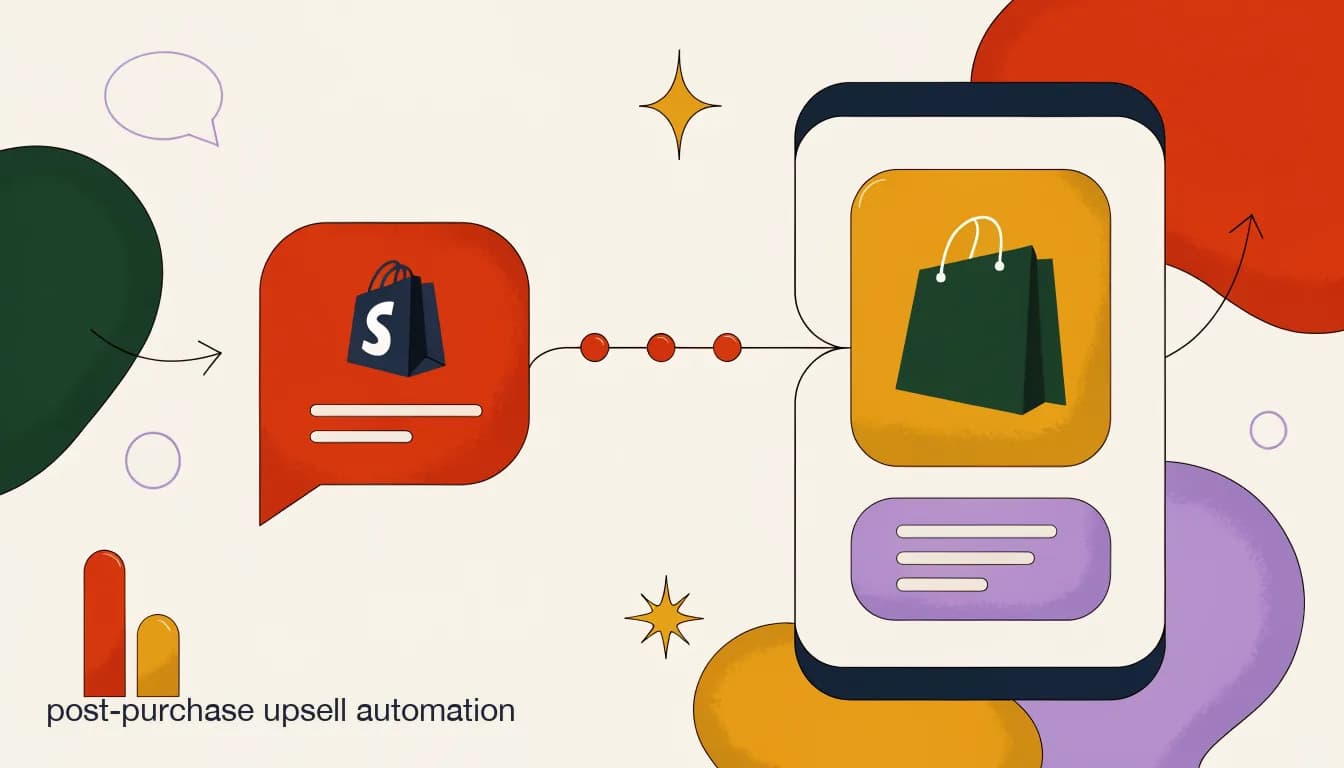
Post-purchase upsell automation is the practice of offering a second, relevant purchase to a customer inside the same conversation where you confirm their order — on WhatsApp, Instagram DM, or wherever the order confirmation already lives — instead of waiting for a separate marketing email three days later. Done right, it is the highest-converting upsell moment a DTC brand has, because the customer is still in a buying mindset and still has your brand's chat thread open on their phone. Done wrong, it is the fastest way to make someone regret giving you their WhatsApp number.
The difference between the two outcomes almost never comes down to copywriting. It comes down to whether the system making the offer actually knows what the customer bought. A generic "customers who bought this also bought..." blast sent to every buyer, regardless of order contents, size, or whether the recommended item is even in stock, reads as spam even when the words are polite. An offer that references the exact item just purchased, checks that the suggested pairing is in stock in the customer's size, and stops after one no reads as service. This post is about building the second kind — specifically for DTC brands running AI agents with real tool access into their Shopify or WooCommerce store, not scripted flows guessing at what someone bought.
Why does the post-purchase moment convert better than a follow-up email?
Three things are true about a customer in the sixty seconds after they complete checkout that are not true a day later. First, their card is already out — the friction of re-entering payment details is gone if you can add to an existing order or push a one-tap checkout link. Second, they are still thinking about the problem your product solves; someone who just bought a protein powder is still in a nutrition mindset, not back to thinking about work email. Third, and most overlooked, they are watching for your message. A confirmation is expected, so the notification gets opened at a rate most marketing sends never approach.
Email retargeting three days later has to re-earn all three of those conditions from zero. The purchase intent has cooled, the payment flow friction is back, and the email competes with fifty other unread messages instead of landing as the one notification someone is actively expecting. That is not an argument against post-purchase email — winback and replenishment sequences still matter, and we cover those in our post-purchase WhatsApp sequence guide — it is an argument for treating the confirmation conversation itself as a distinct, higher-intent moment worth automating separately.
| Signal | Post-purchase chat (0–5 min) | Follow-up email (24–72 hrs) |
|---|---|---|
| Purchase intent | Still active | Cooled |
| Payment friction | Low (card just used) | Full re-entry required |
| Message expectation | High (expecting confirmation) | Competing with inbox |
| Typical open behavior | Near-immediate | Delayed, if opened at all |
| Best fit | One relevant add-on | Replenishment, reviews, winback |
This is one moment in a longer sequence, not a replacement for it
Post-purchase upsell automation covers the first few minutes after checkout. It sits alongside — not instead of — the order confirmation, shipping updates, and replenishment reminders that follow over the next weeks. Treat it as the opening move, not the whole game.
What makes a post-purchase offer feel relevant instead of spammy?
Relevance in a post-purchase upsell comes down to three checks, and skipping any one of them is what turns a helpful suggestion into an annoying one. The offer has to be genuinely connected to what was just bought — not a random bestseller. It has to be available in a way that matches the customer's order, meaning the right size, color, or variant is actually in stock. And it has to be optional in a way the customer can feel, not just technically true.
Most brands get the first check right and skip the second two. A skincare brand suggesting a matching moisturizer after a cleanser purchase is directionally right, but if that moisturizer is out of stock in the customer's preferred size, the offer wastes the moment and can even frustrate someone who clicks through to a sold-out product page. The fix is mechanical: the system making the offer needs live access to your order and inventory data at the moment it decides what to say, not a static rule written a month ago.
- Relevant: tied to the specific item(s) in this order, not a generic bestseller list.
- Available: checked against real-time stock in the exact variant the pairing implies.
- Optional: framed as a suggestion with an easy, genuine no — not a forced upsell screen.
- Timed: sent once, inside the confirmation thread, not repeated across channels.
- Bounded: the agent stops after one decline and does not re-pitch later in the same conversation.
A generic offer with a personal tone still reads as generic
Writing "Hey [First Name], we thought you'd love this too!" around a product that has nothing to do with the order does not fix the relevance problem — it just adds a fake-personal wrapper around a mass send. Customers notice the mismatch between the tone and the substance faster than brands expect.
How does an AI agent actually build a relevant post-purchase offer?
This is where post-purchase upsell automation stops being a copywriting problem and becomes an architecture problem. A scripted chat flow can ask "did you like your order?" and branch on yes/no, but it cannot know, in the moment, what the customer bought, whether a complementary item is in stock in their size, or whether their order already includes an add-on that makes a second pitch redundant. An AI agent with real tool access can, because it queries your store directly instead of working from a pre-written script.
In practice this means the agent has a small set of callable tools it can invoke mid-conversation, the same way a human support rep would open two browser tabs to check an order and a stock page before replying. Three tools cover most of the post-purchase upsell logic: one that pulls the contents and details of the order that was just placed, one that checks the fulfillment status of that order, and one that checks whether a candidate item is currently available in a specific variant. The agent calls these, reads the results, and only then decides what — if anything — to offer.
| Tool | What it returns | How it's used in the upsell decision |
|---|---|---|
| lookup_order | Line items, variants, order total, customer tier | Determines what was bought, so the offer can pair against it |
| get_order_status | Fulfillment state, shipping method, estimated delivery | Confirms the order is confirmed/paid before pitching anything else |
| check_product_availability | Stock count by variant (size, color) | Filters out any pairing that is not actually purchasable right now |
The tools are the guardrail, not just the intelligence
It is tempting to think of tool access as purely about smarter offers. Just as important, it is what stops a bad offer from going out — an agent that cannot check stock will happily suggest a sold-out item; one that can, simply won't.
What the agent sees before it speaks
- lookup_order result
- 1x Everyday Sneaker, size 9, color Sand
- check_product_availability result
- Matching No-Show Socks (3-pack), size M — 42 units in stock
- Agent's move
- Offer the sock pack as a one-tap add, skip anything out of stock or unrelated
This tool-calling pattern is not unique to upsells — the same lookup_order and get_order_status tools power WISMO deflection, which we cover in our WhatsApp order tracking guide. The reason it belongs in a post-purchase upsell conversation specifically is that the agent needs to reason across two data sources at once: what was bought, and what else is available right now. Neither alone is enough.
What does a good post-purchase upsell conversation actually look like?
Concrete beats abstract here, so walk through an actual exchange. A customer buys a single item on Shopify, checkout completes, and within roughly a minute a WhatsApp message arrives — not from a marketing broadcast list, but as a continuation of the same thread the order confirmation lives in.
- Order confirms, agent triggersShopify webhook fires on order creation. The agent calls lookup_order to read the line items and get_order_status to confirm the order is paid, not just abandoned-cart-recovered.
- Agent checks for a real pairingThe agent matches the purchased SKU against a merchant-defined pairing table (or a similarity model, for stores with large catalogs), then calls check_product_availability on the top candidate.
- Confirmation message sends first"Your Everyday Sneaker (size 9, Sand) is confirmed — tracking will follow once it ships." The offer never replaces or delays the actual confirmation.
- One relevant offer follows"A lot of people pair these with our No-Show Socks (3-pack) — want to add a pack for $12 before it ships together?" One item, one price, one clear ask.
- Customer responds or doesn'tA "yes" triggers a one-tap checkout link or adds to the existing order if your platform supports post-purchase edits; a "no" or silence ends the thread — no repeat pitch.
Never let the agent guess at stock or pricing
If check_product_availability returns zero stock, out-of-stock-in-that-variant, or a price mismatch with what's cached, the agent should skip the offer entirely rather than send something it cannot fulfill. A wrong offer erodes trust faster than no offer at all.
Should the offer be an upsell, a cross-sell, or neither?
Upsell and cross-sell get used interchangeably, but the mechanics — and the tools required — differ enough to plan separately. An upsell suggests a better version of what was already bought: the same sneaker in a premium material, a larger size of the same supplement with a better per-unit price. A cross-sell suggests a different, complementary item: socks with sneakers, a travel case with a skincare set.
Post-purchase timing favors cross-sell more often than upsell, for a simple reason: the customer already committed to the exact item and price point they wanted. Suggesting a pricier version of a decision they just finalized can read as second-guessing their choice. Suggesting something that makes the choice they already made work better tends to land more naturally. That said, upsells still work post-purchase in specific cases — subscription upgrades, bundle top-ups, and warranty or protection add-ons — where the value adds to the existing purchase rather than questioning it.
- Cross-sell works best post-purchase: complementary items that enhance the exact thing bought.
- Upsell works post-purchase mainly for bundle top-ups, subscription tier upgrades, and protection plans.
- Avoid post-purchase upsells that imply the customer picked the 'wrong' or 'lesser' option.
- Both should be single-item offers — a menu of five options at this stage reduces conversion, not raises it.
How much does post-purchase upsell automation actually lift AOV?
Exact lift varies enormously by category, price point, and how relevant the pairing engine actually is — treat any single number you see quoted online, including ranges cited by other vendors, as directional rather than a guarantee for your store. What holds fairly consistently across the DTC brands running this kind of automation is the shape of the result: a modest single-digit-to-low-teens percentage lift in average order value from the segment of customers who receive a relevant offer, concentrated almost entirely in the first purchase interaction rather than spread evenly across the customer lifecycle.
The more useful way to think about it is opportunity cost, not headline lift. A post-purchase upsell message costs nothing incremental to send once the automation exists — no ad spend, no discount code burn, no extra headcount. Even a modest conversion rate on the offer is close to pure margin, because the alternative (not sending anything) captures zero of that additional revenue. That reframes the decision from "will this move the needle" to "is there a reason not to try it, given the cost is close to zero."
Measure your own baseline before trusting anyone's benchmark
Run a two-week A/B split — automated offer versus no offer — on a segment of your own orders before committing to a number. Category, price point, and how good your pairing logic is will move this more than any industry-wide figure.
Rough math on a 1,000-order month (illustrative, not a benchmark)
- Orders receiving a relevant offer
- 1,000
- Offer acceptance rate (illustrative)
- 8–15%, varies widely by category
- Average add-on value
- $12–$25
- Incremental revenue
- $960–$3,750/month from this one moment alone
How do you decide what to pair with what?
For most DTC catalogs under a few hundred SKUs, a manually curated pairing table beats an automated similarity model, at least to start. It takes an afternoon to map your bestsellers to two or three logical add-ons each, and a human-curated pairing avoids the awkward mismatches an algorithm can produce from raw purchase-history clustering — like recommending a competitor-adjacent item just because it's frequently bought in the same session for unrelated reasons.
Larger catalogs, or stores with fast-changing inventory, benefit from a hybrid: a merchant-defined pairing table for hero SKUs and top sellers (where getting it right matters most), falling back to a simple co-purchase frequency rule — sourced from your own order history, via Shopify's or WooCommerce's analytics — for the long tail. Either way, feed the final candidate through check_product_availability before it ever reaches a customer; a pairing table is only a starting point, not a promise of stock.
| Catalog size | Recommended pairing method | Maintenance load |
|---|---|---|
| Under 100 SKUs | Manual pairing table | Low — review quarterly |
| 100–500 SKUs | Manual for bestsellers + co-purchase fallback | Medium — review monthly |
| 500+ SKUs | Co-purchase frequency model + manual overrides for hero items | Higher — needs periodic tuning |
What channels should carry the post-purchase offer?
Not every channel is equally suited to a post-purchase upsell, and picking the wrong one undoes the relevance work described earlier. WhatsApp and Instagram DM both work well because they are conversational — a customer can reply "yes" or ask a follow-up question, and the agent can respond in context. SMS can work similarly where it's available, though KlyoChat does not offer native SMS; check whether that channel matters to your funnel before assuming coverage.
Email is weaker for this specific moment (the immediacy advantage disappears) but stronger for anything that needs more visual real estate — a styled product grid, for instance — so a reasonable pattern is a short, single-item chat offer in the first few minutes, with a broader "complete the look" email arriving a day or two later for anyone who didn't take the chat offer. Broadcasts are the wrong tool entirely for this moment: this is a 1:1, order-specific message, not a segment blast, so it should run through your agent or automation layer per-conversation, not through a broadcast campaign.
- WhatsApp and Instagram DM: best fit — conversational, immediate, allows a real reply.
- Email: weaker for the immediate moment, better as a follow-up with more visual space.
- SMS: works where available; verify your platform supports it before planning around it.
- Broadcasts: not the right mechanism — this is a 1:1 order-specific message, not a segment send.
What compliance and etiquette rules apply here?
WhatsApp's Meta-owned messaging rules matter directly for this use case. If your post-purchase offer goes out inside the 24-hour customer service window that opens when a customer messages you or completes an order-related interaction, it can typically go out as a standard session message. Outside that window, or as a separate proactive send, it needs an approved message template, and Meta's per-conversation fees apply. Build your automation to check which case applies rather than assuming.
Instagram DM has its own version of the same idea — Meta's Messenger Platform policies restrict the types of messages you can send outside an active conversation window, and promotional content is more tightly restricted than order-related or customer-service content. A post-purchase upsell that piggybacks on an order confirmation thread generally reads as customer service rather than cold promotional outreach, but the line can shift as Meta updates policy, so it's worth checking current guidance before scaling volume.
Verify current platform policy before you scale send volume
Meta's messaging window rules and template requirements for WhatsApp and Instagram change periodically. What's accurate today may shift; check the current Meta Business policies directly before relying on this article as your compliance source of record.
How do you avoid the offer feeling like a forced upsell?
The line between "helpful suggestion" and "forced upsell" is thinner than it looks, and it is mostly about what happens after the customer says no. A forced upsell keeps pitching — a second message an hour later, a different item the next day, a discount code to sweeten a rejected offer. A genuine suggestion accepts the no and moves on, because the goal was never to extract a second sale at any cost; it was to surface something the customer might actually want, and respect the answer either way.
The other tell is friction on the yes path. If accepting the offer requires re-entering a shipping address, a new payment flow, or navigating to a separate cart, most customers who would have said yes in principle drop off from the friction alone. The offer should resolve in the same conversation — a one-tap add to the existing order where your platform supports it, or at minimum a pre-filled checkout link that carries over the customer's details.
Test the yes path yourself, on your own phone, before launch
Send yourself a test order, accept the automated upsell offer, and count the taps to actually complete it. If it takes more than two, the offer is losing conversions to friction that has nothing to do with relevance.
How does KlyoChat handle post-purchase upsell automation for DTC brands?
KlyoChat connects to Shopify and WooCommerce so a custom AI agent can call real store data — order contents, fulfillment status, and live inventory — rather than working from a static script. The same lookup_order, get_order_status, and check_product_availability tools that power WISMO deflection and order-status answers also drive the post-purchase upsell logic described in this guide: the agent reads what was just bought, checks whether a relevant pairing is actually in stock, and makes a single, honest offer inside the confirmation conversation on Instagram, WhatsApp, or Telegram — all from one unified inbox your team can also see and step into.
The agent stops after one decline (no repeat pitching in the same thread), and every conversation is visible to your support team in the shared inbox, so a customer who has a follow-up question about the offer gets a human, not a wall. AI agents with knowledge-base and store-tool access are included from the Pro plan — not billed as a separate add-on — and Shopify/WooCommerce native integration is on the Business plan.
Honest limit
KlyoChat's post-purchase automation runs through Instagram, WhatsApp, and Telegram DM (with WhatsApp's Meta per-conversation fees applying); it does not include native SMS or email, so brands that want the chat offer paired with a follow-up email should connect their existing email tool separately.
KlyoChat setup for this use case
- Connect
- Shopify or WooCommerce store to a KlyoChat AI agent
- Configure
- Pairing rules for your bestsellers (or use co-purchase suggestions)
- Agent handles
- lookup_order → check_product_availability → single offer, per conversation
- Team sees
- Every offer sent and every reply, in the shared inbox alongside human conversations
Post-purchase upsell automation is one of the few marketing tactics that gets easier, not harder, as you scale — the same lookup_order and check_product_availability logic works whether you shipped ten orders or ten thousand yesterday. The brands that get real lift from it are the ones that treat relevance and stock-accuracy as non-negotiable, not the ones with the cleverest copy. Start with one pairing, on one channel, for your single best-selling SKU, measure it against a no-offer control group for two weeks, and expand from there.