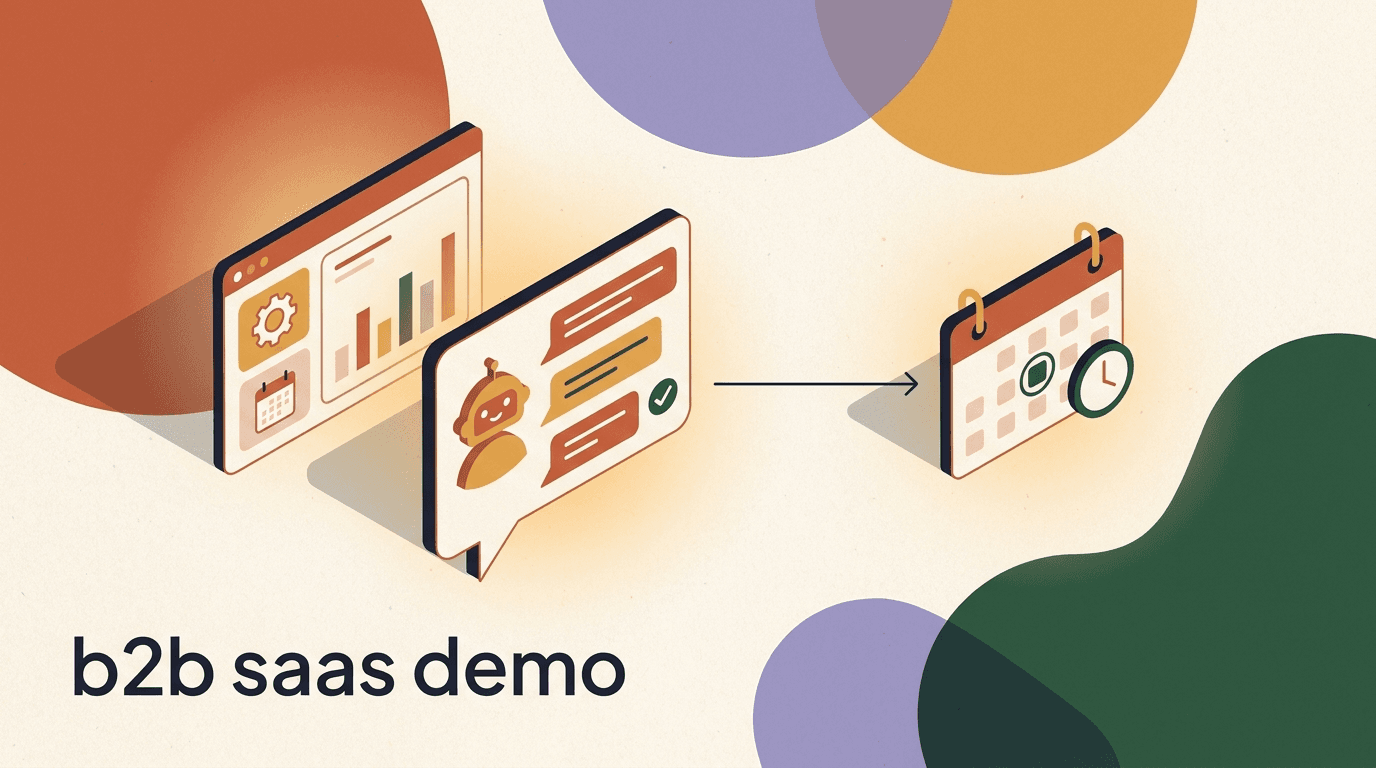
A B2B SaaS chatbot is the quiet worker that decides whether an inbound conversation becomes a demo, a nurtured trial, or a dead lead that a salesperson never should have touched. For a software company, most inbound is not sales-ready. Someone read a comparison post, clicked an ad, or dropped a question in your Instagram DMs at 11pm. The job of the chatbot is to sort that traffic quickly: figure out who fits your ideal customer profile, learn what they actually need, understand when they intend to buy, and then either book a meeting, answer a factual question, or hand off to a rep who can close.
This guide is a vertical playbook for B2B SaaS specifically. It is not a generic list of chatbot tips. We will work through the real jobs a software company hires a chatbot to do — qualifying inbound on fit, need, and timing; booking demos without friction; routing sales-ready leads to the right rep; answering repetitive product and pricing questions; and nurturing free-trial users toward a paid plan. We will show sample flows and sample copy you can adapt, including two full qualification dialogues.
One honesty note up front, because we build KlyoChat and want you to spend your budget well. KlyoChat is built primarily for social DM and WhatsApp — Instagram, Facebook, Telegram, TikTok, and X — with a shared team inbox and AI agents. It is not a website live-chat widget in the traditional sense, and it is not a CRM. It syncs qualification data to your CRM through an API and webhooks rather than storing your pipeline. We will be clear throughout about where that distinction matters, so you can decide what belongs in a chatbot and what belongs in your existing stack.
What is a B2B SaaS chatbot, and what should it actually do?
The phrase covers a range of things, from a scripted FAQ widget to an AI agent that holds a genuine conversation. For B2B software, the useful definition is narrow: a chatbot is an automated first responder that engages inbound interest, gathers just enough information to decide what happens next, and moves the person to the correct outcome without making them wait for a human. It is a router and a qualifier before it is anything else.
That framing matters because B2B is not B2C. In consumer software, the bot's job is often to complete a transaction. In B2B SaaS, the deal usually closes in a call, not in chat, so the bot's success is measured by how well it feeds the sales motion: qualified demos booked, sales-ready leads routed, and unqualified traffic deflected politely with a self-serve answer. A bot that books a demo with a prospect who has no budget and no authority has not helped — it has wasted a rep's afternoon.
There are four concrete jobs worth designing for. First, qualify: score the conversation on fit, need, and timing. Second, convert: book a demo or start a trial for the people who are ready. Third, deflect: answer product and pricing questions so simple questions never reach a human. Fourth, nurture: keep trial users and not-yet-ready leads warm with helpful, well-timed messages. A good setup does all four and knows which one applies to each conversation.
| Job | What the bot does | Success signal |
|---|---|---|
| Qualify | Ask fit, need, and timing questions | Clean lead score in the CRM |
| Convert | Book a demo or start a trial | Meeting on a rep's calendar |
| Deflect | Answer product and pricing FAQs | Question resolved without a human |
| Nurture | Follow up with trials and warm leads | Re-engagement and trial-to-paid lift |
The bot is a qualifier, not a closer
In B2B SaaS, the deal closes on a call. Judge the chatbot by the quality of what it hands to sales, not by how many conversations it holds. A smaller number of well-qualified demos beats a flood of unvetted meetings every time.
Why does inbound chat matter for B2B SaaS specifically?
Software buying has shifted. Buyers self-educate long before they talk to a vendor, and by the time they reach out they often expect an answer in minutes, not a form and a two-day wait. The classic 'contact sales' form is where a lot of demand quietly dies. It asks for effort, promises nothing immediate, and gives the buyer no reason to believe the follow-up will be fast or relevant. Chat inverts that: it answers now, asks a couple of light questions, and books the meeting inside the same conversation.
There is also a channel story that most B2B teams underrate. A meaningful share of inbound interest now arrives through social — a reply to a LinkedIn-style thought-leadership post, a comment on an Instagram Reel, a question in a Telegram community, a DM after someone saw your founder on a podcast. This is normal for modern software-as-a-service companies, where distribution increasingly runs through creators and communities rather than only the website. If your qualification lives only in a website widget, you are blind to the pipeline forming in your DMs. You can read more about how software is bought and delivered on the broader shift toward software as a service.
Speed compounds. The well-worn finding in B2B is that response time is one of the strongest predictors of whether a lead converts — reach out within minutes and your odds jump sharply versus reaching out an hour later. A chatbot is the only realistic way to hit a minutes-level first response around the clock, across time zones, on every channel at once. It is not that the bot is smarter than your reps; it is that it never sleeps and never sits in a meeting while a hot lead cools.
Meet the buyer where the interest formed
If a prospect started a conversation in your Instagram DMs, do not force them onto a website form to talk to you. The channel where interest forms is usually the channel where it converts. Qualify and book right there in the thread.
How do you qualify a lead in chat without running an interrogation?
The fastest way to kill a chat conversation is to fire six qualifying questions in a row like a form wearing a costume. Good qualification feels like a helpful concierge, not an intake officer. The principle is to earn each question by giving something first — an answer, a relevant resource, a bit of guidance — and to ask only what you genuinely need to decide the next step.
For B2B SaaS, the framework that travels well is fit, need, and timing. Fit is whether this person and company match who you sell to: company size, role, industry, use case. Need is the problem they are trying to solve and how acute it is. Timing is when they intend to act: this quarter, this year, or just browsing. You do not need the full BANT ceremony in a first chat; three signals are usually enough to route correctly, and you can gather the rest on the call. This mirrors the disciplined approach we lay out in our guide to chat lead qualification, which is worth reading alongside this one.
Keep it to three or four questions, phrase them conversationally, and let the bot infer where it can. If someone writes 'we are a 40-person agency looking to automate client onboarding,' the bot already has fit and need — do not ask for them again. Qualification is as much about listening to what the buyer volunteers as it is about asking. The whole discipline of turning raw inbound into scored opportunities sits under the umbrella of lead generation, and chat is one of its highest-intent surfaces.
- Ask three or four questions, not eight — you finish qualifying on the call.
- Give value before each ask so the exchange feels helpful, not extractive.
- Let the bot infer fit and need from what the buyer already said.
- Score silently in the background; never make the buyer feel graded.
| Signal | What you are checking | Example question |
|---|---|---|
| Fit | Company size, role, industry, use case | What does your team do, and how big is it? |
| Need | The problem and how urgent it is | What are you hoping to solve or improve? |
| Timing | When they intend to act | Are you exploring, or looking to move soon? |
Do not confuse form-filling with qualifying
A chatbot that just replaces a form with a chat bubble and asks the same nine fields is worse than the form, because it takes longer. Qualification means adapting to the answers — skipping what you already know and probing what you do not.
What does a good qualification conversation actually sound like?
Copy matters more than most teams admit. The difference between a bot that books demos and one that gets ignored is usually tone. Below is a full example of a qualified path: a founder-led SaaS getting an inbound DM from someone who turns out to be a strong fit. Notice how the bot gives a little, asks a little, and never stacks questions.
Qualified: an inbound DM that becomes a booked demo
- Prospect
- Hey, saw your post on onboarding automation. Does this work for agencies?
- Bot
- It does, and agencies are a big part of who we build for. Quick one so I point you right: what does your team do, and roughly how big is it?
- Prospect
- We are a 40-person marketing agency, onboarding new clients is a mess right now.
- Bot
- That is exactly the use case we handle well. When you say a mess, is it mostly the intake steps, or keeping clients updated after kickoff?
- Prospect
- Both honestly. We lose days chasing info and clients feel out of the loop.
- Bot
- Got it. Are you looking to fix this soon, or scoping for later in the year?
- Prospect
- Soon, ideally this quarter.
- Bot
- Perfect. The fastest way is a 20-minute walkthrough with someone who has set this up for agencies. Want me to grab a time?
- Prospect
- Yes please.
- Bot
- Here are three slots this week. Pick one and I will send the invite plus a short prep note.
How do you handle a lead who is not a fit — without being rude?
Half of good qualification is graceful deflection. Not everyone who messages you should get a demo, and pretending otherwise clogs your calendar and demoralizes your reps. The skill is saying a soft no in a way that still leaves the person warm — they may fit later, or refer someone who does. A bot that deflects well protects sales capacity and preserves goodwill at the same time.
Below is the counterpart to the first dialogue: a prospect who is too small or too early for a sales-assisted motion. Instead of a demo, the bot routes them to self-serve, a resource, and a nurture track. Nobody is turned away, but nobody's time is wasted either.
A soft no is a long-term yes
The solo consultant today is the ten-seat team next year. Deflect them to self-serve gracefully, tag them, and nurture. Qualification is not just filtering people out — it is sorting them into the right speed of relationship.
Not sales-ready: deflected to self-serve, kept warm
- Prospect
- Hi, I run a one-person consultancy. Is this something I can just try myself?
- Bot
- Absolutely. For a solo setup you will move fastest self-serve rather than waiting on a demo.
- Prospect
- Makes sense. Is there a free way to start?
- Bot
- Yes, there is a free trial with no card required. Want the link and a 3-minute setup guide?
- Prospect
- That would be great.
- Bot
- Sent. I will check in on day 3 to see how setup is going. If you grow past a few seats, I can connect you with our team then.
- Prospect
- Perfect, thanks.
- Bot
- Anytime. One quick thing so I send relevant tips: what are you mainly hoping to automate?
- Prospect
- Mostly client follow-ups.
- Bot
- Noted. You will get a couple of follow-up-specific tips over the next week, nothing spammy.
What does a low-friction demo-booking bot flow look like?
Booking is where most chatbot value is realized, and where most flows leak. The classic mistake is qualifying beautifully and then dumping the prospect onto a separate scheduling page in a new tab, where a third of them evaporate. A strong demo booking bot keeps the entire booking inside the conversation: it offers concrete times, confirms the slot, captures the email and one context field, and sends the invite — all in the thread.
The flow has a natural shape. Confirm intent, offer a small set of specific times rather than an open calendar, capture the minimum needed to send an invite, route the meeting to the right rep or pool, and then set expectations for what happens next. Fewer choices book more meetings. Three named slots beat a wall of availability, because decision friction is the enemy at the moment of commitment.
- Confirm they are ready to bookOnly offer a demo after fit, need, and timing check out. Booking too early fills the calendar with no-shows.
- Offer three specific time slotsPresent a short set of concrete options, not an open calendar. Fewer choices reduce friction and lift booking rates.
- Capture the minimum to send an inviteAsk for a work email and one context field, such as team size or main goal. Everything else can wait for the call.
- Route to the right rep or poolMatch the meeting to the correct owner by segment, region, or round-robin, so the buyer meets someone relevant.
- Confirm and set expectationsSend the invite, a short prep note, and what to expect. A confirmed slot with context shows up far more often.
Keep booking inside the conversation
Every tab switch and redirect costs you bookings. The best demo booking bots offer times, confirm, and send the invite without the prospect ever leaving the thread they started in.
How should the bot route qualified leads to sales?
Routing is the unglamorous plumbing that decides whether qualification pays off. A perfectly qualified lead handed to the wrong rep, or dropped into a queue nobody watches, is a lead lost. The bot should decide two things at handoff: who owns this conversation, and how urgently. Both come straight from the qualification signals it just gathered.
Ownership is usually a function of segment, territory, or product line. Enterprise-shaped leads go to the account executive who handles enterprise; a specific region routes to the rep who covers it; a request about a particular product goes to that specialist. Urgency comes from timing and intent: a prospect who says 'this quarter' and asks about pricing is a hot handoff that should ping a human immediately, ideally with the prospect still in the thread. A 'just exploring' lead can go to a nurture sequence and a slower human touch.
The mechanics matter less than the discipline. Whether you use round-robin, territory rules, or a scoring threshold, the bot should attach the full context — the answers to fit, need, and timing — so the rep opens the conversation already knowing who they are talking to. This is the difference between a warm handoff and a cold restart. If you want the deeper mechanics of doing this with an AI layer, our piece on the AI sales qualifying agent covers scoring and routing logic in detail.
| Lead profile | Route to | Urgency |
|---|---|---|
| Strong fit, buying this quarter | AE for the segment, live ping | Immediate handoff |
| Good fit, exploring for later | Nurture track plus owner assigned | Scheduled follow-up |
| Small or solo, self-serve friendly | Trial onboarding sequence | Automated only |
| Poor fit or out of scope | Polite deflection plus resource | No sales time |
Hand off context, not just a name
A warm handoff means the rep opens the thread already knowing the fit, the need, and the timing. Passing only a name and email forces the rep to re-ask everything and wastes the buyer's goodwill.
What product and pricing FAQs should the bot answer?
A large share of inbound chat in B2B SaaS is not a buying conversation at all — it is a factual question. Does it integrate with X? Is there an API? How does pricing work for a team our size? What is your data residency policy? These questions do not need a salesperson, and making the buyer wait for one is a poor experience. A chatbot that answers them instantly frees your team and speeds the buyer's evaluation.
The trick is grounding. A bot that answers product questions from a maintained knowledge base — docs, pricing pages, security posture, integration list — gives accurate answers. A bot that improvises is a liability, especially on pricing and security, where a wrong answer creates a real problem later. Feed the bot a knowledge source, and set clear boundaries on what it will not answer, deferring to a human when it is unsure.
Pricing deserves special care. Buyers want a number, and stonewalling with 'contact sales' frustrates them. But B2B pricing is often genuinely dependent on seats, usage, or contract terms. The right pattern is to give the real framework — the published tiers and what drives cost — and then offer to connect the prospect with sales for a tailored quote if their situation is complex. Transparency where you can, human handoff where you must.
- Ground every answer in a maintained knowledge base — docs, pricing, security, integrations.
- Give the real pricing framework, then offer sales for complex or custom quotes.
- Set explicit no-go topics where the bot defers to a human — contracts, legal, security specifics.
- Log unanswered questions so you can expand the knowledge base over time.
Never let the bot improvise on security or contracts
On data handling, compliance, and contract terms, an invented answer is a genuine risk. Configure the bot to recognize these topics and route them to a human with the right authority instead of guessing.
How do you nurture free-trial users through chat and DM?
For product-led B2B SaaS, the trial is the real sales funnel, and chat is an underused nurture channel inside it. Most trial nurture happens over email, where open rates are modest and timing is blunt. A chatbot that reaches trial users where they already are — in the product, in WhatsApp, in the DM thread where they first engaged — can nudge them toward the actions that predict conversion, at the moment those nudges land.
Effective trial nurture is behavioral, not calendrical. Instead of 'day 3 email, day 7 email,' the bot reacts to what the user did or did not do: completed setup, invited a teammate, hit an activation milestone, or stalled. A user who connected an integration on day one needs a different message than one who signed up and never returned. The bot's job is to detect the stall and offer the specific unblock — a guide, a template, a quick call — before the trial expires unused.
This is where chat and social DM earn their place beside email. A trial user who signed up after a DM conversation will often respond to a DM follow-up far more readily than to a marketing email that lands in a promotions tab. Meeting them on the channel they chose keeps the relationship continuous. The point is not to abandon email; it is to add a higher-response channel for the moments that matter most in a trial.
- Detect the activation milestoneDefine the one or two actions that predict a trial converting, such as connecting a channel or inviting a teammate.
- Message on behavior, not the calendarTrigger nudges when a user completes or stalls on a milestone, not on a fixed day-three schedule.
- Offer the specific unblockSend the exact resource for where they are stuck — a template, a short guide, or an offer to jump on a call.
- Escalate the high-intent trialsWhen a trial user hits key milestones or asks about plans, route them to a rep as a product-qualified lead.
Trial nurture is a conversation, not a drip
The best trial nurture reacts to behavior in real time. A user who just invited three teammates is telling you they are serious — respond to that signal now, not on the next scheduled email.
What is a PQL, and how does a chatbot spot one?
A product-qualified lead, or PQL, is a trial or freemium user whose in-product behavior shows real buying intent — not just interest, but the kind of usage that predicts they will pay. In B2B SaaS, PQLs convert at much higher rates than marketing-qualified leads, because the signal is behavioral rather than demographic. Someone who invited their whole team and hit your core value action is a far better bet than someone who downloaded an ebook.
A PQL chatbot sits at the intersection of usage data and conversation. It watches for the behaviors you have defined as high-intent — seats added, key features used, usage limits approached — and it turns those signals into a timely, human-feeling outreach. Instead of waiting for the user to raise a hand, the bot reaches out at the moment the behavior fires: 'Looks like your team is getting real use out of this — want a quick walkthrough of the team plan?' Caught at the right moment, that message books meetings.
The requirement is a data connection. The bot needs to know what the user did in the product, which means product events flowing into the system that drives the chat. In practice that is a webhook or API integration between your product analytics and your conversation layer. Get that plumbing right and the bot can act on behavior; skip it and you are back to guessing from calendar dates. We go deep on wiring these signals together in our guide to AI agent CRM integration.
Define your PQL before you build the bot
A PQL chatbot is only as good as your definition of a PQL. Pick the one or two behaviors that actually predict paying — usually team invites plus a core value action — before you wire up any triggers.
PQL trigger: usage signal becomes a sales conversation
- Signal
- Trial account adds a 4th seat and completes core action
- Bot outreach
- Nice, your team is clearly getting into it. Want a 15-min look at the team plan?
- User
- Sure, we are comparing options for next month.
- Bot
- Great timing. What matters most for the decision — pricing, admin controls, or integrations?
- User
- Mostly admin controls and pricing.
- Bot
- Perfect, I will brief the rep on both. Here are two times this week.
How do you run B2B qualification across social DM, not just the website?
Most B2B chatbot advice assumes a website widget. That assumption is increasingly out of date. A growing share of B2B software interest arrives through social channels — a comment on a Reel that shows the product, a DM after a founder's post, a question in a Telegram community, a reply on X. If your qualification only runs on the website, those conversations either go unanswered or get handled manually and inconsistently by whoever happens to see the notification.
Running qualification across social DM means the same fit-need-timing logic operates in Instagram, Facebook, Telegram, WhatsApp, TikTok, and X, feeding into one place your team can see. The mechanics differ by platform — Meta's messaging surfaces, for instance, have their own rules and capabilities you can review in the Messenger Platform documentation — but the qualification model is identical. A comment-to-DM funnel on a Reel can open the exact same qualifying conversation your website bot runs, just where the buyer actually is.
This is the honest boundary worth stating plainly. KlyoChat is built for exactly this social-DM-and-WhatsApp motion, not as a website live-chat widget. If your entire B2B pipeline forms on your website and you need a classic on-site chat bubble as the primary surface, a dedicated website-chat tool fits better. If a meaningful slice of your inbound is in DMs and messaging apps — and for many modern SaaS companies it increasingly is — that is the gap a social-first inbox fills. Our solutions overview maps which motions fit which setup.
| Channel | Typical B2B trigger | Qualification fit |
|---|---|---|
| Instagram DM | Comment-to-DM on a product Reel | Strong for founder-led SaaS |
| Reply to an ad or a shared link | Strong, high response rate | |
| Telegram | Question in a community or channel | Good for developer tools |
| Website widget | On-site visitor question | Best served by a website-chat tool |
Do not leave DM pipeline on the floor
If interest is forming in your Instagram and WhatsApp threads but your qualification only runs on the website, you are letting real pipeline go unqualified. Match your chatbot surface to where your buyers actually start conversations.
How do you connect the chatbot to your CRM?
A chatbot that qualifies leads and then keeps that data trapped in a separate tool has done half the job. The value is realized when qualification flows into the CRM your revenue team already lives in — HubSpot, Salesforce, Pipedrive, or whatever runs your pipeline. The bot should create or update the contact, attach the fit-need-timing answers, set a lead score or stage, and log the booked meeting, so the rep opens a record that is already complete.
There are two honest points to make here. First, most social-first chat tools, KlyoChat included, are not a CRM and should not try to be. The right architecture is the chat layer handling the conversation and the CRM remaining the system of record, connected by a clean sync. Second, that sync is usually done through an API and webhooks: the bot fires an event when a lead qualifies or a demo books, and your CRM ingests it. This keeps each tool doing what it is good at and avoids duplicate systems of truth.
Practically, the setup is a handful of steps: connect the integration, map the fields, define the trigger events, and test with real conversations. The mapping is where teams should slow down — deciding exactly which chat fields land on which CRM properties, and what lead score or stage each qualification outcome sets. Done well, a rep never has to ask a qualified prospect a question the bot already answered. For a full walkthrough of the patterns, thresholds, and field mapping, see our dedicated guide on AI agent CRM integration.
- Connect the integrationLink the chat layer to your CRM via its API or webhook support. Business-tier plans typically expose this.
- Map the fieldsDecide which chat answers land on which CRM properties, including a lead score and a pipeline stage.
- Define the trigger eventsFire a sync when a lead qualifies, a demo books, or a PQL threshold trips, so records update in real time.
- Test with real conversationsRun live threads through the flow and confirm the CRM record is complete before you rely on it.
Let the CRM stay the system of record
A social-first chatbot is not a CRM and should not pretend to be. Keep your pipeline in the CRM, keep the conversation in the chat layer, and connect them with an API and webhooks so each tool does what it does best.
What metrics tell you the B2B SaaS chatbot is working?
It is easy to celebrate vanity numbers — conversations held, messages sent — that tell you nothing about revenue. For a B2B SaaS chatbot, the metrics that matter track the path from inbound to qualified pipeline to closed deal. If the bot is qualifying well, you should see cleaner demos, fewer no-shows, and a higher share of sales time spent on real opportunities.
Start with a small set of honest metrics and watch their trend, not their absolute value on day one. Conversation-to-qualified rate tells you how well the bot sorts. Qualified-to-demo-booked tells you how well it converts. Demo show rate tells you whether the qualification and prep are real. Demo-to-opportunity tells you whether sales agrees with the bot's judgment — the single most important feedback loop, because it reveals whether your qualification criteria are actually predictive.
Watch the deflection side too. The share of factual questions the bot resolves without a human is real saved time, and the list of questions it could not answer is your knowledge-base roadmap. A healthy program improves on both fronts over a quarter: more qualified pipeline per conversation, and fewer simple questions reaching a person. If demo-to-opportunity is low, your bot is booking the wrong people — tighten the fit criteria before you touch anything else.
- Track trends over weeks, not absolute numbers on day one.
- Treat demo-to-opportunity as the truth signal for your fit criteria.
- Log every question the bot could not answer as a knowledge-base task.
- Measure saved sales time from deflection, not just booked meetings.
| Metric | What it reveals | Watch for |
|---|---|---|
| Conversation to qualified | How well the bot sorts inbound | Too high may mean loose criteria |
| Qualified to demo booked | Booking flow effectiveness | Leaks from tab switches |
| Demo show rate | Quality of qualification and prep | No-shows signal weak intent |
| Demo to opportunity | Whether sales trusts the bot | The key criteria feedback loop |
What mistakes do B2B SaaS teams make with chatbots?
The failures are consistent enough to list. The most common is over-qualifying — turning a chat into an eight-question form that buyers abandon halfway through. The second is under-qualifying — booking anyone who asks, so reps spend their days on meetings that were never going to close. Both come from the same root: not deciding, in advance, what a good lead looks like and letting the bot enforce it.
A third mistake is the improvising bot that answers product and pricing questions from imagination instead of a knowledge base, creating small factual messes that cost trust. A fourth is the orphaned bot with no CRM sync, so qualification data dies in a separate tool and reps re-ask everything. A fifth, particular to this moment, is running qualification only on the website while real pipeline forms unattended in social DMs. Each of these is avoidable with a little upfront design.
The meta-mistake is treating the chatbot as set-and-forget. A qualification bot is a living system: the criteria drift as your ICP sharpens, the knowledge base needs feeding as your product changes, and the copy needs tuning as you learn what buyers respond to. The teams that win treat the bot like a junior rep who needs coaching, not like a vending machine. Review the transcripts monthly, and the bot gets measurably better.
Set-and-forget is the biggest failure mode
A chatbot is a system that needs coaching, not an appliance. Review real transcripts monthly, tighten the criteria, feed the knowledge base, and tune the copy. The teams that do this pull steadily ahead of the ones that do not.
How does KlyoChat handle B2B SaaS demo booking and qualification?
Here is where KlyoChat fits, stated plainly. KlyoChat is an AI-native unified inbox for social DM and WhatsApp — Facebook, Instagram, Telegram, WhatsApp, TikTok, and X — with AI agents and a shared team inbox. For a B2B SaaS company whose inbound includes a meaningful slice of DM and messaging-app conversations, it runs the qualification, booking, and routing playbook this whole guide describes, on the channels where those conversations actually start. The AI agents qualify on fit, need, and timing, book demos, answer product and pricing questions from a knowledge base, and hand off to a human when the lead is ready.
The honest limits, so you can decide well. KlyoChat is built primarily for social DM and WhatsApp, not as a website live-chat widget — if an on-site chat bubble is your only surface, a dedicated website-chat tool is the better fit. It is not a CRM; it syncs qualification data to HubSpot, Salesforce, or Pipedrive through an API and webhooks on the Business plan, keeping your CRM as the system of record. It does not do native SMS or email, so if those are core nurture channels you will run them elsewhere. And it is a newer platform with a smaller community than the largest incumbents, which matters if you rely heavily on third-party templates and marketplaces.
Where it is a strong fit, the setup is quick. You connect your channels, point an AI agent at your product and pricing knowledge, build the qualification and booking flow, and wire the CRM sync. The building blocks are the AI agents that hold the conversation and the visual flows that encode your qualification and routing logic. Pricing is flat rather than metered on contacts, which keeps the cost predictable as your inbound grows.
- AI agents qualify, book demos, answer FAQs, and hand off to a human.
- One shared inbox across Facebook, Instagram, Telegram, WhatsApp, TikTok, and X.
- CRM sync via API and webhooks on the Business plan — KlyoChat is not the CRM.
- 7-day free trial, no credit card. Honest limits: social-DM-first, no native SMS or email.
| Plan | Price | Best for |
|---|---|---|
| Basic | $19/mo | A small team testing DM qualification |
| Pro | $49/mo ($39 yearly) | Growing SaaS running qualification and demos at scale |
| Business | $129/mo | Teams needing API and webhooks for CRM sync |
Match the tool to where your pipeline forms
If your B2B inbound lives mostly in social DMs and WhatsApp, a social-first inbox with AI agents fits well. If it lives entirely in a website widget, use a website-chat tool. Be honest about where your buyers start conversations, and pick accordingly.
A B2B SaaS chatbot earns its keep by doing four things well: qualifying inbound on fit, need, and timing; booking demos without friction; routing sales-ready leads to the right rep with full context; and nurturing trials and warm leads until they are ready. Do those on the channels where your buyers actually start conversations — website and social DM alike — and sync the results to your CRM, and you convert more of the demand you are already generating without hiring another rep.
The through-line is discipline over volume. A smaller number of well-qualified demos beats a flood of unvetted meetings, a grounded answer beats an improvised one, and a warm handoff beats a cold restart. Decide what a good lead looks like, let the bot enforce it, review the transcripts, and keep tuning. For the deeper mechanics, read our companion guides on chat lead qualification, the AI sales qualifying agent, and AI agent CRM integration, then map the pieces to your own funnel.